

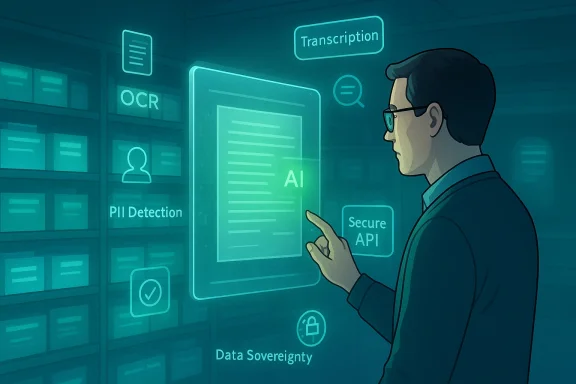
Preservica’s new suite of built‑in AI features turns a long‑standing problem in archives and records management—massive backlogs, inconsistent metadata, inaccessible scanned media—into a practical automation opportunity, and does so inside the preservation system itself rather than by bolting on a separate inference pipeline. The company’s February 4, 2026 announcement outlines integrated, human‑centered AI tools and a flexible AI Credits model that are already available in some editions and will roll out across others, promising faster backlog reduction, stronger compliance controls, and deeper discovery across long‑term digital collections. ]
Background / Overview
Preservica has built its reputation on what it calls Active Digital Preservation™: a continuous approach that keeps files usable over decades by refreshing formats, preserving provenance, and maintaining tamper‑evident audit trails. In recent years the company has extended that foundation into Microsoft 365 via Preserve365®, an embedded offering developed with Microsoft that focuses on bringing preservation and compliance directly into SharePoint, OneDrive, Teams and Exchange workflows. The company’s new headline: AI is no longer an optional add‑on for archives—it’s being folded into everyday preservation operations.The official announcement highlights several immediate capabilities and near‑term roadmaps:
- Metadata quality checks, normalization and bulk standardization.
- PII detection to support privacy and FOIA/FOI workflows.
- Built‑in OCR for scanned images and digitized collections.
- Automatic image labeling (people, places, objects).
- AV transcription and captioning with timecodes.
- Semantic, intent‑based search and AI‑driven summarization.
What’s new, and why it matters
Built‑in versus bolt‑on: a practical change
Historically, archives teams have had to stitch together separate OCR services, open‑source image‑recognition libraries, and ad‑hoc LLMs to enrich collection metadata. That approach raises operational complexity, auditability gaps, and privacy risks when data is sent to third‑party endpoints without clear logs.Preservica’s approach embeds inference and AI‑assisted processing into the preservation platform and workflow. That has three immediate benefits:
- Auditability — all actions and derived data remain part of the preservation record, simplifying legal defensibility.
- Policy control — administrators can limit AI to specific collections, preserving data sovereignty and compliance.
- Usability — records teams can accept, edit, or reject AI suggestions without leaving the archiving environment.
AI Credits: metering AI use
The rollout uses a consumption model (AI Credits) so organizations pay for inference capacity as they use it. That gives IT and records management teams a predictable way to pilot and scale AI without sudden cost surprises, while keeping heavy processing under budgetary control. The press release positions this as a flexible, per‑use model that matches archival workflows (large one‑off backlogs vs steady ongoing processing).Immediate capabilities that have operational impact
Preservica cites several realistic outcomes:- PII detection for redaction and privacy triage.
- Built‑in OCR to convert scanned collections into searchable, defensible assets.
- Automated AV transcription and captioning to meet accessibility standards.
- Semantic search and summarization to make under‑described or buried records discoverable faster.
Technical details and validation
Where AI runs, and how data flows
Preservica’s materials make a clear distinction between:- AI that runs within the platform’s managed environment (the default for many customers), and
- API hooks available in Professional Plus & Enterprise editions that let organizations route content to their own model endpoints or to approved vendor models.
Provenance, audit trails and defensibility
One of the strongest technical claims is that AI‑derived actions are captured in the preservation chain‑of‑custody and audit logs. For archives and legal teams this is crucial: derived metadata (OCR text, PII flags, captions) must be auditable, timestamped, and attributable to a process or user. Preservica’s messaging emphasizes tamper‑evident records and comprehensive audit trails as differentiators to ad‑hoc AI experiments. This aligns with the ethos of digital preservation where the context of creation and transformation is as important as the data itself.Supported content types and scale
Preservica’s Active Digital Preservation product line supports a broad range of file types and complex assets—office documents, AV formats, CAD, GIS and web archives. Preserve365’s marketing material notes support for over 1,000 non‑Microsoft file types and the ability to preserve complex digital objects while keeping them retrievable in usable formats. That breadth matters for large institutions with heterogeneous backlogs.Strengths: what this release gets right
- Integration with core workflows reduces friction. Embedding AI in the preservation platform and in Microsoft 365 via Preserve365 addresses the practical reality that most users want to work inside SharePoint and Teams, not a separate archive console. Preservica’s Power Automate connector and Copilot demo days demonstrate this integration pathway.
- Governance controls and API options for different risk profiles. Offering both a managed AI service and secure APIs for customer‑run models recognizes that public archives, government agencies, and commercial enterprises have very different compliance needs. This dual approach reduces the “all or nothing” tradeoff between utility and control.
- Practical feature set focused on immediate pain points. OCR, PII detection, metadata cleanup, AV transcription—these are proven, high‑value automation targets whose ROI is measurable in staff hours saved and improved response times for requests. That focus increases the odds that archivists will adopt the tools.
- Auditability and “defensible” outputs. By recording derived outputs as part of the preservation record, the system can help institutions meet legal defensibility standards for FOI, eDiscovery and regulatory audits—an advantage over ad‑hoc pipelines lacking persistent provenance.
Risks and caveats — what archivists and IT must watch
- False positives and negatives in PII detection. Automated PII detection accelerates triage, but it is not infallible. Mistakenly tagging or failing to tag sensitive fields can have legal and reputational consequences. Institutions must adopt human review checkpoints, conservative retention policies, and logging that shows both automated suggestions and final human decisions.
- Model bias and descriptive errors in image/people detection. Computer vision models can misidentify people and contexts, and historic collections may contain content or formats that confound modern models. Careful sampling, localized model tuning (where available), and documented governance are essential. Where identity inference is sensitive (e.g., law enforcement, privacy‑sensitive archives), default settings should favor opt‑out or human verification.
- Regulatory ambiguity around AI and data residency. Although Preservica provides tools to limit AI to specific collections and offers hosting on Microsoft Azure regions, organizations operating under strict data sovereignty laws must validate that AI processing complies with jurisdictional restrictions and procurement rules. Preserve365 has advertised Azure region options (Canada, US, UK), but customers should confirm exact regional processing locations for AI inference and storage.
- Cost predictability and ‘credit’ economics. AI Credits give metering but introduce a new cost center. Without careful monitoring and quota policies, large bulk OCR or AV transcription runs could consume credits rapidly. IT procurement should set budgets, quotas, and pilot activities to estimate credit burn rates on representative workloads.
- Vendor lock‑in versus local control. The convenience of embedded AI must be balanced against long‑term strategic control. Organizations that want to retain model provenance or use in‑house models should verify the Professional Plus & Enterprise API capabilities and export options so derived metadata can be migrated or reprocessed outside the Preservica cloud if necessary.
Practical adoption checklist for IT and archives teams
- Pilot first, with non‑sensitive collections.
- Choose a representative sample of images, AV, and documents.
- Run OCR, transcription and PII detection and record credit consumption.
- Measure staff time saved and annotation accuracy.
- Establish governance and human review flows.
- Define acceptance rules (e.g., confidence thresholds).
- Identify who signs off before metadata is committed to the preservation record.
- Confirm data residency and processing location.
- Map sensitive collections to approved processing regions.
- For Preserve365 customers on Azure, confirm the specific data center regions and whether inference is regionalized.
- Budget AI Credits and implement quotas.
- Estimate cost per page for OCR and per minute for AV transcription from pilot runs.
- Apply per‑team or per‑project credit limits to avoid surprise spend.
- Validate audit trails and defensibility.
- Test FOI/eDiscovery scenarios to ensure derived content is exported with provenance metadata intact.
- Check whether audit logs record whether metadata came from an AI suggestion or human edit.
- Plan for model governance.
- Decide whether to use vendor models, Microsoft Copilot integrations, or your own enterprise models via secure APIs.
- Maintain a model inventory that logs model versions, training lineage (as known), and update cadence.
How this fits into the broader Microsoft ecosystem
Preservica has been actively positioning Preserve365 as a deeply embedded preservation layer for Microsoft 365. Recent product updates include Power Automate connectors, Microsoft 365 Archive integrations, and demonstrations showing tighter links to Microsoft Copilot for discovery workflows. Those integrations make it easier for organizations already invested in Microsoft to add preservation workflows without changing user habits. The Preserve365 product pages and blog posts describe these integrations and list availability via Azure Marketplace and the Microsoft Power Platform.From a governance perspective, that approach leverages existing Microsoft 365 permission models, retention labels and Power Automate capabilities—meaning records and IT teams can reuse established policies rather than recreate governance frameworks in a new system. The alliance strategy with Microsoft also gives Preservica access to enterprise customers that prioritize Azure‑native deployments and deeper platform integration.
Real‑world scenarios: where the new tools will matter most
- Government FOI and FOIA offices: Rapid PII detection and semantic search reduce the time to respond to requests while preserving redaction history.
- University archives: Bulk OCR and image labeling unlock research value from digitized theses, photo archives and oral history AV assets.
- Corporate legal & compliance teams: Automated transcription and unified search make eDiscovery and regulatord more defensible.
- Media organizations: Rapid AV captioning improves accessibility and speeds content reuse across platforms.
Where the industry goes next: implications and open questions
- Expect to see more preservation vendors building integrated AI, and for Microsoft and other major cloud platforms to deepen governance tooling for inference at scale.
- Standards and regulatory guidance for AI usage in archival contexts are likely to accelerate. Archivists should track national guidance on AI inference, especially for PII handling and provenance requirements.
- Interoperability will be a competitive differentiator. Institutions will value vendors that let them export derived metadata and re‑run inference with different models as needs evolve.
- Research communities may benefit: richer, AI‑tagged archives can enable new scholarship, but only if institutions manage ethical risks and document inference provenance clearly.
Final assessment: a pragmatic step forward with guardrails required
Preservica’s announcement represents a pragmatic and arguably overdue step: making AI a first‑class feature of long‑term digital preservation rather than an experimental bolt‑on. By focusing on practical capabilities—OCR, PII detection, AV transcription, metadata standardization, and semantic search—and by keeping control and auditability central, the company addresses immediate operational pain points while acknowledging enterprise risk profiles. The Preserve365 integration with Microsoft 365 further lowers adoption friction for organizations already committed to the Microsoft ecosystem.That said, successful adoption will hinge on governance, piloting, and conservative rollout. Institutions must treat AI as an augmentation of human expertise, not a replacement. They must verify processing locations for regulatory compliance, track AI Credits and costs, and ensure human oversight of sensitive decisions—especially anything involving PII or identity inference. When applied with those guardrails, these AI capabilities can move archives from dark, inaccessible troves to active, discoverable assets that serve research, compliance and public value.
Preservica’s release is not a panacea—no vendor announcement is—but it is an important signal that the preservation sector is maturing beyond experimental AI pilots toward integrated, governance‑aware automation. The next 12 months will be telling: watch pilot reports, audit outcomes, and governance playbooks from early adopters to see whether the promised time‑to‑value (days to minutes) and defensible auditability are realized in real institutional settings.
Conclusion
For archivists and IT leaders, Preservica’s integrated AI rollout is an invitation to re‑examine backlog strategies, to pilot AI‑assisted workflows with clear human review gates, and to build the governance, budget and export plans necessary for long‑term control. If those preparatory steps are taken, the combination of Active Digital Preservation™ and practical AI can transform how institutions preserve, discover and reuse their digital heritage for decades to come.
Source: PA Media Preservica Redefines Digital Preservation with Powerful Built-In AI Tools
