

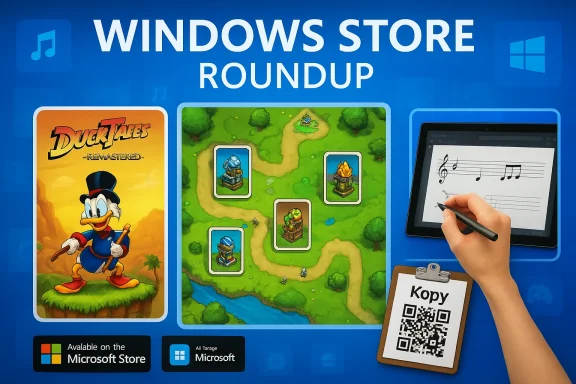
Microsoft’s weekly roundup of standout Windows releases this time highlights a mix of high-profile ports, polished indie titles and a handful of productivity utilities — led by a solid tower‑defense pick — while also noting Microsoft’s continued polishing of its core media apps and the Store ecosystem. The original BetaNews selection that inspired this feature lists Prime World Defenders as the week’s App of the Week, calls out ports such as DuckTales Remastered, and surfaces niche utilities including StaffPad and Kopy among a clutch of entertaining casual games.
The Windows app ecosystem has long been split between big‑budget ports, small‑studio native apps and experimental utilities that only exist for a short run. Week‑by‑week roundups such as the BetaNews piece provide a useful snapshot of what’s shipping in any given seven‑day window: promotions, newly rebranded system apps, and a handful of titles worth installing now. The list covered this week is a mix of:
Cautionary note
Practical buying rules for Store discounts
If you plan to follow up on any of these picks, prioritize the following actions:
Source: BetaNews Best Windows apps this week
 Background / Overview
The Windows app ecosystem has long been split between big‑budget ports, small‑studio native apps and experimental utilities that only exist for a short run. Week‑by‑week roundups such as the BetaNews piece provide a useful snapshot of what’s shipping in any given seven‑day window: promotions, newly rebranded system apps, and a handful of titles worth installing now. The list covered this week is a mix of:- A tower defense standout (Prime World Defenders)
- Casual and arcade games (Montezuma Blitz, Smash Bandits Racing)
- A retro remake port (DuckTales Remastered)
- A professional music‑notation app for pen‑equipped tablets (StaffPad)
- Sync and clipboard utilities (Kopy)
- A handful of lesser‑known titles with incomplete public documentation (e.g., Guitar DDR Music Hero).
What changed with Microsoft’s media apps this week
Microsoft’s decision to remove the Xbox prefix from its core media apps — rebranding Xbox Music as Groove (then Groove Music) and Xbox Video as Movies & TV — was an intentional move to make media apps feel more broadly relevant to non‑gamer users. That rebrand happened in mid‑2015 as part of the Windows 10 roll‑out; Microsoft framed Xbox strictly as a gaming brand and moved music and video services to neutral names to avoid exclusionary branding. Coverage of the rebrand and the naming change can be found across contemporary reporting and platform documentation. Why this matters now: the rebrand is emblematic of Microsoft’s broader Store strategy — present apps with clear consumer‑facing names and avoid brand friction that discourages mainstream adoption. For end users this means Media Player, Movies & TV and Groove Music (and later Media Player) have been shuffled and repackaged several times as Microsoft experiments with how best to deliver content across Windows and Xbox devices.App of the Week — Prime World Defenders: what it gets right
A tightly executed fusion of tower defense and card mechanics
Prime World Defenders is the week’s standout for good reason: it pairs classic tower‑defense design with a collectible‑card‑style progression that forces tactical choice. Instead of simply unlocking every tool and tower, the game hands you cards after each mission that add towers, spells or modifiers — and you must choose a limited set to take into the next battle. This deck‑building tension turns otherwise routine path‑defense encounters into interesting strategic puzzles and replay loops. The Steam store page and product descriptions confirm the game’s campaign, multiple towers, hero perks and extra modes (draft/heroic/mission generator). Key strengths- Strategic depth: Card‑driven decisions matter, keeping the campaign fresh.
- Polish: Visuals and presentation are strong for the genre.
- Replayability: Draft mode, heroic modes and mission generators extend play beyond the campaign.
- Platform expectations: The game launched across mobile and desktop in 2013–2014 and remains a circa‑generation title; users expecting modern PC‑native remasters should temper expectations.
- Monetization / ports: Verify the Store/Steam listing for current price and compatibility before purchase — storefront listings and support levels can change.
Other notable releases and analysis
Montezuma Blitz — a speed‑first match‑3 variant
Montezuma Blitz stands out because it alters the familiar match‑3 formula with a strict 60‑second timer and unlimited possible moves during the countdown. The game adds a totem mechanic — a pre‑level power you can activate to alter gameplay (for example, a fire totem that attacks gems when you make consecutive red matches). Reviews and app write‑ups describe its tempo as frantic, making it a good choice for quick skill sessions rather than methodical puzzle solving. Why it’s interesting- Fast sessions: Every level is a minute long — great for bite‑sized play.
- Totem variety: Advances the formula by letting players choose a level‑preparation boost.
- Social login: Some versions require Facebook to sync tournaments; consider privacy trade‑offs before linking accounts.
DuckTales Remastered — a faithful port, historically priced around $9.99
DuckTales Remastered is a high‑profile remake of the classic Capcom platformer, rebuilt with hand‑drawn visuals and voice acting. The Windows Store release was sold as a paid port without a free trial (the BetaNews note lists $9.99 at the time), and multiple storefronts (Windows Store, Steam) show varying sale prices over time. Historical reporting during the initial Windows port release confirms the $9.99 base price in some storefronts; Steam and Windows‑focused coverage document differences in platform pricing and periodic discounts. If you want the nostalgic platforming with modern presentation, DuckTales Remastered remains the definitive remaster — but check the storefront for the current price. What to expect- Classic design, modern sheen: Hand‑drawn sprites, background art and updated audio.
- No free trial: Historically sold as a paid port — validate the Store listing before purchase for current promotions.
StaffPad — professional handwriting‑based music notation and the hardware trade‑off
StaffPad is one of the more unusual productivity picks in the roundup because it’s explicitly designed for pen‑and‑touch Windows tablets. The app uses handwriting recognition to convert penned notation into fully typeset scores, then lets users edit, play back and export the results. Multiple reputable reviews and product pages confirm two crucial facts:- StaffPad is priced as a premium app (historical Windows Store price around $69.99, with discounts at times).
- It requires an active pen digitizer and a touch display to deliver the full experience; capacitive fingertip styluses are insufficient. This means StaffPad is principally a Surface‑class or dedicated pen‑tablet purchase for composers and arrangers.
- Professional output: High‑quality scoring and export options suitable for studio work.
- Innovative input: Pen handwriting recognition that feels fast and natural on supported devices.
- Hardware dependency: Not a general‑purpose Windows app — it requires active pen + touch support.
- Additional costs: Some sample libraries and instrument packs are sold separately via in‑app purchases.
- Target audience: This is a specialist tool for composers and notation users, not casual scribblers.
Kopy — quick clipboard / cross‑device copy & paste, with privacy considerations
Kopy is a convenience utility for copying text and small files between devices via either permanent accounts or temporary QR‑based sessions. Official product pages and early coverage explain the two session modes: a quick QR temporary session (no account required) and a longer‑term account that syncs history and bookmarks. The cross‑platform nature (Windows, Android, iOS and extensions) is useful; however, syncing text and clipboard content introduces privacy considerations that users should weigh before granting broad access. Privacy checklist- Temporary vs permanent session: Use temporary QR sessions for one‑off transfers to reduce residual data storage.
- Data handling: Read the developer privacy policy and confirm whether clipboard contents are encrypted in transit and at rest.
- Browser extensions: Extensions can ease copying but also increase the attack surface — install only official/add trusted extensions.
Smash Bandits Racing — arcade chase and upgrade loops
Smash Bandits Racing is a long‑running arcade chase title from Hutch Games that focuses on destructive, police‑evading driving. The core loop is simple (evade cops, smash objects, earn cash, upgrade cars) and the title has been ported to mobile platforms and Windows; release notes and store pages document versions on iOS, Android and Microsoft Store. Reviews and third‑party stores confirm its longevity, updates and in‑app monetization model. The game is fun for short, high‑octane runs and collectors who enjoy upgrade progression. What to watch for- In‑app purchases & tracking: Mobile app stores list purchases and tracking practices — expect IAP and analytics.
- Aging code: Some users report older‑title bugs on newer phones/OS versions; check recent reviews for current stability notes.
Guitar DDR Music Hero — an unverifiable or poorly documented listing
BetaNews mentions a Guitar Hero clone called Guitar DDR Music Hero with a small song roster and cross‑platform ambitions. At the time of writing this feature, searches did not surface an authoritative developer page or a clear Windows Store listing that corroborates the specifics (11 songs, no custom song support, exact platform availability). That absence makes the claim partially unverifiable — it’s possible the title existed briefly in the Store, was removed, or was a low‑profile third‑party release with limited documentation.Cautionary note
- Unverifiable claims flagged: Where an app’s public footprint is weak, treat feature counts, pricing and availability as uncertain until you find an official listing or a developer statement. Buy or install cautiously and prefer apps with clear storefront listings and changelogs.
Discounts and the economics of picking apps right now
The BetaNews roundup also flagged a set of deep discounts on utilities and games (apps discounted by at least 50 percent). Discounted tool bundles, media utilities, and single‑purpose utilities can be great value — but they are often time‑sensitive.Practical buying rules for Store discounts
- Check platform compatibility and recent reviews — a deep discount on an abandoned app isn’t a bargain if it stops working after the next OS update.
- Prefer apps with changelogs and active developer responses in reviews.
- For paid creative tools (like StaffPad), confirm the hardware you already own will run them — a discounted license is worthless if the device lacks the required touch/pen support.
Security, privacy and long‑term maintenance risks
A weekly selection of “best apps” is useful, but users should evaluate a few cross‑cutting risks before installing:- API & service dependencies: Many third‑party clients (photo services, social connectors, cloud backup) depend on external APIs. If an API changes (or is deprecated), the app can lose functionality quickly. Always prefer apps with explicit maintenance commitments.
- Permissions & telemetry: Mobile‑first ports and social games often request broad permissions and include analytics/advertising trackers. Review the Store privacy declarations and the app’s permissions list.
- Hardware requirements: Specialist titles (StaffPad) require specific hardware features — confirm the device profile before purchase.
- Unverifiable or removed apps: If an app has a limited public footprint, consider that it may be removed, unsupported or a one‑off experiment. Back up any important data and avoid tying essential workflows to ephemeral titles.
How to evaluate these apps before installing — a short checklist
- Look up the app on at least two official store fronts (Microsoft Store, Steam, iOS App Store, Google Play) to confirm pricing and platform support.
- Read recent user reviews (last 30–90 days) to check for regressions after OS updates.
- For apps that handle personal data (Kopy, cloud sync), read the privacy policy and prefer end‑to‑end encryption or temporary session modes.
- For creative/professional tools (StaffPad), confirm hardware compatibility and any extra in‑app purchase costs for sample libraries or instrument packs.
Final verdict — what to install now and why
- Install immediately if you want a rewarding tower‑defense experience: Prime World Defenders is a well‑implemented strategy title with meaningful deck decisions and replay modes; it’s worth the price if you enjoy the genre.
- Buy with confidence for nostalgia players: DuckTales Remastered remains a faithful and enjoyable remaster of the 8‑bit classic, but check the current Store/Steam price before buying.
- Consider but confirm hardware first: StaffPad is outstanding for composers on pen‑enabled Windows devices — a strong purchase for creative professionals who already own Surface‑class hardware.
- Use caution and read privacy docs: Kopy and other cross‑device clipboard utilities are convenient but require trust in how they handle your clipboard content — use temporary sessions for sensitive text transfers.
- Try casual sessions for short play: Montezuma Blitz and Smash Bandits Racing are both fun for quick sessions; confirm IAP and tracking policies if you want to avoid heavy monetization.
- Avoid (or verify thoroughly) lesser documented entries: any app with scant public presence (for example, the Guitar DDR Music Hero listing in the roundup) should be treated as unverified until an official store page or developer listing is found.
Closing analysis — what this week’s roundup tells us about the Windows ecosystem
This week’s selection underscores a familiar balance in the Microsoft Store: polished cross‑platform ports and visually ambitious remasters sit beside tightly scoped utilities and experiments that cater to particular hardware profiles. Two strategic lessons stand out:- Platform fit still matters: Software that explicitly targets hardware capabilities (active pen, touchscreen) continues to justify premium pricing (StaffPad), while mobile‑first games often carry legacy monetization models that may not translate cleanly to desktop users (Smash Bandits, other arcade titles).
- Maintenance is the differentiator: A well‑built app with ongoing updates will outlive a temporary discount or a novelty port. When judging value, weigh developer activity, changelog transparency and cross‑platform storefront presence more heavily than any single sale price.
If you plan to follow up on any of these picks, prioritize the following actions:
- Check the Microsoft Store or Steam listing for the current price and recent update date.
- Read the most recent user reviews (last 30–90 days) for compatibility notes with your Windows version.
- For apps that sync or carry your data, confirm privacy and transmission encryption practices.
- For hardware‑dependent creative tools, verify device compatibility (active pen + touch) to avoid wasted purchases.
Source: BetaNews Best Windows apps this week
