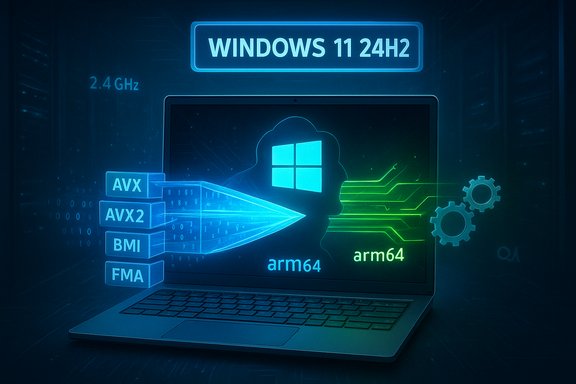
Microsoft’s latest push to make Windows on Arm feel less like an experiment and more like a practical platform took a substantive step forward this fall: the Prism emulator — the translation layer that converts x86/x64 instructions to Arm64 on Windows 11 — now emulates a broader set of x86 CPU features, including AVX and AVX2, plus BMI, FMA and F16C. That change, rolled into the October 2025 cumulative updates and already present in recent Insider builds, removes a common compatibility blocker for creative tools and some games that previously refused to run on Arm devices because they detected missing SIMD extensions.
Windows on Arm has shipped with translation layers for years, but compatibility gaps persisted because many Windows applications assume the presence of modern x86 CPU instruction-set extensions. Those extensions — notably the Advanced Vector Extensions family (AVX/AVX2) — accelerate heavy-number-crunching workloads used by video editors, digital audio workstations (DAWs), 3D renderers and many modern games. Without those instructions, installers or runtime checks often fail fast or force pathological slow code paths. Microsoft’s Prism emulator aims to bridge that divide by emulating those features for x64 apps running on Arm64 Windows. Prism arrived as the replacement for older emulation technology in Windows 11 24H2, offering better throughput and much lower CPU overhead than prior approaches. Microsoft built Prism with Qualcomm’s Snapdragon platform in mind: some Prism performance benefits depend on SoC features present on the Snapdragon X series (the high-performance chips used in Copilot+ devices), which matters for users who expect near-desktop performance from thin, power-efficient Arm laptops.
Prism’s AVX/AVX2 emulation is a practical, high‑value engineering step that materially widens what Windows on Arm can run today. It does not — and cannot — substitute for the long‑term benefits of native Arm64 applications, but it makes the platform viable for many more real‑world workflows as vendors finish Arm ports and ecosystem drivers mature. For users and admins who need specific workloads on Arm hardware, the path forward is now clearer: test with the new emulator features, keep drivers and firmware current, and plan native migrations where performance or latency matters most.
Source: Neowin Prism update unlocks AVX, AVX2 support for Windows on Arm
 Background
Windows on Arm has shipped with translation layers for years, but compatibility gaps persisted because many Windows applications assume the presence of modern x86 CPU instruction-set extensions. Those extensions — notably the Advanced Vector Extensions family (AVX/AVX2) — accelerate heavy-number-crunching workloads used by video editors, digital audio workstations (DAWs), 3D renderers and many modern games. Without those instructions, installers or runtime checks often fail fast or force pathological slow code paths. Microsoft’s Prism emulator aims to bridge that divide by emulating those features for x64 apps running on Arm64 Windows. Prism arrived as the replacement for older emulation technology in Windows 11 24H2, offering better throughput and much lower CPU overhead than prior approaches. Microsoft built Prism with Qualcomm’s Snapdragon platform in mind: some Prism performance benefits depend on SoC features present on the Snapdragon X series (the high-performance chips used in Copilot+ devices), which matters for users who expect near-desktop performance from thin, power-efficient Arm laptops. What changed in Prism and how Microsoft rolled it out
The technical shift: emulating ISA extensions
Prism’s update exposes a set of x86-64 instruction-set extensions to emulated x64 applications: AVX, AVX2, plus supporting sets such as BMI, FMA, and F16C. In practical terms, the emulator now responds to the same CPUID and feature queries that real x86 CPUs do, and translates those instructions into Arm64 code paths at runtime. That allows apps that perform a CPU feature check (for example: “Does this CPU support AVX?”) to proceed rather than aborting or declining to install. Microsoft previewed these changes in Insider Build 27744 (Canary) before rolling the behavior into retail cumulative updates in October 2025 (part of the KB5066835 family for Windows 11 24H2/25H2). The retail roll‑out is staged: some features were already in limited use on 24H2 builds (for example, enabling Adobe Premiere Pro 25 on Arm), and the October cumulative widened availability while keeping a staged activation model in some cases.How the feature is exposed to users
On devices that have received the relevant cumulative updates, users can inspect and toggle Prism options on a per‑executable basis. In practice, community testers discovered and documented a Compatibility panel option that lets you enable “newer emulated CPU features” for a given x64 EXE — a useful troubleshooting or targeted-compatibility pathway while Microsoft finishes staged enablement. Microsoft also documents the Program Compatibility Troubleshooter and provides APIs for emulation detection, but the community-discovered UI provides a pragmatic route to enable AVX/AVX2 for apps that require it.Why AVX and AVX2 matter — a quick explainer
- AVX (Advanced Vector Extensions) and AVX2 extend the x86 architecture with 256‑bit SIMD registers and instructions that operate on multiple data elements in parallel. These instructions provide dramatic throughput improvements for floating-point and integer vector math, signal processing, and multimedia workloads.
- AVX is commonly used in rendering engines, DSP pipelines, AI/ML pre- and post‑processing steps, audio processing, and high-performance game engines. AVX2 adds expanded integer SIMD capabilities and gather/scatter-style memory operations that many modern applications use to speed up core algorithms.
- Other extensions exposed by Prism — BMI (bit-manipulation instructions), FMA (fused multiply-add), and F16C (FP16 conversions) — are frequently used in optimized libraries, signal processing paths and machine-learning code. Without these, apps either slow down dramatically or refuse to run when they detect their absence.
Real‑world impact: apps and games that benefit
Creative apps and DAWs
User and community testing shows this update affects a swath of creative applications. Adobe’s Premiere Pro 25 is a documented example of an app that the Prism enhancements already allowed to function on retail Arm systems, while other creative apps that explicitly check for AVX/AVX2 are now more likely to install or run under emulation. That matters to multimedia professionals who use Arm laptops for on-the-road editing and production work. The music-production ecosystem remains more complex. Many vendors (audio interfaces, plugin makers) still list limitations for Windows on Arm. Community reports indicate that some DAWs and plugins now run under Prism with the AVX emulation enabled, but native Arm64 DAW ports and Arm-aware audio drivers remain the long‑term solution for lower latency and full plugin compatibility. For example, vendors such as Focusrite and Novation historically flagged Ableton Live 12 Lite as “not compatible” for Windows on Arm, and third-party audio vendors are still shipping updated Arm64 drivers. The short takeaway: Prism reduces a major blocker, but audio workflows have additional layers (drivers, ASIO support, copy‑protection/activation systems) that still need vendor attention to be fully reliable. Important caution: community reports claim that Ableton Live 12 can now be installed and run after enabling Prism’s newer emulated CPU features, and some forum write-ups say Ableton will publish a native Windows on Arm build next year. However, there is no public, official Ableton announcement of a definitive release date for a native Arm64 Live 12 build at the time of writing — treat those statements as community reporting and vendor-roadmap rumor unless Ableton publishes a formal confirmation. Vendors in the audio space are actively working on Arm support, but individual workflows should be tested carefully.Games and anti‑cheat realities
Game compatibility is one of the most headline-grabbing outcomes. Some titles that previously failed a CPU feature check (or used AVX-specific code paths) now launch; community testing and press coverage highlighted games such as Starfield or other AVX-dependent titles as potentially run‑able under Prism. In a particularly visible validation, Fortnite was made to run on Snapdragon X silicon after necessary anti‑cheat and driver work — a useful demonstration that the platform’s blockers are increasingly surmountable. That said, every game is different: anti‑cheat, kernel‑mode components, and vendor-specific protections can still block execution or produce unsupported multiplayer experiences.How to try the new Prism features today (practical steps)
- Confirm your Windows build: run winver and check you’re on Windows 11 24H2 or newer with the October 2025 cumulative updates applied (the cumulative updates that introduced Prism’s expanded features are part of the KB5066835 family).
- Test one app at a time and start with backups. Emulation changes are powerful but can expose new edge cases.
- Enable per‑EXE compatibility toggles if you don’t see features enabled by default:
- Right‑click the application’s main EXE → Properties → Compatibility tab → Change emulation settings (Windows on Arm compatibility).
- Enable Show newer emulated CPU features (or similar wording) for that EXE. This enables Prism’s exposed extensions for that binary. If the option reads “Hide newer emulated CPU features,” the enhancements are already enabled for your system.
- Target the app’s main 64‑bit executable; launchers, helpers, or 32‑bit bootstrapper processes may still block execution if they run first and perform CPU checks.
- For 32‑bit x86 apps, Prism’s expanded feature support is off by default and may not be visible to 32‑bit helpers — the emulation improvements are targeted primarily at x64 applications in this release. You can opt in via compatibility settings where available, but expect more friction for legacy 32‑bit installers.
Performance: what to expect and why results vary
Prism’s translation engine is significantly faster than older translation layers and uses JIT translation with cached translated code blocks. Early testing and press analyses show real-world gains: the new emulator can reduce CPU overhead and increase single‑threaded throughput in many scenarios, and reviewers reported 10–20% performance improvements in some workloads compared to prior implementations. But emulation still has intrinsic overhead: translating heavy AVX code into Arm64 sequences is computationally expensive and can tax thermal and power budgets. Real-world performance depends on multiple factors:- The host SoC and whether the device is a Snapdragon X-series part that exposes additional Prism hardware acceleration features. Some of Prism’s performance features are only available on Snapdragon X chips.
- GPU driver maturity and DirectX/Vulkan support. The GPU path is often the bottleneck for games; an app that now launches under Prism may still be GPU‑bound and produce low frame rates without mature Adreno drivers.
- Anti‑cheat and kernel‑mode components. Titles that rely on kernel drivers for anti‑cheat may remain blocked until vendors update those systems for Arm or support emulated environments.
Stability and deployment considerations for IT and power users
Patch‑management realities
The Prism improvements shipped as part of broad cumulative updates (KB5066835, October 2025 family). Those updates fixed many issues but also introduced a critical regression in the Windows Recovery Environment (WinRE) that Microsoft subsequently remedied with an out‑of‑band patch (KB5070773). Administrators should read update notes closely and test updates on representative hardware before rolling them out widely. If you operate a fleet of Arm devices in an organization, staging and validation are essential.Security and driver surface
Emulating additional CPU features changes the attack surface slightly (more code paths need to be tested), and device drivers — especially third‑party GPU or audio drivers — still play an outsize role in day‑to‑day stability. Device vendors are actively releasing Arm64 drivers for audio interfaces and other peripherals, but not every vendor has completed those ports. Expect to maintain mixed‑environment compatibility testing until vendor ecosystems mature.Software licensing and copy protection
Some software protects licensing with hardware-tied activation or third‑party protection modules that don’t run in emulated environments or on Arm. That’s an orthogonal blocker to Prism’s AVX emulation: even if an app’s CPU checks pass, licensing systems may still fail. Verify vendor guidance for any high‑value production tools before migrating workflows.Strengths, limits, and risks — a balanced assessment
Notable strengths
- Compatibility uplift: Emulating AVX/AVX2 and related ISA extensions closes a frequent “won’t install / won’t run” loop for many creative tools and some games.
- Practical deployment path: Per‑EXE toggles give technicians a pragmatic way to try targeted apps without flipping system-wide flags, supporting staged rollouts.
- Vendor momentum: Audio and DAW vendors are publishing Arm64 drivers and builds (or roadmaps), and important software vendors have either already validated or are actively testing Arm support. That ecosystem activity reduces long‑term risk.
Key limits and risks
- Emulation overhead still matters: Translated AVX code is expensive to emulate; many apps will run more slowly than native x86 equivalents, and thermal/power constraints on thin Arm laptops can limit sustained performance.
- 32‑bit legacy remains fragile: The current rollout primarily benefits x64 apps; 32‑bit x86 installers and helpers still face detection gaps and may require manual workarounds. Organizations that rely on legacy 32‑bit tooling must test carefully.
- Driver and anti‑cheat ecosystems are separate variables: GPU drivers, ASIO and hardware drivers, and kernel‑level anti‑cheat drivers must be supported or updated by third parties — Prism doesn’t solve those vendor dependencies.
- Update side effects: System updates that change deep OS behavior can produce regressions (as seen in the WinRE input issue) — validate updates in a controlled environment before broad deployment.
What comes next, and what to watch
- Expect continued incremental improvements to Prism in Insider channels before broader, default enablement across retail systems. Microsoft has signaled ongoing work and more capability rollouts over time. Watch Insider release notes and the Windows Release Health dashboard for staged changes.
- Vendor native ports will remain the gold standard. Even as Prism closes compatibility gaps, native Arm64 builds of performance-sensitive apps (DAWs, video editors, 3D tools) will deliver the best battery life, latency and throughput. Keep an eye on official announcements from major audio and creative software vendors.
- GPU driver maturity and anti‑cheat vendor cooperation are the gating factors for high‑end gaming on Arm. Progress on the driver and anti‑cheat fronts — demonstrated, for instance, by Fortnite’s appearance on Snapdragon X devices — will unlock meaningful gaming scenarios.
Practical recommendations
- For home users and enthusiasts:
- Update to the latest Windows 11 24H2/25H2 cumulative updates (after backing up) and try enabling per‑EXE “newer emulated CPU features” for apps that previously refused to install. Start with single‑app tests.
- Keep expectations realistic: emulation enables compatibility but not always native performance. Tune graphics and render settings for smoother experiences.
- For professionals and IT admins:
- Run a small pilot: validate mission‑critical apps (including licensing and plug‑ins) on representative hardware before broad deployment. Factor in driver availability and third‑party software protections.
- Watch Microsoft’s update notes and known‑issues pages. In the October 2025 roll‑out, Microsoft issued an emergency fix for WinRE; administrators should track out‑of‑band patches and test recovery workflows after OS updates.
Prism’s AVX/AVX2 emulation is a practical, high‑value engineering step that materially widens what Windows on Arm can run today. It does not — and cannot — substitute for the long‑term benefits of native Arm64 applications, but it makes the platform viable for many more real‑world workflows as vendors finish Arm ports and ecosystem drivers mature. For users and admins who need specific workloads on Arm hardware, the path forward is now clearer: test with the new emulator features, keep drivers and firmware current, and plan native migrations where performance or latency matters most.
Source: Neowin Prism update unlocks AVX, AVX2 support for Windows on Arm