

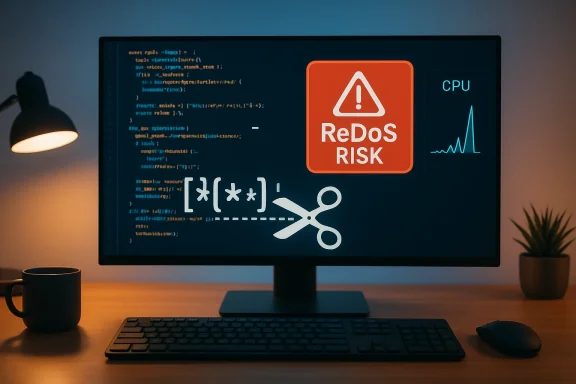
Pygments’ long-running role as Python’s go-to syntax highlighter collided with a classic but under-appreciated risk in March 2021: several lexer regular expressions exhibited exponential or cubic worst‑case complexity, allowing crafted input to trigger a Regular Expression Denial of Service (ReDoS). The bug affected Pygments releases dating back to 1.1 and was patched in the upstream 2.7.4 release; distributions and downstream packagers also pushed fixes. For operators and developers who embed Pygments into web applications, documentation pipelines, code-review tools, or any service that highlights untrusted source code, this class of vulnerability is a reminder that text processing and developer conveniences can become high‑impact attack surfaces when complex pattern matching is applied to attacker‑controlled input.
Pygments is a widely used Python library that converts source code into highlighted HTML, LaTeX, and other formats. It achieves this by lexing input with dozens of language-specific lexer modules, many of which express tokenization logic as regular expressions. In early 2021 a security review and fuzzing work identified a set of regular expressions in several lexers that could catastrophically backtrack on certain inputs. The result: a remote or local attacker who can supply code for highlighting (for example, via a paste endpoint, a web‑based editor, or a documentation generator that consumes user input) can cause the highlighting process to consume CPU and hang, producing a denial of service.
The upstream maintainers released a targeted set of fixes in Pygments 2.7.4 that rewrite the problematic expressions to eliminate the pathological backtracking. After the fix, most mainstream distributions and package managers released corresponding updates or patches. However, because Pygments is included in many ecosystems — direct pip installations, OS packages, container images, and third‑party products — residual exposure can persist until every dependent artifact is updated.
In the specific Pygments cases that were fixed:
However, the practical security outcome depends on operational discipline. Teams must:
Source: MSRC Security Update Guide - Microsoft Security Response Center
 Background / Overview
Pygments is a widely used Python library that converts source code into highlighted HTML, LaTeX, and other formats. It achieves this by lexing input with dozens of language-specific lexer modules, many of which express tokenization logic as regular expressions. In early 2021 a security review and fuzzing work identified a set of regular expressions in several lexers that could catastrophically backtrack on certain inputs. The result: a remote or local attacker who can supply code for highlighting (for example, via a paste endpoint, a web‑based editor, or a documentation generator that consumes user input) can cause the highlighting process to consume CPU and hang, producing a denial of service.The upstream maintainers released a targeted set of fixes in Pygments 2.7.4 that rewrite the problematic expressions to eliminate the pathological backtracking. After the fix, most mainstream distributions and package managers released corresponding updates or patches. However, because Pygments is included in many ecosystems — direct pip installations, OS packages, container images, and third‑party products — residual exposure can persist until every dependent artifact is updated.
Why this matters: Pygments is not just a dev tool
Many teams treat syntax highlighting as a purely cosmetic, low‑risk feature. That perception misses how often highlighting touches untrusted inputs:- Documentation sites and static site generators automatically render user-submitted examples.
- Continuous integration (CI) systems and code-review tools often render diffs or pasted snippets using Pygments.
- Pastebins, gist‑style services, discussion forums, and chatbots commonly use Pygments to display code.
- Static analyzers and code search tools may pre‑process or index code with lexers.
Technical deep dive: how ReDoS happens in lexers
At its core, ReDoS stems from certain classes of regular expressions that admit catastrophic backtracking. Two common patterns lead to exponential behavior:- Nested quantifiers or repeated groups with ambiguous matches, e.g. (a+)+b on input aaaaa... which leaves the engine trying many partitionings of the a's before failing.
- Alternations combined with repeats where multiple alternative subpatterns can match overlapping prefixes, creating many backtracking branches.
re engine (backtracking NFA) has no built‑in timeout: a single call can run arbitrarily long on pathological input.In the specific Pygments cases that were fixed:
- Several token definitions used expressions that allowed the engine to try many alternative groupings before rejecting or accepting the input.
- Some patterns were missing anchors or used greedy quantifiers where a non‑greedy or bounded form would avoid the blowup.
- The fixes typically replaced fragile grouping constructs with safer character‑class based matches, explicit boundaries, or limited repetition counts, thereby converting exponential or cubic behavior into linear-time patterns for typical inputs.
[+-]?(\d+)*.\d+%? the nested repetition around \d+ allows many ways to split digits into the repeated group versus the trailing .\d+, and a crafted input of long digit sequences can force huge backtracking. A safer rewrite explicitly matches the numeric forms with non‑ambiguous alternation or quantifier placement to assure linear scanning.Affected versions and scope
- The vulnerability traces to lexer code in many Pygments modules and affected Pygments versions starting with 1.1 up to the fixed release.
- Upstream remediation was applied in the Pygments 2.7.4 release. The release contains targeted edits to several lexer files that had the worst offenders.
- Downstream distributors (Linux distributions, container base images, and language packagers) released their own advisories and patches; however, exposure depends on how Pygments is packaged and consumed in the environment.
- Importantly, even if your system’s OS package has been updated, vendor packages, third‑party applications, or old container images may still ship the vulnerable code.
Realistic impact scenarios
- Public paste endpoint or collaborative notebook: an unauthenticated user submits a highlighted snippet that triggers catastrophic backtracking. The web worker handling the request blocks; if many attackers submit variations, the site exhausts available workers and becomes unavailable.
- CI / documentation pipeline: a maliciously crafted file in a pull request triggers slow syntax highlighting during documentation rendering, causing CI jobs to time out or dramatically extend the CI queue and waste resources.
- Search or analytics indexer: a background job that tokenizes or colorizes code for indexing consumes CPU and delays all subsequent jobs, increasing operational costs and potentially causing service-level degradation.
- Tooling that highlights log output or stack traces: if log ingestion displays code snippets from external inputs, an attacker who can craft log messages (for example via a user agent header or an uploaded file) may force the logger’s highlight logic into a loop.
How Pygments fixed the problem (what maintainers changed)
The upstream maintainers took a surgical approach:- Maintainers rewrote the problematic regexes in the affected lexers to remove ambiguous nested quantifiers and to prefer simpler, bounded or non‑capturing constructs.
- Where possible, they replaced backtracking‑prone patterns with deterministic alternatives, added anchors, and tightened quantifier bounds.
- The fixes were released as part of the Pygments 2.7.4 release and annotated in the changelog and commit history.
- The fixes were limited and targeted rather than an overhaul of the lexing approach, because the easiest path to safety is to remove specific pathological constructs while preserving lexer behavior.
Detection: how to find if you’re exposed
- Inventory Pygments versions across environments. Search your codebase, Docker images, and virtualenvs for Pygments package versions, and identify copies that are vendored or pinned.
- Check packaging metadata or distribution advisories for whether a given Pygments installation includes the 2.7.4+ changes. Some OS packages may backport fixes to older package versions; others may recommend updating to the upstream fixed release.
- Grep for suspect lexer modules in vendored copies: look for lexer filenames and suspicious numeric or string token regexes in modules like archetype, factor, jvm, matlab, objective, templates, and varnish. If you maintain a fork or vendor snapshot, compare diffs against the upstream fixed release.
- Test your highlighting endpoints with benign but long inputs to observe CPU and response time. Create synthetic worst‑case strings (long runs of characters that exercise digit, string, or nested constructs) and benchmark response times. If the hilighting call can stall for seconds or tens of seconds on a single input, that’s a red flag.
- Monitor CPU spikes, request timeouts, and worker saturation in production logs and observability dashboards. A sudden correlation between highlight endpoints and CPU spikes during times of heavy user submissions may indicate exploitation.
Immediate mitigation steps (what to do now)
- Upgrade Pygments to the patched release or later. If you can upgrade dependencies directly, install or pin Pygments >= 2.7.4. That is the primary and most reliable fix.
- If you cannot immediately upgrade (for example, due to vendor constraints or frozen environments), apply distribution-provided security patches. Many Linux vendors produced patches and backports — install those that match your OS package.
- Avoid highlighting untrusted input synchronously. If a request accepts arbitrary user text for highlighting, route it to an asynchronous worker or sandbox process and enforce timeouts on the worker rather than doing highlights inline in the request handler.
- Use process isolation and short timeouts. Execute highlighting in a separate process or container and enforce an execution timeout (for example, by limiting worker lifetime or using a supervising process that kills long-running workers). This prevents a single request from stalling the main server thread.
- Consider regex timeouts or safe regex engines. The standard Python
remodule does not support a builtin timeout. If you must accept untrusted patterns or perform complex regex operations, consider either: - Using the third‑party
regexmodule which supports atimeoutparameter on its matching functions, or - Executing highlighting in a subprocess and applying an OS‑level timeout to guarantee termination.
Note: substituting the regex engine inside a large library like Pygments is non-trivial; prefer sandboxing if you cannot change the library. - Limit input size and complexity. Enforce a maximum length for highlighted inputs (for example, limit to a few tens of kilobytes), and reject or truncate excessively long submissions before highlighting.
- Harden front-end and API rate limits. Apply per‑IP or per‑token rate limiting to the endpoints that accept highlight requests; this reduces the feasibility of large‑scale exploitation.
- Audit vendor and container images. Rebuild container images with updated dependencies, and ensure your CI and deployment pipelines do not ship outdated vendorized copies of Pygments.
- Add unit tests that assert acceptable timing. Create a test suite that runs known worst‑case patterns through the highlighting path and fails builds where the runtime exceeds a low threshold. This prevents regressions.
Longer-term fixes and engineering tradeoffs
- Prefer deterministic lexers where possible. Regex-based lexers are expedient but fragile; parsers or deterministic finite automata avoid backtracking complexities. For high‑risk applications that must process untrusted input, consider switching to safer parsing strategies or third‑party syntax engines designed for untrusted data.
- Maintain an internal supply‑chain inventory. The most common reason vulnerabilities linger is the obfuscation of where a library is used. Maintain a bill of materials for your services and ensure vendor updates propagate to all layers.
- Balance correctness vs. complexity. Some lexer rewrites that avoid backtracking incur more code or special cases. Maintainers must balance behavioral parity (lexing correctness) with the need to ensure linear‑time processing.
- Integrate fuzzing and regex analysis into CI. Tools exist that detect catastrophic regex patterns and can be integrated into pull‑request checks. Running fuzzers and static checks on lexers before merging reduces future exposure.
Practical checklist for administrators and developers
- Inventory: locate all Pygments installations (pip, system packages, vendorized copies).
- Patch: upgrade to Pygments 2.7.4 or later, or apply vendor patches.
- Sandbox: run highlight operations in isolated processes with enforced timeouts.
- Limit: impose maximum input sizes for highlighting endpoints.
- Monitor: track highlight-related CPU and latency; set alerts for abnormal resource use.
- Test: add performance regression tests that detect regex backtracking.
- Rate-limit: throttle untrusted highlight requests at the application edge.
- Rebuild: update container images and redeploy to ensure the patched code reaches production.
Risk analysis: strengths of the fix and remaining concerns
Strengths- The upstream fix was surgical and effective: rewriting the problematic regexes removes the immediate ReDoS attack vectors with minimal disruption to lexer behavior.
- Distribution maintainers and package ecosystems were quick to backport fixes or publish updated packages, enabling broad remediation.
- The vulnerability class (ReDoS) does not imply remote code execution; it is an availability problem that can be mitigated with defensive architecture.
- Transitive and vendored copies can be overlooked. Many applications vendor third‑party libraries or embed frozen wheels, so simply upgrading system packages is insufficient unless every artifact is re-built and redeployed.
- The standard Python regex engine lacks native timeouts; mitigation often requires architectural changes (process isolation or a different regex engine).
- Detection of attempted exploitation can be difficult: a single crafted request may look like legitimate activity until correlated across evidence (CPU spikes, worker hang).
- Lexers for obscure languages or rarely tested tokenizers may still harbor problematic patterns. Continuous auditing is required.
Example mitigation patterns in code (conceptual)
- Offload highlighting:
- Accept user code via main server.
- Enqueue a highlight job to a worker queue (e.g., Celery, background job).
- Worker runs highlight in a separate process with a strict wall‑clock timeout and memory limits.
- If the worker times out, return a friendly error and log the input for offline analysis.
- Enforce size and rate constraints before queueing:
- Reject or truncate inputs longer than N bytes.
- Apply per‑user and per‑IP rate limits to highlight requests.
- Use the
regexmodule for user‑controlled matching only after careful review and with explicit timeouts.
Closing assessment and recommendations
CVE‑2021‑27291 is a textbook example of how permissive regular expressions in otherwise benign libraries can create high‑impact availability risks. The good news is that the problem was fixed upstream with targeted changes, and the remediation path is straightforward: update to the fixed Pygments release or apply vendor patches and harden the surrounding architecture.However, the practical security outcome depends on operational discipline. Teams must:
- Treat text processing libraries as part of the attack surface.
- Keep dependency inventories current.
- Run highlights in well‑scoped, sandboxed environments or add timeouts and resource limits.
- Add performance‑safety tests to CI to prevent regressions.
Source: MSRC Security Update Guide - Microsoft Security Response Center
