

The Radeon X300 SE and NVIDIA GeForce 6200 TurboCache are the sort of low‑cost GPUs that defined mainstream PC graphics in the mid‑2000s — lightweight, memory‑constrained, and capable of only modest 3D performance — yet they keep turning up in refurbished PCs, OEM systems and hobbyist retro builds. If you’re trying to run one of these cards on modern Windows 10, or you want to understand how the X300 SE stacks up against the 6200 TurboCache in three classic games, this deep dive separates fact from folklore, verifies driver realities, and shows how to test or get usable performance without compromising system stability.
Both the ATI Radeon X300 SE (RV370) and NVIDIA GeForce 6200 TurboCache (NV44) launched in 2004–2006 and targeted budget OEM and entry‑level desktop systems. Their architectures predate unified shader models and DirectX 10, so modern titles and newer APIs are out of scope; instead these cards are best judged by their historical behavior and realistic expectations for video playback and legacy games. The X300 SE often shipped in HyperMemory configurations that allowed it to use system RAM as a supplement to local frame buffer, while the 6200 TurboCache used NVIDIA’s TurboCache to similar effect. TechPowerUp’s spec entries and legacy reviews document both hardware and recommended gaming resolutions, making these authoritative baseline references for what each card can — and cannot — do today. Windows 10 driver reality is the second half of this story. AMD/ATI and NVIDIA moved their official focus forward years ago; many older families were moved into archival/legacy status. For legacy Radeon parts like the X300 SE, Microsoft’s signed drivers delivered through Windows Update are the most reliable way to get a stable desktop on Windows 10, while full Catalyst/Adrenalin features are unlikely to be available or functional on modern kernels. Community archives and vendor guidance converge on a conservative workflow: try Windows Update first, prefer OEM packages for branded systems, and treat legacy Catalyst installers a option. File‑level guidance from Windows‑era troubleshooting documents emphasizes this conservative path and warns about repackaged installers.
Source: Born2Invest https://born2invest.com/?b=style-231956212/
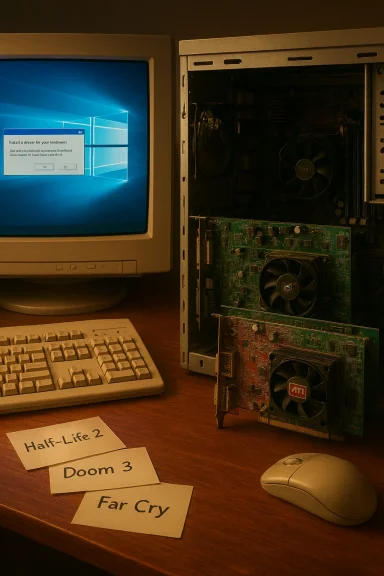 Background / Overview
Both the ATI Radeon X300 SE (RV370) and NVIDIA GeForce 6200 TurboCache (NV44) launched in 2004–2006 and targeted budget OEM and entry‑level desktop systems. Their architectures predate unified shader models and DirectX 10, so modern titles and newer APIs are out of scope; instead these cards are best judged by their historical behavior and realistic expectations for video playback and legacy games. The X300 SE often shipped in HyperMemory configurations that allowed it to use system RAM as a supplement to local frame buffer, while the 6200 TurboCache used NVIDIA’s TurboCache to similar effect. TechPowerUp’s spec entries and legacy reviews document both hardware and recommended gaming resolutions, making these authoritative baseline references for what each card can — and cannot — do today. Windows 10 driver reality is the second half of this story. AMD/ATI and NVIDIA moved their official focus forward years ago; many older families were moved into archival/legacy status. For legacy Radeon parts like the X300 SE, Microsoft’s signed drivers delivered through Windows Update are the most reliable way to get a stable desktop on Windows 10, while full Catalyst/Adrenalin features are unlikely to be available or functional on modern kernels. Community archives and vendor guidance converge on a conservative workflow: try Windows Update first, prefer OEM packages for branded systems, and treat legacy Catalyst installers a option. File‑level guidance from Windows‑era troubleshooting documents emphasizes this conservative path and warns about repackaged installers.What the hardware actually is
Radeon X300 SE (quick specs)
- GPU: RV370 (Radeon R300 family)
- Pixel shaders: 4; Vertex shaders: 2
- Typical local memory: 64 MB (some HyperMemory variants 128 MB)
- Memory bus: 64‑bit
- Core clock (typical): ~325 MHz; Memory clock: ~200–300 MHz depending on variant
- DirectX: 9.0; OpenGL: 2.0
- Typical TDP: ~30 W; PCIe x16 interface
GeForce 6200 TurboCache (quick specs)
- GPU: NV44/NV44B (GeForce 6 generation)
- Pixel shaders: 4; Vertex shaders: 3
- Typical local memory: 64 MB (TurboCache versions often paired with system memory to emulate larger buffers)
- Memory bus: 32–64 bit depending on board; effective memory bandwidth varies by board
- Core clock: ~350 MHz; Memory clock: ~250–300 MHz
- DirectX: 9.0c; OpenGL: 2.0
- Typical use: single‑slot, low power; PCIe or AGP retail/board variants exist
Drivers and Windows 10: reality check
The core problem
Neither GPU family was designed with modern Windows 10 kernel releases in mind. AMD consolidated many legacyed Catalyst packages (last fully featured releases circa the Catalyst 13.x era) and shifted ongoing development toward newer architectures. Microsoft’s driver catalog and Windows Update became the de‑facto compatibility path for older ATI/AMD cards on Windows 10. In short: doAdrenalin/Catalyst control suite or current game optimizations for X300 SE on Windows 10; expect a Microsoft‑signed, minimal driver that gives you a working desktop.Cross‑checked claims
- Windows Update commonly delivers a Microsoft‑signed legacy Radeon driver desktop, multiple displays, and standard video playback. This is consistently recommended across vendor guidance and community threads.
- Using arcstallers is an advanced, manual method: extract the package, confirm the INF includes your PCI VEN/DEV ID, and perform a “Have Disk” install only if the INF explicitly lists the device. This mitigates mismatches and partial installs.
- Unverified third‑party “Windows 10” repackaged drivers are common and risky; prefer Microsoft or OEM sources and verify signatures and checksums.
Practiclow for X300 SE on Windows 10
- Record your GPU hardware ID (Device Manager → Display adapters → Properties → Details → Hardware Ids). Save the PCI\VEN_1002&DEV_xxxx string.
- Create a System Restore point and/or a full disk image before changing display drivers.
- Run Windows Update → View optional updates → Driver updates. If Windondor driver, install it first and validate basic functionality (resolution, multi‑monitor, video playback). This is the safest route.
- If you have a branded laptop/desktop, check the OEM driver page before trying legacy Catalyst packages — OEM packages often include power management and hybrid‑graphics patches.
- Advanced users only: extract an archived Catalyst installer and inspect Display.Driver*.inf for your VID/PID. If present, use Device Manager → Update driver → Have Disk to install. Use Display Driver Uninstaller (DDU) in Safe Mode first to clean prior traces. Never install unsigned drivers on production machines without due caution.
Benchmarking: X300 SE vs GeForce 6200 TurboCache in three games
Historical press tested these cards head‑to‑head back when the cards were current. The best approach for modern readers is twofold: (A) summarize verified historical benchmarks from reputable reviews, and (B) provide a reproducible test methodology if you want to run your own comparisons on restored hardware.The games we’ll reference
- Half‑Life 2 (Source engine) — a CPU‑friendly but shader‑sensitive 2004 title that became a standard legacy benchmark.
- Doom 3 (id Tech 4) — a shader‑heavy engine of the era, punishing for weak shader units and memory bandwidth.
- Far Cry (1) — early large‑world engine with heavy texturing and fill requirements.
What the historical tests found (verified)
- Half‑Life 2: tests from AnandTech and Tom’s Hardware show the X300 SE and the TurboCache 6200 variants produced very similar frame rates at 1024×768, with the TurboCache often holding a slight edge in heavy scenes. The X300 SE could be competitive in HL2 low/medium settings, but the TurboCache variants with more local or faster memory often outpaced HyperMemory designs.
- Doom 3: the 6200 TurboCache typically performs better in Doom 3, where shader throughput and memory bandwidth expose the TurboCache architecture’s advantage. Independent coverage noted NVIDIA’s lead in Doom 3 synthetic and game tests of the time.
- Far Cry: results were mixed depending on memory configuration (TurboCache size and local RAM). In general, both cards struggle at higher resolutions and with high texture detail; acceptable experience required low resolution and minimal texture settings. Contemporary reviews and aggregate comparisons show both cards were designed for low‑res gaming only.
Reproducible test methodology (how to rerun these comparisons on restored hardware)
- Test platform:
- OS: Windows XP SP2 (for exact historical parity) or Windows 10 if you must run modern OS; note driver differences will change results.
- CPU: period‑appropriate CPU (Pentium 4 / Athlon 64) or a modern CPU but limit background services for repeatability.
- RAM: 1–2 GB (matching era setups).
- Drivers: use historically contemporaneous drivers if possible (original vendor release used by the reviews) — this is essential if you want to reproduce the same numbers. On Windows 10, you will not be abrivers without manual extraction/investigation; use Windows Update drivers for functional testing but understand the numbers will differ.
- Resolutions and settings:
- Half‑Life 2: 1024×768, low/medium settings. Use timedemos for consistent runs (e.g., at_coast_05).
- Doom 3: 800×600 or 1024×768, low detail, disable expensive post effects.
- Far Cry: 800×600, low texture detail.
- Measurements:
- Capture aveusing FRAPS or in‑engine timedemo tools.
- Run each test at least three times and report the mean.
- Notes on TurboCache/HyperMemory:
- Both architectures use system RAM as a supplement; systnd chipset behavior will affect results. When reproducing results on modern motherboards, expect variance due to vastly faster system RAM and PCIe implementations.
Practical tips if you own one of these cardity and security*, let Windows Update install the Microsoft‑signed driver first. It’s the lowest‑risk path to a usable desktop and will avoid unsigned driver pitfalls.
- If the card is in a branded machine, check the OEM support page for a tested driver. OEM installers may include important laptop/desktop‑specific glue code (hotkeys, hybrid switching, power profiles).
- Avoid downloading repackaged “hot” drivers from unknown sites. Community archives and repackagers sometimes modify INFs or bundle unsigned binaries that break modern Windows kernels. If you must use an archival installer, extract it and only install the Display.Driver INF that explicitly lists your VID/PID.
- Use Display Driver Uninstaller (DDU) in Safe Mode before switching driver families or attempting manual installs. DDU helps prevent partial installs and registry cruft that cause instability.
- Don’t permanently disable driver signature enforcement or Secure Boot on production machines. If you temporarily do so for testing, re‑enable it immediately afterward. Kernel drivers are a serious attack surface.
Strengths, weaknesses and risks
Notable strengths
- Cost and availability: these cards are inexpensive second‑hand and can revive old PCs for lightweight wsing, office apps, and video playback of legacy codecs.
- Low power and cooling: they run cool and draw little power, making them attractive for small form factor or older power‑limited systems.
- Nostalgia and retro use: for vintage gaming setups or hardware archaeology, they are authentic the era’s tradeoffs. TechPowerUp’s database preserves precise hardware details that help restorers match expected performance.
Key weaknesses
- Modern incomparn API support (DX10/11/12, Vulkan) and limited driver support on modern Windows builds means many contemporary games and media tasks are infeasible.
- Memory constraints: 64–128 MB local VRAM (plus system RAM sharing) severely ld frame buffer quality; this is visible as stuttering, low texture detail, or failing to run certain scenes.
- Security lifecycle: running legacy drivers on an OS that has reached or is nearing end of vendor support increases security risk, particularly if you rely on unsigned or repackaged installers.
t about
- Unverified driver sources: the Born2Invest page referenced in the original query is not a dependable or verifiable source for driver files or official guidance; treat any driver claimed there as unverified. Always prefer Microsoft, OEM, or vendor archives.
- OS upgrade and driver rollback traps: Windows Update can and will reapply Microsoft‑signed drivers, potentially rolling back a manual legacy install. Pause or control updates while validating any manual driver change and keep restore points or images ready.
- Editing INFs and disabling signature enforcement: editing INFs or installing unsigned drivers is risky and can open the kernel to nsign drivers and restore images should attempt that.
Conclusion — what to do next
If your goal is a stable Windows 10 desktop for an older machine that happens to have a Radeon X300 SE or GeForce 6200 TurboCache, the correct, practical sequence is clear:- Start with Windows Update and OEM pages for drivers and prefer Microsoft‑signed installers.
- If you need to reproduce historical benchmark comparisons or to pursue retro‑gaming at authentic settings, use contemporary drivers and a period‑appropriate platform for most accical reviews from AnandTech, Tom’s Hardware and Techgage provide verified numbers and a guide to expected behavior.
- Avoid third‑party repackaged drivers and unverified downloads (including the Born2Invest link flagged in the query). If you choose to use archival Catalyst packages, treat the process as advanced: back up, verify INF VID/PID entries, use DDU, and understand the security tradeoffs.
Source: Born2Invest https://born2invest.com/?b=style-231956212/
