

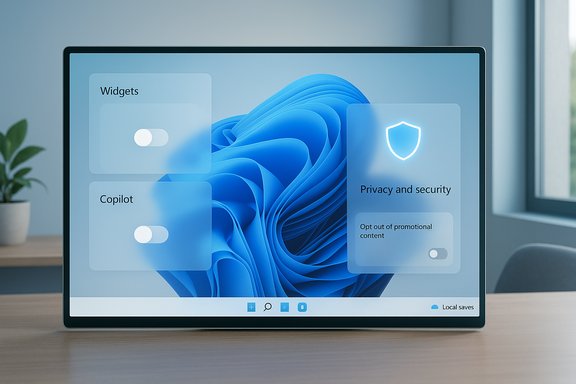
Windows 11 has matured into a polished, secure desktop OS — but some built‑in choices keep driving power users and everyday customers to the same conclusion: Microsoft should drop a handful of default features or at least make them opt‑in, not on by default. Pocket‑lint’s short list of four grievances — the Widgets panel, Copilot’s omnipresence, persistent upsells and tips, and growing reliance on Microsoft accounts/OneDrive — captures a set of practical problems that recur across forums, support guides, and independent reporting. This feature examines each complaint, verifies the key technical claims, explains the real costs and trade‑offs, and lays out specific fixes users and Microsoft should consider.
Windows 11 ships with a clear product philosophy: a cleaner visual design, tighter cloud integration, and discoverability of new platform services. That design served Microsoft’s goals — single sign‑on across services, easier migration between devices, and a platform for new AI features — but it also introduced defaults that push users toward Microsoft’s ecosystem and monetization channels.
Many of the biggest complaints aren’t about missing features but about defaults — things that arrive enabled without clear benefit for a large class of users. Communities and troubleshooting guides show the same themes again and again: users want control, predictable performance, and fewer promotional interruptions. That tension is the core of the debate examined here.
For users who value a clean, predictable desktop: the tools to reclaim control already exist, and the practical steps above will silence most of the intrusive behavior. For Microsoft, the choice is straightforward: prioritize user agency and make valuable features discoverable rather than unavoidable. The result would be a better Windows 11 for everyone — one that advertises less inside the OS and empowers users to decide what belongs on their desktop.
Source: Pocket-lint 4 Windows 11 features I want Microsoft to get rid of right away
 Background / Overview
Windows 11 ships with a clear product philosophy: a cleaner visual design, tighter cloud integration, and discoverability of new platform services. That design served Microsoft’s goals — single sign‑on across services, easier migration between devices, and a platform for new AI features — but it also introduced defaults that push users toward Microsoft’s ecosystem and monetization channels.Many of the biggest complaints aren’t about missing features but about defaults — things that arrive enabled without clear benefit for a large class of users. Communities and troubleshooting guides show the same themes again and again: users want control, predictable performance, and fewer promotional interruptions. That tension is the core of the debate examined here.
The Widgets panel: tiny promise, big irritation
What the Widgets panel is and why people complain
Widgets were meant to be quick glances: weather, calendar events, stocks, headlines. In practice, Windows 11’s Widgets panel often behaves like a news feed and promotional surface that opens from a taskbar icon and pulls in algorithmic, web‑oriented content. It appears when you hover or click the taskbar icon, and many users report accidental activations and irrelevant content surfacing by default. If you don’t curate the feed, it defaults to a mix of news headlines, Store promotions, and other items many users find more distracting than helpful. Community threads and “how to” guides show a steady stream of users disabling Widgets immediately after setup.Verification and context
Practical guides and forum threads confirm the symptoms: Widgets open via taskbar interactions and can be disabled at Settings > Personalization > Taskbar > Taskbar items. Community posts document accidental triggers and the need to toggle the feature off to stop interruptions. Web discussion and Windows‑focused forums trace a long arc of user dissatisfaction with Widgets’ content mix and invocation behavior.Strengths and why Microsoft keeps it
- Widgets can be useful for users who want a one‑screen view of weather, calendar, or prioritized feeds without launching separate apps.
- When curated, the panel can surface helpful, timely information.
Problems and risks
- Default content favors promotional and web‑driven items rather than local, productivity‑focused widgets.
- Accidental activation from mouse or touch interactions breaks muscle memory and disrupts workflows.
- Relying on a web‑feed inside the OS increases surface area for telemetry and ad‑style content.
Recommendation
- Remove Widgets as a pinned, prominent taskbar default for new installs; make it opt‑in during OOBE with a single, clear choice (Enable / Keep off).
- If Microsoft insists on default visibility, add an explicit “Open on click only / Do not open on hover” toggle and default it to click or off.
- Expose a purely local, offline widget configuration for privacy‑minded users who want quick system info without news or Store content.
Copilot everywhere: integrated AI or distraction?
The problem in short
Copilot — Microsoft’s OS‑level AI assistant — is now deeply integrated across Windows and Microsoft 365, and many devices ship with a dedicated Copilot key. For users who don’t use AI features daily, the extra UI, background services, and in‑OS prompts are seen as bloat. Pocket‑lint’s critique reflects a wider user base that finds Copilot useful occasionally but unnecessary to push into every part of the OS.Technical verification
Microsoft has been rolling Copilot enhancements and keyboard integration forward; recent builds include a customizable Copilot key that can be remapped to launch other signed apps, acknowledging user backlash and the need for choice. Reporting shows Microsoft iterating on both on‑device and cloud‑backed Copilot experiences and experimenting with integration points.Benefits
- For knowledge workers and power users who accept AI as a workflow accelerant, Copilot can draft text, summarize, and scaffold complex tasks.
- Tight integration with Microsoft 365 and Windows can speed routine tasks, particularly for users already inside Microsoft’s ecosystem.
Problems and risks
- Trust and accuracy: AI summaries and drafts are useful starting points but require verification. As a general rule, generative assistance is not an authoritative source and sometimes hallucinates or adjusts its tone according to cues (a pragmatic behavior rather than correctness). That variability undermines reliance for factual or journalistic work.
- Resource use and UX clutter: Copilot’s background services, pinned taskbar entry, and keyboard hotkey consume attention and, on lower‑spec devices, resources.
- Privacy and data flow: Deep integration increases the number of contexts in which Microsoft’s AI may interact with local content, elevating privacy concerns for enterprise and privacy‑minded consumers.
Recommendation
- Make Copilot opt‑in at OOBE for new machines; offer a single checkbox: “Enable Copilot built into Windows.”
- Allow easy, one‑click full uninstall or disable from Settings → Apps (uninstall should be simple and reversible).
- On devices with a Copilot key, let OEMs ship the key but set its default action to a short, non‑intrusive menu or let users map it during initial setup. Microsoft’s own customization options for the Copilot key are the right direction — ship that default off if possible.
Unwanted ads, tips, and suggestions: the nagging second OOBE
The pattern
Windows 11 surfaces promotional content across multiple UI touchpoints: the Start menu’s “Recommended” area, the lock screen (Windows Spotlight), Settings app suggestions, and a recurring “Let’s finish setting up your device” wizard that nudges users to enable OneDrive, Microsoft 365, and other services. These prompts are intended as helpful nudges but read like upsells when they repeatedly reappear after restarts or updates. Guides and community threads show multiple tactics to silence these prompts — in Settings or, when necessary, via registry edits.Verifying the wizard and how to remove it
Multiple troubleshooting guides show the same path to silence the recurring setup wizard: Settings → System → Notifications → Additional settings, then uncheck the options such as “Suggest ways to get the most out of Windows and finish setting up this device” and “Show the Windows welcome experience after updates.” For stubborn cases, registry edits exist, but they carry risk and should be used carefully. Independent how‑tos document these exact steps.The Bing/search monetization angle
Search integration in the taskbar frequently promotes web results and Bing suggestions. For users who prefer local results or another search provider, this is an unwelcome detour that drives browser opens and ad revenue. Multiple outlets and user threads report that disabling web results in Windows search requires deliberate configuration and that the default behavior routes queries to Bing.Problems and risks
- User frustration and perceived deception: Repetitive prompts feel intrusive and reduce trust in the OS as a neutral platform.
- Privacy and tracking: Promotional surfaces often draw content from web services that increase requests and potential telemetry.
- Work disruption: The “second OOBE” that keeps returning after updates interrupts workflows and wastes time for users who have explicitly dismissed suggestions.
Recommendation for Microsoft
- Collapse the “complete setup” nudges into a single, non‑repeating screen shown once during the initial OOBE, with a clear “No thanks — do not show again” option that persists across updates.
- Remove advertising‑style content from system UIs (Settings, Start) and relegate promotional experiences to the Microsoft Store or optional suggestion panes that are off by default.
- Provide a one‑click “opt out of promotional content” global toggle in Privacy & Security that silences all internal upsell prompts.
Microsoft account and OneDrive dependence: convenience or lock‑in?
The claim
Windows 11 increasingly nudges users to sign in with a Microsoft account, and the OS steers folder and backup defaults toward OneDrive. While a Microsoft account offers conveniences like cross‑device sync and easier recovery, the default behavior and the low free OneDrive storage allotment (5 GB) create friction for users who want independence or prefer other cloud services. Community complaints call this trend “OneDrive‑ification.”Verification: OneDrive free tier and behavior
Microsoft’s free OneDrive tier is commonly reported as 5 GB of storage for standard accounts; the shift to a 5 GB free tier dates back to policy changes in earlier years and remains the practical free ceiling for most users. Independent coverage and service comparisons reflect a 5 GB free limit, and community reports show users hitting that quota and being nudged toward paid plans.Benefits
- Automatic OneDrive backup can literally save users from catastrophic data loss when a device dies or is replaced.
- A Microsoft account simplifies SSO across Microsoft services and can improve device recovery and ease of migration.
Problems and risks
- Default nudging and folder redirection: Windows defaults can move Desktop, Documents, and Pictures into OneDrive or make OneDrive the “save” target, steering users toward a service that offers only 5 GB free.
- Cost for serious backups: 5 GB is insufficient to back up a typical modern laptop’s documents and media without a paid plan.
- Choice and sovereignty: Users who prefer Google Drive, Dropbox, or a local backup are forced to explicitly opt out or perform manual configuration.
Practical guidance for users
- During setup, explicitly choose “Use a local account” if you want to avoid tying the device to Microsoft services (note: recent Insider changes are tightening the options — see next section). For existing setups, you can unlink OneDrive from the system tray icon and choose not to back up Desktop/Documents/Pictures.
- If you keep a Microsoft account but do not want OneDrive as the primary save target, open OneDrive settings → Backup and uncheck the folders you do not want synced.
- Consider alternative cloud services (Google Drive, Dropbox) or a dedicated backup strategy if you rely on large amounts of media or need more free space.
Microsoft tightening OOBE and local accounts: a directional change
Recent Insider builds and reporting show Microsoft actively closing known workarounds that let users create local accounts during out‑of‑box setup (OOBE). The company’s rationale is that certain bypasses can skip critical configuration steps, but the result is that some users who prefer local accounts or offline installs face more friction. Independent news coverage and forum testing document the removal or neutralization of commands and registry tricks previously used to bypass the Microsoft account requirement. This policy direction raises two important trade‑offs:- For devices in enterprise or managed contexts, the Microsoft account requirement simplifies security and management.
- For privacy‑minded users, offline contexts, or thin‑client scenarios, fewer off‑ramp options are a real restriction.
Step‑by‑step: how to reclaim a less‑bloated Windows 11 (practical user checklist)
- Disable Widgets (quick):
- Settings → Personalization → Taskbar → Taskbar items → toggle Widgets off.
- Silence “Finish setting up” nudges:
- Settings → System → Notifications → Additional settings → uncheck “Suggest ways to get the most out of Windows…” and “Show the Windows welcome experience after updates…”.
- Remove Copilot (if unused):
- Settings → Apps → Apps & features → locate Copilot → three‑dot menu → Uninstall (or turn off startup behavior). If an OEM shipped a Copilot key, remap it via Settings or disable its default action.
- Opt out of OneDrive defaults:
- Right‑click the OneDrive cloud icon in the system tray → Settings → Backup → Manage backup → stop backing up folders you don’t want in the cloud.
- Turn off promotional content:
- Settings → Personalization → Start → toggle Show recommendations off. Settings → Privacy & Security → General → turn off “Show me suggested content in the Settings app.”
Bigger picture: what Windows gets right — and where it should tread carefully
Windows 11 improves security (TPM, Secure Boot, virtualization‑backed protections) and adds modern usability features like Snap Layouts and built‑in OCR in Snipping Tool. These are meaningful wins for users and enterprises alike. But shipping feature sets that assume opt‑in behavior — especially where monetization or telemetry is involved — is the key area Microsoft needs to refine. Many complaints are not about features themselves but about the defaults and persistence of promotional prompts and deep service tie‑ins.Concrete asks for Microsoft (ranked)
- Make widgets, Copilot, and promotional content opt‑in during OOBE; provide a single, durable opt‑out that survives updates.
- Expose a one‑click “turn off promotional content and suggestions” global setting in Privacy & Security.
- Allow OEMs to ship a neutral Copilot key mapping by default, and let users choose during first boot whether to enable Copilot.
- Preserve supported, secure ways to create local accounts at OOBE for offline or privacy‑first users (documented and testable).
- Clarify OneDrive defaults: do not auto‑move user folders without explicit consent and an obvious explanation of the 5 GB free tier and paid alternatives.
Conclusion
Windows 11 is a strong, modern OS that addresses security and day‑to‑day productivity in meaningful ways. The repeated frustrations cataloged by Pocket‑lint and echoed in forums are not technical curiosities but UX and policy choices with real impact: wasted time, reduced trust, and unnecessary vendor lock‑in. Microsoft can keep the progress — polished visuals, improved security, on‑device AI — while making a relatively small set of changes to defaults and opt‑in patterns that would preserve choice, reduce friction, and restore trust.For users who value a clean, predictable desktop: the tools to reclaim control already exist, and the practical steps above will silence most of the intrusive behavior. For Microsoft, the choice is straightforward: prioritize user agency and make valuable features discoverable rather than unavoidable. The result would be a better Windows 11 for everyone — one that advertises less inside the OS and empowers users to decide what belongs on their desktop.
Source: Pocket-lint 4 Windows 11 features I want Microsoft to get rid of right away
