

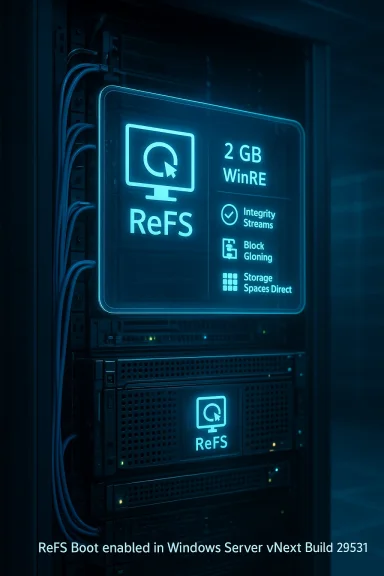
Fourteen years after ReFS first shipped as a data-centric filesystem with Windows Server 2012, Microsoft has taken the cautious — and consequential — step of allowing Windows Server to boot from an ReFS-formatted system volume in preview builds. This change, enabled in the Windows Server vNext Insider Preview baseline (Build 29531), moves ReFS from a data-only role toward a potential system-volume candidate and forces administrators, backup vendors, and OEMs to rethink long-held assumptions about NTFS as the safe default for boot and recovery paths.
Key points confirmed in the announcement:
Source: Windows Report https://windowsreport.com/microsoft-finally-announces-refs-boot-support-for-windows-server/
 Background
What ReFS brought to the table — and what it didn’t
When Microsoft introduced the Resilient File System (ReFS) in 2012, the objective was clear: build a filesystem optimized for scale, integrity, and online repair for server-class workloads. Over successive releases, Microsoft added capabilities that made ReFS particularly compelling for data volumes:- Integrity streams and metadata checksums for corruption detection.
- Copy-on-write metadata operations and a design oriented around avoiding expensive offline repairs.
- Block cloning and sparse VDL to accelerate virtual disk operations for Hyper-V workloads.
- Deep integration with Storage Spaces and Storage Spaces Direct for self-healing and mirror-accelerated parity.
What Microsoft announced (the facts)
Build 29531: ReFS Boot enabled for Windows Server vNext preview
On February 12, 2026 Microsoft published Windows Server vNext Insider Preview Build 29531 and designated it as a new preview baseline. The release notes explicitly state that ReFS Boot is enabled for Server vNext preview builds and list a short set of known limitations and operational caveats. The announcement asks Insiders to perform a clean install of the new baseline and warns that upgrades from earlier preview branches are not supported.Key points confirmed in the announcement:
- ReFS may now be used as the system/boot volume for Windows Server vNext preview builds.
- The build is a preview baseline; Microsoft describes the release as pre-release software, intended for testing, and not supported in production.
- Systems that boot from ReFS create a minimum ~2 GB WinRE partition to host recovery tooling; deleting that partition and extending the boot volume over it is flagged as unrecoverable without a clean reinstall.
Why this matters: practical benefits of a ReFS boot volume
ReFS offers a different set of trade-offs compared with NTFS. For server operators and storage architects, the primary benefits of running the system volume on ReFS (even in preview) are:- Improved corruption detection and online repair: ReFS’s integrity-checking mechanisms and optional data integrity streams enable proactive detection of latent corruption and, when combined with Storage Spaces mirrors, the ability to repair without taking the volume offline. That capability reduces the need for chkdsk-style offline maintenance windows.
- Scale and future-proofing: ReFS is designed to support very large volumes and datasets. Microsoft’s ReFS documentation describes the filesystem as capable of handling far larger namespace scales than NTFS, which has practical implications as servers host ever-larger virtual disk libraries and datasets. (See the verification and discrepancy notes below.)
- Faster virtual disk operations: Features such as block cloning and sparse VDL accelerate the creation, cloning, and merging of VHD(X) files — operations that historically took minutes may now complete in seconds in certain scenarios. That accelerates provisioning and snapshot merge operations for Hyper-V and can reduce VM deployment time in large farms.
- Operational consistency for data-centric hosts: Host machines that are primarily storage-serving — for example Hyper-V infrastructure nodes — can potentially gain resilience benefits by bringing the filesystem advantages to the OS partition itself, reducing the difference in behavior between system and data volumes.
The known limitations and risks (what the preview warns you about)
Microsoft’s preview release does not obscure the dangers. The Build 29531 notes and community analysis highlight several hard constraints and ecosystem gaps that administrators must treat as first-order concerns:- Clean install only: Upgrades from earlier preview builds are not supported. Expect to reimage rather than in-place upgrade when testing ReFS boot. That alone reduces the practicality of rolling this into ongoing preview environments until upgrade paths are validated.
- WinRE partition dependency: Systems that boot from ReFS will create a minimum ~2 GB WinRE partition. If WinRE cannot be updated due to space constraints, WinRE may be disabled and, critically, deleting that partition and extending the boot volume over it is unrecoverable without a clean install. Administrators must preserve WinRE and plan partition layouts accordingly.
- Imaging and recovery gaps: The Windows recovery and servicing toolchain — historically built around NTFS assumptions — may not behave the same on ReFS system volumes. Third-party imaging tools, vendor recovery tools packaged with OEM systems, and some bare-metal restore workflows may not have been tested against ReFS-boot systems. That increases the risk of being unable to restore a server using existing tools.
- Backup vendor compatibility: Many backup and snapshot vendors have treated ReFS as a data-store filesystem only. Backup agents, snapshot tools, and system-state backup workflows may not produce a restorable system image for a ReFS-boot target until vendor support is explicitly published. If your backup vendor does not certify ReFS as a boot target, do not use ReFS-boot in production.
- Ecosystem inertia: Infrastructure components like WinPE/WinRE, firmware-level recovery, vendor-provided recovery media, cloud-snapshot and restore tooling, and even edge-case enterprise utilities will need testing and, in some cases, updates to guarantee correct behavior.
Verification and cross-references (what we checked and where)
Because this is a high-impact platform change, I verified the most important technical claims against Microsoft’s documentation and the official Insider announcement, and cross-referenced independent reporting and community analysis.- Microsoft’s ReFS feature set and the list of supported/unavailable features (including historical “Bootable:
 ”) were confirmed in the ReFS overview on Microsoft Learn. That page also documents ReFS advantages (integrity streams, block clone, sparse VDL) and its scope of supported deployments.
 - The official Windows Server vNext Preview Build 29531 announcement on Microsoft’s Community Hub explicitly enables ReFS Boot for the preview and lists the WinRE partition caveats and upgrade guidance. That announcement is the authoritative confirmation that Microsoft has opened this preview scenario.
- Independent reporting and community write-ups (including our industry peers and Windows-focused forums) summarized the practical implications and highlighted vendor/tooling risks. Those analyses align with the official notes and add operational color and early testing reports.
- Build metadata and early community-curated changelogs corroborate the presence of ReFS Boot in Build 29531 and enumerate known quirks in the early preview. These corroborate the official notes and community testing feedback.
Points that require caution — claims that need careful interpretation
Several widely-circulated claims about ReFS’s capabilities need precise framing, because journalists and vendors sometimes convert marketing wording into hard numeric guarantees.- Capacity/scale numbers: Some articles quote a specific maximum volume size (for example, “35 petabytes”). Microsoft’s ReFS documentation describes the filesystem as designed to handle extremely large data sets and uses terms like “millions of terabytes” in guidance. These phrases are qualitatively useful, but the precise maximum depends on implementation variables (cluster size, allocation unit, platform constraints), and manufacturer and workload details can affect practical limits. Treat specific numbers that appear outside Microsoft’s documentation with caution until Microsoft publishes formal limits for the server SKU and build in question.
- Performance claims: Headlines that say “tasks that used to take minutes now complete in seconds” capture a real benefit of block cloning and sparse VDL, but the actual speedup depends heavily on workload, storage hardware, and whether Storage Spaces or S2D are involved. Vendors and administrators should validate claims with controlled benchmarking in their own environment before assuming similar gains.
- Compatibility blanket statements: Saying “ReFS Boot will work everywhere” is incorrect. Microsoft’s preview is explicitly limited, requires UEFI firmware, a clean install, and preserves WinRE. Many OEM-specific recovery paths, custom imaging environments, and vendor appliances will need explicit validation. If a vendor or article lacks that validation, treat their support statement as provisional.
Practical testing checklist for Insiders and administrators
If you are running the Windows Server Insider program and want to evaluate ReFS boot in Build 29531 or later, use this checklist as a minimum safe starting point. These steps reflect the official notes and community guidance:- Register and obtain the Server vNext preview ISO or VHDX, and plan for a clean install. Microsoft warns that upgrades from earlier preview builds are not supported.
- Ensure your system uses UEFI firmware and prepare your installation media accordingly.
- Allocate a minimum 2 GB WinRE partition and do not remove it. Test WinRE functionality (boot to recovery) immediately after install. If WinRE is disabled or cannot be updated due to space, document the behavior and file feedback.
- Validate your imaging and restore workflows:
- Test Windows Server Backup, your vendor backup agent, and any bare-metal restore tooling against a server booting from ReFS.
- Confirm you can recover the full system, system state, and Active Directory (if present) from your backup media.
- Test third-party management tools, OS deployment tools, and vendor OEM recovery media against the ReFS-boot machine to verify compatibility.
- Benchmark VM operations and real workloads (VHDX creation, checkpoint merge, large file copy) in a controlled environment to quantify benefits for your specific hardware and workload mix. Use identical hardware and storage backends to compare NTFS and ReFS results.
- Avoid deploying ReFS-boot systems into production until backup vendors, OEMs, and your operational toolchain explicitly certify support. Maintain fallback procedures that assume recovery may require a clean reinstall.
Workload guidance: who might (and who should not) benefit now
Good early candidates for evaluation
- Hyper-V host testbeds and lab clusters: Hosts used for running test and dev VMs where speedy VHD operations matter. Here ReFS’s block clone and sparse VDL advantages will be evident, but keep restore procedures well rehearsed.
- Storage-focused nodes that are reimaged frequently: If you manage dedicated storage or virtualization nodes that you can reimage without high operational overhead, testing ReFS-boot in those controlled fleets can reveal practical benefits and issues.
Use cases to avoid for now
- Production Domain Controllers and identity-critical systems: Domain Controllers have complex restore semantics; any gap in imaging or restore workflows can cause AD replication and recovery failures. Wait until Microsoft and identity tooling vendors publish explicit guidance.
- Systems with OEM-managed recovery or vendor-specific appliances: If you rely on vendor recovery media or firmware-level tools that are not yet validated for ReFS, avoid deploying ReFS-boot until vendor certification is available.
- Critical production servers without tested backups: If your existing backup solution cannot guarantee coherent system restores for ReFS boot targets, do not use ReFS-boot in production.
Ecosystem implications: vendors, imaging, and the long tail
Microsoft enabling ReFS boot in preview is the starting gun for a larger ecosystem effort. Several stakeholders must act to make ReFS a production-ready boot option:- Backup and disaster recovery vendors must verify restore semantics against ReFS-boot systems and publish compatibility matrices or updated agents where necessary. Until vendors certify support, administrators must assume existing backups might be insufficient for full-system recovery.
- Imaging and deployment tooling (task sequences, unattend files, OEM recovery media, Windows Server Update Services) needs to be validated and updated for ReFS system volumes. That includes the Windows Preinstallation Environment and vendor USB recovery tools that historically assumed NTFS.
- Cloud and hosting providers that offer snapshot/restore system images should test ReFS boot images, since automated restore and cloud-init-like processes often rely on NTFS assumptions.
- OEMs should validate firmware-level assumptions and recovery drawers to guarantee that factory recovery and firmware update paths work with ReFS-boot systems.
Community reaction and early testing notes
Forums and community threads reflect the expected mix of excitement and caution. Windows Server Insiders and storage specialists welcomed the capability as the logical next step for a filesystem that had already become the backbone of many data workloads. At the same time, the initial testing threads and community posts stress the practical hazards — tools that fail during recovery, agent incompatibilities, and sharp warnings about deleting the WinRE partition. The community’s advice is unanimous: test exhaustively and treat this feature as experimental until the wider ecosystem confirms support.A measured recommendation for IT teams
- Treat ReFS Boot as a preview-grade capability. Do not plan production migration until Microsoft and your backup/image vendors publish formal support statements and tested guidance.
- Use isolated test clusters and lab hosts for evaluation, and automate full-restore exercises to verify end-to-end recovery. If a full restore from a known-good backup is not demonstrably successful within your RTO/RPO constraints, do not deploy.
- Preserve WinRE partitions and update partitioning guidance and operational runbooks. Document the recovery path that relies on WinRE and ensure you can boot into it in your lab tests.
- Communicate with your vendors: request formal testing and certify your backup, imaging, and management tooling with ReFS-boot images before declaring support.
Conclusion
Microsoft’s decision to enable ReFS Boot in the Windows Server vNext Insider Preview (Build 29531) is an important technical milestone. It brings the filesystem’s integrity-first design and VM-optimized IO primitives into the operating system partition for the first time, promising resilience and performance gains for many server-class workloads. At the same time, this is a preview feature encumbered by practical constraints: clean installs only, a mandatory WinRE partition, and a large ecosystem of imaging and backup tools that will need to validate and certify support before production use is safe. Administrators should approach ReFS-boot with curiosity and discipline: test aggressively, verify full restores, and wait for vendor certification before changing production baselines. Microsoft’s official announcement and ReFS documentation are the anchor points for these changes, and the community’s early testing is already surfacing the operational issues that will guide a safe rollout path.Source: Windows Report https://windowsreport.com/microsoft-finally-announces-refs-boot-support-for-windows-server/
