Microsoft has quietly given administrators a way to remove the consumer Copilot app from managed Windows 11 devices — but the escape hatch is deliberately narrow, while Excel’s new import functions push AI deeper into everyday spreadsheet work, promising big productivity gains alongside governance headaches.
Microsoft’s Copilot ecosystem now spans several delivery channels: a consumer-facing Microsoft Copilot app that ships or is provisioned on many Windows 11 images, deep OS-level integrations (taskbar button, Win+C/hardware key, Explorer context menu), and the paid, tenant-managed Microsoft 365 Copilot service. That multiplicity has produced persistent management friction: admins want deterministic control over what runs on endpoints without breaking tenant workflows. In response, Microsoft added a new Group Policy that performs a one‑time uninstall of the consumer Copilot app under narrowly defined conditions in Insider preview builds.
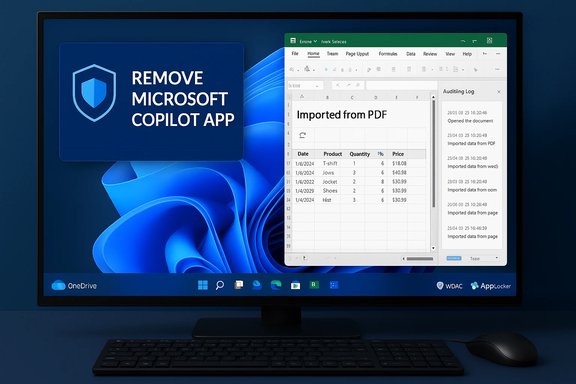
At the same time, Excel has been evolving from a formula-first tool into an AI-assisted data platform. Recent updates let Copilot search for and import tabular content from the web, Word, PowerPoint and PDF files directly into spreadsheets, with the option to create refreshable connections that behave like Power Query imports. That feature is rolling out in stages—initially to Insiders and Copilot-licensed customers—with parity plans for Excel for the web and desktop.
This piece unpacks both developments: what the new Copilot uninstall policy actually does, how it works in practice, why Microsoft limited it, and what admins should do; then it pivots to Excel’s import functions, detailing the capabilities, the accuracy and auditability trade-offs, and how teams can adopt the feature safely. Practical remediation steps, rollout checklists, and governance recommendations are included.
The RemoveMicrosoftCopilotApp Group Policy is a welcome, documented capability for administrators who need to surgically remove provisioned, unused Copilot installs on managed Windows 11 devices — but its conservative gating (notably the 28‑day inactivity requirement and the exemption for user-installed copies) means it behaves as a cleanup tool more than a fleet-wide ban. Durable control still requires policy layers: AppLocker/WDAC, image deprovisioning and strict tenant provisioning settings.
Conversely, Copilot’s new import functions in Excel remove a historical bottleneck — extracting and refreshing tabular data from PDFs, slides, web pages and other Office files — and they can materially speed analytics work. But with that convenience come accuracy, auditability, and privacy trade-offs. Organizations must pair the feature with validation, governance, and an insistence on transparency for generated transformations.
Both developments are pragmatic: Microsoft is advancing AI in the OS and in productivity tools while offering measured management instruments. For IT leaders and power users the bottom line is clear — pilot early, validate carefully, and build layered controls so convenience does not outpace governance.
Source: PCMag https://www.pcmag.com/news/you-can-...port-functions-make-handling-numbers-easier/]
 Background / Overview
Microsoft’s Copilot ecosystem now spans several delivery channels: a consumer-facing Microsoft Copilot app that ships or is provisioned on many Windows 11 images, deep OS-level integrations (taskbar button, Win+C/hardware key, Explorer context menu), and the paid, tenant-managed Microsoft 365 Copilot service. That multiplicity has produced persistent management friction: admins want deterministic control over what runs on endpoints without breaking tenant workflows. In response, Microsoft added a new Group Policy that performs a one‑time uninstall of the consumer Copilot app under narrowly defined conditions in Insider preview builds.At the same time, Excel has been evolving from a formula-first tool into an AI-assisted data platform. Recent updates let Copilot search for and import tabular content from the web, Word, PowerPoint and PDF files directly into spreadsheets, with the option to create refreshable connections that behave like Power Query imports. That feature is rolling out in stages—initially to Insiders and Copilot-licensed customers—with parity plans for Excel for the web and desktop.
This piece unpacks both developments: what the new Copilot uninstall policy actually does, how it works in practice, why Microsoft limited it, and what admins should do; then it pivots to Excel’s import functions, detailing the capabilities, the accuracy and auditability trade-offs, and how teams can adopt the feature safely. Practical remediation steps, rollout checklists, and governance recommendations are included.
Microsoft’s RemoveMicrosoftCopilotApp: what it is and what it isn’t
The headline facts
- The Group Policy is named RemoveMicrosoftCopilotApp and appears under Local Group Policy at: User Configuration → Administrative Templates → Windows AI → Remove Microsoft Copilot App in the Insider preview build referenced.
- The policy was delivered in Windows 11 Insider Preview Build 26220.7535 (packaged as KB5072046) and is visible in Dev and Beta channels in early previews.
- When enabled, the policy performs a one‑time uninstall of the consumer Microsoft Copilot app for the targeted user — it does not create a persistent ban; users may reinstall later if permitted.
The three gating conditions (all must be true)
Microsoft intentionally made the uninstall conservative. The setting runs only when all of the following are true for the targeted user/device:- Microsoft 365 Copilot (tenant-managed) and the consumer Microsoft Copilot app must both be installed on the device. This avoids removing the only Copilot experience a paid user might rely on.
- The consumer Copilot app must not have been installed by the user — it must be provisioned by OEM, tenant push, or image provisioning. User-installed copies are exempt.
- The consumer Copilot app must not have been launched in the last 28 days. Microsoft enforces this inactivity window to avoid surprising active users.
Why Microsoft built it this way: design trade-offs and intent
Microsoft’s Copilot architecture separates the consumer UI from tenant-managed Copilot features. Removing every Copilot artifact indiscriminately risks disrupting paid tenant workflows and accessibility features. The conservative design balances:- Operational safety — minimising helpdesk impact by avoiding removals for active users.
- Tenant continuity — preserving Microsoft 365 Copilot for organizations that rely on that paid service.
- Auditability — the action is one-time and verifiable, rather than relying on fragile scripts.
Operational reality: why “uninstall” is harder than it sounds
Practical hurdles admins will face
- The 28‑day inactivity gate is awkward in practice. On many builds Copilot may auto-start or be triggered by background shells, which counts as activity and blocks the uninstall. Admins often must disable auto-start and prevent user launches to satisfy the gate.
- The policy won’t remove user‑installed copies downloaded from the Microsoft Store. Bulk removal of those installs requires detection + remediation workflows (Intune uninstall profiles, PowerShell scripts, or AppLocker).
- Because the uninstall is one‑time and non‑persistent, provisioning pipelines, feature updates, or Windows images can reintroduce Copilot unless the image is rebuilt or AppLocker/MDM settings block reinstallation.
What remains after uninstall
Uninstalling the consumer app removes the front‑end UI in many scenarios but may not purge deep OS integrations or separate components (Widgets, Studio Effects on Copilot+ PCs). For durable prevention, administrators must combine the policy with image-level deprovisioning, AppLocker/WDAC, tenant provisioning controls, and ongoing verification.Recommended rollout playbook for IT teams
Pre-pilot checklist
- Confirm devices are running Windows 11 Insider Preview Build 26220.7535 / KB5072046 in a controlled ring where you can safely test.
- Catalog devices by SKU and management state: Pro, Enterprise, Education; domain‑joined/MDM‑enrolled vs unmanaged.
- Identify which endpoints have Microsoft 365 Copilot active and map that dependency; the policy will not run if Microsoft 365 Copilot is absent.
Pilot steps (recommended)
- Disable Copilot auto‑start via Settings or startup policy for the pilot OU to allow the 28‑day inactivity window to begin.
- Apply RemoveMicrosoftCopilotApp to a small pilot OU and monitor Group Policy application events and event logs.
- Verify the uninstall occurred and inspect accessibility paths, search handlers, and context menu behavior for regressions affecting assistive tech.
Post‑uninstall hardening
- Add AppLocker/WDAC rules to block Copilot package installs for durable enforcement if required by policy.
- Remove Copilot from base OS images or provisioning pipelines, and lock images in your deployment process.
- Implement scheduled verification (scripts or Intune reports) after every Windows feature update to detect re‑provisioning.
Practical options for non‑admin users and power users
- GUI-first: hide the taskbar button (Settings → Personalization → Taskbar → Copilot off) or uninstall via Settings if the UI shows an Uninstall option. These are safe, reversible first steps.
- Power users: confirm package names with PowerShell (Get-AppxPackage | Where-Object Name -like "Copilot") and remove with Remove-AppxPackage — take system restore and registry backups first.
- For durable per-device control without AD: map the Group Policy to registry keys or use Intune configuration profiles to mirror the supported setting.
Excel’s new import functions: capabilities and implications
What’s new, in short
- Copilot in Excel can now locate and extract tabular data from web pages, Word, PowerPoint and PDF files stored in OneDrive/SharePoint, presenting findings for user confirmation and import.
- Where possible, imports are refreshable and presented as Power Query‑like connections so data can be refreshed rather than being a one‑off copy.
- The UI places Copilot entry points near the selected cell and ribbon, enabling quick discovery and prompting for natural‑language import queries. Availability started with Insiders and Copilot-licensed customers.
Why this matters
This is a meaningful step toward reducing the time spent on data acquisition and early-stage ETL. Analysts and reporting teams who previously extracted tables manually from PDFs and slide decks can now get structured tables into Excel faster, and—critically—can sometimes maintain live refresh links to source files. That reduces manual drift and accelerates iteration.Accuracy, auditability and governance: the trade-offs
Accuracy and “hallucination” risk
Copilot’s extraction is powerful but not perfect. It may misidentify columns, parse dates incorrectly, or coerce textual cells into numbers incorrectly. For business‑critical reports, blind trust in AI‑generated imports is dangerous; every import should be validated against the source. Microsoft itself warns that Copilot outputs require verification for high‑stakes tasks.Auditability: generated steps vs explicit M code
A core advantage of Power Query historically has been explicit, hand-authored M transformations that are discoverable and auditable. AI-created imports need equivalent transparency: ideally, Copilot should surface the generated Power Query/M steps or provide an auditable transformation log for compliance teams. Current public reports show this as an area of active improvement and something enterprise teams must demand.Privacy and data leakage concerns
Importing from organizational files and the web means Copilot must access tenant data stores. Tenant-level controls and least‑privilege configurations are essential to avoid accidental exposure. Admins should review Copilot web-search and organizational file-access settings before broadly enabling imports.Practical adoption guidance for Excel teams
Quick adoption checklist for power users
- Confirm licensing and build requirements (Insider builds and Copilot license as applicable) before enabling features.
- Use Copilot for discovery and prototyping — let analysts rapidly pull candidate tables into a staging workbook.
- For production reports, convert Copilot-created imports into explicit Power Query queries (expose and lock the M code) or migrate the workflow into supported dataflows maintained by data engineering.
Governance and audit controls
- Establish a validation checklist: confirm column headers, data types, sample row comparisons, and refresh behavior.
- Maintain an “AI import log” (manual or automated) for production workbooks that records: date of import, source file/URL, Copilot prompt used, and spot-check results.
- Limit Copilot import permissions for high‑sensitivity folders and apply tenant controls to block web search where necessary.
Security interplay: Copilot imports vs prompt-injection threats
While Excel’s import functions increase productivity, they exist in a broader ecosystem where prompt-autofill and deep-link behaviors can be abused. Researchers have demonstrated techniques (reprompt-style attacks) that can prefill Copilot inputs via URL parameters and chain actions to exfiltrate data from authenticated sessions. Any extension that makes it easier to prefill or automate prompts raises threat considerations that security teams need to assess. Treat new import and automation functions as part of the organization’s attack surface and test them in red-team scenarios before broad rollout.Strengths and notable gains
- Productivity lift: Eliminates many repetitive extraction tasks; prototyping that used to take hours can often be done in minutes.
- Bridges file silos: Makes Word, PowerPoint, and PDF artifacts first-class data sources for spreadsheet analysis.
- Refreshable link model: By integrating with Power Query semantics, Copilot’s imports can become repeatable and maintainable—when properly surfaced and controlled.
- Lowered barrier to entry: Empowers less technical users to perform data extraction without scripting or advanced Power Query knowledge.
Risks, limitations and where vigilance is required
- False confidence and silent errors: AI can extract plausible but incorrect tables; human validation is mandatory for critical work.
- Governance gaps: Without tenant-level safeguards, Copilot’s cross-file search could expose sensitive content. Admins must apply least-privilege and logging.
- Auditability shortfalls: Enterprises with strict audit requirements must insist on generated-step visibility or exportable transformation logs.
- Dependency on cloud storage: Refreshable imports typically require OneDrive/SharePoint and AutoSave; local-only workflows won’t gain the full benefit.
Recommendations: practical next steps for IT and analytics leaders
- For endpoint teams concerned about Copilot:
- Treat RemoveMicrosoftCopilotApp as a cleanup tool — useful for specific scenarios but not a permanent enforcement mechanism. Combine it with AppLocker/WDAC and image hardening for durable control.
- Pilot in controlled rings, coordinate the 28‑day quiet period, and automate verification after feature updates.
- For analytics teams adopting Excel imports:
- Use Copilot for rapid prototyping, then operationalize stable flows into explicit Power Query scripts or sanctioned dataflows for production.
- Create validation and audit processes for all AI-imported tables and restrict sensitive-folder access for Copilot search.
- For security teams:
- Assess prompt injection and deep-link risks introduced by Copilot entry points, and run threat models that include Reprompt‑style chains.
- Monitor and log Copilot searches and import actions where your tenant controls permit; add detection rules for abnormal cross-file queries.
Conclusion
Microsoft’s two recent moves reflect the same strategic tension: integrate AI to accelerate productivity, while giving organizations the tools (but not always the simple guarantees) to govern and secure those integrations.The RemoveMicrosoftCopilotApp Group Policy is a welcome, documented capability for administrators who need to surgically remove provisioned, unused Copilot installs on managed Windows 11 devices — but its conservative gating (notably the 28‑day inactivity requirement and the exemption for user-installed copies) means it behaves as a cleanup tool more than a fleet-wide ban. Durable control still requires policy layers: AppLocker/WDAC, image deprovisioning and strict tenant provisioning settings.
Conversely, Copilot’s new import functions in Excel remove a historical bottleneck — extracting and refreshing tabular data from PDFs, slides, web pages and other Office files — and they can materially speed analytics work. But with that convenience come accuracy, auditability, and privacy trade-offs. Organizations must pair the feature with validation, governance, and an insistence on transparency for generated transformations.
Both developments are pragmatic: Microsoft is advancing AI in the OS and in productivity tools while offering measured management instruments. For IT leaders and power users the bottom line is clear — pilot early, validate carefully, and build layered controls so convenience does not outpace governance.
Source: PCMag https://www.pcmag.com/news/you-can-...port-functions-make-handling-numbers-easier/]


 , and feature-level components on Copilot+ hardware. Uninstalling the consumer app does not always remove every invocation path. Some integrations may remain unless separately disabled.