

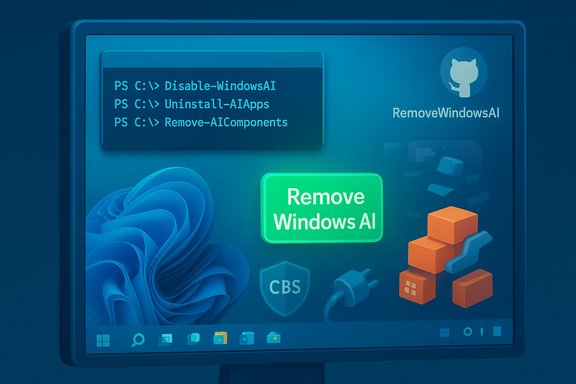
A PowerShell script that promises to strip Windows 11 of its AI features has rocketed through developer communities and mainstream tech press, fueling a debate that goes far beyond convenience: it is now a litmus test for how much control users should have over AI that ships as part of an operating system. The tool — hosted as the RemoveWindowsAI repository on GitHub and published by a developer using the pseudonym zoicware — offers a one‑click approach to disable or remove Copilot, Recall, AI enhancements in bundled apps (like Paint and Notepad), and the underlying installers and policies that can cause those components to be reinstalled. As of December 9, 2025 the repository shows approximately 1.3k stars and 35 forks, a rapid rise that reflects both grassroots momentum and broad unease with Microsoft’s ever‑deeper AI integration.
The company has continued to expand AI in the browser as well: Copilot Mode for Edge — announced publicly in July 2025 and rolled out as an experimental, opt‑in feature — lets Copilot analyze open tabs, summarize pages, and perform agentic tasks with user permission. Microsoft presents these additions as productivity enhancements and maintains that many AI features run locally on capable hardware to limit telemetry exposure, but the volume and reach of the changes have left portions of the Windows user base skeptical.
These functions are implemented in PowerShell and rely on administrator privileges; some operations run changes at a low level, including modifying servicing metadata that Windows Update consults.
That growth has been visible: the repo surpassed hundreds of stars within days and later exceeded 1,000 stars. The star and fork counts changed quickly — an indicator both of interest and the viral spread of a single‑purpose tool in open source ecosystems.
A few notable patterns in community response:
The result is a tension between design intent and real‑world risk perception — and that gap is precisely what projects like RemoveWindowsAI seek to bridge, for better or worse.
That dynamic places responsibility on both sides. Vendors need clearer, documented, and supportable opt‑out paths for features that touch sensitive data or change upgrade behavior. At the same time, community projects that offer removal or hardening must emphasize safety, transparency, and recovery; they are valuable only when consumers and IT professionals understand and mitigate the attendant risks.
In the near term, the fastest path to safe outcomes is caution: audit, test, and backup before manipulating the servicing store or deleting system packages. For the long term, this episode suggests that operating systems must evolve governance models for platform‑level AI — models that reconcile innovation with the basic expectation: users must be able to control how and where AI acts on their devices without being forced to choose between convenience and privacy.
Source: ForkLog Script to Remove AI Features from Windows 11 Gains Traction Online | ForkLog
 Background
Microsoft’s AI-first push in Windows 11
Microsoft has intentionally repositioned Windows 11 as an AI‑PC platform. That strategy bundles a family of capabilities under brand names such as Copilot (a conversational assistant integrated into the OS and apps), Recall (an AI timeline that can capture and index screen snapshots for later search), and assorted “AI actions” that inject generative and context‑aware features across system components and first‑party apps.The company has continued to expand AI in the browser as well: Copilot Mode for Edge — announced publicly in July 2025 and rolled out as an experimental, opt‑in feature — lets Copilot analyze open tabs, summarize pages, and perform agentic tasks with user permission. Microsoft presents these additions as productivity enhancements and maintains that many AI features run locally on capable hardware to limit telemetry exposure, but the volume and reach of the changes have left portions of the Windows user base skeptical.
Why a removal script appeared
The RemoveWindowsAI project is part of a wider trend: users and admins sharing scripts, packages, and step‑by‑step guides to “debloat” or disable features they consider unnecessary, intrusive, or risky. Where Windows once shipped with preinstalled trialware and optional components that could be uninstalled via the UI, AI features are more tightly woven into both the settings UX and the servicing stack. That makes casual opt‑out harder, and it explains why an automated script that removes registry keys, AppX packages, and hidden Component‑Based Servicing (CBS) blobs draws attention.What RemoveWindowsAI does — a technical summary
The repository and its main PowerShell script advertise a broad, multi‑pronged removal and blocking strategy. Key operations offered by the script include:- Registry edits to disable Copilot, Recall, AI Actions, Input Insights and other flags that enable AI behaviors.
- AppX package removal for first‑party AI apps and packages that ship as AppX (or MSIX) bundles.
- Removal of hidden CBS packages from the Component‑Based Servicing store — the area of Windows where some “nonremovable” components live.
- Installation of custom update packages that attempt to prevent Windows Update from re‑adding the AI packages by inserting blocker packages into the servicing store.
- Deletion of Recall tasks and data and hiding of the AI Components settings pane.
- Options for partial or full operation: non‑interactive command line switches, a GUI launcher, backup mode, and a revert mode intended to undo changes.
These functions are implemented in PowerShell and rely on administrator privileges; some operations run changes at a low level, including modifying servicing metadata that Windows Update consults.
Confirmation and community reaction
Multiple independent outlets and the repository itself corroborate the script’s stated purpose and behavior. The GitHub project presents a detailed README and the live PowerShell code, and several tech news sites have tested or reviewed the tool and reported similar behavior: it edits registry keys, uninstalls AppX packages, and removes or hides Recall and Copilot components. Coverage also documents the repository’s rapid star‑count growth and social engagement as the story spread through Twitter/X and developer communities.That growth has been visible: the repo surpassed hundreds of stars within days and later exceeded 1,000 stars. The star and fork counts changed quickly — an indicator both of interest and the viral spread of a single‑purpose tool in open source ecosystems.
A few notable patterns in community response:
- Privacy‑focused and power users praise the convenience and single‑tool approach.
- Security researchers and cautious IT pros warn about the risks of wholesale removal or registry surgery.
- Some are calling for Microsoft to offer clearer, supported opt‑out or enterprise control options, arguing that ad‑hoc community tools fill a governance vacuum.
Why users are turning to removal scripts
There are three recurring motives driving adoption and curiosity:- Privacy concerns. Recall’s model of periodic screenshots and local indexing created headlines and attracted scrutiny because screenshots can contain sensitive information. Even when vendors assert local processing and encryption, many users prefer not to risk any local snapshotting or broader telemetry.
- Resource and UX objections. Users report that AI components increase background CPU, RAM, and disk activity on some machines; others dislike new taskbar/Explorer/UI elements and perceive AI changes as forced or invasive.
- Control and complexity of opt‑out. Some AI features are surfaced via settings that are not obvious, require multiple toggles, or — in the case of certain packages — can be reinstalled automatically by future updates. Users frustrated by this complexity turn to scripts that promise a stronger and more permanent removal.
Technical risks and stability implications
Automated scripts that remove or alter core OS components bring real hazards. The removal of AI packages is not a purely cosmetic change — it can affect the servicing store, package dependencies, and system expectations. Key risks include:- System instability or broken upgrades. Removing packages that are later expected by other OS components or updates can lead to failed feature updates, unexpected behavior in the Start menu or Settings, and even upgrade rollback scenarios.
- Windows Update breakage. The script installs custom packages to block reinstallation. Tampering with CBS or servicing manifests can confuse future patching or leave the OS in a state that Microsoft’s automated recovery paths don’t expect.
- Security and integrity tradeoffs. While disabling AI features may reduce an attack surface for that functionality, removing system packages can disable mitigation code, update sequencing, or telemetry that supports patch validation.
- Support and warranty consequences. Enterprise support channels and OEM warranties may be compromised by unsupported system modifications. Administrators should treat these changes as out‑of‑support without rigorous testing.
- False sense of privacy. Scripted removal might not eliminate all data collectors; diagnostic or telemetry channels may exist outside the removed packages. Additionally, third‑party tools the script downloads — even if from GitHub — need independent auditing.
- Potential data loss. Removing features that keep or index local data may remove items users rely upon, and “revert” functionality is not a guarantee that there will be no permanent change.
Practical mitigations and safe approaches
For power users and administrators who are considering using RemoveWindowsAI or similar tools, there are methodical, lower‑risk practices to follow:- Audit the script first. Open the PowerShell source in a text editor and read every function call. Confirm that URLs and download targets are legitimate and that no obfuscated or networked commands are executed without inspection.
- Use version control for changes. Clone the repository locally and run it from a read‑only environment first (for example, review functions with -WhatIf flags where possible).
- Run in a sandbox or VM. Test the script in a virtual machine that mirrors your real environment. Confirm upgrade behavior and system health after running the tool.
- Create full backups. Before making system changes, create a full disk image and ensure you can restore to a known good state.
- Prefer documented OS controls first. Use built‑in Settings, Group Policy, or Microsoft’s official management guidance to disable components where supported. These approaches are more likely to preserve update compatibility.
- Enable the script’s backup/revert mode where offered and verify its effectiveness in a test environment before applying to production devices.
- Keep telemetry and diagnostics settings reviewed. Understand which data Microsoft collects under different privacy settings and manage them via Settings > Privacy & security and MDM policy.
- Limit internet connectivity during changes. Run the script offline if it includes potentially undesirable network downloads, or only permit known, audited downloads.
- Use enterprise control stacks where possible. Organizations should apply configuration management and change control and avoid ad‑hoc, per‑machine removals that cause drift.
Enterprise implications and legal considerations
In managed environments, ad‑hoc removal of OS components challenges compliance, asset management, and security posture. Administrators should be aware:- Policy conflicts. Group Policy, Intune configuration profiles, and Microsoft Endpoint Manager policies can be invalidated by low‑level removals.
- Regulatory requirements. Some regulated environments require explicit change control and documentation of modifications that affect data protection, encryption, or accessibility features.
- Supportability. Microsoft support expects devices to be within documented baselines; systems altered at the servicing level may be refused deeper support or may require reimaging to re‑enter support compliance.
- Licensing and EULAs. While end users generally retain the right to customize personal systems, corporate environments with managed licensing agreements should confirm that such changes do not conflict with contractual terms.
What Microsoft has said and how that squares with user concerns
Microsoft has repeatedly emphasized the following design points for its AI suite:- Some AI work — notably features labeled under Copilot and Recall — is designed to run locally on capable hardware to minimize cloud telemetry.
- Recall, in particular, is presented as an opt‑in feature with encryption tied to Windows Hello and TPM to protect snapshot data, along with controls to filter out apps, websites, and sensitive information.
- Copilot Mode in Edge and other AI expansions are presented as opt‑in and controlled via settings and explicit permissions.
The result is a tension between design intent and real‑world risk perception — and that gap is precisely what projects like RemoveWindowsAI seek to bridge, for better or worse.
The social and media ripple effects
The script’s rapid dissemination demonstrates how quickly a technical community can influence public perception of corporate feature design. Key dynamics observed:- A developer posts a practical tool that operationalizes a policy preference (remove AI components).
- Users and security‑minded reporters amplify the story, increasing visibility.
- Mainstream outlets test or explain the tool, widening the audience beyond power users.
- Official vendors respond indirectly — either by clarifying controls, modifying features, or remaining silent while the conversation evolves.
Balanced assessment: strengths and weaknesses of RemoveWindowsAI
Strengths- Practicality and convenience. It centralizes many tedious, low‑level operations into a single workflow that saves time for power users.
- Transparency. The code is open source, enabling inspection and forks; contributors can propose additions for new AI features.
- Granularity. The script exposes options and a backup/revert mode rather than forcing an all‑or‑nothing approach.
- Community validation. Third‑party tests and press coverage show it works in the scenarios those outlets tried.
- Unsupported changes to servicing and update paths. Tampering with CBS and installing blocker packages can create long‑term maintenance headaches.
- Security exposure if used improperly. Running scripts as Administrator that download additional binaries is inherently risky.
- Potential for permanent or hard‑to‑revert damage. Reversion is not a panacea; upgrades and OEM platform customizations may not recover cleanly.
- False security assumptions. Removing the visible AI surface does not guarantee all telemetry or diagnostics paths are disabled.
- Not a substitute for enterprise policy. Organizations need sanctioned controls, not community scripts, to manage fleet behavior.
Practical alternatives for most users
For readers looking to reduce AI‑related exposure without resorting to low‑level scripts, consider this conservative checklist:- Disable Copilot from Settings where the toggle exists and review all AI toggles in Settings > Privacy & security.
- Turn off Recall and verify that “Save snapshots” is disabled under Recall & snapshots if present.
- Use browser settings to opt out of Copilot Mode and to block site contexts that feed into AI features.
- Harden diagnostic and telemetry settings using the privacy controls in Windows and via MDM policies for managed devices.
- Prefer Group Policy and Intune configuration for enterprise control rather than per‑device scripting.
- If you are a power user, test the removal script in a VM and only run it after a verified full backup and code audit.
Conclusion
RemoveWindowsAI is a symptom of a broader challenge: as operating systems absorb AI into UI, system services, and background processing, the default posture of those features grows more consequential for privacy, performance, and manageability. The script’s popularity is evidence of a user base that values control and is willing to take technically complicated steps to regain it.That dynamic places responsibility on both sides. Vendors need clearer, documented, and supportable opt‑out paths for features that touch sensitive data or change upgrade behavior. At the same time, community projects that offer removal or hardening must emphasize safety, transparency, and recovery; they are valuable only when consumers and IT professionals understand and mitigate the attendant risks.
In the near term, the fastest path to safe outcomes is caution: audit, test, and backup before manipulating the servicing store or deleting system packages. For the long term, this episode suggests that operating systems must evolve governance models for platform‑level AI — models that reconcile innovation with the basic expectation: users must be able to control how and where AI acts on their devices without being forced to choose between convenience and privacy.
Source: ForkLog Script to Remove AI Features from Windows 11 Gains Traction Online | ForkLog
