

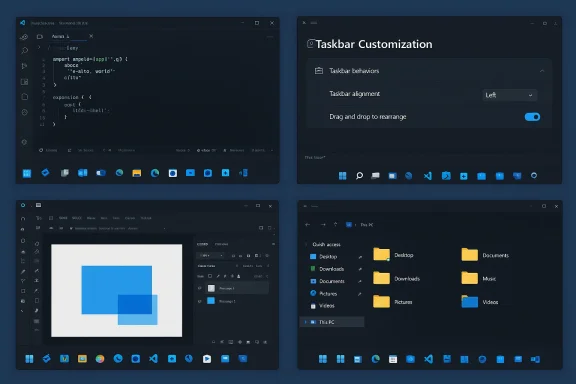
After Windows 11’s October 5, 2021 debut, the Taskbar — the single most persistent and visible surface on the Windows desktop — was reshaped, simplified, and in doing so removed long‑standing controls users expected: the ability to move the bar to a different screen edge and to resize it. Nearly four and a half years later, widespread community frustration, a thriving ecosystem of third‑party workarounds, and fresh signals that Microsoft may be prototyping a reversal make a compelling case: Microsoft should ship full taskbar customization for Windows 11 — not a half‑measure — and do it with an implementation strategy that balances user choice, reliability, and enterprise manageability.
When Windows 11 launched on October 5, 2021, Microsoft rebuilt the shell surfaces that define the desktop. The redesign favored a cleaner, more centered visual language: icons aligned to the center, a simplified notification area, and a new Start experience. But a consequential tradeoff was made in the process: the Taskbar was effectively locked to the bottom of the screen, height controls were removed, and some interactions (like classic drag‑and‑drop to pin) were reduced or changed. For many longtime Windows users — particularly power users and people with multi‑monitor setups — those changes felt like a step backward.
Across the last few years Microsoft has responded piecemeal: small taskbar refinements in Insider builds, incremental settings (icon scaling, small icon options traced in preview builds), and an October 2025 preview that restored broader Start menu personalization and bundled several taskbar tweaks into a staged KB preview. Community reporting and internal summaries show Microsoft now prototyping more substantive taskbar controls: moving the bar to the top, left, or right edges of the screen and resizing the bar’s thickness — features users treated as baseline since Windows 95. Those prototypes are not yet guaranteed shipping features, but the signals are unmistakable.
That said, the prototype status is important: nothing is guaranteed to ship, and Microsoft must weigh regressions, device compatibility, and enterprise policy implications. The KB5067036 rollout itself illustrated the risk of shipping visible features in staged updates — preview users reported a Task Manager bug after installing that update — reinforcing why Microsoft must combine feature parity with robust QA.
But users and admins should also be realistic: this is not a cosmetic patch. Expect an extended preview period in the Insider channels, careful telemetry monitoring for driver regressions, and incremental rollouts to broader channels only after real‑world compatibility has been validated. The October 2025 preview process provided a template for staged delivery — it showed both how Microsoft can restore personalization and why comprehensive testing matters.
Microsoft should release full taskbar customization for Windows 11 — including placement to every screen edge, adjustable thickness, icon scaling, and robust per‑monitor controls — and pair it with policy options and developer‑facing compatibility guidance. By doing that, Microsoft not only answers a long‑running user request but also reduces ecosystem fragmentation, supports accessibility, and strengthens the long‑term health of Windows as a platform.
The decision is straightforward in principle: return choice where it was taken away. The hard part — and the part Microsoft must get right — is engineering and shipping the change in a way that preserves the platform’s reliability, supports enterprise needs, and protects users from regressions. If Microsoft treats the Taskbar as the critical, public interface it is, and invests the necessary engineering and QA, restoring full customization will be a win for users, IT admins, and the wider Windows ecosystem alike.
Source: Mix Vale Microsoft should release full taskbar customization on Windows 11 after five years
 Background / Overview
When Windows 11 launched on October 5, 2021, Microsoft rebuilt the shell surfaces that define the desktop. The redesign favored a cleaner, more centered visual language: icons aligned to the center, a simplified notification area, and a new Start experience. But a consequential tradeoff was made in the process: the Taskbar was effectively locked to the bottom of the screen, height controls were removed, and some interactions (like classic drag‑and‑drop to pin) were reduced or changed. For many longtime Windows users — particularly power users and people with multi‑monitor setups — those changes felt like a step backward.Across the last few years Microsoft has responded piecemeal: small taskbar refinements in Insider builds, incremental settings (icon scaling, small icon options traced in preview builds), and an October 2025 preview that restored broader Start menu personalization and bundled several taskbar tweaks into a staged KB preview. Community reporting and internal summaries show Microsoft now prototyping more substantive taskbar controls: moving the bar to the top, left, or right edges of the screen and resizing the bar’s thickness — features users treated as baseline since Windows 95. Those prototypes are not yet guaranteed shipping features, but the signals are unmistakable.
Why taskbar customization still matters
Productivity and workflow flexibility
The Taskbar is more than decoration — it’s an operating point for how millions of people work. Docking the Taskbar to the left or right, or making it taller, can increase reachability, improve vertical space usage on ultrawide and portrait displays, and speed window switching for large‑monitor productivity configurations. People working with code, design canvases, or long timelines often prefer a vertical taskbar or increased bar height to keep labels visible and reduce context switches.Accessibility and ergonomics
For users with motor, visual, or cognitive accessibility needs, customization is not cosmetic — it’s essential. Allowing larger targets, alternative placements, or persistent labels can make the desktop usable for people who otherwise struggle with precise cursor movement or recognition of small, center‑clustered icons.Multi‑monitor and enterprise realities
Enterprises increasingly provision multi‑monitor setups to boost worker productivity; in those environments, per‑monitor taskbar behavior and consistent placement options matter for maintainability and end‑user training. Third‑party utilities have long tried to fill gaps, but native controls reduce support load and security risks for IT teams. Recent updates and Insider builds have started addressing multi‑monitor taskbar friction, but many admins still lean on external tooling to regain the full spectrum of behavior they expect.The ecosystem of workarounds: why it's unsustainable
A flourishing third‑party ecosystem exists precisely because Microsoft limited Taskbar controls. Start11, StartAllBack, ExplorerPatcher and similar tools restored missing behaviors for users who couldn’t live with the default. Those apps are valuable and well‑engineered, but relying on them raises issues:- They operate at deep integration points with the shell and must keep pace with frequent Windows updates.
- They present an additional support surface for IT and consumers; corporate policy teams worry about serviceability and security.
- They create feature fragmentation: different users experience different workflows depending on which tool they install.
Recent signals from Microsoft: prototypes and previews
Multiple internal and community sources report that Microsoft engineering teams are prototyping the return of classic Taskbar freedoms: vertical docking (left/right), top placement, and a user‑facing control to adjust Taskbar height. Insider channel previews and discussion threads show Microsoft experimenting with additional taskbar controls such as icon scaling and smaller icons, and the October 2025 preview (KB5067036) represented a broader willingness to restore personalization across core shell surfaces. These are early signs of a course correction that would be overdue for many users.That said, the prototype status is important: nothing is guaranteed to ship, and Microsoft must weigh regressions, device compatibility, and enterprise policy implications. The KB5067036 rollout itself illustrated the risk of shipping visible features in staged updates — preview users reported a Task Manager bug after installing that update — reinforcing why Microsoft must combine feature parity with robust QA.
Technical realities and the reasons for caution
Microsoft’s initial decision to constrain the Taskbar in Windows 11 was not arbitrary. Rewriting the shell from the ground up introduced modern architecture, new compositing pipelines, and simplified interaction models intended to improve reliability, performance, and visual consistency across device types. Reintroducing full Taskbar customization is not a simple toggle; it touches many subsystems:- Shell layout and hit‑testing code paths that assume bottom anchoring.
- Taskbar and notification area integrations with services (audio, Bluetooth, security icons).
- Multi‑monitor rendering, scaling, and DPI awareness.
- Accessibility APIs and assistive technologies that depend on stable layout behavior.
- Group policy, mobile device management (MDM), and enterprise controls.
What full taskbar customization should include (a practical spec)
If Microsoft commits to restoring full taskbar customization, the implementation should be deliberate and complete — partial fixes will leave users dissatisfied and third‑party tools still necessary. The following list is a practical, user‑and‑enterprise‑oriented spec Microsoft should adopt:- Core placement and sizing
- Allow docking to bottom, top, left, right.
- Allow user‑controlled height/width (resizable thickness) with sensible min/max constraints.
- Provide small and compact icon modes plus label on/off options.
- Layout and behavior
- Per‑monitor taskbar control with consistent behavior across displays.
- Option to pin the Taskbar to a specific monitor and to display taskbar on all monitors.
- Drag‑and‑drop pinning and classic context menu options restored where sensible.
- Icon scaling/auto‑compression when the Taskbar is crowded (preserve discoverability).
- Accessibility and discoverability
- Larger target modes, high‑contrast friendly visuals, and a setting to keep labels visible for cognitive accessibility.
- Keyboard shortcuts and screen‑reader announcing of placement changes and height changes.
- Enterprise controls and deployment
- Group Policy / MDM controls that allow admins to enforce placement, disable specific personalization options, or provide curated defaults.
- Clear telemetry opt‑in/opt‑out for layout diagnostics to help Microsoft fix edge cases without compromising privacy expectations.
- Developer and ecosystem support
- Documented APIs (compatibility layer) for third‑party shell extensions and utilities so they can interoperate safely.
- A compatibility testing page for OEMs and driver vendors, with explicit guidance on display driver interactions.
- Rollout and testing strategy
- Staged Insider channel previews, broad telemetry‑driven canary testing, and a multi‑phase release that surfaces enterprise‑grade release notes.
- A visible fallback or safe mode that restores the bottom‑anchored layout if a device reports unsupported GPU/display driver behavior.
Risks and counterarguments
Reintroducing full customization is attractive, but it carries real risks that should shape Microsoft’s approach.- Regressions and bugs: Changing the shell again risks new regressions. The October 2025 preview update that updated the Start menu and taskbar also saw reporters flagging Task Manager issues. That episode underlines why an incremental, tested approach is necessary.
- Increased support surface: More options mean more ways to misconfigure systems in enterprise environments. The mitigant is strong policy controls that let IT lock down behavior where required.
- Driver and OEM fragmentation: Some hardware and graphics drivers may not handle unusual taskbar placements well. Microsoft should provide OEM guidance and compatibility checks that can gracefully degrade behavior if drivers are incompatible.
- Design coherence: Microsoft’s original simplification aimed for consistent visual language. Reintroducing wide personalization could reintroduce inconsistent UIs across devices. The solution: maintain strong default experiences and polished, tested modes for alternative placements that preserve Fluent design principles.
The business case: why this is the right move now
There are strategic reasons beyond user satisfaction for Microsoft to restore full taskbar customization.- Ecosystem health: When core UI behaviors are locked down, third‑party tools inevitably fill the gap. That fragmentation creates additional support burden for Microsoft, OEMs, and software partners. Bringing features back natively reduces reliance on external tools and improves overall platform coherence.
- Competitive positioning: Other platforms emphasize personalization in ways that cater to specific professional workflows. Reintroducing robust customization would signal that Windows can be both modern and adaptable — a meaningful marketing and product advantage.
- Enterprise goodwill: Many enterprise customers have been vocal about restoring controls that reduce management friction. Shipping enterprise‑grade personalization with MDM and policy options improves the proposition for organizations evaluating Windows deployments.
- Accessibility and inclusion: Restoring options is a tangible accessibility improvement that benefits users with a range of needs. That aligns with broader commitments to inclusivity and may reduce the number of assistive‑tech workarounds required.
How Microsoft should communicate and execute this change
Execution is as important as the feature itself. Communication and delivery should follow these principles:- Be explicit about what will change, when, and why. Provide precise dates for previews and ship windows early in the Insider cycle. Give enterprise admins a clear migration timeline.
- Use staged exposure controlled by telemetry and opt‑in flags in the Insider program. Let power users test early while collecting anonymized diagnostics to catch driver or OEM issues.
- Publish comprehensive release notes and enterprise guidance with Group Policy templates and MDM CSPs included in each preview. Provide a “compatibility check” utility for IT.
- Maintain strong defaults. For users who prefer the current bottom‑anchored layout, the default should remain unchanged — customization must be additive, not disruptive.
- Offer an official compatibility layer for third‑party tools rather than an adversarial relationship. That reduces breakage and helps long‑time ecosystem partners evolve.
Measured advocacy: what users and admins should expect
If Microsoft ships full taskbar customization the right way, users will see tangible benefits immediately: restored placement choices, better multi‑monitor experiences, accessible layouts, and fewer third‑party dependencies. IT admins will get policy controls to enforce compliance and predictable support outcomes.But users and admins should also be realistic: this is not a cosmetic patch. Expect an extended preview period in the Insider channels, careful telemetry monitoring for driver regressions, and incremental rollouts to broader channels only after real‑world compatibility has been validated. The October 2025 preview process provided a template for staged delivery — it showed both how Microsoft can restore personalization and why comprehensive testing matters.
Conclusion: five years later — return the choice, but do it right
The conversation about taskbar customization is ultimately about user choice, reliability, and stewardship of the platform. Nearly four and a half years after Windows 11 launched, Microsoft stands at a practical inflection point: user demand and the prevalence of third‑party fixes make a compelling case for restoring full Taskbar control natively. But doing so responsibly requires a full spec, enterprise‑grade controls, and a staged rollout that prioritizes stability.Microsoft should release full taskbar customization for Windows 11 — including placement to every screen edge, adjustable thickness, icon scaling, and robust per‑monitor controls — and pair it with policy options and developer‑facing compatibility guidance. By doing that, Microsoft not only answers a long‑running user request but also reduces ecosystem fragmentation, supports accessibility, and strengthens the long‑term health of Windows as a platform.
The decision is straightforward in principle: return choice where it was taken away. The hard part — and the part Microsoft must get right — is engineering and shipping the change in a way that preserves the platform’s reliability, supports enterprise needs, and protects users from regressions. If Microsoft treats the Taskbar as the critical, public interface it is, and invests the necessary engineering and QA, restoring full customization will be a win for users, IT admins, and the wider Windows ecosystem alike.
Source: Mix Vale Microsoft should release full taskbar customization on Windows 11 after five years
