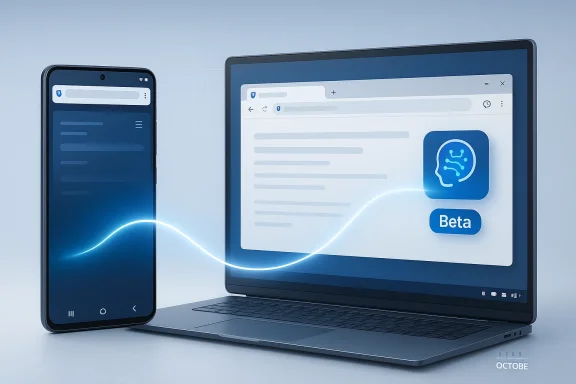
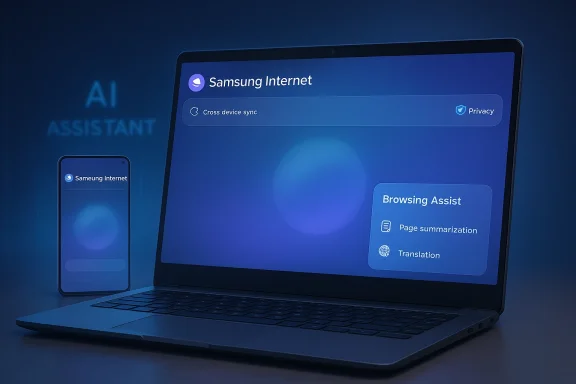
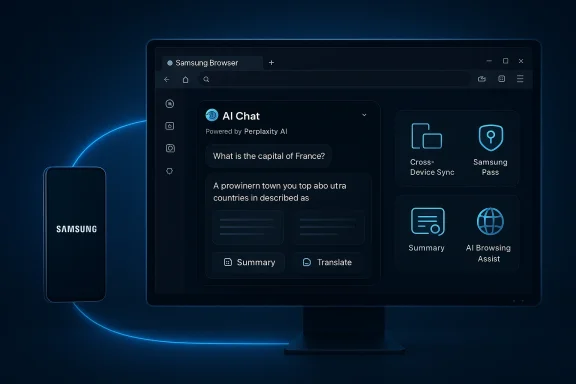
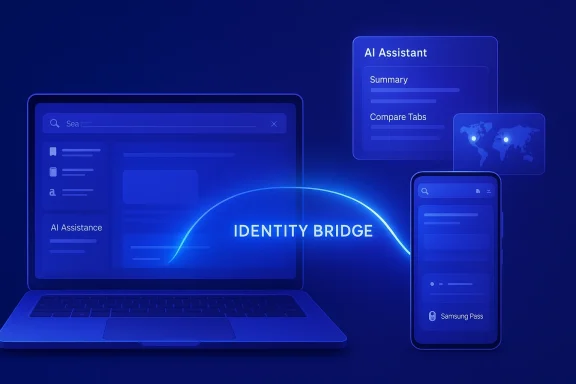
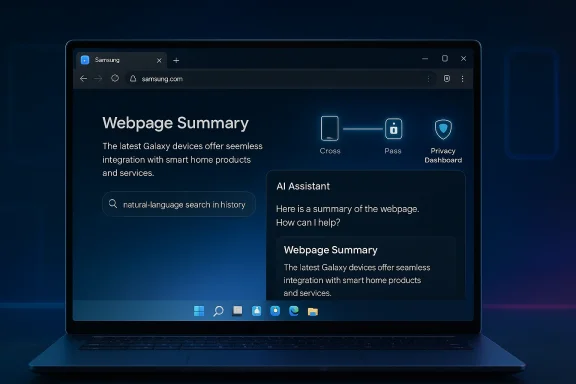
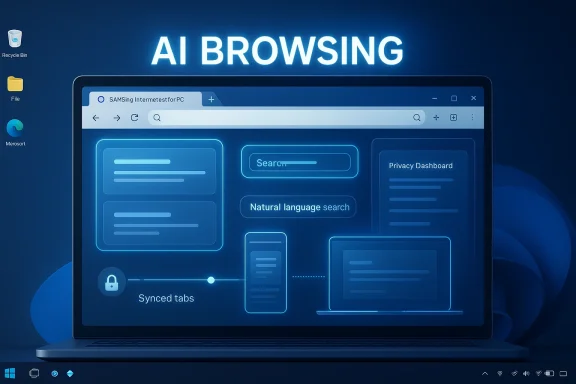
Samsung’s move to bring Samsung Internet for PC to Windows is more than a routine browser port. It is a deliberate attempt to turn the browser into a cross-device AI layer that ties together Galaxy phones, Samsung accounts, and desktop PCs in a way that feels native to the Samsung ecosystem. The beta launched on October 30, 2025 in the United States and South Korea, and Samsung has framed it as the first step toward a more “ambient AI” browsing experience rather than just another Chromium-based alternative. https://news.samsung.com/global/sam...to-pc-with-new-beta-program?utm_source=openai))
Samsung Internet has spent years as a mobile-first browser, especially on Galaxy devices, where it became part of a broader strategy built around Galaxy AI, privacy, and device continuity. The Windows beta matters because it moves that strategy out of the phone and onto the desktop, where users spend a large share of their workday and where browser competition is fiercest. Samsung’s own positioning makes clear that this is not a one-off experiment but an opening move in a larger platform play.
The timing also reflects how quickly browsers have become AI surfaces rather than static windows onto the web. Chrome, Edge, and newer challengers are all racing to embed assistants, summarization, search, and workflow automation directly into the browsing experience. Samsung is entering that arena with a familiar strategy: combine browser continuity, AI assistance, and privacy controls to make the product feel less like software and more like a personal layer spanning devices.
That approach is consistent with Samsung’s wider 2025 and 2026 messaging. The company has repeatedly emphasized a multi-agent future, including a February 2026 announcement that Perplexity would become an additional AI agent in upcoming Galaxy devices. That broader push suggests Samsung sees AI not as a single chatbot feature, but as a distributed capability woven through apps, devices, and services.
For Windows users, the real significance is less about novelty and more about ecosystem gravity. A browser is one of the few pieces of software that can follow a user across phone, tablet, laptop, and desktop without feeling forced. If Samsung can make its browser compelling on Windows, it gains a rare opportunity to make the Galaxy ecosystem more sticky outside the phone itself.
The browser’s headline capabilities include smart anti-tracking, a Privacy Dashboard, and support for Samsung account sign-in to enable data sync. Samsung also highlights Browsing Assist, which can summarize and translate webpages, positioning AI as a practical productivity layer rather than a flashy add-on. The result is a browser that is trying to solve the same everyday friction points that drive people toward reading modes, translation tools, and tab management extensions.
The fact that Samsung chose a region-gated rollout to the U.S. and Korea also suggests careful measurement rather than a global splash. That is a sensible move for a browser that depends on account continuity, mobile pairing, and privacy assurances. It is easier to prove value in a constrained rollout than in a worldwide release where support demands, localization, and platform differences can quickly distort the signal.
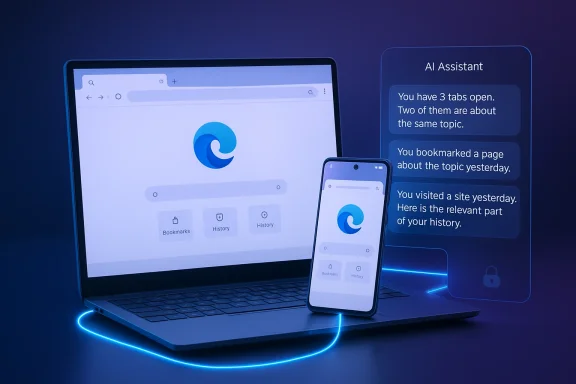
Samsung’s own language about “ambient AI” is revealing. It suggests the browser should understand where the user has been, what they are trying to do, and what should happen next. In practical terms, that means the browser is evolving from a window into the web into a user state machine: history, tabs, credentials, and reading context become part of the intelligence stack.
The deeper strategic point is that summarization is a gateway feature. Once users trust the browser to extract meaning from pages, they become more open to other assistant behaviors like context retention, task continuation, and cross-device handoff. That makes the browser a natural on-ramp to broader Samsung AI services. If the first interaction feels helpful, the rest of the ecosystem becomes easier to sell.
This is a meaningful strategic move because browsers are often where ecosystem loyalty becomes visible. Apple leans on Safari and iCloud. Google leans on Chrome and its account layer. Microsoft uses Edge to bind Windows, Microsoft 365, and its growing AI stack. Samsung’s browser on Windows is an attempt to create the same kind of gravitational pull around Galaxy hardware and Samsung services.
That said, continuity creates a powerful switching cost when it works well. A user who starts a session on a phone, moves to a Windows laptop, and sees the same tabs, credentials, and AI context has a reason to stay inside the ecosystem. In consumer software, that kind of convenience is often more persuasive than feature checklists. Convenience is the quietest form of lock-in.
That positioning is smart because browser trust is brittle. Users may be willing to accept AI-generated summaries or workflow help, but they are much less forgiving if they suspect the browser is over-collecting data or quietly profiling behavior. Samsung’s emphasis on security is therefore not decorative; it is foundational to adoption.
Samsung’s answer is to present the browser as privacy-aware by design, not privacy-hostile by accident. Smart anti-tracking and real-time visibility into protections are important because they give users a sense of agency. That may not be enough to convert the most skeptical power users, but it does give Samsung a reasonable trust narrative in a crowded market.
That is strategically interesting because it gives Samsung flexibility. Instead of betting the browser’s future entirely on its own models or on a single vendor relationship, Samsung can potentially mix different AI capabilities into the browsing experience. In a fast-moving market, that kind of optionality can be more valuable than rigid vertical integration.
It also raises the pressure on Microsoft and Google, both of which are already embedding more AI into Edge and Chrome-adjacent experiences. Samsung is not trying to out-Microsoft Microsoft or out-Google Google on search. It is trying to make the browser a more personal, device-aware layer where AI help feels native to the hardware rather than bolted on. That is a subtle but serious competitive angle.
For enterprises, the picture is more complicated. Corporate browser policy is conservative for a reason: identity, data handling, and compliance all depend on controlling the browser surface. Any browser that introduces new sync and AI behaviors must clear security review, and that process can be slow even when the underlying technology is sound.
Consumer enthusiasm can move quickly, but enterprise adoption is slower and more unforgiving. If Samsung wants desktop browser relevance beyond enthusiasts, it will need a compelling administrative story alongside its AI story. That may be the harder sell.
The opportunity is to make the browser the default continuity layer for Galaxy users on Windows. If Samsung can do that, it can create a more coherent ecosystem without needing to own the entire desktop operating system. The browser becomes the bridge between mobile intent and desktop productivity.
There is also the risk that the privacy narrative gets undermined by complexity. A browser that promises continuity, intelligence, and personalization must handle data carefully, or the trust story collapses quickly. That is especially true in a market where consumers have become more suspicious of AI products that seem eager to collect context.
The broader industry context is favorable, because browser intelligence is becoming a mainstream expectation. That gives Samsung room to argue that a browser should know your devices, your account, and your context. But the market will only reward that pitch if the product feels obviously better on day-to-day tasks.
Source: Analytics Insight https://www.analyticsinsight.net/news/samsung-launches-ai-powered-browser-for-windows-pcs/
Source: The Tech Buzz https://www.techbuzz.ai/articles/samsung-browser-hits-windows-with-perplexity-ai-integration/
 Background
Samsung Internet has spent years as a mobile-first browser, especially on Galaxy devices, where it became part of a broader strategy built around Galaxy AI, privacy, and device continuity. The Windows beta matters because it moves that strategy out of the phone and onto the desktop, where users spend a large share of their workday and where browser competition is fiercest. Samsung’s own positioning makes clear that this is not a one-off experiment but an opening move in a larger platform play.The timing also reflects how quickly browsers have become AI surfaces rather than static windows onto the web. Chrome, Edge, and newer challengers are all racing to embed assistants, summarization, search, and workflow automation directly into the browsing experience. Samsung is entering that arena with a familiar strategy: combine browser continuity, AI assistance, and privacy controls to make the product feel less like software and more like a personal layer spanning devices.
That approach is consistent with Samsung’s wider 2025 and 2026 messaging. The company has repeatedly emphasized a multi-agent future, including a February 2026 announcement that Perplexity would become an additional AI agent in upcoming Galaxy devices. That broader push suggests Samsung sees AI not as a single chatbot feature, but as a distributed capability woven through apps, devices, and services.
For Windows users, the real significance is less about novelty and more about ecosystem gravity. A browser is one of the few pieces of software that can follow a user across phone, tablet, laptop, and desktop without feeling forced. If Samsung can make its browser compelling on Windows, it gains a rare opportunity to make the Galaxy ecosystem more sticky outside the phone itself.
What Samsung Actually Launched
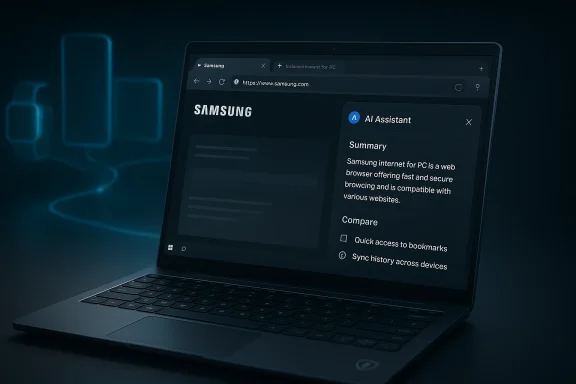
Samsung Internet for PC is a beta release, not a full-scale public launch, and that distinction matters. Samsung is clearly testing the waters, limiting availability to Windows 11 and Windows 10 version 1809 and later in the initial rollout. The company is also emphasizing cross-device functions rather than trying to win on raw browser feature count.The browser’s headline capabilities include smart anti-tracking, a Privacy Dashboard, and support for Samsung account sign-in to enable data sync. Samsung also highlights Browsing Assist, which can summarize and translate webpages, positioning AI as a practical productivity layer rather than a flashy add-on. The result is a browser that is trying to solve the same everyday friction points that drive people toward reading modes, translation tools, and tab management extensions.
Why the beta label matters
The beta tag is important because it signals both ambition and limitation. Samsung is asking Windows users to try an experience that is still evolving, which gives the company room to refine performance, compatibility, and feature depth before broader expansion. But it also means the product must overcome the perception gap that follows any new browser launch: people already have a default browser, and switching requires a very clear payoff.The fact that Samsung chose a region-gated rollout to the U.S. and Korea also suggests careful measurement rather than a global splash. That is a sensible move for a browser that depends on account continuity, mobile pairing, and privacy assurances. It is easier to prove value in a constrained rollout than in a worldwide release where support demands, localization, and platform differences can quickly distort the signal.
- Beta-first rollout reduces risk and preserves room for iteration.
- Regional availability suggests Samsung wants controlled feedback.
- Account sync is central to the product’s value proposition.
- AI features are positioned as everyday tools, not gimmicks.
The AI Layer Is the Real Product
The browser’s name is not the story; the AI layer is. Samsung is using browsing as the delivery mechanism for what it wants to present as an intelligent, context-aware experience. That matters because browsers are one of the few software categories where AI can feel both useful and ambient without needing a separate app launch.Samsung’s own language about “ambient AI” is revealing. It suggests the browser should understand where the user has been, what they are trying to do, and what should happen next. In practical terms, that means the browser is evolving from a window into the web into a user state machine: history, tabs, credentials, and reading context become part of the intelligence stack.
Browsing Assist as a productivity wedge
Browsing Assist is probably the most immediately understandable AI feature. Summarization and translation are easy to explain, easy to demo, and easy to value in a working day that increasingly involves long articles, mixed-language content, and too many open tabs. The feature also gives Samsung a low-friction way to differentiate itself from browsers that talk about AI more than they operationalize it.The deeper strategic point is that summarization is a gateway feature. Once users trust the browser to extract meaning from pages, they become more open to other assistant behaviors like context retention, task continuation, and cross-device handoff. That makes the browser a natural on-ramp to broader Samsung AI services. If the first interaction feels helpful, the rest of the ecosystem becomes easier to sell.
- Summarization lowers information overload.
- Translation expands the browser’s utility globally.
- Context retention can create habit and lock-in.
- AI assistance becomes more valuable when it is tied to browsing history and identity.
Cross-Device Continuity Is the Strategic Moat
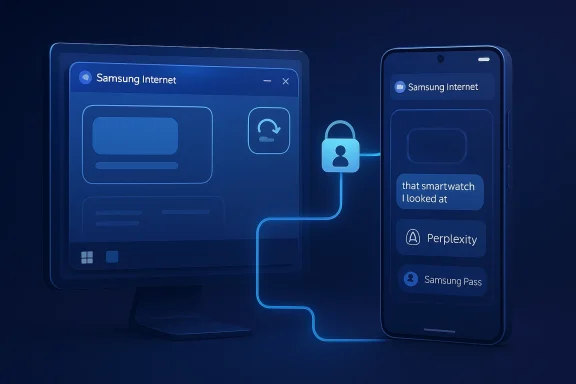
Samsung is not just shipping a browser; it is trying to make the browser the connective tissue of the Galaxy ecosystem. That includes sync between Samsung Internet on Android and the Windows PC version, plus the ability to continue browsing on another device when the Samsung account is in place. Samsung’s messaging makes clear that continuity is not an accessory feature but part of the product’s core identity.This is a meaningful strategic move because browsers are often where ecosystem loyalty becomes visible. Apple leans on Safari and iCloud. Google leans on Chrome and its account layer. Microsoft uses Edge to bind Windows, Microsoft 365, and its growing AI stack. Samsung’s browser on Windows is an attempt to create the same kind of gravitational pull around Galaxy hardware and Samsung services.
Continuity versus commoditization
The challenge is that browser syncing is no longer novel by itself. Passwords, bookmarks, and history sync are standard across modern browsers, so Samsung has to prove that its continuity feels meaningful, not just technically present. The company appears to understand this, which is why it emphasizes continuing the most recently visited site and linking the desktop experience to Samsung account-based behaviors.That said, continuity creates a powerful switching cost when it works well. A user who starts a session on a phone, moves to a Windows laptop, and sees the same tabs, credentials, and AI context has a reason to stay inside the ecosystem. In consumer software, that kind of convenience is often more persuasive than feature checklists. Convenience is the quietest form of lock-in.
- Sync makes the browser feel like one continuous workspace.
- Credentials continuity reduces authentication friction.
- Cross-device browsing strengthens ecosystem loyalty.
- Samsung account identity becomes the glue across sessions.
Privacy and Security Are Part of the Sales Pitch
Samsung is also clearly aware that AI browsers raise privacy questions. That is why the company is leaning on Smart anti-tracking and the Privacy Dashboard as visible proof points. It wants users to believe that the browser can be intelligent without becoming invasive, which is a delicate balance in an era when many AI features depend on more data, more context, and more inference.That positioning is smart because browser trust is brittle. Users may be willing to accept AI-generated summaries or workflow help, but they are much less forgiving if they suspect the browser is over-collecting data or quietly profiling behavior. Samsung’s emphasis on security is therefore not decorative; it is foundational to adoption.
The privacy trade-off
The tension is that many of the most compelling AI features depend on exactly the kind of contextual information that privacy-focused users worry about. If the browser knows what you read, where you left off, and what device you are on, it can provide better continuity. But that same awareness can feel intrusive if it is not transparent and tightly controlled. That is the core product gamble.Samsung’s answer is to present the browser as privacy-aware by design, not privacy-hostile by accident. Smart anti-tracking and real-time visibility into protections are important because they give users a sense of agency. That may not be enough to convert the most skeptical power users, but it does give Samsung a reasonable trust narrative in a crowded market.
- Anti-tracking addresses a familiar consumer concern.
- Privacy Dashboard makes the controls visible.
- AI context and privacy are inherently in tension.
- Trust will likely determine whether the browser scales beyond Galaxy loyalists.
The Perplexity Connection Changes the Competitive Frame
The headlines around Samsung’s browser launch have also pointed to Perplexity AI integration, and that matters for competitive context. Perplexity has been positioning itself as more than a search interface; it wants to be an answer engine and, increasingly, an agentic layer that can sit inside browsers, workflows, and enterprise environments. Samsung’s willingness to align with Perplexity suggests it is open to a broader AI ecosystem rather than locking everything inside a single proprietary assistant.That is strategically interesting because it gives Samsung flexibility. Instead of betting the browser’s future entirely on its own models or on a single vendor relationship, Samsung can potentially mix different AI capabilities into the browsing experience. In a fast-moving market, that kind of optionality can be more valuable than rigid vertical integration.
Why this threatens the old browser hierarchy
If Samsung can pair its device ecosystem with a credible AI search and assistant layer, it can challenge the assumption that browsers are mostly won by default placement and rendering performance. The contest increasingly centers on what the browser does for the user, not just how well it displays pages. That is a direct challenge to incumbents that still treat browsing as a mostly passive activity.It also raises the pressure on Microsoft and Google, both of which are already embedding more AI into Edge and Chrome-adjacent experiences. Samsung is not trying to out-Microsoft Microsoft or out-Google Google on search. It is trying to make the browser a more personal, device-aware layer where AI help feels native to the hardware rather than bolted on. That is a subtle but serious competitive angle.
- Perplexity gives Samsung a credible AI partner.
- Model flexibility may be more useful than a single in-house stack.
- Browser competition is shifting from rendering to intelligence.
- AI search can become a retention engine for the browser.
Enterprise and Consumer Impact Are Not the Same
For consumers, Samsung Internet for PC is mostly about convenience, continuity, and light productivity. A Galaxy user who already relies on Samsung account features may appreciate quick sync, page summaries, and better handoff between devices. The product is especially attractive to people who live inside Samsung hardware but spend much of the day on Windows.For enterprises, the picture is more complicated. Corporate browser policy is conservative for a reason: identity, data handling, and compliance all depend on controlling the browser surface. Any browser that introduces new sync and AI behaviors must clear security review, and that process can be slow even when the underlying technology is sound.
What IT teams will care about
IT administrators will likely ask whether Samsung Internet can be managed as cleanly as Chrome, Edge, or enterprise-approved browser baselines. They will also want to know how account sync interacts with corporate identity, whether AI features can be disabled or governed, and how data flows are logged. Those are not peripheral questions; they determine whether the browser can be approved at all.Consumer enthusiasm can move quickly, but enterprise adoption is slower and more unforgiving. If Samsung wants desktop browser relevance beyond enthusiasts, it will need a compelling administrative story alongside its AI story. That may be the harder sell.
- Consumers get convenience and ecosystem continuity.
- Enterprises need policy controls and auditability.
- Identity management will be central to deployment decisions.
- AI governance may determine whether the browser is allowed in managed environments.
Strengths and Opportunities
Samsung’s biggest strength is that it is not entering the browser market empty-handed. It already has a large installed base of Galaxy users, a recognized mobile browser, and a growing AI strategy that includes Perplexity and other agentic ambitions. That combination gives Samsung a real chance to create a browser that feels uniquely tied to hardware ownership rather than generic account sign-in.The opportunity is to make the browser the default continuity layer for Galaxy users on Windows. If Samsung can do that, it can create a more coherent ecosystem without needing to own the entire desktop operating system. The browser becomes the bridge between mobile intent and desktop productivity.
- Existing Galaxy ecosystem gives Samsung a built-in audience.
- AI features can make the browser feel differentiated.
- Cross-device sync supports habit formation.
- Privacy messaging can soften adoption resistance.
- Perplexity alignment broadens the product’s intelligence layer.
- Windows availability expands Samsung’s reach beyond phones.
Risks and Concerns
The clearest risk is that Samsung may be asking too much from a first beta. Browser users are impatient, defaults are sticky, and AI features can become clutter if they are not deeply useful. If the browser feels like a brand exercise rather than a necessity, it may struggle to break through.There is also the risk that the privacy narrative gets undermined by complexity. A browser that promises continuity, intelligence, and personalization must handle data carefully, or the trust story collapses quickly. That is especially true in a market where consumers have become more suspicious of AI products that seem eager to collect context.
- Feature overlap with Chrome, Edge, and other browsers could blur differentiation.
- Beta instability could slow adoption.
- Privacy skepticism may limit trust.
- Enterprise resistance could block managed deployment.
- Regional rollout limits reduce immediate scale.
- AI hype fatigue could reduce user interest if the features are modest.
- Ecosystem dependence means the browser is strongest only for Samsung customers.
Looking Ahead
The next phase will likely determine whether Samsung Internet for PC becomes a niche companion app or a serious browser platform. Samsung will need to show that the browser is fast, stable, and meaningfully smarter than the competition, not just more branded. The company also has to prove that the AI layer works in ordinary usage, not only in demo-friendly scenarios.The broader industry context is favorable, because browser intelligence is becoming a mainstream expectation. That gives Samsung room to argue that a browser should know your devices, your account, and your context. But the market will only reward that pitch if the product feels obviously better on day-to-day tasks.
- Feature depth will matter more than marketing language.
- Broader regional rollout will show whether Samsung has confidence in the product.
- Performance benchmarks will need to improve for mainstream users.
- Enterprise controls could determine whether the browser escapes consumer-only status.
- Perplexity integration may become a key differentiator if it is implemented cleanly.
Source: Analytics Insight https://www.analyticsinsight.net/news/samsung-launches-ai-powered-browser-for-windows-pcs/
Source: The Tech Buzz https://www.techbuzz.ai/articles/samsung-browser-hits-windows-with-perplexity-ai-integration/