• Thread Author
Samsung’s move to bring Samsung Internet for PC to Windows is more than a routine browser port. It is a deliberate attempt to turn the browser into a cross-device AI layer that ties together Galaxy phones, Samsung accounts, and desktop PCs in a way that feels native to the Samsung ecosystem. The beta launched on October 30, 2025 in the United States and South Korea, and Samsung has framed it as the first step toward a more “ambient AI” browsing experience rather than just another Chromium-based alternative. https://news.samsung.com/global/sam...to-pc-with-new-beta-program?utm_source=openai))

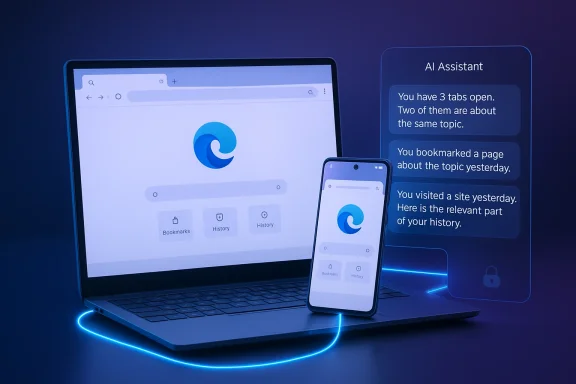
A digital visualization related to the article topic.Background​

Samsung Internet has spent years as a mobile-first browser, especially on Galaxy devices, where it became part of a broader strategy built around Galaxy AI, privacy, and device continuity. The Windows beta matters because it moves that strategy out of the phone and onto the desktop, where users spend a large share of their workday and where browser competition is fiercest. Samsung’s own positioning makes clear that this is not a one-off experiment but an opening move in a larger platform play.
The timing also reflects how quickly browsers have become AI surfaces rather than static windows onto the web. Chrome, Edge, and newer challengers are all racing to embed assistants, summarization, search, and workflow automation directly into the browsing experience. Samsung is entering that arena with a familiar strategy: combine browser continuity, AI assistance, and privacy controls to make the product feel less like software and more like a personal layer spanning devices.
That approach is consistent with Samsung’s wider 2025 and 2026 messaging. The company has repeatedly emphasized a multi-agent future, including a February 2026 announcement that Perplexity would become an additional AI agent in upcoming Galaxy devices. That broader push suggests Samsung sees AI not as a single chatbot feature, but as a distributed capability woven through apps, devices, and services.
For Windows users, the real significance is less about novelty and more about ecosystem gravity. A browser is one of the few pieces of software that can follow a user across phone, tablet, laptop, and desktop without feeling forced. If Samsung can make its browser compelling on Windows, it gains a rare opportunity to make the Galaxy ecosystem more sticky outside the phone itself.

What Samsung Actually Launched​

Samsung Internet for PC is a beta release, not a full-scale public launch, and that distinction matters. Samsung is clearly testing the waters, limiting availability to Windows 11 and Windows 10 version 1809 and later in the initial rollout. The company is also emphasizing cross-device functions rather than trying to win on raw browser feature count.
The browser’s headline capabilities include smart anti-tracking, a Privacy Dashboard, and support for Samsung account sign-in to enable data sync. Samsung also highlights Browsing Assist, which can summarize and translate webpages, positioning AI as a practical productivity layer rather than a flashy add-on. The result is a browser that is trying to solve the same everyday friction points that drive people toward reading modes, translation tools, and tab management extensions.

Why the beta label matters​

The beta tag is important because it signals both ambition and limitation. Samsung is asking Windows users to try an experience that is still evolving, which gives the company room to refine performance, compatibility, and feature depth before broader expansion. But it also means the product must overcome the perception gap that follows any new browser launch: people already have a default browser, and switching requires a very clear payoff.
The fact that Samsung chose a region-gated rollout to the U.S. and Korea also suggests careful measurement rather than a global splash. That is a sensible move for a browser that depends on account continuity, mobile pairing, and privacy assurances. It is easier to prove value in a constrained rollout than in a worldwide release where support demands, localization, and platform differences can quickly distort the signal.
  • Beta-first rollout reduces risk and preserves room for iteration.
  • Regional availability suggests Samsung wants controlled feedback.
  • Account sync is central to the product’s value proposition.
  • AI features are positioned as everyday tools, not gimmicks.

The AI Layer Is the Real Product​

The browser’s name is not the story; the AI layer is. Samsung is using browsing as the delivery mechanism for what it wants to present as an intelligent, context-aware experience. That matters because browsers are one of the few software categories where AI can feel both useful and ambient without needing a separate app launch.
Samsung’s own language about “ambient AI” is revealing. It suggests the browser should understand where the user has been, what they are trying to do, and what should happen next. In practical terms, that means the browser is evolving from a window into the web into a user state machine: history, tabs, credentials, and reading context become part of the intelligence stack.

Browsing Assist as a productivity wedge​

Browsing Assist is probably the most immediately understandable AI feature. Summarization and translation are easy to explain, easy to demo, and easy to value in a working day that increasingly involves long articles, mixed-language content, and too many open tabs. The feature also gives Samsung a low-friction way to differentiate itself from browsers that talk about AI more than they operationalize it.
The deeper strategic point is that summarization is a gateway feature. Once users trust the browser to extract meaning from pages, they become more open to other assistant behaviors like context retention, task continuation, and cross-device handoff. That makes the browser a natural on-ramp to broader Samsung AI services. If the first interaction feels helpful, the rest of the ecosystem becomes easier to sell.
  • Summarization lowers information overload.
  • Translation expands the browser’s utility globally.
  • Context retention can create habit and lock-in.
  • AI assistance becomes more valuable when it is tied to browsing history and identity.

Cross-Device Continuity Is the Strategic Moat​

Samsung is not just shipping a browser; it is trying to make the browser the connective tissue of the Galaxy ecosystem. That includes sync between Samsung Internet on Android and the Windows PC version, plus the ability to continue browsing on another device when the Samsung account is in place. Samsung’s messaging makes clear that continuity is not an accessory feature but part of the product’s core identity.
This is a meaningful strategic move because browsers are often where ecosystem loyalty becomes visible. Apple leans on Safari and iCloud. Google leans on Chrome and its account layer. Microsoft uses Edge to bind Windows, Microsoft 365, and its growing AI stack. Samsung’s browser on Windows is an attempt to create the same kind of gravitational pull around Galaxy hardware and Samsung services.

Continuity versus commoditization​

The challenge is that browser syncing is no longer novel by itself. Passwords, bookmarks, and history sync are standard across modern browsers, so Samsung has to prove that its continuity feels meaningful, not just technically present. The company appears to understand this, which is why it emphasizes continuing the most recently visited site and linking the desktop experience to Samsung account-based behaviors.
That said, continuity creates a powerful switching cost when it works well. A user who starts a session on a phone, moves to a Windows laptop, and sees the same tabs, credentials, and AI context has a reason to stay inside the ecosystem. In consumer software, that kind of convenience is often more persuasive than feature checklists. Convenience is the quietest form of lock-in.
  • Sync makes the browser feel like one continuous workspace.
  • Credentials continuity reduces authentication friction.
  • Cross-device browsing strengthens ecosystem loyalty.
  • Samsung account identity becomes the glue across sessions.

Privacy and Security Are Part of the Sales Pitch​

Samsung is also clearly aware that AI browsers raise privacy questions. That is why the company is leaning on Smart anti-tracking and the Privacy Dashboard as visible proof points. It wants users to believe that the browser can be intelligent without becoming invasive, which is a delicate balance in an era when many AI features depend on more data, more context, and more inference.
That positioning is smart because browser trust is brittle. Users may be willing to accept AI-generated summaries or workflow help, but they are much less forgiving if they suspect the browser is over-collecting data or quietly profiling behavior. Samsung’s emphasis on security is therefore not decorative; it is foundational to adoption.

The privacy trade-off​

The tension is that many of the most compelling AI features depend on exactly the kind of contextual information that privacy-focused users worry about. If the browser knows what you read, where you left off, and what device you are on, it can provide better continuity. But that same awareness can feel intrusive if it is not transparent and tightly controlled. That is the core product gamble.
Samsung’s answer is to present the browser as privacy-aware by design, not privacy-hostile by accident. Smart anti-tracking and real-time visibility into protections are important because they give users a sense of agency. That may not be enough to convert the most skeptical power users, but it does give Samsung a reasonable trust narrative in a crowded market.
  • Anti-tracking addresses a familiar consumer concern.
  • Privacy Dashboard makes the controls visible.
  • AI context and privacy are inherently in tension.
  • Trust will likely determine whether the browser scales beyond Galaxy loyalists.

The Perplexity Connection Changes the Competitive Frame​

The headlines around Samsung’s browser launch have also pointed to Perplexity AI integration, and that matters for competitive context. Perplexity has been positioning itself as more than a search interface; it wants to be an answer engine and, increasingly, an agentic layer that can sit inside browsers, workflows, and enterprise environments. Samsung’s willingness to align with Perplexity suggests it is open to a broader AI ecosystem rather than locking everything inside a single proprietary assistant.
That is strategically interesting because it gives Samsung flexibility. Instead of betting the browser’s future entirely on its own models or on a single vendor relationship, Samsung can potentially mix different AI capabilities into the browsing experience. In a fast-moving market, that kind of optionality can be more valuable than rigid vertical integration.

Why this threatens the old browser hierarchy​

If Samsung can pair its device ecosystem with a credible AI search and assistant layer, it can challenge the assumption that browsers are mostly won by default placement and rendering performance. The contest increasingly centers on what the browser does for the user, not just how well it displays pages. That is a direct challenge to incumbents that still treat browsing as a mostly passive activity.
It also raises the pressure on Microsoft and Google, both of which are already embedding more AI into Edge and Chrome-adjacent experiences. Samsung is not trying to out-Microsoft Microsoft or out-Google Google on search. It is trying to make the browser a more personal, device-aware layer where AI help feels native to the hardware rather than bolted on. That is a subtle but serious competitive angle.
  • Perplexity gives Samsung a credible AI partner.
  • Model flexibility may be more useful than a single in-house stack.
  • Browser competition is shifting from rendering to intelligence.
  • AI search can become a retention engine for the browser.

Enterprise and Consumer Impact Are Not the Same​

For consumers, Samsung Internet for PC is mostly about convenience, continuity, and light productivity. A Galaxy user who already relies on Samsung account features may appreciate quick sync, page summaries, and better handoff between devices. The product is especially attractive to people who live inside Samsung hardware but spend much of the day on Windows.
For enterprises, the picture is more complicated. Corporate browser policy is conservative for a reason: identity, data handling, and compliance all depend on controlling the browser surface. Any browser that introduces new sync and AI behaviors must clear security review, and that process can be slow even when the underlying technology is sound.

What IT teams will care about​

IT administrators will likely ask whether Samsung Internet can be managed as cleanly as Chrome, Edge, or enterprise-approved browser baselines. They will also want to know how account sync interacts with corporate identity, whether AI features can be disabled or governed, and how data flows are logged. Those are not peripheral questions; they determine whether the browser can be approved at all.
Consumer enthusiasm can move quickly, but enterprise adoption is slower and more unforgiving. If Samsung wants desktop browser relevance beyond enthusiasts, it will need a compelling administrative story alongside its AI story. That may be the harder sell.
  • Consumers get convenience and ecosystem continuity.
  • Enterprises need policy controls and auditability.
  • Identity management will be central to deployment decisions.
  • AI governance may determine whether the browser is allowed in managed environments.

Strengths and Opportunities​

Samsung’s biggest strength is that it is not entering the browser market empty-handed. It already has a large installed base of Galaxy users, a recognized mobile browser, and a growing AI strategy that includes Perplexity and other agentic ambitions. That combination gives Samsung a real chance to create a browser that feels uniquely tied to hardware ownership rather than generic account sign-in.
The opportunity is to make the browser the default continuity layer for Galaxy users on Windows. If Samsung can do that, it can create a more coherent ecosystem without needing to own the entire desktop operating system. The browser becomes the bridge between mobile intent and desktop productivity.
  • Existing Galaxy ecosystem gives Samsung a built-in audience.
  • AI features can make the browser feel differentiated.
  • Cross-device sync supports habit formation.
  • Privacy messaging can soften adoption resistance.
  • Perplexity alignment broadens the product’s intelligence layer.
  • Windows availability expands Samsung’s reach beyond phones.

Risks and Concerns​

The clearest risk is that Samsung may be asking too much from a first beta. Browser users are impatient, defaults are sticky, and AI features can become clutter if they are not deeply useful. If the browser feels like a brand exercise rather than a necessity, it may struggle to break through.
There is also the risk that the privacy narrative gets undermined by complexity. A browser that promises continuity, intelligence, and personalization must handle data carefully, or the trust story collapses quickly. That is especially true in a market where consumers have become more suspicious of AI products that seem eager to collect context.
  • Feature overlap with Chrome, Edge, and other browsers could blur differentiation.
  • Beta instability could slow adoption.
  • Privacy skepticism may limit trust.
  • Enterprise resistance could block managed deployment.
  • Regional rollout limits reduce immediate scale.
  • AI hype fatigue could reduce user interest if the features are modest.
  • Ecosystem dependence means the browser is strongest only for Samsung customers.

Looking Ahead​

The next phase will likely determine whether Samsung Internet for PC becomes a niche companion app or a serious browser platform. Samsung will need to show that the browser is fast, stable, and meaningfully smarter than the competition, not just more branded. The company also has to prove that the AI layer works in ordinary usage, not only in demo-friendly scenarios.
The broader industry context is favorable, because browser intelligence is becoming a mainstream expectation. That gives Samsung room to argue that a browser should know your devices, your account, and your context. But the market will only reward that pitch if the product feels obviously better on day-to-day tasks.
  • Feature depth will matter more than marketing language.
  • Broader regional rollout will show whether Samsung has confidence in the product.
  • Performance benchmarks will need to improve for mainstream users.
  • Enterprise controls could determine whether the browser escapes consumer-only status.
  • Perplexity integration may become a key differentiator if it is implemented cleanly.
Samsung Internet for PC is best understood as a strategic test: can a hardware company use the browser to extend its ecosystem into the Windows world without losing trust, simplicity, or speed? The answer will shape more than one browser release. It will help determine whether the next phase of desktop browsing belongs to standalone apps, to ecosystem players, or to AI-native platforms that sit quietly between users and the web.

Source: Analytics Insight https://www.analyticsinsight.net/news/samsung-launches-ai-powered-browser-for-windows-pcs/
Source: The Tech Buzz https://www.techbuzz.ai/articles/samsung-browser-hits-windows-with-perplexity-ai-integration/

 

Samsung’s move to bring Samsung Internet for PC to Windows is more than a simple port of a mobile browser. It is a strategic attempt to extend the Galaxy ecosystem onto the desktop, tighten device continuity, and make browsing feel like a single experience rather than two separate ones. The launch also arrives with a clear AI angle: Samsung is positioning the browser as an early gateway to ambient AI, with an assistant powered in partnership with Perplexity and availability limited to selected markets at first.

A digital visualization related to the article topic.Background​

Samsung has spent years turning Samsung Internet into one of the more recognizable browsers in the Android world, especially among Galaxy users. On mobile, it has long emphasized privacy controls, synchronization, and browser-native features such as Samsung Pass and browsing assist tools. The Windows launch is therefore not a surprise in concept, but it is a major expansion in scope, because it takes a Samsung-first browsing model from phones into a space dominated by Microsoft Edge, Google Chrome, and a smaller group of niche alternatives.
The company’s own framing makes the direction clear. In its November 2025 announcement, Samsung said the PC beta was designed to create a more connected browsing experience across Samsung devices and to lay the groundwork for a browser that becomes a gateway to ambient AI. The same release stated that the beta would support Windows 11 and Windows 10 version 1809 and later, initially in the United States and Korea, with broader expansion to follow.
That launch window matters because it places Samsung’s browser push in the middle of a broader industry race to make browsers into AI surfaces. Microsoft has pushed Copilot deeper into Edge, Google has been steadily expanding AI features in Chrome, and Perplexity has tried to position itself as an answer engine that can live inside more than one browser. Samsung is not inventing the category, but it is using a familiar category—browser sync and continuity—to make AI features feel less bolted on and more native.
There is also a hardware strategy underneath the software story. Samsung’s ecosystem has always benefited from cross-device features such as continuity, Quick Share, and account-driven sync. Bringing the browser to PC gives the company another daily-use touchpoint that can keep users inside Samsung services longer, especially if they already own a Galaxy phone, tablet, or laptop. That is the real business logic here: the browser is not just a browser, it is a retention tool.

What Samsung Actually Launched​

The core product is Samsung Internet for PC, not an entirely new browser from scratch. Samsung is extending the mobile browser experience to desktop with support for synced tabs, bookmarks, and history, so users can pick up where they left off across devices. The company also says Samsung Pass is supported for secure autofill of logins and personal information, which is important because it ties browsing convenience to Samsung’s identity and credential layer.
This approach makes the product feel less like an isolated desktop app and more like a continuation of the Galaxy experience. Samsung’s message is that the browser should behave as a bridge between the phone and the PC, not a separate place where the user starts over. That kind of continuity is now a table-stakes expectation for premium ecosystems, but Samsung is trying to wrap it in a more explicit AI narrative than many of its competitors.

Continuity as the Main Feature​

The strongest argument for Samsung Internet on Windows is not flashy AI; it is continuity. Syncing tabs, bookmarks, and history sounds mundane, but it solves a daily friction point for people who move between a Galaxy phone and a Windows laptop all day. For users who research on mobile and finish work on PC, or start a purchase decision on one device and complete it on another, this can be genuinely useful.
Samsung is also making a subtle bet that browser continuity is more persuasive when it is tied to a trusted brand account. If the browser uses Samsung account sign-in as the connective tissue, then the user’s browser history, saved data, and session context become part of a broader ecosystem rather than standalone browser profile data. That creates convenience, but it also deepens Samsung’s role as the central coordinator of the user’s digital life. That is exactly what ecosystem companies want.
  • Syncs tabs between phone and PC
  • Syncs bookmarks and browsing history
  • Supports Samsung Pass autofill
  • Designed for Samsung account-based continuity
  • Available on Windows 10 and Windows 11, with version limits noted in Samsung’s announcement

Why This Matters on Windows​

Windows is still the world’s most important desktop platform, so even a niche browser launch has strategic significance when it lands there. Samsung is not chasing market share in the abstract; it is trying to reach the daily operating system where many Galaxy users spend their workday. That means the browser can complement Samsung phones without needing to win a mass-market browser war outright.
The implication for consumers is straightforward: if you already live in Samsung’s ecosystem, the browser is trying to remove the last seam between your phone and your PC. The implication for Samsung is more ambitious: if browsing becomes another reason to stay signed into Samsung services, the company gains yet another recurring interaction layer to support future AI and commerce features.

The AI Assistant Story​

The most attention-grabbing part of the launch is the AI-powered assistant built with Perplexity. Samsung says the assistant can understand webpage content, answer questions, summarize multiple tabs, and help users navigate browsing history using natural language. It can also help with tasks such as travel planning or finding specific moments in videos, which positions the browser as an action-oriented helper rather than a passive page viewer.
This is the key differentiator versus conventional browser features. Most browsers can already sync tabs or remember history, but few can turn that material into an interactive, conversational workspace. Samsung is effectively saying that browser content should be queryable and explorable, which is a much more aggressive product idea than a standard assistant panel.

Perplexity’s Role​

Perplexity’s presence matters because it signals Samsung’s willingness to collaborate with an external AI brand rather than build every layer in-house. That could help Samsung accelerate feature development and market credibility, especially among users who already associate Perplexity with answer-style search and concise summaries. It also gives Samsung a way to inject AI into the browser without making the browser feel like a pure extension of its own mobile assistant stack.
There is, however, a strategic tradeoff. If the AI assistant becomes one of the product’s main reasons to exist, Samsung may have to balance its own ecosystem goals with Perplexity’s cross-platform ambitions. Partnerships can deepen value quickly, but they can also introduce dependency, especially in a category where the assistant layer can become the primary brand relationship.
  • Understands visible webpage content
  • Answers natural-language questions
  • Summarizes multiple tabs
  • Searches browsing history conversationally
  • Assists with planning and video navigation

Why AI Browsing Is Becoming a Category​

AI in the browser is not a gimmick anymore; it is becoming a product category in its own right. Users increasingly expect browsers to summarize, compare, search, and extract insights rather than merely display pages. Samsung is trying to turn that shift into a Galaxy advantage by making AI work across devices and within its own account ecosystem.
This matters for competition because the browser has become one of the few remaining high-frequency apps where major platform companies can still differentiate. Search is changing, software discovery is changing, and AI-native user behavior is changing. If Samsung can make the browser feel smarter without making it feel intrusive, it could carve out a loyal but clearly premium niche. That is the balance the company now has to prove.

Security, Privacy, and Trust​

Samsung is also leaning hard on security as part of the value proposition. The company says Samsung Pass can securely autofill credentials and personal information, and its broader browser messaging emphasizes protection and privacy as part of the Galaxy foundation. That is sensible, because once a browser becomes the place where AI can inspect pages, tabs, and history, trust becomes part of the feature set rather than a background assumption.
The privacy angle is particularly important for enterprise users. Many organizations are comfortable with Chrome or Edge because they understand their management, identity, and policy stacks. Samsung Internet on Windows will need to convince business users that continuity and AI do not come at the expense of controllability, especially when browser data is crossing devices and feeding assistant interactions.

Security as a Competitive Message​

Samsung is trying to position the browser as both connected and protected. That dual framing matters because many consumers want convenience until it starts to feel like surveillance, and many IT teams want productivity until it begins to create unmanaged data flows. If Samsung can keep the browser’s AI features useful while keeping the data model understandable, it will have a stronger chance of breaking into daily use.
The browser’s security story also links back to Samsung’s wider device strategy. The company has been pushing security and AI together across Galaxy devices, and the PC browser launch fits that pattern. It is trying to show that the future of browsing can be intelligent without abandoning the usual enterprise virtues of reliability, trust, and user control.
  • Samsung Pass adds password and identity convenience
  • Privacy messaging is tied to Galaxy ecosystem trust
  • AI browsing raises new questions about data exposure
  • Enterprise adoption will depend on policy controls
  • Users will want clarity on what the assistant can access

The Enterprise Test​

For enterprises, the central question is not whether the browser can do clever things. It is whether the browser can fit into managed environments without creating another shadow IT problem. If Samsung wants credibility on corporate desktops, it will need to demonstrate that admins can govern accounts, data sync, and AI interactions with the same seriousness expected from mainstream browsers.
For consumers, the issue is simpler but still significant: do the convenience features justify another browser profile, another sync ecosystem, and another AI layer? The answer will depend on how smoothly Samsung integrates the experience with the devices people already own. If the setup is effortless, the product could feel magical. If it is fiddly, it becomes just another browser with branding attached. That difference is everything.

The Competitive Landscape​

Samsung is entering a browser market that looks crowded but is actually fragmented in interesting ways. Chrome remains dominant, Edge is deeply embedded in Windows, and Safari dominates Apple ecosystems. Samsung Internet is therefore not trying to beat every browser everywhere; it is trying to become the default for users who already care about Samsung’s ecosystem and want their phone and PC to behave as one.
That makes the competitive strategy unusually focused. A company like Google is fighting for broad web usage; Microsoft is fighting for Windows relevance and AI leverage; Samsung is fighting for ecosystem stickiness. The browser launch is an ecosystem move first and a market-share move second, which is why the user experience around syncing, continuity, and assistant usefulness matters more than raw benchmark-style browser features.

How Rivals Should Read It​

Microsoft should read this as a reminder that the browser remains one of the few places where a PC vendor can still own a valuable interaction layer. Samsung is not replacing Edge on Windows, but it is creating a parallel path for people who prefer Samsung’s devices and identity systems. That is enough to matter, especially if AI features become a reason to switch.
Google should read this as evidence that answer engines and browser assistants are converging. If Samsung and Perplexity can offer useful summarization and navigation without locking the user into a single search stack, that may influence how quickly people accept AI-assisted browsing as normal. In that sense, Samsung’s browser is part of a larger contest over who owns the first layer of intent.
  • Samsung is targeting ecosystem loyalists, not the entire market
  • Edge and Chrome remain the default incumbents on Windows
  • AI may be the strongest wedge for differentiation
  • Continuity is the most practical everyday benefit
  • Market share gains will likely be gradual, not explosive

Consumer Behavior Will Decide More Than Specs​

Browsers succeed through habit, not hype. That means Samsung has to make the browser feel immediately beneficial the first time someone moves from a Galaxy phone to a Windows PC and sees their browsing state preserved. If the value is obvious in the first week, adoption can spread through word of mouth inside Samsung-heavy households and workplaces.
The problem is that browsers are notoriously sticky. Most users do not switch unless there is a compelling reason, and those reasons are usually ecosystem-based. Samsung’s best path is therefore not to imitate Chrome or Edge feature for feature, but to make continuity and AI so integrated that the browser feels like a natural extension of the hardware already in the room.

Consumer Impact​

For consumers, the launch is attractive because it reduces context switching. If you start reading an article on your phone, continue on your laptop, and then ask the browser to summarize or help you find a tab, that is a meaningful reduction in friction. The browser becomes less of a destination and more of a memory layer that follows you around.
That said, the consumer experience will depend heavily on the quality of first-run onboarding and account linking. If Samsung asks users to jump through too many setup steps, the perceived convenience disappears quickly. If the integration is smooth, the browser could become one of those under-the-radar tools that people keep using because it quietly saves time every day.

Best-Fit Users​

The most obvious audience is the Galaxy owner who already buys into Samsung’s services. This is the person who uses a Samsung phone, maybe a Galaxy tablet, and now wants their Windows PC browsing to feel continuous. For them, Samsung Browser for Windows is not an experiment; it is a convenience upgrade.
A second audience is the AI-curious user who wants browsing to feel more conversational. If Samsung’s assistant really can summarize multiple tabs, answer contextual questions, and navigate history naturally, that can be a real quality-of-life improvement. The key word is if, because AI browsing often sounds better in demos than in messy, real-world tab overload.
  • Galaxy phone and PC owners benefit most
  • Heavy tab users may value the summarization tools
  • Travelers and researchers may like continuity
  • Users who trust Samsung Pass may enjoy faster sign-ins
  • People outside the Samsung ecosystem may see less reason to switch

What Might Frustrate Consumers​

The largest consumer concern is lock-in. A browser that works best when paired with a specific phone brand can feel empowering to loyal users and limiting to everyone else. Samsung will need to convince people that they are joining a helpful ecosystem, not being fenced into one.
The second concern is trust in AI-generated output. Summaries, answers, and navigational suggestions are useful only if they are accurate and transparent enough to be trusted. If the assistant misreads context or oversteps, users will quickly retreat to manual browsing and treat the AI layer as a novelty rather than a habit. That would blunt the whole launch.

Strengths and Opportunities​

Samsung’s browser launch has several strengths that could compound if the company executes well. The biggest opportunity is not raw browser share; it is deepening the value of the Galaxy ecosystem through a genuinely useful desktop extension. If Samsung gets the details right, the browser could become one of the quietest but most effective retention tools in its software stack.
  • Cross-device continuity is immediately understandable to users
  • Samsung Pass adds concrete convenience for logins and autofill
  • The Perplexity-powered assistant gives Samsung a credible AI story
  • Windows support expands the browser beyond mobile-only use
  • The product fits Samsung’s broader ambient AI narrative
  • Ecosystem lock-in can become ecosystem loyalty when the experience is good
  • The browser could evolve into a launchpad for future services and commerce

Strategic Upside​

The strategic upside is that Samsung can learn from desktop behavior in ways that mobile alone cannot. Browser usage on PC tends to be more tab-heavy, research-heavy, and workflow-oriented, which creates richer opportunities for AI assistance. That makes the Windows browser a feedback engine as much as a product.
It also gives Samsung another place to make its devices feel complementary rather than interchangeable. In a market where hardware margins are thin and software experiences increasingly drive loyalty, that kind of differentiation matters a great deal. Browsers may be old software, but this is new strategy.

Risks and Concerns​

The same features that make Samsung Browser for Windows interesting also make it vulnerable to skepticism. Users may like the idea of AI-assisted browsing, but they will be wary of a browser that feels too dependent on account sync, too tied to a specific device brand, or too eager to analyze their browsing behavior. Samsung will have to prove that the product is genuinely helpful rather than merely ecosystem-expanding.
  • Adoption friction if setup is more complex than Chrome or Edge
  • Privacy concerns around synced history and AI-assisted browsing
  • Overreliance on Perplexity if the partnership shapes the product too heavily
  • Limited market availability reduces the early network effect
  • Enterprise hesitation if admin controls are unclear
  • Consumer lock-in fears may deter non-Samsung users
  • AI errors could quickly damage trust in the feature set

The Bigger Business Risk​

The bigger risk is strategic, not technical. Samsung could spend significant effort building a browser that is beloved by a subset of Galaxy owners but irrelevant to the wider Windows audience. That would still have value, but it would limit the story to ecosystem retention instead of broader platform influence.
There is also the risk that AI browsing becomes crowded too quickly for any single implementation to stand out. If every browser starts summarizing pages and answering questions, then Samsung will need more than feature parity. It will need an unmistakable reason to exist, and that reason will likely be tied to device continuity, not the assistant alone. That is the hardest part of the market to copy.

Looking Ahead​

The next phase will be defined by rollout speed, feature quality, and whether Samsung expands beyond the United States and South Korea in a meaningful way. If the company can prove that the browser is stable, fast, and actually useful in day-to-day browsing, it may gradually become a standard companion app for Galaxy owners on Windows. If not, it risks becoming another interesting but underused ecosystem experiment.
Samsung will also need to clarify how much of the assistant is local, cloud-based, or tied to Samsung account identity. Those details matter because AI browsing becomes much more sensitive once users start asking it to analyze multiple tabs, surface history, or assist with planning tasks. The more personal the assistant becomes, the more transparency it will need.

What to Watch Next​

  • Broader geographic expansion beyond the initial launch markets
  • Whether Samsung adds more AI features or improves the current set
  • How fast the browser gains traction among Galaxy users on Windows
  • Any enterprise management or policy features for business deployment
  • Integration depth with Samsung Pass, account sync, and other Galaxy services
  • User feedback on assistant quality, speed, and accuracy
  • Competitive responses from Microsoft, Google, or other browser vendors
Samsung’s browser launch on Windows is best understood as an ecosystem move disguised as a browser story. It aims to make the space between phone and PC disappear, while using AI to make the browser feel less like a container for websites and more like a companion for tasks. If Samsung can deliver on that promise without making the experience feel closed off or overengineered, it may have found a meaningful new role for one of the web’s oldest product categories.

Source: YugaTech Samsung Browser launched for Windows
 

Samsung’s Internet browser has officially crossed a long-requested threshold: it now runs on Windows 11 and Windows 10, turning a longtime mobile-first browser into a real cross-device option for PC users. That matters more than it may sound, because Samsung is not simply shipping another Chromium-based browser; it is trying to extend the Galaxy ecosystem into the browser layer, where continuity, identity, and AI assistance can become sticky advantages. For Windows users, especially those already carrying a Galaxy phone, this launch is less about novelty and more about whether Samsung can turn a familiar mobile app into a credible desktop habit.

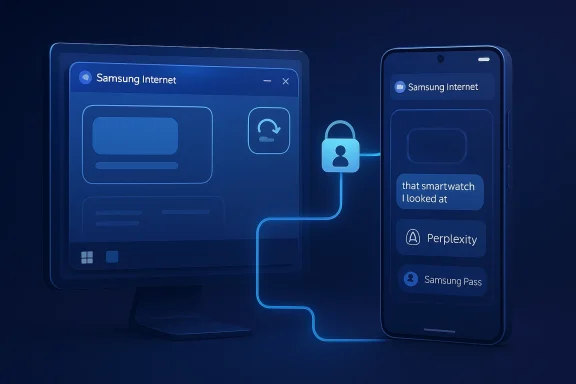
Two blue Samsung devices show an internet login flow, with a lock and user icon connecting to a phone screen.Overview​

Samsung has spent years building a connected-device story around Link to Windows, Samsung Pass, OneDrive, and the broader Galaxy software stack. The company’s browser move fits that pattern almost perfectly, because browsers are one of the few apps people use constantly on both phones and PCs. By bringing Samsung Internet to Windows, Samsung is betting that the browser can act as a bridge between devices rather than just a place to load webpages.
This is also a strategic answer to an old problem: Samsung’s mobile browser has traditionally been excellent on Galaxy phones, but it has lived in the shadow of Chrome, Safari, and even Microsoft’s own Edge on desktop. Mobile-only strength is valuable, but it rarely creates true platform gravity. A Windows version gives Samsung a new route to relevance on PCs without needing to win the browser war outright.
The timing is notable. Samsung first announced a beta for Samsung Internet for PC in late October 2025, with availability for Windows 11 and Windows 10 version 1809 and newer in the United States and Korea. The current release marks the transition from experimental product to a more polished, broadly accessible browser. That shift matters because the difference between a beta curiosity and a default-browser candidate is often less about features than about trust, polish, and consistency.
It also lands in a market where browser makers are increasingly chasing platform-level differentiation through AI. Samsung’s pitch is no longer just “our browser syncs with your phone.” It is now “our browser understands what you are looking at and can help you act on it.” That is a much bigger claim, and one that invites both enthusiasm and skepticism.

Why Samsung Browser on Windows Matters​

The most obvious reason this launch matters is simple reach. Samsung says the browser is available on Windows 11 and Windows 10 version 1809 or later, which puts it in front of a massive installed base. That means the browser is no longer constrained to Samsung phone owners who happen to stay inside mobile apps; it can now meet users where they actually spend hours every day, at a desktop.
But reach is only the first layer. The deeper point is that browsers are identity hubs. If Samsung can make login, history, and continuity feel painless across phone and PC, the browser becomes a gateway to the rest of the Galaxy ecosystem. That is where Samsung Pass, cross-device browsing continuity, and account sync become more than convenience features; they become retention tools.
There is also a consumer psychology angle here. People do not generally install browsers for fun, but they do switch browsers when one promises less friction. Samsung is trying to sell friction reduction in three different ways: syncing sessions, moving between devices, and using AI to shorten the time between question and answer. That combination is more compelling than any one feature alone. In practice, it is the bundle that matters.

The cross-device story is the real product​

Samsung’s browser is not just “available on Windows”; it is designed to make the phone and PC feel like one browsing surface. Samsung’s own materials describe support for continuing recently visited websites on another device when the same Samsung account is used and the relevant device conditions are met. That continuity is the quiet value proposition that separates this browser from generic Chromium clones.
In other words, Samsung is not chasing users who merely want tabs and bookmarks. It wants users who start on one screen and finish on another. That is a better fit for modern work patterns, where a phone is often the discovery device and a laptop is the execution device.
  • Continuity matters more than novelty.
  • Ecosystem value grows with each additional device.
  • The browser becomes a connector, not just a utility.
  • Sync features are most valuable when they disappear into routine.
  • The best cross-device tools are the ones users stop thinking about.

A Windows launch changes the competitive frame​

Before Windows support, Samsung Internet was a powerful but mostly self-contained ecosystem browser. On Windows, it becomes a direct alternative to Edge, Chrome, Brave, and others for users who want a browser that understands their Samsung identity. That does not guarantee mass adoption, but it does give Samsung a chance to compete on experience instead of just brand recognition.
That shift is important because browser choice is sticky. Users often keep the browser that already knows their logins, bookmarks, and habits. Samsung is trying to exploit that inertia by making its own ecosystem the one that remembers everything best. That is a smart competitive angle, even if it only converts a niche.

The Galaxy Ecosystem Advantage​

Samsung’s strongest argument is not that its browser is better in isolation, but that it fits neatly into a broader Galaxy ecosystem that already spans phones, tablets, watches, PCs, and cloud services. The company has spent years teaching users that its devices are more useful together than separately. Samsung Internet for Windows extends that logic into an app category people touch constantly.
That ecosystem advantage is especially powerful for users already invested in Samsung hardware. Someone with a Galaxy smartphone and a Windows PC can now keep browsing context, account data, and possibly passwords moving with fewer manual steps. Samsung Pass is central here, because password and autofill friction remain among the most annoying parts of daily browsing.
The browser also reinforces a broader strategy Samsung has been building for years: if one company can make the phone, PC, cloud, and browser all feel coordinated, switching becomes harder. That is the same logic behind features like Phone Link, Quick Share, and Samsung’s emphasis on cross-device continuity. The browser is simply a new surface for that strategy to play out.

Continuity is the real moat​

Samsung’s continuity story is strongest when it feels invisible. The user should not need to think about where a session lives, which device has the latest tab, or whether a password is already stored. The more Samsung reduces those decisions, the more the browser becomes a default extension of the user’s identity.
That said, continuity only works when it is reliable and fast. If sync lags, prompts fail, or website handoff feels inconsistent, the feature set loses its appeal quickly. In the browser market, promise is cheap and habit is expensive, so Samsung needs reliability more than hype.
  • Samsung Pass can lower login friction.
  • Recent website handoff strengthens the ecosystem story.
  • PC launch increases the value of mobile browsing history.
  • Cross-device features matter most for power users.
  • Ecosystem coherence can be a real differentiator.

Enterprise and consumer use cases differ​

For consumers, the appeal is obvious: carry browsing context from phone to PC, keep login data in sync, and use one account to make everything feel connected. That is a convenience play, and it will resonate most with people already living inside Samsung’s product family.
For enterprise users, the calculus is different. Businesses care about manageability, policy controls, privacy, and compatibility more than they care about clever continuity tricks. Samsung Browser may still be attractive in managed environments, but only if IT teams can trust its controls and if the ecosystem value outweighs browser standardization costs. That is not a trivial hurdle.

AI Is the Feature That Changes the Conversation​

Samsung’s biggest headline-grabber is the browser’s AI assistant, built with Perplexity. This is where Samsung is trying to differentiate itself from browsers that simply bolt on chat summaries or sidebar assistants. Samsung’s description suggests a browser that can interpret the content of a page, summarize across tabs, and even help users search browsing history using natural language.
That matters because browser AI is evolving quickly from gimmick to workflow tool. If the browser can help a user compare multiple sources, extract a trip plan from a travel page, or retrieve a page from last week without exact keywords, it can save time in ways that are immediately visible. Samsung is clearly aiming at a browser that behaves more like a research aide than a passive rendering engine.
The challenge is that browser AI carries baggage. Users are already wary of AI features that feel intrusive, opaque, or impossible to turn off. Samsung’s own pitch may be smart, but the company will need to prove that AI is an opt-in accelerator rather than an unavoidable layer over core browsing. That distinction will shape adoption.

Natural-language history search is the sleeper feature​

Among Samsung’s AI capabilities, the ability to search history in natural language may be the most practically useful. Most browser history tools are awful because they assume users remember URLs, page titles, or dates. A conversational query like “that smartwatch I looked at last week” is much closer to how people actually remember things.
This is the kind of feature that, if it works well, can become sticky very quickly. It does not sound flashy, but it addresses a common pain point with precision. In product terms, that is often more valuable than a headline feature that looks more impressive in marketing copy than in day-to-day use.

Multi-tab summarization could help heavy researchers​

Samsung also says the browser can summarize and compare content across multiple tabs at once. That is a genuinely useful idea for users comparing products, planning travel, or collecting sources for work. Rather than copying snippets into another app, the browser tries to do the synthesis inside the browsing session itself.
If implemented well, this could make the browser attractive to students, journalists, analysts, and shoppers who live in tab overload. But the quality bar is high. The browser must understand context accurately, avoid hallucination, and present output that feels trustworthy rather than superficially confident.
  • Page context awareness can reduce repetitive work.
  • Tab comparison is valuable for research-heavy users.
  • Natural language history search solves a real UX problem.
  • Video-aware searching could help with tutorials and demos.
  • Good AI feels invisible; bad AI feels intrusive.

AI visibility and control will matter​

Samsung needs to learn from the broader browser backlash against forced AI features. Mozilla’s user backlash around AI toggles is a reminder that many people want a browser to be a browser first, assistant second. If Samsung makes AI easy to ignore, easy to disable, and clearly separated from core browsing, it will earn more trust.
This is especially important because browser trust is fragile. Users may tolerate AI experimentation in a standalone app, but they are far less forgiving when AI appears to inspect content, history, or sessions that feel personal. Samsung’s implementation will need to be transparent, reversible, and understated if it wants broad acceptance.

What Samsung Gets Right​

Samsung deserves credit for launching with a coherent product thesis instead of simply shipping another browser shell. The company is blending sync, identity, continuity, and AI into a single package, which gives the product a clearer reason to exist than many niche browsers ever achieve. That coherence is important in a crowded browser market where feature lists often blur together.
The browser also benefits from Samsung’s timing. Windows users are increasingly accustomed to cloud-linked services and device handoff features, and many already use Samsung phones at home or work. That means Samsung is not inventing demand from scratch; it is monetizing a relationship that already exists. That is a subtler, but more realistic, growth strategy.

The product strengths are practical, not theoretical​

A browser must earn its keep every day, and Samsung’s strengths map cleanly to everyday use. Fast sign-in, better history retrieval, and device continuity are not exotic ideas, but they remove friction where people feel it most. The best product decisions are often the boring ones that make routine tasks faster.
  • Cross-device continuity is a real differentiator.
  • Samsung Pass adds utility for password-heavy users.
  • AI tab comparison targets research workflows.
  • Natural-language history solves an everyday pain point.
  • The browser feels like part of a broader ecosystem, not a standalone experiment.

It fits the modern Windows-Samsung relationship​

Samsung and Microsoft have already built a relationship around cross-device convenience. That means Samsung Internet for Windows arrives in an environment where many users are already familiar with the idea of phone-PC handoff, synced notifications, and linked services. The browser is effectively layering another daily-use touchpoint onto an existing partnership.
That ecosystem familiarity lowers the onboarding burden. Even users who do not care deeply about browsers may still try Samsung’s offering if they already depend on Galaxy sync or Phone Link-like behavior. In product terms, this is how platforms quietly expand: one useful feature becomes a habit, then a habit becomes the default.

Where the Browser Will Be Tested​

The first real test is whether Samsung can make the browser feel polished enough to stand beside established desktop browsers. Windows users have a low tolerance for awkwardness, especially when it comes to startup speed, page rendering, extensions, and settings consistency. A compelling feature list will not matter if the everyday experience feels unfinished.
The second test is whether Samsung can make the mobile-to-PC story obvious. Many users will not discover continuity features unless the product clearly surfaces them during setup and daily use. If Samsung hides the best parts of the browser behind account settings and ecosystem jargon, the product may underperform its actual capabilities.

Windows users will judge it like a desktop browser, not a Samsung novelty​

That point is easy to miss. On Windows, Samsung Internet is no longer competing just with “better than mobile browser” expectations. It is competing with browsers that people have used for years, often with muscle memory, extensions, and enterprise policies already in place. That is a much harsher environment.
So Samsung has to win on feel. A browser can be loaded with smart features and still fail if it launches slowly, crashes, or behaves oddly with common websites. The desktop audience rewards consistency first and innovation second.

Setup will decide whether users stay​

The onboarding flow matters because browsers often live or die in the first ten minutes. If syncing Samsung account data, enabling continuity, and opting into or out of AI tools feels confusing, users may never reach the product’s best features. Good onboarding should make the browser’s value immediately legible.
That means Samsung has to do three things well:
  • Explain what is synced and why.
  • Make AI features visible but optional.
  • Show the payoff of connecting phone and PC quickly.
If those steps are clumsy, the browser becomes “yet another browser to sign into.” If they are smooth, the browser becomes a natural extension of the Galaxy experience.

Competitive Implications for Edge, Chrome, and Brave​

For Microsoft Edge, Samsung Internet is a strange kind of competitor: not necessarily a giant threat by raw scale, but a threat in the ecosystem segment where Microsoft wants to be strongest. Edge’s value proposition on Windows has always included integration, convenience, and cross-device ties. Samsung is now making a similar pitch, but from the other side of the mobile-PC bridge.
For Chrome, the challenge is different. Chrome’s dominance comes from familiarity, extension depth, and ecosystem gravity. Samsung Internet is unlikely to dislodge Chrome broadly, but it could siphon off users who care more about Samsung device continuity than about the Chrome ecosystem. That is a narrower fight, but not an unimportant one.
For privacy-leaning browsers like Brave, the competition is more philosophical. Samsung is using AI and ecosystem integration as the differentiator, while Brave often sells control, blocking, and reduced tracking as the core value. That means the two browsers appeal to different instincts, but Samsung’s AI ambitions could make privacy-conscious users hesitant if the controls are not crystal clear. Trust, here, is everything.

Samsung is not trying to win everywhere​

This is important. Samsung does not need to beat Chrome at Chrome’s own game. It only needs to become the best browser for a subset of users who own Samsung phones, use Windows PCs, and want a tighter continuity layer. That is a much more achievable goal.
A focused strategy can be more effective than a universal one. If Samsung builds loyalty inside its ecosystem, it can increase lifetime value without needing browser-market leadership. That is often how platform companies quietly strengthen their position.
  • Edge loses some ecosystem exclusivity.
  • Chrome faces another credible default alternative.
  • Brave and similar browsers retain the privacy edge.
  • Samsung gains a new loyalty lever inside Galaxy.
  • The browser wars are increasingly about workflow, not just speed.

Strengths and Opportunities​

Samsung’s browser launch is strongest where it combines product usefulness with ecosystem logic. The opportunity is not merely to attract browser switchers, but to create a daily-use tool that deepens Samsung’s relationship with existing customers and makes the Galaxy stack feel more complete. If Samsung executes well, the browser could become a quiet but powerful retention engine.
  • Cross-device continuity can reduce friction between phone and PC.
  • Samsung Pass adds immediate practical value for logins and autofill.
  • AI page understanding could help users research faster.
  • Natural-language history search is a genuinely useful UX improvement.
  • Multi-tab comparison targets real knowledge-work behavior.
  • Windows availability dramatically increases the browser’s addressable audience.
  • Ecosystem integration could make Samsung devices feel more indispensable.

Risks and Concerns​

The biggest risk is not that the browser will be bad; it is that users will see the AI layer as intrusive or unnecessary. Browser users are conservative when it comes to core workflows, and any hint that the browser is overreaching into their habits, history, or page content can trigger rejection. Samsung must be careful to make its AI tools feel optional, understandable, and easy to disable.
  • AI backlash could overwhelm the feature benefits.
  • Privacy concerns may rise if controls are unclear.
  • Desktop expectations are tougher than mobile expectations.
  • Sync reliability will determine whether continuity feels magical or messy.
  • Feature clutter could make the browser feel overdesigned.
  • Ecosystem lock-in may discourage non-Samsung users from trying it.
  • Extension and compatibility gaps would weaken credibility on Windows.

The trust problem is bigger than the feature problem​

Samsung can probably explain the browser’s capabilities in marketing language. The harder task is convincing people that the browser is safe, predictable, and respectful of their data. That is especially true when the product touches browsing history, page content, and account syncing. Those are sensitive surfaces.
If Samsung gets the privacy and control story wrong, the browser could be dismissed before users give it a fair chance. That would be unfortunate, because the underlying product idea is strong. But browser adoption often depends less on potential than on confidence.

What to Watch Next​

The next phase will determine whether Samsung Internet becomes a meaningful Windows presence or just a neat ecosystem footnote. The key questions are about polish, adoption, and whether the AI features enhance the browser without alienating the users Samsung wants most. Over the coming months, the browser’s success will depend less on launch headlines and more on how naturally it fits into everyday use.
Samsung will also need to prove that this is not a one-off port. Users will watch for extension support, performance improvements, sync reliability, and whether the company continues to refine the PC experience instead of letting it stagnate after launch. Consistency after launch is what separates serious platform efforts from marketing experiments.
  • Whether Samsung adds more visibility into AI controls.
  • Whether the browser gains stronger desktop polish and performance.
  • Whether the sync experience feels instant and dependable.
  • Whether Samsung expands feature parity with the mobile browser.
  • Whether more Windows users adopt it as a true daily browser.
  • Whether Samsung positions it as a broader Galaxy ecosystem hub.

The browser’s future depends on restraint​

Samsung’s smartest move may be to resist the temptation to oversell AI. The browser already has a compelling cross-device story; the AI layer should reinforce that story, not swallow it. Users need to feel that the browser helps them do what they already want to do, only faster and with less friction.
If Samsung keeps that balance, this could become one of the more interesting cross-platform software launches of the year. If it overreaches, the browser risks becoming another example of a good idea buried under too much ambition.
Samsung Internet on Windows is a meaningful launch because it adds a new kind of competition to the browser market: not just faster, safer, or more private, but more connected. That matters in an era when people move constantly between screens and expect software to move with them. If Samsung can make that movement feel effortless, it may have found the real reason to exist on Windows.
The best outcome is not that Samsung Browser becomes the most popular browser on PCs. The best outcome is that it becomes the browser Samsung users reach for because it quietly removes friction from their digital lives. In a market crowded with software that promises everything, that kind of restraint-and-utility combination may be the most persuasive strategy of all.

Source: Windows Central Samsung Browser is finally available on Windows.
 

Samsung’s move to bring Samsung Internet for PC to Windows is more than a routine product expansion. It is a clear signal that the company wants its browser to become a cross-device control layer, not just another place to load websites. The addition of an AI agent powered by Perplexity pushes the pitch even further, turning a familiar browser into a task-oriented assistant that can summarize, compare, navigate, and even help execute actions based on page context. Samsung says the beta is available on Windows 11 and Windows 10 version 1809 and later in the United States and Korea, with broader expansion planned.

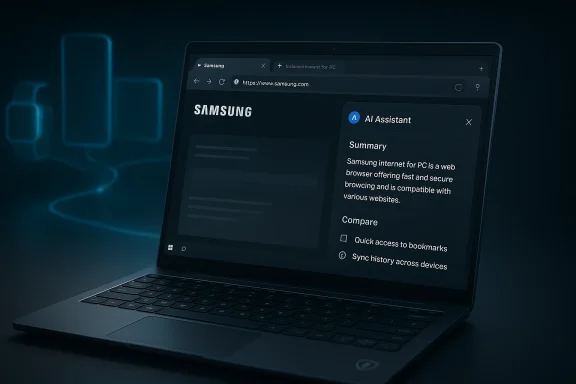
A Samsung laptop shows a browser page with an “AI Assistant” summary panel.Overview​

Samsung’s browser strategy has been evolving for years, but the PC launch marks a notable inflection point. The company’s official framing is that Samsung Internet for PC is the first step toward an “ambient AI” future, where the browser becomes a more intelligent bridge between devices and services rather than a passive utility. In that sense, the product is not just about desktop browsing; it is about extending the Galaxy ecosystem into a space dominated by Microsoft Edge, Google Chrome, and a growing number of AI-first challengers.
That matters because browsers have become one of the most strategic software surfaces in consumer tech. They sit at the intersection of search, identity, content consumption, commerce, and productivity. If Samsung can keep users inside its own browser across mobile and PC, it has a better chance of binding together bookmarks, history, logins, and contextual AI features in a way that feels native rather than bolted on. Samsung’s own announcement emphasizes sync and continuity as core features, including bookmarks, browsing history, and Samsung Pass integration.
The Perplexity partnership is equally important. Perplexity has spent the past year positioning itself not just as an answer engine but as an infrastructure layer for agentic browsing, including its own Comet browser and related AI experiences. Samsung’s decision to integrate Perplexity into browser workflows suggests it sees value in an external AI specialist rather than attempting to build every capability in-house. That is a practical move, but also a revealing one: Samsung wants to ship faster in a category where product velocity matters as much as brand loyalty.
There is also a broader competitive story here. Microsoft is already turning Edge into an AI-rich browser tied to Copilot, Google continues to fold Gemini-like capabilities into Chrome-adjacent experiences, and Perplexity itself has been pursuing browser-native AI on multiple platforms. Samsung’s entry on Windows adds another heavyweight to a market that is quickly redefining what a browser is supposed to do. The battle is no longer only about rendering pages efficiently; it is about who owns the user’s intent.

Background​

Samsung Internet has long been one of the strongest mobile browsers outside the mainstream desktop world, especially on Galaxy phones where it is often the default or at least a familiar companion. The browser’s growth has been tied to Samsung’s broader device strategy: if users move naturally between Galaxy phones, tablets, watches, TVs, and PCs, Samsung can offer a more cohesive software experience than a vendor that only owns one part of the stack. The PC beta announced in November 2025 was explicitly presented as the browser’s first desktop expansion and as a stepping stone toward more intelligent browsing.
The timing is telling. By late 2025, the browser market had already begun to shift from “fast and secure” as a selling point to “AI-assisted and workflow-aware.” Perplexity’s Comet browser had launched in July 2025, and by early 2026 the company was expanding its AI browser ambitions across devices and features. Samsung’s partnership fits squarely into this trend: the browser is no longer just a gateway to the internet, but a workspace for machine-assisted action.
Samsung has also been increasingly vocal about “ambient AI,” “multi-agent” systems, and connected experiences. The company’s February 2026 messaging around Galaxy AI and Perplexity showed that the relationship goes beyond a one-off browser integration. Samsung is building a more layered ecosystem in which different AI surfaces can handle different tasks, from device control to research to cross-app assistance. That larger strategy helps explain why a browser release on Windows is significant: it is part of a wider convergence story.

Why the browser matters now​

Browsers are increasingly where users begin work, not just where they end up. Research, shopping, media, and productivity all converge in tabs, histories, synced sign-ins, and content-heavy workflows. That creates an opening for AI that can see enough context to be genuinely useful, but not so much that it becomes invasive. Samsung is trying to sell this balance as convenience with continuity.
The challenge is that browsers are also deeply entrenched. Chrome remains the default for many users, Edge is tightly integrated into Windows, and many enterprises standardize on one browser for support and policy reasons. Samsung is entering a market where users will only switch if the gain is obvious and sustained. That means its AI features must feel meaningfully better, not just novel.

What Samsung Actually Launched​

Samsung Internet for PC is currently positioned as a beta, not a full-scale stable release. Officially, the browser is available on Windows 11 and Windows 10 version 1809 or later in the United States and Korea, with sign-ups and broader rollout planned for later. That makes the current launch more of a strategic beachhead than a mass-market takeover attempt. The company is giving itself room to tune the experience before widening distribution.
The feature set is designed around continuity first, intelligence second. Samsung highlights sync of bookmarks and history, along with Samsung Pass integration for secure storage of personal data, logins, and autofill. It also emphasizes the ability to continue work across mobile and desktop, which is a sensible entry point because it gives existing Samsung Internet users a clear reason to try the PC version.
The AI layer is what makes the launch feel more ambitious. Samsung says the browser can understand natural language, page context, tab activity, and history, and can help with information search and task execution. In practical terms, that suggests a browser that can answer questions about an open page, compare multiple tabs, or help users find specific moments in video content without manual scrubbing. The browser is being pitched as an assistant that lives inside browsing, not beside it.

Core launch features​

At a glance, the beta’s value proposition is straightforward:
  • Cross-device continuity for Samsung users who already rely on mobile browsing.
  • Bookmark and history sync to reduce friction across devices.
  • Samsung Pass support for credentials and autofill.
  • Perplexity-powered AI assistance for contextual queries and task support.
  • Availability on modern Windows builds with a gradual rollout plan.
This is not a radical reinvention of the browser shell. It is, instead, a careful layering of familiar browser behaviors with AI overlays that are likely to be more valuable when they are invisible. That restraint may actually help adoption, because users tend to distrust browsers that feel like they are trying too hard to be futuristic. Subtle utility is usually easier to sell than spectacle.

Perplexity’s Role​

Perplexity is the ingredient that changes the tone of Samsung’s browser from “connected” to “agentic.” Samsung says the browser can use natural language and page context to make search and task execution simpler, which strongly echoes Perplexity’s broader product positioning. Perplexity’s own Comet browser has been marketed around agentic search and browser-native assistance, so Samsung’s partnership appears to import that philosophy into a much larger hardware ecosystem.
That partnership is smart for both sides. Samsung gets a recognized AI brand without having to build an entire answer-engine stack from scratch, while Perplexity gets access to a broader installed base and a more visible distribution channel. For Perplexity, that matters because browser usage is one of the highest-leverage ways to make an AI assistant feel indispensable. For Samsung, it reduces the risk of shipping a weak first-generation assistant that users ignore after one week.
Still, the partnership raises strategic questions. If Perplexity is the AI brain inside Samsung’s browser, who controls the roadmap? Who owns the user relationship? And how much of Samsung’s longer-term ambition depends on a third party that could, in theory, become a competitor on the browser and assistant front? Those are not deal-breakers, but they are the kind of questions that define platform power over time. Distribution is leverage, and Samsung is lending Perplexity some of its own.

What “agentic” really means here​

In browser terms, “agentic” should mean more than answering questions. It should mean interpreting the user’s intent, using visible context, and taking useful next steps without forcing the user to bounce between tabs, copy text, or manually synthesize information. Samsung’s examples — itinerary creation from an open travel tab, video moment finding, richer history search, and multi-tab comparison — all fit that model.
But the devil is in the reliability. Agentic tools can be brilliant when the task is bounded and obvious, and disappointing when the content is ambiguous, noisy, or contradictory. If Samsung wants users to trust the browser, it will need to make the AI feel like a strong assistant rather than an overeager intern. That means precision, restraint, and transparent controls. Hallucination tolerance is much lower in a browser than in a chatbot.

Cross-Device Continuity​

One of Samsung’s best arguments is that it can solve a real annoyance: moving from phone to PC without losing the thread. The browser syncs bookmarks and history, and Samsung highlights the ability to continue browsing across devices when users are signed into the same account. That type of continuity is not glamorous, but it is exactly the sort of convenience that can create daily habit.
This is where Samsung has an advantage that pure software companies often envy. It owns a large hardware portfolio and can make a browser feel like part of a coherent device ecosystem. If a user starts researching on a Galaxy phone during a commute and resumes on a Galaxy Book at a desk, the browser becomes a bridge rather than a hurdle. In practice, that can reduce the temptation to default back to Chrome simply because it is “good enough” everywhere.

Why continuity matters for adoption​

Users rarely switch browsers for a single headline feature. They switch when the new browser slots into their routines without demanding extra effort. Samsung’s continuity pitch is therefore more important than the AI hype, because it gives the browser a reason to be the starting point for everyday work. If the sync experience is smooth, the AI features get more opportunities to prove themselves.
That said, continuity can also become a lock-in story. Samsung is implicitly asking users to commit more fully to its ecosystem in exchange for convenience. For loyal Galaxy customers, that may feel like a fair trade. For everyone else, it may look like a closed loop that offers less flexibility than mainstream browser choices. Ecosystem gravity is powerful, but it is not universally appealing.

Enterprise and Consumer Implications​

For consumers, the appeal is obvious: a browser that remembers more, does more, and reduces friction between devices. For enterprise users, the picture is more complicated. Businesses want productivity, but they also want predictability, policy control, auditability, and security assurances. A browser that understands context and can act across tabs may be useful, but it also introduces a new layer of software behavior that IT teams will want to scrutinize carefully.
Samsung Pass integration and the emphasis on privacy controls suggest that Samsung knows trust will be central. The company’s browser messaging has repeatedly stressed secure browsing and protection of personal data, especially as it extends Samsung Internet from mobile to PC. That is sensible, because browsers handle some of the most sensitive data on a user’s machine. One weak link in credential handling or agent permissions can undo a lot of marketing.

Consumer convenience vs. enterprise governance​

For consumers, the most persuasive use cases are likely to be lightweight and immediate:
  • comparing products across multiple tabs,
  • turning article-heavy research into a summary,
  • finding specific moments in online video,
  • resuming browsing across devices,
  • searching history by intent rather than exact keywords.
For enterprises, the concerns are more structural. IT departments will want to know how agent actions are logged, whether content is sent off-device, what policies govern credentials, and how the browser behaves under managed Windows environments. If Samsung wants its browser to matter in the corporate space, it will need a clearer story on administration and compliance than “it has AI.” A clever browser is not automatically a manageable browser.

Competitive Pressure on Edge, Chrome, and AI Browsers​

Samsung is entering a crowded but unsettled field. Microsoft Edge already benefits from Windows distribution and Copilot integration, which gives it enormous default leverage. Google Chrome still dominates the market by habit, extension ecosystem, and cross-platform ubiquity. Meanwhile, Perplexity, The Browser Company, and others have been trying to redefine browsing around AI assistants rather than page rendering. Samsung’s browser lands right in the middle of this transition.
The important point is that Samsung is not trying to win on raw browser feature depth. It is trying to win on experience coherence. If the browser can move smoothly between Samsung phones and Windows PCs, then AI becomes a layer on top of an already sticky ecosystem. That is a different strategy from trying to out-Chrome Chrome or out-Edge Edge. It is more about owning a workflow than a market share percentage.

The browser war has changed​

In the old browser wars, the main variables were speed, standards compliance, and extension support. In the new browser war, the variables are context awareness, agent quality, and the ability to extract meaning from the open web without making users do all the synthesis themselves. Samsung’s launch is evidence that the center of gravity has shifted. The browser is becoming a command surface for AI.
That shift also means competitors cannot rely only on habit. They need distinctive value. Microsoft will lean on Windows integration, Google on search and account gravity, and Perplexity on AI-first utility. Samsung’s advantage is that it can blend hardware, mobile habits, and a recognizable browser brand into a single proposition. Whether that is enough will depend on execution, not just positioning.

Security and Trust​

Samsung’s browser announcement leans hard on secure storage and continuity, and that is no accident. Browsers increasingly sit at the center of identity management, and AI agents raise the stakes because they need context to be useful. The more context an assistant can see, the more carefully it must be constrained. Samsung’s use of Samsung Pass and its emphasis on privacy protection are meant to reassure users that intelligence does not have to come at the expense of control.
That reassurance will be tested by user expectations. The browser can analyze tabs, history, and content, but users will want to know exactly how much of that data stays local, how much is processed externally, and how permissions are handled when the agent takes action. These are not abstract concerns. They go directly to whether the browser feels trustworthy enough for passwords, shopping, banking, research, and personal communications. Trust is a feature.

Why AI browsers are harder to secure​

AI browsers are harder to secure than traditional browsers because they blur the line between reading and acting. A conventional browser presents information; an AI browser interprets it and may attempt to respond on the user’s behalf. That creates new risks around prompt injection, untrusted page content, overbroad permissions, and accidental disclosure. Samsung will need to make those guardrails visible, not hidden.
The company has an opportunity here if it treats security as a competitive differentiator rather than a disclaimer. Clear permissions, obvious audit trails, and conservative defaults would go a long way toward making the product feel enterprise-ready and consumer-safe. In a category where hype is abundant, restraint could be a selling point.

Market Strategy and Monetization​

Samsung’s browser launch is also a business move. Browsers can be monetized indirectly through ecosystem retention, default search arrangements, AI partnerships, and premium service attachment. If Samsung Internet becomes the place where users repeatedly engage with Samsung Pass, Galaxy sync, and Perplexity-powered research, then the browser starts contributing to a broader lifetime-value model.
The partnership with Perplexity suggests Samsung may be less interested in immediate browser revenue than in strategic differentiation. A browser that deepens ecosystem loyalty can support hardware sales, services adoption, and brand stickiness. That is especially relevant in a market where device makers need software to protect themselves from commoditization. In other words, the browser may not be the product, but it is part of the moat.

Strategic takeaways​

Samsung appears to be betting on four overlapping ideas:
  • Ecosystem continuity can persuade users to adopt a new browser.
  • AI utility can create recurring engagement beyond novelty.
  • Partnerships can accelerate product maturity faster than in-house development alone.
  • Cross-device experiences can make the browser feel like a Samsung-native control plane.
That is a coherent strategy, and it is more credible than a vague “AI browser” pitch. Still, strategy is only as good as the product details users experience every day. If the browser is fast, stable, and genuinely helpful, Samsung could carve out a meaningful niche. If not, it risks becoming a footnote in the broader AI browser rush.

Strengths and Opportunities​

Samsung has several real advantages here, and they are stronger than a typical beta launch might suggest. The company is combining device ecosystem leverage with a credible AI partner, which gives the browser an identity that feels more concrete than many experimental competitors. That creates room for adoption if the user experience is polished and the AI stays useful without becoming intrusive.
  • Samsung ecosystem integration gives the browser immediate relevance for Galaxy users.
  • Perplexity-powered AI offers a recognizable and differentiated intelligence layer.
  • Cross-device continuity can make the product habit-forming.
  • Samsung Pass support lowers friction for logins and autofill.
  • Context-aware assistance could reduce research and comparison overhead.
  • A phased beta rollout gives Samsung a chance to refine before scaling.
  • Windows availability broadens the browser beyond mobile-only use.
The biggest opportunity is to make the browser feel indispensable in workflows that already involve Samsung phones and Windows PCs. If Samsung can turn AI assistance into a natural extension of that relationship, it may create a category that is difficult for rivals to copy quickly.

Risks and Concerns​

The launch is promising, but the risks are equally real. AI browsers face a credibility gap because users have to trust both the browser engine and the assistant layered on top of it. Samsung will need to prove that its agent can be helpful without being unpredictable, and that its privacy promises hold up under scrutiny.
  • Security exposure rises when an AI agent can interpret and act on live page content.
  • User trust could erode if the assistant feels inaccurate or overeager.
  • Enterprise adoption may lag without strong admin and compliance features.
  • Ecosystem lock-in could discourage non-Samsung users from trying it.
  • Beta limitations may create a first impression of incompleteness.
  • Dependency on Perplexity introduces strategic and product-roadmap risk.
  • Competition from Edge and Chrome remains formidable on Windows.
There is also a broader product risk: AI features can become expensive to maintain and easy to copy if they are not deeply integrated. Samsung will need more than headline features; it will need reliability, speed, and meaningful daily utility. That is where browser wars are won.

Looking Ahead​

The next phase will tell us whether Samsung Internet for PC is a genuine platform move or simply a smart-sounding beta. The immediate questions are practical: how quickly Samsung expands beyond the United States and Korea, how often it updates the AI features, and whether the browser can build a reputation for being fast and trustworthy as well as smart. If it can do those things, it may become an important part of Samsung’s AI story rather than just another experiment.
The broader industry should also pay attention. Samsung’s launch reinforces the idea that browsers are becoming the new battleground for AI assistants, especially on Windows where the desktop remains central to serious work. What happens next will likely depend on which company can marry context, trust, and distribution most effectively. Samsung has made a credible opening move; now it has to turn that into repeat usage. That is a much harder game.
  • Broader geographic availability beyond the U.S. and Korea.
  • Tighter security controls and clearer user permission management.
  • More polished agent workflows for research, video, and tab comparison.
  • Enterprise-ready management features if Samsung wants corporate traction.
  • Deeper AI integration across Galaxy and Windows experiences.
Samsung has not reinvented the browser, but it has framed a future in which browsers behave less like windows and more like collaborators. If that future takes hold, the real winners will be the companies that can make AI feel dependable inside everyday software. Samsung’s Windows browser is an early, interesting bet on exactly that proposition.

Source: ForkLog Samsung Launches Windows Browser with AI Agent | ForkLog
 

Samsung’s move to bring Samsung Internet for PC to Windows is more than a routine expansion of a mobile app. It is a clear attempt to turn the browser into an AI-first control layer for the Galaxy ecosystem, blending cross-device sync, secure sign-in, and agentic assistance into one familiar surface. With the beta now established for Windows 11 and Windows 10 version 1809 and above in the United States and Korea, Samsung is signaling that the browser is no longer just a place to view the web — it is becoming a productivity platform in its own right. Samsung’s own announcement frames the PC release as the first step toward a more connected and intelligent browsing experience across devices.

A digital visualization related to the article topic.Overview​

The browser market has spent the last year moving away from simple tab management and toward AI-assisted workflows. Samsung’s entry into this space matters because it arrives from a company that already controls a large hardware ecosystem, a mobile browser with a meaningful user base, and adjacent identity and device-sync services. That combination gives Samsung an opening that standalone browser makers do not always enjoy.
What makes this launch notable is not just the existence of a PC browser, but the way Samsung is packaging it. The company is tying together bookmarks, history, open pages, Samsung Pass, and AI features that can work across multiple tabs. The result is a browser that is trying to be stateful in a way older browsers were not, while also being more proactive than a traditional search bar or sidebar assistant.
Samsung is also entering a more crowded and more competitive moment than it would have faced even a year ago. Perplexity’s Comet browser helped define the current “agentic browser” conversation, while Google has been steadily deepening Gemini inside Chrome. In other words, Samsung is not launching into a vacuum; it is joining a race where the next generation of browsers will be judged on how much work they can do, not simply on how quickly they load pages.

Why Samsung Is Bringing Internet to Windows​

Samsung has long treated software as the glue that keeps Galaxy products sticky. A browser that follows users from phone to PC is a logical extension of that strategy, especially for people already invested in Samsung accounts, Samsung Pass, and Galaxy device handoff. The browser becomes a soft layer of continuity between devices, reducing friction and making the ecosystem feel more complete.
The timing also makes strategic sense. The desktop browser market is stable at the top and brutally difficult to disrupt, so a new entrant needs a compelling reason to exist. Samsung’s answer is not to out-Chrome Chrome or out-Edge Edge on raw browser fundamentals; it is to offer a more integrated cross-device experience with AI woven into the workflow. That is a more defensible angle than trying to win on generic features alone.

Ecosystem Lock-In, Reframed​

Samsung is not hiding the ecosystem logic here. Browsing history, bookmarks, open tabs, and sign-in credentials all become part of a continuous user identity that spans devices. For some users, that will feel like convenience; for Samsung, it is a retention mechanism that can deepen loyalty to the broader Galaxy stack.
At the same time, this is not the same kind of lock-in seen in earlier platform eras. The browser does not need to trap users through exclusivity so much as earn habitual use by reducing repetitive tasks. That distinction matters because modern users are more sensitive to convenience than to brand allegiance, and they will switch if the value drops off. That is both Samsung’s opportunity and its challenge.
Key implications:
  • It reduces the friction of moving between phone and PC.
  • It increases the usefulness of a Samsung account.
  • It can make Samsung hardware feel more cohesive than rival Windows laptops.
  • It gives Samsung another software reason to stay inside the Galaxy ecosystem.

The AI Layer: What “Agentic” Means Here​

Samsung’s biggest differentiator is the AI experience, which the company says is powered by a partnership with Perplexity. This is important because Samsung is not merely adding a chatbot panel to a browser; it is attempting to let AI reason over the content of pages and the relationship between multiple tabs. That moves the experience from answering questions to organizing context.
The practical examples Samsung is emphasizing are telling. The browser can help create structured travel plans from a city webpage, locate a specific moment in a video, or summarize content spread across multiple tabs. Those are not novel tricks in isolation, but together they represent a broader shift: the browser is being asked to perform synthesis work that used to require manual note-taking, copy-paste, and tab juggling.

From Search to Synthesis​

This is where the “agentic” label starts to matter. A classic browser helps you navigate information; Samsung’s version aims to interpret it. That is a meaningful step because the modern web is overloaded with fragmented sources, and users increasingly want a browser that can reduce cognitive overhead rather than just expose more tabs.
Still, there is a difference between a compelling demo and a durable daily workflow. Features such as tab summarization and content-aware assistance are useful, but they become indispensable only if they are fast, accurate, and trustworthy. If the AI gets details wrong or overreaches, users will retreat to manual browsing very quickly. Browser trust is unforgiving.

Why Perplexity Matters​

Perplexity’s involvement is a major signal because the company helped popularize the current wave of AI-driven search and agentic browsing. Comet, Perplexity’s own AI browser, was positioned as a new way to search and act across the web, and that framing helped reset expectations for what a browser can be. Samsung is borrowing from that momentum while attaching it to a much larger hardware footprint.
This partnership also suggests Samsung wants a specialized AI layer without having to build the entire intelligence stack itself. That is a sensible choice. Browsers are hard enough to maintain; building a competitive reasoning engine, retrieval layer, and UI paradigm from scratch would be slower and riskier. By integrating Perplexity, Samsung gets a credible AI brand while preserving control over the browser shell and ecosystem integration.

Competitive Positioning Against Chrome and Comet​

Samsung is stepping into a lane that already has two very visible reference points. Google’s Chrome has deepened Gemini integration, including AI browsing assistance that uses context from multiple tabs, while Perplexity’s Comet is explicitly built around agentic search. Samsung’s browser, then, sits between a platform giant and an AI-native startup, trying to offer the convenience of the former with some of the freshness of the latter.
That positioning may be smarter than it looks. Chrome is dominant, but dominance can make innovation feel incremental. Perplexity is ambitious, but its browser-first approach is still proving itself in the real world. Samsung can arrive with a respectable browser baseline, ecosystem advantages, and an AI story that feels current without having to define the market alone.

Cross-Device Continuity as the Quiet Killer Feature​

For many users, the most important feature in Samsung Internet for PC will not be AI at all. It will be the ability to continue browsing where they left off, with bookmarks, history, and open pages synced across phone and PC. That kind of continuity sounds mundane, but in daily use it often matters more than flashy demos.
Samsung Pass also deserves attention because secure autofill and sign-in convenience are the kind of features people only notice when they are absent. By reducing repeated logins and form-filling, Samsung is making the browser feel less like a standalone app and more like a credentialed workspace. That can be especially appealing on shared Windows machines or on laptops used heavily for personal and work tasks.

The User Value Proposition​

A browser that knows your context across devices reduces friction in several specific ways. It eliminates the need to remember what you were doing on your phone, it helps preserve task momentum, and it makes the browser feel like a persistent workspace instead of a disposable window. Those are small wins that compound over time.
This is also where Samsung can win over practical users who may never care about “agentic AI” marketing. If the browser helps them finish tasks faster, the AI feature becomes an enhancer rather than the headline. That tends to be the most sustainable kind of product success.
Bullet takeaways:
  • Open tabs sync between mobile and PC.
  • Bookmarks and history travel with the user.
  • Samsung Pass simplifies authentication.
  • The browser becomes part of a broader workflow, not just a viewing tool.

Regional Availability and Platform Scope​

Samsung says the Windows beta is initially available in the United States and Korea, which is a sensible but limited rollout. That gives the company controlled feedback from two markets where Samsung has meaningful brand recognition and device penetration. It also reduces the risk of supporting too many locales before the core experience stabilizes.
The browser supports Windows 11 and Windows 10 version 1809 and above, which is broader than a lot of new software launches that often focus only on the newest Windows release. That compatibility range matters because many business and consumer machines remain on Windows 10, despite the industry’s ongoing push toward Windows 11. Samsung is therefore addressing a real installed base, not just early adopters.

What Limited Launches Usually Mean​

A limited geographic launch is often a sign that a product is still being tuned for reliability, policy compliance, and support readiness. It does not necessarily mean the product is incomplete, but it does suggest Samsung wants to learn from a narrower audience before broader expansion. That is usually wise for AI-inflected software, where edge cases can quickly turn into trust problems.
It also means the product’s true competitive impact may not be visible on day one. A browser can look modest in a launch window and still matter a great deal if its AI workflow becomes sticky and its expansion accelerates. For now, Samsung is clearly prioritizing control over scale.

Consumer Impact: Convenience First, Then Intelligence​

For consumers, Samsung Internet for PC may feel most valuable if they already live inside the Galaxy ecosystem. These are the users who benefit immediately from device continuity, Samsung Pass, and the comfort of using a browser that mirrors their mobile habits. The AI features are likely to be the hook that gets attention, but the sync features are what will keep people using it.
The browser’s ability to summarize across tabs and help organize content could be particularly useful for shopping, travel planning, research, and media consumption. In those scenarios, users are often drowning in open tabs and conflicting information. A browser that reduces that clutter can create immediate emotional relief, even before it proves itself as a deep productivity tool.

Everyday Use Cases​

The most compelling consumer use cases are probably not the flashy ones. They are the repetitive, low-stakes tasks that are annoying enough to feel real but simple enough for AI to handle well. If Samsung gets those right, it can build strong word-of-mouth around utility rather than novelty.
Useful consumer scenarios include:
  • Planning a trip from multiple destination pages.
  • Comparing products across several shopping tabs.
  • Pulling key points from articles without manual note-taking.
  • Resuming a partially completed task from phone to laptop.

Enterprise Potential: Interesting, But Not Yet the Main Story​

For enterprises, Samsung Internet for PC is more intriguing than immediately transformative. Companies care about browser policy, identity management, auditability, and supportability, so any browser claiming AI productivity has to prove it can operate safely in a managed environment. Samsung has the ecosystem pieces, but it has not yet made enterprise governance the centerpiece of this rollout.
That said, the browser could still find traction among knowledge workers if Samsung can persuade IT departments that the experience is secure and manageable. The combination of Samsung Pass, synced sessions, and AI-assisted summarization may appeal to mobile-first organizations, field teams, and executives who already rely on Samsung phones and laptops. The product’s enterprise value, however, will depend heavily on how much administrative control Samsung eventually exposes.

Where the Business Case Could Grow​

The business case becomes stronger if Samsung can integrate the browser more cleanly with endpoint management and corporate identity stacks. It also improves if the AI features are predictable enough to be used in regulated settings without creating compliance anxiety. Until then, enterprises will likely treat the browser as a pilot, not a standard.
Potential enterprise benefits:
  • Faster research and internal briefing workflows.
  • Reduced password friction through secure autofill.
  • Better continuity between mobile field work and desktop follow-up.
  • More efficient multi-tab analysis for analysts and coordinators.

The Browser Wars Are Getting Stranger​

The competitive backdrop here is important. The browser market used to be about rendering quality, speed, extensions, and standards support. Now it is about who can understand your intent and reduce the number of manual steps between question and outcome. That is a very different game, and Samsung is arriving in it with the advantage of being able to bundle hardware, software, and AI partnerships.
Google’s deeper Gemini integration in Chrome shows that the incumbent understands the threat. Perplexity’s Comet demonstrates that there is appetite for an AI-native browser with agentic behavior. Samsung’s answer is to combine a familiar browser brand with a modern assistant layer, hoping that the product feels both trustworthy and forward-looking. That hybrid strategy may be the most realistic path for a company entering late.

Why This Round Feels Different​

What makes this browser cycle unusual is that the AI layer is not just decorative. It is altering the structure of the product, shifting the browser from a passive tool to an active participant in task completion. If that model sticks, browsers will increasingly compete on their ability to do things rather than simply display pages.
That creates room for more players, not fewer, because different companies can emphasize different strengths. Samsung can focus on device continuity and ecosystem integration, Google on search and workspace ties, and Perplexity on agentic discovery. The market may end up less like a single browser race and more like a layered contest over user workflow ownership.

Strengths and Opportunities​

Samsung has several advantages here, and they are more strategic than cosmetic. The company is not trying to win on one novelty feature; it is trying to create a cohesive experience that bridges phone, PC, account services, and AI assistance. If it executes well, the browser could become one of the stickiest software touchpoints in the Galaxy ecosystem.
  • Cross-device continuity is immediately useful and easy to understand.
  • Samsung Pass strengthens the convenience and security story.
  • Perplexity-powered AI gives the browser a credible modern edge.
  • Windows 10 support broadens the reachable installed base.
  • A staged regional rollout lets Samsung refine the product before wider expansion.
  • Mobile-to-PC workflow continuity could become a true differentiator.
  • AI tab synthesis addresses a real pain point for heavy multitaskers.

Risks and Concerns​

The biggest risk is not that the browser fails to launch, but that the AI layer overpromises. Browsers are deeply personal tools, and people notice quickly when a feature is slow, inaccurate, or intrusive. Samsung also has to balance usefulness with privacy expectations, especially when AI is involved in reading page content and cross-tab context. That balance will define adoption more than marketing language will.
  • AI accuracy will determine whether users trust the assistant.
  • Privacy concerns may arise when pages and tabs are analyzed.
  • Regional limits could slow momentum outside the initial launch markets.
  • Browser differentiation may not be obvious to non-Galaxy users.
  • Enterprise adoption may lag without stronger admin controls.
  • Competition from Chrome and Comet is already intense.
  • Feature complexity could overwhelm users who just want a simple browser.

Looking Ahead​

The next phase will be about proof, not promises. Samsung needs to show that its browser can do more than sync sessions and produce decent AI summaries; it must demonstrate that those features save time in repeatable, meaningful ways. If the browser becomes part of users’ daily habits, Samsung may have found a powerful new software anchor for the Galaxy ecosystem.
The broader market will also be watching how Samsung handles expansion. Broader regional availability, tighter AI refinements, and better integration with the rest of the Galaxy stack will determine whether this is a niche beta or the start of a real platform shift. In a year when browsers are increasingly being redefined around AI, Samsung has entered the race with real assets — but it still has to prove that convenience, intelligence, and trust can coexist in one product.
What to watch next:
  • Wider availability beyond the United States and Korea.
  • Improvements to AI summarization and task execution.
  • Any expansion in supported Windows versions or devices.
  • Changes to Samsung Pass integration and account linking.
  • Competitive responses from Google, Microsoft, and other browser vendors.
Samsung Internet for PC has arrived with a strong strategic story and a timely AI pitch, but its long-term significance will depend on whether it becomes the browser people open by habit or merely the browser people try out of curiosity. If Samsung can turn cross-device continuity into everyday utility and make agentic AI feel reliable rather than experimental, this launch could matter far beyond the Galaxy faithful.

Source: TechloMedia Samsung Brings Its Browser to Windows With New AI Features
 

Samsung’s move to bring Samsung Internet for PC to Windows is more than a routine browser beta. It is a calculated attempt to turn the browser into an ecosystem anchor, binding Galaxy phones, Windows PCs, and AI-assisted browsing into a single continuity layer. The timing matters: the desktop browser market is mature, but the race to embed agentic AI and cross-device handoff features is still wide open. That gives Samsung a narrow but meaningful opening to differentiate its software stack while deepening loyalty to its hardware portfolio.

A digital visualization related to the article topic.Overview​

For years, Samsung Internet has been one of the better-regarded mobile browsers on Android, but its influence was largely bounded by smartphones. The launch of a Windows beta changes that equation by extending the browser’s identity from a mobile companion to a true cross-platform endpoint. Samsung has framed the release as the first step toward a more connected, intelligent, and ambient AI-driven browser experience across the Galaxy ecosystem. (samsungmobilepress.com)
The official beta was announced on October 30, 2025, and Samsung said it would initially support Windows 11 and Windows 10 version 1809 and above in the United States and Korea, with broader availability planned later. That launch window is significant because it suggests Samsung is treating the browser not as a one-off product but as a staged ecosystem rollout, likely tied to account services, AI partnerships, and device continuity features. (samsungmobilepress.com)
The big pitch is familiarity. Users can sync bookmarks, browsing history, and Samsung Pass data, then resume a session on another device without starting over. Samsung also says that when users sign in to the same Samsung Account and enable the required continuity options, the browser can prompt them to continue the most recently visited website on another device. In practical terms, that is Samsung trying to make the browser feel less like software and more like a persistent workspace. (samsungmobilepress.com)
At the same time, the company is clearly positioning the browser as a showcase for AI inside everyday tools. Samsung says Galaxy AI capabilities such as Browsing Assist can summarize and translate pages, and it describes the broader vision as one where the browser becomes an AI platform rather than just a place to load websites. That strategy mirrors the broader industry shift toward embedding intelligence into the workflow itself instead of separating it into standalone apps. (samsungmobilepress.com)

Background​

Samsung’s browser effort has to be understood in the context of how modern ecosystems are built. The winning play in consumer tech is rarely the best standalone app; it is the app that keeps users inside a vendor’s broader universe. Apple has long benefited from that logic with Safari and iCloud continuity, while Microsoft has used Edge and account sign-in to create a more connected Windows experience. Samsung is now trying to carve out a similar role for Galaxy users who live in both Android and Windows worlds.
That effort is not new in spirit, even if the desktop browser is. Samsung already had a strong mobile continuity story through its phones, tablets, watches, and SmartThings-connected products. What changed is that the company now appears willing to extend that continuity into the browser layer, which sits closer to daily behavior than most device-specific utilities. The browser is where work, shopping, entertainment, and identity all converge.
The choice to integrate Samsung Pass is especially important because it moves the browser from passive viewing into identity management. Browsers have increasingly become password wallets, form-fill engines, and authentication hubs. By bringing credential storage and autofill into the Windows version, Samsung is following a familiar industry pattern while trying to make its own account infrastructure more valuable. (samsungmobilepress.com)
The AI layer is equally strategic. Samsung has described the browser as a gateway to ambient AI, meaning the software should anticipate needs and provide help in context rather than waiting for explicit prompts. That language matters because it reflects a market-wide shift: browser vendors now compete not only on speed or privacy, but on who can understand the page, summarize the content, and reduce friction fastest. Samsung’s partnership direction suggests it wants to be in that race early, not after the category has settled.

Why a desktop browser matters​

A desktop browser can be a high-frequency touchpoint that strengthens account loyalty. If a user opens Samsung Internet every day on both a phone and a PC, Samsung gets more opportunities to synchronize data, surface AI features, and reinforce its ecosystem identity.
It also creates a bridge between consumer and productivity behavior. People do not merely browse on desktops; they research, compare, shop, and work there. That makes the browser a natural place to expand beyond simple sync into deeper contextual services.
  • Browsers are where identity, search, and workflow intersect.
  • Cross-device continuity reduces the cost of switching screens.
  • AI features feel more useful when they are embedded in context.
  • Samsung can differentiate itself without building a full Windows shell.

What Samsung is actually shipping​

Samsung’s official material makes clear that the beta is not just a stripped-down web shell. It is a cross-device browser with continuity features, account-driven syncing, and AI-assisted page interaction. The core promise is that users can move from mobile to PC and pick up where they left off, with bookmarks, history, and Samsung Pass data following them. (samsungmobilepress.com)
The browser also includes Browsing Assist, which Samsung says can summarize and translate pages for logged-in Samsung Account users. That is a practical feature, not a gimmick, because it addresses two of the most common friction points in web use: language barriers and information overload. The browser is effectively trying to compress reading time and navigation time at the same time.
Samsung’s public language around the product is carefully chosen. It calls the browser a “gateway” to ambient AI and says future updates will expand capabilities. That tells us the company is framing the beta as a foundation rather than a finished product. In other words, the initial Windows launch is as much about setting expectations as it is about immediate feature parity with Chrome, Edge, or Firefox. (samsungmobilepress.com)

The continuity layer​

The continuity layer is the most immediately understandable feature set. It lets the browser bridge the gap between a phone session and a desktop session, which is useful for shopping carts, research tabs, and long-form reading.
That type of handoff is not just convenient; it is habit-forming. Once a user gets used to moving across devices without losing context, the switching cost becomes psychological rather than technical.
  • Sync bookmarks and browsing history.
  • Resume the most recently visited site on another device.
  • Keep Samsung Pass credentials available across devices.
  • Reduce the friction of device switching.

The AI layer​

The AI layer is where Samsung is aiming for differentiation. Browsing Assist can summarize pages and translate text, which is useful, but Samsung is also signaling a more advanced direction built around context-aware assistance.
That is a meaningful ambition because a browser knows the most about what a user is trying to do at a given moment. If AI can interpret the page, the tab set, and the browsing history, it can act more like a workflow assistant than a chatbot. That is the real prize.

Cross-device continuity as the real product​

The browser launch is interesting not because Windows needed another browser, but because Samsung wants to turn continuity into a product category. The company is making the same wager that has powered the most successful ecosystems in tech: people will stay where the handoff feels effortless. Samsung’s browser beta uses that logic to connect mobile and desktop usage into one seamless flow. (samsungmobilepress.com)
This matters especially for Galaxy owners who also use Windows PCs. That audience already lives in a mixed ecosystem, often without the polished handoff experience Apple customers get between iPhone, Mac, and Safari. Samsung is trying to claim that gap as its own territory, offering a browser that feels native to Android habits but usable on Windows hardware.
The implication is not just convenience but retention. If browser data, autofill, and AI features live in Samsung’s ecosystem, users may be less inclined to migrate to a competing browser or a competing phone platform. The browser becomes a quiet but powerful retention mechanism. That is why browsers are strategic again.

Why continuity wins users​

Continuity works because it preserves attention. Instead of recreating a search, a form, or a research thread, users simply continue. That lowers cognitive load and makes the product feel smarter even when the underlying feature set is modest.
It also strengthens the value of the Samsung Account. The more services that depend on the same identity layer, the harder it becomes to leave.
  • Fewer repeated logins.
  • Fewer abandoned sessions.
  • Less friction between work and mobile use.
  • More reason to stay inside Samsung’s ecosystem.

Competing with Apple’s model​

Samsung’s continuity strategy is implicitly competing with Apple’s long-standing ecosystem advantage. Apple users often think of Safari, iCloud Tabs, and Handoff as part of a single experience, not separate products. Samsung wants Galaxy users to feel a similar flow even when the desktop is running Windows.
That is a smart move because Samsung cannot control the whole stack the way Apple can, but it can build strong software bridges across the stack it does control. The browser is the cleanest place to do it.

Samsung Pass and identity management​

The integration of Samsung Pass turns the browser into more than a reading surface. It becomes part of Samsung’s identity architecture, letting users store login credentials and personal information for autofill across supported websites. Samsung presents that as a convenience feature, but it is also a strategic move in a market where browsers increasingly double as password managers. (samsungmobilepress.com)
This matters because identity tools are one of the stickiest parts of any digital ecosystem. Once a user stores credentials, payment helpers, and profile information in one place, switching away becomes inconvenient. In that sense, Samsung Pass is not merely a utility; it is a retention engine.
There is also a broader market context. Browser vendors have spent years converting password management from a separate app category into a built-in capability. Samsung’s approach fits that trend, but with an ecosystem twist: it is trying to make the same login stack useful on mobile and PC. That creates a tighter loop between device ownership and service convenience.

Convenience versus lock-in​

Users will likely see immediate value in autofill and synced login credentials. These are the sorts of features that reduce daily friction in a way people notice right away.
At the same time, they also increase dependency on one vendor’s account system. That is normal in modern software, but it is worth noting because convenience and lock-in often arrive together.
  • Faster sign-ins.
  • Less password fatigue.
  • More consistent form filling.
  • Greater dependence on the Samsung account layer.

Security and trust implications​

Samsung’s announcement emphasizes privacy and security protections, including smart anti-tracking and the Privacy Dashboard. Those are important complements to credential storage because any browser that manages identity has to be credible on security. (samsungmobilepress.com)
Still, users will want clarity on how credentials are synced, where recovery data lives, and how enterprise administrators can control access. Trust is not a feature; it is the platform.

The AI angle: Perplexity and agentic browsing​

The most forward-looking part of Samsung’s browser strategy is the move toward AI that can do more than summarize. Samsung has described the browser’s AI direction as agentic AI, which implies the system can understand context and help act on it rather than merely answer questions. That language has become fashionable across the industry, but in Samsung’s case it appears tied to a practical browsing interface. (samsungmobilepress.com)
According to the announcement, the browser can interpret a webpage and generate useful output based on the content, such as a structured travel itinerary. It can also work across multiple tabs, comparing or summarizing open pages without manual switching. That is the kind of task automation that can save time in real workflows, especially for research-heavy browsing.
Samsung also says users can search browsing history using natural language, such as asking for something viewed “last week.” And the browser can identify relevant segments in video content and jump straight to them. These are meaningful examples because they show the browser moving beyond page display and into content understanding.

What “agentic” means in practice​

The term agentic can sound vague, but here it seems to mean the browser can reason across content and execute a user’s intent in a more structured way. That could include summaries, comparisons, extraction, and targeted navigation.
If it works well, that would make the browser feel less like a destination and more like a tool for accelerating decisions.
  • Interpret the page context.
  • Extract the relevant details.
  • Produce a structured response.
  • Reduce the need for manual tab-hopping.

Why Perplexity matters​

Samsung’s association with Perplexity AI is notable because it ties the browser to an external AI brand known for search-oriented answers and contextual retrieval. That gives Samsung an AI identity without having to build every model capability in-house.
It also suggests a platform strategy. If Samsung can bind Perplexity-like intelligence to browsing, it can position the browser as a practical AI surface rather than a novelty add-on. That is exactly where the market is headed.

Product design and user experience​

Samsung’s desktop browser effort will ultimately rise or fall on usability. Continuity features sound compelling, but users will only adopt them if the setup is simple and the handoff is reliable. The company says the browser is tied to Samsung accounts and, for the continuation feature, requires devices to be on the same account with Wi-Fi and Bluetooth enabled. That is a small amount of friction, but it is still friction. (samsungmobilepress.com)
The upside is that Samsung appears to understand where the browser needs to fit. It is not trying to replace Chrome in every situation on day one. Instead, it is carving out a niche around Galaxy users who want mobile continuity, secure autofill, and AI help in one place. That is a realistic product strategy for a beta.
The UI and workflow will matter most in the first few minutes. If a user can sign in, sync, and see value quickly, Samsung has a shot at adoption. If the setup feels like an ecosystem checklist, enthusiasm will fade fast.

What good onboarding looks like​

A browser with continuity features should make its value obvious almost immediately. Users do not want to read a manual for what should feel like a natural extension of their phone.
  • Clear account sign-in.
  • Fast sync of bookmarks and history.
  • Visible resumption prompts.
  • Easy access to AI tools without clutter.

Where the design challenge sits​

Samsung has to balance power and simplicity. Too many prompts, and the browser feels overengineered. Too few, and users may never discover the features that justify installing it.
That tension is especially important on Windows, where users are already accustomed to mature browsers with polished onboarding. Samsung will need to feel native, not imported.

Competitive implications for Chrome, Edge, and Brave​

Samsung is not entering a vacuum. Chrome remains dominant, Edge is deeply integrated into Windows, and privacy-focused browsers such as Brave continue to attract users with sharper positioning. Samsung’s edge will not come from tab speed or sheer extension breadth. It will come from ecosystem stickiness and contextual AI. (samsungmobilepress.com)
For Chrome, Samsung’s move is less about direct threat and more about fragmentation of attention. A Galaxy owner who starts browsing in Samsung Internet on mobile may be less likely to default back to Chrome on Windows. That matters because browser loyalty is often built through habit, not benchmark scores.
For Edge, the challenge is different. Microsoft can point to Windows integration, but Samsung can argue that it owns the phone-side continuity relationship with Galaxy hardware. In a Windows-centric environment, the browser that understands the user’s mobile context may have a real advantage. That is not trivial.

The browser war gets more personal​

Modern browser competition is no longer just about rendering engines and page load times. It is about who controls the account, the assistant, and the workflow.
Samsung is trying to make browser choice feel like an ecosystem choice, which is harder for rivals to counter with features alone.
  • Chrome wins on familiarity and breadth.
  • Edge wins on OS integration.
  • Samsung wins on Galaxy continuity.
  • Brave wins on privacy positioning.

AI as a differentiator​

AI is becoming table stakes, but implementation still matters. If Samsung’s browser can genuinely reduce research time and summarize content better than generic browser assistants, it may win loyal users among students, shoppers, and knowledge workers.
The risk, of course, is that competitors can copy the surface-level feature set quickly. That means Samsung’s long-term advantage must come from deeper device integration, not just AI branding.

Enterprise and consumer impact​

For consumers, the appeal is obvious: less repetition, smarter browsing, and easier device handoff. A Galaxy owner who already uses Samsung services could see immediate value from synced history, autofill, and AI summaries. The browser fits neatly into the modern expectation that software should remember context and save time.
Enterprise is more complicated. Companies care about credential handling, policy controls, data locality, and supportability. A browser with AI and password-sync features can be useful, but IT departments will want clear documentation before encouraging adoption. Samsung’s current rollout appears consumer-first, which is reasonable for beta software but not enough for large-scale workplace trust.
The Windows angle makes this especially relevant. Windows machines are common in managed environments, which means Samsung may eventually need to address enterprise-grade sign-in, policy enforcement, and admin visibility if it wants broader traction. Without that, the browser is likely to remain a consumer ecosystem play rather than a workplace standard.

Consumer upside​

Consumers are the easiest audience to impress because they feel the friction first. If the browser helps them reopen a recipe, a shopping cart, a research session, or a video segment, the value is immediate.
That makes the product sticky in a way that is easy to underestimate.

Enterprise questions​

Businesses will ask harder questions about how AI features process content and whether browser data can be managed under corporate policies. Those are not blockers, but they are adoption gates.
Samsung will need to show that the browser can be both helpful and controllable.

Strengths and Opportunities​

Samsung enters this category with a clear strategy, and that is a real advantage. The company is not trying to win by brute force; it is trying to win by making the browser feel like an extension of the Galaxy ecosystem. If it executes well, that can create a durable user relationship that rivals will find hard to dislodge.
  • Cross-device continuity is a compelling daily-use feature.
  • Samsung Pass adds real utility through autofill and login sync.
  • Browsing Assist can reduce reading and translation friction.
  • Natural-language history search is a genuinely useful workflow aid.
  • Video segment jumping could become a standout feature if it works reliably.
  • Windows support expands Samsung’s ecosystem beyond phones.
  • AI integration gives the browser a strong marketing and product story.
Samsung also benefits from timing. Users are increasingly open to AI features that save time, but they are wary of AI that feels bolted on. A browser is one of the few places where contextual AI can feel natural rather than intrusive. That creates an opportunity for Samsung to define a category, not just join it.

Risks and Concerns​

For all the promise here, the risks are substantial. Cross-device software is notoriously hard to make dependable, and AI features can disappoint if they are slow, inaccurate, or too dependent on account infrastructure. Samsung’s browser will need to prove that it can be both useful and trustworthy before it can matter beyond enthusiasts.
  • Adoption friction could limit usage outside the Galaxy base.
  • AI accuracy will determine whether users trust the assistant.
  • Privacy questions will follow any browser tied to identity and history.
  • Limited launch markets may slow momentum.
  • Enterprise controls appear underdeveloped for now.
  • Feature duplication by Chrome, Edge, or others could erode differentiation.
  • Dependence on Samsung account services may deter some users.
There is also a perception risk. If users see the browser as an ecosystem trap rather than a helpful tool, the strategy could backfire. Samsung will need to frame continuity as convenience, not confinement.

Looking Ahead​

The next phase will be about proof. Samsung has shown the shape of the product, but the real test is whether the browser remains fast, stable, and genuinely helpful once users rely on it every day. The company’s own wording suggests more features are coming, which means this beta is as much a promise as a product. (samsungmobilepress.com)
The broader market will be watching how Samsung balances AI ambition with practical browser expectations. If the assistant can summarize, compare, and retrieve useful context without becoming noisy or unreliable, Samsung may have created one of the more interesting browser stories of the year. If not, it risks becoming another example of AI feature creep attached to an otherwise solid app.
What to watch next:
  • Wider regional rollout beyond the United States and Korea.
  • Whether Samsung expands AI features beyond beta.
  • How well Samsung Pass works on Windows in real-world use.
  • Whether the browser gains support for enterprise policy controls.
  • Competitor responses from Chrome, Edge, and other AI-first browsers.
Samsung’s browser launch is best understood as an ecosystem move disguised as a software update. The browser is the surface, but the strategy is continuity, identity, and AI-driven habit formation. If Samsung can make those layers feel seamless on Windows, it may have found a genuinely modern way to deepen the Galaxy experience without waiting for users to buy another phone first.

Source: t2ONLINE Samsung Browser lands on Windows PCs with cross-device continuity
 

Samsung is bringing its Internet browser to Windows at last, and that makes this more than just another software port. The move gives Samsung a new foothold on desktop, adds a direct line between Galaxy phones and PCs, and puts a Perplexity-powered AI layer into a browser that has long lived only on mobile. Samsung’s official beta announcement says the Windows build is available on Windows 10 version 1809 and later, as well as Windows 11, starting October 30, 2025 in the U.S. and Korea, with broader expansion to follow.
For Windows users, the significance is not simply that a new browser exists. It is that Samsung is trying to turn browsing into a cross-device workflow rather than a single-screen activity, with session continuity, Samsung Pass integration, and AI assistance tied into the same ecosystem. That combination is aimed squarely at the productivity crowd, but it also has clear consumer appeal for anyone already invested in Galaxy devices.

A digital visualization related to the article topic.Background​

Samsung Internet has been one of the better-known mobile browsers in the Android world for years, but it has always carried a certain strategic limitation: it lived on phones and tablets while the broader desktop browsing market remained untouched. That matters because browser loyalty is often built on continuity, not feature checklists. Once a user opens tabs, passwords, bookmarks, and history on one platform, the browser becomes part of their daily operating habit. Samsung is now clearly trying to extend that habit onto Windows.
The timing is also important. Windows 10 is past its October 14, 2025 end-of-support date, and Samsung itself has been steering users toward Windows 11 in its own product messaging. In that environment, launching a Windows browser that supports Windows 10 version 1809 and later is a pragmatic way to reach both legacy users and those moving to newer systems. It also gives Samsung a bridge into the desktop market at a moment when many PC users are reconsidering their software stacks.
Samsung’s broader ecosystem strategy has been visible for years through tools like Link to Windows, Samsung Notes sync, and device-to-device continuity features. The browser launch fits neatly into that pattern. Instead of treating the PC as a separate endpoint, Samsung is framing Windows as another surface where Galaxy services can travel with the user. That is a familiar playbook in consumer tech, but it is still effective when executed well.
The other major shift is Samsung’s increasing willingness to bind its software story to AI services and partners. Samsung has publicly highlighted Perplexity in other product contexts, and the browser beta extends that relationship into a higher-frequency app category. Browsers are especially attractive AI vehicles because they already sit in the middle of search, reading, shopping, work, and entertainment. Putting AI there is less of a novelty than a bet on where users actually spend time.

Why browsers still matter​

Browsers remain one of the most strategic applications in computing. They mediate access to services, remember credentials, and increasingly host the workflows people use instead of traditional desktop software. That makes browser choice a surprisingly durable loyalty decision. Samsung knows that if it can make Galaxy users feel at home on Windows, it can deepen lock-in without having to win the entire browser market.
The broader desktop market, of course, is still dominated by Chrome, Edge, Firefox, and Safari on the platforms where Safari exists. Samsung does not need to topple those browsers to matter. It only needs to become the obvious companion browser for Galaxy users who move between phone and PC all day. That is a narrower target, but it is also a more realistic one.
  • Desktop browsers are identity containers, not just page renderers.
  • Sync and continuity are often more valuable than one flashy feature.
  • Ecosystem loyalty can beat raw market share in specific user segments.
  • AI assistants make browsers feel more like active tools than passive windows.

What Samsung actually launched​

Samsung’s official wording describes a beta for Samsung Internet for PC, not just a simple Windows wrapper around a mobile app. The browser is available for Windows 11 and Windows 10 version 1809 and above, and Samsung says the beta began in the U.S. and Korea on October 30, 2025. That makes the launch geographically limited at first, even if the current discussion around it makes the rollout sound more universal.
Samsung also says users can learn more and sign up through its browser site, and that the browser is free to download. Importantly, it does not require a Samsung account or Samsung hardware just to install and use basic browsing functions. That lowers the barrier to entry and suggests Samsung is trying to measure interest beyond the Galaxy faithful.

Beta first, not a finished statement​

The beta framing is worth emphasizing. A beta release gives Samsung room to gather feedback, refine sync behavior, and adjust how the browser fits into Windows habits. It also lets the company test whether users will tolerate a browser that is designed around ecosystem value rather than pure platform neutrality.
In practice, this means the launch should be read as a strategic opening, not a final product verdict. Beta software often reveals where a company believes the real value lies. In Samsung’s case, that value appears to be continuity, identity, and AI-assisted reading rather than a radical new rendering engine or a ground-up reinvention of browsing.

Basic takeaways​

  • The Windows version is real desktop software, not a web app.
  • The launch began as a beta on Windows 10 and Windows 11.
  • Installation is free and does not require a Samsung account for basic use.
  • Samsung is using the browser to widen the Galaxy ecosystem beyond phones.

Cross-device continuity is the real hook​

The headline feature is not that Samsung has a browser on Windows. It is that Samsung wants your phone and PC to behave as one browsing environment. The company says users can continue active sessions across devices and pick up where they left off with minimal friction. That is the kind of feature people do not notice when it works, but they absolutely notice when it is missing.
Samsung also confirms support for Samsung Pass, which stores sign-in credentials and personal information across connected devices. That matters because browsers live or die on how much cognitive load they remove. A browser that can carry your sessions and login state from Galaxy phone to Windows PC can become much stickier than a browser that merely syncs bookmarks.

How the continuity model works​

Samsung’s own description of the feature set implies that the browser is designed to resume browsing rather than just copy history. That distinction matters. History is passive; session continuity is active. It means the browser is trying to preserve context, not just records.
The result is a workflow that may feel especially natural for research, shopping, travel planning, and media consumption. A user can begin on a phone during a commute and continue on a laptop when they sit down at a desk. That is the sort of behavior modern browsers increasingly try to encourage.
  • Open tabs can become shared working context.
  • Session handoff reduces the need to search again.
  • Saved credentials make authentication less disruptive.
  • Cross-device continuity encourages repeated use.

Enterprise versus consumer value​

For consumers, the value is obvious: fewer logins, fewer lost tabs, and a smoother handoff between devices. For enterprise users, the bigger question is whether Samsung Internet can fit into managed environments cleanly. If it can’t be centrally governed, its appeal outside personal-device use will be limited.
That said, Samsung’s cross-device logic aligns with the realities of hybrid work. Many workers already move between a personal phone and a work PC all day, even when IT prefers otherwise. A browser that reduces friction across that boundary can become a quiet but persistent productivity tool.

Samsung Pass and identity are strategically important​

Samsung Pass is one of the most consequential parts of the launch because it touches identity management. Browsers increasingly act as personal vaults for credentials, shipping addresses, payment details, and form data. By folding Samsung Pass into the desktop browser, Samsung is effectively saying that the browser should be a trusted layer in the user’s digital identity stack.
That brings upside, but it also raises the stakes. Any identity system that spans mobile and desktop must be easy enough to use that people actually enable it, yet strict enough that they trust it. Samsung has to strike a balance between convenience and perceived safety, especially on Windows where users have a wide choice of security tools and password managers.

Why password sync is a competitive lever​

Password managers and browser-based credential stores are no longer niche features. They are mainstream expectations. If Samsung can make Pass feel seamless across Galaxy devices and Windows PCs, it gets to compete not only with browsers but also with dedicated password ecosystems.
That makes Samsung Pass more than a convenience layer. It becomes a migration incentive. Once credentials live inside Samsung’s stack, switching away becomes more annoying. That is exactly why integrated identity features are so sticky in the first place.

What users should think about​

Samsung Pass sounds helpful, but users should still think carefully about where they want credentials stored. A browser-native vault may be convenient, but a dedicated password manager can offer broader platform flexibility. Samsung’s approach is attractive if you are already deep in Galaxy hardware; it is less compelling if your device mix is heterogeneous.
  • Convenience is the primary appeal.
  • Trust becomes critical once credentials are involved.
  • Device lock-in can increase as identity features deepen.
  • Hybrid work users may benefit the most from reduced login friction.

The Perplexity-powered AI layer changes the browser’s personality​

Samsung says the browser includes an AI assistant developed with Perplexity, and that assistant is context-aware. In practical terms, that means it looks at the active page and responds based on what is on screen rather than requiring users to manually copy and paste material into another app. That is a much more browser-native form of AI than bolting on a generic chatbot panel.
Samsung’s official messaging suggests the assistant can summarize content, help search browsing history in natural language, and compare information across multiple open tabs. Those are exactly the kinds of tasks where browsers have historically been clumsy. If the implementation is smooth, it can make the browser feel less like a passive tool and more like a research partner.

Why context-aware AI matters​

A context-aware assistant is different from a separate AI window because it understands the user’s current task. That can reduce the number of steps needed to ask sensible questions and retrieve useful answers. It also makes the assistant more likely to become habitual, because it appears right where the user already is.
The upside is obvious for reading-heavy tasks. News, product comparisons, long articles, and documentation can all become easier to digest when a browser can summarize or compare them on demand. The downside is that users may begin to rely on AI mediation for content they once read directly.

Potential productivity effects​

The practical productivity story here is fairly strong. If the AI assistant can genuinely summarize pages, navigate history, and compare tabs well, Samsung Internet could become especially useful for students, researchers, journalists, and shoppers. That is a broad enough market to matter.
  • Summaries reduce reading time.
  • Tab comparison can simplify decision-making.
  • Natural-language history search may be faster than keyword hunting.
  • Context awareness is more useful than a generic chatbot overlay.

AI convenience comes with trade-offs​

The launch also exposes a more uncomfortable truth: browser AI is not automatically user-controlled AI. Samsung has not provided details on how to disable individual AI features, and there is no clearly described dedicated AI off switch akin to the kind some users expect from privacy-focused browsers. That omission will matter to a segment of the audience that is increasingly wary of AI features being baked in by default.
This is not just a philosophical complaint. When AI becomes embedded in a browser, it can affect performance, privacy expectations, and workflow predictability. Users who want a plain browser with no assistance may see these features as clutter, while others will appreciate the convenience. The challenge for Samsung is making the assistant feel optional rather than compulsory.

The privacy question​

Any browser that analyzes page content to provide summaries or comparisons will raise questions about how much data is being processed, stored, or transmitted. Samsung has emphasized its privacy and security posture in other browser-related messaging, but users will still want clearer controls and clearer documentation as the product matures.
The best-case scenario is a browser that lets users decide exactly which AI functions they want. The worst-case scenario is one where the assistant is deeply integrated but hard to suppress. That would risk alienating users who see browsers as tools, not companions.

User control will decide adoption​

The market is becoming more sensitive to AI defaults. People generally accept AI if it feels additive and transparent; they push back when it feels invasive or hard to escape. Samsung’s browser launch sits right on that fault line.
  • Transparency will be more important than marketing language.
  • Granular toggles could determine trust.
  • Visible controls can reduce user anxiety.
  • Lack of control may become a competitive weakness.

Samsung is competing on ecosystem, not raw browser share​

Samsung does not need to beat Chrome or Edge head-on to make this launch worthwhile. Instead, it is competing on ecosystem gravity. If the browser makes Galaxy phones and Windows PCs feel more connected, Samsung can keep users inside its orbit longer, which is often more valuable than forcing a browser market share contest.
That said, the competitive landscape is brutal. Chrome has scale, Edge has Windows integration, and Firefox has a strong privacy identity. Samsung is entering a crowded field where differentiation must be obvious within minutes, not weeks. If the browser’s cross-device features are compelling enough, it can carve out a durable niche. If not, it risks becoming just another optional install.

Why Edge should pay attention​

Microsoft Edge is the most obvious strategic comparator because it already lives on Windows and already competes on convenience, sync, and AI. Samsung’s pitch is different: the browser is not trying to be the default system browser so much as the best browser for Galaxy continuity. That distinction may be enough for some users, but it will not be enough for everyone.
The most interesting outcome would be a split allegiance model, where users keep Edge or Chrome on the PC but use Samsung Internet as their mobile-to-desktop bridge. Even that would be a win for Samsung, because it would place the company in the browsing workflow at two different points.

Competitive implications​

  • Chrome remains the default for many users, but Samsung can target loyalty.
  • Edge faces the strongest overlap in AI and Windows integration.
  • Firefox may appeal to users who want less ecosystem coupling.
  • Samsung is betting that continuity is a differentiator, not a feature checkbox.

Windows 10 and Windows 11 support widen the target audience​

The browser’s support for Windows 10 version 1809 and later, alongside Windows 11, is a smart move. It keeps the install base large and acknowledges that not every Windows user has already moved to the newer operating system. At the same time, Samsung’s own messaging around Windows support puts the launch in a broader transition period where users are being nudged toward Windows 11 anyway.
That dual support also matters because it lowers friction for older hardware owners. A browser is one of the few categories where legacy operating systems can still receive fresh software value even when the broader platform is aging. Samsung is taking advantage of that reality rather than waiting for a perfect future state.

Why the Windows floor matters​

Version 1809 is not ancient, but it is old enough that the browser is clearly not aiming only at the newest hardware. That expands the potential audience, especially among people who have delayed upgrades. It also suggests Samsung is focused on reach, not just premium exclusivity.
The Windows 10 support angle is a little more complicated because the operating system is now outside Microsoft’s mainstream support window. Still, plenty of users remain on it. Samsung is wisely meeting them where they are, even if the company’s broader ecosystem messaging favors Windows 11.

Practical implications​

  • Wider compatibility boosts download potential.
  • Older devices may still benefit from new browser features.
  • Windows 11 users get the cleaner long-term story.
  • Windows 10 support is helpful, but not a permanent growth engine.

The browser fits Samsung’s larger connected-device strategy​

This launch should not be viewed in isolation. Samsung has spent years building a connected-device narrative around Galaxy phones, tablets, wearables, and PCs. Its own recent product messaging has highlighted features like Link to Windows, Multi Control, and second-screen workflows, all of which point to a future where Samsung hardware is coordinated rather than independent. The browser is another tile in that mosaic.
That matters because browsers are among the most frequently used apps in the ecosystem. If Samsung can make browsing itself part of the continuity story, it strengthens the case that buying into Galaxy hardware has ongoing software advantages. That is especially important in a market where hardware specs alone are harder to distinguish year over year.

Ecosystem software is the new moat​

In consumer electronics, hardware margins are always under pressure. Software features are where companies build emotional and practical loyalty. Samsung appears to understand that a browser is not just a window to the web; it is a platform for recurring engagement.
The company’s decision to link the browser with Perplexity also suggests it is comfortable outsourcing some intelligence while retaining the user relationship. That is a shrewd move if it works, because the browser becomes the broker between Samsung identity, AI services, and everyday web activity.

Ecosystem signal versus standalone product​

Samsung Internet for PC is therefore both a product and a signal. It says Samsung wants to own more of the user’s desktop day, not just the mobile half. It also tells competitors that Samsung sees browsers as a growth surface, not a legacy category.
  • Ecosystem integration is the strategic core.
  • Frequent use makes browsers valuable distribution channels.
  • AI partnerships can accelerate feature development.
  • Cross-device habits deepen brand dependence.

Strengths and Opportunities​

Samsung’s browser launch has several clear strengths, and they are not limited to novelty. The company has picked a product category that sits at the center of modern computing and attached it to a story that is easy to understand: browse on your phone, continue on your PC, keep your credentials, and let AI help when needed. If Samsung executes well, this could become one of its most quietly useful software offerings.
  • Cross-device continuity is genuinely compelling.
  • Samsung Pass adds immediate practical value.
  • Perplexity-powered AI gives the browser a modern edge.
  • Free installation reduces adoption friction.
  • Windows 10 and 11 support broadens the addressable market.
  • Galaxy ecosystem tie-ins can increase user retention.
  • Context-aware assistance is more useful than generic chat overlays.

Risks and Concerns​

The biggest risk is that Samsung tries to do too much at once. A browser that mixes sync, identity, AI, and ecosystem glue can be powerful, but it can also feel overloaded or opaque. The lack of a clearly described AI kill switch will be watched closely by users who care about control, while skeptics will question whether Samsung can compete meaningfully against entrenched browsers without making the user do extra setup work.
  • AI feature control appears underdeveloped at launch.
  • Privacy concerns may intensify as the assistant matures.
  • Ecosystem lock-in could discourage non-Galaxy users.
  • Beta-quality rough edges could damage first impressions.
  • Competition from Edge and Chrome is fierce and relentless.
  • Platform fragmentation may limit a clean rollout beyond the initial markets.
  • Too much reliance on Samsung hardware could cap long-term reach.

Looking Ahead​

The next phase will tell us whether Samsung Internet for PC is a smart ecosystem extension or the start of a broader desktop ambition. If Samsung expands availability, improves controls, and clarifies how AI features can be managed, the browser could become a meaningful part of the Galaxy software stack. If it remains narrow, awkward, or poorly documented, it may settle into the familiar category of interesting but niche companion software.
The most important variable is probably not raw browser performance but trust. Users will tolerate a lot of ecosystem behavior if the browser is fast, predictable, and respectful of their settings. They will not tolerate hidden complexity for long, especially when alternatives are one click away.
  • Broader regional rollout will be a key signal.
  • Better AI toggles could determine user acceptance.
  • Windows 11 optimizations may reveal Samsung’s long-term priorities.
  • Enterprise manageability will shape whether business users care.
  • Samsung account integration will decide how sticky the experience becomes.
Samsung has taken a meaningful step by bringing its browser to Windows, but the real story is less about desktop availability than about ambition. The company is trying to make browsing part of the Galaxy ecosystem itself, and that is a much bigger claim than simply releasing another app. If Samsung gets the balance right, it may not need to conquer the browser market to win something more valuable: a deeper, daily place in how people move between their devices.

Source: gHacks Samsung Browser Launches On Windows 10 And Windows 11 With Cross-Device Sync - gHacks Tech News
 

Samsung’s move to bring Samsung Internet to Windows is more than a simple desktop port. It signals a broader strategy: turn a familiar mobile browser into a cross-device control point for Galaxy AI, Samsung Pass, and what the company is now calling ambient AI. The beta is officially available on Windows 11 and Windows 10 version 1809 and above, with initial access limited to the United States and Korea and wider expansion promised later. Samsung says the browser is designed to make browsing more connected, more secure, and eventually more agentic. (news.samsung.com)

A digital visualization related to the article topic.Overview​

Samsung’s browser launch on Windows should be read in the context of a much larger platform play. Browsers are no longer just places to load web pages; they are becoming identity hubs, synchronization engines, and AI assistants. That makes Samsung Internet for PC an important signal about where the company wants its ecosystem to go next. Rather than treat the browser as a standalone utility, Samsung is positioning it as a bridge between mobile and desktop, and between classic browsing and AI-mediated tasks. (news.samsung.com)
The company’s official announcement emphasizes continuity across devices. Users can sync bookmarks, browsing history, and personal data, and they can resume sessions when moving between phone and PC. Samsung Pass integration also matters here, because it pushes the browser beyond convenience and into account management, autofill, and identity flow. In other words, this is not merely “Chrome, but from Samsung”; it is Samsung trying to make its browser a connective layer inside the Galaxy ecosystem. (news.samsung.com)
The timing is also notable. Samsung’s browser expansion comes as the company is publicly doubling down on Galaxy AI and agentic AI across its device portfolio. In recent messaging, Samsung has been framing AI as something that should anticipate user needs and help coordinate actions, not just summarize text or translate pages. The browser beta is therefore a test bed for a broader vision in which AI becomes embedded across devices and surfaces, rather than isolated in a single app. (news.samsung.com)
For Windows users, the immediate appeal is practical. Samsung is targeting machines running Windows 10 and Windows 11, which keeps the install base broad, even as Windows 10 approaches the end of mainstream relevance. For Samsung, that creates a path to reach both consumers already invested in Galaxy hardware and those who may only want the browser features without buying a new phone or laptop. That dual audience is important, because browser adoption often hinges on utility first and brand loyalty second. (news.samsung.com)

Background​

Samsung Internet has long been one of the more underrated mobile browsers in the market. On Android, it built a reputation for clean design, tracking protection, useful reading tools, and tight integration with Samsung’s broader software stack. The desktop beta changes the game because it gives Samsung a chance to extend those behaviors into a setting where the browser competes head-on with Chrome, Edge, and other entrenched desktop defaults. (news.samsung.com)
Samsung’s own mobile browser has already been used to showcase AI-assisted features such as webpage summarization and translation. That matters because the Windows beta is not inventing a new AI story from scratch; it is transplanting one that already exists on mobile and linking it to desktop workflows. The company’s developer documentation for Samsung Internet AI features underscores that summarization is not just a marketing claim, but an established part of the browser’s AI toolkit. (news.samsung.com)
The browser also arrives at a moment when the industry is redefining what a browser should do. Microsoft has pushed Copilot throughout Windows and Edge. Google has layered Gemini-style assistance into its own products. Opera, Brave, and others have marketed AI-first browsing experiences. Samsung entering this arena on Windows suggests it wants more than brand presence; it wants a stake in the emerging browser-as-agent category. (news.samsung.com)
There is also a strategic ecosystem angle. Samsung has spent years strengthening cross-device continuity with Samsung Account, Samsung Pass, Galaxy devices, and related services. The browser beta is a natural extension of that architecture. If users already trust Samsung to manage hardware, syncing, and security across phones and PCs, then the browser becomes another place where the company can reinforce that trust and deepen lock-in. That is the real business logic here. (news.samsung.com)

Why browsers matter again​

Browsers are regaining importance because so much work happens inside them. Messaging, docs, shopping, banking, and enterprise SaaS all live in browser tabs now, which makes the browser a high-value control point. A company that owns the browser can influence search habits, login flows, AI assistance, and user data pathways.
Samsung appears to understand this better than most hardware vendors. It is not trying to win the browser war by raw market share on day one. Instead, it is trying to make the browser indispensable to Galaxy users who already value continuity, convenience, and privacy.

What Samsung Actually Released​

The release is officially a beta program, not a full general-availability launch. That distinction matters because it means Samsung is inviting users to help shape the product, while also signaling that features may be incomplete or unstable. The company says users in the United States and Korea can sign up, with broader expansion planned later. (news.samsung.com)
Samsung says the browser is available for Windows 11 and Windows 10 version 1809 and above, which is a relatively generous compatibility window. That matters because it widens the potential audience considerably, especially among Windows 10 holdouts and older enterprise systems that have not yet fully moved to Windows 11. Compatibility, in browser strategy, often matters as much as feature depth. (news.samsung.com)
The core promise is cross-device browsing continuity. Samsung explicitly says it supports syncing bookmarks and browsing history, and it extends Samsung Pass synchronization to support secure sign-ins and autofill across devices. The company also says it can prompt users to resume browsing when switching from mobile to PC, which is the kind of subtle feature that can make a browser feel sticky in daily use. (news.samsung.com)
The AI story is layered on top of that continuity. Samsung says logged-in users can access Galaxy AI features such as Browsing Assist for webpage summarization and translation. The wording suggests that the desktop browser is not just a shell for web pages, but an AI-enabled interface that can interpret, condense, and adapt content for the user. That is where the browser begins to drift from utility software into assistance software. (news.samsung.com)

Key takeaways from the release​

Cross-Device Continuity​

Cross-device continuity is the most immediately understandable value proposition here. Consumers are used to moving between phones and PCs, but they are also used to friction at the seams: passwords that don’t sync cleanly, tabs that vanish, and sessions that don’t resume the way they should. Samsung’s pitch is that its browser reduces that friction while keeping the experience inside the same ecosystem. (news.samsung.com)
The browser’s “resume browsing” behavior is especially important because it taps into an emotional truth about modern computing: people do not think in terms of devices, they think in terms of unfinished tasks. If Samsung can make a page appear on the PC exactly when the user is ready to continue, it will have built a feature that feels almost invisible, yet deeply useful. That kind of frictionless handoff is the foundation of good ecosystem design. (news.samsung.com)
For Galaxy users, the advantage is obvious. Their browser, sign-in, and session history are no longer isolated to the phone in their pocket. Instead, Samsung is trying to make the browser a thread that runs across the whole device family, which is a persuasive proposition for people already invested in Galaxy phones, tablets, and PCs. (news.samsung.com)

The value of continuity​

The bigger strategic lesson is that continuity creates habits. When users know that a browser remembers where they left off and carries identity details securely, they are less likely to switch. That matters in a category where switching costs are usually low, but loyalty is hard to earn.
Samsung also benefits from keeping the continuity story on-brand. The browser does not merely sync data; it syncs it through Samsung Account and Samsung Pass, reinforcing the company’s identity layer. That is a subtle but powerful form of product gravity.

Agentic AI and Browsing Assist​

Samsung’s use of the phrase agentic AI is the most attention-grabbing part of the story, but it should be interpreted carefully. The official announcement is more cautious than the headline suggests. Samsung says the browser is laying the groundwork for a browser that evolves with users and devices, and it describes a future in which AI understands users while protecting personal data. That is more aspirational than fully realized. (news.samsung.com)
Still, the framing is important. An agentic browser is not just one that answers questions; it is one that can help perform tasks, infer intent, and reduce the amount of manual work needed to get something done. In Samsung’s current release, that ambition appears in the form of Browsing Assist, which can summarize and translate webpages. Those are helpful functions, but they are still early-stage examples of the broader concept. (news.samsung.com)
The real competitive question is whether Samsung can progress from assistive AI to actionable AI. Browsing Assist saves time by transforming content, but agentic browsing would eventually help manage workflows, gather context, and perhaps coordinate actions across tabs or services. Samsung is not there yet in the public beta, but the wording makes clear that this is the direction it wants the product to move. (news.samsung.com)

Why the wording matters​

The phrase agentic AI has become a major marketing signal across the industry. Companies use it to suggest software that can act with more autonomy, but the term is often broader than the actual feature set. In Samsung’s case, the browser beta seems to be a foundational step rather than a fully agentic product.
That nuance matters for users because expectations can run ahead of reality. A summarizing browser is valuable. An autonomous browsing agent is something else entirely. Samsung appears to be using the browser release to normalize the idea that its ecosystem will eventually support more proactive, AI-driven behavior.

AI features likely to matter most​

  • Summarization for long articles and documents.
  • Translation for multilingual browsing.
  • Resumption prompts across devices.
  • Identity-aware sign-ins through Samsung Pass.
  • Future task automation if Samsung expands the agentic layer.

Privacy, Security, and Trust​

Samsung is leaning heavily on security language in this launch, and that is smart. The company says the browser is built on Galaxy’s privacy and security foundation, and it specifically highlights smart anti-tracking and a Privacy Dashboard. In an age when AI and privacy often feel in tension, that reassurance is not optional; it is central to adoption. (news.samsung.com)
The integration with Samsung Pass is especially sensitive. On one hand, it improves convenience and can reduce password fatigue. On the other hand, it makes the browser a more important repository of sensitive identity and sign-in behavior, which increases the stakes if anything goes wrong. Security is therefore not just a feature list item here; it is a credibility test. (news.samsung.com)
Samsung’s emphasis on local trust and data protection also fits the broader industry trend toward privacy-preserving AI. Users are increasingly wary of features that feel helpful but opaque. By presenting the browser as a secure intelligence layer rather than a data-hungry assistant, Samsung is trying to get ahead of that skepticism. Whether users believe that pitch will depend on execution. (news.samsung.com)

Security tradeoffs​

The more a browser knows about a user, the more valuable it becomes—and the more dangerous it can be if mismanaged. That is true for any browser, but especially one that ties identity, cross-device continuity, and AI together. Samsung’s challenge is to deliver enough intelligence to feel indispensable without crossing the line into overreach.
This is where trust becomes a product feature. If the browser can visibly explain what it is doing, and if users can control the data pathways clearly, Samsung will have an advantage. If not, the AI story could be weakened by privacy anxiety.

Market Position and Competition​

Samsung is entering a crowded browser market, and it is not pretending otherwise. Chrome remains the default for many users, Edge has a native Windows advantage, and browser makers like Opera and Brave have worked hard to define themselves around AI, privacy, or both. Samsung’s differentiator is not raw browser innovation alone; it is the combination of ecosystem continuity, Galaxy AI, and device-to-device flow. (news.samsung.com)
That makes the competitive logic fairly clear. Samsung is not trying to beat Chrome at being the web’s universal browser. It is trying to become the preferred browser for users who already live in Samsung’s world and want their web experience to feel as integrated as the rest of their devices. That is a narrower market, but potentially a stickier one. (news.samsung.com)
Microsoft is the most interesting rival here because it controls the operating system and owns Edge. Samsung’s browser on Windows is effectively a guest on Microsoft’s turf, but one that can still offer a distinct value proposition. If Samsung can deliver better mobile-to-PC continuity than Edge for Galaxy users, it can carve out a meaningful niche even without mass-market dominance. (news.samsung.com)

Competitive implications​

  • Chrome remains the benchmark for general-purpose browser adoption.
  • Edge remains the strongest native Windows competitor.
  • Samsung’s best path is ecosystem specialization, not universal dominance.
  • AI features are becoming table stakes, so integration quality may matter more than feature count.
  • Samsung’s success could pressure other device makers to deepen browser continuity.

Enterprise and Consumer Impact​

For consumers, the pitch is straightforward: easier browsing, easier sign-ins, and more useful AI helpers. If the browser works as advertised, it could feel especially attractive to Samsung phone owners who want a smoother path between their mobile and desktop lives. In that sense, the browser is less about replacing their current default and more about becoming the best companion for Galaxy users. (news.samsung.com)
For enterprises, the picture is more complicated. Organizations care about managed identities, policy enforcement, compatibility, and browser standardization. A Samsung browser may be appealing in Samsung-heavy fleets, but IT departments will likely evaluate it carefully before allowing it into broader use. That means support maturity, admin controls, and security transparency will matter as much as AI features. (news.samsung.com)
Consumer adoption may also be easier because of curiosity. Beta software can spread quickly when it promises something new. Enterprise adoption, by contrast, usually depends on stability and repeatability, two things that a freshly launched browser beta cannot yet claim at scale. That is why Samsung’s early momentum will probably come from enthusiasts first. (news.samsung.com)

Likely audience split​

The browser should resonate most with three groups: Samsung phone owners, productivity-focused users who like cross-device handoff, and early adopters interested in AI browsing. It will likely matter less to users who are already locked into Chrome-centric workflows or enterprise-managed Microsoft environments.
That split is not a weakness by itself. Many successful ecosystem products begin as niche tools for a core audience before expanding. Samsung’s challenge is to make the core compelling enough that word-of-mouth can do the rest.

Why the Beta Strategy Makes Sense​

Launching as a beta gives Samsung room to refine the experience before it is judged against the full weight of the market. Browsers are unforgiving products, and early glitches in sync, login, or rendering can quickly erode trust. A beta label softens that risk while also inviting feedback from users who are motivated to test the feature set. (news.samsung.com)
There is also a branding benefit. By calling attention to the browser now, Samsung can establish the narrative around ambient AI and cross-device continuity before rivals define the category for it. In a field where product categories are still being shaped, timing matters as much as capability. (news.samsung.com)
The geographic rollout strategy is equally telling. Limiting access to the U.S. and Korea lets Samsung concentrate on markets where it has strong brand recognition, deeper ecosystem penetration, and clearer user feedback loops. That is a classic way to reduce launch noise while collecting better product data. (news.samsung.com)

Beta benefits​

  • Fewer expectations than a stable launch.
  • Better feedback from motivated early adopters.
  • Lower risk while the AI stack matures.
  • Easier regional support and localization.
  • A chance to tune the cross-device experience before global rollout.

The Broader Windows Opportunity​

Windows remains a critical battleground because it is still the dominant desktop platform for work and much of everyday computing. Any company that can establish a meaningful browser presence on Windows gains access to a huge amount of user attention. Samsung’s move is therefore not just about Galaxy users; it is also about winning screen time on the operating system where many users spend the bulk of their day. (news.samsung.com)
Samsung also benefits from the fact that many Windows users own Android phones, and a substantial subset own Samsung phones specifically. That creates a natural bridge for browser adoption. If the user already trusts Samsung to manage mobile hardware and account services, a browser on Windows feels less like an intrusion and more like an extension of an existing relationship. (news.samsung.com)
The Windows angle becomes even more interesting as Windows 10 ages out and users consider where to place their next bets. Samsung’s compatibility with Windows 10 version 1809 and later ensures the browser can spread across a wide installed base for now. That broad reach is valuable because browsers often win by default behavior and convenience rather than by dramatic feature leaps. (news.samsung.com)

Strengths and Opportunities​

Samsung Internet for PC has several clear strengths. It combines a familiar browser brand with Samsung’s larger device ecosystem, and it arrives with a differentiated pitch around AI, continuity, and security. If the company executes well, it could become the preferred browser for Galaxy owners who want their browsing life to feel seamless rather than stitched together. (news.samsung.com)
  • Cross-device sync can reduce friction for Samsung users.
  • Samsung Pass integration gives the browser practical daily utility.
  • Browsing Assist adds immediate AI value through summarization and translation.
  • Windows 10 and 11 support broadens the reachable install base.
  • Privacy and anti-tracking messaging helps counter AI skepticism.
  • Beta rollout allows Samsung to improve the product before global expansion.
  • Galaxy ecosystem lock-in could strengthen long-term retention.

Risks and Concerns​

The biggest risk is that Samsung may be overpromising the “agentic AI” narrative before the browser can fully deliver it. Users can tolerate a beta, but they are less forgiving when marketing language gets ahead of product reality. If the experience feels like a modest mobile browser port rather than a meaningful next-generation desktop browser, enthusiasm could fade quickly. (news.samsung.com)
  • Agentic AI expectations may outrun the current feature set.
  • Beta instability could damage trust if sync or login features fail.
  • Privacy concerns may grow as identity and AI features deepen.
  • Limited geographic availability slows international momentum.
  • Competition from Chrome and Edge remains formidable.
  • Enterprise adoption will likely be slower than consumer adoption.
  • Feature duplication could make the browser feel redundant for non-Samsung users.
Samsung also has to manage the perception that this is an ecosystem play first and a browser play second. That is not necessarily bad, but it does mean the product may be judged by whether it meaningfully improves the user experience rather than by whether it is “better than Chrome” in the abstract. Those are very different battles.

Looking Ahead​

Samsung Internet for PC now has a clear runway, but the next phase will determine whether it becomes a notable Windows alternative or just another ecosystem companion app. The company needs to prove that the browser can do more than mirror mobile features on a desktop screen. It must make the AI layer feel genuinely helpful, not decorative. (news.samsung.com)
The most important signal to watch is whether Samsung expands from summarization and translation into more task-oriented behavior. If future updates can help users move information between tabs, coordinate actions across devices, or simplify multi-step workflows, then the browser could become a meaningful early example of Samsung’s agentic ambitions. If not, it may remain a competent but relatively narrow utility. (news.samsung.com)
  • Expansion beyond the U.S. and Korea.
  • Whether Samsung adds more agentic task features.
  • Improved sync reliability and browser stability.
  • Deeper integration with Galaxy AI services.
  • Early user feedback from Windows 10 and Windows 11 communities.

Final Thoughts​

Samsung has not merely released a browser for Windows; it has planted a flag in the increasingly important territory where browsers, identity, AI, and device ecosystems overlap. The beta is modest in scope, but the strategy behind it is ambitious. If Samsung can turn this into a polished cross-device experience with credible AI assistance and strong privacy controls, it could become one of the more interesting browser stories of the year. If it cannot, the launch will still matter as a sign of where the industry is heading: toward browsers that do far more than open tabs.

Source: timesnownews.com Samsung Browser For Windows Released With Agentic AI Features, All Details Here
 

Samsung’s browser strategy just got a lot more interesting, and a lot more competitive. The company has moved Samsung Browser for Windows out of beta and into a stable worldwide release, extending the Galaxy ecosystem from phones and tablets onto PCs running Windows 10 version 1809 or later and Windows 11. The timing matters: this is not just a desktop port, but a clear signal that Samsung wants its browser to become a daily-use control point for search, sync, and AI-powered tasks. The biggest headline is the integration of Perplexity AI, which turns the browser into something closer to an assistant than a traditional tab manager.

Samsung browser on a desktop screen showing an AI Chat powered by Perplexity with device-sync icons.Background​

Samsung’s move to Windows did not happen in a vacuum. The company first announced a beta program for Samsung Internet for PC in November 2025, describing it as the first step toward a more connected, intelligent browser experience across the Galaxy ecosystem. At the time, Samsung said the beta would begin on October 30, 2025 for Windows 11 and Windows 10 version 1809 and above, initially in the United States and Korea. That beta already hinted at a broader ambition: Samsung was not just cloning a phone browser for desktop, but laying the foundation for an ambient AI layer across devices.
The new stable release appears to validate that strategy. Samsung’s browser on PC now offers cross-device sync, Samsung Pass integration, and AI features that can summarize webpages, translate content, and surface contextual assistance. Those capabilities are not novel in isolation, but the combination is important. Samsung is taking features users already associate with mobile browsing and translating them into a desktop workflow where productivity expectations are much higher.
What makes the release especially notable is the role of Perplexity AI. Samsung has been steadily building toward a broader partnership with Perplexity across its ecosystem, and reports throughout 2025 and early 2026 suggested the company was exploring deeper integrations into browsers, assistants, and consumer devices. In February 2026, Samsung said Perplexity would join its multi-agent ecosystem on upcoming flagship Galaxy devices, reinforcing the idea that this is a strategic relationship, not a one-off feature add-on.
For Samsung, the browser is a logical battleground. Browsers are where people work, shop, research, compare, and log in to everything else. If Samsung can make its browser the easiest place to move between Galaxy phones and Windows PCs, it gains another layer of ecosystem lock-in without forcing users into a single operating system. That is especially relevant at a time when consumers increasingly bounce between Android phones, Windows laptops, cloud apps, and web-based services.

What Samsung Actually Released​

The stable Windows build, identified as version 30.0.0.95, is now available globally, and Samsung is positioning it as a free download. The browser’s basic appeal is familiar: bookmarks, history, settings, and credentials can move between Samsung phones and PCs when users sign in with their Samsung account. That alone makes it useful for Galaxy owners who already live inside Samsung’s hardware and services stack.
But the release is more than a sync story. Samsung is also leaning heavily on the browser as an AI front end, with Browsing Assist-style capabilities for summarization and translation, plus natural-language interactions that feel closer to a research assistant than a tabbed browser. Samsung had already described Browsing Assist on mobile as a way to summarize and translate content in-browser, and the Windows version appears to extend that experience into a desktop environment where multi-tab research is common.

Feature set at a glance​

The most important changes can be grouped into a few buckets. The browser is trying to be both a sync bridge and a smart assistant, which is an ambitious combination. It also implies that Samsung wants users to think of their browser not as a neutral utility, but as a personalized service layer.
  • Cross-device sync for bookmarks, history, settings, and saved data.
  • Samsung Pass support for credentials and autofill-related continuity.
  • AI webpage summarization for fast information extraction.
  • Translation tools for reading across languages without leaving the page.
  • Natural-language history search to retrieve pages by describing them.
  • Context-aware video navigation that can jump to relevant segments by description.
That feature mix is designed to make the browser feel less like Chrome with Samsung branding and more like a Galaxy-native workspace. Whether that succeeds will depend on polish, speed, and how well the AI behaves when users ask it to do practical things rather than demo-friendly ones. That distinction matters a lot. Many AI features look impressive in marketing videos and feel ordinary after a week of real use.

Why Perplexity Is the Big Story​

Perplexity is the part of this release that changes the competitive picture. Samsung already had browser-based summarization and translation on mobile, but Perplexity gives it a stronger identity as an AI-first browser rather than a traditional browser with a few smart tools bolted on. That matters because browser differentiation is increasingly hard to achieve on features alone.
Perplexity also brings an expectation of answer quality. Users do not simply want a summary; they want a summary they can trust. A browser-assisted research workflow that can synthesize multiple tabs into a coherent response may be compelling for students, analysts, and everyday shoppers alike, but only if it avoids hallucinations, misread context, and weak sourcing. Samsung is clearly betting that enough users will accept those tradeoffs in exchange for convenience.

From search box to answer engine​

Traditional browser search is built around queries, links, and manual comparison. Perplexity pushes the workflow toward question-and-answer interaction, where the browser becomes a mediator between the user and the web. In practical terms, that can reduce friction when the task is “What do these pages say?” rather than “Open ten tabs and I’ll figure it out myself.”
That shift also has strategic implications for Samsung. If the browser becomes a conversational layer for browsing history and open tabs, Samsung gains a data-rich interface that can strengthen loyalty across devices. It also opens the door to deeper integrations later, including possible extension into assistants, shopping, or productivity features. In other words, this release may be less about the browser itself and more about the ecosystem it anchors.
There is another angle here: Perplexity is a growing brand on its own, and Samsung gets to borrow some of that momentum. The association gives Samsung Internet a more modern, AI-forward identity at a time when many users still think of it as a mobile browser they never bothered to install elsewhere. The Windows release could help Samsung challenge that perception.

The Sync Story Matters More Than It Sounds​

Cross-device sync sounds mundane until you have to switch between a phone and a PC dozens of times a day. In that context, syncing bookmarks, history, and settings becomes a productivity feature, not a convenience extra. Samsung’s approach is aimed squarely at users already invested in the Galaxy ecosystem, where the browser can become part of the same continuity story as Quick Share, Smart Switch, and Link to Windows.
The inclusion of Samsung Pass also matters because it lowers the friction of moving between devices. If credentials and personal data are already tied into Samsung’s account layer, the browser becomes more than a place to open websites. It becomes a trusted container for identity, and that is a powerful position in a world where web logins remain a daily annoyance.

Ecosystem continuity is the real product​

Samsung has spent years teaching users to think in terms of device continuity. The browser now extends that idea into a space dominated by cross-platform incumbents. That is a clever move because browsers are one of the few software categories where Samsung can compete on experience instead of raw operating system share.
It also makes the browser a gateway product. A user might install it for sync, then stay for the AI tools, then eventually rely on the Samsung account layer more deeply than they expected. This is how ecosystem products gain traction: not by forcing lock-in, but by making the first few minutes feel genuinely useful.
Still, sync is only valuable if it is reliable. Users will tolerate a rough browser less than they will tolerate a rough messaging app or note-taking tool, because the browser sits in the middle of everything else. If Samsung wants this release to matter, it has to get the boring parts right. That is always where browser launches succeed or fail.

AI Browsing and Research Workflows​

The AI tools are where Samsung is trying to create a reason to switch. Summarizing pages, translating text, and generating plans from open tabs are not gimmicks if they consistently save time. For people who research products, compare specifications, or navigate dense articles, those features can remove a lot of tedious copying, pasting, and tab juggling.
Samsung’s history-search concept is especially interesting because it turns the browser into a memory system. Instead of scrolling through endless history entries or trying to remember the exact page title, users can search by describing what they saw or what they need. That feels very aligned with current AI UX trends, where natural language is increasingly used as the front end to a much larger dataset.

Where the AI helps most​

The strongest use cases are obvious. They are also the ones most likely to turn a casual user into a repeat user.
  • Comparing multiple articles on the same topic.
  • Translating foreign-language sources on the fly.
  • Recovering a page visited days ago without exact keywords.
  • Skimming research quickly before a meeting or purchase.
  • Jumping to a specific segment in long-form video content.
These are not revolutionary tasks, but they are high-frequency tasks. That matters because browser adoption is rarely driven by a single killer feature; it is driven by repeated small wins. If Samsung can deliver those wins consistently, the browser could become a habit rather than a curiosity.
The caution is that AI browsing can also create a false sense of certainty. A summary can omit nuance, a translation can soften meaning, and an answer engine can sound authoritative even when it is incomplete. Samsung will need to persuade users that the browser is not merely fast, but also careful. That is a much harder trust proposition.

Consumer Impact​

For consumers, the biggest immediate win is convenience. If you already own a Samsung phone and use Windows on your PC, the browser can stitch together your day in a way that feels more seamless than juggling different browsers and account systems. Samsung is clearly targeting users who value continuity more than they value browser purity.
The AI features may appeal most to people who do a lot of casual research. That includes students, shoppers, hobbyists, and anyone who spends too much time searching between tabs for a single answer. A browser that can summarize, translate, and reframe history searches in plain language could reduce a lot of friction for those users.

Why consumers might switch​

There are several reasons an ordinary Windows user might test Samsung Browser, even if they are not already deep into the Galaxy ecosystem. The combination of sync, AI, and free access lowers the barrier to experimentation. The browser also benefits from novelty; people are far more willing to try something new when it feels meaningfully different from the default option.
That said, consumer adoption will likely be uneven. Power users may appreciate the feature set but still keep their main browser where their extensions, profiles, and workflows already live. Casual users, on the other hand, may love the AI features but never fully adopt Samsung’s account ecosystem. This split is common in browser markets.
Consumers will also judge the browser on speed and compatibility, not just feature lists. If websites behave oddly, if extension support is limited, or if the AI tools feel inconsistent, curiosity will fade quickly. The browser has to be better than a novelty if it wants to survive as a default.

Enterprise and IT Considerations​

For enterprises, the release is more complicated. On one hand, a browser that syncs across Samsung devices could make life easier for employees who already use Galaxy phones and Windows PCs. On the other hand, AI-assisted browsing raises questions about data handling, privacy expectations, and whether organizations are comfortable letting a browser summarize or reinterpret sensitive internal material.
Samsung has emphasized privacy and security in its browser messaging before, including smart anti-tracking and a Privacy Dashboard in the PC beta. That is important, because AI features tend to trigger immediate security questions in managed environments. If an enterprise browser is going to synthesize content, it must also be clear about what gets sent where, what gets stored, and what administrators can control.

Workplace deployment questions​

IT teams will likely ask a few blunt questions before approving broader adoption. Those questions are not hostile; they are practical. In the browser market, the simplest answer is usually the one that matters most.
  • Can the browser be managed through enterprise policy tools?
  • How does Samsung Pass behave under corporate password-management standards?
  • What telemetry or prompt data is used by the AI layer?
  • Can users disable AI features if necessary?
  • Does the browser work cleanly with existing identity and security stacks?
Samsung has not framed this release as an enterprise product, but enterprise adoption can still happen organically if the browser proves dependable. That said, the browser’s strongest appeal is still consumer and prosumer use, especially among Samsung loyalists who want a more unified personal setup. For now, that is probably the right lane.
The upside for businesses is that employees increasingly expect AI help in everyday tools. The downside is that browser-based AI may become another shadow-IT vector if organizations do not set policies quickly. Samsung will need to balance innovation with clarity if it wants to move beyond enthusiast curiosity.

Competitive Implications​

Samsung’s browser release lands in a market dominated by a few giants, but the browser wars have changed. The old fight was about rendering engines and tab performance; the new fight is about AI, ecosystem tie-ins, and whether users want a browser that does things rather than merely displays pages. That shift gives Samsung a more plausible opening than it would have had a few years ago.
Google Chrome still owns the default mindshare on Windows, while Microsoft Edge has spent years trying to sell itself as the integrated Windows choice. Samsung is now trying a different angle: the browser as a Galaxy companion that just happens to run on Windows. That is a clever wedge because it sidesteps the need to beat Chrome at being Chrome.

Rivals will have to respond​

The key competitive pressure here is not that Samsung will suddenly overtake the market. It is that Samsung is normalizing a different expectation of what a browser should do. If users get used to asking a browser to summarize, translate, and reason across tabs, then incumbents will have to match that behavior more aggressively.
That could push other vendors toward deeper AI integrations, better cross-device continuity, or tighter account ecosystems. It may also accelerate the move toward browsers as AI shells, where the underlying webpage is only one part of the user experience. Samsung is not inventing this trend, but it is helping make it feel mainstream.
Samsung’s broader Perplexity relationship also raises the strategic stakes. If the browser is one piece of a larger Samsung-Perplexity stack across phones, TVs, and assistants, then the company is building a multi-surface AI identity that could become far more valuable than any single browser installation. That is why this release deserves attention beyond the Windows enthusiast crowd.

Strengths and Opportunities​

Samsung’s browser arrives with several obvious strengths, but the more important story is how those strengths reinforce one another. Sync, AI, and ecosystem integration create a product narrative that feels coherent, which is something many browser competitors struggle to achieve. If Samsung executes well, this could become one of the more persuasive Galaxy software plays in years.
  • Strong cross-device continuity for Galaxy users.
  • Perplexity AI gives the browser a sharper identity.
  • Free access lowers the barrier to trying it.
  • Samsung Pass adds convenience for logins and identity.
  • Browsing Assist features already have familiar mobile roots.
  • The browser can reinforce Galaxy ecosystem loyalty.
  • AI-driven history search solves a real everyday pain point.
Samsung also has a chance to win over users who are tired of generic browsers that feel interchangeable. The moment a browser starts feeling like a personal assistant rather than a utility, the user relationship changes. That is an opportunity Samsung should not waste.

Risks and Concerns​

The risks are just as real as the opportunities. AI browser features are attractive, but they can also be fragile, inconsistent, or privacy-sensitive. If Samsung wants long-term trust, it will need to prove that its browser is not just clever, but dependable.
  • AI summaries may omit context or oversimplify.
  • Natural-language search could misinterpret user intent.
  • Privacy concerns may slow adoption among cautious users.
  • Browser compatibility issues would damage trust quickly.
  • The product may feel redundant for non-Galaxy users.
  • Enterprise buyers may be wary of AI data handling.
  • Samsung must avoid overpromising on what Perplexity can do.
There is also a branding risk. If Samsung leans too hard on AI hype, users may assume the browser is trying to solve problems they do not have. That is a real danger in 2026 software marketing. The best browser features disappear into the workflow; the worst ones keep announcing themselves.

Looking Ahead​

The next few months will tell us whether Samsung Browser for Windows is a genuine platform move or just a polished ecosystem extension. The stable release gives Samsung a much better chance than the beta ever could, because broad availability is where actual adoption begins. If users find the AI tools genuinely useful, Samsung may finally have a browser story that resonates beyond its own fan base.
The most important indicator will be whether Samsung keeps expanding the feature set in ways that feel practical rather than flashy. Browser success rarely comes from one big launch; it comes from steady refinement, good performance, and trust. If Samsung keeps the browser fast, useful, and transparent, it could become one of the company’s most underrated software assets.
  • Watch for broader regional rollout details.
  • Watch for deeper Perplexity integration across Galaxy devices.
  • Watch for security and privacy documentation updates.
  • Watch for extension support and desktop feature parity.
  • Watch for feedback from Galaxy PC owners and enthusiasts.
Samsung’s browser launch on Windows is not just another app release; it is an ecosystem move with AI ambitions attached. That makes it worth watching closely, because the browser may turn out to be the place where Samsung’s cross-device strategy finally feels fully connected. If the company gets the balance right, users may not just try Samsung Browser on Windows — they may start expecting their browser to be smarter everywhere.

Source: technobaboy.com Samsung Browser now available on Windows with Perplexity AI - Technobaboy
 

Samsung’s browser push onto Windows is bigger than a simple desktop port, because it signals a new phase in the browser wars: one defined less by rendering engines and more by agentic AI, ecosystem continuity, and cross-device identity. The stable release of Samsung Browser for Windows lands as a strategic move aimed squarely at Galaxy owners who want their phone and PC to feel like a single workspace, while also giving Samsung a chance to sell a browser that behaves more like an assistant than a tab container. But the rollout also exposes a familiar problem for ambitious AI products: the most compelling features are still region-limited, which means many users will see the promise long before they can fully use it

Blue digital interface showing an “IDENTITY BRIDGE” connecting laptop and phone screens.Overview​

Samsung’s browser debut on Windows is best understood as the convergence of three separate trends: desktop browser stagnation, the rise of AI-native interfaces, and the company’s long-running effort to knit its devices into a tighter ecosystem. The browser is now available on Windows 10 version 1809 and later, as well as Windows 11, and Samsung is positioning it as a bridge between Galaxy phones, tablets, and PCs rather than as a generic Chromium-based alternative. That framing matters, because it shifts the discussion away from “Can this beat Chrome?” toward “Can this make Samsung’s ecosystem feel indispensable?”
The browser’s core appeal is straightforward: cross-device sync for bookmarks, history, settings, and saved data, plus Samsung Pass support for credentials and autofill continuity. Those are the kinds of features that sound routine until you live across multiple screens every day, at which point they become the invisible glue that keeps people from switching. Samsung clearly knows that browser adoption rarely comes from one flashy feature; it comes from a steady accumulation of small conveniences that make leaving feel like a downgrade
The standout addition is the Perplexity-powered AI layer, which Samsung is using to push the browser into task-oriented browsing. Instead of simply surfacing links, the browser can summarize pages, compare multiple tabs, search browsing history in plain language, and even jump to relevant moments in video content. That is a notable shift in how desktop software is being imagined in 2026: the browser is no longer just where you go to find information, but where information is condensed, interpreted, and acted upon
Yet the rollout is still incomplete. Samsung says the AI and agentic features are currently available only in South Korea and the United States, while the broader browser release itself is more widely accessible. That creates a two-tier product experience: one version that is useful as a sync and identity layer, and another that finally delivers the AI pitch Samsung is using to generate buzz. In other words, the browser is real now, but the most interesting part of the story is still arriving in pieces

Background​

Samsung Internet has spent years building a strong reputation on mobile without ever becoming a major desktop player. That imbalance has always limited the company’s ability to make its software ecosystem feel complete, especially for users who live on Android phones and Windows PCs. Bringing the browser to Windows is therefore not just product expansion; it is an attempt to close one of the most visible gaps in the Galaxy experience
The timing is also important. Samsung first signaled a Windows beta in late October 2025, initially limiting access to the United States and South Korea and targeting Windows 11 alongside Windows 10 version 1809 and above. That early version already hinted at the company’s broader ambition: not merely to port a browser, but to establish a continuity layer that could follow a user from phone to PC without friction. The stable release now makes that ambition much harder to dismiss as a test balloon
The Perplexity partnership is the other major contextual clue. Samsung has been steadily weaving Perplexity into its wider AI story, and the browser is an especially logical place for that collaboration to land. Browsers sit at the center of modern work, shopping, travel planning, and research, which makes them the perfect place to introduce an assistant that claims to understand context across tabs and pages. If Samsung wanted a surface where agentic AI could feel immediately practical, it picked one of the few categories where that claim might actually hold up
There is also a competitive backdrop worth remembering. Chrome still dominates user mindshare on Windows, while Microsoft Edge has spent years trying to turn native integration into an advantage. Samsung’s answer is not to out-Chrome Chrome, or out-Edge Edge. Instead, it is to make the browser an expression of Samsung identity, the way Apple makes Safari part of the larger Apple experience. That is a subtler strategy, but in some ways a smarter one because it gives Samsung a lane it can actually own

Samsung’s Cross-Device Strategy​

Samsung Browser for Windows is not trying to be “just another browser.” It is trying to become the connective tissue between devices, accounts, and workflows. The key idea is that browsing should not feel like a separate activity every time you move from a Galaxy phone to a PC; it should feel like the same session, paused and resumed across screens. That is a much stronger value proposition than feature parity alone

Continuity as the Real Product​

The browser’s sync features are the quiet foundation underneath the AI headlines. Bookmarks, history, settings, and saved data can travel with the user, and Samsung Pass adds a secure identity layer that makes the browser feel more like an account hub than a piece of software. In practical terms, that means a user can start researching on a phone, continue on a laptop, and keep credentials and preferences intact without rebuilding context every time
That continuity story is especially compelling because it matches how people actually live. Most users do not operate in cleanly separated device silos; they bounce between phone, desktop, tablet, and cloud services all day. Samsung’s browser is attempting to make that mess feel coordinated, which is why this release is more strategic than it appears at first glance. The browser becomes the place where the Galaxy ecosystem can feel visible on Windows rather than merely implied

Why Sync Still Matters​

Sync is often treated as a boring feature, but it is one of the highest-value features in any multi-device environment. It reduces friction, cuts repeated logins, and makes the browser feel dependable rather than disposable. For Samsung, that matters because the company is not just trying to attract random Windows users; it is trying to deepen loyalty among people already carrying Galaxy phones in their pockets
A browser that can follow the user across devices also creates a more resilient ecosystem moat. Once people begin relying on the same bookmarks, history, and credentials everywhere, switching costs rise even if the browser itself is free. That is one reason the release is more interesting than a typical vendor-branded browser: it is an attempt to make identity and memory portable within Samsung’s own stack
  • Bookmarks move with the user.
  • History becomes a cross-device memory layer.
  • Samsung Pass reduces login friction.
  • Settings help preserve workflow consistency.
  • Saved data strengthens ecosystem stickiness.

Agentic AI on the Desktop​

The headline feature is Samsung’s agentic AI integration, which turns the browser into something closer to a task assistant than a page viewer. Samsung says the AI can understand natural-language requests and page context, and it can also reason across multiple tabs. That combination is what separates a useful browser add-on from a genuinely new interface model

From Search Box to Assistant​

Traditional browsers rely on a familiar pattern: type a query, get a set of links, and do the comparison work yourself. Samsung is trying to replace part of that process with a question-and-answer layer that can synthesize information for you. In practice, that means the browser can summarize open pages, compare products, and generate structured answers that save time in the kind of research people actually do every day
That is a meaningful evolution because it changes the browser from a passive container into an active intermediary. If the feature works well, users spend less time juggling tabs and more time making decisions. If it works poorly, it becomes another AI feature that sounds smart but forces users to double-check everything anyway, which is where a lot of modern consumer AI still lands

What the AI Can Actually Do​

Samsung’s own examples are intentionally everyday rather than futuristic. The browser can help create travel itineraries from open webpages, compare flights or laptops side by side, and search browsing history using plain language instead of exact dates or keywords. It can also scan video content and jump to relevant segments, which is a small but genuinely useful feature for anyone who has ever hunted through a long clip for one specific moment
The practical value here is not in novelty but in repeated wins. A browser that helps you recover a page you saw three days ago, compare two product pages, or pull a summary from several tabs can save enough time to become habit-forming. That is precisely why Samsung’s AI story has a chance: it aims at friction that users already feel, not imaginary pain points invented for demos
  • Summarize multiple pages at once.
  • Compare products and offers side by side.
  • Search history in plain language.
  • Jump to relevant moments in video.
  • Generate structured outputs from open tabs.

The Perplexity Effect​

Perplexity is doing more than powering a feature list; it gives the browser a recognizable AI identity. Samsung already had some in-browser AI capabilities on mobile, but the Perplexity partnership makes the Windows browser feel like a serious answer engine rather than a lightweight add-on. That matters in a market where many browser vendors now claim to be “AI-powered” without showing users why that should change behavior
There is also a branding advantage. Perplexity has become associated with concise answers and research-oriented workflows, so Samsung benefits from borrowing some of that credibility. The trick, of course, is that credibility is fragile. If the browser misreads context, oversimplifies nuance, or generates confident but incomplete answers, the user is likely to blame Samsung first and the AI partner second

Regional Limits and Rollout Friction​

Samsung’s decision to limit the AI and agentic features to South Korea and the United States is the biggest practical caveat in the launch. It means the browser’s global story is more advanced than its immediate user experience for many people. In effect, Samsung has released the frame of the product everywhere while reserving the most interesting functionality for select markets

A Two-Tier Experience​

For users outside the supported regions, the browser still provides cross-device sync and Samsung Pass support, so it remains useful as a Galaxy companion. But the difference between “useful” and “compelling” is where the product story begins to fracture. A browser that promises agentic AI but only delivers the standard parts in most regions will inevitably create a gap between the marketing message and the lived experience
That kind of gap can be especially frustrating because browser features are not experienced in isolation. Users tend to judge the whole product quickly, and they usually do not spend much time parsing why a feature is absent. If the AI layer is the reason they installed the browser, then regional availability becomes not a minor footnote but the core of the first impression

Why Geographic Limits Matter More Here​

Geographic rollout limits are normal in software, but they matter more in AI products because the most exciting features are often the most tightly controlled. Samsung may be using the initial rollout to validate performance, privacy, and reliability before widening access. That is sensible, but it also means the company has to manage expectation carefully or risk turning excitement into disappointment
There is also a strategic cost. If the browser’s best feature is unavailable in most markets, Samsung has less immediate chance to build global momentum against Chrome and Edge. Browser habits are sticky, and regional delays give rivals more time to keep users inside familiar defaults. That is why the rollout plan is not just a logistics issue; it is part of the competitive battle itself
  • United States and South Korea get the AI first.
  • Other regions see the sync-centric browser first.
  • Marketing expectations may outpace availability.
  • Trust depends on Samsung expanding responsibly.
  • Momentum could slow if global access drags.

Consumer Impact​

For everyday users, the appeal is easy to understand. A browser that syncs with a Samsung phone, remembers your browsing history, and helps you compare information across tabs can reduce a surprising amount of daily friction. The more a person already lives inside the Samsung ecosystem, the more obvious the payoff becomes

Why Ordinary Users Might Try It​

The browser’s strongest consumer hook is not novelty for its own sake but convenience in familiar scenarios. Students, shoppers, hobbyists, and casual researchers are likely to find the AI summarization and history search features especially helpful. If the browser can consistently shave minutes off research tasks, it may earn repeat use even from users who never expected to adopt a Samsung app on Windows
Another advantage is that the barrier to entry is low. The browser is free, the sync story is easy to understand, and the AI pitch is simple enough to explain in one sentence. That combination is often enough to get trial adoption, particularly among users who are already curious about AI but not yet committed to a particular browser ecosystem

Where Consumer Adoption May Stall​

The consumer problem is that browsers are deeply personal tools, and switching is hard. Power users often depend on extensions, profiles, and browser-specific workflows they have built over years. Casual users may enjoy the AI features but never fully migrate their habits, especially if the browser becomes a companion app rather than their default browser
Performance and compatibility will also matter more than Samsung’s marketing can control. If websites behave oddly, if the interface feels unfamiliar, or if the AI assistant gets in the way more often than it helps, curiosity will fade quickly. In browsers, good enough is rarely enough to make someone switch permanently
  • Students may value quick summaries and history search.
  • Shoppers can compare products without tab chaos.
  • Galaxy owners get the clearest continuity benefits.
  • Casual users may try it for the AI, then drift away.
  • Power users may stick with their current extension ecosystem.

Enterprise and IT Considerations​

Samsung has not positioned this as an enterprise-first browser, but that does not mean business users can ignore it. Any browser that touches credentials, history, and AI-generated output immediately raises questions about governance, data handling, and policy control. In an enterprise context, convenience is useful only when it does not create shadow-IT risk or compliance ambiguity

Productivity Meets Policy​

For organizations that already deploy Galaxy phones and Windows PCs, Samsung Browser for Windows could create a smoother employee experience. Syncing browsing sessions across devices may reduce friction for field staff, hybrid workers, and mobile-heavy teams. That said, the same features that help employees also create questions about whether sensitive browsing activity is being summarized, stored, or transmitted in ways IT does not fully control
The AI layer is where the questions get sharper. If a browser can interpret page context, history, and tabs, then organizations will want clarity on data flow, logging, and admin controls. Enterprises generally do not object to smarter tools; they object to opaque tools. Samsung will need to prove that its browser can coexist with managed environments rather than simply exciting end users

Security and Trust Questions​

Samsung has emphasized privacy and anti-tracking capabilities in the PC browser story, which is encouraging, but AI changes the tone of the conversation. A browser that answers questions from your tabs must be able to explain what it sees, what it stores, and what it shares. That transparency is not optional in enterprise settings; it is the price of entry
There is also a practical deployment issue. If the AI features are only available in the U.S. and South Korea, multinational firms will face inconsistent behavior across regions. That inconsistency can make centralized policy harder, especially when employee expectations are shaped by consumer marketing rather than by IT standards. Samsung may eventually address this, but for now it is a real obstacle to broad enterprise enthusiasm
  • Policy control will matter more than feature count.
  • Data handling must be clearly documented.
  • Admin visibility will shape business confidence.
  • Regional inconsistency complicates global rollouts.
  • Identity integration could help if managed cleanly.

Competitive Implications​

Samsung’s browser launch does not threaten Chrome’s dominance overnight, and it does not need to. The more interesting question is whether Samsung can reframe what people expect from a browser by making AI assistance and ecosystem continuity feel normal. If that happens, competitors will have to respond even if Samsung never captures huge market share

Chrome, Edge, and the New Browser Logic​

Chrome still wins on familiarity, extension depth, and default placement across many users’ workflows. Edge has its own Windows advantage and continues to lean into Microsoft’s broader platform strategy. Samsung’s angle is different: instead of trying to be the most universal browser, it is trying to be the most useful browser for Galaxy users who also live on Windows
That narrower focus may be Samsung’s smartest move. Browser markets are notoriously sticky, so a broad appeal strategy often leads to generic positioning. Samsung, by contrast, is using ecosystem integration as its differentiator, which is a lane that feels both more credible and more defensible. Even if the audience is smaller, the emotional value for that audience could be much higher

AI Browsers as a Category​

The bigger market story is that browsers are increasingly becoming AI shells. Users are not just browsing pages; they are asking software to explain, compare, summarize, and act. Samsung’s release helps normalize that expectation, especially because it ties those abilities to a familiar consumer brand rather than a niche AI startup
That could pressure other vendors to deepen their own assistant layers, improve cross-device continuity, or expose more powerful account-based experiences. Samsung is not inventing the trend, but it is helping make it feel mainstream. And once users get used to delegating tasks to the browser, the bar for rivals rises whether they like it or not
  • Chrome remains the habit machine.
  • Edge remains the Windows integration play.
  • Samsung is the ecosystem-specific challenger.
  • Perplexity gives the browser a sharper AI identity.
  • AI-first browsing is becoming a category expectation.

Strengths and Opportunities​

Samsung Browser for Windows has enough going for it to matter, especially if Samsung keeps tightening the experience and expands the AI features beyond the current launch regions. The combination of sync, identity, and agentic help is not just a feature list; it is a coherent strategy that could strengthen the Galaxy ecosystem in a way consumers can actually feel.
  • Cross-device continuity is immediately understandable and useful.
  • Samsung Pass lowers the friction of sign-ins and identity transfer.
  • Perplexity-powered AI gives the browser a modern, differentiated pitch.
  • History search in plain language solves a real everyday problem.
  • Tab comparison and summarization are useful for research-heavy users.
  • Video jump-to-context adds a practical edge for long-form media.
  • Galaxy loyalty may deepen if the browser becomes habit-forming.
Samsung also has a chance to win over users who are bored with browsers that all look and feel the same. If the company can keep the product fast, dependable, and transparent, the browser could become one of its more quietly powerful software assets.

Risks and Concerns​

The biggest risk is that the browser’s promise may outrun its reality. AI features are attractive, but they are also fragile, and users will not forgive a browser that sounds helpful but routinely misfires. Samsung has to prove not only that the browser can do things, but that it can do them carefully.
  • Regional limits may frustrate users outside the U.S. and South Korea.
  • AI summaries could omit nuance or flatten important context.
  • Privacy concerns may slow enterprise adoption.
  • Compatibility issues would undermine trust very quickly.
  • Extension gaps could keep power users anchored elsewhere.
  • Overhyped AI branding could create disappointment.
  • Dependence on a partner model adds strategic complexity.
There is also a broader branding risk. If Samsung leans too hard into AI messaging, the browser may start to feel like a demo rather than a daily tool. The most successful browser features disappear into the workflow; the worst ones keep demanding attention.

Looking Ahead​

The next few months will reveal whether Samsung Browser for Windows is a real platform move or a polished ecosystem extension. The stable release gives the company a far better shot than the beta ever could, because actual adoption starts when software becomes easy to install, easy to understand, and easy to trust. If users find the browser genuinely useful, Samsung may finally have a Windows story that resonates beyond Galaxy loyalists.
What to watch most closely is not just whether Samsung expands the rollout, but how it expands it. Broader regional availability, stronger privacy documentation, and clearer enterprise controls would all make the browser more credible. Just as important, Samsung will need to show that the AI layer improves with everyday use rather than simply sounding impressive in launch materials.
  • Broader regional rollout beyond the current limited AI markets.
  • Privacy and security documentation that explains data handling clearly.
  • Extension support and desktop parity for more advanced users.
  • Feedback from Galaxy owners who actually live across phone and PC.
  • Perplexity integration depth across Samsung’s broader ecosystem.
Samsung’s browser launch on Windows is not just another app release; it is a statement about where the browser category is heading. If the company gets the balance right, users may not merely try Samsung Browser on Windows — they may start expecting every browser to be a little more like an assistant.

Source: Pune Mirror Samsung Browser for Windows: Powerful but Limited Agentic AI Debut
 

Samsung’s move to bring its browser to Windows is bigger than a simple desktop port. It is a calculated attempt to turn Samsung Internet into a cross-device layer for the Galaxy ecosystem, while also giving Perplexity AI a new surface inside everyday browsing on PC. The stable release lands after a beta that began on October 30, 2025, and the current rollout adds fresh urgency to a browser market that has spent years feeling static. Samsung is no longer just competing on phone software; it is trying to make the browser itself a strategic advantage. ttps://news.samsung.com/us/samsung-internet-expands-to-pc-with-new-beta-program/))

Close-up of a laptop browser showing a “Webpage Summary” feature with AI assistant and privacy icons.Background​

For years, Samsung Internet was one of those products that quietly earned a loyal following on mobile while remaining almost invisible on desktop. That imbalance made sense when the browser existed mainly as a Samsung phone companion, but it also left an opportunity on the table. If Samsung could carry its browser habits, sync model, and privacy tools onto Windows, it could create the kind of continuity that keeps users inside one vendor’s ecosystem instead of scattering their logins, history, andifferent browsers and services. (news.samsung.com)
The company first tested that idea in late 2025 with a Windows beta available in the United States and South Korea. Samsung said the goal was to provide a more connected experience across mobile and PC, and it framed the browser as a step toward ambient AI rather than simply another Chromium-based download. That matters because it reveals Samsung’s ambition: this is not just about launching a browser on Windows, but about making the browser a smart entry point for a broader AI strategy. (news.samsung.com)
The timing is also important. The browser market on Windows has become less about raw rendering engine rivalry and more about identity, sync, and AI behavior. Chrome remains the default habit machine, Edge leans hard into Windows inout a third lane built around Galaxy continuity. In that sense, the browser launch is a sign of where the industry is going, not just where Samsung wants to go.
Samsung’s broader product strategy gives the launch even more context. In 2025 and 2026, the company has steadily deepened its AI messaging across phones, TVs, and connected services, including Perplexity-powered experiences on Samsung TVs and additional AI integrations in Galaxy products. That makes the Windows browser launch feel less like an isolated software event and more like part of a coordinated ecosystem push. Samsung wants the browser to behave like another intelligent surface in the same device family. (news.samsung.com)
The stable Windows release is thereforit moves the browser from pilot project to public statement. Beta programs are for enthusiasts and early feedback; stable releases are where a product begins to shape perceptions at scale. If Samsung can make this feel useful, fast, and trustworthy, it may have found one of its most persuasive software plays in years.

What Samsung Actually Released​

Samsung’s Windows browser is now positioned as a stable product rather than a limited experiment. The company’s own material says the PC version supports Windows 11 and Windows 10 version 1809 and above, and the beta began in the U.S. and Korea with broader expansion promised later. That trajectory strongly suggests Samsung is now moving from controlled rollout to mainstream distribution. (news.samsung.com)
The browser’s headline feature set is straightforward on paper but more interesting in practice. It includes cross-device sync for bookmarks, browsing history, settings, and saved passwords through Samsung Pass, plus a privacy story built around Smart Anti-Tracking and a Privacy Dashboard. Those features are hardly flashy by themselves, but they are the foundation for a browser that wants to feel like part of a larger identity layer rather than a standalone app. (news.samsung.com)

The Stable Build Matters​

A stable release changes expectations immediately. Users who try a beta are usually willing to forgive rough edges, regional limits, and missing features, but a stable build has to behave like a real daily browser. That means Samsung is now being judged less on novelty and more on reliability, compatibility, and whether its AI pitch actually improves the browsing experience.

The Ecosystem Story Is the Real Story​

Samsung is clearly aiming beyond a simple desktop port. The browser is being framed as a continuity tool for people who already live with Samsung phones, Samsung accounts, Samsung Pass, and Samsung’s broader device lineup. That is why the stable release matters: it gives Samsung a visible desktop foothold in the same ecosystem it has spent years building on mobile. (news.samsung.com)
  • Bookmarks sync across devices.
  • Browsing history is shared between supported Samsung devices and Windows.
  • Settings travel with the user.
  • Saved passwords are integrated through Samsung Pass.
  • Privacy Dashboard visibility is built into the pitch. (news.samsung.com)

Perplexity AI Integration​

The most attention-grabbing part of Samsung’s browser is the Perplexity AI integration. Samsung is not just bolting on another assistant button; it is using Perplexity as a way to transform the browser into a more conversational research tool. That means the browser can do more than display pages. It can help explain them, summarize them, and connect them to the user’s wider browsing context. (news.samsung.com)
Samsung’s own earlier messaging about Perplexity on TVs described the service as an answer engine that draws from credible sources in ers perform deep research. Transplanted into a browser, that gives Samsung a more serious AI identity than a generic “summarize this page” add-on. It also borrows credibility from Perplexity’s research-oriented brand, which is a smart move in a market crowded with vague AI claims. (news.samsung.com)

What the AI Can Do​

Samsung’s browser is described as being able to summarize webpages, translate content, conduct research based on open tabs, and plan tasks using contextual information. It can also search browsing history using natural-language queries, so users can describe what they remember instead of trying to recall a specific title or URL. Thtom ordinary browser search, and it is likely the feature most users will remember first.
The browser also reportedly understands context within videos, allowing users to ask it to rewind to a specific moment by describing what they want to revisit.l, but it hints at a broader ambition: the browser is not just indexing web pages, it is trying to interpret media context the way a person would. If Samsung gets that right, it could be a genuinely useful differentiator.

Why This Matters Strategically​

The strategic implication is larger than the feature list. Samsung is pushing the browser toward an agentic model, where the software helps users reason, compare, and act across pages rather than simply switching tabs. That places Samsung in the middle of a broader shift in computing, where browsers are increasingly expected to behave like AI shells instead of passive windows.
  • Summaries reduce repetitive reading.
  • Natural-language history search lowers friction.
  • Multi-tab research can become more coherent.
  • Video context tools save time on long clips.
  • Translation makesul for global content.

Cross-Device Sync and Samsung Pass​

If Perplexity is the flashy part, sync is the sticky part. Samsung knows that browsers win loyalty by becoming hard to leave, and that usually happens through invisible convenience rather than headline features. When your history, bookmarks, settings, and credentials all move with you, the browser starts to feel less like software and more like an exnt identity. (news.samsung.com)
This is especially compelling for users who already have Samsung phones and Windows PCs. In that scenario, the browser can smooth the handoff between devices in a way that reduces the little irritations of modern coave to remember where you saved something, whether you bookmarked it on mobile, or whether you have the password stored elsewhere. The browser becomes the bridge.

Why Sync Is More Than Convenience​

Sync is often treated like a housekeeping feature, but in ecosystem strategy it is a retention tool. If Samsung can make people trust its account layer for browser continuity, it can strengthen the value of the broader Galaxy stack. That is especially meaningful because browser habits are notoriously sticky; once users settle into a workflow, they tend to stay there for years.
There is also a psychological effect here. A browser that remembers not only your bookmarks but your browsing history and passwords starts to feel personal in a way that generic browser installs rarely do. That feeling matters because identity and continuity are what make a browser feel indispensable instead of merely available.

The Samsung Account Tether​

Samsung Pass and the Samsung account layer are doing important work ey tie the Windows browser back to Samsung’s broader identity system, which makes the browser more than a detached desktop app. In practical terms, Samsung is trying to make the browser part of the same trust relationship users already have with their Galaxy devices. (news.samsung.com)
hing is the obvious benefit.
  • Sign-in friction is reduced.
  • Browsing sessions feel more continuous.
  • Personal data stays inside a familiar ecosystem.
  • The browser becomes harder to replace casually. (news.samsung.com)

Why Windows Matters​

Windows is where Samsunbecomes more competitive. On mobile, Samsung can count on its own hardware ecosystem and brand loyalty. On PC, it has to earn attention in a field dominated by preinstalled defaults, enterprise inertia, and users who have already spent years building habits around Chrome or Edge.
That is exactly why the Windows launch is noteworthy. Samsunghrone Chrome head-on with a generic feature clone. Instead, it is trying to win a specific kind of user: someone who has a Galaxy phone, uses Windows at work or at home, and values continuity more than browser purity. That is a much narrower market, but it may also be a much smarter one.

A Narrower Wedge Can Be a Stronger Wedge​

Browser markets are brutally sticky. If Samsung had tried to compete on raw universal appeal, it would likely have ended up sounding like everg on Galaxy users, it can offer something the rivals cannot easily replicate: native device continuity across a branded hardware and software stack.
The move also creates a subtle defensive effect. Even if Samsung never becoer on Windows, it can still make its ecosystem more cohesive and more valuable to existing customers. That kind of software glue is often worth more than headline market share because it improves retention and makes the hardware story stronger.

Consumer and Enterprise Divergence​

For consumers, Windows support broadens the browser’s relevance immediately. For enteore complicated conversation about policy control, AI data handling, and how much browser intelligence IT is willing to tolerate. Samsung has emphasized privacy and anti-tracking, but AI changes the stakes because a browser that interprets content can also raise questions about what is being observed or stored. ([news.samsung.cong.com/us/samsung-internet-expands-to-pc-with-new-beta-program/))
  • Consumers get cross-device convenience.
  • Prosumers get an AI-assisted research tool.
  • Enterprises will ask about governance.
  • IT teams will want admin visibility.
  • Regional rollout inconsistency may complicate policy.

The Browser Wars Have Changed​

The old browser wars were about speed tests, rennd market share vanity metrics. The new browser wars are about how much work the browser can do for you. Samsung’s launch lands squarely in that new era, where the browser is increasingly expected to summarize, translate, reason, and even anticipate next steps.
That shift creates an opening for Samsung because it gives the company a different kind of competition. Chrome still wins on habit and extension depth. Edge still wins on Windows integration. Samsung can position itself as the browser for people who want the browser to feel like an assistant tied to a larger device ecosystem.

Competitive Pressure on Rivals​

Samsung may not need huge market share to matter. If it can normalizers should help users do more than browse, rivals will be forced to respond. That could mean deeper AI assistants, tighter account ecosystems, or more aggressive cross-device features from competitors that previously had little reason to move quickly.
Perplexity also changes the branding equation. A browser with a recognizable AI partner has a cleaner narrative than a browser that merely claims to be smart. In a crowded market, narrative matters because users do not compare browsers feature by feature the way analysts do. They compare vibes, habits, and trust. (news.samsung.com)

The AI Shell Era​

The bigger trend is that browsers are becoming AI shells. Users increasingly want a software layer that can digest a page, not just display it. Samsung is helping that idea feel normal by atream consumer brand instead of a niche startup. That may be one of the most important consequences of the launch.
  • Chrome remains the habit benchmark.
  • Edge remains the Windows-native challenger.
  • Samsung becomes the ecosystem-specific alternative.
  • Perplexity gives Samsung a sharper AI identity.
  • AI-first browsing becomes harder to dismiss as a fad.

User Experience and Practical ppeal is easiest to understand in ordinary scenarios. Students, shoppers, researchers, and power users all spend too much time juggling tabs and trying to remember where they saw something. A browser that can summarize, translate, compare, and recover information in natural language can shave off enoughnuinely habit-forming.​

That is the strongest argument Samsung can make: not that the browser is revolutionary, but that it repeatedly saves time in small ways. Browser adoption rarely comes from one killer feature. It comes from a handful of conveniences that keep paying off until the app feels obvious.

Everyday Use Cases​

The most compelling use casesthan futuristic. A person can compare product pages side by side, pull a page summary before a meeting, translate a foreign article, or search a browsing memory by describing what they vaguely remember. Those are the kinds of tasks that happen often enough to matter, but are tedious enough that automation feels rewarding.
The video-context feature is also worth watching because it speaks to a broader shift in interface design. If a browser can locate the moment in a long clip that a user is thinking about, it becomes more like a searchable memory tool than a simple playback surface. That is subtle, but it is powerful.

The Trust Problem​

There is a catch, of course. AI convenience only works if users trust the output, and browser summaries can easily oversimplify, omit nuance, or sound more certain than they should. Samsung has to persuade users that the browser is not just clever, but careful. That is a much harder trust proposition than a standard feature checklist.
  • Research workflows can bec comparisons can become easier.
  • History recall becomes more human.
  • Media navigation becomes less tedious.
  • Translation and summarization reduce tab fatigue.

Privacy, Security, and Enterprise Concerns​

Samsung’s privacy messaging is a strength, but it also sets a high bar. The company says the browser is built on Galaxy’s privacy and security foundation, with Smart Anti-Tracking and a Privacy Dashboard intended to help usersn real time. That reassurance is useful, but it does not fully answer the tougher questions raised by AI-assisted browsing. (news.samsung.com)
The reason is simple: once a browser can read context, synthesize open tabs, and interpret history, pan a marketing point. It becomes a data-flow question. Users and administrators will want to know what is being sent where, what is stored, and what controls exist if they do not want the AI layer active.

What IT Will Care About​

Enterprise buyers will ask practical questions before they care about the glossy AI pitch. Can the browser be managed through policy tools? Can AI features be disabled? Does the browser work cleanly with corporate password managers? How much telemetry or prompt data is involved? Those are the kinds of details that determine whether a browser can enter a managed environment or remain a consumer-only novelty.
There is also the issue of regional inconsistency. If the most advanced AI features are only available in the U.S. and South Korea, multinational companies will face uneven behavior across geographies. That can make policy harder to standardize and can create confusion for employees who expect the same feature set everywhere.

Security Is a Selling Point, But Not a Cure-All​

Samsung’s anti-tracking and privacy posture should help, especially among users already comfortable with the Galaxy ecos is a different conversation from ordinary privacy tools. The more the browser can do, the more carefully users will scrutinize how it does it. That tension is likely to define the next phase of adoption. (news.samsung.com)
  • Managed environments demand transparency.
  • Regional feature gaps create policy headaches.
  • AI prompts raise logging and retentiyist with enterprise controls.
  • Trust can erode quickly if behavior is opaque.

Strengths and Opportunities​

Samsung’s browser has a stronger story than many first-generation desktop launches because it combines utility, identity, and a clear ecosystem advantage. It is not trying to be everything to everyone, and that restraint may be one of its biggest strengths. The product feels designed to be mosle who already have a reason to care about Samsung’s broader software stack.
  • Cross-device continuity is immediately understandable and useful.
  • Samsung Pass reduces sign-in friction.
  • Perplexity AI gives the browser a sharper identity.
  • Natural-language history search solves a real user pain point.
  • Tab summarization is useful for research-heavy workflows.
  • Video context navigation adds a practical differentiator.
  • Galaxy loyalty could deepen if the browser becomes habitual.

Risks and Concerns​

The biggest risk is that Samsung’s promise may outrun the product reality. AI browsers are appealing in theory, but they can be inconsistent in practice, and users are unlikely to forgive a browser that feels clever but unreliable. Samsung also has to manage expectations around regional availability, because a launch that looks ill feel incomplete to many users.
  • AI summaries may omit important context.
  • Natural-language search can misread intent.
  • Privacy concerns may slow enterprise adoption.
  • Regional limits may frustrate global users.
  • Compatibility issues could damage trust quickly.
  • Extension gaps may keep power users elsewhere.
  • Overhyped AI branding can create disappointment.

Looking Ahead​

The next few months will show whether Samsung Internet for Windows is a meaningful platform move or just a polished extension of the Galaxy ecosystem. The stable release gives Samsung a far better chance than the beta ever could, because real adoption starts when software becomes easy to install, easy to understand, and easy to trust. If the browser proves genuinely useful, Samsung may finally have a Windows software story that resonates beyond the company’s own loyalists.
What to watch most closely is not just the rollout map, but the quality of the expansion. If Samsung broadens access while also improving documentation around privacy, enterprise controls, and AI behavior, the browser could become far more credible. If instead the company leans too hard on the AI pitch without smoothing out the boring operational details, the product risks becoming another interesting idea that never quite turns into a daily habit.
  • Broader regional rollout of the AI features.
  • Clearer privacy and security documentation.
  • Better enterprise policy and admin controls.
  • Extension support and desktop feature parity.
  • Feedback from Galaxy users who live on both phone and PC.
Samsung’s browser launch on Windows is not just another app release. It is a statement about where the browser category is heading, and about how seriously Samsung now takes the idea of a connected, AI-assisted ecosystem. If the company gets the balance right, users may not simply install another browser on their PC. They may begin expecting every browser to do a little more thinking for them.

Source: ProPakistani Samsung's New AI Browser for PC is Now Available to Everyone
 

Back
Top