 Background
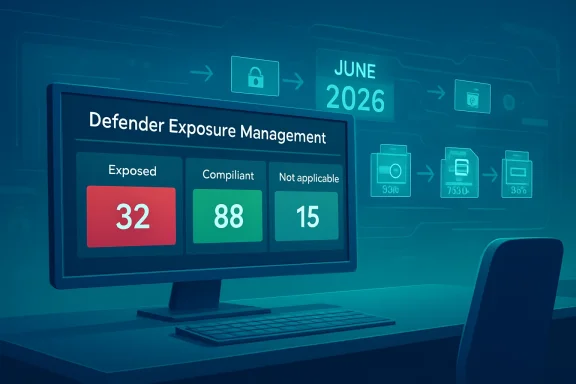
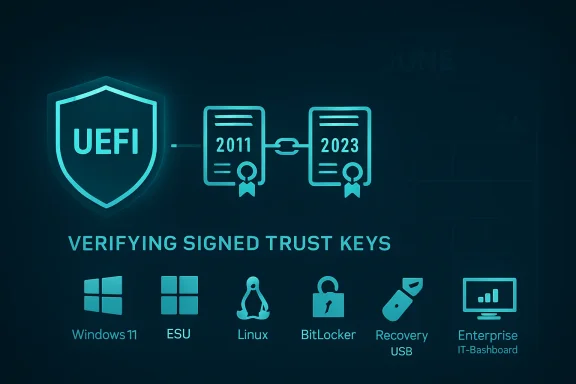
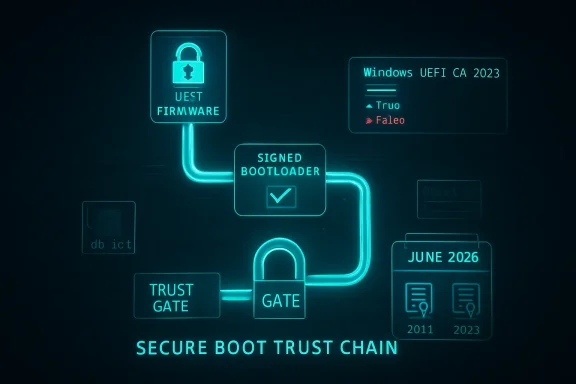
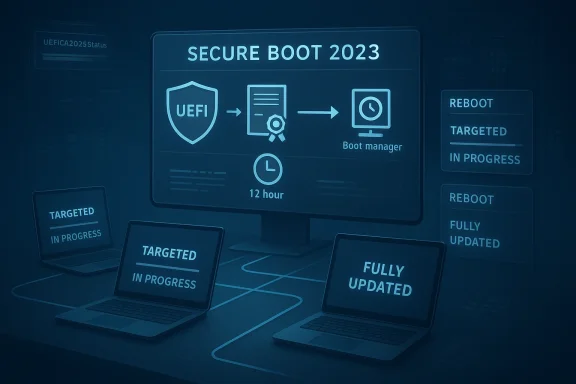
Microsoft’s Secure Boot certificate transition is not a simple “flip the switch” update. It is a staged trust-chain renewal for the UEFI Secure Boot ecosystem, replacing older 2011-era certificates with 2023 certificates so Windows devices can keep receiving future boot-chain protections as the June 2026 expiration window approaches. Microsoft says devices that have not been updated will continue to boot and receive normal Windows updates, but they will gradually lose access to newer early-boot protections, revocation updates, and boot-manager servicing paths.That distinction matters because the update is not delivered like a typical cumulative update. Microsoft’s guidance says the deployment is initiated by setting a flag or policy on the device, then a scheduled task runs every 12 hours to process the change, and the final boot-manager handoff is only completed when the device restarts naturally or is restarted by IT. In other words, the certificate update can be in progress long before it is fully reflected in compliance reporting.
For enterprise admins, that means the deployment experience can look “slow” even when the mechanism is working correctly. Microsoft explicitly says Intune-based initiation does not itself trigger a restart, and a restart may be required to complete the update. The company also documents cases where two reboots may be needed to fully verify that the updated boot chain is active.
At the same time, Microsoft has broadened the number of ways organizations can deploy and monitor the change. Current guidance includes Intune settings catalog profiles, GPO-based targeting, PowerShell/script-based deployment, and registry-based monitoring values such as UEFICA2023Status and UEFICA2023Error. Microsoft also now recommends model-based targeting in Intune for staged rollouts on validated hardware.
So the core challenge in your environment is not unusual: BIOS updates may be done, yet Secure Boot certificate adoption can still lag because the update depends on task execution cadence, device health, restart behavior, firmware compatibility, and whether the device has the right Windows servicing baseline in place. That makes this a deployment orchestration problem as much as a configuration problem.
How Microsoft Says the Update Actually Works
Microsoft’s own guidance makes the mechanics pretty clear. Once a device is targeted, a setting is written to the machine, and the Windows Secure Boot task runs every 12 hours to process it. The task does not do everything in one step. It updates the Secure Boot database, applies related certificates, and then eventually updates the Windows boot manager to one signed by the Windows UEFI CA 2023.The sequence matters
The sequence is important because the boot manager step is the one most likely to need a restart. Microsoft says Windows detects that a restart is needed before the boot manager can be applied, and that the update is delayed until the restart occurs naturally. That is why compliance reports can remain stagnant even after the device has already started the update process.The practical implication is that your monitoring should distinguish between targeted, in progress, and fully updated. Microsoft’s Intune remediation guidance makes the same point: a device can appear noncompliant because the update has not started, because it is mid-flight and awaiting reboot, or because the device is not eligible.
A second nuance is that Microsoft treats these updates as a managed trust refresh, not a guaranteed automatic migration on every box. The FAQ is explicit that Microsoft will attempt updates automatically in many cases, but it is “not guaranteed” for all devices. That is one reason enterprise IT remains responsible for validating completion across the fleet rather than assuming Windows Update alone will finish the job.
Why reports can lag
If your telemetry is based only on Intune policy status, you may be undercounting work already completed on the device and overcounting devices that merely need a restart. Microsoft’s monitoring guidance recommends checking the registry state and event data because the task can be scheduled, staged, or waiting on boot conditions.- The task runs on a 12-hour cycle rather than immediately on assignment.
- Intune assignment does not itself force a reboot.
- A restart may be required before the boot manager step completes.
- Some devices need two restarts to fully validate the new boot state.
Intune Profile, Registry, or Scheduled Task?
If you are deciding between a configuration profile in Intune and a registry-plus-scheduled-task approach, Microsoft’s current guidance strongly favors using the supported policy mechanism first, then using scripts or remediation for detection, verification, and exception handling. In practice, that means the Intune settings catalog or model-based targeting should be the primary deployment path, while scripts should act as an accelerant or fallback.Why Microsoft prefers policy-driven deployment
Microsoft’s newer Intune guidance describes using the Secure Boot Settings catalog profile and assignment filters to target hardware in a controlled way. The reason is simple: the update is not just a registry flip. It is a workflow that requires the OS to coordinate with firmware and the Secure Boot servicing task. Microsoft also notes that model-based targeting reduces blast radius because you can stage the rollout to known-good hardware first.A registry-only method can be useful, but it is not really the deployment mechanism so much as the switch that tells the servicing stack to begin. Microsoft’s documentation for WinCS and the older guidance both show that writing the key does not mean the certificate update has started or finished. The scheduled task is still the actor that performs the actual work.
That is why a pure registry-and-task approach can be fragile at scale unless you build excellent detection, retry, and reboot orchestration around it. It may be workable for edge cases, but it is not the most supportable enterprise pattern when Microsoft already provides a native Intune policy path.
Where remediation scripts still help
Remediation scripts make sense for two reasons. First, they can detect whether a device is stuck in a partially updated state. Second, they can help surface which bottleneck is blocking progress: missing prerequisites, unsupported firmware, pending reboot, or policy not yet processed. Microsoft’s remediation guidance explicitly positions detection scripts as a reporting tool and ties the registry values to the device’s current state.In other words, use Intune policy to initiate and govern the rollout, and use remediations to prove where the fleet is stuck. That is generally a better enterprise pattern than trying to manage everything with custom registry writes and scheduled-task triggers. It keeps you on the supported path while still giving you the visibility you need.
Recommended approach in plain terms
- Use the Microsoft-supported Intune Secure Boot settings catalog profile as the primary deployment method.
- Apply model-based targeting or filters to stage the rollout by known hardware cohorts.
- Use remediation scripts only for detection, reporting, and targeted recovery.
- Build a reboot strategy, because the update may not finish until one or two restarts occur.
- Use registry status and event logs to distinguish “scheduled,” “in progress,” and “done.”
What Microsoft Is Actually Recommending Today
The latest Microsoft guidance is moving away from “one size fits all” and toward targeted, staged, evidence-driven rollout. That is a meaningful shift. Earlier documentation emphasized the generic deployment steps; newer guidance adds model-based targeting in Intune and clearer status reporting in the Windows Security app and remediation tooling.Controlled rollout is the new normal
Microsoft now advises organizations to target devices that have already been validated to handle the update successfully. The point is to avoid sending the same policy everywhere and then trying to infer success from laggy compliance reports. Staging also helps identify device families that need firmware support or a different reboot cadence.This is especially relevant in mixed OEM fleets. Microsoft notes that some newer devices may already have the updated certificates in place, while others still need the Windows UEFI CA 2023-signed boot manager or firmware assistance from the OEM. That means hardware differences can materially affect your rollout curve.
The official guidance also reminds admins that some updates are dependent on diagnostic data and confidence-based deployment. If devices are not sharing the right telemetry, they may not be included in Microsoft’s automatic update path. That is a subtle but important reason why a fleet can look “stuck” even when policy was assigned correctly.
Monitoring should be multi-layered
Microsoft’s latest monitoring docs recommend using Intune remediations, registry values, event logs, and the Windows Security app status. That is because no single signal fully captures the state of the certificate rollout. A device can be enabled, scheduled, blocked, waiting on reboot, or already updated but not yet reflected in a policy dashboard.The new Windows Security app status is particularly relevant because Microsoft says it will now show whether a device is fully updated, not yet updated, or requires action. Beginning in May 2026, the app may also show additional system alerts and warnings. That makes the user-facing experience more explicit, which should help both helpdesks and end users understand why rebooting matters.
- Fully updated means the new certificates and updated boot manager are in place.
- Not yet updated usually means the device still needs Windows Update activity or a restart.
- Requires action means the device cannot receive the boot-experience update in its current configuration.
Why the Compliance Curve Looks Slow
Slow growth in compliance numbers is not automatically a sign of failure. In this case, it may simply mean the fleet is obeying the timing built into the Secure Boot servicing model. Microsoft says the scheduled task runs every 12 hours, and the boot manager update is postponed until a restart occurs. That creates a natural lag between assignment and reporting.Restart dependence is a real bottleneck
The restart dependency is probably the single biggest reason organizations see slow adoption. Microsoft’s own docs say some updates require a restart to complete safely, and the boot manager piece specifically waits for the next reboot. If your device estate has long uptime cycles, that can stretch adoption out considerably.This also explains why a remediation script may not visibly accelerate completion if it only re-writes the policy state. Unless the script also ensures the scheduled task runs and the device reboots, the update may remain in progress for hours or days. In that sense, the script can report more than it resolves.
If you are seeing a low percentage of devices in “updated” status, check whether your estate is actually low on reboot events. The Secure Boot task can be doing its work while the final verification step remains pending. That is not ideal, but it is consistent with Microsoft’s design.
Prerequisites can quietly block progress
Another major factor is device eligibility. Microsoft says Secure Boot must be enabled and the platform must be UEFI-based, and some devices may not support the automated update because of firmware or hardware limitations. That means a flat policy assignment can include a population that will never fully qualify.OEM firmware behavior also matters. Microsoft notes that the OEM controls the platform key and may need to sign or support firmware components required for the full transition. In practical terms, a BIOS update is necessary but not always sufficient.
What to validate before blaming Intune
- Confirm the device is UEFI-based and Secure Boot is on.
- Confirm the required Windows cumulative updates are installed.
- Confirm the scheduled task is running or able to run.
- Confirm a reboot has occurred after policy application.
- Confirm the device is not blocked by a firmware limitation.
Enterprise Impact Versus Consumer Impact
The enterprise and consumer stories overlap, but they are not the same. Microsoft’s consumer-facing guidance now emphasizes the Windows Security app and automatic updates, while the enterprise path depends on orchestration, reporting, and policy targeting. The same certificate transition is happening in both places, but the deployment mechanics differ substantially.Consumer devices get more automation
For home users and lightly managed systems, Microsoft says the certificates are being delivered automatically through Windows Update, with the Security app surfacing progress and warnings. That lowers user effort and should improve overall adoption as long as the device is online and eligible.However, Microsoft also says some consumer devices may encounter hardware or firmware limitations that block automation. In those cases, the app will instruct users to contact the manufacturer. So even the consumer experience is not completely frictionless.
Enterprises own the rollout risk
For managed fleets, the burden falls on IT. Microsoft says the customer remains ultimately responsible for updating the Secure Boot certificates, even when Microsoft attempts automatic delivery on eligible devices. That means enterprises need to actively validate the success criteria, not just deploy a policy and wait.Enterprises also have to think about coordination with BitLocker, device compliance, reboot deferrals, and end-user productivity. A Secure Boot trust update is not the kind of change you can safely hide inside a generic patch window without planning for user impact. That is especially true in remote-first fleets where reboot compliance is notoriously uneven.
Where the confusion comes from
The confusion many admins are feeling comes from the fact that Microsoft shipped the certificates in May 2025 cumulative updates, but shipping them did not mean they were fully applied. Microsoft is now explicit that additional steps are required. In other words, presence in the OS payload is not the same as presence in firmware trust state.That is an easy but costly distinction to miss. It explains why some environments see cumulative updates landing successfully while Secure Boot compliance reports remain stubbornly low. The trust chain simply lives at a different layer than the standard OS patch status dashboard.
The May 12 Question: Will Patch Tuesday Fix This?
Short answer: no patch Tuesday should be treated as a guarantee. Microsoft’s wording is careful and consistent on this point. The company says its automatic updates are an assist, not a guarantee, and that some devices will still require customer action. That means you should not plan on a single May 12 update magically lifting every remaining device into compliance.Why the answer is no
The Secure Boot certificate update depends on several moving parts: device eligibility, firmware support, diagnostic-data eligibility in Microsoft-managed flows, scheduled-task execution, and restart timing. A monthly cumulative update can improve the odds, but it cannot override a firmware limitation or force a reboot on your behalf.Microsoft has also documented known issues and staged resolutions, which is another reason not to overpromise on a specific patch date. The company has already acknowledged cases where updates might be paused while it works with partners on a supported resolution, and some devices may remain blocked until that work is complete.
So if you are asking whether the May 12 Patch Tuesday will guarantee higher compliance numbers, the answer is no. It may help, but only if the devices are eligible and the reboot chain is allowed to finish. The real determinant is whether your deployment process closes the loop.
What Patch Tuesday might do
Patch Tuesday can still matter. It may deliver prerequisite fixes, confidence-based deployment expansion, or status improvements that make more devices eligible for the automated path. It may also improve the visibility of the certificate state in the Windows Security app starting in May 2026.But that is different from a universal fix. In enterprise terms, it is better viewed as a helpful step than a compliance guarantee. The fleet still needs orchestration, validation, and reboot completion.
The Best Way to Finish the Task
If the question is purely operational, the best answer is to keep the Intune configuration profile as the authoritative deployment mechanism and use remediations plus reboot orchestration to finish the job. Registry writes and scheduled tasks are useful control points, but they are not the cleanest primary strategy when Microsoft already gives you a supported policy channel.Practical enterprise recommendation
The most reliable rollout pattern looks like this:- Deploy the Microsoft-supported Secure Boot Intune profile to a validated pilot ring.
- Use assignment filters or model-based targeting to avoid unsupported hardware.
- Track devices with Intune remediations and registry-based status checks.
- Force or encourage a restart window soon after deployment.
- Validate completion using the Secure Boot status signals, not policy assignment alone.
Why this matters for large fleets
At scale, repeatability beats cleverness. A native profile is easier to audit, easier to change, and easier to support when Microsoft updates the guidance. A custom registry workflow can work, but it tends to accumulate exceptions, scripts, and edge cases over time.That is especially true when you are dealing with a multi-step certificate transition that may span one or two reboots and a 12-hour task cycle. In that environment, minimizing moving parts is a real operational advantage.
Strengths and Opportunities
The good news is that Microsoft has now given enterprises more than one supported route to the same end state. That makes the Secure Boot transition manageable, even if it is not instantaneous. Used correctly, the new guidance can improve both rollout velocity and confidence in the final result.- Intune native policy support gives you a standard, supportable control plane.
- Model-based targeting reduces risk by limiting exposure to validated hardware first.
- Remediation scripts improve visibility into partial or blocked deployments.
- The 12-hour task model creates a predictable servicing rhythm for large fleets.
- The Windows Security app should make end-user status clearer in April and May 2026.
- Microsoft’s documentation now better separates policy initiation from boot-chain completion, which helps IT explain the lag.
- The transition can be used to harden the early boot chain before June 2026 expirations become operationally painful.
Risks and Concerns
The biggest risk is assuming this is a routine configuration change. It is not. It is a firmware-trust transition with timing dependencies, reboot requirements, and possible hardware-specific failure modes. If you under-plan it, you can end up with a fleet that looks targeted but remains incompletely updated.- Restart delays can make compliant devices look noncompliant for days.
- Unsupported firmware can block full automation on some devices.
- Policy-only reporting may miss devices that are in progress but not finished.
- Overreliance on a single Patch Tuesday could create false confidence.
- Mixed OEM fleets may require different handling and validation.
- End-user reboot resistance will slow final boot-manager completion.
- Misreading registry status can lead to premature closure of remediation tickets.
Looking Ahead
The next few months will probably be defined less by new mechanics and more by better visibility. Microsoft has started surfacing Secure Boot certificate status more prominently in the Windows Security app, and that should help normalize what was previously a largely invisible trust-chain transition. For IT teams, that visibility should also make helpdesk conversations a little easier because the device itself can now show whether it is fully updated or still waiting.The bigger strategic point is that Microsoft is clearly signaling this is a fleet hygiene issue, not a one-time patch event. Devices that are not updated before the June 2026 expiration milestone will increasingly lose access to future Secure Boot protections, and Microsoft has already warned that certain scenarios will require customer intervention. That means the best time to solve your deployment bottleneck is now, while you still have room to stage, reboot, and verify without deadline pressure.
- Finish validation on a small pilot ring before widening scope.
- Build reboot enforcement into the rollout plan, not as an afterthought.
- Treat registry status as telemetry, not as proof of completion.
- Use Microsoft’s new status surfaces to reconcile device state with Intune reports.
- Escalate stubborn device families to OEM support when firmware limitations appear.
Source: Microsoft - Message Center Ask Microsoft Anything: Secure Boot - April 23, 2026 - Windows Tech Community