Secure Boot 2023 Certificate Transition: Intune Deployment, Reboots, and Monitoring

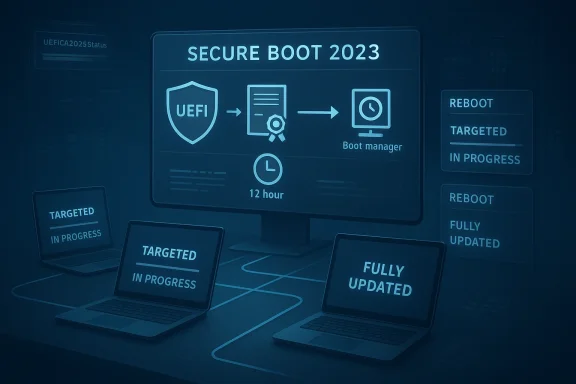
Secure Boot 2023 status screen with reboot and fully updated indicators across connected monitors.Background​

Microsoft’s Secure Boot certificate transition is not a simple “flip the switch” update. It is a staged trust-chain renewal for the UEFI Secure Boot ecosystem, replacing older 2011-era certificates with 2023 certificates so Windows devices can keep receiving future boot-chain protections as the June 2026 expiration window approaches. Microsoft says devices that have not been updated will continue to boot and receive normal Windows updates, but they will gradually lose access to newer early-boot protections, revocation updates, and boot-manager servicing paths.
That distinction matters because the update is not delivered like a typical cumulative update. Microsoft’s guidance says the deployment is initiated by setting a flag or policy on the device, then a scheduled task runs every 12 hours to process the change, and the final boot-manager handoff is only completed when the device restarts naturally or is restarted by IT. In other words, the certificate update can be in progress long before it is fully reflected in compliance reporting.
For enterprise admins, that means the deployment experience can look “slow” even when the mechanism is working correctly. Microsoft explicitly says Intune-based initiation does not itself trigger a restart, and a restart may be required to complete the update. The company also documents cases where two reboots may be needed to fully verify that the updated boot chain is active.
At the same time, Microsoft has broadened the number of ways organizations can deploy and monitor the change. Current guidance includes Intune settings catalog profiles, GPO-based targeting, PowerShell/script-based deployment, and registry-based monitoring values such as UEFICA2023Status and UEFICA2023Error. Microsoft also now recommends model-based targeting in Intune for staged rollouts on validated hardware.
So the core challenge in your environment is not unusual: BIOS updates may be done, yet Secure Boot certificate adoption can still lag because the update depends on task execution cadence, device health, restart behavior, firmware compatibility, and whether the device has the right Windows servicing baseline in place. That makes this a deployment orchestration problem as much as a configuration problem.

How Microsoft Says the Update Actually Works​

Microsoft’s own guidance makes the mechanics pretty clear. Once a device is targeted, a setting is written to the machine, and the Windows Secure Boot task runs every 12 hours to process it. The task does not do everything in one step. It updates the Secure Boot database, applies related certificates, and then eventually updates the Windows boot manager to one signed by the Windows UEFI CA 2023.

The sequence matters​

The sequence is important because the boot manager step is the one most likely to need a restart. Microsoft says Windows detects that a restart is needed before the boot manager can be applied, and that the update is delayed until the restart occurs naturally. That is why compliance reports can remain stagnant even after the device has already started the update process.
The practical implication is that your monitoring should distinguish between targeted, in progress, and fully updated. Microsoft’s Intune remediation guidance makes the same point: a device can appear noncompliant because the update has not started, because it is mid-flight and awaiting reboot, or because the device is not eligible.
A second nuance is that Microsoft treats these updates as a managed trust refresh, not a guaranteed automatic migration on every box. The FAQ is explicit that Microsoft will attempt updates automatically in many cases, but it is “not guaranteed” for all devices. That is one reason enterprise IT remains responsible for validating completion across the fleet rather than assuming Windows Update alone will finish the job.

Why reports can lag​

If your telemetry is based only on Intune policy status, you may be undercounting work already completed on the device and overcounting devices that merely need a restart. Microsoft’s monitoring guidance recommends checking the registry state and event data because the task can be scheduled, staged, or waiting on boot conditions.
  • The task runs on a 12-hour cycle rather than immediately on assignment.
  • Intune assignment does not itself force a reboot.
  • A restart may be required before the boot manager step completes.
  • Some devices need two restarts to fully validate the new boot state.

Intune Profile, Registry, or Scheduled Task?​

If you are deciding between a configuration profile in Intune and a registry-plus-scheduled-task approach, Microsoft’s current guidance strongly favors using the supported policy mechanism first, then using scripts or remediation for detection, verification, and exception handling. In practice, that means the Intune settings catalog or model-based targeting should be the primary deployment path, while scripts should act as an accelerant or fallback.

Why Microsoft prefers policy-driven deployment​

Microsoft’s newer Intune guidance describes using the Secure Boot Settings catalog profile and assignment filters to target hardware in a controlled way. The reason is simple: the update is not just a registry flip. It is a workflow that requires the OS to coordinate with firmware and the Secure Boot servicing task. Microsoft also notes that model-based targeting reduces blast radius because you can stage the rollout to known-good hardware first.
A registry-only method can be useful, but it is not really the deployment mechanism so much as the switch that tells the servicing stack to begin. Microsoft’s documentation for WinCS and the older guidance both show that writing the key does not mean the certificate update has started or finished. The scheduled task is still the actor that performs the actual work.
That is why a pure registry-and-task approach can be fragile at scale unless you build excellent detection, retry, and reboot orchestration around it. It may be workable for edge cases, but it is not the most supportable enterprise pattern when Microsoft already provides a native Intune policy path.

Where remediation scripts still help​

Remediation scripts make sense for two reasons. First, they can detect whether a device is stuck in a partially updated state. Second, they can help surface which bottleneck is blocking progress: missing prerequisites, unsupported firmware, pending reboot, or policy not yet processed. Microsoft’s remediation guidance explicitly positions detection scripts as a reporting tool and ties the registry values to the device’s current state.
In other words, use Intune policy to initiate and govern the rollout, and use remediations to prove where the fleet is stuck. That is generally a better enterprise pattern than trying to manage everything with custom registry writes and scheduled-task triggers. It keeps you on the supported path while still giving you the visibility you need.

Recommended approach in plain terms​

  • Use the Microsoft-supported Intune Secure Boot settings catalog profile as the primary deployment method.
  • Apply model-based targeting or filters to stage the rollout by known hardware cohorts.
  • Use remediation scripts only for detection, reporting, and targeted recovery.
  • Build a reboot strategy, because the update may not finish until one or two restarts occur.
  • Use registry status and event logs to distinguish “scheduled,” “in progress,” and “done.”

What Microsoft Is Actually Recommending Today​

The latest Microsoft guidance is moving away from “one size fits all” and toward targeted, staged, evidence-driven rollout. That is a meaningful shift. Earlier documentation emphasized the generic deployment steps; newer guidance adds model-based targeting in Intune and clearer status reporting in the Windows Security app and remediation tooling.

Controlled rollout is the new normal​

Microsoft now advises organizations to target devices that have already been validated to handle the update successfully. The point is to avoid sending the same policy everywhere and then trying to infer success from laggy compliance reports. Staging also helps identify device families that need firmware support or a different reboot cadence.
This is especially relevant in mixed OEM fleets. Microsoft notes that some newer devices may already have the updated certificates in place, while others still need the Windows UEFI CA 2023-signed boot manager or firmware assistance from the OEM. That means hardware differences can materially affect your rollout curve.
The official guidance also reminds admins that some updates are dependent on diagnostic data and confidence-based deployment. If devices are not sharing the right telemetry, they may not be included in Microsoft’s automatic update path. That is a subtle but important reason why a fleet can look “stuck” even when policy was assigned correctly.

Monitoring should be multi-layered​

Microsoft’s latest monitoring docs recommend using Intune remediations, registry values, event logs, and the Windows Security app status. That is because no single signal fully captures the state of the certificate rollout. A device can be enabled, scheduled, blocked, waiting on reboot, or already updated but not yet reflected in a policy dashboard.
The new Windows Security app status is particularly relevant because Microsoft says it will now show whether a device is fully updated, not yet updated, or requires action. Beginning in May 2026, the app may also show additional system alerts and warnings. That makes the user-facing experience more explicit, which should help both helpdesks and end users understand why rebooting matters.
  • Fully updated means the new certificates and updated boot manager are in place.
  • Not yet updated usually means the device still needs Windows Update activity or a restart.
  • Requires action means the device cannot receive the boot-experience update in its current configuration.

Why the Compliance Curve Looks Slow​

Slow growth in compliance numbers is not automatically a sign of failure. In this case, it may simply mean the fleet is obeying the timing built into the Secure Boot servicing model. Microsoft says the scheduled task runs every 12 hours, and the boot manager update is postponed until a restart occurs. That creates a natural lag between assignment and reporting.

Restart dependence is a real bottleneck​

The restart dependency is probably the single biggest reason organizations see slow adoption. Microsoft’s own docs say some updates require a restart to complete safely, and the boot manager piece specifically waits for the next reboot. If your device estate has long uptime cycles, that can stretch adoption out considerably.
This also explains why a remediation script may not visibly accelerate completion if it only re-writes the policy state. Unless the script also ensures the scheduled task runs and the device reboots, the update may remain in progress for hours or days. In that sense, the script can report more than it resolves.
If you are seeing a low percentage of devices in “updated” status, check whether your estate is actually low on reboot events. The Secure Boot task can be doing its work while the final verification step remains pending. That is not ideal, but it is consistent with Microsoft’s design.

Prerequisites can quietly block progress​

Another major factor is device eligibility. Microsoft says Secure Boot must be enabled and the platform must be UEFI-based, and some devices may not support the automated update because of firmware or hardware limitations. That means a flat policy assignment can include a population that will never fully qualify.
OEM firmware behavior also matters. Microsoft notes that the OEM controls the platform key and may need to sign or support firmware components required for the full transition. In practical terms, a BIOS update is necessary but not always sufficient.

What to validate before blaming Intune​

  • Confirm the device is UEFI-based and Secure Boot is on.
  • Confirm the required Windows cumulative updates are installed.
  • Confirm the scheduled task is running or able to run.
  • Confirm a reboot has occurred after policy application.
  • Confirm the device is not blocked by a firmware limitation.

Enterprise Impact Versus Consumer Impact​

The enterprise and consumer stories overlap, but they are not the same. Microsoft’s consumer-facing guidance now emphasizes the Windows Security app and automatic updates, while the enterprise path depends on orchestration, reporting, and policy targeting. The same certificate transition is happening in both places, but the deployment mechanics differ substantially.

Consumer devices get more automation​

For home users and lightly managed systems, Microsoft says the certificates are being delivered automatically through Windows Update, with the Security app surfacing progress and warnings. That lowers user effort and should improve overall adoption as long as the device is online and eligible.
However, Microsoft also says some consumer devices may encounter hardware or firmware limitations that block automation. In those cases, the app will instruct users to contact the manufacturer. So even the consumer experience is not completely frictionless.

Enterprises own the rollout risk​

For managed fleets, the burden falls on IT. Microsoft says the customer remains ultimately responsible for updating the Secure Boot certificates, even when Microsoft attempts automatic delivery on eligible devices. That means enterprises need to actively validate the success criteria, not just deploy a policy and wait.
Enterprises also have to think about coordination with BitLocker, device compliance, reboot deferrals, and end-user productivity. A Secure Boot trust update is not the kind of change you can safely hide inside a generic patch window without planning for user impact. That is especially true in remote-first fleets where reboot compliance is notoriously uneven.

Where the confusion comes from​

The confusion many admins are feeling comes from the fact that Microsoft shipped the certificates in May 2025 cumulative updates, but shipping them did not mean they were fully applied. Microsoft is now explicit that additional steps are required. In other words, presence in the OS payload is not the same as presence in firmware trust state.
That is an easy but costly distinction to miss. It explains why some environments see cumulative updates landing successfully while Secure Boot compliance reports remain stubbornly low. The trust chain simply lives at a different layer than the standard OS patch status dashboard.

The May 12 Question: Will Patch Tuesday Fix This?​

Short answer: no patch Tuesday should be treated as a guarantee. Microsoft’s wording is careful and consistent on this point. The company says its automatic updates are an assist, not a guarantee, and that some devices will still require customer action. That means you should not plan on a single May 12 update magically lifting every remaining device into compliance.

Why the answer is no​

The Secure Boot certificate update depends on several moving parts: device eligibility, firmware support, diagnostic-data eligibility in Microsoft-managed flows, scheduled-task execution, and restart timing. A monthly cumulative update can improve the odds, but it cannot override a firmware limitation or force a reboot on your behalf.
Microsoft has also documented known issues and staged resolutions, which is another reason not to overpromise on a specific patch date. The company has already acknowledged cases where updates might be paused while it works with partners on a supported resolution, and some devices may remain blocked until that work is complete.
So if you are asking whether the May 12 Patch Tuesday will guarantee higher compliance numbers, the answer is no. It may help, but only if the devices are eligible and the reboot chain is allowed to finish. The real determinant is whether your deployment process closes the loop.

What Patch Tuesday might do​

Patch Tuesday can still matter. It may deliver prerequisite fixes, confidence-based deployment expansion, or status improvements that make more devices eligible for the automated path. It may also improve the visibility of the certificate state in the Windows Security app starting in May 2026.
But that is different from a universal fix. In enterprise terms, it is better viewed as a helpful step than a compliance guarantee. The fleet still needs orchestration, validation, and reboot completion.

The Best Way to Finish the Task​

If the question is purely operational, the best answer is to keep the Intune configuration profile as the authoritative deployment mechanism and use remediations plus reboot orchestration to finish the job. Registry writes and scheduled tasks are useful control points, but they are not the cleanest primary strategy when Microsoft already gives you a supported policy channel.

Practical enterprise recommendation​

The most reliable rollout pattern looks like this:
  • Deploy the Microsoft-supported Secure Boot Intune profile to a validated pilot ring.
  • Use assignment filters or model-based targeting to avoid unsupported hardware.
  • Track devices with Intune remediations and registry-based status checks.
  • Force or encourage a restart window soon after deployment.
  • Validate completion using the Secure Boot status signals, not policy assignment alone.
A registry-and-task approach can still be part of a fallback playbook, especially when devices are stuck. But it should not be the first-line answer if your goal is broad, supportable fleet management. Microsoft’s current documentation increasingly assumes the Intune policy path with staged targeting and post-deployment verification.

Why this matters for large fleets​

At scale, repeatability beats cleverness. A native profile is easier to audit, easier to change, and easier to support when Microsoft updates the guidance. A custom registry workflow can work, but it tends to accumulate exceptions, scripts, and edge cases over time.
That is especially true when you are dealing with a multi-step certificate transition that may span one or two reboots and a 12-hour task cycle. In that environment, minimizing moving parts is a real operational advantage.

Strengths and Opportunities​

The good news is that Microsoft has now given enterprises more than one supported route to the same end state. That makes the Secure Boot transition manageable, even if it is not instantaneous. Used correctly, the new guidance can improve both rollout velocity and confidence in the final result.
  • Intune native policy support gives you a standard, supportable control plane.
  • Model-based targeting reduces risk by limiting exposure to validated hardware first.
  • Remediation scripts improve visibility into partial or blocked deployments.
  • The 12-hour task model creates a predictable servicing rhythm for large fleets.
  • The Windows Security app should make end-user status clearer in April and May 2026.
  • Microsoft’s documentation now better separates policy initiation from boot-chain completion, which helps IT explain the lag.
  • The transition can be used to harden the early boot chain before June 2026 expirations become operationally painful.

Risks and Concerns​

The biggest risk is assuming this is a routine configuration change. It is not. It is a firmware-trust transition with timing dependencies, reboot requirements, and possible hardware-specific failure modes. If you under-plan it, you can end up with a fleet that looks targeted but remains incompletely updated.
  • Restart delays can make compliant devices look noncompliant for days.
  • Unsupported firmware can block full automation on some devices.
  • Policy-only reporting may miss devices that are in progress but not finished.
  • Overreliance on a single Patch Tuesday could create false confidence.
  • Mixed OEM fleets may require different handling and validation.
  • End-user reboot resistance will slow final boot-manager completion.
  • Misreading registry status can lead to premature closure of remediation tickets.

Looking Ahead​

The next few months will probably be defined less by new mechanics and more by better visibility. Microsoft has started surfacing Secure Boot certificate status more prominently in the Windows Security app, and that should help normalize what was previously a largely invisible trust-chain transition. For IT teams, that visibility should also make helpdesk conversations a little easier because the device itself can now show whether it is fully updated or still waiting.
The bigger strategic point is that Microsoft is clearly signaling this is a fleet hygiene issue, not a one-time patch event. Devices that are not updated before the June 2026 expiration milestone will increasingly lose access to future Secure Boot protections, and Microsoft has already warned that certain scenarios will require customer intervention. That means the best time to solve your deployment bottleneck is now, while you still have room to stage, reboot, and verify without deadline pressure.
  • Finish validation on a small pilot ring before widening scope.
  • Build reboot enforcement into the rollout plan, not as an afterthought.
  • Treat registry status as telemetry, not as proof of completion.
  • Use Microsoft’s new status surfaces to reconcile device state with Intune reports.
  • Escalate stubborn device families to OEM support when firmware limitations appear.
If there is one takeaway for enterprise admins, it is this: the Secure Boot certificate transition is best handled as a managed lifecycle project, not a patch-and-pray exercise. The organizations that combine supported Intune targeting, disciplined reboot control, and multi-layer verification will finish first, and they will do so with far less noise than teams waiting for Patch Tuesday to solve the problem for them.

Source: Microsoft - Message Center Ask Microsoft Anything: Secure Boot - April 23, 2026 - Windows Tech Community
 

Microsoft’s new Secure Boot 2023 certificate assessment in Microsoft Defender arrives at a critical moment for Windows administrators: the original Secure Boot certificates issued in 2011 begin expiring in June 2026, with the transition stretching into the months that follow. The new Defender recommendation gives security teams a fleet-wide view of which devices already trust the newer Windows UEFI CA 2023 certificate chain, which remain exposed, and which are not applicable because Secure Boot is disabled or unsupported. For enterprises, this turns a low-level firmware and boot-chain migration into a measurable security posture workflow before the deadline becomes an operational scramble.

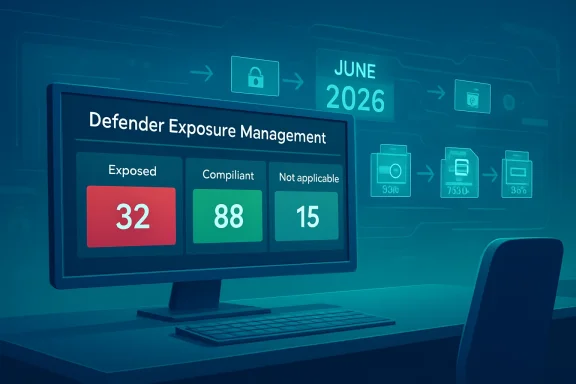
Digital dashboard on a monitor showing “Defender Exposure Management” with exposed 32, compliant 88, not applicable 15.Background​

Secure Boot has been part of the modern Windows security foundation since the Windows 8 era, when UEFI firmware began replacing legacy BIOS across mainstream PCs. Its purpose is simple but powerful: before Windows loads, firmware checks whether boot components are signed by trusted certificates. If that chain of trust is broken, tampered bootloaders and unauthorized pre-operating-system code can be blocked before they gain control.
That early boot layer matters because malware that runs before the operating system can hide beneath normal endpoint defenses. Traditional antivirus, EDR sensors, identity controls, and network inspection all assume the operating system has reached a trustworthy state. Secure Boot helps establish that state by validating the boot manager, firmware drivers, option ROMs, and related components before higher-level protections take over.
The challenge now is lifecycle management. The Microsoft-provided Secure Boot certificates from 2011 are reaching the end of their planned lifespan, and the ecosystem must transition to 2023 certificate authorities that can sign future boot components and policy updates. Devices that fail to move forward may continue to start, but they risk entering a degraded security state where new mitigations for boot-level threats cannot be received or enforced as intended.

Why this is not a normal patch cycle​

Most Windows updates operate above the firmware trust boundary, but Secure Boot certificate servicing reaches into UEFI variables such as the allowed signature database and key exchange structures. That makes the transition more sensitive than a routine cumulative update. It must account for firmware behavior, OEM implementation differences, operating system support, boot manager replacement, and rollback planning.
The new Defender assessment is therefore not just another dashboard tile. It is a recognition that the hardest part of this migration is visibility. Administrators need to know which machines are ready, which are still trusting older certificates without the new trust path, and which assets require infrastructure teams rather than security analysts to take action.

Defender Brings Secure Boot Readiness Into Exposure Management​

Microsoft is placing the new assessment inside the Defender portal under Exposure Management, specifically within recommendations for device misconfigurations. That placement is significant because it reframes Secure Boot readiness as a measurable exposure issue, not merely a firmware maintenance task. Security operations teams can now track the certificate transition alongside other configuration weaknesses that affect organizational risk.
The recommendation identifies devices that have not completed the Secure Boot 2023 transition and presents them in a format security teams already use. That means exposed device counts, filtering, export workflows, and remediation guidance can become part of normal vulnerability management routines. The practical win is not only detection; it is operational alignment.

From firmware inventory to security posture​

Historically, Secure Boot state was often checked with local tools, PowerShell, configuration management scripts, or OEM inventory data. Those methods remain useful, but they can produce fragmented visibility in large estates. Defender’s assessment gives teams a centralized view that can be discussed in the same meetings where endpoint exposure, patch compliance, and high-value asset protection are already reviewed.
The new recommendation helps organizations answer several basic but previously difficult questions:
  • Which devices still lack trust for the 2023 Secure Boot certificates?
  • Which systems have successfully moved to the newer boot manager and certificate path?
  • Which machines are outside scope because Secure Boot is disabled or unsupported?
  • Which business units, platforms, or device groups require the most urgent remediation?
  • Which remediation work should be handed to endpoint engineering, firmware teams, or platform owners?
This is especially important because certificate status does not always map neatly to operating system patch level. A device may appear current from a Windows Update perspective but still require firmware support, reboot sequencing, or Secure Boot servicing to complete the transition.

The Three Device States That Matter​

The Defender assessment sorts devices into three broad categories: exposed, compliant, and not applicable. That taxonomy is intentionally simple because administrators need to move quickly from discovery to remediation. In a mixed fleet, simplicity is a feature.
An exposed device is one that still trusts older Secure Boot certificates without sufficient trust for the newer certificate path. A compliant device has completed the expected transition and relies on the 2023 certificates and a properly signed boot manager. A not applicable device is generally one where Secure Boot is disabled, unsupported, or otherwise outside the assessment’s active remediation path.

Why categorization beats raw telemetry​

Raw Secure Boot telemetry can be difficult to interpret because several components are involved. The allowed database, key exchange key, boot manager signature, firmware state, and servicing status can all tell slightly different parts of the story. Defender’s recommendation converts those signals into a posture status that security teams can prioritize.
That abstraction should not prevent technical validation, but it reduces friction for decision-makers. A CISO does not need to read UEFI variable output to understand that a thousand exposed laptops in a regulated business unit represent risk. Similarly, an endpoint engineering lead can use the exported device list to create a remediation wave without building a new inventory system from scratch.
Key triage questions include:
  • Are exposed devices concentrated in specific hardware models?
  • Are they running older firmware or unsupported operating system builds?
  • Are they servers, kiosks, shared workstations, or executive laptops?
  • Are they remote devices that have missed firmware updates?
  • Are they cloud-managed endpoints, co-managed devices, or unmanaged stragglers?
This approach also gives teams a way to track trend lines. The goal is not simply to hit zero exposed devices overnight; it is to show measurable improvement before the June 2026 certificate deadline and identify the stubborn edge cases early.

The Technical Chain Behind the Recommendation​

Secure Boot depends on a chain of trust stored and enforced by UEFI firmware. At the top is the Platform Key, typically controlled by the OEM or a delegated authority. Beneath that sits the Key Exchange Key, which authorizes updates to the Secure Boot databases.
The allowed signature database, commonly called DB, contains certificates and hashes that firmware trusts during boot. The forbidden signature database, or DBX, contains revoked or blocked signatures that should not be trusted. This structure lets the platform allow known-good components while rejecting components associated with compromise or unacceptable risk.

The 2011-to-2023 certificate shift​

The expiring certificates include Microsoft’s older key exchange and production signing authorities used across Windows and the broader UEFI ecosystem. The new certificates include replacements for Windows boot components, third-party UEFI applications, and option ROM signing. Microsoft has also separated some signing paths to give finer-grained control over what a device trusts.
That separation is not just bureaucratic housekeeping. It reflects lessons learned from years of Secure Boot operation, where one broad trust path could cover a wide range of bootloaders, drivers, and firmware-adjacent components. More granular trust can reduce unnecessary exposure while still supporting legitimate hardware and software scenarios.
The transition typically involves several moving parts:
  • Adding Windows UEFI CA 2023 to the Secure Boot allowed database.
  • Adding updated certificates for third-party UEFI applications where applicable.
  • Adding updated option ROM trust where the device previously required it.
  • Applying the newer Microsoft KEK 2023 path where supported.
  • Replacing the boot manager with one signed by the newer Windows certificate authority.
This is why the Defender recommendation is valuable. A device is not fully ready just because one certificate string appears somewhere in firmware. Readiness means the device can participate in the updated boot trust model in a way that supports future security updates.

Why the Deadline Changes the Risk Equation​

The June 2026 deadline is not best understood as a cliff where every outdated PC suddenly stops booting. Microsoft has been careful to indicate that many systems will continue to start. The more important issue is that devices stuck on the older trust chain may be unable to receive future Secure Boot and boot manager protections.
That distinction matters for enterprise communication. If leaders hear “certificate expiration” and assume immediate outages, they may overreact. If they hear “devices will still boot” and assume no risk, they may underreact. The accurate framing is that unprepared devices can gradually fall behind at the most privileged stage of system startup.

Boot security is cumulative​

Boot-level defense is an evolving control. When new vulnerabilities are discovered, the ecosystem may need updated boot components, revocation policies, or signing changes. A device that cannot trust new signing authorities may miss those mitigations, leaving it dependent on yesterday’s assumptions about boot-chain safety.
This creates a long-tail risk problem. Attackers do not need every device to be vulnerable; they need a subset of high-value or poorly maintained systems where persistence below the operating system is possible. Over time, certificate lag becomes another form of configuration debt.
The risk profile includes:
  • Reduced ability to adopt new Secure Boot policy updates.
  • Lower confidence that boot components can be refreshed securely.
  • Greater exposure to pre-OS persistence techniques.
  • More complicated incident response if firmware or boot tampering is suspected.
  • Potential compliance gaps where Secure Boot readiness is treated as a control requirement.
For WindowsForum readers, the key takeaway is that this is a trust maintenance problem. Secure Boot only remains meaningful if the trust anchors themselves are kept current.

Enterprise Remediation Requires Cross-Team Coordination​

The Defender recommendation gives security teams visibility, but remediation usually belongs to a broader set of owners. Endpoint management teams may handle Windows policy and update rings. Infrastructure teams may own firmware deployment. Desktop engineering may manage model certification, while server teams may have separate maintenance windows.
That division of labor can slow progress unless the organization assigns clear ownership early. The new assessment can serve as the common source of truth, but it should feed an agreed remediation plan rather than sit as another unresolved recommendation in the portal.

A practical rollout sequence​

Organizations should avoid treating every exposed device the same. A phased rollout reduces the chance of firmware surprises and gives teams time to validate boot behavior, BitLocker recovery handling, and remote support processes. The most mature approach is to combine risk-based prioritization with hardware model testing.
A sensible sequence looks like this:
  • Inventory all exposed, compliant, and not applicable devices in Defender.
  • Segment devices by operating system, hardware model, firmware version, ownership group, and business criticality.
  • Pilot the update on representative devices before broad deployment.
  • Coordinate firmware, Windows update, reboot, and BitLocker recovery readiness.
  • Validate certificate status after update completion using Defender and targeted technical checks.
  • Escalate unsupported or failed devices to OEM, infrastructure, or lifecycle replacement owners.
This workflow also supports executive reporting. Rather than saying “we are working on Secure Boot,” teams can report exposed device counts, percentage reduction, high-value asset coverage, and remaining blockers. Measurable progress is essential when the deadline is measured in weeks rather than years.

Consumer Devices and Small Businesses Are Not Exempt​

The Defender recommendation is aimed at managed environments, but the underlying certificate transition affects consumer and small business devices too. Many home and small office PCs will receive updates automatically through Windows Update, especially if they are running supported Windows versions and have firmware that already supports the new certificate path. Still, automatic does not mean universal.
Small businesses often sit in the awkward middle. They may not have Defender for Endpoint, Intune, Configuration Manager, or dedicated firmware management, but they still rely on Windows PCs for financial records, customer data, point-of-sale systems, and remote work. For those environments, the Windows Security app’s certificate status enhancements can provide a more accessible local signal.

The support gap for older hardware​

Older PCs are the hardest category. Some devices manufactured after Secure Boot became common may still rely on firmware that does not cleanly support the newer certificate transition. Others may require OEM BIOS or UEFI updates that users have not installed because firmware updates are perceived as risky, inconvenient, or invisible.
For consumers, the best advice is straightforward:
  • Keep Windows Update enabled and current.
  • Install firmware updates from the PC manufacturer when offered through trusted channels.
  • Check the Windows Security app for Secure Boot certificate status where available.
  • Avoid disabling Secure Boot unless there is a specific and understood reason.
  • Replace unsupported systems that can no longer meet baseline security expectations.
This is also a reminder that firmware maintenance is now part of normal PC ownership. The Windows security model has moved beyond operating system patches alone. The device below Windows matters too.

Servers, Cloud PCs, and Virtual Desktops Need Special Attention​

Server environments require a different operational mindset because downtime windows are tighter and ownership is more specialized. Windows Server systems with Secure Boot enabled may need manual initiation or carefully staged certificate updates depending on deployment model, firmware state, and virtualization platform. That makes early planning essential.
The same is true for Windows 365 Cloud PCs, Azure Virtual Desktop, and custom image pipelines. If a golden image or gallery image is not updated correctly, newly provisioned systems can inherit outdated Secure Boot readiness. In virtualized environments, the platform boundary shifts from physical firmware to virtual firmware, but the trust-chain requirement does not disappear.

Image hygiene becomes a security control​

For cloud-managed Windows estates, image maintenance is often the real control point. Updating individual Cloud PCs helps, but ensuring that source images, templates, and provisioning workflows are aligned prevents the same exposure from being recreated repeatedly. That is especially important for organizations that frequently reimage, reprovision, or scale virtual desktop pools.
Administrators should review:
  • Custom images used for Windows 365 or Azure Virtual Desktop provisioning.
  • Virtual machine generation and Secure Boot support settings.
  • Trusted Launch and virtualization security configurations.
  • Autopatch or Intune reporting coverage.
  • Server maintenance windows and rollback procedures.
  • Firmware dependencies on physical hosts where applicable.
The broader lesson is that Secure Boot certificate readiness is not limited to laptops. It applies to any Windows device or workload where Secure Boot is part of the trust model, including systems that users never physically touch.

OEMs, Drivers, and the Wider Ecosystem​

Secure Boot is not a Microsoft-only story. OEMs, independent hardware vendors, option ROM developers, Linux distributions, recovery tool vendors, and enterprise deployment teams all interact with the UEFI trust ecosystem. The 2023 certificate transition therefore has competitive and operational implications beyond Windows itself.
Microsoft’s newer signing approach separates some UEFI application and option ROM paths, which should improve control but may require vendors to adjust submission and distribution practices. During the transition period, partners may need to ship or select binaries based on whether a device trusts the 2011 or 2023 certificate path. That adds complexity, but it also reduces the risk of relying on broad, aging trust anchors indefinitely.

Competitive implications​

Apple controls the hardware, firmware, and operating system stack more tightly, which simplifies some lifecycle transitions but limits openness. Linux vendors and open-source communities depend heavily on the broader UEFI signing ecosystem, especially for distributions that support Secure Boot on commodity PCs. Microsoft’s handling of this transition will therefore influence perceptions of whether Secure Boot remains a useful cross-platform standard or becomes another painful compatibility boundary.
For Windows OEMs, the transition is a support test. Vendors that provide clear firmware updates, device model guidance, and enterprise tooling will earn trust from IT buyers. Vendors that leave customers guessing may see their older fleets flagged in Defender reports and procurement reviews.
Important ecosystem questions include:
  • Which OEM models receive firmware updates that support the 2023 certificates?
  • How will recovery media, deployment media, and bootable tools be updated?
  • Will third-party security and encryption tools boot cleanly under the new trust path?
  • How will Linux dual-boot and enterprise Linux deployment scenarios be documented?
  • Which devices are better replaced than remediated?
The certificate transition is therefore also a market signal. Long-term platform security increasingly depends on how well vendors support devices after the sale.

Defender’s Role in Governance and Compliance​

The most important feature of the new assessment may be its ability to create evidence. Security leaders need more than assurance that updates are “probably happening.” They need device lists, exportable data, remediation status, trend reporting, and the ability to prove that high-value assets are being prioritized.
Because the recommendation lives in the Defender exposure workflow, organizations can align it with existing governance processes. That includes risk acceptance, exception tracking, regulatory reporting, cyber insurance evidence, and board-level security metrics. Secure Boot readiness becomes a control with observable status rather than a background platform assumption.

Turning readiness into an auditable process​

A mature program should treat this recommendation as part of continuous control monitoring. Devices can drift, firmware can fail, images can lag, and exceptions can multiply. A one-time cleanup before June 2026 is useful, but ongoing monitoring is better.
Governance teams should define:
  • What percentage of critical assets must be compliant by each milestone.
  • How long an exposed device can remain unresolved.
  • Who approves exceptions for unsupported hardware.
  • What evidence is required before a device is marked remediated.
  • When a device should be retired rather than carried as risk.
  • How Secure Boot readiness maps to broader endpoint compliance policy.
This is where Defender’s integration into exposure management matters. It helps connect a low-level boot trust problem to the enterprise language of risk, ownership, and accountability.

Strengths and Opportunities​

The new Defender recommendation gives Microsoft customers a timely way to convert Secure Boot certificate uncertainty into action. Its biggest strength is that it meets security teams where they already work, while still pointing remediation owners toward the technical steps required to complete the transition.
  • Centralized visibility reduces dependence on scattered scripts, spreadsheets, and OEM portals.
  • Risk-based prioritization helps teams focus first on high-value assets and sensitive environments.
  • Exportable device data makes handoffs easier between security, infrastructure, and endpoint teams.
  • Clear categorization separates exposed, compliant, and not applicable devices for faster triage.
  • Workflow alignment lets Secure Boot readiness become part of established exposure management routines.
  • Deadline awareness helps organizations act before June 2026 rather than after support pressure spikes.
  • Improved auditability gives leaders evidence that boot-chain trust is being actively maintained.

Risks and Concerns​

The assessment is a major step forward, but it does not eliminate the complexity of the underlying migration. Secure Boot certificate updates touch firmware, operating system servicing, boot manager replacement, hardware support, and organizational ownership boundaries. Those are exactly the areas where large enterprises tend to accumulate exceptions.
  • False confidence may arise if teams assume Windows Update alone will complete every device transition.
  • Firmware fragmentation can leave specific models or regions behind despite broad remediation efforts.
  • BitLocker recovery events may increase if boot-chain changes are poorly staged or communicated.
  • Unsupported hardware may create difficult replacement decisions close to the deadline.
  • Virtual image drift can reintroduce exposure even after individual devices are remediated.
  • Operational silos may delay action if security teams identify risk but platform teams own the fix.
  • User disruption is possible when firmware updates, reboots, or failed servicing collide with business hours.

What to Watch Next​

The next phase will be defined by execution, not announcement. Organizations should watch how quickly Defender’s exposed device counts fall after remediation begins, which hardware models account for repeated failures, and whether firmware vendors provide clear guidance for older but still widely deployed systems. The long tail will matter more than the easy wins.
Microsoft will also need to keep improving documentation, reporting, and user-facing status signals as the deadline approaches. The Windows Security app enhancements help consumers and smaller organizations, while Defender and Intune workflows help larger estates. The best outcome is a layered visibility model where local users, help desks, endpoint engineers, and security leaders all see a consistent picture.
Key milestones to monitor include:
  • Availability and reliability of OEM firmware updates for older commercial models.
  • Defender recommendation accuracy across Windows client, server, and virtualized environments.
  • Completion rates for high-value assets before the June 2026 deadline.
  • Updates to recovery media, deployment media, and third-party boot tools.
  • Post-transition guidance for devices that remain unable to support the newer trust chain.
The Secure Boot certificate transition is a rare moment when an invisible foundation of Windows security becomes visible to administrators and executives alike. Microsoft Defender’s new assessment does not make the work disappear, but it gives organizations a practical way to see the problem, assign ownership, and prove progress. Enterprises that act now will treat June 2026 as a managed milestone; those that wait may discover that the hardest risks are the ones buried below the operating system.

Source: Microsoft - Message Center Assess Secure Boot status with Microsoft Defender | Microsoft Community Hub
 

Microsoft’s 2011-era Secure Boot certificates begin expiring in June 2026, forcing Windows PCs, servers, and some virtual machines to move to Microsoft’s newer 2023 certificate chain through Windows Update, OEM firmware updates, or managed IT deployment before boot-level protections start to degrade. This is not a Y2K-style power-off event. It is more awkward: a quiet trust rollover at the firmware boundary, where Windows, device makers, Linux distributions, anti-cheat systems, recovery media, BitLocker, and old hardware all meet. The risk is not that every PC suddenly dies, but that unsupported and unmanaged machines become progressively harder to secure, service, and trust.

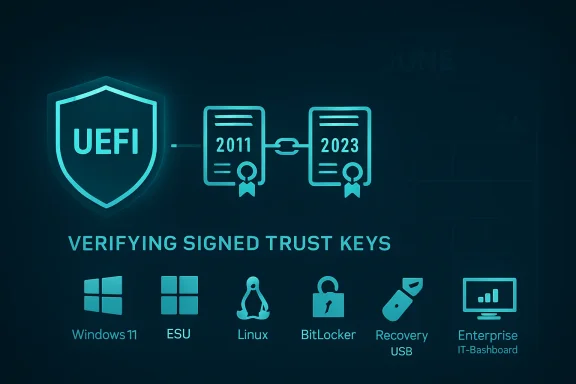
UEFI secure boot graphic showing signed trust keys verification between 2011 and 2023.The PC’s Chain of Trust Has Reached Its Expiration Date​

Secure Boot was one of those Windows 8-era technologies that arrived with more controversy than day-to-day drama. It promised to stop bootkits and other pre-operating-system malware by making the firmware verify that early boot components were signed by trusted authorities before allowing them to run. For most users, it became a setting buried in UEFI menus, remembered only when installing Windows 11, dual-booting Linux, or troubleshooting a motherboard that refused to start from a USB stick.
The catch is that Secure Boot depends on certificates, and certificates are not eternal. The Microsoft Corporation UEFI CA 2011, Microsoft Windows Production PCA 2011, and related keys were built for a long life, not an infinite one. Microsoft’s replacement trust anchors, including Windows UEFI CA 2023 and other 2023-era authorities, are now the path forward.
That makes 2026 the first truly mass-market Secure Boot rollover. The industry has rotated keys before, revoked vulnerable bootloaders, and dealt with incidents like BlackLotus, but this is different in scale. The PC ecosystem is being asked to update a foundational trust database across more than a decade of hardware, a sprawl of OEM firmware, and an enormous installed base of Windows 10 and Windows 11 machines.
Microsoft’s public line is carefully reassuring: many supported Windows devices will receive the new certificates automatically. That is probably true for current Windows 11 systems that are patched, healthy, and backed by OEM firmware that behaves as expected. But “many” is not “all,” and the gap between those two words is where home enthusiasts and IT departments need to pay attention.

This Is Not a Shutdown Deadline, but It Is a Security Deadline​

The most important thing to say plainly is that an affected PC is not expected to stop booting at midnight when a certificate expires. Microsoft’s own guidance says devices may continue to start and continue receiving ordinary Windows updates. The scary version of this story — June arrives, millions of PCs brick themselves — is not the realistic one.
The realistic version is subtler and more consequential. A machine that has not moved to the 2023 Secure Boot certificates may no longer be able to receive future Secure Boot protections for early boot components. That means updates to boot managers, firmware trust databases, revocation lists, and pre-OS security defenses can be impaired or withheld. In security terms, the device does not fall off a cliff; it starts walking away from the maintained road.
That matters because the boot path has become a favored place for attackers precisely because it sits below Windows. Modern endpoint security tools can watch processes, scan files, and enforce policies once the OS is running. They are less useful if the attacker has already compromised the handoff between firmware and the operating system.
The industry learned this lesson the hard way with vulnerabilities such as CVE-2023-24932 and the BlackLotus UEFI bootkit. Fixing that class of problem is not just a matter of shipping a new EXE. It requires updating boot components, adding new trust anchors, and eventually revoking old vulnerable paths. Secure Boot certificate expiration collides directly with that reality: if the firmware trust base is stale, the system’s ability to accept the next round of boot security work is weakened.

Microsoft’s Automation Will Help, but Firmware Is Still Firmware​

Microsoft has built a staged process to move devices from the 2011 certificates to the 2023 certificates. On consumer PCs, the preferred outcome is boring: Windows Update delivers the necessary servicing pieces, the system applies the Secure Boot database changes, the user reboots, and the Windows Security app eventually reports that the certificate status is healthy. Boring is good. Boring is how a trust migration of this size avoids becoming a support disaster.
But Secure Boot is not just a Windows feature. It lives in UEFI firmware, and firmware has always been the least standardized part of the supposedly standardized PC. Different OEMs implement the same broad requirements differently. Older systems may have buggy update paths, storage quirks, outdated BIOS releases, or vendor utilities that have not been touched in years.
That is why Microsoft’s guidance keeps pointing back to OEMs. If a machine cannot accept the Secure Boot certificate update through normal Windows servicing, the fix may be a BIOS or firmware update from Dell, HP, Lenovo, Asus, Acer, Microsoft Surface, or another vendor. For recent business-class machines, that is an annoyance. For a 2014 ultrabook that still runs fine but has long since disappeared from the support matrix, it may be the end of the line.
Enterprise IT has an even less romantic version of the problem. Fleet managers do not get to assume that “Windows Update will handle it” across thousands of devices with different firmware levels, BitLocker policies, virtualization-based security settings, docking stations, recovery partitions, and remote workers. A certificate update that touches boot trust has to be tested like a firmware change, because operationally that is what it resembles.
Microsoft’s own warnings reflect that. Higher-risk scenarios include BitLocker recovery prompts, boot hangs, Secure Boot validation failures, and devices that need OEM intervention. Those outcomes may be rare, but rare at enterprise scale still means tickets, escalations, emergency hands-on support, and angry executives whose laptops chose the wrong morning to rediscover UEFI.

Windows 10 Makes the Rollover a Support Policy Story​

The Secure Boot certificate deadline would be complicated enough if every affected PC were running a supported version of Windows. They are not. Windows 10 reached the end of mainstream consumer support on October 14, 2025, and Microsoft’s Extended Security Updates program is now the dividing line between “old but still serviced” and “old and increasingly alone.”
That distinction matters. Microsoft has said unsupported Windows versions do not receive the new certificates through Windows updates. Windows 10 devices enrolled in Extended Security Updates should be in a better position, while Windows 10 devices outside ESU should not be expected to receive the same Secure Boot certificate remediation.
This creates a familiar but uncomfortable dynamic. A PC can be technically capable, environmentally preferable to keep, and perfectly adequate for a user’s workload — yet still be outside the supported security path because it cannot officially run Windows 11 or because its owner did not enroll in ESU. Secure Boot’s certificate rollover becomes another pressure point in Microsoft’s broader campaign to move the installed base forward.
Critics will see this as more forced obsolescence, and not without reason. Windows 11’s hardware requirements already left a large number of otherwise usable PCs on the wrong side of the line. The Secure Boot rollover does not single-handedly make those machines useless, but it reinforces the message: old Windows PCs may keep functioning, but they are no longer first-class citizens in Microsoft’s security ecosystem.
There is an important nuance, though. Certificate expiration is not a trick invented to sell laptops. Trust anchors really do need lifetimes. Old signing chains really do accumulate risk. The problem is not that Microsoft is refreshing Secure Boot; the problem is that the PC industry spent 15 years shipping devices whose firmware support often expired long before the hardware did.

The Check Is Simple; the Interpretation Is Not​

For enthusiasts, the first step is straightforward: check whether the new certificates are already present. Microsoft and community guides commonly point to PowerShell queries using Get-SecureBootUEFI to inspect the Secure Boot database and look for strings such as Windows UEFI CA 2023. Newer Windows Security builds are also beginning to surface certificate status more directly, which is the right place for this information to live.
If the system reports that the 2023 certificate is present, most home users can stop worrying and keep updating normally. If it does not, the next move is not panic; it is maintenance. Install current Windows updates, reboot fully, check optional firmware updates, and visit the OEM support page for BIOS or UEFI updates tied to Secure Boot certificate migration.
The more difficult case is the machine that is supported by Windows but ignored by its OEM. Some systems may be able to receive the certificate update through Windows’ own Secure Boot update task and registry-triggered deployment path. Others may require firmware fixes that never arrive. The difference will not be obvious from the age of the PC alone.
This is where community forums will become unusually important. The official matrix from OEMs will tell part of the story, but the real-world map will be filled in by users testing specific models, BIOS revisions, storage configurations, and dual-boot setups. A ThinkPad from one generation may sail through. A gaming desktop of the same vintage may need a motherboard update. A mini PC from a short-lived vendor may simply have no path.

Linux, Recovery Media, and Anti-Cheat All Live in the Blast Radius​

Windows is the center of this story, but it is not the whole story. Secure Boot also affects third-party bootloaders, option ROMs, Linux shims, recovery environments, imaging tools, and certain anti-cheat systems that care deeply about the integrity of the boot chain. Anything that relies on Microsoft’s UEFI signing ecosystem has to reckon with the 2011-to-2023 transition.
For Linux users, the practical risk is not that every dual-boot machine suddenly rejects Linux. Existing signatures and existing firmware databases complicate the picture, and major distributions have been preparing for the transition. The risk is mismatched timing: new hardware that trusts only newer certificates, older installation media signed through older chains, or firmware configurations that behave differently depending on which CAs are present.
Recovery media deserves special attention. IT departments and power users often keep old Windows installation USB drives, WinPE tools, backup restore media, and vendor diagnostics around for years. That habit is convenient until Secure Boot refuses to trust the thing you need during an outage. Updating bootable media to use newer boot managers and signing chains is not glamorous work, but it is exactly the kind of maintenance that prevents a bad afternoon from becoming a lost weekend.
Gamers may feel the issue through anti-cheat systems. Some modern anti-cheat products lean on Secure Boot as part of their platform integrity checks. If a PC falls into an ambiguous or degraded Secure Boot state, the first symptom for a home user may not be a Windows warning; it may be a game that refuses to launch or a driver stack that behaves unpredictably.
That is the defining feature of this deadline. The certificate rollover is technically narrow, but the trust chain it touches is broad. Boot security is the first domino in a line that includes operating systems, drivers, virtualization, encryption, recovery, compliance, and software that wants proof the machine has not been tampered with before Windows starts.

Enterprises Should Treat This Like a Firmware Program, Not a Patch Tuesday Errand​

For business environments, the worst plan is to wait for Windows Update to make the problem disappear. It probably will for many devices. It will not for all devices, and the exceptions are the devices that define the outage.
A sensible enterprise plan starts with inventory. IT needs to know which devices have Secure Boot enabled, which have the 2023 certificates, which firmware versions are deployed, which models are still inside OEM support, and which machines are running Windows 10 under ESU. That inventory should include virtual machines and server platforms, not just employee laptops.
The second step is ring-based deployment. Secure Boot updates should be tested on representative hardware before they are pushed broadly, especially where BitLocker, VBS, Credential Guard, device control, or custom recovery processes are in use. Microsoft’s guidance repeatedly emphasizes phased rollout for a reason: boot chain changes are unforgiving when they fail.
The third step is communications. Users do not need a lecture on PK, KEK, DB, and DBX, but they do need to know that extra reboots may be required and that a BitLocker recovery prompt should be reported rather than improvised around. Help desks need scripts. Field technicians need model-specific notes. Security teams need dashboards that distinguish “not yet updated” from “blocked” from “unsupported.”
The final step is disposal planning, and this is where the conversation becomes less technical and more political. If a device cannot receive the 2023 Secure Boot certificates and is outside Windows support, keeping it in service becomes a conscious risk decision. For a lab machine on an isolated network, that may be acceptable. For a laptop with customer data, it should not be.

Home Users Need Less Drama and More Maintenance​

For ordinary Windows users, the advice is less elaborate but no less urgent. Keep Windows updated, do not defer reboots forever, and check the Windows Security app or PowerShell status once Microsoft’s certificate status indicators are available on your machine. If the status is healthy, move on with your life.
If the status is not healthy, look for firmware updates from your PC or motherboard maker. Laptop users should search by exact model number, not just brand. Desktop builders should check the motherboard vendor, not the CPU or GPU vendor. Surface owners should use Microsoft’s Surface firmware channels.
Windows 10 users have a harder decision. If the PC can upgrade to Windows 11, this is another reason to do it. If it cannot, ESU buys time, but not a future. Running unsupported Windows 10 after October 2025 was already a risk; running it through a Secure Boot trust transition makes that risk more concrete.
The worst response is to disable Secure Boot because a forum post makes the warning go away. That may be a useful troubleshooting step in some niche cases, but it is not a fix. Disabling the guardrail because the guardrail needs maintenance is how old PCs drift from “still useful” into “quietly unsafe.”

The June Deadline Exposes the Real Cost of Long-Lived PCs​

There is a tension at the heart of modern Windows. Microsoft wants Windows to behave like a continuously serviced platform, but PCs remain physical objects with firmware, batteries, ports, GPUs, storage controllers, and vendor-specific support lifespans. Windows Update can service the operating system for years. It cannot manufacture a new BIOS for a forgotten motherboard.
Secure Boot certificate expiration exposes that mismatch. The PC industry sold Secure Boot as a durable foundation of trust, but too much of that foundation depends on firmware support practices that were never designed around 15-year ownership. Consumers keep machines longer than OEM planning models assume. Schools, charities, small businesses, and hobbyists keep them longer still.
That does not mean Microsoft should keep 2011 certificates alive forever. Security systems that never rotate their trust anchors eventually become liabilities. The better lesson is that security architecture must account for the real world of old but functioning hardware, and the real world needs clearer lifecycle promises from vendors that ship firmware-bound trust.
If the Windows ecosystem gets through this smoothly, it will be because Microsoft, OEMs, Linux vendors, enterprise admins, and users all do small unglamorous things on time. If it goes badly, it will not look like one giant outage. It will look like scattered boot failures, unsupported devices, recovery media surprises, BitLocker loops, gaming complaints, and frustrated owners discovering that a PC can be operational and abandoned at the same time.

The Machines That Update Quietly Are the Ones That Win June​

The practical path through this is not complicated, but it does require acting before the deadline rather than diagnosing after it. The right outcome is a boring one: the new certificates are installed, firmware accepts them, Windows keeps servicing boot components, and the user never has to learn what a Secure Boot database is.
  • Supported Windows 11 PCs should generally receive the new Secure Boot certificates through normal servicing, but users should still confirm their status after updates land.
  • Windows 10 machines need special scrutiny because only supported or ESU-enrolled systems should be expected to receive the necessary certificate updates.
  • Older systems may require OEM BIOS or UEFI updates before Windows can complete the Secure Boot certificate transition reliably.
  • IT departments should inventory certificate status, firmware levels, BitLocker exposure, and recovery media before treating this like an ordinary monthly patch.
  • Users should update bootable USB media, recovery tools, and installation images so emergency repairs do not fail at the firmware trust boundary.
  • Disabling Secure Boot may hide a symptom, but it does not solve the underlying loss of boot-level protection.
The coming Secure Boot rollover is a reminder that Windows security is not just code Microsoft ships every month; it is a chain of custody that starts before Windows loads and depends on vendors whose support clocks often run faster than their hardware wears out. Most PCs will make the transition quietly, which is exactly how infrastructure should behave. The machines that do not will teach a harsher lesson: in 2026, a computer can still turn on, still run your apps, and still be aging out of the trust system that made it safe to use.

Source: Windows Central https://www.windowscentral.com/microsoft/windows/secure-boot-certificates-expire-how-to-check/
 

Microsoft’s original Secure Boot certificates, issued in 2011 and used by Windows PCs to trust bootloaders and firmware components before the operating system starts, begin expiring in June 2026, requiring updated 2023 certificates through Windows Update, enterprise policy, or OEM firmware. That sounds like obscure plumbing because it is, but obscure plumbing is exactly what tends to flood the basement when nobody owns it. The immediate message is reassuring: most supported Windows 11 systems should not suddenly stop booting. The harder truth is that Microsoft’s certificate rollover is becoming another dividing line between maintained PCs, neglected firmware, and the long tail of Windows 10 machines that still work but are drifting out of the security model.

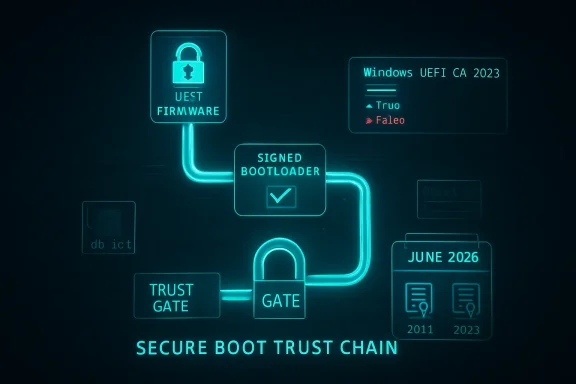
Digital secure boot trust chain diagram with locked gate and signed bootloader for Windows UEFI CA 2023.The Certificate Clock Finally Reaches the Firmware Layer​

Secure Boot was designed to make the earliest moments of a PC’s startup less trusting. Before Windows loads, UEFI firmware checks whether the next thing in the boot chain is signed by an authority the machine trusts. In the Windows ecosystem, much of that trust has historically flowed through Microsoft certificates created in the Windows 8 era, when Secure Boot moved from enterprise talking point to mainstream PC requirement.
Those certificates were never meant to be immortal. A certificate authority with a 15-year shelf life is not a permanent constitutional settlement; it is a very long timer. Microsoft’s problem in 2026 is that the timer is no longer theoretical. The 2011-era Secure Boot certificates start aging out in June 2026, with related certificate expirations continuing into October 2026.
That does not mean your laptop will turn into a brick the morning the first certificate expires. The panic version of this story is too simple. Existing signatures do not all evaporate at midnight, and Windows Update does not necessarily stop because a machine still carries old Secure Boot material. Microsoft’s own framing is narrower and more consequential: devices that fail to move to the 2023 certificate chain may lose future Secure Boot protections for early boot components.
That distinction matters because Secure Boot is not a user-facing feature in the way BitLocker or Windows Hello is. It is part of the machine’s chain of custody. When it is healthy, nobody notices. When it falls behind, the failure mode is not always a blue screen; sometimes it is a machine that still runs, still updates, and still looks normal while a layer of pre-OS assurance quietly stops keeping up.

Microsoft’s Patch Is Automatic Until It Isn’t​

For typical Windows 11 users on supported hardware, the answer is refreshingly boring: install Windows updates, reboot when prompted, and do not treat Secure Boot as a weekend hobby. Microsoft has been staging updated Secure Boot certificate material for supported systems, and newer devices are increasingly expected to ship with the 2023 certificates already present. That is the happy path, and for a large share of consumer PCs it will be the only path anyone ever sees.
The complication is that Secure Boot lives partly in firmware, not just in Windows. Updating trust anchors involves UEFI variables such as the allowed signature database, commonly called db, and the key exchange key store, or KEK. Windows can help deliver and orchestrate those changes, but the final behavior depends on firmware implementation, OEM readiness, and whether the machine is still inside a supported servicing channel.
That is why Microsoft’s guidance has the tone of a deployment project rather than a normal monthly patch note. The company is telling organizations to inventory devices, test representative hardware, check event logs and registry state, update firmware where necessary, and avoid assuming that one command run on one laptop proves readiness across a fleet. This is not because the change is exotic. It is because boot security is where small differences between firmware vendors become operationally expensive.
The simple home-user check making the rounds is useful, but it should not be mistaken for a complete compliance program. Open PowerShell as administrator and run:
([System.Text.Encoding]::ASCII.GetString((Get-SecureBootUEFI db).bytes) -match 'Windows UEFI CA 2023')
If it returns True, the Windows UEFI CA 2023 certificate is present in the Secure Boot allowed database. If it returns False, install pending Windows updates, check your PC maker’s support utility or firmware downloads, and then test again. On managed systems, admins will want broader telemetry than one PowerShell line, including event IDs and policy-driven rollout state.

The Windows 10 Problem Is Not Really About Secure Boot​

The sharp edge of this story is Windows 10. Microsoft ended mainstream support for Windows 10 on October 14, 2025, while offering Extended Security Updates as a bridge for users and organizations that cannot yet move. That bridge now matters for more than the usual monthly vulnerability patches. If a Windows 10 machine is outside support and outside ESU, it should not be treated as reliably eligible for the Secure Boot certificate refresh.
This is where the certificate rollover becomes less a technical footnote than a policy consequence. Microsoft’s Windows 11 hardware requirements already stranded a substantial population of otherwise usable PCs, especially systems without supported CPUs or TPM configurations. Many of those machines remain fast enough for office work, browsing, media, and light development. But the security ecosystem is no longer being designed around their indefinite survival.
The temptation is to frame this as Microsoft forcing upgrades. There is some truth in that, but it is not the whole truth. Secure Boot depends on a web of Microsoft, OEM, firmware, silicon, and operating-system responsibilities, and old machines do not become easier to secure with age. The ugly part is that the user experiences this complexity as a binary: either the device gets the new trust chain through supported servicing, or the owner is told to go hunt for firmware from a vendor that may have stopped caring years ago.
Windows 10 ESU is therefore not just a way to keep receiving normal security fixes. For holdouts, it is becoming the practical way to remain attached to Microsoft’s current boot-security lifecycle. That is an uncomfortable purchase, particularly for consumers who feel they are paying rent on hardware they already own. But if the machine must remain on Windows 10 and must remain exposed to real-world threats, ESU is the least improvised option.

Firmware Is the Part of the PC Industry Nobody Wants to Talk About​

The Secure Boot rollover exposes a familiar weakness in the Windows ecosystem: firmware support is uneven, opaque, and often shorter-lived than the hardware. Microsoft can publish certificates and servicing logic. It can lean on OEMs. It can document the state machines and provide scripts. But it cannot retroactively make every motherboard vendor maintain every BIOS tree with enterprise-grade discipline.
That matters because the most nervous scenarios are not the ordinary ones. A normal Windows 11 laptop from a major OEM, kept current through Windows Update, is not the machine that should keep sysadmins awake. The scarier machines are older desktops with stale BIOS releases, devices that have had Secure Boot toggled on and off, systems with custom boot media, dual-boot setups, appliances built on Windows, lab machines, kiosks, and servers whose owners are allergic to firmware updates because the last one broke something expensive.
Microsoft’s guidance for organizations is cautious for a reason. Secure Boot updates can intersect with BitLocker, virtualization-based security, third-party bootloaders, recovery environments, deployment media, and firmware update flows. A mistimed change can trigger recovery prompts or expose a machine that was never quite as standards-compliant as its spec sheet implied. This is not a reason to avoid the update. It is a reason to test it like the boot-chain change that it is.
The PC industry has improved firmware delivery since the Windows 7 days, especially through Windows Update and OEM companion apps. Still, the support model remains far less legible than operating-system servicing. A user can generally tell whether Windows Update is current. It is much harder to know whether a motherboard’s Secure Boot implementation has received everything it needs to survive the next decade of trust changes.

The Real Risk Is a Degraded Security State, Not a Dead PC​

The phrase users need to understand is degraded security state. It is not as dramatic as “won’t boot,” and that is exactly why it is dangerous. A machine in a degraded security state may continue to start, run applications, and install ordinary updates while failing to receive or enforce future Secure Boot protections in the way Microsoft intends.
That future-facing risk is the core of the issue. Secure Boot is most valuable when the platform can respond to newly discovered weaknesses in early boot components. The industry learned this lesson painfully through bootkit research and vulnerabilities such as BlackLotus-related Secure Boot bypasses. The point of refreshing trust anchors is not merely to replace expiring paperwork; it is to preserve the ability to revoke bad components and trust new ones without collapsing compatibility.
The certificate rollover also affects bootable media. Old installation ISOs, recovery drives, imaging tools, and deployment environments may need attention as the ecosystem moves toward Windows Boot Manager components signed by the 2023 chain. In a home setting, that might mean recreating a Windows installer before relying on it in an emergency. In an enterprise, it means validating ConfigMgr boot images, Windows PE environments, disaster-recovery media, and vendor tools before the day they are needed.
This is where “my PC still turns on” becomes the wrong test. Booting today proves only that today’s chain still works. It does not prove that the machine can accept tomorrow’s Secure Boot protections, tomorrow’s bootloader signing requirements, or tomorrow’s revocations. Security debt is rarely visible at the moment it is incurred.

Enterprises Should Treat This Like a Fleet Hygiene Drill​

For IT departments, this is less a breaking-news emergency than a fleet hygiene exam with a hard calendar attached. The work is mundane: inventory Secure Boot state, identify unsupported operating systems, separate physical devices from virtual machines, confirm firmware levels, pilot the certificate update, watch for BitLocker recovery prompts, and document which hardware models fail. Mundane work is still work, and it tends to punish teams that wait for the last safe maintenance window.
The first mistake would be assuming that Windows Update success equals Secure Boot readiness. The second would be assuming that one vendor model behaves like another. The third would be treating servers like laptops. Microsoft has published separate guidance for Windows Server scenarios because the operational blast radius is different: clustered workloads, remote hands, maintenance windows, backup media, hypervisor hosts, and appliance-like deployments all raise the stakes.
Virtual machines deserve special attention. A VM’s Secure Boot state depends on the virtual firmware presented by the platform and the age of the VM configuration. Cloud PCs, Azure Local, Hyper-V, VMware estates, and long-lived templates may each need their own validation path. The machine may be virtual, but the boot trust model is not imaginary.
The deployment sequence also matters. Firmware updates, Secure Boot certificate updates, BitLocker recovery behavior, and revocation enforcement should not be mashed together into one heroic reboot campaign. The boring, safer method is staged change: firmware readiness first where needed, certificate presence next, boot media validation after that, and revocations only when the organization understands what will no longer boot.

Dual-Booters and Lab Machines Get the Messier Version​

Windows enthusiasts are more likely than average users to have the configurations that make this rollover interesting. Dual-boot systems, Linux distributions using shim, custom kernels, unsigned tools, PCIe cards with option ROMs, old rescue media, and experiments with Secure Boot keys all live closer to the boundary where trust databases matter. If you have never opened your firmware settings, you are probably less exposed to weirdness than the person who has spent years tuning them.
The important nuance is that Microsoft’s Secure Boot ecosystem is not only about Windows. The Microsoft UEFI CA has historically played a role in allowing third-party UEFI applications and non-Windows bootloaders to run on Secure Boot-enabled PCs. Moving from 2011-era certificates to 2023-era certificates therefore has implications for Linux boot chains and vendor utilities, not merely for Windows Boot Manager.
That does not mean Linux users should panic either. Major distributions and vendors have been preparing for this transition, and Secure Boot has survived previous rounds of revocation and bootloader updates. But the people most likely to be affected are precisely the people who rely on older installation media, niche distributions, abandoned utilities, or hardware whose firmware will never see another update.
The practical advice for enthusiasts is conservative. Check whether the 2023 certificate is present. Update the firmware from the OEM or motherboard maker if one is available. Refresh bootable USB media. Verify that the operating systems you actually use still boot with Secure Boot enabled. If your setup depends on custom keys, document it before changing anything, because “I’ll remember what I did in the BIOS three years ago” is not a recovery plan.

Microsoft Is Right on Security and Still Owns the Confusion​

Microsoft is correct that aging Secure Boot certificates should be retired. Long-lived trust anchors are convenient until they become a liability, and the company would be negligent if it tried to stretch the 2011 chain forever simply to avoid uncomfortable support calls. Cryptographic hygiene eventually reaches the point where compatibility has to give ground.
But Microsoft also owns the user confusion around this moment. Secure Boot has always been marketed as something ordinary users should not need to understand. Now those same users are being told that a PowerShell command can reveal whether they are ready for a 2026 certificate transition that involves UEFI databases, OEM firmware, Windows servicing channels, and sometimes paid support extensions. That gap between invisible design and visible responsibility is where anxiety grows.
The company’s communication has improved as the deadline approaches, especially for IT pros. There are playbooks, support articles, message-center posts, and server-specific guidance. Still, the consumer-facing story remains messy because it collides with Windows 10’s end of support, Windows 11’s hardware gatekeeping, and the uneven reality of OEM firmware maintenance.
This is the pattern that has defined modern Windows security. Microsoft raises the baseline, often for defensible reasons. Older hardware and edge-case configurations absorb the pain. Enterprises get documentation and policy knobs. Consumers get a warning, a support article, and a vague instruction to check with the PC manufacturer. The direction is rational; the experience is not always humane.

The June Deadline Rewards the Machines Already Being Maintained​

The Secure Boot certificate rollover is not a reason to disable Secure Boot. It is a reason to make sure Secure Boot is actually current. Turning it off to avoid thinking about certificates is like removing the smoke alarm because the battery chirped. It may silence the irritation, but it does not improve the building.
For most readers, the right response is small and immediate. Run the check, install updates, reboot, and look for firmware updates from the OEM. If the machine is on Windows 10, decide whether it is moving to Windows 11, enrolling in ESU, moving to another operating system, or being retired from security-sensitive work. Drifting is the one option that gets worse with time.
For organizations, the right response is procedural. Treat the 2026 Secure Boot transition as a dated dependency in the same category as certificate renewals, root CA changes, and TLS deprecations. It is not glamorous, but it is measurable. The teams that inventory early will likely find a handful of unpleasant devices while there is still time to do something about them. The teams that wait will discover that firmware problems have a way of becoming business-continuity problems.

The PCs That Need Attention Are Easy to Describe and Hard to Inventory​

The machines most likely to need intervention are not mysterious. They are older systems, unsupported Windows 10 installations, devices that have missed firmware updates, servers with conservative maintenance policies, virtual machines created from old templates, and enthusiast rigs with nonstandard boot paths. The trouble is that many households and businesses do not have a clean list of those machines.
A family may have a Windows 10 desktop in the den that “still works fine.” A small business may have a point-of-sale terminal that nobody wants to touch. A school may have labs full of machines that cannot officially run Windows 11. A manufacturer may have Windows boxes attached to equipment whose vendor certifies nothing newer. Secure Boot certificate readiness will not be the only problem on these systems, but it may become the next visible symptom of a broader support cliff.
The consumer PC market has trained people to think of hardware as useful until it physically fails. Modern platform security works differently. A PC can be electrically healthy and cryptographically obsolete. It can have a perfectly good SSD, enough RAM, and a CPU that feels fast while still falling outside the support envelope for the trust infrastructure around it.
That is the uncomfortable lesson of 2026. The secure lifespan of a Windows PC is no longer defined only by whether Windows can be installed or whether the machine feels responsive. It is defined by firmware updates, certificate chains, TPM behavior, driver signing, and the manufacturer’s willingness to keep participating in the ecosystem after the sale.

The Sensible Move Is to Verify Before the Calendar Does It for You​

There is no need to treat the Secure Boot certificate deadline as an apocalypse, but there is also no virtue in waiting. The best outcome is boring: you check, the 2023 certificate is present, and June 2026 passes without a visible event. The second-best outcome is discovering now that a machine needs updates, replacement, ESU enrollment, or a new role.
  • Run the PowerShell Secure Boot database check on important Windows PCs and confirm that Windows UEFI CA 2023 is present.
  • Install all pending Windows updates and reboot before assuming a device has failed the transition.
  • Check the OEM or motherboard vendor for firmware updates, especially on older systems and business fleets.
  • Treat unsupported Windows 10 machines as outside the normal safety lane unless they are enrolled in Extended Security Updates.
  • Recreate and test Windows installation, recovery, imaging, and deployment media that may still depend on older boot components.
  • Pilot the change on representative enterprise hardware before broad rollout, particularly where BitLocker, virtualization, servers, or dual-boot configurations are involved.
The June 2026 Secure Boot rollover is a quiet test of whether the Windows ecosystem can renew its foundations without making users become firmware engineers. Supported, maintained PCs should pass that test with little drama. The machines that fail it will tell us something less comfortable: in the Windows world now, security support is not a feature layered on top of hardware, but part of the hardware’s useful life.

Source: Digital Trends Window’s Secure Boot certificates are expiring in June — here’s what you need to do
 

Back
Top