Secure Boot certificate refresh for Windows 10: act before 2026

  • Thread Author
Windows 10 users who think “it still boots, so I’m fine” are being handed a quietly serious maintenance problem: Microsoft is replacing the Secure Boot certificates that have underpinned Windows’ pre‑boot trust model since 2011, and machines that don’t receive the new certificates will continue to boot but will enter a degraded security state — unable to receive new boot‑level protections, revocation updates, or mitigations for newly discovered pre‑OS threats. com]

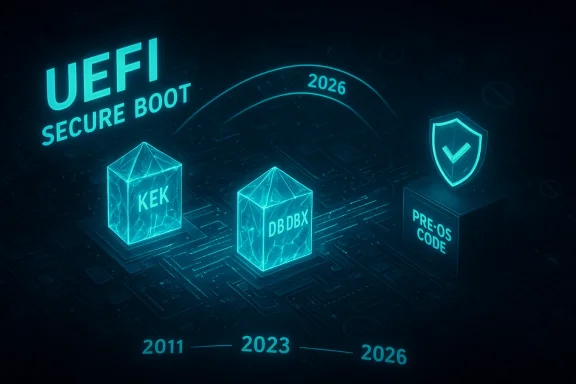
A blue holographic UEFI Secure Boot diagram showing KEK/DBDBX keys and shielded Pre-OS code.Background / Overview​

Microsoft and OEMs have been preparing a coordinated refresh of the Secure Boot certificate family because the long‑lived 2011 Microsoft CA certificates embedded in many PC firmwares are expiring in 2026. The replacement certificates (the 2023 family) are already published and shipped in cumulative update packages, and Microsoft has published detailed guidance and a FAQ for the rollout. The change affects certificates stored in the firmware’s KEK (Key Enrollment Key) and DB/DBX databases and therefore lives at the firmware/UEFI layer — before Windows itself starts.
At a glance:
  • Microsoft’s official guidance names specific expiring certificates and their replacement 2023 counterparts and dates.
  • The oldest Microsoft KEK and UEFI CA entries begin expiring in June 2026; the Windows production PCA included in firmware has an expiry that extends into October 2026.
  • Devices that have the new 2023 certificates installed will continue to receive the full set of Secure Boot protections (DB/DBX updates, bootloader signing, revocations). Systems that do not will still boot, but will no longer be able to receive new pre‑OS revocations and signatures — the “degraded security” state.
Microsoft’s public documentation and KBs appear repeatedly in recent cumulative update notes, and Microsoft’s Extended Security Updates (ESU) program was identified as the path that keeps Windows 10 systems receiving vendor updates after Windows 10 mainstream support ended on October 14, 2025. However, not all Windows 10 installations will get the Secure Boot certificate assist automatically — some update delivery paths, firmware versions, or device settings block it, and many older OEM firmwares will require vendor BIOS/UEFI updates.

What Secure Boot is, and why these certificates matter​

UEFI Secure Boot in two sentences​

Secure Boot is a UEFI firmware security feature that prevents unauthorized/pre‑tampered code (bootkits, rogue UEFI drivers, unsigned bootloaders) from running before the OS. It does this by verifying the digital signatures of pre‑boot components against a set of trusted certificates (KEK, DB entries), and by applying revocations in DBX. If the signing keys used to vouch for pre‑OS code are no longer valid or cannot be updated, new boot‑level threats cannot be mitigated.

Which certificates are expiring and when​

Microsoft’s guidance lists the affected certificates (with precise dates):
  • Microsoft Corporation KEK CA 2011 — expires in June 2026, replaced by Microsoft Corporation KEK 2K CA 2023.
  • Microsoft UEFI CA 2011 (two entries) — expire in June 2026, replaced by Microsoft UEFI CA 2023 and Microsoft Option ROM UEFI CA 2023.
  • Microsoft Windows Production PCA 2011 — has an expiration in October 2026, replaced by Windows UEFI CA 2023. OEM vendor pages, such as HP’s advisory, list matching dates and map the new certificates to KEK/DB storage locations.
Those specific expiry dates matter because once a certificate stored in firmware is past its validity, it can no longer be used to sign or accept new DB/DBX updates — which is why Microsoft and OEMs are coordinating the refresh now rather than waiting.

How the refresh is delivered — and where it can break down​

Three delivery channels​

  • Firmware (UEFI/BIOS) updates from OEMs — the preferred and most robust path is an OEM firmware update that adds the new 2023 certificates directly into the platform store. Many OEMs have already published BIOS updates with the necessary CA entries for supported models.
  • Windows cumulative updates (LCUs) that include the certificate payload — Microsoft has included the new certificates in cumulative updates; these updates can assist on some devices by writing the new keys if firmware allows it and if the device meets Microsoft’s update eligibility signals. But this mechanism is not guaranteed on every device and has prerequisites (Windows build support, diagnostic data sharing, and update delivery conditions).
  • Manual OEM or IT administrator action — for offline, air‑gapped, or managed fleets, admins may need to push firmware updates or use vendor tooling to implant the 2023 certificates before expiry dates.

Common failure modes​

  • Unsupported or obsolete firmware: Older platforms (often 2017 and earlier) may never receive a vendor BIOS update. Vendors typically stop firmware servicing after a certain support window; those machines will likely keep the old CA entries and therefore cannot be updated to the 2023 family.
  • Secure Boot disabled: If Secure Boot is disabled in firmware, the Windows‑side patch cannot update the firmware’s signature stores. Those systems must have Secure Boot reenabled and a firmware path that accepts the new keys.
  • Air‑gapped or tightly firewalled devices: Microsoft’s assisted update mechanisms depend on telemetry and update channels; machines that do not send diagnostic data or are blocked from reaching Microsoft may be excluded from the automatic assist.
  • Third‑party tool or driver conflicts: Certain anti‑cheat stacks, virtualization drivers, or older third‑party loaders sometimes interact poorly with Secure Boot changes — vendors and IT teams must test these scenarios. Community and trade press have already flagged gaming anti‑cheat as an area to watch.

What “degraded security state” actually means for Windows 10 users​

Microsoft’s own KB is explicit: a device that still only contains the 2011 CA entries after the expiry windows will continue to boot and run, and will keep receiving standard OS updates (if the OS is still covered by the update pipeline), but it will not be able to receive new pre‑OS protections such as DBX revocations or bootloader signing changes. In practice this increases long‑term risk because attackers who find new boot‑level vulnerabilities will have more opportunity on devices that cannot be changed at the firmware trust level.
What this does not mean:
  • It is not an immediate “bricking” or mass‑outage event: machines will still boot and can still run normal workloads.
  • It is not necessarily only a Windows 10 problem: the certificate refresh touches the entire UEFI ecosystem; Windows 11 systems generally follow the same technical update path, but newer Windows 11 devices and Secured-core models have higher default settings that make the transition simpler for those devices.

The Windows 10 support angle: ESU, free Windows 11 upgrades, and what users should know​

Microsoft ended broad support for Windows 10 on October 14, 2025. To receive official security updates after that date, consumer devices must enroll in the Windows 10 Extended Security Updates (ESU) program or upgrade to an eligible Windows 11 device. Microsoft’s consumer ESU pathway includes a no‑cost option if device settings are synced to a Microsoft account, alternatives tied to Microsoft Rewards, and a paid $30 option per device; ESU coverage extends through October 13, 2026.
Microsoft continues to allow eligible devices to upgrade to Windows 11 for free, but the upgrade is subject to the Windows 11 minimum hardware requirements (TPM 2.0, supported CPU families, UEFI Secure Boot enabled, etc.). For many older PCs, the hardware prerequisites block the free upgrade path and force the user to choose ESU, accept the degraded risk, or replace hardware. Microsoft’s own upgrade FAQ confirms the free upgrade policy for eligible machines.
Practical implications:
  • If your Windows 10 PC meets Windows 11 hardware requirements, upgrading is the simpler long‑term security path and automatically handles the certificate update in most cases.
  • If your device does not meet Windows 11 requirements, ESU can buy a year of extended security updates; ESU enrollment also ties to update delivery eligibility that, in practice, increases the chance of receiving Microsoft’s assisted certificate updates — but ESU is not an indefinite fix.

OEMs and real‑world rollout: what hardware vendors are saying​

Major OEMs have published guidance and lists of supported platforms with BIOS versions that include the new 2023 certificates. For example, HP’s advisory maps platform release years to approximate BIOS rollout windows and calls out that platforms released in 2017 and earlier may not receive a related BIOS update because they are out of vendor support. That mirrors the reality in other vendor advisories: newer, still‑supported models get firmware, older models often do not.
This creates a clear two‑tier landscape:
  • Supported, recently shipped models — will likely receive a BIOS/UEFI update or accept Microsoft’s assisted update and thus remain fully supported for Secure Boot protections.
  • Older or unsupported models — may be stuck with 2011 CA entries indefinitely and therefore cannot receive future pre‑OS protections even if Windows itself is patched (via ESU or other servicing).

A practical checklist for Windows 10 users and small IT teams​

If you manage one or more Windows PCs, act now — the window to prepare is measured in months, not years. The following prioritized checklist is designed to be practical for home users and small IT teams.
  • Inventory: Identify all PCs and record model, firmware/BIOS version, Windows build, and Secure Boot status (enabled/disabled).
  • Back up BitLocker keys and user data: Export BitLocker recovery keys and verify you can recover, because firmware or OS changes can trigger BitLocker recovery prompts.
  • Check Windows update status: Ensure devices are on a supported Windows 10 build and that cumulative updates through mid‑2025 and later are installed (the 2023 certificate payloads were included in updates shipped in 2025).
  • Enable Secure Boot (if it’s safe and compatible): Devices with Secure Boot disabled will neither be protected nor be updated with the new certificates automatically. Reenable only after verifying compatibility with required drivers.
  • Visit OEM support pages and install firmware updates: Use vendor tools (HP Support Assistant, Dell Command Update, Lenovo Vantage) to find and install BIOS/UEFI updates that include the 2023 CA entries. If a vendor does not publish an update for the model, treat that device as unlikely to receive the certificate refresh.
  • Consider the Windows 11 free upgrade path where eligible: Run Microsoft’s PC Health Check or the vendor’s compatibility tool and plan upgrades for supported machines.
  • If staying on Windows 10, enroll in ESU if you meet eligibility and want a one‑year safety net through Oct 13, 2026. Enroll early rather than after an incident.
  • For fleets, pilot firmware and OS updates on representative hardware and test every critical third‑party component (anti‑cheat, VPN, custom drivers) for compatibility.
Use this checklist as a living plan: run it now, update vendor‑specific KBs periodically, and log every firmware change with rollback instructions.

Risks, edge cases, and notable technical details​

Edge cases to watch​

  • Air‑gapped lab machines: If offline, these machines will not receive the Microsoft-assisted update and must be updated via vendor firmware or manual key injection.
  • Custom or self‑managed UEFI chains: Systems running nonstandard boot flows (dual‑boot, custom boot loaders, certain Linux distributions with signed shim loaders) should be tested for compatibility after key replacement because the new CA semantics can change trust decisions.
  • Gaming and anti‑cheat: Some anti‑cheat kernels and low‑level drivers interact with boot verification and have historically created compatibility hurdles during Secure Boot changes. Test before rolling out widely if you manage gaming rigs.

What administrators must be realistic about​

  • Updating certificates does not magically restore firmware‑level security on hardware with known device vulnerabilities (bugs in the firmware itself, hardware bugs, or insecure option ROMs). The certificate refresh preserves the trust model but does not fix firmware implementation issues.
  • There is a human and logistics cost to remediating older fleets: coordinating vendors, scheduling BIOS updates, staging rollbacks, and making sure BitLocker recovery keys are accessible are nontrivial tasks for small IT teams. The KBs and vendor advisories recommend pilot testing and a phased rollout.

How accurate is the “Windows 10 users are in danger” framing?​

The tabloid framing that “Windows 10 users are warned about danger” captures a legitimate underlying technical risk — loss of the ability to update pre‑OS trust — but it’s an alarmist simplification if presented without nuance. The real situation is layered:
  • The risk is real and measurable: certificates expire, and without the 2023 family some devices cannot accept future DB/DBX updates. That materially reduces the platform’s ability to protect the earliest stages of boot. That is not speculative.
  • For many users the transition will be seamless: devices that are maintained with Windows updates and current OEM firmware will be updated automatically or during routine firmware servicing. Microsoft and several OEMs have publicly stated they will assist and have already shipped many updates.
  • The greatest danger is concentrated: older hardware, air‑gapped or heavily managed machines, and systems on which administrators have disabled Secure Boot are the ones thable to boot‑level threats and will require intervention.
Put more simply: the tabloid’s core warning has technical merit, but the headline‑style “danger” should be read as an operational call to act rather than as an imminent catastrophe for every Windows 10 PC.

What we validated and where uncertainty remains​

I validated the core technical claims against Microsoft’s published KB “Windows Secure Boot certificate expiration and CA updates,” which lists the expiring certificates, the replacement 2023 certificates, and the practical impacts (June and October 2026 timelines). I cross‑checked those facts against Microsoft cumulative update notes and vendor advisories (example: HP’s guidance), and against independent press coverage from established outlets that tracked the same KB and vendor advisories.
Remaining uncertainties and cautionary notes:
  • Microsoft’s assisted update mechanism has deployment heuristics (diagnostic telemetry, CFR rollouts) that can change; the exact list of KB numbers and package names used for the assisted deployment may evolve. For precise operational planning, administrators should rely on Microsoft’s official KB change logs and vendor pages rather than third‑party summaries.
  • Some press pieces have reported binaries that suggest Windows 10 non‑ESU systems will not receive the full automatic pathway; Microsoft’s KB emphasizes that customers are ultimately responsible for ensuring their devices can accept the elective update. That means the line between “will be updated” and “may not be updated” depends on device configuration and vendor support. Treat statements that say “all Windows 10 devices will be left behind” as overstated; treat statements that say “many devices need proactive action” as accurate.

Bottom line — what every Windows 10 user should do in the next 60–120 days​

  • Check whether your PC meets Windows 11 requirements; if it does, upgrade to Windows 11 (free for eligible devices) as the simplest long‑term fix. Back up data first.
  • If you must remain on Windows 10, enroll in ESU if you qualify and want vendor patches through October 13, 2026 — but don’t treat ESU as a permanent solution.
  • Visit your OEM’s support site and install the offered BIOS/UEFI updates that include the 2023 Secure Boot CA entries. If your vendor does not provide an update for your model, assume the device will not receive the firmware‑level certificate refresh and plan accordingly.
  • Ensure Secure Boot is enabled where appropriate, back up BitLocker recovery keys, and test recovery procedures.
  • For IT administrators: inventory, pilot, coordinate with vendors, and keep in mind anti‑cheat and third‑party boot components when you test. The Secure Boot refresh is a large cross‑industry operation; treat it as scheduled maintenance, not a surprise outage.

Final assessment​

The Secure Boot certificate refresh is one of the most consequential platform‑level maintenance operations for Windows in recent memory. It is not a sudden disaster that will immediately strand millions of PCs; rather, it is a scheduled expiration that transforms what would otherwise be a quiet maintenance chore into an imperative for proactive update management. Systems that remain unpatched — because they are on unsupported firmware, have Secure Boot disabled, or are offline — will slowly accumulate risk because they cannot receive future pre‑OS mitigations.
The good news is that Microsoft and major OEMs have published guidance, begun shipping updates, and provided assisted update paths. The bad news is that there are real edge cases — chiefly older hardware and isolated fleets — where the certificate refresh will leave devices unable to receive new pre‑boot protections. For home users and small IT teams, the practical prescription is straightforward: inventory, update firmware, back up keys, and either upgrade to Windows 11 if eligible or enroll in ESU if you must stay on Windows 10 for a limited time.
If you want a short, actionable plan tailored to your specific machines (model list, BIOS versions, or an IT‑facing rollout checklist), post the model numbers and Windows builds you’re responsible for and I’ll turn this guidance into a step‑by‑step remediation playbook you can run this week.

Source: Inbox.lv Windows 10 Users Warned About Danger
 

Microsoft’s blunt warning about expiring Secure Boot certificates has moved from obscure infrastructure maintenance into a practical security deadline: the original Microsoft Secure Boot certificates deployed in 2011 begin expiring in June 2026, and systems that don’t receive the replacement 2023 certificates will enter a progressively degraded security state where they can no longer accept new boot‑level protections or revocation updates. This affects a broad swath of devices—particularly older PCs and many installations still running Windows 10—and it puts owners and administrators on a hard timeline to verify updates, obtain firmware fixes from OEMs, or enroll in Microsoft’s Extended Security Updates (ESU) program to preserve full boot‑chain protections. ([support.microsoft.icrosoft.com/en-us/topic/windows-secure-boot-certificate-expiration-and-ca-updates-7ff40d33-95dc-4c3c-8725-a9b95457578e)

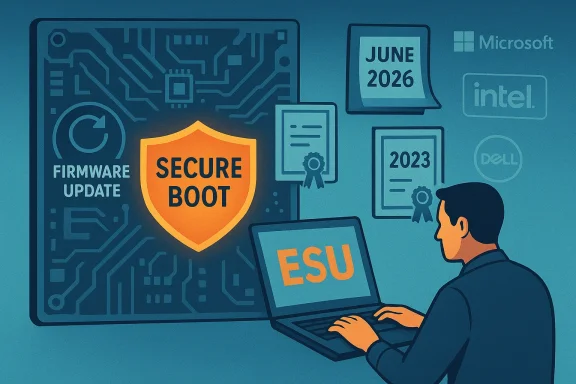
A person uses a laptop to manage Secure Boot and firmware updates on a tech-themed backdrop.Background / Overview​

Secure Boot is a core UEFI mechanism that enforces a cryptographic chain of trust during the earliest stages of a device’s startup. It uses a set of certificates and keys stored in firmware (the PK/KEK/DB/DBX variables) to verify that pre‑OS code—option ROMs, EFI applications, and the Windows Boot Manager—are signed by trusted authorities. The certificates Microsoft originally issued in 2011 have a planned lifespan; those certificates begin expiring in mid‑2026 unless refreshed. Microsoft created a new family of certificates dated 2023, and has been rolling them out via firmware preinstallation on newer devices and via Windows updates or firmware updates for existing devices. If a device does not pick up the 2023 certificates before the old ones expire, it will still boot and run, but it will not be able to receive future Secure Boot‑level fixes or trust updates—effectively losing an essential line of defense against bootkits and pre‑OS attacks.
This is not a sudden emergency where machines will stop working at midnight on a single date. Rather, it is a scheduled rotation of trreal operational consequences: inability to install later boot mitigations, potential incompatibility with new signed components, and reduced ability to revoke compromised binaries that operate before the OS loads. Microsoft and OEMs are coordinating a phased rollout, but heterogeneity in firmware, air‑gapped devices, and machines no longer receiving regular Windows updates makes real‑world impact nontrivial.

What’s actually expiring — the technical details​

The expiring certificate families and their roles​

  • Microsoft Corporation KEK CA 2011: Stored in KEK, used to authorize updates to DB and DBX; begins expiring in June 2026.
  • Microsoft Windows Production PCA 2011: The older boot‑loader signing CA, with parts of its lifecycle extending through October 2026 in Microsoft’s published schedule.
  • Microsoft Corporation UEFI CA 2011: Used for third‑party boot loaders and EFI apps; its replacement was split into separate 2023 CAs for finer control (UEFI CA 2023 and Option ROM UEFI CA 2023). These 2011 entries also begin expiring in June 2026.
Microsoft’s design for the refresh intentionally splits certain trust anchors (for instance, separating option ROM signing from general EFI application signing) to reduce the blast radius and allow administrators and OEM firmware to grant narrower trust where needed. That architectural change is technically sound, but it increases the number of moving parts administrators must validate in heterogeneous environments.

The timeline you need to know (short version)​

  • June 2026 — First wave of expirations for several key 2011 certificates (the keystone event Microsoft is highlighting). Devices without the 2023 certs stop receiving new Secure Boot security updates.
  • Through October 2026 — Additional expirations and the final window where affected devices may lose the ability to receive fixes for Windows Boot Manager and associated pre‑OS components. Microsoft published update and mitigation windows tng schedules.
These dates are explicit in Microsoft’s echnical blog posts; administrators should treat them as absolute deadlines for planning remediation and testing. ([support.microsoft.com](https://support.microsoft.com/en-us/topic/windows-secure-boot-certificate-expiration-and-ca-updates-7ff40d33-95dc-4c3c-8725-a9b95457578e?utm_sourWho’s affected — a practical breakdown

Likely unaffected​

  • Newer devices shipped with the 2023 certificates preinstalled (many PCs manufactured since 2024). These will continue to receive normal Secure Boot updates without intervention.

At risk​

  • Windows 10 systems that are no longer under mainstream support and are not enrolled in ESU: Because Microsoft’s managed Windows update pipeline is the primary mechanism for deploying some of the certificate changes, unsupported Windows 10 installations that do not receive the specific updates or that rely on OEM firmware that wasn’t updated may not receive the replacement certificates automatically. That leaves them unable to gain future boot‑level fixes.
  • Devices with custom or outdated OEM firmware: Firmware that does not accept injected certificates or that lacks vendor updates will need OEM‑provided BIOS/UEFI updates or manual intervention. Some appliances and virtualized platform images may need vendor guidance.
  • Air‑gapped or heavily segmented fleets where Windows Update is disabled or restricted. These environments require manual distribution of firmware updates or a controlled update mechanism to receive the new 2023 certs.

Special considerations​

  • Virtual machines and hypervisor environments may behave differently depending on how UEFI is implemented and whether the VM’s firmware supports Secure Boot certificate injection. Admins of VDI and cloud images should validate their providers’ guidance.

What the risk actually looks like in practice​

This is not an immediate meltdown: affected machines will still boot and run Windows after June 2026. But the security posture erodes in measurable and meaningful ways:
  • No new Secure Boot mitigations: After expiration, Microsoft‑signed updates that would protect the pre‑OS environment can no longer be accepted by the old trust anchors. That means if a new boot vulnerability is discovered, your device may have no way to receive the fix.
  • Inability to trust new signed boot components: New third‑party boot loaders or option ROMs signed with the 2023 certificates will not be trusted by devices that retain only the 2011 certs. This can cause compatibility problems with future drivers, hardware add‑ins, boot managers, or OS upgrades.
  • Increased exposure to bootkits and UEFI malware: Pre‑OS malware (bootkits) bypasses many endpoint protections. Without the ability to upbases and revocation lists, newly discovered bootkits could remain unmitigated on affected devices. Microsoft explicitly calls out boot‑level threats, citing real‑world examples that motivated the rotation.
  • Operational complexity for IT: Large organizations will need firmware update plans, test cycles, and fallback recovery steps. The heterogeneity of OEM support means this is operational work, not just flipping a Windows Update switch.

How Microsoft is rolling updates — and where the process may break​

Microsoft’s published approach includes multiple mechanisms:
  • Automatic Windows Update injection: For many devices receiving current Windows updates and firmware, Microsoft is delivering the new certificates through Windows servicing and updates. This is the primary automatic path for supported devices.
  • OEM firmware updates: Many devices will accept the new certificates only after a BIOS/UEFI update from the OEM. OEMs are expected to preinstall 2023 certs on new hardware, and to provide firmware updates for supported legacy devices. citeturn0search4
  • Enterprise playbooks and registry options: Microsoft has published guidance and plaors, including registry keys and policies that influence managed rollout behavior. Enterprises will use these tools to coordinate staged updates.
Where this can fail:
  • Unsupported Windows 10 installs: If a Windows 10 device is no longer receiving the relevant quality updates, the automatic injection path will not run unless the device is enrolled in ESU. That means a large set of consumer devices and unman are functionally excluded from the automatic path.
  • Firmware idiosyncrasies and stale OEM support: Some device firmware implementations may not accepts, or OEMs may not issue timely firmware updates for older models. The volume of devices requiring manual firmware updates has not been fully enumerated by Microsoft, leaving admins to triage by inventory.
  • Edge cases in virtualization and appliances: Some virtualized platforms, specialized appliances, and embedded systems may reqion and testing to accept the 2023 certs.

Practical, prioritized remediation steps (consumer and small business)​

If you or your organization runs Windows 10 or older hardware, treat this like a schedulee following checklist moves from least to most effort:
  • Check whether Secure Boot is enabled — Devices without Secure Boot enabled are not directly part of this certificate rotation, but their boot chains are already less protected; enabling Secure Boot on supported hardware is good hygiene.
  • Confirm Windows Update status — Make sure the device is receiving quality updates and has applied recent cumulative updates. Devices that are up to date are more likely to receive Microsoft’s certificate injection.
  • Check OEM update utilities — Open your PC vendor’s update utility (or BIOS/UEFI update page) and confirm whether a firmware update or guidance about the Secure Boot certificate refresh is available. OEMs have published model‑specific instructions in many cases. citeturn0search4
  • Enroll in ESU if you must remain on Windows 10 — If you cannot upgrade to Windows 11 (for hardware, application compatibility, or policy reasons), consider Microsoft’s Extended Security Updates for continued managed updates that may include certificate injections where applicable. ESU is a paid, temporary bridge.
  • Create recovery media and backups — Firmware and boot updates carry non‑zero risk. Have tested recovery media and verified backups before performing BIOS/UEFI updates.
  • Test on a small set of devices first — If you manage multiple machines, pilot firmware/certificolled group, observe for boot/driver/firmware anomalies, then expand.

Enterprise and IT administration playbook (detailed)​

Enterprises must treat this as a coordinated firmware and update campaign, not a simple patch Tuesday.

Immediate (week 0–2)​

  • Inventory devices with Secure Boot enabled and report Windows build levels and firmware versions. Prioritize business‑critical machines and appliances with bespoke firmware.
  • Identify devices that cannot be upgraded to Windows 11 and determine which will require ESU enrollment.

Short term (weeks 2–8)​

  • Catalogue OEM firmware versions and match them against vendor guidance for 2023 certificate acceptance. Request firmware images and validation matrices where vendors have not published
  • Set up test rings: firmware update ring, pilot ring, broad rollout ring. Control which users receive firmware updates first. ([techcommunity.microsoft.com](https://techcommunity.microsoft.com...tes-expire-in-june-2026/4426856?utm_soutomate checks** that confirm the new 2023 certificates are present in UEFI variables for managed devices. This can be scripted—ensure scripts are tested and non‑destructive.

Medium term (months)​

  • Coordinate firmware updates with change windows and vendor support. Keep rollback plans ready. Maintain contact channels with OEMs for high‑risk models that require manual assistance.

Ongoing​

Strengths of Microsoft’s approach — and why it matters​

  • Planned rotation is the right cryptographic hygiene: Certificates should not be permanent. Rotating decade‑old CAs reduces the risk of long‑lived key compromise and allows finer control over trust. Microsoft’s split of UEFI CA responsibilities into targeted 2023 certs (for option ROMs vs. EFI apps) is a technically sensible improvement. ([techcommunity.microsoft.com](https://techcommunity.microsoft.com/blog/windows-itpro-blog/act-now-secure-boot-certificates-expire-in-june-2026/4426856?utm_source=elemetry‑driven rollout reduces blast radius**: Microsoft is using staged data‑driven delivery and OEM coordination to limit device disruption while maximizing coverage. That protects most modern devices without admin intervention.
  • Clear public guidance and enterprise playbooks: Microsoft has published KB articles and IT‑pro blog entries with action items, which is essential for large‑scale, coordinated response planning.

The risks and criticisms — what Microsoft and vendors need to do better​

  • Communication gaps on device scope: Microsoft has not published a public enumeration of the exact volume or model set that will require manual firmware updates. That leaves administrators guessing at scale and increases the need for conservative, time‑consuming inventories. Auditability and a clearer machine‑readable list from OEMs would improve planning.
  • Reliance on Windows Update and ESU paywall for older systems: The primary automatic path for certificate injection is through Windows servicing. Devices outside that pipeline—unsupported Windows 10 installs and paywalled ESU customers—face a cost/availability barrier. For consumers on older hardware, the pimited: upgrade hardware, enroll in ESU (where applicable), or accept increased long‑term risk.
  • Firmware heterogeneity remains the primary operational headache: OEMs control firmware updates, and older models often lack timely vendor support. In environments with embedded systems, medical devices, point‑of‑sale hardware, industrial controllers, or heavily customized firmwares, the path to 2023 cert acceptance can be complex or unavailable. Microsoft and the OEM ecosystem must provide clearer device‑level guidance and testing resources.
  • Potential for update‑related failures: Firmware updates carry non‑zero risk of bricking or unpredictable incompatibility. Enterprises will have to accept change‑control overhead and recovery plans for a change that, while necessary, is fundamentally firmware‑level and thus sensitive.

Quick verification checklist — technical facts to confirm on any machine​

  • Confirm Secure Boot is enabled in UEFI.
  • Check the UEFI variables (KEK/DB/DBX) for certificates named Microsoft Corporation KEK 2K CA 2023, Windows UEFI CA 2023, Microsoft UEFI CA 2023, or Microsoft Option ROM UEFI CA 2023. Devices containing those entries are postured to continue receiving Secure Boot updates.
  • Verify the device has the latest cumulative updates installed for its Windows version and the latest vendor firmware/BIOS.
  • For enterprises, verify that automated checks report the presence or absence of 2023 certs across your fleet and escalate missing cases to OEM support.

What to do if you discover an at‑risk device​

  • Do not panic — the device will not suddenly fail to boot on June X, 2026; the risk is progressive. But treat action as urgent because the window for remediation narrows.
  • Apply any available Windows and firmware updates — update Windows fully, then update OEM firmware per vendor instructions.
  • If no OEM update exists: consult the vendor for roadmap or remediation; consider hardware replacement if the device is critical and vendor support is absent.
  • Consider ESU enrollment for critical Windows 10 workloads that cannot be migrated immediately to Windows 11 or replaced. ESU can preserve managed update paths in many cases.

Conclusion — why this matters and the pragmatic path forward​

Microsoft’s Secure Boot certificate rotation is a necessary, correctly designed update to a decade‑old trust architecture. The technical moves—issuing 2023 certificates and splitting trust boundaries—improve long‑term security and reduce attack surface. However, the real challenge is operational: millions of devices with diverse firmware, many running unsupported Windows 10 or constrained by OEM update practices, must be inventoried, tested, and remediated before June 2026 to avoid a degraded pre‑OS security posture. Administrators should treat this as a scheduled security program: inventory, pilot, update firmware, test recovery, and escalate unsupported devices to vendor channels or to hardware refresh planning. Consumers should ensure their Windows updates and OEM firmware are current and consider upgrading to supported platforms if possible. Microsoft has provided the technical guidance and a phased rollout, but the final responsibility to validate and implement changes rests with OEMs, enterprises, and end users. Act now, test early, and make recovery plans—because when trust anchors reach their end of life, the consequences are felt at the very start of every boot.

Source: Mix93.3 https://mix93.com/vip-content/vip-inside-story/?id=146167&category=tech-made-simple/
 

Microsoft’s blunt reminder landed in February: the cryptographic certificates that underpin UEFI Secure Boot — the very mechanism that helps stop malware from running before Windows ever starts — are reaching the end of their designed lifetimes in mid‑2026, and the consequences for the many PCs still running Windows 10 are significant unless owners take action now. Microsoft says it is rolling out a “generational refresh” of those certificates (the replacements were created in 2023), but not every device will receive the replacements automatically; Windows 10 machines that are not enrolled in the consumer Extended Security Updates (ESU) program risk falling into a degraded security state once the old certificates expire. ([support.microsoft.microsoft.com/en-us/topic/secure-boot-certificate-updates-guidance-for-it-professionals-and-organizations-e2b43f9f-b424-42df-bc6a-8476db65ab2f)

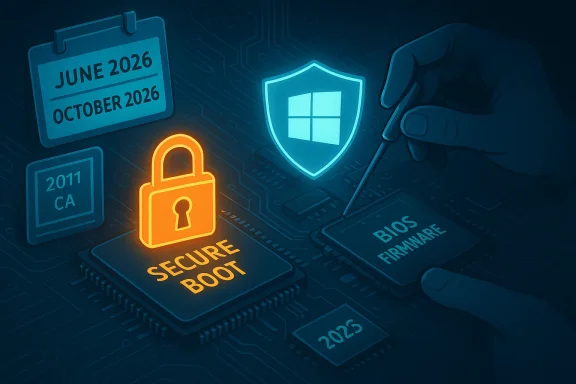
A glowing padlock over a circuit board represents Secure Boot, with BIOS firmware and a Windows shield nearby.Background / Overview​

Secure Boot is a UEFI firmware feature that enforces a cryptographic chain of trust during the earliest stages of system startup. Introduced as part of the Windows Secure Boot ecosystem in 2011 and required for Windows 11, Secure Boot prevents unsigned or malicious bootloaders, EFI applications, and option ROMs from loading before the operating system — an important defense against highly persistent, hard‑to‑detect threats that can survive operating‑system reinstalls.
Cryptographic certificates — the root trust anchors in Secure Boot databases — have built‑in expiration dates. Microsoft’s original set of certificates issued around 2011 (commonly referred to in documentation as the 2011 CAs) will begin to expire in June 2026, with one of the three key certificates running out of validity by October 2026. Microsoft and its OEM partners prepared a set of 2023 certificates to replace them and have been distributing those replacements in firmware on new devices and via Windows Update for many existing systems. But the rollout and eligibility are nuanced, and that nuance creates real risk for a nontrivial slice of Windows users.

What is expiring, exactly — the technical picture​

Which certificates and when​

Microsoft’s documentation lists three Microsoft-provided certificates historically present in Windows-based PC firmware:
  • Microsoft Corporation KEK CA 2011 — stored in the KEK (Key Exchange Key) firmware variable; expiration begins June 2026. It signs updates to the DB and DBX.
  • Microsoft Corporation UEFI CA 2011 — stored in the DB (Allowed Signature Database); expiration begins June 2026. It was used to sign third‑party boot loaders and EFI applications. Microsoft split its replacement into two 2023 certificates to give finer control.
  • Microsoft Windows Production PCA 2011 — stored in the DB and used for signing the Windows boot loader; expiration runs into October 2026.
To replace these, Microsoft issued the 2023 certificate family: Microsoft Corporation KEK 2K CA 2023 (KEK replacement), Windows UEFI CA 2023 (Windows boot loader signing), Microsoft UEFI CA 2023 and Microsoft Option ROM UEFI CA 2023 (splitting third‑party EFI apps and option ROM signing into two certificates). This split intentionally reduces the trust blast radius so OEMs and administrators can opt to trust option ROMs separately from third‑party boot loaders.

What “degraded security state” means​

If a device still contains the 2011 certificates and those certificates expire, the PC will continue to boot and existing software will run. But Microsoft warns these systems will no longer be able to receive future boot‑level protections — for example, updates to the Secure Boot revocation list (DBX), updated Windows Boot Manager images signed with the newer CA, and mitigations that target newly discovered early‑boot vulnerabilities. Over time, that progressively weakens the platform’s defenses against firmware and pre‑boot attacks — some of the most sophisticated and persistent threats an attacker can deploy.

Who is affected — scope and scale​

Windows 11 and new hardware​

Most Windows 11 systems and many devices manufactured since 2024 already include the 2023 certificates in firmware; Microsoft says consumers running Windows 11 will receive the certificate update via monthly Windows Update with no additional action required on typical consumer hardware. Newer PCs shipped in 2025 are largely provisioned with the 2023 certificates and won’t require owner intervention.

Windows 10 and the ESU edge case​

Windows 10 reached its end of mainstream support on October 14, 2025, at which point free monthly security updates and fixes ended for the general population. Microsoft is offering a Windows 10 Consumer Extended Security Updates (ESU) program that extends critical and important security updates through October 13, 2026, but enrollment and eligibility matter: the Secure Boot certificate updates will be delivered via Windows Update only to devices that are receiving current updates — which, for many Windows 10 PCs, means being enrolled in ESU. Microsoft’s consumer ESU program offers several enrollment methods (including a no‑cost path tied to syncing Microsoft account settings), but devices outside ESU will miss the certificate refresh delivered through the Windows update channel.
Statcounter snapshots show Windows 10 still accounts for a large portion of the desktop market (roughly mid‑30 percents worldwide in early 2026), so the number of affected devices is far from negligible. That makes this a broad consumer‑level issue, not just an enterprise corner case.

Other high‑risk groups​

  • Off‑line machines and isolated infrastructure appliances that do not receive regular Windows updates.
  • Servers, embedded devices, and specialized hardware with OEM firmware that may not accept the new 2023 certificates without a firmware update.
  • Managed fleets where administrators have disabled automatic updates or staged updates through update management tools and may not have applied the Microsoft‑delivered certificate packages to the firmware variables.

How Microsoft is addressing the problem​

Microsoft’s response is multi‑pronged:
  • Create a 2023 certificate family and a new Windows Boot Manager signed under the updated CA.
  • Distribute the replacement certificates in two primary ways: pre‑provisioned in firmware on new systems and delivered to many existing devices via Windows Update (rolling out in phases). Windows 11 systems are first in line and, in many cases, will need no user action.
  • Work with OEMs to issue firmware updates where firmware needs to accept the new trust anchors or provide a firmware hook to allow the OS to install the new entries. ASUS and other OEMs have guidance pages explaining BIOS/UEFI and update paths for their hardware.
Microsoft’s guidance emphasizes that most consumer devices with default update settings should be brought into compliance automatically, but it is equally clear that a nontrivial minority of systems — older devices, devices with customized firmware configurations, and devices kept offline — will require manual firmware updates or OEM intervention.

Practical risks and failure modes — what can go wrong​

  • Degradation of boot‑level defenses: Without the new certificates, devices cannot receive DBX revocations or boot manager updates tied to the 2023 CA. This increases exposure to newly discovered boot‑level vulnerabilities, potentially enabling attacks that persist under OS reinstalls.
  • Compatibility drift: Over time, new OS components, firmware updates, or Secure Boot–dependent software may be signed only with the newer CA, causing boot or application compatibility issues on devices still trusting the 2011 CAs.
  • Firmware update traps: Applying firmware updates often triggers BitLocker recovery screens if full‑disk encryption is enabled. Users who update UEFI/BIOS without suspending BitLocker or backing up their recovery key risk being locked out. Many OEM pages, including ASUS’s, warn about this and provide step‑by‑step notes.
  • Update delivery failures: Managed devices that block Microsoft update channels, or devices that lack up‑to‑date servicing stacks (for example, older Windows 10 revisions not upgraded to 22H2), may not be eligible for the certificate payloads. Enrollment in ESU, being on the correct Windows 10 feature update, and having the latest servicing stack are prerequisites in many cases.

What you should do now — a prioritized action checklist​

Below are pragmatic steps for consumers, power users, and IT admins, ordered to get the highest return on time and effort.
  • Check your support status and calendar dates: Windows 10 mainstream support ended October 14, 2025; consumer ESU is available through October 13, 2026. If you plan to keep using Windows 10 past October 14, 2025, enroll in ESU if you’re eligible.
  • Enable and apply all pending Windows Updates today: Microsoft is using monthly Windows updates to deliver certificate payloads to many systems; keeping Windows Update enabled is the least intrusive way to receive the fix. If Windows Update is blocked, work with your IT team or enable the update channel temporarily.
  • Verify Secure Boot certificate status in Windows Security (when available): Microsoft plans to surface certificate update status in the built‑in Windows Security app. Check the app’s device security section for Secure Boot and certificate messages after installing updates.
  • Back up BitLocker recovery keys before updating firmware: If your device uses BitLocker or device encryption, export or print your recovery key and suspend BitLocker before applying BIOS/UEFI updates. OEM pages and Microsoft guidance call this step out repeatedly — it’s the single most common support pitfall.
  • For Windows 10 users without ESU or incompatible hardware: plan to upgrade to a Windows 11‑capable device, or enroll in ESU for the interim. For older machines that cannot be upgraded due to hardware limits (TPM 2.0, CPU restrictions), you must weigh the cost of replacement hardware against the increased security risk.
  • For IT teams: inventory and triage. Identify devices that: (a) are offline, (b) run Windows 10 and are not enrolled in ESU, (c) have custom firmware settings, or (d) rely on third‑party boot loaders. Create a remediation plan that includes firmware updates, staged nonproduction testing, and BitLocker recovery key management. Consider controlling the rollout via WSUS or Intune and validate in a lab environment first.

Enterprise considerations — planning, testing, and remediation​

For enterprise IT administrators this is an operations problem as much as a security one. The keys to a clean transition are:
  • Inventory and reporting: Use management tooling to build an accurate inventory of firmware versions, Secure Boot configuration, and whether a device has already received the 2023 certificates.
  • Staged testing: Apply certificate updates and any firmware patches first in a controlled environment and test boot flows, BitLocker interactions, and third‑party software that uses Secure Boot trust.
  • Vendor coordination: Many systems will need OEM firmware updates to accept the new certificates. Track OEM advisories (ASUS, Dell, HP, Lenovo, etc.) and schedule firmware update windows that include BitLocker suspension steps.
  • Rollback plans and recovery keys: Document recovery processes, store BitLocker keys centrally (or instruct users how to retrieve them), and ensure technicians have the tools to recover and reimage machines if a firmware change triggers recovery.

Why Microsoft’s approach is reasonable — and where it falls short​

Microsoft’s certificate refresh is technically the right engineering approach: cryptographic anchors have finite lifetimes and must be rotated; the 2011 CAs were never intended to be permanent. The 2023 CA family includes logical improvements — splitting trust for option ROMs from boot loader signing reduces the scope of what any one certificate can validate and therefore reduces future risk exposure. The majority of modern devices are either already provisioned with the new certificates or will receive them automatically via Windows Update, which minimizes friction for average consumers.
However, the plan relies on a modern servicing pipeline that many Windows 10 systems no longer inhabit. Relying on ESU enrollment for Windows 10 consumers — a paid or controlled enrollment — to receive a crucial boot‑level security update raises distribution equity concerns. For users who deliberately avoid Microsoft accounts, who run older hardware that prohibits migration to Windows 11, or who keep machines offline, the path to staying protected is more burdensome. Microsoft and OEMs are both doing the right things technically, but the human and logistical gap remains and will need tactical fixes before the June 2026 inflection point.

Common questions — quick answers​

Will my PC stop working after the certificates expire?​

No. A device with expired 2011 certificates will continue to boot and run existing software, but it will be unable to receive new Secure Boot‑signed mitigations and revocations — leaving the system progressively more vulnerable to boot‑level threats.

Can I install the new certificates manually?​

On some platforms, BIOS/UEFI updates from OEMs will include the new certificates; Microsoft is also delivering certificate updates via Windows Update for many devices. Manual intervention — such as applying a firmware update or using vendor‑provided tools — may be required on some systems. Always back up your BitLocker key and follow OEM guidance.

If I’m on Windows 10, is ESU the only option?​

If you want Microsoft’s delivered certificate updates via Windows Update, devices must be receiving supported updates — on Windows 10 that generally means being enrolled in ESU. Otherwise, your options are to migrate to a Windows 11‑capable PC, acquire OEM firmware updates that provision the new 2023 certificates, or accept the longer‑term risk.

Final analysis: act now, but pragmatically​

This Secure Boot certificate refresh is not a dramatic software break — devices will keep working — but it represents a forward‑looking security requirement. The key risk is stealth: a system that appears normal on the desktop can be slowly losing its ability to accept future boot‑level protections, and by the time compatibility or exploitation problems appear it may be late and costly to remediate.
For most consumers with modern hardware and default Windows Update settings, the path is simple: keep Windows updated and check Windows Security for certificate status. For those running Windows 10 without ESU or on older hardware, it’s a pivotal moment: either enroll in ESU as a stopgap, plan for hardware replacement, or accept escalating security risk. Enterprises must treat this as a firmware lifecycle event — inventory, test, and coordinate firmware and BitLocker procedures before mid‑2026.
The good news is that the problem is understood, the replacement certificates exist, and Microsoft plus OEMs are actively deploying fixes. The less good news is that the operational work falls to millions of device owners and thousands of IT teams — and the calendar is unforgiving. If you care about preserving the strongest possible defenses against firmware‑level threats, make the update and recovery‑key backups your next item on the to‑do list.

Source: Mix93.3 Inside Story | Mix93.3 | Kansas City's #1 Hit Music Station | Kansas City, MO
 

Back
Top