

Microsoft’s 2011-era Secure Boot certificates begin expiring in June 2026, forcing Windows PCs, servers, and some virtual machines to move to Microsoft’s newer 2023 certificate chain through Windows Update, OEM firmware updates, or managed IT deployment before boot-level protections start to degrade. This is not a Y2K-style power-off event. It is more awkward: a quiet trust rollover at the firmware boundary, where Windows, device makers, Linux distributions, anti-cheat systems, recovery media, BitLocker, and old hardware all meet. The risk is not that every PC suddenly dies, but that unsupported and unmanaged machines become progressively harder to secure, service, and trust.
Secure Boot was one of those Windows 8-era technologies that arrived with more controversy than day-to-day drama. It promised to stop bootkits and other pre-operating-system malware by making the firmware verify that early boot components were signed by trusted authorities before allowing them to run. For most users, it became a setting buried in UEFI menus, remembered only when installing Windows 11, dual-booting Linux, or troubleshooting a motherboard that refused to start from a USB stick.
The catch is that Secure Boot depends on certificates, and certificates are not eternal. The Microsoft Corporation UEFI CA 2011, Microsoft Windows Production PCA 2011, and related keys were built for a long life, not an infinite one. Microsoft’s replacement trust anchors, including Windows UEFI CA 2023 and other 2023-era authorities, are now the path forward.
That makes 2026 the first truly mass-market Secure Boot rollover. The industry has rotated keys before, revoked vulnerable bootloaders, and dealt with incidents like BlackLotus, but this is different in scale. The PC ecosystem is being asked to update a foundational trust database across more than a decade of hardware, a sprawl of OEM firmware, and an enormous installed base of Windows 10 and Windows 11 machines.
Microsoft’s public line is carefully reassuring: many supported Windows devices will receive the new certificates automatically. That is probably true for current Windows 11 systems that are patched, healthy, and backed by OEM firmware that behaves as expected. But “many” is not “all,” and the gap between those two words is where home enthusiasts and IT departments need to pay attention.
The realistic version is subtler and more consequential. A machine that has not moved to the 2023 Secure Boot certificates may no longer be able to receive future Secure Boot protections for early boot components. That means updates to boot managers, firmware trust databases, revocation lists, and pre-OS security defenses can be impaired or withheld. In security terms, the device does not fall off a cliff; it starts walking away from the maintained road.
That matters because the boot path has become a favored place for attackers precisely because it sits below Windows. Modern endpoint security tools can watch processes, scan files, and enforce policies once the OS is running. They are less useful if the attacker has already compromised the handoff between firmware and the operating system.
The industry learned this lesson the hard way with vulnerabilities such as CVE-2023-24932 and the BlackLotus UEFI bootkit. Fixing that class of problem is not just a matter of shipping a new EXE. It requires updating boot components, adding new trust anchors, and eventually revoking old vulnerable paths. Secure Boot certificate expiration collides directly with that reality: if the firmware trust base is stale, the system’s ability to accept the next round of boot security work is weakened.
But Secure Boot is not just a Windows feature. It lives in UEFI firmware, and firmware has always been the least standardized part of the supposedly standardized PC. Different OEMs implement the same broad requirements differently. Older systems may have buggy update paths, storage quirks, outdated BIOS releases, or vendor utilities that have not been touched in years.
That is why Microsoft’s guidance keeps pointing back to OEMs. If a machine cannot accept the Secure Boot certificate update through normal Windows servicing, the fix may be a BIOS or firmware update from Dell, HP, Lenovo, Asus, Acer, Microsoft Surface, or another vendor. For recent business-class machines, that is an annoyance. For a 2014 ultrabook that still runs fine but has long since disappeared from the support matrix, it may be the end of the line.
Enterprise IT has an even less romantic version of the problem. Fleet managers do not get to assume that “Windows Update will handle it” across thousands of devices with different firmware levels, BitLocker policies, virtualization-based security settings, docking stations, recovery partitions, and remote workers. A certificate update that touches boot trust has to be tested like a firmware change, because operationally that is what it resembles.
Microsoft’s own warnings reflect that. Higher-risk scenarios include BitLocker recovery prompts, boot hangs, Secure Boot validation failures, and devices that need OEM intervention. Those outcomes may be rare, but rare at enterprise scale still means tickets, escalations, emergency hands-on support, and angry executives whose laptops chose the wrong morning to rediscover UEFI.
That distinction matters. Microsoft has said unsupported Windows versions do not receive the new certificates through Windows updates. Windows 10 devices enrolled in Extended Security Updates should be in a better position, while Windows 10 devices outside ESU should not be expected to receive the same Secure Boot certificate remediation.
This creates a familiar but uncomfortable dynamic. A PC can be technically capable, environmentally preferable to keep, and perfectly adequate for a user’s workload — yet still be outside the supported security path because it cannot officially run Windows 11 or because its owner did not enroll in ESU. Secure Boot’s certificate rollover becomes another pressure point in Microsoft’s broader campaign to move the installed base forward.
Critics will see this as more forced obsolescence, and not without reason. Windows 11’s hardware requirements already left a large number of otherwise usable PCs on the wrong side of the line. The Secure Boot rollover does not single-handedly make those machines useless, but it reinforces the message: old Windows PCs may keep functioning, but they are no longer first-class citizens in Microsoft’s security ecosystem.
There is an important nuance, though. Certificate expiration is not a trick invented to sell laptops. Trust anchors really do need lifetimes. Old signing chains really do accumulate risk. The problem is not that Microsoft is refreshing Secure Boot; the problem is that the PC industry spent 15 years shipping devices whose firmware support often expired long before the hardware did.
If the system reports that the 2023 certificate is present, most home users can stop worrying and keep updating normally. If it does not, the next move is not panic; it is maintenance. Install current Windows updates, reboot fully, check optional firmware updates, and visit the OEM support page for BIOS or UEFI updates tied to Secure Boot certificate migration.
The more difficult case is the machine that is supported by Windows but ignored by its OEM. Some systems may be able to receive the certificate update through Windows’ own Secure Boot update task and registry-triggered deployment path. Others may require firmware fixes that never arrive. The difference will not be obvious from the age of the PC alone.
This is where community forums will become unusually important. The official matrix from OEMs will tell part of the story, but the real-world map will be filled in by users testing specific models, BIOS revisions, storage configurations, and dual-boot setups. A ThinkPad from one generation may sail through. A gaming desktop of the same vintage may need a motherboard update. A mini PC from a short-lived vendor may simply have no path.
For Linux users, the practical risk is not that every dual-boot machine suddenly rejects Linux. Existing signatures and existing firmware databases complicate the picture, and major distributions have been preparing for the transition. The risk is mismatched timing: new hardware that trusts only newer certificates, older installation media signed through older chains, or firmware configurations that behave differently depending on which CAs are present.
Recovery media deserves special attention. IT departments and power users often keep old Windows installation USB drives, WinPE tools, backup restore media, and vendor diagnostics around for years. That habit is convenient until Secure Boot refuses to trust the thing you need during an outage. Updating bootable media to use newer boot managers and signing chains is not glamorous work, but it is exactly the kind of maintenance that prevents a bad afternoon from becoming a lost weekend.
Gamers may feel the issue through anti-cheat systems. Some modern anti-cheat products lean on Secure Boot as part of their platform integrity checks. If a PC falls into an ambiguous or degraded Secure Boot state, the first symptom for a home user may not be a Windows warning; it may be a game that refuses to launch or a driver stack that behaves unpredictably.
That is the defining feature of this deadline. The certificate rollover is technically narrow, but the trust chain it touches is broad. Boot security is the first domino in a line that includes operating systems, drivers, virtualization, encryption, recovery, compliance, and software that wants proof the machine has not been tampered with before Windows starts.
A sensible enterprise plan starts with inventory. IT needs to know which devices have Secure Boot enabled, which have the 2023 certificates, which firmware versions are deployed, which models are still inside OEM support, and which machines are running Windows 10 under ESU. That inventory should include virtual machines and server platforms, not just employee laptops.
The second step is ring-based deployment. Secure Boot updates should be tested on representative hardware before they are pushed broadly, especially where BitLocker, VBS, Credential Guard, device control, or custom recovery processes are in use. Microsoft’s guidance repeatedly emphasizes phased rollout for a reason: boot chain changes are unforgiving when they fail.
The third step is communications. Users do not need a lecture on PK, KEK, DB, and DBX, but they do need to know that extra reboots may be required and that a BitLocker recovery prompt should be reported rather than improvised around. Help desks need scripts. Field technicians need model-specific notes. Security teams need dashboards that distinguish “not yet updated” from “blocked” from “unsupported.”
The final step is disposal planning, and this is where the conversation becomes less technical and more political. If a device cannot receive the 2023 Secure Boot certificates and is outside Windows support, keeping it in service becomes a conscious risk decision. For a lab machine on an isolated network, that may be acceptable. For a laptop with customer data, it should not be.
If the status is not healthy, look for firmware updates from your PC or motherboard maker. Laptop users should search by exact model number, not just brand. Desktop builders should check the motherboard vendor, not the CPU or GPU vendor. Surface owners should use Microsoft’s Surface firmware channels.
Windows 10 users have a harder decision. If the PC can upgrade to Windows 11, this is another reason to do it. If it cannot, ESU buys time, but not a future. Running unsupported Windows 10 after October 2025 was already a risk; running it through a Secure Boot trust transition makes that risk more concrete.
The worst response is to disable Secure Boot because a forum post makes the warning go away. That may be a useful troubleshooting step in some niche cases, but it is not a fix. Disabling the guardrail because the guardrail needs maintenance is how old PCs drift from “still useful” into “quietly unsafe.”
Secure Boot certificate expiration exposes that mismatch. The PC industry sold Secure Boot as a durable foundation of trust, but too much of that foundation depends on firmware support practices that were never designed around 15-year ownership. Consumers keep machines longer than OEM planning models assume. Schools, charities, small businesses, and hobbyists keep them longer still.
That does not mean Microsoft should keep 2011 certificates alive forever. Security systems that never rotate their trust anchors eventually become liabilities. The better lesson is that security architecture must account for the real world of old but functioning hardware, and the real world needs clearer lifecycle promises from vendors that ship firmware-bound trust.
If the Windows ecosystem gets through this smoothly, it will be because Microsoft, OEMs, Linux vendors, enterprise admins, and users all do small unglamorous things on time. If it goes badly, it will not look like one giant outage. It will look like scattered boot failures, unsupported devices, recovery media surprises, BitLocker loops, gaming complaints, and frustrated owners discovering that a PC can be operational and abandoned at the same time.
Source: Windows Central https://www.windowscentral.com/microsoft/windows/secure-boot-certificates-expire-how-to-check/
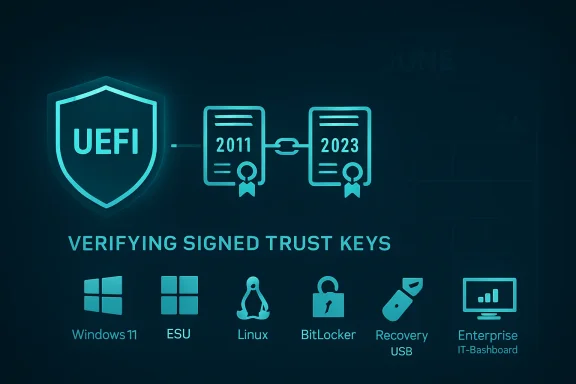 The PC’s Chain of Trust Has Reached Its Expiration Date
Secure Boot was one of those Windows 8-era technologies that arrived with more controversy than day-to-day drama. It promised to stop bootkits and other pre-operating-system malware by making the firmware verify that early boot components were signed by trusted authorities before allowing them to run. For most users, it became a setting buried in UEFI menus, remembered only when installing Windows 11, dual-booting Linux, or troubleshooting a motherboard that refused to start from a USB stick.The catch is that Secure Boot depends on certificates, and certificates are not eternal. The Microsoft Corporation UEFI CA 2011, Microsoft Windows Production PCA 2011, and related keys were built for a long life, not an infinite one. Microsoft’s replacement trust anchors, including Windows UEFI CA 2023 and other 2023-era authorities, are now the path forward.
That makes 2026 the first truly mass-market Secure Boot rollover. The industry has rotated keys before, revoked vulnerable bootloaders, and dealt with incidents like BlackLotus, but this is different in scale. The PC ecosystem is being asked to update a foundational trust database across more than a decade of hardware, a sprawl of OEM firmware, and an enormous installed base of Windows 10 and Windows 11 machines.
Microsoft’s public line is carefully reassuring: many supported Windows devices will receive the new certificates automatically. That is probably true for current Windows 11 systems that are patched, healthy, and backed by OEM firmware that behaves as expected. But “many” is not “all,” and the gap between those two words is where home enthusiasts and IT departments need to pay attention.
This Is Not a Shutdown Deadline, but It Is a Security Deadline
The most important thing to say plainly is that an affected PC is not expected to stop booting at midnight when a certificate expires. Microsoft’s own guidance says devices may continue to start and continue receiving ordinary Windows updates. The scary version of this story — June arrives, millions of PCs brick themselves — is not the realistic one.The realistic version is subtler and more consequential. A machine that has not moved to the 2023 Secure Boot certificates may no longer be able to receive future Secure Boot protections for early boot components. That means updates to boot managers, firmware trust databases, revocation lists, and pre-OS security defenses can be impaired or withheld. In security terms, the device does not fall off a cliff; it starts walking away from the maintained road.
That matters because the boot path has become a favored place for attackers precisely because it sits below Windows. Modern endpoint security tools can watch processes, scan files, and enforce policies once the OS is running. They are less useful if the attacker has already compromised the handoff between firmware and the operating system.
The industry learned this lesson the hard way with vulnerabilities such as CVE-2023-24932 and the BlackLotus UEFI bootkit. Fixing that class of problem is not just a matter of shipping a new EXE. It requires updating boot components, adding new trust anchors, and eventually revoking old vulnerable paths. Secure Boot certificate expiration collides directly with that reality: if the firmware trust base is stale, the system’s ability to accept the next round of boot security work is weakened.
Microsoft’s Automation Will Help, but Firmware Is Still Firmware
Microsoft has built a staged process to move devices from the 2011 certificates to the 2023 certificates. On consumer PCs, the preferred outcome is boring: Windows Update delivers the necessary servicing pieces, the system applies the Secure Boot database changes, the user reboots, and the Windows Security app eventually reports that the certificate status is healthy. Boring is good. Boring is how a trust migration of this size avoids becoming a support disaster.But Secure Boot is not just a Windows feature. It lives in UEFI firmware, and firmware has always been the least standardized part of the supposedly standardized PC. Different OEMs implement the same broad requirements differently. Older systems may have buggy update paths, storage quirks, outdated BIOS releases, or vendor utilities that have not been touched in years.
That is why Microsoft’s guidance keeps pointing back to OEMs. If a machine cannot accept the Secure Boot certificate update through normal Windows servicing, the fix may be a BIOS or firmware update from Dell, HP, Lenovo, Asus, Acer, Microsoft Surface, or another vendor. For recent business-class machines, that is an annoyance. For a 2014 ultrabook that still runs fine but has long since disappeared from the support matrix, it may be the end of the line.
Enterprise IT has an even less romantic version of the problem. Fleet managers do not get to assume that “Windows Update will handle it” across thousands of devices with different firmware levels, BitLocker policies, virtualization-based security settings, docking stations, recovery partitions, and remote workers. A certificate update that touches boot trust has to be tested like a firmware change, because operationally that is what it resembles.
Microsoft’s own warnings reflect that. Higher-risk scenarios include BitLocker recovery prompts, boot hangs, Secure Boot validation failures, and devices that need OEM intervention. Those outcomes may be rare, but rare at enterprise scale still means tickets, escalations, emergency hands-on support, and angry executives whose laptops chose the wrong morning to rediscover UEFI.
Windows 10 Makes the Rollover a Support Policy Story
The Secure Boot certificate deadline would be complicated enough if every affected PC were running a supported version of Windows. They are not. Windows 10 reached the end of mainstream consumer support on October 14, 2025, and Microsoft’s Extended Security Updates program is now the dividing line between “old but still serviced” and “old and increasingly alone.”That distinction matters. Microsoft has said unsupported Windows versions do not receive the new certificates through Windows updates. Windows 10 devices enrolled in Extended Security Updates should be in a better position, while Windows 10 devices outside ESU should not be expected to receive the same Secure Boot certificate remediation.
This creates a familiar but uncomfortable dynamic. A PC can be technically capable, environmentally preferable to keep, and perfectly adequate for a user’s workload — yet still be outside the supported security path because it cannot officially run Windows 11 or because its owner did not enroll in ESU. Secure Boot’s certificate rollover becomes another pressure point in Microsoft’s broader campaign to move the installed base forward.
Critics will see this as more forced obsolescence, and not without reason. Windows 11’s hardware requirements already left a large number of otherwise usable PCs on the wrong side of the line. The Secure Boot rollover does not single-handedly make those machines useless, but it reinforces the message: old Windows PCs may keep functioning, but they are no longer first-class citizens in Microsoft’s security ecosystem.
There is an important nuance, though. Certificate expiration is not a trick invented to sell laptops. Trust anchors really do need lifetimes. Old signing chains really do accumulate risk. The problem is not that Microsoft is refreshing Secure Boot; the problem is that the PC industry spent 15 years shipping devices whose firmware support often expired long before the hardware did.
The Check Is Simple; the Interpretation Is Not
For enthusiasts, the first step is straightforward: check whether the new certificates are already present. Microsoft and community guides commonly point to PowerShell queries usingGet-SecureBootUEFI to inspect the Secure Boot database and look for strings such as Windows UEFI CA 2023. Newer Windows Security builds are also beginning to surface certificate status more directly, which is the right place for this information to live.If the system reports that the 2023 certificate is present, most home users can stop worrying and keep updating normally. If it does not, the next move is not panic; it is maintenance. Install current Windows updates, reboot fully, check optional firmware updates, and visit the OEM support page for BIOS or UEFI updates tied to Secure Boot certificate migration.
The more difficult case is the machine that is supported by Windows but ignored by its OEM. Some systems may be able to receive the certificate update through Windows’ own Secure Boot update task and registry-triggered deployment path. Others may require firmware fixes that never arrive. The difference will not be obvious from the age of the PC alone.
This is where community forums will become unusually important. The official matrix from OEMs will tell part of the story, but the real-world map will be filled in by users testing specific models, BIOS revisions, storage configurations, and dual-boot setups. A ThinkPad from one generation may sail through. A gaming desktop of the same vintage may need a motherboard update. A mini PC from a short-lived vendor may simply have no path.
Linux, Recovery Media, and Anti-Cheat All Live in the Blast Radius
Windows is the center of this story, but it is not the whole story. Secure Boot also affects third-party bootloaders, option ROMs, Linux shims, recovery environments, imaging tools, and certain anti-cheat systems that care deeply about the integrity of the boot chain. Anything that relies on Microsoft’s UEFI signing ecosystem has to reckon with the 2011-to-2023 transition.For Linux users, the practical risk is not that every dual-boot machine suddenly rejects Linux. Existing signatures and existing firmware databases complicate the picture, and major distributions have been preparing for the transition. The risk is mismatched timing: new hardware that trusts only newer certificates, older installation media signed through older chains, or firmware configurations that behave differently depending on which CAs are present.
Recovery media deserves special attention. IT departments and power users often keep old Windows installation USB drives, WinPE tools, backup restore media, and vendor diagnostics around for years. That habit is convenient until Secure Boot refuses to trust the thing you need during an outage. Updating bootable media to use newer boot managers and signing chains is not glamorous work, but it is exactly the kind of maintenance that prevents a bad afternoon from becoming a lost weekend.
Gamers may feel the issue through anti-cheat systems. Some modern anti-cheat products lean on Secure Boot as part of their platform integrity checks. If a PC falls into an ambiguous or degraded Secure Boot state, the first symptom for a home user may not be a Windows warning; it may be a game that refuses to launch or a driver stack that behaves unpredictably.
That is the defining feature of this deadline. The certificate rollover is technically narrow, but the trust chain it touches is broad. Boot security is the first domino in a line that includes operating systems, drivers, virtualization, encryption, recovery, compliance, and software that wants proof the machine has not been tampered with before Windows starts.
Enterprises Should Treat This Like a Firmware Program, Not a Patch Tuesday Errand
For business environments, the worst plan is to wait for Windows Update to make the problem disappear. It probably will for many devices. It will not for all devices, and the exceptions are the devices that define the outage.A sensible enterprise plan starts with inventory. IT needs to know which devices have Secure Boot enabled, which have the 2023 certificates, which firmware versions are deployed, which models are still inside OEM support, and which machines are running Windows 10 under ESU. That inventory should include virtual machines and server platforms, not just employee laptops.
The second step is ring-based deployment. Secure Boot updates should be tested on representative hardware before they are pushed broadly, especially where BitLocker, VBS, Credential Guard, device control, or custom recovery processes are in use. Microsoft’s guidance repeatedly emphasizes phased rollout for a reason: boot chain changes are unforgiving when they fail.
The third step is communications. Users do not need a lecture on PK, KEK, DB, and DBX, but they do need to know that extra reboots may be required and that a BitLocker recovery prompt should be reported rather than improvised around. Help desks need scripts. Field technicians need model-specific notes. Security teams need dashboards that distinguish “not yet updated” from “blocked” from “unsupported.”
The final step is disposal planning, and this is where the conversation becomes less technical and more political. If a device cannot receive the 2023 Secure Boot certificates and is outside Windows support, keeping it in service becomes a conscious risk decision. For a lab machine on an isolated network, that may be acceptable. For a laptop with customer data, it should not be.
Home Users Need Less Drama and More Maintenance
For ordinary Windows users, the advice is less elaborate but no less urgent. Keep Windows updated, do not defer reboots forever, and check the Windows Security app or PowerShell status once Microsoft’s certificate status indicators are available on your machine. If the status is healthy, move on with your life.If the status is not healthy, look for firmware updates from your PC or motherboard maker. Laptop users should search by exact model number, not just brand. Desktop builders should check the motherboard vendor, not the CPU or GPU vendor. Surface owners should use Microsoft’s Surface firmware channels.
Windows 10 users have a harder decision. If the PC can upgrade to Windows 11, this is another reason to do it. If it cannot, ESU buys time, but not a future. Running unsupported Windows 10 after October 2025 was already a risk; running it through a Secure Boot trust transition makes that risk more concrete.
The worst response is to disable Secure Boot because a forum post makes the warning go away. That may be a useful troubleshooting step in some niche cases, but it is not a fix. Disabling the guardrail because the guardrail needs maintenance is how old PCs drift from “still useful” into “quietly unsafe.”
The June Deadline Exposes the Real Cost of Long-Lived PCs
There is a tension at the heart of modern Windows. Microsoft wants Windows to behave like a continuously serviced platform, but PCs remain physical objects with firmware, batteries, ports, GPUs, storage controllers, and vendor-specific support lifespans. Windows Update can service the operating system for years. It cannot manufacture a new BIOS for a forgotten motherboard.Secure Boot certificate expiration exposes that mismatch. The PC industry sold Secure Boot as a durable foundation of trust, but too much of that foundation depends on firmware support practices that were never designed around 15-year ownership. Consumers keep machines longer than OEM planning models assume. Schools, charities, small businesses, and hobbyists keep them longer still.
That does not mean Microsoft should keep 2011 certificates alive forever. Security systems that never rotate their trust anchors eventually become liabilities. The better lesson is that security architecture must account for the real world of old but functioning hardware, and the real world needs clearer lifecycle promises from vendors that ship firmware-bound trust.
If the Windows ecosystem gets through this smoothly, it will be because Microsoft, OEMs, Linux vendors, enterprise admins, and users all do small unglamorous things on time. If it goes badly, it will not look like one giant outage. It will look like scattered boot failures, unsupported devices, recovery media surprises, BitLocker loops, gaming complaints, and frustrated owners discovering that a PC can be operational and abandoned at the same time.
The Machines That Update Quietly Are the Ones That Win June
The practical path through this is not complicated, but it does require acting before the deadline rather than diagnosing after it. The right outcome is a boring one: the new certificates are installed, firmware accepts them, Windows keeps servicing boot components, and the user never has to learn what a Secure Boot database is.- Supported Windows 11 PCs should generally receive the new Secure Boot certificates through normal servicing, but users should still confirm their status after updates land.
- Windows 10 machines need special scrutiny because only supported or ESU-enrolled systems should be expected to receive the necessary certificate updates.
- Older systems may require OEM BIOS or UEFI updates before Windows can complete the Secure Boot certificate transition reliably.
- IT departments should inventory certificate status, firmware levels, BitLocker exposure, and recovery media before treating this like an ordinary monthly patch.
- Users should update bootable USB media, recovery tools, and installation images so emergency repairs do not fail at the firmware trust boundary.
- Disabling Secure Boot may hide a symptom, but it does not solve the underlying loss of boot-level protection.
Source: Windows Central https://www.windowscentral.com/microsoft/windows/secure-boot-certificates-expire-how-to-check/
