

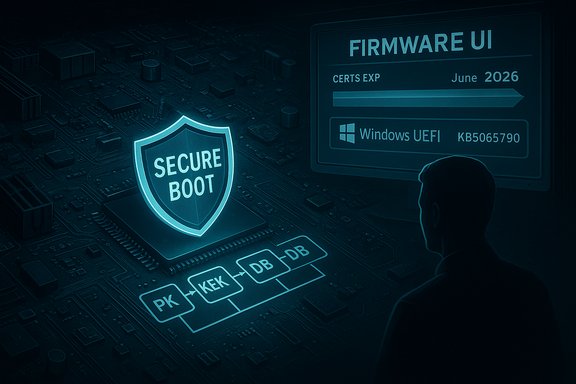
Microsoft’s September preview update for Windows 11, KB5065790 (Build 22631.5984), is routine on the surface—a compact, non‑security “C” release with a handful of reliability fixes—but it carries a far more consequential follow‑on: Microsoft warns that Secure Boot certificates issued around 2011 will begin expiring in mid‑2026, and that devices which do not receive the replacement 2023 certificate family before those cutoff dates could lose the ability to receive pre‑boot security updates or, in some configurations, fail Secure Boot validation entirely.
Source: Microsoft Support September 23, 2025—KB5065790 (OS Build 22631.5984) Preview - Microsoft Support
 Background
What KB5065790 actually is
KB5065790 is a Release Preview (optional preview) quality update published on September 23, 2025 for Windows 11, version 23H2, appearing as OS Build 22631.5984 in the Release Preview channel. The package focuses on targeted stability and compatibility fixes—not feature additions—and is intended for validation before the fixes are folded into mainstream monthly rollups. The build notes call out fixes for a SIM‑PIN sign‑in hang on WWAN/eSIM devices, multi‑monitor Remote Desktop/docking shutdowns, Chinese IME rendering glitches, shared‑printer queue crashes and related reliability items.Why the Secure Boot advisory matters
Bundled with those ordinary preview notes is an extraordinary platform‑level advisory: Microsoft’s Secure Boot signing certificates (the CA family initially provisioned around 2011) are time‑bound, and several of them are scheduled to start expiring in June 2026, with an additional Windows boot‑manager signing certificate expiring later in October 2026. Microsoft and ecosystem partners are rolling a 2023 CA family to replace those expiring certificates, but the update is not purely an OS rollout—firmware/UEFI variables (KEK/DB/DBX) and OEM firmware readiness are central to success. Devices that do not transition to the 2023 certificates risk losing the ability to receive Secure Boot and Boot Manager security updates, and in some strict firmware policy scenarios may refuse to validate or boot new signed pre‑OS components.Overview: Secure Boot, keys, and the certificate lifecycle
How Secure Boot trust is anchored
Secure Boot enforces a cryptographic chain of trust in UEFI firmware. That trust chain relies on several key platform variables:- PK (Platform Key) — controlled by OEMs to delegate who can update KEK.
- KEK (Key Exchange Key) — used to authenticate updates to the DB and DBX.
- DB (Allowed Signature Database) — certificates and hashes the firmware should accept.
- DBX (Revoked Signature Database) — revoked certificates/hash entries the firmware must refuse.
Which certificates are expiring (concrete mapping)
Microsoft identifies three main 2011 certificates that are affected and the 2023 replacements:- Microsoft Corporation KEK CA 2011 — expires June 2026 → replacement: Microsoft Corporation KEK CA 2023 (stored in KEK, used to sign DB/DBX updates).
- Microsoft UEFI CA 2011 — expires June 2026 → replacements: Microsoft UEFI CA 2023 and Microsoft Option ROM UEFI CA 2023 (stored in DB, used to sign third‑party bootloaders and option ROMs).
- Microsoft Windows Production PCA 2011 — expires October 2026 → replacement: Windows UEFI CA 2023 (stored in DB, used to sign the Windows boot manager and boot components).
What Microsoft and the ecosystem will (and will not) do
Microsoft’s rollout model
Microsoft has published guidance and an FAQ describing a staged, multi‑step replacement process:- Roll OS‑side packages that add the new 2023 certificates into the appropriate DB/KEK locations when possible.
- Deploy a boot manager signed by the new Windows UEFI CA 2023.
- Optionally add DBX revocations for the 2011 certificates at a later stage (a step that must be sequenced carefully because DBX entries are effectively permanent on many platforms).
- Use Secure Version Number (SVN) protections and coordinated firmware updates to prevent rollback to unsafe states.
OEM responsibility and firmware readiness
OEM firmware is the single largest operational variable. If firmware disallows OS‑initiated variable writes, or if the OEM has not supplied a firmware image that includes or accepts the new 2023 certificates, the OS cannot complete the rotation. OEMs (big vendors and motherboard manufacturers) are releasing vendor‑specific BIOS/UEFI updates and platform advisories; administrators must coordinate with OEMs to confirm supported models and minimum firmware versions that allow the transition. HP has published explicit per‑platform guidance and lists of minimum BIOS versions, underlining that vendor coordination is mandatory for many enterprise fleets.Operational impact and worst‑case scenarios
Realistic worst‑case outcomes
- Devices that do not receive the new 2023 CAs before the 2011 CAs expire will stop receiving Secure Boot and Windows Boot Manager security updates, exposing them to boot‑level vulnerabilities and compliance failures.
- In strict Secure Boot configurations, failing to validate a new, legitimately signed pre‑boot component can cause the firmware to refuse to boot that component, which in rare but real cases may result in devices that cannot boot without intervention.
- Improper sequencing—accepting DBX revocations before ensuring all bootable components are signed by the new CAs and distributed—could render certain recovery media, third‑party bootloaders, or older bootable images unusable. Revocations in DBX can be practically non‑reversible on many devices.
Which environments are highest risk
- Air‑gapped and highly regulated systems that do not accept Microsoft’s managed Windows Update rollouts.
- Locked‑down enterprise devices with firmware policies that disallow OS‑initiated UEFI variable changes.
- Older platforms and unsupported models where OEMs have not published firmware updates.
- Mixed‑OS boot scenarios (dual‑boot with Linux) where third‑party shim and bootloader signing relationships may be affected if the firmware does not include the new UEFI CA entries.
Concrete verification and cross‑checks (what we confirmed)
- KB5065790 is a September 23, 2025 Release Preview cumulative preview for Windows 11 with Build 22631.5984 behavior and the reliability fixes described in the Insider blog and release history.
- Microsoft’s Secure Boot certificate guidance and FAQ map the expiring 2011 certificates to a 2023 replacement family and provide the June 2026 and October 2026 expiry windows.
- Multiple OEMs (for example HP) and independent technical outlets have documented the certificate mapping and per‑platform firmware requirements, confirming Microsoft’s published timeline and the requirement for OEM firmware coordination.
Immediate checklist: what to do now (for admins and advanced users)
- Inventory and triage
- Capture a list of devices with Secure Boot enabled; record OEM, model, firmware/BIOS version, and whether UEFI variable writes are allowed. Tools and scripts that query SMBIOS/UEFI variables can help automate this collection.
- Verify update channels
- Ensure consumer devices that rely on Microsoft’s managed rollout have Windows Update enabled and aren’t blocking Microsoft’s certificate updates via telemetry/diagnostic settings or enterprise policies.
- Contact OEMs and map firmware readiness
- For all supported models, obtain OEM guidance on required BIOS/UEFI updates and apply vendor firmware patches that explicitly state readiness for the 2023 CA family. Keep a per‑model minimum firmware version inventory.
- Pilot early and safely
- Select representative hosts (WWAN/docked systems, dual‑boot test machines, recovery‑media images) and apply Microsoft’s OS‑side certificate updates and updated boot manager packages in a controlled ring. Monitor boot behavior, BitLocker prompts, Hyper‑V/VM images and physical media boots over 48–72 hours.
- Prepare offline deployment artifacts
- For air‑gapped or managed scenarios, obtain the MSU packages from the Microsoft Update Catalog, verify hashes, and build deployment scripts for WUSA/DISM offline installs. Document exact package names and images used.
- Validate recovery media and images
- Re‑build and re‑sign any bootable ISOs, network PXE/HTTP images, USB recovery media and ISO images using the new Windows UEFI CA 2023 boot manager, and validate that media boots on patched and unpatched firmware.
- Sequence revocations carefully
- Do not apply DBX entries that revoke the 2011 CA until every supported platform is confirmed to accept and trust the 2023 CA and all images and third‑party bootloaders have been re‑signed. DBX changes can be effectively permanent.
- Monitor and document
- Add monitoring for pre‑boot and BitLocker recovery events post‑rollout. Keep detailed runbooks and rollback procedures (including system images) ready.
Step‑by‑step technical actions and verification commands
- Check current Windows build:
- Run winver and confirm the baseline (e.g., 22631.x for 23H2).
- Download offline package:
- Use the Microsoft Update Catalog to locate and download KB5065790 MSU for the appropriate SKU/architecture.
- Verify downloaded package:
- Get‑FileHash -Path C:\path\to\file.msu -Algorithm SHA256 and compare to vendor‑published hash where available.
- Install offline (interactive or silent):
- Interactive: double‑click the .msu.
- Silent: wusa.exe C:\path\to\windows11.0-kb5065790.msu /quiet /norestart
- Offline image servicing: DISM /Online /Add‑Package /PackagePath:C:\path\to\file.msu.
- Validate firmware variables and certificate presence:
- Use UEFI management tooling (platform/UEFI vendor tools or PowerShell UEFI cmdlets where available) to inspect KEK/DB entries and confirm the presence of 2023 CA entries after the update. Where platform tooling is absent, test boot behavior with updated boot media as a practical validation.
Risk analysis and critical caveats
Strengths of Microsoft’s approach
- Staged, documented rollout with an explicit FAQ and enterprise deployment guidance reduces ambiguity for admins and provides managed and offline workflows.
- Consumer devices that accept Windows Update and allow OS‑initiated UEFI writes will, in many cases, be updated automatically, reducing manual work for home users.
Key risks and limits
- OEM firmware timing is the wild card. Microsoft can ship OS‑side changes, but many devices require vendor firmware updates to accept the new CA family. The pace of OEM rollouts and the breadth of supported models determine the operational risk for each organization.
- DBX revocation sequencing is critical. Applying revocations prematurely can leave valid, re‑signed images unbootable. Plan revocations only after broad verification.
- Air‑gapped and locked systems need manual workflows. Those environments must adopt offline MSU/DISM processes and coordinate with OEMs for firmware updates long before the expiry windows.
- Rollback complexity. SSUs are permanent and DB/DBX changes may be irreversible on many platforms; maintain full images and recovery media.
Unverifiable or speculative points to avoid
- Broad public claims about a specific OEM’s readiness state, or precise percentages of devices that will fail without updates, are not verifiable without OEM telemetry. Treat model‑level impact claims that are not backed by vendor advisories as speculative and do in‑house testing instead.
Practical timeline and project plan (recommended)
- Immediately (this month)
- Inventory devices, identify air‑gapped and locked fleets. Contact OEMs for per‑model guidance. Begin pilot planning.
- Next 30–90 days
- Execute pilot ring updates (OS + firmware where required), validate boot media and recovery images, and expand pilot to representative workloads.
- Before June 2026
- Achieve broad deployment of 2023 CA family on consumer and managed devices that can accept OS updates. Confirm that critical recovery media, ISOs and PXE images boot with the new boot manager.
- Between June and October 2026
- Complete remaining migrations; coordinate any DBX revocation scheduling only after verification. Ensure Windows boot manager updates signed by Windows UEFI CA 2023 are in place before October 2026.
Bottom line
KB5065790 itself is a small preview release that fixes concrete reliability problems for specific user cohorts, but the broader advisory that accompanied it is a significant platform maintenance event: multiple Microsoft‑supplied Secure Boot certificates issued in 2011 will expire in 2026 and must be replaced by the 2023 CA family to preserve the ability to deliver pre‑boot security updates. The technical facts and timelines are documented by Microsoft, echoed in OEM advisories, and corroborated by independent reporting. This is an operational problem, not a purely software one—OEM firmware readiness and careful sequencing of certificate and boot manager updates determine whether the transition is seamless or disruptive. Administrators and advanced users should treat the Secure Boot certificate rotation as a planned security lifecycle event: inventory, coordinate with OEMs, pilot early, validate recovery media, and stage rollouts rather than rush a one‑step revocation. The clock is real: begin planning now to avoid surprises when the June–October 2026 expiry windows arrive.Source: Microsoft Support September 23, 2025—KB5065790 (OS Build 22631.5984) Preview - Microsoft Support
