

After every clean Windows reinstall I reach for the exact same seven free utilities before I do anything else — because they plug gaps Microsoft still hasn’t filled, keep the system feeling snappy, and restore a productive workflow in minutes rather than hours.
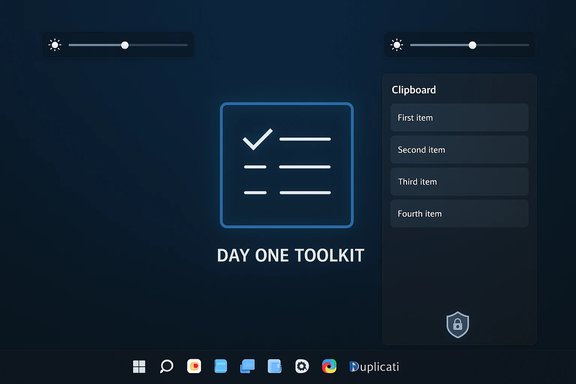
Clean installs are an opportunity to start fresh: fewer background services, less cruft, and the chance to re-evaluate what truly belongs on a machine. For many power users the first hour after a fresh Windows install is about solving a handful of recurring annoyances: external monitor brightness control, brittle Explorer search, fragile backups, clumsy clipboard history, mediocre screenshot tools, flaky cross-device file sharing, and a fast keyboard-driven launcher. The MakeUseOf checklist that inspired this column recommends seven free apps — Monitorian, Listary, Duplicati, Blip, Ditto, ShareX, and Raycast — that together address those exact pain points.
This piece verifies the most important technical claims about each app, cross-references vendor and community information, highlights strengths and shortcomings, and gives a practical, security-minded day‑one playbook for anyone doing a clean Windows install.
If nothing else, this curated toolkit proves a simple principle: small, focused utilities that solve concrete problems will often beat bundled features for daily productivity — provided you install them deliberately, configure them securely, and keep a rollback plan handy.
Source: MakeUseOf I refuse to use a fresh Windows install without these 7 free apps
 Background / Overview
Clean installs are an opportunity to start fresh: fewer background services, less cruft, and the chance to re-evaluate what truly belongs on a machine. For many power users the first hour after a fresh Windows install is about solving a handful of recurring annoyances: external monitor brightness control, brittle Explorer search, fragile backups, clumsy clipboard history, mediocre screenshot tools, flaky cross-device file sharing, and a fast keyboard-driven launcher. The MakeUseOf checklist that inspired this column recommends seven free apps — Monitorian, Listary, Duplicati, Blip, Ditto, ShareX, and Raycast — that together address those exact pain points.This piece verifies the most important technical claims about each app, cross-references vendor and community information, highlights strengths and shortcomings, and gives a practical, security-minded day‑one playbook for anyone doing a clean Windows install.
Why these seven? The high‑level value proposition
- They fix frequent, high-friction problems that add up to wasted minutes (or hours) per week.
- Each tool is lightweight and focused, minimizing resource creep compared with installing several monolithic suites.
- Most are open-source or have transparent update channels, easing trust and auditing.
- They are scriptable or automatable (winget/Ninite), which makes repeatable setups possible for technicians and enthusiasts.
Monitorian — external monitor brightness and contrast, fast
What it does and why it matters
Monitorian provides a system-tray brightness slider for each connected display and can change brightness and contrast per monitor using DDC/CI, something Windows does not expose natively for most external displays. The app is deliberately minimal and designed to work with any DDC/CI‑enabled monitor.Verified technical claims
- Monitorian detects and controls external monitors via DDC/CI; the GitHub project explicitly documents DDC/CI detection and limits.
- The Microsoft Store build exposes optional add‑on features (hotkeys, command‑line controls) through a subscription model for that distribution — the open‑source repository notes that the add‑on code is not in the public repo and that certain advanced features are provided as store add‑ons. That means the core brightness features are free and open‑source, while convenience extras are monetized in the Store release.
Strengths and risks
- Strength: Quick access to multi‑monitor brightness restores a missing OS capability and prevents the need to use clumsy monitor OSD menus.
- Risk: DDC/CI depends on the hardware path — USB‑C adapters, some docking stations, and certain cables can block or alter DDC/CI behavior. If a monitor isn’t detected, it’s commonly a hardware limitation, not a software bug. Monitorian documents these constraints.
Listary — type‑to‑search and dialog box Quick Switch
What it claims
Listary is a File Explorer enhancer that implements type‑to‑search and a Quick Switch feature that embeds search into Open/Save dialogs. The result: no more fighting the file picker to locate deeply nested files. Listary offers a free core tier and a modest paid Pro upgrade for advanced features.Verification and context
- Multiple community write‑ups and product summaries confirm Listary’s core differentiator is its deep Explorer integration — the “start typing anywhere” behavior and the Quick Switch dialog integration are central documented features. Pro extras typically include network drive indexing and advanced filters.
Strengths and risks
- Strength: For users who live inside Explorer and Open/Save dialogs, Listary eliminates tens of clicks per day by turning search into an immediate, in-place action.
- Risk: Listary is proprietary/freemium software; while the free tier is powerful, heavy network-drive usage or enterprise licensing requires Pro and you should validate licensing terms before wide‑scale deployment.
Duplicati — free, encrypted cloud backups
What it claims
Duplicati is a free, cross‑platform backup solution that stores compressed, AES‑encrypted backup volumes to many destinations (OneDrive, Google Drive, S3, WebDAV, FTP, etc., supports scheduling, and uploads only changed data after the initial backup. That makes it a strong, privacy-aware replacement for paid backup services if you already have cloud storage.Verification
- The Duplicati documentation and GitHub confirm: AES‑256 encryption by default for backups (strong client-side encryption), wide backend support (S3, OneDrive, Google Drive, WebDAV, etc., VSS support for open files on Windows, and a web-based configuration UI. Independent coverage (press reviews) highlights the same combination of features and the project’s open‑source nature.
Strengths and risks
- Strength: Client-side encryption + broad backend options = privacy and flexibility. Its web UI and scheduler make it accessible to non‑admin users.
- Risks and caveats:
- Reliability and restore testing: any backup strategy is only as good as a tested restore; schedule a periodic verification of backups and test restores to alternate media.
- OAuth-based cloud auth: Duplicati uses delegated OAuth flows for most cloud backends; occasionally providers change tokens or scopes which can break automated restores if not monitored.
- For enterprise use, consider support expectations and an MSP-grade deployment model; Duplicati has grown features for MSPs but still requires operator oversight.
Blip — claimed as a modern LocalSend alternative (flagged)
What MakeUseOf reported
The MakeUseOf author said they moved from LocalSend to an app called Blip that uses email‑based device identification, reliably discovers devices, claims high Wi‑Fi transfer speeds, and integrates into Explorer’s right‑click menu.Verification status and caution
- An exhaustive search of vendor pages, app stores, GitHub, and major press turned up no authoritative product pages or documentation that match the specific "Blip" description used in the article. The claim about discovery-by-email and 92 Mbps transfer speeds could be accurate for a newer or smaller app, but it is not verifiable via mainstream, indexed sources at the time of writing.
- That makes this an environment‑dependent claim: it may be true (a small‑scale or recently launched app), but it’s not currently verifiable from independent sources. Treat the single‑source report with caution. If you plan to adopt Blip, prefer official channels (Microsoft Store, Play Store, vendor site, or GitHub), and run a short pilot test with large file transfers to confirm reliability and to measure actual throughput on your network.
Alternatives and practical advice
If you want proven cross‑device file transfer options right now:- KDE Connect / GSConnect for deep Android‑PC integration (notification sync, file send).
- Snapdrop or Sharedrop — web‑based, zero‑install local file transfers (simple and robust on the same network).
- LocalSend — the app the author originally used; widely available and open source.
- Feem, Dukto, or Resilio Sync — alternative local-first transfer tools.
Ditto — best clipboard manager for Windows (persistent, searchable)
What it does
Ditto replaces Windows’ limited Win+V clipboard history with a persistent, searchable history that can store thousands of entries, supports images and formatted text, lets you group/pin items, and can sync between machines. The project is actively distributed via SourceForge and GitHub and remains popular in the Windows power‑user community.Verification
- The official SourceForge project page confirms Ditto’s features and distributions (downloads, changelog). Forums and docs describe configurable history sizes and persistence across reboots. Ditto supports export/import and network sync options for advanced workflows.
Strengths and risks
- Strength: Ditto’s persistence and searching save a lot of repeated work for writers, developers, and anyone who copies lots of small snippets.
- Risk: Clipboard managers increase attack surface — they capture sensitive items by design. Mitigations:
- Configure Ditto to ignore sensitive windows or disable sync for sensitive environments.
- Limit persistent history size and regularly clear entries if you handle credentials or PII.
- Prefer local-only storage when privacy is a concern.
ShareX — the free, pro-grade screenshot and screen recorder
What it offers
ShareX is the Swiss‑army knife of screen capture: region/fullscreen/scrolled captures, an advanced built‑in editor (annotations, blur/pixelate, a “smart eraser”), screen recording (via ffmpeg), GIF creation, OCR, and powerful after‑capture workflows (upload → copy URL → clipboard automation). The feature set and automation hooks are why many users install ShareX first on a fresh system.Verification
- How‑to guides and the ShareX project pages confirm the editor, smart eraser, hotkey customization, and ffmpeg-based recording pipeline. ShareX’s editor includes tools to blur or smartly remove sensitive elements and supports automated tasks after upload.
Strengths and risks
- Strength: Broad capability means one tool replaces several paid capture/edit/upload workflows.
- Risks:
- Automation and upload targets can leak content if misconfigured; review default upload destinations and disable any auto‑upload tasks you don’t use.
- ShareX is powerful; novice users should take a minute to check hotkeys to avoid accidental captures or uploads.
Raycast — a modern keyboard‑first launcher, clipboard, and snippets hub
What it is
Raycast is a keyboard‑centric command palette that bundles launching, file search, snippets, a searchable clipboard, quicklinks, and an extension ecosystem into a single interface. Originally a macOS staple, it launched a Windows preview and brings a polished, integrated experience with AI experiments, snippets (large character limits), and a built‑in clipboard history that commonly exceeds the native Win+V capabilities.Verification
- Raycast’s Windows manual and beta notes document the Alt+Space launcher, built-in clipboard history, snippets, extension store, and the freemium pricing/retention model (free tier with limits and Pro for unlimited retention and cloud sync). The vendor explicitly notes clipboard retention windows and the Pro option for unlimited storage. These are time‑sensitive product details and should be checked on Raycast’s product pages before enterprise roll‑out.
Strengths and risks
- Strength: Raycast consolidates many small utilities into a single, fast UI — great for keyboard power users who don’t want to manage multiple small apps.
- Risks:
- Freemium model: long‑term retention, cloud sync, and AI features may require a paid tier for heavy users.
- Early beta status on Windows (at time of beta) means occasional gaps vs. the macOS feature set; check parity before relying on it in mission‑critical workflows.
Practical day‑one installation order and safety checklist
- Install security and provisioning essentials first:
- Windows Updates, drivers, and create a baseline image/restore point.
- Re-enable disk encryption (BitLocker) and sign in with your primary account.
- Install core utilities in this order:
- Monitorian — confirm DDC/CI control of external displays.
- Listary — to make file workflows painless.
- Duplicati — configure and run an initial test backup to your chosen destination (test both backup and restore).
- Ditto — configure history size and sensitive data rules.
- ShareX — set hotkeys and disable auto‑upload tasks you don’t need.
- Raycast — set your global hotkey and check clipboard retention settings.
- Evaluate Blip (or alternative) — only install after verifying vendor site or source; test with non‑sensitive files. If Blip is not verifiable, use Snapdrop/LocalSend/KDE Connect. (Claim flagged as unverifiable.
- Download from official vendor sites, Microsoft Store, or winget/official GitHub releases.
- Scan installers with a second‑opinion AV when adding unfamiliar utilities.
- Audit startup items and network permissions after installation.
- For anything that syncs or uploads data (Duplicati, Ditto sync, Raycast cloud sync), confirm encryption and retention policies.
Final analysis — strengths, trade‑offs, and whether Windows should ship these
These seven apps are not indulgent power‑user gadgets; they solve daily, measurable problems that remain in vanilla Windows. Between them they deliver:- Persistent clipboard (Ditto/Raycast) that removes lost snippets and reduces repetitive copying.
- Reliable multi‑monitor control (Monitorian) that prevents ADJ-ing monitor OSDs.
- Practical, free backups (Duplicati) that enable encrypted BYOS cloud backups.
- Pro‑grade screenshots (ShareX) to capture and redact with confidence.
- Explorer integration (Listary) to cut navigation friction to near zero.
- Unified launcher and workflow hub (Raycast) for keyboard-first productivity.
- Each additional background utility increases attack surface and maintenance. The best practice is selective enablement and conservative configuration.
- Freemium models (Raycast, Monitorian Store add‑ons, Listary Pro) mean some conveniences can cost money; assess need vs. budget.
- Small or emerging apps handling file transfers (the referenced “Blip”) need careful vetting before trusting with large or sensitive transfers.
Closing: a sensible, repeatable day‑one kit
A fresh Windows install is a blank canvas — but one that should be painted intentionally. Installing Monitorian, Listary, Duplicati, Ditto, ShareX, and Raycast (and carefully evaluating any new file‑transfer tool like the MakeUseOf‑mentioned Blip) gives you a fast, secure, and highly productive baseline without expensive subscriptions. Use a package manager (winget), or a batching tool (Ninite/winget scripts) to reproduce the setup reliably across machines, and always validate backup restores and network‑based utilities before trusting them with critical data.If nothing else, this curated toolkit proves a simple principle: small, focused utilities that solve concrete problems will often beat bundled features for daily productivity — provided you install them deliberately, configure them securely, and keep a rollback plan handy.
Source: MakeUseOf I refuse to use a fresh Windows install without these 7 free apps
