

When an app that costs nothing starts to replace a paid industry standard on your daily workload, that’s a signal worth paying attention to—especially when the paid standard is Adobe Premiere Pro, long the default for creators, agencies, and pros. Over the past few months a growing number of Windows users have reported that DaVinci Resolve, a free, full‑featured NLE from Blackmagic Design, isn’t just a viable alternative to Premiere: for many workflows it’s outright better. This feature unpacks that claim, verifies the hard facts, explains what actually changes when you switch, and lays out the benefits and risks so you can decide whether Resolve should replace Premiere in your toolbox.
DaVinci Resolve has quietly evolved from a world‑class color grading application into a complete post‑production suite: editing, visual effects, motion graphics, color, audio, and delivery — all inside one application. The free edition is unusually generous, while the paid edition (DaVinci Resolve Studio) is offered as a one‑time license for under $300. Adobe Premiere Pro remains a powerful, mature editor with deep integration into the Adobe ecosystem, but it’s subscription‑only; the single‑app Premiere plan on Adobe’s pricing page is priced in the low‑twenties per month, which works out to roughly $276 a year when billed annually.
Those two headline facts explain the shift many users report: Resolve’s free edition covers almost all the practical needs of independent creators, YouTubers, educators, and many pros — and the Studio edition is priced as a single upfront purchase that, for a lot of shops, is cheaper after a single year than continuing to pay a subscription to Premiere.
But cost and flexibility matter. For editors not locked into the Adobe ecosystem, the subscription model and growing price pressure have made evaluators look for alternatives — and that’s where DaVinci Resolve’s free+Studio model becomes compelling.
Support model differences:
DaVinci Resolve’s rise from a color‑grading specialist to a full end‑to‑end post suite has shifted the economics and the technical calculus of video editing on Windows. The free version delivers professional tools you can use commercially; Studio’s one‑time fee converts a perpetual pain point — subscriptions — into a one‑off investment. For many editors today, replacing Premiere with Resolve is not just feasible, it’s the rational choice. For teams with deep Adobe dependencies, the path is mixed and migration requires planning. Either way, the presence of a genuinely capable free editor that can scale to pro finishing is a win for creators and forces the market to compete on features, interoperability, and value—exactly the kind of competition that benefits everyone who makes video on Windows.
Source: How-To Geek This Free Video Editing App Completely Replaced Adobe Premiere
 Overview
DaVinci Resolve has quietly evolved from a world‑class color grading application into a complete post‑production suite: editing, visual effects, motion graphics, color, audio, and delivery — all inside one application. The free edition is unusually generous, while the paid edition (DaVinci Resolve Studio) is offered as a one‑time license for under $300. Adobe Premiere Pro remains a powerful, mature editor with deep integration into the Adobe ecosystem, but it’s subscription‑only; the single‑app Premiere plan on Adobe’s pricing page is priced in the low‑twenties per month, which works out to roughly $276 a year when billed annually.Those two headline facts explain the shift many users report: Resolve’s free edition covers almost all the practical needs of independent creators, YouTubers, educators, and many pros — and the Studio edition is priced as a single upfront purchase that, for a lot of shops, is cheaper after a single year than continuing to pay a subscription to Premiere.
Background: Why Premiere became the default
Premiere Pro’s rise came from three things: accessibility, integration, and market momentum.- Adobe built an ecosystem (Premiere + After Effects + Audition + Photoshop) that flows together for complex editorial, motion design, and finishing.
- Premiere’s interface, tools, and third‑party plugin ecosystem matured to a point where broadcast houses and freelance editors could standardize workflows.
- The Creative Cloud subscription model made frequent updates and cloud services easy to deploy and monetize.
But cost and flexibility matter. For editors not locked into the Adobe ecosystem, the subscription model and growing price pressure have made evaluators look for alternatives — and that’s where DaVinci Resolve’s free+Studio model becomes compelling.
What’s changed: Why Resolve competes here and now
DaVinci Resolve isn’t just “free Premiere.” It’s a different architectural approach that bundles equal or better tools in several key areas.Integrated, industry‑grade color and VFX (node‑based)
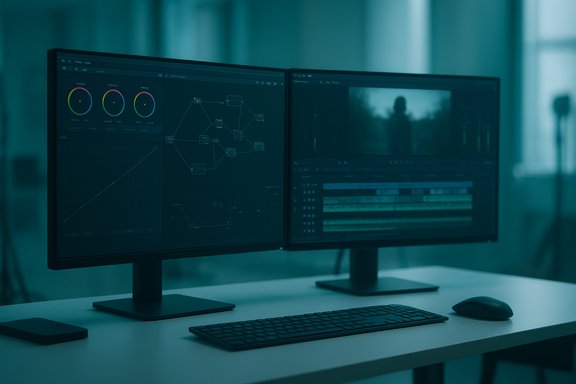
- Resolve’s color page is built around a node graph model rather than stacked adjustment layers. Each node represents a discrete correction or effect and can be chained, blended, or bypassed. That design gives extremely fine control over grading, masking, and combining corrections.
- The Fusion page brings node‑based compositing (visual effects and motion graphics) into the same application. Fusion’s node workflow is the same paradigm used by high‑end compositors, which makes complex compositing visually transparent and repeatable.
- Put simply: color + VFX as first‑class citizens inside one app is a real productivity multiplier.
Fairlight: full audio post built‑in
- Resolve’s Fairlight page is a dedicated audio workstation inside the NLE. It includes a professional mixer, multiband EQ and dynamics per track, automation, and a range of audio repair tools.
- The integration matters: you can stay inside one app for picture cut, VFX, color, and final audio instead of shuttling AAFs or OMFs back and forth.
Free edition scope and the Studio upgrade model
- The free edition of Resolve is unusually capable: professional trimming, multicam, Fusion effects, Color tools, Fairlight audio, and most Resolve FX are included. Limitations exist around very high resolution exports, some advanced effects, multi‑GPU support, and certain AI‑based tools.
- Resolve Studio is a one‑time purchase under $300 and unlocks multi‑GPU support, advanced noise reduction, additional Resolve FX and Fairlight FX, and support for extremely large frame sizes and frame rates (for high‑end finishing).
Hardware and performance benefits
- Resolve’s engine is heavily GPU‑accelerated. The Studio edition unlocks multi‑GPU support and some additional hardware decoders/encoders that are useful when handling very large raw files or when pushing real‑time effects.
- For many editors working in 1080p–4K, the free edition is fully capable and frequently competitive in throughput.
Verifying the claims: prices, limits, and features
A few specific technical and commercial claims have been repeated in coverage and user posts — they deserve hard verification.- Premiere pricing: Adobe’s single‑app Premiere Pro plan is listed in the low‑twenties per month for an annual plan, which equates to roughly $275–$280 per year when billed monthly on an annual contract. That calculation makes the statement “Premiere costs roughly $276/year” a fair, rounded figure for budget comparisons.
- DaVinci Resolve Studio price: Blackmagic Design lists DaVinci Resolve Studio at a one‑time license price just under $300. That permanent license model is an important contrast with Adobe’s subscription model.
- Export limits: The free version of Resolve is commonly described as limited to Ultra HD/4K output at 60fps while Studio expands capabilities to very large formats and frame rates (Studio advertises support up to 32K and 120fps for certain workflows). In practice, that means the free edition covers virtually all social‑video and YouTube requirements while Studio is for high‑end cinematic finishing.
- Multi‑GPU: Studio unlocks multiple GPU support for accelerated effects and higher throughput in complex timelines — the free edition is typically single‑GPU on Windows and Linux.
- Sound library: Blackmagic provides a free Fairlight sound library consisting of over 500 royalty‑free effects users can add to projects. Some users report seeing a specific count (around 515 items) in installers or scan logs; the vendor materials describe the library as “over 500” so an exact count varies by version and platform. Treat any single number as user‑reported unless Blackmagic publishes the exact item count for a specific release.
How Resolve beats Premiere for many users (strengths)
- Price for value: The free edition gives feature parity with a majority of day‑to‑day editing tasks. If you need the extras, Studio’s one‑time fee is often cheaper than a single year of a Premiere subscription.
- End‑to‑end post: Editing, VFX, color, audio, and delivery in one app — with tight handoffs between pages — reduces export/import friction.
- Superior grading and compositing: Node‑based grading and Fusion’s compositor are widely respected in the industry and are particularly strong for cinematic finishing and complex visual effects.
- Professional audio tools: Fairlight is a full DAW; it’s rare for a free NLE to include this depth of audio tooling.
- No watermarks or feature‑crippling limitations on the free tier: Unlike many “freemium” editors, the free Resolve edition is usable for commercial work without time bombs or watermarks.
Where Premiere still holds an edge (risks and limitations of switching)
- Ecosystem lock‑in: Many professionals use Premiere because it slots into a broader Adobe pipeline: After Effects for advanced motion design, Photoshop for stills, Media Encoder for batch output, and cloud assets/teams features that simplify distributed work.
- Third‑party plugin and LUT ecosystem: Some specialized plugins, motion templates, or enterprise tools may only be supported in Premiere or have better proven support there.
- Team workflows and shared projects: While Resolve has collaboration features (and Blackmagic sells enterprise hardware for collaborative suites), organizations using Adobe Team Projects and cloud libraries may find migration non‑trivial.
- Learning curve for some workflows: Node‑based approaches and the Resolve page model are intuitive once learned, but there is a learning curve for colorists and editors used to different paradigms.
- Edge‑case codec and format handling: Some proprietary hardware or broadcast workflows have pre‑validated Premiere pipelines and codecs. In rare cases you’ll need to re‑transcode or change deliverable specs when moving to Resolve.
- Vendor dependence for certain codecs/features in Studio: Studio unlocks some codec hardware acceleration and AI features that come from licensing third‑party tech. If you rely on a specific codec acceleration, confirm compatibility with your GPU/drivers.
Practical how‑to: switching from Premiere to Resolve (step‑by‑step)
For editors considering the jump, the surface‑level truth is that the transition is doable and commonly done. A practical migration path:- Prepare your Premiere project:
- Consolidate media (collect all referenced media into a single folder or drive).
- Consider rendering complex nested sequences or effects that may not translate.
- Export a timeline interchange:
- Export an XML or AAF from Premiere for the target timeline. XML is typically used for video timelines; AAF is preferred if you need to move multitrack audio sessions.
- Import into Resolve:
- Use Resolve’s Conform/Import XML/AAF tool. Resolve will attempt to relink clips by filename and timecode; if media was consolidated correctly this step is usually straightforward.
- Relink and check media:
- Resolve’s media pool will show missing items if any file paths differ. Relink by pointing to the consolidated media folder.
- Check effects, transitions, and titles:
- Many native Premiere effects and third‑party plugins will not convert automatically. Plan to recreate complex effects in Fusion or find Resolve equivalents.
- Rebuild audio if needed:
- If you exported AAF, fair chance most audio track structure will come across, but expect to reassign buses and check automation.
- Grade and composite:
- Use the Color and Fusion pages to replicate or improve grades and composites.
- Deliver:
- Resolve’s Deliver page covers standard delivery formats and presets. Studio adds more master formats if you need them (e.g., higher bit depths, HDR formats).
- Use intermediate codecs (ProRes, DNx) if you expect complexity during the conform — they reduce the chance of timecode or frame‑accumulation problems.
- Keep a copy of the original Premiere .prproj or media as a safety fallback for any elements that don’t carry over.
- Expect to re‑spend time rebuilding some motion graphics — but Fusion is powerful and fast when you’re rolling once you learn it.
System and hardware considerations (Windows)
DaVinci Resolve is GPU‑heavy; plan hardware around your expected project sizes.- For typical HD/4K editing, a modern multicore CPU, 16–32GB RAM, and a discrete GPU with at least 4–8GB of VRAM will give a comfortable experience.
- If you plan to use Fusion, 32GB of RAM and a beefier GPU are advisable.
- The free edition is generally single‑GPU; Studio unlocks multiple GPU support for complicated, real‑time effects and very large frame sizes.
- Resolve’s performance is also affected by storage: use an SSD for OS/apps and a fast NVMe or PCIe SSD for media and cache when working at higher resolutions.
Real‑world stability and support
Individual anecdotes differ. Some long‑time Premiere users report Resolve feels more stable on their rigs; others find specific Premiere workflows more robust. Stability depends heavily on:- GPU drivers and firmware
- Third‑party plugins and codecs installed
- Project complexity and source codecs (long‑GOP H.264/H.265 can be more demanding than intermediate codecs)
Support model differences:
- Adobe: ongoing subscription, cloud services, enterprise SLAs for business plans, broad third‑party integration.
- Blackmagic: free updates for both free and Studio versions, and a perpetual Studio license model. Hardware and panel sales subsidize Blackmagic’s software investment.
Business considerations: total cost of ownership
When weighing the switch, think beyond sticker price.- Subscription cost vs perpetual license: After the upfront Studio purchase, you own the license, but consider hardware refresh cycles and the possible need for Studio features in year 2+. For many small studios, Studio pays for itself in one year compared to an Adobe subscription.
- Training costs: New software means training time. That cost can be amortized quickly if Resolve delivers faster iteration for your typical projects.
- Ecosystem cost: If your workflow requires After Effects, Adobe Photoshop, or cloud asset sharing, migrating may introduce additional costs and process changes.
Final assessment: should you replace Premiere with DaVinci Resolve?
- For solo creators, educators, YouTubers, hobbyists, and many independent editors: Resolve’s free edition is the best free video editor available today. It replaces Premiere in almost every workflow you’ll encounter at that scale.
- For post houses, broadcast facilities, and teams deep in Adobe workflows: Resolve is an enormously powerful tool and frequently worth integrating into your pipeline — but replacing Premiere entirely requires careful planning around interoperability, plugins, and team processes.
- For professionals who need ultimate finish quality and don’t want a subscription model: Resolve Studio’s one‑time cost and Studio‑only features make it a compelling long‑term investment.
Practical checklist: deciding whether to switch now
- Do you rely on multiple Adobe apps daily (After Effects, Photoshop, etc.? If yes, keep Premiere in the short term.
- Do your deliverables exceed 4K/60fps or require multi‑GPU rendering? If yes, budget for Studio or higher‑end hardware.
- Are you comfortable rebuilding some motion graphics or retiming effects? If yes, Resolve is a very attractive option.
- Do you want a no‑subscription path with pro‑level tools for grading and audio? If yes, try the free edition now and evaluate the Studio upgrade later.
DaVinci Resolve’s rise from a color‑grading specialist to a full end‑to‑end post suite has shifted the economics and the technical calculus of video editing on Windows. The free version delivers professional tools you can use commercially; Studio’s one‑time fee converts a perpetual pain point — subscriptions — into a one‑off investment. For many editors today, replacing Premiere with Resolve is not just feasible, it’s the rational choice. For teams with deep Adobe dependencies, the path is mixed and migration requires planning. Either way, the presence of a genuinely capable free editor that can scale to pro finishing is a win for creators and forces the market to compete on features, interoperability, and value—exactly the kind of competition that benefits everyone who makes video on Windows.
Source: How-To Geek This Free Video Editing App Completely Replaced Adobe Premiere
