

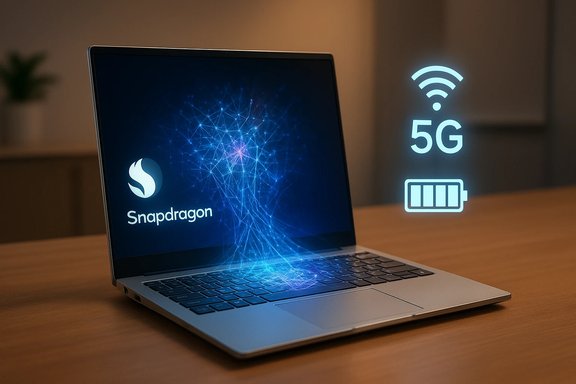
Snapdragon processors have quietly rewritten the rules for what a Windows laptop can be: built as energy-efficient ARM-based System-on-Chips (SoCs) with integrated 5G, dedicated neural engines, and phone-like instant-on behaviour, they trade raw x86 peak power for dramatically improved battery life, always‑connected mobility, and on‑device AI acceleration — a trade that has already reshaped thin‑and‑light notebooks and is accelerating with every new Snapdragon generation.
For decades Intel and AMD (x86) defined the performance expectations for PCs. Snapdragon chips, designed by Qualcomm and long dominant in smartphones, now target the laptop market by combining ARM architecture with a full SoC approach: CPU, GPU, NPU, modem and media engines on a single package. This shift is not merely branding — it’s a different architectural philosophy with tangible trade‑offs for power, heat, and connectivity. Microsoft’s renewed Windows on ARM effort — now supported by a modern emulation layer codenamed Prism and optimized for Snapdragon platforms — has been the missing piece enabling broad Windows compatibility and real‑world usability on these devices. That co‑development has made Snapdragon‑powered PCs a practical alternative for many users.
However, the shift is not universal. Specialists who require maximum sustained compute, local high‑end GPU rendering, or legacy drivers will find x86 platforms safer today. The middle ground — most mainstream users — increasingly benefits from Snapdragon’s strengths, as OEMs and Microsoft close the compatibility gaps and as Qualcomm’s newer X2 family drives stronger CPU, GPU, and NPU performance.
When evaluating a Snapdragon laptop, weigh real‑world independent tests and your software compatibility needs more heavily than headline marketing figures, and treat on‑device AI and integrated 5G as genuine differentiators rather than optional extras. The era of ARM in mainstream Windows laptops has arrived: it’s practical, it’s powerful in its own way, and it expands consumer choice by turning the traditional trade‑offs of portable computing into new advantages.
Source: HP https://www.hp.com/gb-en/shop/tech-takes/what-is-snapdragon-processor/
 Background
For decades Intel and AMD (x86) defined the performance expectations for PCs. Snapdragon chips, designed by Qualcomm and long dominant in smartphones, now target the laptop market by combining ARM architecture with a full SoC approach: CPU, GPU, NPU, modem and media engines on a single package. This shift is not merely branding — it’s a different architectural philosophy with tangible trade‑offs for power, heat, and connectivity. Microsoft’s renewed Windows on ARM effort — now supported by a modern emulation layer codenamed Prism and optimized for Snapdragon platforms — has been the missing piece enabling broad Windows compatibility and real‑world usability on these devices. That co‑development has made Snapdragon‑powered PCs a practical alternative for many users. What is a Snapdragon processor?
The definition in plain terms
A Snapdragon processor is Qualcomm’s family of ARM‑based System‑on‑Chip (SoC) platforms originally developed for smartphones and tablets and adapted for Windows laptops. As SoCs, Snapdragon chips integrate multiple subsystems — central processing cores, graphics (Adreno), neural processing (Hexagon), image and media processors (Spectra), and cellular modems — into one silicon package. This integration is central to the efficiency and compact designs found in Snapdragon laptops.System‑on‑Chip vs. discrete PC components
Traditional laptop designs typically combine a CPU package with separate components for modem, Wi‑Fi, and sometimes discrete GPUs. Snapdragon’s SoC model reduces component count and power overhead by co‑locating those elements and optimizing internal data paths, which benefits battery life, thermal design, and thinness. This is a deliberate mobile‑first philosophy ported into the PC world.Understanding ARM architecture: RISC fundamentals
RISC vs. CISC — the architectural split
ARM implements a RISC (Reduced Instruction Set Computing) design philosophy: simpler, uniform instructions that generally complete faster and with less hardware complexity than the more elaborate CISC (Complex Instruction Set Computing) x86 model used by Intel and AMD. RISC’s simpler decode logic, predictable instruction timing, and pipeline friendliness help reduce transistor count and power consumption — core reasons ARM dominates battery‑constrained devices.Why the distinction matters for laptops
- RISC’s efficiency translates directly into longer battery life and cooler operation.
- CISC/x86 still often holds the advantage in raw single‑thread peak throughput and legacy software compatibility.
- Modern processors blur the lines: aggressive out‑of‑order execution, deep pipelines and micro‑op translation in x86, and powerful NPUs and unified memory in ARM platforms, mean architectural labels describe trade‑offs rather than absolute outcomes.
The key components inside modern Snapdragon SoCs
Snapdragon laptop SoCs combine several specialized engines to deliver a platform tuned for mobility and AI:- CPU cores (Oryon) — Qualcomm’s Oryon cores (from the Nuvia acquisition) provide the general compute foundation and are available in multi‑core configurations with boost behaviours optimized for efficiency and responsiveness.
- Adreno GPU — Integrated graphics for UI, video playback, and light gaming; recent Adreno revisions increase TFLOPS and modern graphics feature support.
- Hexagon NPU (Neural Processing Unit) — A dedicated engine for on‑device AI and machine learning tasks (e.g., background blur, speech enhancement, local LLM inferencing), measured in TOPS (trillions of operations per second). Recent Snapdragon X generations report NPUs in the 45–80 TOPS range depending on SKU.
- Integrated 5G/LTE modem — System‑level cellular connectivity (e.g., Snapdragon X‑series modems) enables always‑connected PCs without external peripherals.
- Spectra ISP and media engines — Image Signal Processors for camera and encode/decode blocks for AV1, HEVC, enabling high‑quality conferencing and efficient video playback.
- Security and management blocks — Hardware security modules and manageability features designed for enterprise and consumer needs on Windows devices.
Technical advantages for modern laptops
Exceptional battery efficiency and “always‑on” behaviour
One of the clearest benefits of Snapdragon SoCs is their power profile. RISC‑based cores, integrated components, and aggressive power gating mean Snapdragon laptops typically deliver significantly longer run times in everyday tasks — web browsing, video playback, and productivity — than many comparable x86 ultrabooks. Independent lab tests show physical battery runtimes commonly in the mid‑teens of hours on several Snapdragon X machines, while OEM lab claims sometimes advertise “multi‑day” scenarios in tightly controlled tests. Readers should treat manufacturer lab figures as best‑case indicators and prefer independent reviews for realistic expectations.- Real‑world review measurements: multiple Copilot+/Snapdragon X laptops measured roughly 12–16 hours on standard web‑browsing battery benchmarks in independent reviews.
- OEM lab claims: ASUS and Lenovo list playback and productivity test results reaching 20–30+ hours in specific conditions (video playback, Wi‑Fi off, 150 nits), which are helpful for relative comparisons but not guaranteed in normal mixed‑use.
Integrated connectivity: 5G as a first‑class feature
Unlike many x86 laptops that add cellular as an optional module, Snapdragon SoCs often include purpose‑built modems or very tight modem integration, enabling seamless switchovers between Wi‑Fi and cellular and reducing total system power for mobile networking. For users who need consistent connectivity on the go, integrated 5G is a major productivity win.On‑device AI and NPU acceleration
Snapdragon’s Hexagon NPUs accelerate common AI workloads locally, improving latency, privacy, and battery footprint versus cloud‑based processing. These NPUs power features like video background effects, real‑time noise suppression, transcription, and on‑device LLM inferencing for small‑to‑mid sized models — moving AI functionality away from datacenters and into the laptop itself. Newer X2 family chips raise NPU capability substantially, increasing practical on‑device AI potential.Thermal efficiency and silent operation
With lower sustained power envelopes, many Snapdragon laptops run fanless or with very quiet cooling, enabling thin, whisper‑quiet designs that perform predictably across light to moderate tasks without the thermal throttling common in some thin x86 systems. This benefits library, classroom, and boardroom scenarios where noise and heat matter.Instant‑on and smartphone‑like responsiveness
Because SoCs are engineered for aggressive idle power savings and quick resume modes, Snapdragon laptops largely behave like smartphones in responsiveness — instant wake, near‑constant network presence, and immediate background sync — improving perceived productivity and reducing downtime.Windows on ARM: compatibility and the three application pathways
Windows on ARM supports three main application types, and understanding these is essential when evaluating a Snapdragon PC:- Native ARM64 applications — Compiled for ARM and the recommended path for best performance and efficiency. Key productivity apps (Microsoft Office, many browsers) now ship ARM64 builds.
- Emulated x86/x64 applications — Windows uses Prism, an emulation layer introduced in Windows 11 24H2, to run legacy x86 and x64 apps. Emulation quality has improved, and Prism is optimized for Snapdragon X platforms, but emulation still carries a performance and compatibility cost — particularly for apps that require kernel‑mode drivers or low‑level hardware access.
- Web and cloud apps — Browser‑based software runs natively and is largely unaffected by underlying ISA, making cloud workflows an ideal match for Snapdragon devices.
Performance: how Snapdragon compares to x86 and Apple Silicon
Where Snapdragon shines
- Efficiency per watt and NPU performance: Snapdragon SoCs deliver excellent neural performance per watt, making them leaders for on‑device AI tasks in many scenarios. Recent Snapdragon X chips report NPUs in the 45 TOPS range, with next‑generation X2 parts advertising 80 TOPS for flagship SKUs — figures that materially shift what’s possible locally on a laptop.
- Sustained productivity: For web, office suites, video conferencing, and mobile workloads, Snapdragon machines often feel faster in day‑to‑day use because they avoid frequent thermal throttling and maintain efficiency on battery.
Where x86 / Apple Silicon still lead
- Absolute multi‑threaded peak: High‑end x86 desktop and mobile chips (and Apple’s M‑series in many configurations) retain the advantage for sustained, high‑thread‑count compute (3D rendering, large simulation workloads, heavy engineering compute).
- Broad legacy software and driver ecosystem: x86’s decades of dominance mean many specialized tools, device drivers, and enterprise suites remain x86‑first, sometimes x86‑only.
- Local AAA gaming: Integrated Adreno GPUs are improving rapidly, but running the latest AAA titles locally at high fidelity still favors discrete GPU x86 machines or Apple platforms with mature GPU stacks.
Benchmarks and caveats
Benchmark numbers vary by source and test conditions. Qualcomm and OEMs publish conservative microarchitecture figures; independent tests often show Snapdragon laptops achieving competitive single‑thread scores and excellent efficiency metrics, while multi‑core and heavy GPU workloads still favour other platforms. Readers should interpret vendor supplied metrics with caution and look for independent third‑party reviews for realistic comparisons.Who benefits most from Snapdragon laptops?
The architectural trade‑offs mean Snapdragon‑powered Windows laptops suit specific user profiles exceptionally well.- Mobile professionals and travellers — Long battery life, integrated 5G, and light, fanless designs reduce charger dependency and improve mobility.
- Cloud‑first workers and students — Heavy reliance on web apps, document editing, and conferencing makes ARM’s efficiency and instant‑resume features highly productive.
- Hybrid meeting users and content call participants — On‑device NPUs accelerate background blur, noise suppression, and video enhancement, improving call quality with lower latency and better privacy.
- AI experimenters and creators on the go — With more TOPS available locally, developers and creators can prototype AI workflows (small‑to‑medium LLMs, on‑device inference) without immediate cloud costs.
Limitations, compatibility pitfalls, and risks
The Snapdragon story is compelling, but there are real limitations and risks that buyers — especially enterprise IT teams and professionals using niche software — must weigh.- Emulation unpredictability: While Prism greatly improves x86/x64 emulation, not every app behaves identically under translation. Software that depends on kernel‑mode drivers, hardware dongles, or very low‑level system hooks may fail or operate suboptimally. Validate mission‑critical apps before purchase.
- Gaming and GPU‑heavy workloads: Despite Adreno improvements, high‑fidelity AAA gaming and GPU‑bound workflows still benefit from discrete GPUs and high‑power x86 platforms. Snapdragon machines can be excellent for cloud gaming or light titles, but local maximum‑graphics workflows remain constrained.
- Vendor claims vs. real world: OEMs advertise multi‑day battery life and expansive runtime numbers that rely on specific, limited scenarios (plugged‑in modem off, low brightness, video playback loops). Independent lab testing shows excellent but more conservative figures; real user patterns will usually fall between OEM claims and lab results. Treat marketing numbers as directional, not guaranteed.
- Ecosystem gap for specialized drivers: Some printers, industrial tools, and older peripherals provide only x86 drivers. In such cases, driver emulation is not possible and hardware may be unsupported. This is a critical planning point for IT managers.
Practical buying checklist for evaluating a Snapdragon laptop
- Identify your primary workflows: cloud/browser vs. local heavy compute.
- Confirm critical application compatibility: look for native ARM64 builds or test under Prism emulation.
- Compare independent battery tests (third‑party reviews) to OEM lab claims; expect real‑world runtimes lower than playback‑only figures.
- Check modem and connectivity options (is integrated 5G available or optional? and whether your carrier bands are supported.
- For AI workflows, verify the NPU TOPS and the software stack (ONNX, TensorFlow Lite / NNAPI support) for the models you plan to run.
The near future: where Snapdragon and ARM are headed
Qualcomm’s roadmap — with the Snapdragon X family evolving into X2 series and incremental improvements to Oryon CPU cores, Adreno GPUs, and Hexagon NPUs — accelerates the competitive pressure in the laptop market. The X2 family’s flagship SKUs advertise substantially higher NPU TOPS (up to 80 TOPS), higher memory bandwidth, and increased GPU performance, directly targeting not only ultrabooks but also creative and light gaming segments. These technical jumps improve the viability of local AI workloads and narrow the performance gap with x86 on many mainstream tasks. At the same time, Microsoft’s continued improvements to Prism and growing native ARM64 app availability mean compatibility friction will continue to drop. Expect a cadence where OEMs push Snapdragon into more mainstream SKUs (and price points), driven by the clear consumer appetite for longer battery life and better on‑device AI.Critical analysis: strengths, opportunities, and real risks
Notable strengths
- Power efficiency and mobility: Snapdragon’s architectural choices deliver a tangible user benefit: less time tethered to chargers and quieter, thinner hardware. This is an immediate, real‑world advantage for large swathes of users.
- Integrated connectivity and convergence features: Built‑in modems and professional manageability features make Snapdragon devices attractive for road warriors and distributed teams.
- On‑device AI: Rapidly increasing NPU capability enables new user experiences (privacy‑first AI, faster local inference) that are only beginning to be exploited by applications.
Potentially under‑appreciated opportunities
- Edge ML and hybrid workflows: As NPUs grow, enterprise and developer tools will move workloads to the endpoint, reducing cloud costs and latency for many use cases.
- Unified ARM ecosystems: The momentum behind ARM in phones, tablets, and laptops increases the incentive for ISVs to produce native ARM builds, which improves performance across the board.
Real risks and caveats
- Compatibility risk for legacy and niche applications: Emulation helps but does not remove all risk. Enterprises must perform app testing and driver verification prior to widescale ARM deployment.
- Marketing vs. reality on battery: “Multi‑day” claims often reflect constrained test scenarios; independent tests produce excellent but more modest numbers. Buyers should use third‑party reviews as the primary evidence for runtime expectations.
- Rapidly changing product landscape: Qualcomm releases and OEM announcements move quickly; early adopter risks exist as first silicon and first machines are refined across generations. Verify specific SKU performance from independent reviews before committing to mission‑critical purchases.
Conclusion
Snapdragon processors represent a deliberate, architecture‑level alternative to traditional x86 laptop chips: they prioritize energy efficiency, integrated connectivity, and on‑device AI over raw peak compute. For the majority of mobile professionals, students, and cloud‑centric workers, Snapdragon‑based Windows laptops already deliver a compelling mix of long battery life, silent operation, and advanced AI features that materially improve daily productivity.However, the shift is not universal. Specialists who require maximum sustained compute, local high‑end GPU rendering, or legacy drivers will find x86 platforms safer today. The middle ground — most mainstream users — increasingly benefits from Snapdragon’s strengths, as OEMs and Microsoft close the compatibility gaps and as Qualcomm’s newer X2 family drives stronger CPU, GPU, and NPU performance.
When evaluating a Snapdragon laptop, weigh real‑world independent tests and your software compatibility needs more heavily than headline marketing figures, and treat on‑device AI and integrated 5G as genuine differentiators rather than optional extras. The era of ARM in mainstream Windows laptops has arrived: it’s practical, it’s powerful in its own way, and it expands consumer choice by turning the traditional trade‑offs of portable computing into new advantages.
Source: HP https://www.hp.com/gb-en/shop/tech-takes/what-is-snapdragon-processor/
