

SnowRunner remains one of the most rewarding — and stubbornly demanding — off‑road simulators on PC, and a third‑party download page that advertises “SnowRunner 1.0 for Windows” is useful as a catalog entry but not a substitute for the official storefront builds, signed installers, or the publisher’s support channels.
SnowRunner is a vehicle simulation game developed by Saber Interactive and published by Focus Entertainment, built around realistic terrain physics, heavy‑truck handling, and cooperative contract‑style missions set in regions like Alaska, Michigan and Siberia. The current, supported PC build and official system guidance are published on the game’s Steam and Saber support pages. The game’s core appeal is its advanced terrain simulation and vehicle weight/traction interactions: progress is earned through planning, upgrades and patience rather than speed. That realism is precisely why installation source and build authenticity matter to players: physics and online services can be affected by missing updates, mismatched binaries, or unofficial installers.
Minimum (PC — verified):
Practical distinctions:
SnowRunner rewards players who invest time in learning its systems and rewards methodical planning as much as raw driving skill. For Windows users seeking the safest, most trouble‑free experience, the official Steam and Epic storefront builds (and Saber’s support guidance) are the authoritative sources for downloads, system requirements and updates; aggregator pages like FileHippo are useful for research and archives but should be treated as secondary distribution points and handled with caution.
Source: FileHippo Download SnowRunner 1.0 for Windows - Filehippo.com
 Background
SnowRunner is a vehicle simulation game developed by Saber Interactive and published by Focus Entertainment, built around realistic terrain physics, heavy‑truck handling, and cooperative contract‑style missions set in regions like Alaska, Michigan and Siberia. The current, supported PC build and official system guidance are published on the game’s Steam and Saber support pages. The game’s core appeal is its advanced terrain simulation and vehicle weight/traction interactions: progress is earned through planning, upgrades and patience rather than speed. That realism is precisely why installation source and build authenticity matter to players: physics and online services can be affected by missing updates, mismatched binaries, or unofficial installers.What SnowRunner is (quick overview)
- Genre: Off‑road vehicle simulation / sandbox contracts.
- Developer / Publisher: Saber Interactive / Focus Entertainment.
- Core gameplay: Contract missions, cargo delivery, vehicle recovery, upgrades, and 1–4 player cooperative play.
- Notable regions: Alaska, Michigan, Taymyr (Russia) — varied biomes that test different vehicle setups. Players consistently praise the sense of accomplishment when difficult runs succeed.
Official release, versions and what “1.0” means
SnowRunner launched on PC and consoles in spring 2020, with later ports and updates extending platform support and content. The store pages list release and platform information and are the canonical place to confirm build details and supported platforms. When an aggregator page references “SnowRunner 1.0 for Windows,” that label usually reflects the site’s archival or editorial tagging rather than an authoritative build number from Saber Interactive. Always cross‑check such version labels with official patch notes on the developer site or the game’s storefront changelogs before assuming equivalence. If the versioning is critical (for mods, compatibility or troubleshooting), consult the publisher’s support or Steam/Epic patch logs.Windows system requirements — verified
System requirement claims should always be verified against official developer or storefront documentation. The most load‑bearing technical facts for PC users are the minimum and recommended system requirements; these are reproduced below from the game’s official storefront and Saber support pages.Minimum (PC — verified):
- 64‑bit Windows 7/8/10 required
- Processor: Intel i3‑4130 3.4 GHz or AMD Ryzen 3 2200U 3.4 GHz
- Memory: 8 GB RAM
- GPU: GeForce GTX 660 / Radeon R9 270 (≈2 GB VRAM)
- DirectX: Version 11
- Storage: ~20–50 GB available (platform pages differ on exact free space guidance — verify before installing).
- OS: Windows 10 (64‑bit)
- Processor: Intel i7‑8700 3.2 GHz or AMD Ryzen 7 2700 3.2 GHz
- Memory: 16 GB RAM
- GPU: GeForce GTX 970 / Radeon RX 580 (≈4 GB VRAM)
- DirectX: Version 11
- Storage: 20–50 GB available.
- Different storefronts (Steam, Epic) may list slightly different storage figures; Saber’s support page is authoritative for troubleshooting and warranty scope. Cross‑check Steam/Epic and Saber support before downloading.
- The game runs best with an SSD for reduced streaming hitches and faster load times. This is consistent with community guidance and official recommendations.
Where to download SnowRunner for Windows — official channels vs aggregators
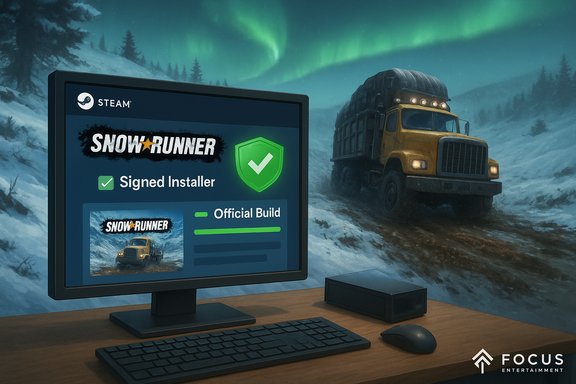
The safest and most reliable sources to obtain SnowRunner are the official commercial storefronts: Steam, Epic Games Store, and the developer/publisher store pages. These channels provide publisher‑signed builds, automatic updates, entitlement management (for online/co‑op features), and support for refunds and troubleshooting. Third‑party download portals such as FileHippo publish editorial pages and index downloads, but they may route downloads through their own site installer or “Safe Downloader.” Historically, some aggregator wrappers have offered optional third‑party offers or installers that add friction or risk to the install process. Treat aggregator pages as informational indexes rather than canonical distribution points unless the site explicitly provides a direct, publisher‑signed executable.Practical distinctions:
- Official storefront (Steam/Epic): signed builds, automatic updates, support, and store‑side verification (recommended).
- Developer support site: authoritative tech support and system requirement statements; check it for known issues.
- Aggregators (FileHippo, Softpedia, etc.: good for archival listings or discovery, but verify the installer flow and avoid wrappers when a direct download is not provided.
FileHippo‑style listings — what to watch for (security & install flows)
FileHippo’s product pages are useful editorial snapshots of a title’s metadata and screenshots, but analysts and community reporting repeatedly recommend treating aggregator downloads with caution because of potential wrapper installers and bundled offers. If you see a “Download SnowRunner 1.0 for Windows” link on FileHippo, note these points:- The site may route downloads through a site‑specific downloader (often called “Safe Downloader”) that can include optional offers; read every installer screen carefully.
- FileHippo offers editorial content but does not replace the official store for updates, online entitlement, or anti‑cheat requirements.
- If you must use an aggregator to get an older or archived build, scan any downloaded file with local antivirus and/or an online multi‑engine scanner before executing. Consider testing in a sandbox or virtual machine first.
Step‑by‑step Windows installation checklist (safe path)
- Prefer buying/claiming the game on Steam or Epic Games Store and using their clients to install. This guarantees signed builds, updates and official support.
- If you use a third‑party download page, do not run the site’s downloader without reviewing the flow; look for a direct publisher installer.
- Create a Windows restore point or system image before running unfamiliar installers. This is inexpensive protection against unwanted changes.
- Scan the downloaded installer with your antivirus and an online multi‑engine scanner (optional). Use Windows Sandbox or a VM for an initial run if you suspect a wrapper.
- Ensure GPU drivers and Windows updates are current before the first launch for best stability and performance.
- After install via official store, use Steam’s “Verify integrity of game files” (or Epic’s repair) if you encounter crashes or missing files.
Installation gotchas: DRM, anti‑cheat and online features
SnowRunner itself does not carry intrusive DRM in the way some AAA titles do, but online and co‑op features rely on storefront and account entitlements. When you buy on Steam or Epic, you are tied into the platform’s account services and update delivery systems. For multiplayer/co‑op reliability and Autolog‑style features, that linkage matters. If a third‑party installer claims to provide a “multiplayer‑ready” build, treat that claim skeptically: only the official storefront builds are guaranteed to match the platform’s matchmaking and entitlement checks. If you value online co‑op, acquire the game through the official channels.Performance tuning and Windows optimization
To get the best SnowRunner experience on Windows:- Install on an SSD where possible — it reduces texture streaming and load times.
- Keep GPU drivers updated (NVIDIA/AMD) and test incremental graphics settings rather than maxing everything at once.
- If you’re on the minimum spec (8 GB RAM, older GPU), start with low-to-medium textures and reduced render scale; increase only after confirming stable frame pacing.
- Use Windows power plans and GPU control panel settings to favor high performance for the game process when troubleshooting consistent stutter.
Mods, co‑op and community considerations
SnowRunner has an active modding scene and Steam Workshop support on PC. Mods can extend vehicle lists, maps and tuning options, but they also introduce variables that complicate multiplayer sync and stability. Use a separate mod profile for single‑player experimentation and a clean profile for co‑op sessions. If you rely on workshop mods for certain vehicles or missions, confirm that all co‑op players have the same mod list and versions to avoid desyncs or missing assets in multiplayer.Risks, strengths and final verdict
Strengths:- Authentic off‑road simulation with deep vehicle progression and rewarding mission design.
- Active community and moddability: strong Steam Workshop presence and co‑op gameplay.
- Official support and updates are available through Saber’s support portal and storefront patch notes.
- Installer provenance matters. Aggregators like FileHippo provide useful editorial pages, but their download flows may include wrappers; prefer official storefront builds for online play and updates.
- Steep learning curve. The game’s realism is not for players who expect arcade‑style immediacy. Patience and incremental learning are required.
- System requirements matter. Running on minimum spec is possible, but recommended settings (16 GB RAM, mid‑range GPU) significantly improve stability and load times. Verify specs on Steam/Saber pages before purchase.
- If an aggregator page promises a “patched 1.0 build” or claims to include DLC or online passes for free, that is a red flag; such claims should be verified against the publisher’s official store listings and the developer’s support channels. Treat those claims skeptically unless confirmed by Saber Interactive or the storefront.
Quick reference — safe download and launch checklist (short)
- Buy/claim SnowRunner via Steam or Epic when possible.
- Confirm your PC meets or exceeds the recommended specs if you want consistent performance.
- If using FileHippo, inspect whether the site uses a wrapper; prefer a direct publisher installer or use official stores.
- Create a restore point, update drivers, scan installers, and run initial installs in a sandbox if you suspect a wrapper.
SnowRunner rewards players who invest time in learning its systems and rewards methodical planning as much as raw driving skill. For Windows users seeking the safest, most trouble‑free experience, the official Steam and Epic storefront builds (and Saber’s support guidance) are the authoritative sources for downloads, system requirements and updates; aggregator pages like FileHippo are useful for research and archives but should be treated as secondary distribution points and handled with caution.
Source: FileHippo Download SnowRunner 1.0 for Windows - Filehippo.com
