

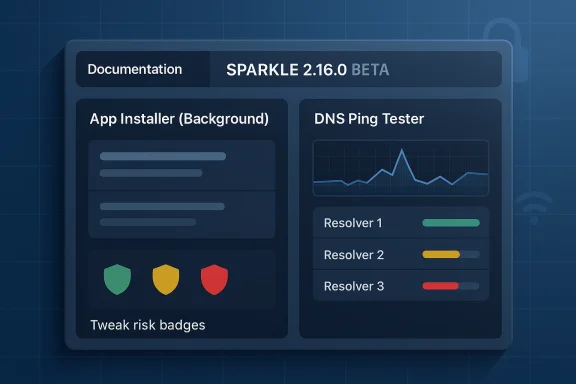
Sparkle’s 2.16.0 Beta lands as a deceptively small release that actually says quite a bit about where the Windows optimization tool is headed. The update pushes app installation into the background, adds a DNS Ping Tester, repairs a pair of nagging UI problems, and gives the documentation a much more polished structure. For a utility built around debloating, privacy tweaks, and reversible system changes, that combination points to a project trying to become more usable, more explainable, and less interruptive at the same time. The broader context matters too: Sparkle is still explicitly in beta, and its own repository warns users to back up before applying tweaks and to expect bugs, even as the project positions itself as a modern Windows 10/11 maintenance suite (github.com).
Sparkle presents itself as a free, open-source Windows optimization tool built to make a PC faster, cleaner, and more private. Its feature set spans debloating, junk-file cleanup, tweak management, DNS changes, app installs, restore-point-based rollback, and system statistics. The project is also unusually transparent about its positioning: it wants to be a GUI-driven counterpart to the sort of PowerShell-heavy optimization workflow many enthusiasts already know, while acknowledging that the repo’s code may be ahead of the latest public release and therefore not always production-stable (github.com).
The 2.16.0 Beta changelog suggests a project in the middle of a maturity shift. Some updates are visibly practical, like fixing broken app icons and cleanup paths. Others are more architectural, like refactoring app installing so it no longer blocks the interface with a modal window. That kind of change often matters more than a flashy new feature, because it reduces friction in the exact places where utility software tends to feel clunky. The result is a release that is less about raw capability and more about flow (github.com).
Sparkle’s documentation also appears to be evolving from a utility appendix into a core product surface. The repo notes a revamped docs design, a dedicated donations page, a contributing page, more detail on uninstall behavior, and a new tweak risk badge woven into both the Tweaks page and the docs. That matters because optimization tools are judged not just by what they can do, but by how clearly they explain the consequences. A cleaner doc system is not decoration; it is part of the safety model (github.com).
This release also arrives in a crowded but familiar category. Windows optimization tools have long competed on three fronts: how many tweaks they expose, how safely they can reverse them, and how well they translate technical choices into something ordinary users can trust. Sparkle’s mix of background installs, restore-point rollback, and explicit tweak-risk labeling suggests the project understands that most users do not want a “tweaking lab.” They want a guided system-cleanup app that behaves more like software and less like a script runner (github.com).
The new DNS Ping Tester is a similarly practical addition. DNS changes are a common part of privacy and performance tuning, but the value of a DNS provider is not just in policy or branding; it is in how it performs from the user’s specific network path. A ping tester gives Sparkle a way to support evidence-based selection rather than guesswork, which is especially useful for users comparing Cloudflare, Google, OpenDNS, or custom resolvers.
Other changes are more obviously housekeeping, but they still matter. Broken app icons are fixed. Utilities page commands that had stopped working are corrected. The cleanup page now shows paths. Minor UI and text adjustments round out the visible polish pass. On a product like Sparkle, those small repairs are not trivial; they shape the sense that the tool is complete rather than merely ambitious (github.com).
The new contributing page is also strategically smart. Open-source tools live or die on community participation, especially when they move quickly and carry niche technical scope. By making contribution paths clearer, Sparkle increases the odds that bug reports, tweak proposals, and UI improvements will come from people who understand the tool well enough to improve it responsibly.
A more detailed uninstall page may sound almost funny in a system optimization app, but it is actually a strong sign of maturity. Users who install debloat tools often worry about reversibility, and a transparent removal process helps neutralize that fear. If you can uninstall cleanly, you signal that your own changes are not a trap.
That shift matters competitively. The more a utility can combine install, cleanup, privacy, and rollback into one place, the less attractive a pile of separate scripts becomes. But that only works if the tool stays transparent about what it changes. A large feature set without explanations becomes intimidating; a smaller feature set with better framing can feel safer and more useful.
Sparkle’s beta label and backup warning still remind users that this is not a fully sealed appliance. It is an evolving project that depends on user tolerance for change. But the presence of risk badges, better docs, and reversible actions suggests the project understands the psychological hurdle well. People will install optimization software only if they believe it will not become a new source of problems (github.com).
There is also an accessibility and multitasking angle. Background installs are friendlier to keyboard-driven workflows and easier to manage on smaller screens. They let the main interface remain visible, which makes progress easier to interpret and reduces the risk of users feeling “stuck” in a long-running operation.
The release also indirectly improves trust. When a utility does not seize focus unnecessarily, it feels less aggressive. That may sound cosmetic, but for privacy and debloat software, restraint is part of the brand promise.
That is especially valuable when paired with Sparkle’s built-in DNS switching options. The app already advertises support for Cloudflare, Google, OpenDNS, and custom DNS management, so the ping tester becomes part of a more complete decision loop. Pick, test, compare, and adjust.
The broader significance is that Sparkle is not treating networking as an afterthought. Many optimization tools stop at registry tweaks and app removal. Sparkle is expanding into practical diagnostics, which makes it more like a lightweight maintenance suite and less like a one-purpose debloater.
The cleanup page path visibility is also a quality-of-life upgrade. Cleanup tools work best when users understand exactly what will be touched. Paths help answer the immediate question: what is this going to clean? In a privacy or cleanup context, specificity is a form of reassurance.
The update’s “attempt to fix auto update” note is a reminder that some reliability problems take more than one pass. That honesty is refreshing. It also signals that the project is still actively experimenting with how it should sustain itself, especially as it adds more visible polish and more user-facing documentation.
This is where Sparkle’s docs refresh and risk badges reinforce each other. One clarifies the procedural details; the other marks the consequences in the interface. Together, they create a more responsible user journey. That is particularly important for a tool whose value proposition includes debloating and disabling tracking, because those are areas where the line between optimization and side effect can be thin.
The broader market implication is straightforward: the more Windows utilities emphasize risk awareness, the harder it becomes for simplistic “one-click optimization” tools to claim credibility. Users increasingly expect a little nuance with their performance tweaks.
Sparkle’s credits also point to a lineage that will be familiar to Windows enthusiasts. The project cites CTT’s WinUtil and Raphire’s Win11Debloat as inspirations or script sources. That matters because it places Sparkle within a broader ecosystem of Windows tuning tools rather than pretending to be a completely isolated invention. In practice, that lineage can accelerate trust, especially among users who already know the reputation of the earlier tools.
The release cadence is also notable. A beta tool that is already iterating on UX, docs, and installer behavior is not merely shipping features; it is building a support model. That is how a niche utility grows from hobby project to dependable desktop companion.
The next phase should probably focus on reliability, consistency, and small refinements that make the app feel dependable in day-to-day use. If Sparkle can make installation smoother, documentation clearer, and risky actions more legible, it will have solved the exact problem most utilities in this space never fully solve: making power feel manageable.
Source: Neowin Sparkle 2.16.0 Beta
 Overview
Sparkle presents itself as a free, open-source Windows optimization tool built to make a PC faster, cleaner, and more private. Its feature set spans debloating, junk-file cleanup, tweak management, DNS changes, app installs, restore-point-based rollback, and system statistics. The project is also unusually transparent about its positioning: it wants to be a GUI-driven counterpart to the sort of PowerShell-heavy optimization workflow many enthusiasts already know, while acknowledging that the repo’s code may be ahead of the latest public release and therefore not always production-stable (github.com).The 2.16.0 Beta changelog suggests a project in the middle of a maturity shift. Some updates are visibly practical, like fixing broken app icons and cleanup paths. Others are more architectural, like refactoring app installing so it no longer blocks the interface with a modal window. That kind of change often matters more than a flashy new feature, because it reduces friction in the exact places where utility software tends to feel clunky. The result is a release that is less about raw capability and more about flow (github.com).
Sparkle’s documentation also appears to be evolving from a utility appendix into a core product surface. The repo notes a revamped docs design, a dedicated donations page, a contributing page, more detail on uninstall behavior, and a new tweak risk badge woven into both the Tweaks page and the docs. That matters because optimization tools are judged not just by what they can do, but by how clearly they explain the consequences. A cleaner doc system is not decoration; it is part of the safety model (github.com).
This release also arrives in a crowded but familiar category. Windows optimization tools have long competed on three fronts: how many tweaks they expose, how safely they can reverse them, and how well they translate technical choices into something ordinary users can trust. Sparkle’s mix of background installs, restore-point rollback, and explicit tweak-risk labeling suggests the project understands that most users do not want a “tweaking lab.” They want a guided system-cleanup app that behaves more like software and less like a script runner (github.com).
What Changed in 2.16.0 Beta
The headline change is the refactored app installer. Instead of forcing users through a blocking modal workflow, app installation now runs in the background. That sounds minor until you remember that utility apps often make users wait for multiple sequential operations: choose an app, confirm install, watch the UI freeze, then return to the main tool. Moving installs into the background means Sparkle is behaving more like a modern management console and less like a dialog box with extra tabs (github.com).Background installs are a UX signal
This is not just about aesthetics. Background installs reduce cognitive interruption, preserve the user’s place in the app, and make it easier to stack tasks. If a user wants to install a browser, then clean temp files, then review tweaks, the app should not force an artificial stop between each step. In that sense, Sparkle is optimizing its own workflow before it asks users to optimize Windows.The new DNS Ping Tester is a similarly practical addition. DNS changes are a common part of privacy and performance tuning, but the value of a DNS provider is not just in policy or branding; it is in how it performs from the user’s specific network path. A ping tester gives Sparkle a way to support evidence-based selection rather than guesswork, which is especially useful for users comparing Cloudflare, Google, OpenDNS, or custom resolvers.
Other changes are more obviously housekeeping, but they still matter. Broken app icons are fixed. Utilities page commands that had stopped working are corrected. The cleanup page now shows paths. Minor UI and text adjustments round out the visible polish pass. On a product like Sparkle, those small repairs are not trivial; they shape the sense that the tool is complete rather than merely ambitious (github.com).
The visible polish list
- Fixed broken app icons
- Fixed Utilities page command failures
- Added Cleanup page paths
- Minor UI changes
- Minor text changes
- Attempted auto-update fix
- Removed “New” badge from Utilities
- Added tweak risk badges
Why the Documentation Refresh Matters
The documentation changes may be the most underrated part of the release. A revamped docs design, plus new pages for donations, contributing, and a more detailed uninstall guide, suggest that Sparkle is trying to become easier to adopt, easier to support, and easier to leave behind. That last part is important. Software that can explain its own removal usually feels more trustworthy than software that only explains installation (github.com).Docs as product design
For a utility like Sparkle, documentation is not a sidecar. It is the place where users learn what each tweak does, what can be undone, and what should be treated with caution. The addition of risk badges reinforces that idea. It signals that the project is moving away from the old “click these tweaks and hope for the best” model toward something more deliberate and auditable.The new contributing page is also strategically smart. Open-source tools live or die on community participation, especially when they move quickly and carry niche technical scope. By making contribution paths clearer, Sparkle increases the odds that bug reports, tweak proposals, and UI improvements will come from people who understand the tool well enough to improve it responsibly.
A more detailed uninstall page may sound almost funny in a system optimization app, but it is actually a strong sign of maturity. Users who install debloat tools often worry about reversibility, and a transparent removal process helps neutralize that fear. If you can uninstall cleanly, you signal that your own changes are not a trap.
The Bigger Picture for Windows Optimization Tools
Sparkle is part of a broader class of tools that has become more relevant as Windows has accumulated more integrated services, more cloud-linked features, and more optional surfaces. That demand comes from several groups at once: gamers chasing responsiveness, enthusiasts looking to prune telemetry, and administrators who simply want a cleaner default state on a fresh machine. The appeal is not new, but the pressure to make those tools safer and more intelligible is growing (github.com).From tweak packs to guided platforms
Historically, many Windows optimization utilities began as scripts or loose collections of registry edits. Over time, the better ones became layered interfaces with backup, restore, and explanation features. Sparkle fits that evolution. Its built-in Winget and Chocolatey integration, GUI restore point manager, system stats, and cleanup tools all point toward a single idea: users want outcomes, not just commands.That shift matters competitively. The more a utility can combine install, cleanup, privacy, and rollback into one place, the less attractive a pile of separate scripts becomes. But that only works if the tool stays transparent about what it changes. A large feature set without explanations becomes intimidating; a smaller feature set with better framing can feel safer and more useful.
Sparkle’s beta label and backup warning still remind users that this is not a fully sealed appliance. It is an evolving project that depends on user tolerance for change. But the presence of risk badges, better docs, and reversible actions suggests the project understands the psychological hurdle well. People will install optimization software only if they believe it will not become a new source of problems (github.com).
App Install Workflow: Less Friction, More Continuity
The refactored app installing flow is the strongest sign that Sparkle is paying attention to operational detail. Utility software often fails not because it is functionally weak, but because it asks users to stop too often. Every modal dialog is a little interruption, and every interruption breaks the sense that the app is helping rather than supervising.Why modal workflows age badly
A blocking modal is fine for a simple confirmation. It is less ideal when the action itself is predictable, background-friendly, and likely to be followed by other tasks. Sparkle’s move away from that pattern means the app can feel more fluid during repetitive maintenance sessions. That matters for enthusiasts who may run several install and cleanup operations in one sitting.There is also an accessibility and multitasking angle. Background installs are friendlier to keyboard-driven workflows and easier to manage on smaller screens. They let the main interface remain visible, which makes progress easier to interpret and reduces the risk of users feeling “stuck” in a long-running operation.
The release also indirectly improves trust. When a utility does not seize focus unnecessarily, it feels less aggressive. That may sound cosmetic, but for privacy and debloat software, restraint is part of the brand promise.
DNS Ping Tester and Network Tuning
The new DNS Ping Tester is a useful addition because network tuning is one of those areas where perception often outruns measurement. People frequently change DNS providers because they have heard that one is faster or more private, but network performance can vary by region, routing, and ISP behavior. A ping tester helps move the conversation from folklore toward local evidence (github.com).Practical value for everyday users
For most users, DNS testing is not about shaving milliseconds off a benchmark. It is about avoiding sluggish resolution, intermittent timeouts, and inconsistent browsing behavior. By putting a test surface inside a Windows optimization suite, Sparkle gives users a chance to compare resolver options without leaving the app.That is especially valuable when paired with Sparkle’s built-in DNS switching options. The app already advertises support for Cloudflare, Google, OpenDNS, and custom DNS management, so the ping tester becomes part of a more complete decision loop. Pick, test, compare, and adjust.
The broader significance is that Sparkle is not treating networking as an afterthought. Many optimization tools stop at registry tweaks and app removal. Sparkle is expanding into practical diagnostics, which makes it more like a lightweight maintenance suite and less like a one-purpose debloater.
UI and Reliability: The Quiet Work That Matters
The fixes to app icons, command failures, and cleanup-path visibility point to a familiar truth: in utility software, the little inconsistencies are often what make a tool feel unfinished. If the icons are broken or a command appears dead, users naturally wonder what else may be unreliable beneath the surface. That is why these kinds of fixes deserve more attention than they usually get (github.com).Small bugs can shape product reputation
Broken icons are not just a cosmetic issue. They affect discoverability, reduce confidence, and make the interface feel less curated. Likewise, a Utilities page whose commands fail feels like a promise not being kept, even if the underlying system tools are fine. By fixing those issues, Sparkle reduces the gap between expectation and reality.The cleanup page path visibility is also a quality-of-life upgrade. Cleanup tools work best when users understand exactly what will be touched. Paths help answer the immediate question: what is this going to clean? In a privacy or cleanup context, specificity is a form of reassurance.
The update’s “attempt to fix auto update” note is a reminder that some reliability problems take more than one pass. That honesty is refreshing. It also signals that the project is still actively experimenting with how it should sustain itself, especially as it adds more visible polish and more user-facing documentation.
Risk Labeling and Trust
The introduction of a tweak risk badge is one of the smartest design decisions in the changelog. Windows tweaking has always had a knowledge asymmetry problem: experienced users may know which settings are reversible, harmless, or context-dependent, while newcomers often do not. Risk badges help narrow that gap before a user clicks something irreversible or disruptive.Labeling is not the same as limiting
A risk badge does not prevent dangerous choices, nor should it necessarily do so. The point is to inform, not infantilize. Power users still want access to aggressive tweaks, especially if they are tuning for privacy or performance. But they also want to know when a change may affect updates, system behavior, or compatibility.This is where Sparkle’s docs refresh and risk badges reinforce each other. One clarifies the procedural details; the other marks the consequences in the interface. Together, they create a more responsible user journey. That is particularly important for a tool whose value proposition includes debloating and disabling tracking, because those are areas where the line between optimization and side effect can be thin.
The broader market implication is straightforward: the more Windows utilities emphasize risk awareness, the harder it becomes for simplistic “one-click optimization” tools to claim credibility. Users increasingly expect a little nuance with their performance tweaks.
Open Source, Ecosystem, and Community Momentum
Sparkle’s GitHub presence matters because it gives the project a clear home for code, issues, and contribution. The repository describes the app as an Electron-based Windows utility written largely in TypeScript and PowerShell, with docs and tweak logic organized in separate project folders. That structure makes the project easier to inspect and helps explain why it can move quickly while still keeping some logic readable to contributors (github.com).Why open source helps this category
Open-source optimization tools benefit from community scrutiny more than many app categories do. Users are asking the software to alter system behavior, manage cleanup tasks, and sometimes suppress Microsoft services or telemetry-related features. Transparency is therefore not a marketing bonus; it is part of the safety story.Sparkle’s credits also point to a lineage that will be familiar to Windows enthusiasts. The project cites CTT’s WinUtil and Raphire’s Win11Debloat as inspirations or script sources. That matters because it places Sparkle within a broader ecosystem of Windows tuning tools rather than pretending to be a completely isolated invention. In practice, that lineage can accelerate trust, especially among users who already know the reputation of the earlier tools.
The release cadence is also notable. A beta tool that is already iterating on UX, docs, and installer behavior is not merely shipping features; it is building a support model. That is how a niche utility grows from hobby project to dependable desktop companion.
Strengths and Opportunities
Sparkle’s 2.16.0 Beta shows a project that understands its own value proposition: less friction, clearer risk signaling, and more confidence in the details. If it continues in this direction, it can become much more than another debloat app.- Background installs reduce interruption and make the app feel more modern.
- The DNS Ping Tester adds real diagnostic value to network tuning.
- Risk badges improve trust and help users make safer choices.
- The docs refresh makes the product easier to learn, maintain, and support.
- Cleaner cleanup-path visibility improves transparency for maintenance tasks.
- The app’s open-source structure invites community scrutiny and contribution.
- Restore-point and revert-oriented features strengthen the reversibility story.
- Built-in app-install integrations keep Sparkle useful beyond debloating alone.
Risks and Concerns
Sparkle’s strengths are real, but so are the hazards that come with any Windows optimization tool. The more power the app offers, the more carefully it has to communicate trade-offs and handle failure cases.- The project is still beta, so regressions remain a real possibility.
- Debloat and privacy tweaks can cause compatibility issues with apps or services.
- Auto-update problems can undermine trust if they persist too long.
- Users may misread risk badges as guarantees rather than guidance.
- Too many advanced options can overwhelm beginners despite better docs.
- Network and DNS tooling can create false confidence if testing is too simplistic.
- Any utility that changes system settings must be exceptionally clear about rollback behavior.
- A polished UI can hide the fact that some underlying tweaks are inherently disruptive.
Looking Ahead
The most interesting question is not whether Sparkle can add more tweaks. It is whether it can keep turning a potentially intimidating class of software into something ordinary users can navigate without fear. The 2.16.0 Beta suggests that the answer is yes, provided the project keeps investing in explanation as heavily as it invests in features.The next phase should probably focus on reliability, consistency, and small refinements that make the app feel dependable in day-to-day use. If Sparkle can make installation smoother, documentation clearer, and risky actions more legible, it will have solved the exact problem most utilities in this space never fully solve: making power feel manageable.
- Finish stabilizing auto-update behavior.
- Continue tightening the Utilities page and background workflows.
- Expand diagnostics around DNS and network changes.
- Keep improving the docs so they serve as a real decision guide.
- Preserve reversible workflows as the app grows more ambitious.
Source: Neowin Sparkle 2.16.0 Beta
