

Windows users and PC gamers face a shifting landscape this winter: incremental but meaningful fixes and insider tweaks promise faster launches and a less cluttered File Explorer, while a growing chorus of industry voices — including the new owner of GOG — is openly questioning Windows 11’s direction and nudging players and stores toward Linux-friendly strategies. At the same time, compatibility tools like Wine 11 have reached a new level of maturity, making Windows applications run more reliably on Linux and macOS than many expected. This feature breaks down the practical steps to speed up Windows 11 launch times, explains what GOG’s criticism really means for gaming, evaluates Wine 11’s technical advances, and outlines how distributions such as Zorin OS are positioning themselves as realistic alternatives for users tired of Windows bloat and telemetry. The piece balances step‑by‑step guidance with strategic analysis for everyday users, gamers, and IT pros who must decide what to run in 2026.
Windows 11 remains the dominant desktop OS for gamers and most mainstream users, but friction points persist: sluggish startup behavior on older hardware, a file‑management UI that some testers want faster, and broad user unease over feature creep. Practical tweaks — from trimming startup programs to enabling new experimental preloading for File Explorer in Insider channels — can yield immediate, reversible gains for most machines. A recent collection of maintenance tips and checklists shows that low‑risk changes often produce measurable responsiveness improvements on constrained systems.
Parallel to these desktop optimizations is an industry debate about the long‑term control Windows retains over gaming. GOG’s new owner publicly described Windows as “poor‑quality software,” and GOG’s leadership has signaled a strategic interest in improving Linux support. Those comments aren’t an immediate declaration of a full platform switch, but they highlight a larger trend: Valve’s Steam Deck and SteamOS, Proton, Wine, and Valve/AMD/NVIDIA efforts have steadily narrowed the compatibility gap for many titles — enough that businesses and enthusiasts are considering Linux seriously for gaming and app deployment. Independent coverage and official project releases confirm that Wine 11’s improvements are material and timely for this moment.
Practical notes:
Source: CNET https://www.cnet.com/tech/services-...r.com/2026/01/15/wine_11_arrives_faster_and/]
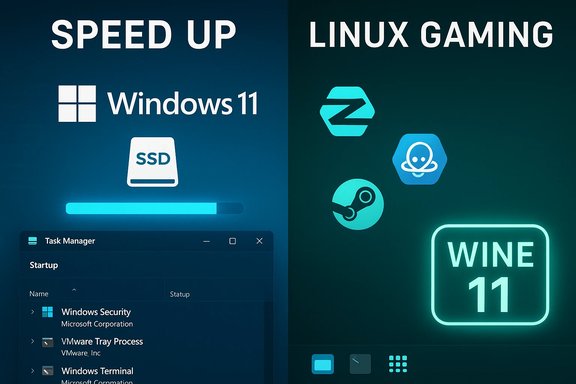 Background / Overview
Windows 11 remains the dominant desktop OS for gamers and most mainstream users, but friction points persist: sluggish startup behavior on older hardware, a file‑management UI that some testers want faster, and broad user unease over feature creep. Practical tweaks — from trimming startup programs to enabling new experimental preloading for File Explorer in Insider channels — can yield immediate, reversible gains for most machines. A recent collection of maintenance tips and checklists shows that low‑risk changes often produce measurable responsiveness improvements on constrained systems.Parallel to these desktop optimizations is an industry debate about the long‑term control Windows retains over gaming. GOG’s new owner publicly described Windows as “poor‑quality software,” and GOG’s leadership has signaled a strategic interest in improving Linux support. Those comments aren’t an immediate declaration of a full platform switch, but they highlight a larger trend: Valve’s Steam Deck and SteamOS, Proton, Wine, and Valve/AMD/NVIDIA efforts have steadily narrowed the compatibility gap for many titles — enough that businesses and enthusiasts are considering Linux seriously for gaming and app deployment. Independent coverage and official project releases confirm that Wine 11’s improvements are material and timely for this moment.
Speeding up Windows 11 — what actually helps (and why)
Short answer: the fastest, safest gains come from software housekeeping, measured power settings, and — when practical — moving the OS to an SSD. These are reversible, low‑risk steps that address the usual bottlenecks: background services, limited free disk space, and heavy visual effects.Quick checklist (what to do first)
- Disable nonessential startup apps (Task Manager → Startup). Leave antivirus, disk‑encryption, and backup agents enabled unless you have alternatives.
- Free up and maintain storage: use Storage Sense or Disk Cleanup, and ensure SSD firmware and chipset drivers are current.
- Adjust visual effects: choose “Adjust for best performance” or selectively disable animations and transparency.
- Use a performance power profile when plugged in (Settings → System → Power & battery → Power mode).
- Consider hardware: replacing an HDD with an SSD (SATA or NVMe) is the single largest user‑level improvement for boot and app‑launch times.
The new File Explorer preloading toggle — what it is and how to use it
Microsoft’s Insider testing added an optional toggle that preloads a lightweight File Explorer skeleton during boot/idle so the first launch is near‑instant. On devices receiving the preview, the option appears in File Explorer → View → Options → Folder Options → View as “Enable window preloading for faster launch times.” It’s enabled by default on many Insider test devices but is user‑controllable. Preliminary community reporting and pilot guidance emphasize testing the change on a spare device or VM before wide deployment, because the trade‑off is a small background memory footprint in exchange for faster perceived launch times.Practical notes:
- Test with the toggle on vs. off and measure cold‑start times with a stopwatch or repeatable script.
- Watch Task Manager for resident memory increase after sign‑in, and compare battery impact on laptops.
- For enterprise rollouts, pilot across hardware classes and validate interactions with backup clients, DLP, and cloud sync agents before broad deployment.
Measurement and safe sequencing
- Create a system restore point and a file backup.
- Disable a small set of startup items; reboot and measure.
- Run Storage Sense / Disk Cleanup; reboot and measure again.
- Toggle visual effects and power mode; test.
- If problems persist and you have an HDD, plan an SSD upgrade and re‑benchmark post‑upgrade.
What GOG’s owner said, and what it may mean for gamers and the market
Michał Kiciński, the new owner of GOG, publicly criticized Windows, calling it “such poor‑quality software” and saying he’s surprised it has retained the market share it has. GOG’s managing director also confirmed that Linux is part of their strategy to “look closer at” this year, though they stopped short of firm commitments. Multiple outlets independently reported and quoted these remarks.The practical implications
- Short term: rhetorical pressure. The comments signal dissatisfaction and may encourage GOG to accelerate Linux compatibility work in curated titles and preservation programs. Expect incremental investments (better Proton/Wine testing matrices, Linux‑packaged downloads, and improved client support), not an overnight “make everything Linux‑native” pivot.
- Medium term: market nudges. If a major storefront like GOG prioritizes Linux builds or packaging, that raises the bar for smaller studios and indie publishers to test Linux builds early in development — especially for DRM‑free and preserved titles where long‑term runnability matters.
- Strategic pushback: Microsoft will likely continue improving gaming on Windows (driver and OS updates targeted at gaming performance), but industry commentary suggests the tide of developer and community interest in Linux is real and sustained.
Reality check — Windows is still overwhelmingly dominant for gamers
Steam’s December 2025 hardware survey shows Windows still accounts for roughly 94% of Steam users. Linux has climbed and hit multi‑month gains in 2025, but it remains a small share in absolute terms. That means any platform shift is gradual: millions of gamers remain on Windows, and ecosystem effects (anti‑cheat, driver vendor support, and PC‑grade GPU tooling) favor Windows today. Treat claims of a wholesale pivot with caution unless companies publish specific timelines and product roadmaps.Caveats and risks of the “Linux pivot” narrative
- Many high‑profile multiplayer titles rely on kernel‑level anti‑cheat or anti‑tamper technologies that are slower to adopt Linux‑compatible solutions. This is a practical barrier to mass migration of competitive multiplayer players.
- Corporate support and driver polish for certain hardware still lag on non‑Windows platforms, especially for niche peripherals, OEM imaging tools, and enterprise management suites. Enterprises planning migrations must factor in imaging, security controls, and endpoint management gaps.
- Public critiques from platform owners are an accelerant for conversation, but they are not the same as contractual commitments to shift storefront architecture or to fund native Linux ports across entire catalogs. Until companies publish roadmaps, treat announcements as directional, not definitive.
Wine 11 and the compatibility story: why it matters now
Wine 11.0 was released in January 2026 and represents a major, tangible advance for running Windows binaries on Unix‑like systems. The Wine project and independent reporting call out several high‑impact technical changes: completion of the new WoW64 architecture, NTSYNC support for use with Linux kernels that expose NT‑style synchronization via /dev/ntsync (introduced in Linux kernel 6.14), a unified wine command that no longer requires separate wine32/wine64 invocations, improved Direct3D and Vulkan video decoding support, Wayland clipboard handling, and many bug fixes across 6,300 changes and roughly 600 bug fixes. Wine’s release notes and The Register’s coverage both detail these points.Why those changes matter for users and developers
- Performance and fidelity: kernel‑level primitives (ntsync) let Wine offload previously expensive userspace emulation to the kernel, improving synchronization-heavy workloads and some game code paths. This reduces CPU overhead and improves latencies in complex Windows apps.
- Simpler deployment: the single wine command and a smaller runtime make packaging and shipping compatibility layers easier for packagers and distro maintainers. This helps make Linux distributions more attractive to everyday users who want to run legacy apps without a complicated toolchain.
- Platform breadth: Wine 11’s improvements on Wayland and macOS (via Rosetta 2 on Apple Silicon) expand the set of systems where Windows apps can be used reliably, which matters for an ecosystem that includes Steam Deck, Arm64 laptops, and modern macs.
Remaining limitations
- Microsoft Store and UWP integration: Wine still cannot install or run many Microsoft Store apps or services that rely on proprietary platform hooks. Expect constraints around store‑authenticated apps, some DRM, and platform services.
- Anti‑cheat: kernel‑level anti‑cheat systems used in competitive multiplayer titles remain the most significant blocker. Wine and Proton can run many single‑player and indie titles well; competitive and AAA anti‑cheat compatibility is more limited unless vendors add Linux support.
- Edge cases and testing: while Wine 11 is a milestone, compatibility still varies per title; developers and players should validate the specific games and tools they need rather than assume blanket compatibility. Community compatibility databases and testing guides remain essential.
Zorin OS and the “ease of switching” argument
Distributions like Zorin OS explicitly target Windows switchers. Coverage highlights five design decisions that lower the friction: a familiar taskbar and Start menu paradigm, several desktop layouts to match user habits, a polished settings app, background updates that avoid locking users out, and a GUI‑first approach that minimizes terminal use. This makes Zorin a logical choice for users who want to breathe new life into older hardware after Windows 10’s end‑of‑support pushed people to decide whether to upgrade or switch. Strengths:- Low learning curve that preserves muscle memory.
- Automatic upgrade paths and GUI tools for drivers and updates.
- Conservative defaults that avoid intrusive telemetry and bundled apps.
- Peripheral and niche software support still depends on vendor drivers and third‑party tooling. Some commercial applications and professional suites have limited or absent native Linux equivalents.
- Users dependent on specialized Windows‑only software should evaluate options such as Wine, CrossOver, virtualization (VMs), or remote Windows instances before migrating.
Practical recommendations — three user profiles
For everyday Windows users who want a snappier PC
- Follow the quick checklist above. Measure before/after. Keep backups and a restore point.
- Try the File Explorer preload experiment only on non‑critical machines or VM images, and measure battery/memory impact before enabling fleet‑wide.
For PC gamers and streamers
- If you want the broadest compatibility with contemporary multiplayer titles, staying on Windows 11 remains the least risky path today. Keep GPU drivers and Windows updated; use vendor game‑ready driver releases for the best frame‑time behavior.
- If your library skews toward single‑player and indie games, experiment with Wine 11 or Proton (Proton is Valve’s Wine fork optimized for Steam). Test each title for anti‑cheat compatibility and multiplayer readiness before committing.
For IT managers and technical decision makers
- Pilot any File Explorer preload or other Insider features in a controlled ring. Validate compatibility with backup/agent software and security tooling first.
- Consider containerized or VM‑based strategies for running Windows‑only tools on Linux endpoints rather than a wholesale OS swap, until driver and anti‑cheat ecosystems mature further. Maintain clear rollback and support paths.
Strengths, risks, and what to watch next
Strengths:- Incremental Windows fixes plus easy housekeeping deliver measurable day‑to‑day improvements for most users. Practical playbooks are widely available and low risk.
- Wine 11 and Proton improvements materially reduce friction for many Windows apps on Linux and macOS, expanding practical choices for consumers and developers.
- Overstating near‑term Linux adoption is a common media trap. Despite steady Linux growth on Steam and momentum for devices like Steam Deck, Windows still rules the roost for competitive multiplayer and many professional workflows. Use data (Steam survey, vendor compatibility lists) to guide decisions.
- Experimental Windows features (Insider preloads, context‑menu cleanup) are being staged carefully for a reason: there are device‑specific trade‑offs. Admins and power users must pilot first.
- Anti‑cheat vendor support for Linux — changes here will be the single most consequential enabler for broader Linux adoption in competitive gaming.
- Official GOG announcements and product roadmaps — watch for concrete deliverables (Linux client builds, preservation releases packaged for Linux, or Proton‑optimized distribution lists) rather than general intent statements.
- Wine/Proton release cadence and compatibility databases — use those to track which specific titles and professional apps are now gameable on Linux or macOS.
Conclusion
The tech headlines converging today give a clear theme: incremental engineering and community tooling continue to improve user experience on every major desktop platform, while strategic dissatisfaction with Windows’ design and telemetry choices is nudging companies and users to look at alternatives. For most users, there’s no urgent need to abandon Windows — a few targeted tweaks and, on older hardware, an SSD are the fastest route to “snappy” again. For gamers and organizations, the smarter move is measured experimentation: test Wine 11 and Proton with your actual titles, pilot Linux options for non‑critical workflows, and keep an eye on anti‑cheat vendor announcements. GOG’s public criticism and the ongoing maturity of compatibility layers are real signals, but they are the start of a conversation, not the final decision point. The best strategy for today: be pragmatic, measure changes, and choose the platform that reliably runs the software you actually depend on.Source: CNET https://www.cnet.com/tech/services-...r.com/2026/01/15/wine_11_arrives_faster_and/]
