

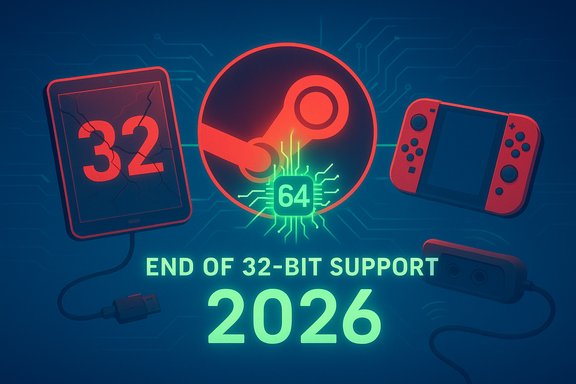
Valve has pushed the Steam client into native 64‑bit territory on Windows, and the beta build rolling out now marks a meaningful shift for the platform — both technically and for the tiny group of users still running 32‑bit Windows. Alongside the architectural change, the beta includes targeted Steam Input updates (notably USB recognition for the latest Nintendo controllers and GameCube adapter rumble in Wii‑U mode), fixes for game recording on some NVIDIA RTX 50xx GPUs, and a handful of stability patches. Valve will continue shipping a legacy 32‑bit Steam client only to systems that require it until January 1, 2026; after that cutoff the platform will move forward as a 64‑bit-only client on Windows.
Moving a major desktop application from 32‑bit to 64‑bit is a milestone that games platforms and productivity apps reached years ago, but Steam remained a notable holdout because of its long legacy and massive backward compatibility surface. Valve signaled the migration plan earlier in the year and added an “End of Life” alert for 32‑bit Windows clients in a previous client update; the beta that surfaced in late November completes the technical transition by running the Steam desktop client as a native 64‑bit process on Windows 11 and Windows 10 (64‑bit).
This change is framed as pragmatic modernization: 64‑bit builds unlock better use of modern system libraries, allow for more consistent application of security mitigations that are difficult or impossible on 32‑bit, and reduce the need to carry and load legacy 32‑bit DLLs into memory solely for the client. Valve has offered a migration window — it will continue to ship a 32‑bit build only to machines running 32‑bit Windows, with formal support ending on January 1, 2026 at 10:00 AM (UTC implied by the launch notes). The company’s telemetry indicates that the affected user base is vanishingly small, but that small fraction is precisely the reason Valve is providing a temporary bridge rather than an immediate cutover.
Valve’s decision to continue shipping 32‑bit builds to systems that still require them until January 1, 2026 is pragmatic and responsible; it gives that small cohort a defined migration period rather than an abrupt cutoff. Reported telemetry suggests that the affected population is tiny, but outside verification of the exact percentage is not possible; treat the cited statistic as Valve’s internal estimate.
The honest tradeoffs are familiar: upgrades can break marginal third‑party integrations, and beta channels always carry the risk of regressions. Organizations and users with specialized setups should test the beta thoroughly before rolling it out broadly. For most users, however, the migration represents an incremental improvement — less legacy code in RAM, more consistent security posture, and tangible controller and recording fixes that solve concrete user pain points.
The practical takeaway: test if you need the fixes; plan your 32‑bit migration if you still run a 32‑bit OS; and, for most Windows 10/11 users, expect the Steam experience to become slightly cleaner and more modern as Valve completes the architectural switchover.
Source: SE7EN.ws https://se7en.ws/steam-beta-client-...11-and-10-32-bit-support-ending-soon/?lang=en
 Background
Moving a major desktop application from 32‑bit to 64‑bit is a milestone that games platforms and productivity apps reached years ago, but Steam remained a notable holdout because of its long legacy and massive backward compatibility surface. Valve signaled the migration plan earlier in the year and added an “End of Life” alert for 32‑bit Windows clients in a previous client update; the beta that surfaced in late November completes the technical transition by running the Steam desktop client as a native 64‑bit process on Windows 11 and Windows 10 (64‑bit).This change is framed as pragmatic modernization: 64‑bit builds unlock better use of modern system libraries, allow for more consistent application of security mitigations that are difficult or impossible on 32‑bit, and reduce the need to carry and load legacy 32‑bit DLLs into memory solely for the client. Valve has offered a migration window — it will continue to ship a 32‑bit build only to machines running 32‑bit Windows, with formal support ending on January 1, 2026 at 10:00 AM (UTC implied by the launch notes). The company’s telemetry indicates that the affected user base is vanishingly small, but that small fraction is precisely the reason Valve is providing a temporary bridge rather than an immediate cutover.
What’s in the beta: the headline changes
The beta release contains several concrete changes beyond the core 64‑bit switch. The most consequential items for Windows users are:- The Steam client executable is now a native 64‑bit application on Windows 11 and Windows 10 (64‑bit).
- Legacy 32‑bit Windows systems will continue to receive a 32‑bit Steam client build until January 1, 2026; after that date Valve will stop updating the 32‑bit binary.
- Steam Input received multiple updates:
- USB support and recognition for Nintendo Switch 2 controllers on Windows.
- Support for GameCube adapters in Wii‑U mode with rumble working on Windows.
- A fix for a regression that prevented controller hot‑plug detection in Unity engine games.
- Promotion of newer gyro modes from beta into the default Steam Input gyro behavior while preserving legacy modes for older configs.
- Game Recording fixes addressing problems copying to clipboard and exporting H.265 (HEVC) videos on systems with NVIDIA RTX 50xx series GPUs.
- Additional bug fixes and minor UX stability patches (for example, configurator crashes when previewing configs in certain views).
Why the 64‑bit move matters
Technical benefits
- Memory and address space. 64‑bit processes can address far more memory natively, which removes artificial constraints on in‑process caches, buffers, and large data structures. For a large, feature‑rich client like Steam (overlay, store webviews, game recording, Big Picture, streaming and Input subsystems), that’s meaningful: it reduces the need for out‑of‑process hacks and complex shims that were originally required to work around 32‑bit limits.
- Modern security mitigations. Some mitigations (for example, more comprehensive ASLR variants, control flow integrity options, and compiler-level mitigations) are easier to use and test on 64‑bit builds. Running the client as 64‑bit helps Valve apply platform security features more uniformly.
- Cleaner runtime. Removing the need to load 32‑bit libraries simply to host a 32‑bit client reduces memory duplication when the rest of the system is 64‑bit — many modern systems are 64‑bit and were loading both 32‑bit and 64‑bit runtime components for compatibility. A pure 64‑bit client simplifies the runtime footprint.
Real‑world implications for users and integrators
- Game developers and anti‑cheat vendors will have one fewer variable to test. A shift to 64‑bit can still surface interactions (especially for low‑level drivers and kernel‑mode anti‑cheat), so publishers should validate their titles against the beta client if they rely on deep integrations.
- Users who run companion apps, overlays, capture utilities or legacy plugins that only provide 32‑bit DLLs may find those integrations require updates. Many such tools have been updated long ago, but niche utilities could require developer attention.
- For the majority of users there will be no day‑to‑day disruption; the 64‑bit client is a refresh rather than a functional reversal. Most visible changes will be under the hood (memory usage, stability on certain edge cases).
Steam Input: controller support breakdown
The beta strengthens Steam Input’s support for modern and legacy controllers. This matters both for competitive players who rely on fine‑grained configs and for older controller ecosystems used by emulator communities.Nintendo Switch 2 controllers over USB
- The beta adds explicit USB recognition for Nintendo Switch 2 controllers when connected to Windows. This places those controllers into Steam Input’s device list so users can create and apply per‑game configurations, calibrate gyro input, and use Steam’s community profiles.
- That recognition means the controller is treated like a first‑class input device under Steam, enabling:
- Built‑in calibration and gyro configuration.
- Sharing and loading community controller mappings.
- Consistent behavioral mapping across titles using Steam Input.
- Caveat: the term “Switch 2” is the label used in the beta notes and community reporting; manufacturers’ marketing names and regional model numbers can vary. Users should verify which hardware revision they have before expecting exact parity with these notes.
GameCube adapters in Wii‑U mode with rumble
- The beta adds support for GameCube adapters that present themselves in Wii‑U mode, including rumble/force‑feedback pass‑through on Windows.
- For emulator users (Dolphin, etc. and for classic controller enthusiasts, this reduces the need to rely on third‑party drivers or mode‑switching workarounds. Adapters that expose Wii‑U style behavior will now pass rumble signals through via Steam Input.
- This is important for fighting game communities and retro players where rumble cues are part of the input feedback loop.
Unity hotplug detection and gyro modes
- A regression that prevented controller hot‑plug detection in Unity engine titles has been fixed. This addresses cases where a controller would not appear correctly when plugged in mid‑session for some Unity games.
- Valve promoted newer gyro modes from beta to the default Steam Input behavior. Legacy gyro modes remain available for configurations authored under older behavior, and developer mode exposes the older options. This balances progress with backward compatibility, but users who rely on finely tuned gyro feel should test their configs after upgrading.
The 32‑bit support window and what it means
Valve explicitly stated the company will continue to distribute a 32‑bit Steam client binary to machines running 32‑bit Windows until January 1, 2026. After that date Valve will not update the 32‑bit client.- The stated rationale is practical: modern system drivers, libraries and security features increasingly assume 64‑bit environments, and maintaining feature parity across both architectures imposes a cost and technical constraints.
- Valve’s telemetry indicates the affected user base is very small (reported industry figures cite ~0.01% of Steam users still on 32‑bit Windows). That figure originates from Valve’s Steam Hardware Survey as referenced in public patch notes and subsequent reporting; independent verification beyond Valve’s telemetry is not possible from the outside, so treat the percentage as Valve’s estimate rather than an independently audited metric.
- For users who cannot move to a 64‑bit OS immediately (for example, extremely old hardware or specialized embedded systems) the client will continue to function for a time, but it will no longer receive feature updates or security patches after the cutoff. That raises long‑term security and compatibility questions for those systems.
Practical guidance for 32‑bit users
- Check your system type: Settings → System → About → System type. Confirm whether you’re running 32‑bit or 64‑bit Windows.
- If you’re running a 32‑bit OS on modern hardware, consider rebuilding or reinstalling Windows with the 64‑bit edition. Many 64‑bit capable CPUs ship with 64‑bit support.
- If your hardware is too old to run a 64‑bit OS, plan alternative access: consider using a different machine for Steam, or run games on a Linux or cloud streaming service where support remains available.
- Back up saves and Steam configuration files before undertaking OS or architecture changes.
Compatibility, anti‑cheat and enterprise concerns
Switching the client’s user‑land architecture is a low‑risk, high‑visibility change, but it is not without potential interactions:- Anti‑cheat frameworks: Kernel‑mode drivers and userland anti‑cheat components often evolve around OS and client behavior. While the 64‑bit client aligns better with modern anti‑cheat expectations, publishers should test their titles and anti‑cheat clients against the beta to ensure no regressions occur.
- Overlay and capture tools: Third‑party capture overlays, streaming utilities, and assistants that inject into or hook Steam’s process may need updates to support a 64‑bit host process. Most popular tools have 64‑bit support, but obscure utilities might not.
- Driver dependencies: Peripherals with only 32‑bit user‑mode drivers are rare but possible in very old hardware. Those peripherals may lose some features or require vendor updates when the host client migrates fully to 64‑bit.
- Enterprise environments: Organizations that manage shop clients or shared gaming labs should test the beta in a controlled environment before broad deployment — especially where custom tooling or monitoring/management agents interact with Steam.
Risks, regressions and edge cases
No large migration is without risk. The key issues to watch for:- Third‑party integration regressions. Niche plugins, overlays, or helper tools that still ship only 32‑bit components may fail to attach or may require a separate helper process. This often manifests as missing features rather than catastrophic failures, but can break workflows.
- Unexpected memory behavior. 64‑bit processes typically consume more virtual memory for pointers and data structures. While that usually translates to modest RAM increases, low‑RAM systems may notice differences.
- Beta instability. As with any beta, some fixes introduce new regressions. Steam’s beta channel exists precisely so the community can stress test new behavior; cautious users should avoid opting in on primary machines unless they need the fixes.
- Unverified ecosystem claims. Some community reports repeat specific device model names or performance claims; if precise driver or hardware behavior matters, validate against your device’s vendor documentation. Any claim about a specific controller feature supporting full parity (for example, advanced gyro behavior or a particular rumble profile) should be validated on your hardware.
How to opt into the Steam beta and test the changes
Opting into the Steam Beta lets you validate the 64‑bit client and the controller improvements yourself. The steps are:- Open Steam and sign in.
- Click Steam → Settings (or Preferences on some builds).
- Select the Account tab.
- Under Beta Participation click Change… and choose Steam Beta Update from the list.
- Restart Steam when prompted and allow the client to update.
- To test controller changes, go to Settings → Controller → General Controller Settings and enable the relevant configuration support options (for example, Nintendo Switch Configuration Support).
- Connect your controller via USB (for Switch 2 controllers) or plug in the GameCube adapter in Wii‑U mode, then open the Controller Configuration for a game and verify detection, rumble, and gyro inputs.
- If you rely on legacy gyro modes, enable Steam Input Developer Mode under Settings → Developer to reveal older options.
- If you rely on recordings or H.265 export workflows, test export and clipboard operations on your hardware (especially if you have an NVIDIA RTX 50xx GPU) to confirm the GPU‑specific fixes apply to your configuration.
- Keep a copy of your Steam install folder or at least note your library locations before switching channels so you can roll back cleanly if needed.
Recommended actions for users and administrators
- Everyday users: If you are unaffected by any of the reported problems and prefer stability, wait for the beta to graduate to the stable channel. If you are experiencing issues fixed by the beta (like H.265 export failures or controller detection problems), opt into the beta and test.
- Peripheral and driver developers: Validate driver packages and control panels against the 64‑bit client. Provide clear guidance and updated installers for any 32‑bit-only components that remain in your stack.
- Enterprise/managed deployments: Schedule an internal test window to validate the new client against management tooling and compliance utilities. Update internal documentation to reflect the Jan 1, 2026 32‑bit support cutoff.
- Retro and emulator communities: Test GameCube adapter behavior in Wii‑U mode and validate rumble pass‑through in your typical emulator builds. Share findings in community configurations so others benefit.
Final analysis: a sensible modernization with a cautious rollout
The move to a native 64‑bit Steam client on Windows is overdue from a technical perspective and broadly positive. It reduces legacy baggage, enables more consistent security hardening, and simplifies the platform’s runtime assumptions. The controller improvements are timely — explicit USB support for modern Nintendo controllers and improved GameCube adapter handling will please both contemporary players and retro enthusiasts.Valve’s decision to continue shipping 32‑bit builds to systems that still require them until January 1, 2026 is pragmatic and responsible; it gives that small cohort a defined migration period rather than an abrupt cutoff. Reported telemetry suggests that the affected population is tiny, but outside verification of the exact percentage is not possible; treat the cited statistic as Valve’s internal estimate.
The honest tradeoffs are familiar: upgrades can break marginal third‑party integrations, and beta channels always carry the risk of regressions. Organizations and users with specialized setups should test the beta thoroughly before rolling it out broadly. For most users, however, the migration represents an incremental improvement — less legacy code in RAM, more consistent security posture, and tangible controller and recording fixes that solve concrete user pain points.
The practical takeaway: test if you need the fixes; plan your 32‑bit migration if you still run a 32‑bit OS; and, for most Windows 10/11 users, expect the Steam experience to become slightly cleaner and more modern as Valve completes the architectural switchover.
Source: SE7EN.ws https://se7en.ws/steam-beta-client-...11-and-10-32-bit-support-ending-soon/?lang=en
