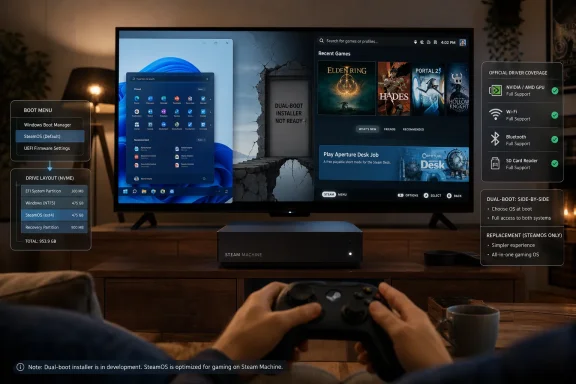
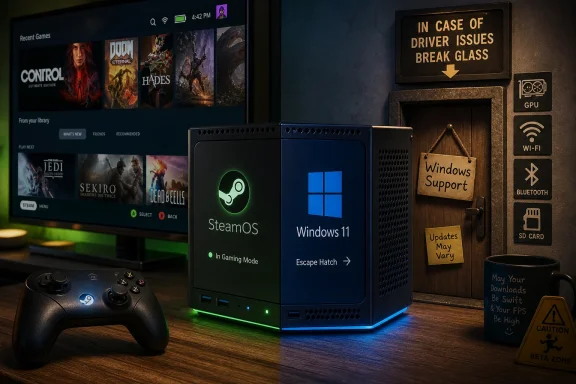
Valve has released official Windows 11 drivers for the new Steam Machine through Steam Support as units begin reaching customers in July 2026, but the company still has not shipped the promised SteamOS dual-boot wizard needed for a clean side-by-side Windows setup. That makes the news both more important and less liberating than it first sounds. Windows can now live on Valve’s living-room PC, but only by weakening the very SteamOS-first premise that makes the box interesting. As Digital Foundry reported, this is not Valve surrendering to Windows; it is Valve giving power users an escape hatch and then carefully refusing to decorate it like a front door.
The headline fact is simple: Steam Machine owners now have first-party Windows 11 drivers for the components that matter most when Windows does not already know what to do. Valve’s support page currently lists drivers for graphics, Wi-Fi, Bluetooth, and the SD card reader, while the rest of the hardware is expected to function with Microsoft’s built-in driver library.
That is enough to turn the Steam Machine from a sealed-feeling console-style appliance into what Valve has always insisted it is: a PC. You can install another operating system, boot from Windows media, and run software that does not cooperate with SteamOS. For a certain kind of user, that sentence alone justifies the experiment.
But the timing and wording matter. Valve is not offering Windows as a co-equal experience. It is offering drivers “as-is,” according to Digital Foundry’s summary of the support language, and pointing users back toward recovery instructions if they need to restore the default SteamOS image. That is not hostile, but it is deliberately chilly.
This is Valve’s familiar balancing act. The company wants the credibility that comes from openness without letting openness dilute the product story. Steam Machine is supposed to be the SteamOS box for the living room, not another small-form-factor Windows PC with a Steam shortcut pinned to the taskbar.
That distinction will sound academic to veteran Linux users and maddening to everyone else. Hardware capability means the firmware, storage layout, and platform design do not inherently block the idea. Product support means a normal customer can follow a guided path, avoid nuking the default install, and recover gracefully when Windows updates or bootloader behavior get weird. Steam Machine has the first; it does not yet have the second.
The absence matters because the Steam Machine ships as a single-SSD appliance. A dual-boot wizard would presumably manage partitioning and boot selection in a way that preserves Valve’s carefully tuned SteamOS environment. Without it, Windows installation becomes an all-or-nothing proposition for most buyers, especially those unwilling to manually resize partitions, manage EFI entries, or risk a recovery workflow before the living-room PC has even settled under the television.
Digital Foundry notes the obvious storage wrinkle: a 2TB model looks far more comfortable if users eventually split the internal drive between two operating systems. Installing one OS to an SD card may be possible in theory, and similar tricks have long existed around Steam Deck and PCs, but it is not the route anyone should romanticize if performance, reliability, and update sanity are the goal.
Anti-cheat is the other recurring pressure point. SteamOS and Proton have improved enormously, and the Steam Deck era forced many publishers to take Linux compatibility more seriously. Still, competitive multiplayer titles can remain blocked or unreliable depending on the anti-cheat stack, publisher policy, and whether Linux support has been enabled. For those games, Windows is not a preference; it is the ticket booth.
That does not mean most Steam Machine buyers should rush to install Windows. The machine’s value proposition is that Valve controls more of the stack than a typical Windows gaming PC. SteamOS gives the box its console-like resume behavior, controller-first interface, and appliance feel. Replace that with Windows 11, and you gain compatibility at the cost of the very experience Valve is selling.
This is the trade Valve appears willing to let users make, but not willing to bless too enthusiastically. The drivers are a concession to reality. The lack of official Windows support is a reminder that Valve still wants developers and players to treat SteamOS as the main event.
Steam Machine inherits that precedent but changes the context. A handheld has obvious reasons to prioritize SteamOS: instant suspend, battery behavior, integrated controls, and a UI that makes sense on a seven- or eight-inch screen. A living-room box is different. It is plugged into power, likely connected to a big display, and physically closer to the mental category of “small PC.”
That makes Windows more tempting. If the Steam Machine sits under a television, why not let it double as a Game Pass box, a modding machine, a launcher aggregator, or a general-purpose Windows gaming rig? For users who already tolerate Windows on a desktop, the idea of putting Windows on a couch PC does not feel exotic.
But the living-room context also raises the bar for polish. A handheld tinkerer may accept boot menus, driver packages, and recovery images as part of the hobby. A living-room device is supposed to disappear. If the Steam Machine becomes a maintenance project, it stops competing with consoles and starts competing with every mini PC that already runs Windows out of the box.
SteamOS is chasing a different kind of completeness. It does not need to reproduce the entire Windows ecosystem to succeed. It needs to make the Steam library, the Steam store, and enough adjacent PC gaming behavior feel reliable from the couch. That is a narrower mission, but also a more coherent one.
The Windows driver release exposes the philosophical split. Microsoft wins when users ask, “What can I run?” Valve wins when users ask, “How pleasant is this to use?” Steam Machine buyers are now being given the option to choose the former, but the hardware’s design is clearly optimized around the latter.
That is why the driver list is simultaneously useful and modest. Graphics, wireless, Bluetooth, and SD card support are table stakes. Valve is not shipping a Windows control center, a living-room shell, or a promise that every firmware interaction will be tuned for Microsoft’s OS. The support posture says: Windows can run here, but it does not define here.
That distinction matters for support expectations. If Windows Update introduces a regression, if a GPU driver behaves oddly, if Bluetooth pairing becomes inconsistent, or if a future SteamOS recovery process overwrites a carefully arranged boot setup, Valve has already signaled the boundary. The supported path remains SteamOS recovery, not Windows troubleshooting.
For individual enthusiasts, that may be perfectly acceptable. Many of us have installed operating systems on hardware with less official blessing than this. A first-party graphics driver alone is a meaningful reduction in risk compared with hunting for a vendor-matched package or hoping a generic AMD stack behaves correctly.
For households and informal family tech support, the calculus is less forgiving. The person who installs Windows to play one incompatible game may also become the person responsible for every future boot oddity, driver update, and controller mapping complaint. SteamOS is designed to hide that complexity. Windows tends to reveal it.
But there is also a strategic reason not to rush. If Valve launches Steam Machine with an effortless “install Windows beside SteamOS” path, a meaningful slice of early adopters will immediately turn the product into a Windows box. Review coverage, forum advice, and YouTube guides would follow. The Steam Machine story would become “nice hardware, install Windows,” which is exactly the narrative Valve does not want.
By shipping drivers before shipping the wizard, Valve threads the needle. It can say the hardware is open. It can satisfy the users who absolutely need Windows. It can avoid accusations that Steam Machine is locked down. Yet it preserves SteamOS as the default and least-resistant path.
That is a very Valve move. The company often prefers ecosystem pressure to blunt mandates. It does not need to ban Windows; it only needs SteamOS to be good enough, convenient enough, and supported enough that Windows feels like the specialist option.
That creates an awkward triangle. Valve wants Steam Machine to be a Steam appliance. Microsoft wants Game Pass to remain a pillar of Windows gaming. Users want the box under the TV to play what they already pay for. Official Windows drivers make that triangle less painful, but not harmonious.
For party games, sports titles, family multiplayer, and the rotating catalog behavior of subscriptions, a Windows partition could make real sense. The machine does not have to become a full-time Windows PC. It could become a mostly-SteamOS device that occasionally boots into Microsoft’s world when the library demands it.
That is precisely why the missing dual-boot wizard stings. The best Windows use case for Steam Machine is occasional access, not total replacement. The current state supports replacement more cleanly than coexistence, which is backwards from how many buyers will actually want to use the feature.
Valve’s platform has already changed the incentive structure. Steam Deck’s success made Linux compatibility visible to publishers that might otherwise have ignored it. Steam Machine could extend that pressure from handhelds to the living room, especially if enough buyers treat SteamOS as the default.
Windows drivers complicate that pressure but do not erase it. If every blocked anti-cheat title sends users into Windows, publishers have less reason to do the work. If Steam Machine owners stay on SteamOS and avoid incompatible titles, publishers feel a different kind of market signal. Consumer convenience and ecosystem leverage are not always aligned.
That is the quiet tension behind this release. The more useful Windows becomes on Steam Machine, the less painful it is for developers to leave Linux unsupported. The more Valve keeps Windows at arm’s length, the more SteamOS compatibility matters.
A WindowsForum reader will not be intimidated by that. Neither will a Steam Deck tinkerer, a Linux user, or someone who has built gaming PCs for years. But the Steam Machine cannot thrive only as a device for people who enjoy boot menus. Its broader promise is that PC gaming can enter the living room without bringing the desktop’s ritual baggage along for the ride.
The Windows product-key wrinkle points in the same direction. Valve reportedly notes that entering a Windows product key requires internet access, which means a fresh installer may need Ethernet before the Wi-Fi driver is installed. The workaround is easy enough: skip activation temporarily, use wired networking, or copy the driver package to the install USB. None of that is hard. All of it is friction.
Friction matters because living-room devices are judged by different standards. A desktop gaming PC can be a project. A console replacement is expected to behave. The Steam Machine is trying to be both, and Windows support makes the contradiction visible.
A dual-boot setup needs room not just for Windows itself, but for the games that justify booting Windows in the first place. If the main reason is Game Pass or anti-cheat-bound multiplayer, those installs may be substantial. The result is a device that can feel spacious under SteamOS alone and cramped once divided into two gaming environments.
That does not mean the smaller model is a mistake. Many users will never install Windows, and cloud saves plus fast downloads can make storage management tolerable. But the moment dual-boot enters the plan, storage stops being a comfort upgrade and becomes part of the architecture.
The SD card possibility should be treated with caution. Removable storage is convenient for libraries, emulation, and portability, but running an operating system from slower or less durable media is a compromise. It may be useful for testing. It should not be the default recommendation for anyone chasing a reliable Windows gaming setup.
The more useful comparison is not Windows versus SteamOS in the abstract, but Windows on Steam Machine versus SteamOS on Steam Machine. Valve controls the latter experience from boot to controller UI to sleep behavior to updates. Windows brings broader compatibility, but it also brings the usual desktop assumptions: background services, launcher clutter, patch timing, input weirdness, and update interruptions.
SteamOS does not need to win every category. It needs to win the default-use case. If a buyer spends 90 percent of their time in SteamOS and boots Windows for a handful of stubborn games, Valve still wins. If buyers wipe SteamOS on day one because the software story is not compelling, Valve loses even if the hardware sells.
The driver release therefore functions as a pressure valve. It reduces the cost of SteamOS gaps without pretending those gaps do not exist. It lets Valve keep pushing its platform while acknowledging that PC gaming remains messier than any single storefront wants to admit.
That energy is one of Valve’s advantages. The company’s users are unusually willing to tinker, document, script, and share. A missing wizard is an inconvenience in that ecosystem, not a dead end. Within days or weeks, there will likely be forum posts, videos, and scripts describing workable approaches.
But community solutions are not the same as product support. They vary in quality, assume different levels of competence, and can be broken by firmware, Windows, or SteamOS updates. They are excellent for enthusiasts and risky as general advice.
Valve’s eventual wizard, if it arrives as promised, will be judged against that community middle ground. It does not need to satisfy every power user. It needs to be safe, reversible, and boring. In installer design, boring is the highest compliment.
That matters because Valve is trying to create a category, not just sell a box. The original Steam Machine push in the 2010s failed partly because the concept lacked a strong unified identity across hardware partners and software realities. The modern effort is more disciplined: Valve hardware, Valve OS, Valve storefront, Valve controller assumptions, and a clearer living-room target.
Windows support weakens that identity only if it becomes the default recommendation. If it remains an advanced option, it strengthens the product by reassuring buyers that they are not trapped. That difference is subtle but important.
The best version of Steam Machine is not a Windows killer. It is a Windows alternative with enough openness to avoid the usual console compromises. The drivers are consistent with that vision. The missing dual-boot wizard is the unfinished piece that keeps the vision from feeling complete.
That waiting period may not be long, but Valve has trained users not to treat dual-boot promises as calendar commitments. The company says the wizard is planned and will ship when complete. Until then, any dual-boot arrangement belongs to the realm of manual partitioning, recovery media, and community guidance.
The most important concrete points are straightforward:
 Valve Opens the Windows Door Without Repainting the House
The headline fact is simple: Steam Machine owners now have first-party Windows 11 drivers for the components that matter most when Windows does not already know what to do. Valve’s support page currently lists drivers for graphics, Wi-Fi, Bluetooth, and the SD card reader, while the rest of the hardware is expected to function with Microsoft’s built-in driver library.That is enough to turn the Steam Machine from a sealed-feeling console-style appliance into what Valve has always insisted it is: a PC. You can install another operating system, boot from Windows media, and run software that does not cooperate with SteamOS. For a certain kind of user, that sentence alone justifies the experiment.
But the timing and wording matter. Valve is not offering Windows as a co-equal experience. It is offering drivers “as-is,” according to Digital Foundry’s summary of the support language, and pointing users back toward recovery instructions if they need to restore the default SteamOS image. That is not hostile, but it is deliberately chilly.
This is Valve’s familiar balancing act. The company wants the credibility that comes from openness without letting openness dilute the product story. Steam Machine is supposed to be the SteamOS box for the living room, not another small-form-factor Windows PC with a Steam shortcut pinned to the taskbar.
The Missing Dual-Boot Wizard Is the Whole Story
The catch is not that Windows 11 cannot be installed. The catch is that the clean version of the Windows story has not arrived. Valve says the Steam Machine is fully capable of dual-booting, but the SteamOS installer still lacks the wizard that would let ordinary users divide the machine between SteamOS and Windows without improvising.That distinction will sound academic to veteran Linux users and maddening to everyone else. Hardware capability means the firmware, storage layout, and platform design do not inherently block the idea. Product support means a normal customer can follow a guided path, avoid nuking the default install, and recover gracefully when Windows updates or bootloader behavior get weird. Steam Machine has the first; it does not yet have the second.
The absence matters because the Steam Machine ships as a single-SSD appliance. A dual-boot wizard would presumably manage partitioning and boot selection in a way that preserves Valve’s carefully tuned SteamOS environment. Without it, Windows installation becomes an all-or-nothing proposition for most buyers, especially those unwilling to manually resize partitions, manage EFI entries, or risk a recovery workflow before the living-room PC has even settled under the television.
Digital Foundry notes the obvious storage wrinkle: a 2TB model looks far more comfortable if users eventually split the internal drive between two operating systems. Installing one OS to an SD card may be possible in theory, and similar tricks have long existed around Steam Deck and PCs, but it is not the route anyone should romanticize if performance, reliability, and update sanity are the goal.
Windows Support Exists Because Game Compatibility Still Has Edges
The strongest case for Windows on Steam Machine is not nostalgia for the Windows desktop. It is the stubborn fact that some games and services still live outside the SteamOS comfort zone. Game Pass through the Xbox app remains the most obvious example, because Microsoft’s PC subscription ecosystem is tied to Windows in a way that Proton cannot simply paper over.Anti-cheat is the other recurring pressure point. SteamOS and Proton have improved enormously, and the Steam Deck era forced many publishers to take Linux compatibility more seriously. Still, competitive multiplayer titles can remain blocked or unreliable depending on the anti-cheat stack, publisher policy, and whether Linux support has been enabled. For those games, Windows is not a preference; it is the ticket booth.
That does not mean most Steam Machine buyers should rush to install Windows. The machine’s value proposition is that Valve controls more of the stack than a typical Windows gaming PC. SteamOS gives the box its console-like resume behavior, controller-first interface, and appliance feel. Replace that with Windows 11, and you gain compatibility at the cost of the very experience Valve is selling.
This is the trade Valve appears willing to let users make, but not willing to bless too enthusiastically. The drivers are a concession to reality. The lack of official Windows support is a reminder that Valve still wants developers and players to treat SteamOS as the main event.
The Steam Deck Playbook Is Being Reused, but the Stakes Are Different
This is not Valve’s first trip through the Windows-driver ritual. The Steam Deck followed a similar path: Linux-first hardware, later Windows drivers, cautious wording, and a dual-boot promise that remained more future tense than everyday feature for a long time. The lesson from the Deck was not that Windows became the better operating system for Valve hardware. The lesson was that official Windows drivers reduce friction for edge cases without changing the center of gravity.Steam Machine inherits that precedent but changes the context. A handheld has obvious reasons to prioritize SteamOS: instant suspend, battery behavior, integrated controls, and a UI that makes sense on a seven- or eight-inch screen. A living-room box is different. It is plugged into power, likely connected to a big display, and physically closer to the mental category of “small PC.”
That makes Windows more tempting. If the Steam Machine sits under a television, why not let it double as a Game Pass box, a modding machine, a launcher aggregator, or a general-purpose Windows gaming rig? For users who already tolerate Windows on a desktop, the idea of putting Windows on a couch PC does not feel exotic.
But the living-room context also raises the bar for polish. A handheld tinkerer may accept boot menus, driver packages, and recovery images as part of the hobby. A living-room device is supposed to disappear. If the Steam Machine becomes a maintenance project, it stops competing with consoles and starts competing with every mini PC that already runs Windows out of the box.
Microsoft’s Advantage Is Compatibility, Not Coherence
Windows 11 remains the default answer for PC gaming because it runs nearly everything. That is a crude advantage, but it is still an advantage. Storefronts, launchers, anti-cheat systems, peripheral utilities, capture tools, RGB control panels, and subscription apps are built with Windows assumptions baked in.SteamOS is chasing a different kind of completeness. It does not need to reproduce the entire Windows ecosystem to succeed. It needs to make the Steam library, the Steam store, and enough adjacent PC gaming behavior feel reliable from the couch. That is a narrower mission, but also a more coherent one.
The Windows driver release exposes the philosophical split. Microsoft wins when users ask, “What can I run?” Valve wins when users ask, “How pleasant is this to use?” Steam Machine buyers are now being given the option to choose the former, but the hardware’s design is clearly optimized around the latter.
That is why the driver list is simultaneously useful and modest. Graphics, wireless, Bluetooth, and SD card support are table stakes. Valve is not shipping a Windows control center, a living-room shell, or a promise that every firmware interaction will be tuned for Microsoft’s OS. The support posture says: Windows can run here, but it does not define here.
The “As-Is” Clause Is a Warning to IT Pros as Much as Gamers
For WindowsForum readers, the most interesting phrase may be the least glamorous one: “as-is.” That language should immediately separate hobbyist experimentation from dependable deployment. Valve is making drivers available, not offering a Windows SKU.That distinction matters for support expectations. If Windows Update introduces a regression, if a GPU driver behaves oddly, if Bluetooth pairing becomes inconsistent, or if a future SteamOS recovery process overwrites a carefully arranged boot setup, Valve has already signaled the boundary. The supported path remains SteamOS recovery, not Windows troubleshooting.
For individual enthusiasts, that may be perfectly acceptable. Many of us have installed operating systems on hardware with less official blessing than this. A first-party graphics driver alone is a meaningful reduction in risk compared with hunting for a vendor-matched package or hoping a generic AMD stack behaves correctly.
For households and informal family tech support, the calculus is less forgiving. The person who installs Windows to play one incompatible game may also become the person responsible for every future boot oddity, driver update, and controller mapping complaint. SteamOS is designed to hide that complexity. Windows tends to reveal it.
Valve Is Protecting SteamOS by Refusing to Make Windows Too Easy
There is an obvious theory that Valve has simply not finished the dual-boot wizard yet. That may be true. Software schedules slip, installer work is dangerous, and a bad partitioning tool can wreck trust faster than almost any missing feature.But there is also a strategic reason not to rush. If Valve launches Steam Machine with an effortless “install Windows beside SteamOS” path, a meaningful slice of early adopters will immediately turn the product into a Windows box. Review coverage, forum advice, and YouTube guides would follow. The Steam Machine story would become “nice hardware, install Windows,” which is exactly the narrative Valve does not want.
By shipping drivers before shipping the wizard, Valve threads the needle. It can say the hardware is open. It can satisfy the users who absolutely need Windows. It can avoid accusations that Steam Machine is locked down. Yet it preserves SteamOS as the default and least-resistant path.
That is a very Valve move. The company often prefers ecosystem pressure to blunt mandates. It does not need to ban Windows; it only needs SteamOS to be good enough, convenient enough, and supported enough that Windows feels like the specialist option.
Game Pass Is the Killer App Valve Would Rather Not Name Too Loudly
The most practical Windows use case is Microsoft’s Xbox app and PC Game Pass. Cloud streaming can work around some platform limits, and many games are sold on Steam anyway, but native PC Game Pass remains a Windows-centric service. If you pay for that library and want local installs, SteamOS does not solve the problem.That creates an awkward triangle. Valve wants Steam Machine to be a Steam appliance. Microsoft wants Game Pass to remain a pillar of Windows gaming. Users want the box under the TV to play what they already pay for. Official Windows drivers make that triangle less painful, but not harmonious.
For party games, sports titles, family multiplayer, and the rotating catalog behavior of subscriptions, a Windows partition could make real sense. The machine does not have to become a full-time Windows PC. It could become a mostly-SteamOS device that occasionally boots into Microsoft’s world when the library demands it.
That is precisely why the missing dual-boot wizard stings. The best Windows use case for Steam Machine is occasional access, not total replacement. The current state supports replacement more cleanly than coexistence, which is backwards from how many buyers will actually want to use the feature.
Anti-Cheat Keeps Linux Gaming Honest
The other Windows argument is less about Microsoft’s store and more about publisher control. Anti-cheat compatibility has been one of the longest-running caveats in the SteamOS success story. Proton can translate Windows APIs, but it cannot unilaterally override a publisher’s decision not to support Linux clients for competitive play.Valve’s platform has already changed the incentive structure. Steam Deck’s success made Linux compatibility visible to publishers that might otherwise have ignored it. Steam Machine could extend that pressure from handhelds to the living room, especially if enough buyers treat SteamOS as the default.
Windows drivers complicate that pressure but do not erase it. If every blocked anti-cheat title sends users into Windows, publishers have less reason to do the work. If Steam Machine owners stay on SteamOS and avoid incompatible titles, publishers feel a different kind of market signal. Consumer convenience and ecosystem leverage are not always aligned.
That is the quiet tension behind this release. The more useful Windows becomes on Steam Machine, the less painful it is for developers to leave Linux unsupported. The more Valve keeps Windows at arm’s length, the more SteamOS compatibility matters.
The Boot Menu Detail Reveals the Product’s Real Audience
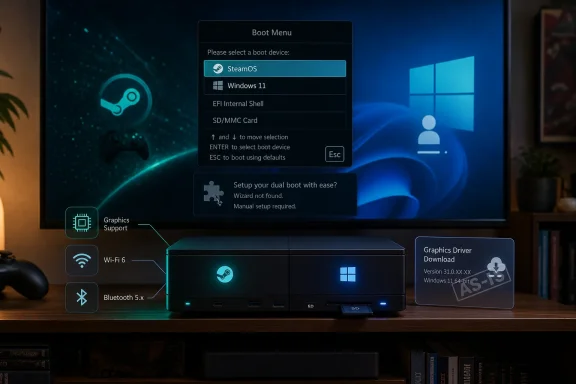
Digital Foundry’s practical installation note is telling: to enter the boot menu, users need to power off the Steam Machine, turn it back on, and repeatedly tap Escape. That is normal PC behavior, but it is not console behavior. It is the kind of instruction that immediately sorts the audience.A WindowsForum reader will not be intimidated by that. Neither will a Steam Deck tinkerer, a Linux user, or someone who has built gaming PCs for years. But the Steam Machine cannot thrive only as a device for people who enjoy boot menus. Its broader promise is that PC gaming can enter the living room without bringing the desktop’s ritual baggage along for the ride.
The Windows product-key wrinkle points in the same direction. Valve reportedly notes that entering a Windows product key requires internet access, which means a fresh installer may need Ethernet before the Wi-Fi driver is installed. The workaround is easy enough: skip activation temporarily, use wired networking, or copy the driver package to the install USB. None of that is hard. All of it is friction.
Friction matters because living-room devices are judged by different standards. A desktop gaming PC can be a project. A console replacement is expected to behave. The Steam Machine is trying to be both, and Windows support makes the contradiction visible.
The 2TB Model Suddenly Looks Less Like Luxury
Storage capacity was always going to be a meaningful buying decision for Steam Machine owners. Modern PC games are large, shader caches accumulate, and a living-room library tends to sprawl because nobody wants to manage installs from the couch. Windows adds another layer to that problem.A dual-boot setup needs room not just for Windows itself, but for the games that justify booting Windows in the first place. If the main reason is Game Pass or anti-cheat-bound multiplayer, those installs may be substantial. The result is a device that can feel spacious under SteamOS alone and cramped once divided into two gaming environments.
That does not mean the smaller model is a mistake. Many users will never install Windows, and cloud saves plus fast downloads can make storage management tolerable. But the moment dual-boot enters the plan, storage stops being a comfort upgrade and becomes part of the architecture.
The SD card possibility should be treated with caution. Removable storage is convenient for libraries, emulation, and portability, but running an operating system from slower or less durable media is a compromise. It may be useful for testing. It should not be the default recommendation for anyone chasing a reliable Windows gaming setup.
This Is Not a Defeat for SteamOS
It is tempting to frame Windows drivers as evidence that SteamOS still cannot stand alone. That is too simplistic. A PC platform that refuses to acknowledge Windows would look less confident, not more. Valve’s bet is stronger if users can leave and still choose to stay.The more useful comparison is not Windows versus SteamOS in the abstract, but Windows on Steam Machine versus SteamOS on Steam Machine. Valve controls the latter experience from boot to controller UI to sleep behavior to updates. Windows brings broader compatibility, but it also brings the usual desktop assumptions: background services, launcher clutter, patch timing, input weirdness, and update interruptions.
SteamOS does not need to win every category. It needs to win the default-use case. If a buyer spends 90 percent of their time in SteamOS and boots Windows for a handful of stubborn games, Valve still wins. If buyers wipe SteamOS on day one because the software story is not compelling, Valve loses even if the hardware sells.
The driver release therefore functions as a pressure valve. It reduces the cost of SteamOS gaps without pretending those gaps do not exist. It lets Valve keep pushing its platform while acknowledging that PC gaming remains messier than any single storefront wants to admit.
The Community Will Build the Missing Middle Before Valve Ships It
History suggests that the gap between “Windows works” and “dual-boot is officially supported” will be filled by the community. Steam Deck users have already spent years refining boot managers, partition strategies, recovery workflows, and Windows-on-Deck guides. Steam Machine owners will not wait passively if the hardware is attractive and the use cases are obvious.That energy is one of Valve’s advantages. The company’s users are unusually willing to tinker, document, script, and share. A missing wizard is an inconvenience in that ecosystem, not a dead end. Within days or weeks, there will likely be forum posts, videos, and scripts describing workable approaches.
But community solutions are not the same as product support. They vary in quality, assume different levels of competence, and can be broken by firmware, Windows, or SteamOS updates. They are excellent for enthusiasts and risky as general advice.
Valve’s eventual wizard, if it arrives as promised, will be judged against that community middle ground. It does not need to satisfy every power user. It needs to be safe, reversible, and boring. In installer design, boring is the highest compliment.
Windows Machine, Steam Machine, or Something in Between
The driver release also raises a branding question that Valve cannot entirely control. At what point does a Steam Machine stop being a Steam Machine and become a Windows PC in a Valve case? Technically, the answer is never; the hardware remains the same. Experientially, the answer may be the moment SteamOS disappears from the boot path.That matters because Valve is trying to create a category, not just sell a box. The original Steam Machine push in the 2010s failed partly because the concept lacked a strong unified identity across hardware partners and software realities. The modern effort is more disciplined: Valve hardware, Valve OS, Valve storefront, Valve controller assumptions, and a clearer living-room target.
Windows support weakens that identity only if it becomes the default recommendation. If it remains an advanced option, it strengthens the product by reassuring buyers that they are not trapped. That difference is subtle but important.
The best version of Steam Machine is not a Windows killer. It is a Windows alternative with enough openness to avoid the usual console compromises. The drivers are consistent with that vision. The missing dual-boot wizard is the unfinished piece that keeps the vision from feeling complete.
The Catch Tells Buyers Exactly What Kind of Steam Machine Owner They Are
For now, the practical advice is less exciting than the headline. If you bought a Steam Machine because you want a simple SteamOS living-room system, do nothing. If you bought one because you want to experiment, the official driver package makes Windows 11 installation much more plausible. If you bought one expecting a clean console-like dual-boot setup on day one, you are still waiting.That waiting period may not be long, but Valve has trained users not to treat dual-boot promises as calendar commitments. The company says the wizard is planned and will ship when complete. Until then, any dual-boot arrangement belongs to the realm of manual partitioning, recovery media, and community guidance.
The most important concrete points are straightforward:
- Valve has released official Windows 11 drivers for Steam Machine graphics, Wi-Fi, Bluetooth, and the SD card reader.
- Windows installation is possible, but Valve is providing the drivers as-is rather than offering full Windows support.
- Official SteamOS and Windows dual-boot support is not available yet because the SteamOS installer still lacks the necessary wizard.
- The strongest reasons to install Windows are native access to Windows-only games, the Xbox app, PC Game Pass, and titles blocked by anti-cheat limitations on Linux.
- Most users who value the Steam Machine’s console-like appeal should stay on SteamOS until Valve ships a safer dual-boot path.
- Buyers considering dual-boot should think carefully about internal storage, because splitting a single SSD between two gaming operating systems can get cramped quickly.
References
- Primary source: Digital Foundry
Published: Tue, 07 Jul 2026 14:08:00 GMT
- Related coverage: notebookcheck.net
Steam Machine can now run Windows with official Valve drivers - Notebookcheck News
Valve's new Steam Machine drivers for Windows are now made official. The set includes drivers for all major components, and their release is in line with Valve's PC-first approach to gaming hardware. www.notebookcheck.net
- Related coverage: windowscentral.com
Valve releases Windows PC drivers for Steam Machine — but official dual-boot support for SteamOS gaming is still missing | Windows Central
Valve still allows Steam hardware owners to install Windows, providing compatible drivers to everyone.www.windowscentral.com - Related coverage: tweakers.net
- Related coverage: pcworld.com
You can now install Windows on Valve's Steam Deck | PCWorld
Players who want to run Windows on the Steam Deck now have working GPU, Wi-Fi, and Bluetooth drivers.www.pcworld.com - Related coverage: overclock3d.net
Steam Machine gains official Windows support with Valve drivers - OC3D
Users of Valve's Steam Machine can now install Windows in their systems, with full driver support. Valve's Steam Machine is a PCoverclock3d.net
- Related coverage: pcguide.com
Valve shares Windows drivers for Steam Machine and says an official dual-boot wizard will ship "once it's complete" - PC Guide
Valve just shared hardware drivers for those who want to install Windows on their Steam Machine, but there's no official way to dual-boot yet.www.pcguide.com - Related coverage: techspot.com
Valve releases Windows drivers for Steam Deck | TechSpot
The Windows resources page currently has downloadable GPU, Wi-Fi and Bluetooth drivers. Audio drivers are being worked on by AMD and others but aren't ready as of...www.techspot.com - Related coverage: gamespot.com
Steam Deck Can Run Windows Now, But Audio Driver Is Not Available Yet - GameSpot
No dual-boot yet, either.www.gamespot.com - Related coverage: techradar.com
Goodbye Windows 11 – Valve's SteamOS is now available on the Legion Go S, with some support for other AMD-powered handhelds | TechRadar
Time for Microsoft to offer better support for handhelds...www.techradar.com - Related coverage: tomshardware.com
Steam app is now 64-bit only on systems that support it, 32-bit support enters final countdown — 32-bit users will stop receiving updates in 2026 | Tom's Hardware
Valve’s latest client update shifts Steam to 64-bit on Windows systems.www.tomshardware.com