

Students are using AI tools in 2026 as everyday learning infrastructure, with chatbots, research assistants, note-takers, presentation generators, grammar tools, and math solvers now embedded in how many teens and college students study, write, revise, and prepare for exams. The change is no longer a novelty story about ChatGPT; it is a workflow story about school itself. The most popular tools are winning because they collapse the distance between confusion and help. That convenience is powerful, but it also forces schools to decide whether they are teaching students to use AI well or merely pretending they can still keep it outside the classroom.
The modern student’s workload has quietly become a systems-integration problem. A high schooler may be juggling Google Classroom, a graphing calculator, a PDF textbook, a YouTube lecture, a messaging app, and a college-prep portal before lunch. A college student may be doing the same across Canvas, Teams, Word, GitHub, Zotero, and an internship Slack.
AI tools became popular because they sit across that mess like a universal adapter. They summarize, translate, outline, quiz, rephrase, generate slides, explain code, and turn scattered notes into something that resembles a study plan. The appeal is not that every answer is perfect. The appeal is that the tool is there when the teacher, tutor, writing center, librarian, or classmate is not.
That is why the numbers matter. Pew Research Center found that 64 percent of U.S. teens had used an AI chatbot, while Gallup and Lumina Foundation reported that 57 percent of U.S. college students used AI for coursework at least weekly. Those figures describe a behavioral shift that has already happened, not a speculative future schools can debate at leisure.
The central tension is simple: students have discovered a faster interface for learning tasks, but institutions still grade many assignments as if the old interface were intact. That gap is where confusion, plagiarism accusations, productivity gains, and real learning gains all collide.
The release of study-oriented modes and step-by-step tutoring features reflects a broader market correction. Early chatbot use often rewarded shortcut behavior: ask for the answer, paste the answer, submit the answer. Newer educational designs try to slow that down by prompting students through reasoning, asking follow-up questions, and withholding the final solution long enough to make the learner do some work.
That distinction matters. A chatbot that explains why a calculus step works can be a useful tutor. A chatbot that simply produces the final derivative can become a very fast way to avoid learning calculus at all. The same interface can either develop competence or launder ignorance, depending on how it is used.
ChatGPT’s dominance also comes from its generality. A student does not need to know whether they need a grammar checker, a flashcard system, a coding assistant, or a brainstorming partner. They can open one box and type a messy request. That flexibility is why it became the default, and also why it is so hard for schools to police.
Copilot plays the same role in Microsoft’s world. For students working in Word, PowerPoint, Excel, Outlook, or Teams, Copilot is less a separate destination than an extra layer inside familiar software. It can draft an email, explain a spreadsheet formula, propose a presentation outline, or turn meeting notes into action items.
This is where AI becomes less visible and more consequential. A standalone chatbot feels like a tool a student chooses to use. AI embedded in productivity suites feels like a feature of the page itself. Once that happens, “Did you use AI?” becomes a less useful question than “Which parts of the work reflect your own judgment?”
For WindowsForum readers, this is the Microsoft angle worth watching. Copilot is not merely another student app competing for attention; it is part of the operating environment many schools and universities already license. If institutions standardize on Microsoft 365, AI adoption can arrive through procurement rather than student rebellion.
That blur is uncomfortable but important. Few teachers object to spellcheck. Many object to a tool rewriting paragraphs, generating transitions, or changing the sophistication of a student’s prose. Grammarly sits precisely on that boundary, which is why it has become part of the academic-integrity conversation.
The company has also leaned into disclosure and responsible AI use, reflecting a reality schools are still trying to formalize. Students need ways to say how tools helped them without treating every AI-assisted sentence as misconduct. A grammar suggestion, a tone adjustment, and a generated thesis statement are not the same act.
This is where policy often lags practice. If a student uses Grammarly to make an email to a professor clearer, that feels ordinary. If the same tool rewrites half an essay, the academic stakes change. Schools need language precise enough to distinguish assistance from substitution.
That matters because students do not only need answers. They need answers tied to the material their instructor assigned. A general chatbot may explain the French Revolution well, but NotebookLM can help a student understand this professor’s lecture notes, this article packet, and this exam review sheet.
Its study-guide and audio-overview features also show where AI learning tools are heading. Students are not merely asking for summaries; they are asking software to transform formats. A dense PDF becomes a conversational explanation. A pile of readings becomes a review sheet. A set of notes becomes a mock podcast a student can listen to while walking across campus.
That transformation is genuinely useful, especially for students who struggle with dense academic prose, long readings, or fragmented note-taking. But it also creates a new dependency. If students increasingly experience course material through AI-generated reductions, the quality of those reductions becomes part of the education itself.
That does not make Perplexity a replacement for research literacy. A sourced answer can still overstate a point, miss context, or lean on weak material. But it nudges students toward a better habit than accepting an unsupported paragraph from a chatbot as if it were revealed truth.
Elicit occupies a more academic niche. It is built for searching and summarizing research papers, extracting findings, and helping with literature reviews. For students in psychology, health sciences, education, economics, or evidence-based policy courses, that can save hours at the discovery stage.
The danger is that discovery can masquerade as understanding. A table of summarized papers is not the same as reading the papers. A generated literature-review outline is not the same as knowing the field. These tools are most useful when they help students find what to read, not when they become a substitute for reading.
Quizlet’s strength is repetition. Flashcards, practice tests, and study sets are not glamorous, but they match how many students actually prepare for exams. AI can speed up the creation of those materials by turning notes into quizzes or terms into review decks.
Photomath is more controversial because it sits close to the answer-copying line. Scanning a math problem and receiving a step-by-step solution can be a lifeline for a confused student. It can also become a machine for finishing homework without understanding the method.
Otter.ai raises a different issue: consent and classroom norms. Lecture transcription can help students who process information slowly, miss details, have accessibility needs, or study in a second language. But recording lectures without permission can violate school rules or instructor expectations. AI does not erase the social contract of the classroom.
That is a real productivity gain. Many students are not trying to outsource the intellectual work of a presentation; they are trying to avoid spending three hours aligning text boxes. Tools that produce a clean first draft can free time for rehearsal, research, and clearer argumentation.
But visual polish can also hide weak thinking. A Gamma deck may look coherent before the student has a coherent argument. A Canva infographic can make unsupported claims appear authoritative. Design automation raises the floor of student presentations, but it can also make shallow work look finished.
The best classroom use of these tools treats AI-generated visuals as scaffolding. Students should be expected to verify claims, replace generic examples, adapt the narrative, and explain their choices. A pretty deck is not evidence of comprehension.
That workflow can be excellent. A student who once stared helplessly at a dense chapter can ask for a simpler explanation, generate practice questions, and identify what they still do not understand. AI can reduce the penalty for not knowing where to start.
It can also produce brittle competence. A student may submit polished work while lacking the ability to reproduce the reasoning unaided. The work product improves while the underlying skill remains underdeveloped. That is the nightmare scenario for educators, and it is not imaginary.
Grading becomes harder because the artifact tells less of the story. A well-written essay may reflect strong student thinking, heavy AI rewriting, or both. A correct solution may reflect mastery, Photomath dependence, or a hybrid process. Assessment has to move closer to process, defense, and iteration.
Detection is unreliable enough to be dangerous when used as a sole basis for punishment. False positives can damage students, especially multilingual writers or students with formulaic academic prose. False negatives are inevitable as tools improve and students revise generated text.
Bans also collide with reality. If more than half of college students are using AI weekly for coursework, a blanket prohibition often functions less as policy than theater. It may push use underground, making students less likely to ask what is allowed.
The better institutional move is specification. Teachers need to define where AI is prohibited, where it is permitted, where it is encouraged, and how it must be disclosed. A policy that says “do not use AI to write this essay” is different from one that says “you may use AI to brainstorm topics, but your outline, draft, citations, and final prose must be your own.”
Better assignments ask for local evidence, personal reasoning, classroom-specific material, staged drafts, oral defense, annotated sources, or reflection on process. Those elements do not make cheating impossible, but they make authentic work more visible. They also align better with how professionals actually use AI: as part of an iterative workflow, not as a magic answer dispenser.
This does not mean every assignment must become elaborate. Sometimes students need to memorize vocabulary, practice algebra, or write a clean paragraph without assistance. There is still a place for closed-book, no-device, individual work. In fact, there may be more need for it now.
The point is balance. Students should learn both how to work with AI and how to think without it. A school that teaches only prohibition is ignoring the labor market. A school that allows unlimited automation is abandoning education.
But access is uneven. The best versions of many tools cost money, require strong devices, or work best with reliable broadband. Students with paid subscriptions may receive better models, longer context windows, file uploads, advanced research functions, and faster responses. The free tier may be enough for casual use but not equivalent for heavy academic work.
There is also an information gap. Students who know how to prompt, verify, compare sources, and revise AI output gain more than students who simply paste instructions and accept results. AI literacy becomes a new academic advantage, layered on top of existing ones.
Schools should treat that as an equity issue, not a side topic. If AI is now part of learning, then teaching responsible use is part of providing equal access to learning. Otherwise, the students with the most informal guidance will benefit most, while everyone else is left to experiment in private.
For K-12 schools, the stakes are sharper because minors are involved. Administrators must think about parental consent, vendor agreements, student data protections, and whether tools are approved for classroom use. A teacher casually recommending an app may be making a procurement and privacy decision without realizing it.
College students face a different version of the same issue. Uploading unpublished research, clinical notes, proprietary internship material, or copyrighted course packs can create legal and ethical problems. The convenience of “summarize this PDF” does not automatically grant permission to process that document through a third-party system.
This is where institutional IT needs a seat at the table. AI policy cannot be left solely to academic committees or individual instructors. The question is not only whether students learn. It is also where their data goes.
Microsoft’s Copilot strategy makes this especially relevant. As AI features become more deeply integrated into Windows and Microsoft 365, schools and families will need to understand what is enabled, what is logged, what is governed by enterprise controls, and what happens under personal accounts. The difference between a school-managed Copilot experience and a consumer chatbot session matters.
There is also a support burden. Parents and IT admins will be asked why a student cannot access a tool, why a browser extension is blocked, why a microphone transcription app fails, or why an AI feature appears in one account but not another. AI adoption does not arrive as a single software rollout. It arrives as dozens of small support tickets.
The practical advice for Windows households and school IT departments is boring but important: manage accounts, review permissions, teach file hygiene, and separate school data from personal experimentation. The future of student AI may be exciting, but the operational layer is still made of settings pages, licenses, and policy toggles.
In other words, AI tools are not randomly invading education. They are flowing toward the places students already felt friction. Some of that friction was productive; struggling through a proof or revising a paragraph can build skill. Some of it was waste; spending half an evening formatting slides is not a noble educational ritual.
The policy challenge is to tell the difference. Schools should protect productive struggle while eliminating pointless friction. That is harder than banning apps, but it is more honest.
The best AI use preserves the student’s responsibility for judgment. The tool can explain, suggest, summarize, quiz, or format. The student must still decide what is true, what is relevant, what is ethical, and what they can defend. That is the line worth teaching.
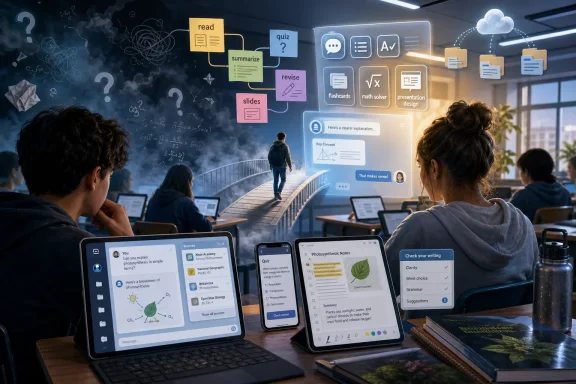 The Study Hall Has Moved Into the Chat Window
The modern student’s workload has quietly become a systems-integration problem. A high schooler may be juggling Google Classroom, a graphing calculator, a PDF textbook, a YouTube lecture, a messaging app, and a college-prep portal before lunch. A college student may be doing the same across Canvas, Teams, Word, GitHub, Zotero, and an internship Slack.AI tools became popular because they sit across that mess like a universal adapter. They summarize, translate, outline, quiz, rephrase, generate slides, explain code, and turn scattered notes into something that resembles a study plan. The appeal is not that every answer is perfect. The appeal is that the tool is there when the teacher, tutor, writing center, librarian, or classmate is not.
That is why the numbers matter. Pew Research Center found that 64 percent of U.S. teens had used an AI chatbot, while Gallup and Lumina Foundation reported that 57 percent of U.S. college students used AI for coursework at least weekly. Those figures describe a behavioral shift that has already happened, not a speculative future schools can debate at leisure.
The central tension is simple: students have discovered a faster interface for learning tasks, but institutions still grade many assignments as if the old interface were intact. That gap is where confusion, plagiarism accusations, productivity gains, and real learning gains all collide.
ChatGPT Became the Default Tutor Because It Feels Like a Person
ChatGPT remains the most recognizable student AI tool because it turns a blank page or confusing paragraph into a conversation. Students ask it to explain photosynthesis for an eighth grader, build a five-day revision plan for statistics, quiz them on Python loops, or rework an essay introduction that refuses to land. It is not just a writing tool; for many students, it is the first place they go when they do not know how to begin.The release of study-oriented modes and step-by-step tutoring features reflects a broader market correction. Early chatbot use often rewarded shortcut behavior: ask for the answer, paste the answer, submit the answer. Newer educational designs try to slow that down by prompting students through reasoning, asking follow-up questions, and withholding the final solution long enough to make the learner do some work.
That distinction matters. A chatbot that explains why a calculus step works can be a useful tutor. A chatbot that simply produces the final derivative can become a very fast way to avoid learning calculus at all. The same interface can either develop competence or launder ignorance, depending on how it is used.
ChatGPT’s dominance also comes from its generality. A student does not need to know whether they need a grammar checker, a flashcard system, a coding assistant, or a brainstorming partner. They can open one box and type a messy request. That flexibility is why it became the default, and also why it is so hard for schools to police.
Google Gemini and Microsoft Copilot Turn AI Into an Office Supply
Gemini and Copilot are popular for a different reason: they live near the documents students already use. Gemini’s value is tied to the Google ecosystem, where students write in Docs, manage email in Gmail, collect information through Search, and collaborate on shared assignments. Its advantage is convenience rather than mystique.Copilot plays the same role in Microsoft’s world. For students working in Word, PowerPoint, Excel, Outlook, or Teams, Copilot is less a separate destination than an extra layer inside familiar software. It can draft an email, explain a spreadsheet formula, propose a presentation outline, or turn meeting notes into action items.
This is where AI becomes less visible and more consequential. A standalone chatbot feels like a tool a student chooses to use. AI embedded in productivity suites feels like a feature of the page itself. Once that happens, “Did you use AI?” becomes a less useful question than “Which parts of the work reflect your own judgment?”
For WindowsForum readers, this is the Microsoft angle worth watching. Copilot is not merely another student app competing for attention; it is part of the operating environment many schools and universities already license. If institutions standardize on Microsoft 365, AI adoption can arrive through procurement rather than student rebellion.
Grammarly Shows That AI Adoption Did Not Begin With Chatbots
Grammarly’s popularity among students predates the current generative AI boom, which makes it easy to underestimate. For years, students have used it to catch grammar mistakes, improve clarity, adjust tone, and polish college applications or class reports. The difference now is that grammar correction has blurred into writing assistance.That blur is uncomfortable but important. Few teachers object to spellcheck. Many object to a tool rewriting paragraphs, generating transitions, or changing the sophistication of a student’s prose. Grammarly sits precisely on that boundary, which is why it has become part of the academic-integrity conversation.
The company has also leaned into disclosure and responsible AI use, reflecting a reality schools are still trying to formalize. Students need ways to say how tools helped them without treating every AI-assisted sentence as misconduct. A grammar suggestion, a tone adjustment, and a generated thesis statement are not the same act.
This is where policy often lags practice. If a student uses Grammarly to make an email to a professor clearer, that feels ordinary. If the same tool rewrites half an essay, the academic stakes change. Schools need language precise enough to distinguish assistance from substitution.
NotebookLM Is the Tool That Makes AI Feel Less Like Guesswork
NotebookLM has become one of the most interesting student tools because it changes the source of authority. Instead of asking the open web or a general chatbot, students upload lecture notes, PDFs, slides, research papers, or class readings and then ask questions against that material. The tool’s promise is not omniscience; it is grounded assistance.That matters because students do not only need answers. They need answers tied to the material their instructor assigned. A general chatbot may explain the French Revolution well, but NotebookLM can help a student understand this professor’s lecture notes, this article packet, and this exam review sheet.
Its study-guide and audio-overview features also show where AI learning tools are heading. Students are not merely asking for summaries; they are asking software to transform formats. A dense PDF becomes a conversational explanation. A pile of readings becomes a review sheet. A set of notes becomes a mock podcast a student can listen to while walking across campus.
That transformation is genuinely useful, especially for students who struggle with dense academic prose, long readings, or fragmented note-taking. But it also creates a new dependency. If students increasingly experience course material through AI-generated reductions, the quality of those reductions becomes part of the education itself.
Perplexity and Elicit Sell Students Something Chatbots Often Lack: Traceability
Perplexity is popular among students because it behaves less like a blank chatbot and more like an answer engine with visible sources. For research projects, current events, and early-stage essay planning, that traceability matters. A student can see where a claim came from and decide whether to trust it.That does not make Perplexity a replacement for research literacy. A sourced answer can still overstate a point, miss context, or lean on weak material. But it nudges students toward a better habit than accepting an unsupported paragraph from a chatbot as if it were revealed truth.
Elicit occupies a more academic niche. It is built for searching and summarizing research papers, extracting findings, and helping with literature reviews. For students in psychology, health sciences, education, economics, or evidence-based policy courses, that can save hours at the discovery stage.
The danger is that discovery can masquerade as understanding. A table of summarized papers is not the same as reading the papers. A generated literature-review outline is not the same as knowing the field. These tools are most useful when they help students find what to read, not when they become a substitute for reading.
Quizlet, Photomath, and Otter.ai Prove That “AI Tool” Is Not One Category
The phrase “AI tool” hides important differences. Quizlet, Photomath, and Otter.ai are all popular with students, but they solve very different problems. One helps with retrieval practice, one explains math procedures, and one converts spoken lectures into searchable notes.Quizlet’s strength is repetition. Flashcards, practice tests, and study sets are not glamorous, but they match how many students actually prepare for exams. AI can speed up the creation of those materials by turning notes into quizzes or terms into review decks.
Photomath is more controversial because it sits close to the answer-copying line. Scanning a math problem and receiving a step-by-step solution can be a lifeline for a confused student. It can also become a machine for finishing homework without understanding the method.
Otter.ai raises a different issue: consent and classroom norms. Lecture transcription can help students who process information slowly, miss details, have accessibility needs, or study in a second language. But recording lectures without permission can violate school rules or instructor expectations. AI does not erase the social contract of the classroom.
Canva and Gamma Turn Presentation Anxiety Into a Drafting Problem
Students have always been asked to make slides, posters, and project visuals, often with little design instruction. Canva AI and Gamma are popular because they reduce the intimidation of the blank slide. A student can generate a layout, visual structure, or first-pass deck and then refine it.That is a real productivity gain. Many students are not trying to outsource the intellectual work of a presentation; they are trying to avoid spending three hours aligning text boxes. Tools that produce a clean first draft can free time for rehearsal, research, and clearer argumentation.
But visual polish can also hide weak thinking. A Gamma deck may look coherent before the student has a coherent argument. A Canva infographic can make unsupported claims appear authoritative. Design automation raises the floor of student presentations, but it can also make shallow work look finished.
The best classroom use of these tools treats AI-generated visuals as scaffolding. Students should be expected to verify claims, replace generic examples, adapt the narrative, and explain their choices. A pretty deck is not evidence of comprehension.
The New Student Workflow Is Faster, Messier, and Harder to Grade
The most important shift is not any single app. It is the emergence of a new workflow: collect materials, summarize them, ask questions, generate an outline, draft, revise, build slides, create flashcards, and quiz yourself — all with AI assistance at multiple points. The student’s work is no longer a straight line from reading to writing.That workflow can be excellent. A student who once stared helplessly at a dense chapter can ask for a simpler explanation, generate practice questions, and identify what they still do not understand. AI can reduce the penalty for not knowing where to start.
It can also produce brittle competence. A student may submit polished work while lacking the ability to reproduce the reasoning unaided. The work product improves while the underlying skill remains underdeveloped. That is the nightmare scenario for educators, and it is not imaginary.
Grading becomes harder because the artifact tells less of the story. A well-written essay may reflect strong student thinking, heavy AI rewriting, or both. A correct solution may reflect mastery, Photomath dependence, or a hybrid process. Assessment has to move closer to process, defense, and iteration.
Schools Are Losing the Ban-and-Detect Game
Many institutions initially responded to generative AI with bans, detection tools, and stern syllabus language. That approach was understandable in 2023. By 2026, it looks increasingly inadequate.Detection is unreliable enough to be dangerous when used as a sole basis for punishment. False positives can damage students, especially multilingual writers or students with formulaic academic prose. False negatives are inevitable as tools improve and students revise generated text.
Bans also collide with reality. If more than half of college students are using AI weekly for coursework, a blanket prohibition often functions less as policy than theater. It may push use underground, making students less likely to ask what is allowed.
The better institutional move is specification. Teachers need to define where AI is prohibited, where it is permitted, where it is encouraged, and how it must be disclosed. A policy that says “do not use AI to write this essay” is different from one that says “you may use AI to brainstorm topics, but your outline, draft, citations, and final prose must be your own.”
Academic Integrity Now Depends on Assignment Design
AI has exposed a weakness in many assignments: they were designed for a world where generating competent prose was costly. If a prompt can be answered by a generic chatbot in ten seconds, the problem may not be only the student’s temptation. It may be the prompt.Better assignments ask for local evidence, personal reasoning, classroom-specific material, staged drafts, oral defense, annotated sources, or reflection on process. Those elements do not make cheating impossible, but they make authentic work more visible. They also align better with how professionals actually use AI: as part of an iterative workflow, not as a magic answer dispenser.
This does not mean every assignment must become elaborate. Sometimes students need to memorize vocabulary, practice algebra, or write a clean paragraph without assistance. There is still a place for closed-book, no-device, individual work. In fact, there may be more need for it now.
The point is balance. Students should learn both how to work with AI and how to think without it. A school that teaches only prohibition is ignoring the labor market. A school that allows unlimited automation is abandoning education.
The Equity Story Is More Complicated Than “Everyone Has a Tutor Now”
AI boosters often describe these tools as democratized tutoring. There is truth in that. A student without access to paid tutoring can ask for explanations at midnight. A first-generation college student can get help decoding academic language. A student with anxiety can practice interview questions without embarrassment.But access is uneven. The best versions of many tools cost money, require strong devices, or work best with reliable broadband. Students with paid subscriptions may receive better models, longer context windows, file uploads, advanced research functions, and faster responses. The free tier may be enough for casual use but not equivalent for heavy academic work.
There is also an information gap. Students who know how to prompt, verify, compare sources, and revise AI output gain more than students who simply paste instructions and accept results. AI literacy becomes a new academic advantage, layered on top of existing ones.
Schools should treat that as an equity issue, not a side topic. If AI is now part of learning, then teaching responsible use is part of providing equal access to learning. Otherwise, the students with the most informal guidance will benefit most, while everyone else is left to experiment in private.
The Privacy Problem Is Sitting in the Backpack
Students routinely upload lecture notes, draft essays, PDFs, classroom materials, personal reflections, resumes, and sometimes sensitive data into AI tools. Many do this without reading privacy terms or understanding how data may be stored, processed, or used. That is not a moral failure by students; it is predictable behavior in a tool ecosystem designed for frictionless input.For K-12 schools, the stakes are sharper because minors are involved. Administrators must think about parental consent, vendor agreements, student data protections, and whether tools are approved for classroom use. A teacher casually recommending an app may be making a procurement and privacy decision without realizing it.
College students face a different version of the same issue. Uploading unpublished research, clinical notes, proprietary internship material, or copyrighted course packs can create legal and ethical problems. The convenience of “summarize this PDF” does not automatically grant permission to process that document through a third-party system.
This is where institutional IT needs a seat at the table. AI policy cannot be left solely to academic committees or individual instructors. The question is not only whether students learn. It is also where their data goes.
Windows Users Will Meet Student AI Through the Operating System
For many WindowsForum readers, the student AI boom may look like a web-app story. In practice, it is also an endpoint-management story. Students use browsers, Office apps, Teams, OneDrive, PDFs, screenshots, microphones, webcams, and local files. AI touches all of those surfaces.Microsoft’s Copilot strategy makes this especially relevant. As AI features become more deeply integrated into Windows and Microsoft 365, schools and families will need to understand what is enabled, what is logged, what is governed by enterprise controls, and what happens under personal accounts. The difference between a school-managed Copilot experience and a consumer chatbot session matters.
There is also a support burden. Parents and IT admins will be asked why a student cannot access a tool, why a browser extension is blocked, why a microphone transcription app fails, or why an AI feature appears in one account but not another. AI adoption does not arrive as a single software rollout. It arrives as dozens of small support tickets.
The practical advice for Windows households and school IT departments is boring but important: manage accounts, review permissions, teach file hygiene, and separate school data from personal experimentation. The future of student AI may be exciting, but the operational layer is still made of settings pages, licenses, and policy toggles.
The Apps Students Love Are Really Arguments About Learning
The current list of popular tools says something revealing about student pain points. ChatGPT addresses confusion and blank-page anxiety. NotebookLM addresses overloaded reading. Perplexity and Elicit address research uncertainty. Grammarly addresses writing confidence. Quizlet addresses exam pressure. Canva and Gamma address design anxiety. Photomath addresses procedural frustration. Otter.ai addresses the speed and density of lectures.In other words, AI tools are not randomly invading education. They are flowing toward the places students already felt friction. Some of that friction was productive; struggling through a proof or revising a paragraph can build skill. Some of it was waste; spending half an evening formatting slides is not a noble educational ritual.
The policy challenge is to tell the difference. Schools should protect productive struggle while eliminating pointless friction. That is harder than banning apps, but it is more honest.
The best AI use preserves the student’s responsibility for judgment. The tool can explain, suggest, summarize, quiz, or format. The student must still decide what is true, what is relevant, what is ethical, and what they can defend. That is the line worth teaching.
The Cheat Sheet for a Classroom Already Running on AI
The student AI stack is no longer hypothetical, and pretending otherwise only benefits the students who are most willing to hide their use. The more useful response is to name the tools, define acceptable workflows, and teach students how to verify what machines produce.- Students are using AI most heavily where schoolwork creates bottlenecks: reading, writing, research, revision, math practice, note-taking, and presentations.
- ChatGPT remains the default general-purpose tutor, while Gemini and Copilot gain power from their integration into Google and Microsoft productivity ecosystems.
- NotebookLM, Perplexity, and Elicit are gaining attention because they promise more grounded research workflows than a plain chatbot.
- Grammarly, Quizlet, Photomath, Canva, Gamma, and Otter.ai show that student AI is a collection of task-specific habits, not one monolithic behavior.
- Schools should replace vague AI bans with assignment-level rules that distinguish brainstorming, tutoring, drafting, editing, citation work, and final submission.
- The real risk is not that students use AI, but that they use it invisibly, uncritically, and without learning how to verify or explain the work it helps produce.
References
- Primary source: simplilearn.com
Published: 2026-06-21T04:50:49.283507
Most Popular AI Tools Students Use for Learning Today
Students are using AI to study smarter, research faster, and create better projects. Explore the AI tools transforming learning, writing, and exam prep. www.simplilearn.com
- Related coverage: news.gallup.com
AI Is Routine for College Students, Despite Campus Limits
A majority of U.S. college students use artificial intelligence in their coursework at least weekly, yet about half say their schools discourage or prohibit it. news.gallup.com
- Related coverage: techlearning.com
The 10 Most Popular AI Chatbots | Tech & Learning
Educators don’t need to use each of these chatbots, but it pays to be generally aware of the most popular AI toolswww.techlearning.com
