

Microsoft’s Surface Laptop 8 for Business adds an integrated privacy display on select 13.8-inch models in May 2026, letting users darken side-angle viewing with a dedicated keyboard key while keeping the touchscreen usable. The feature works, according to early hands-on testing, but it does not make the screen magically invisible. Its more interesting lesson is that Microsoft is now treating privacy as a hardware experience, not merely a Windows setting. That shift is useful, overdue, and more compromised than the marketing language suggests.
The modern laptop has spent years becoming brighter, sharper, thinner, and more color-accurate, all while remaining fundamentally terrible at one mundane problem: other people can see it. That problem is not theoretical for lawyers, executives, journalists, doctors, finance workers, government staff, and anyone who has ever opened email on an airplane tray table.
Microsoft’s answer in the Surface Laptop 8 for Business is refreshingly physical. Instead of asking users to buy a stick-on privacy filter or remember to angle the lid defensively, the company has put a privacy toggle directly into the keyboard row, beside Escape. Press it, and the display changes its viewing behavior.
That sounds like a small trick, but it is a telling one. Surface has often been at its best when Microsoft uses hardware to express a belief about how Windows PCs should work: the kickstand, the detachable keyboard, the 3:2 display, the pen-first tablet. This privacy key belongs to that lineage, even if it is far less glamorous than a new form factor.
The catch is that this is not invisibility. It is controlled degradation. The display becomes harder to read from the side, but the user also gets a screen that is dimmer, less clean, and apparently prone to visible speckling under some conditions.
That is the trade Microsoft is asking business buyers to make: a little less display purity in exchange for a little more situational discretion.
They can reduce brightness, interfere with touch, attract dust, shift color, peel at the edges, and turn an expensive display into something that looks like it is being viewed through smoked plastic. Users remove them, lose them, scratch them, or never install them in the first place. In enterprise terms, that means policy turns into wishful thinking the moment the device leaves the imaging bench.
Microsoft’s approach is better because it is always there. The user does not need a sleeve, a sheet, a cleaning cloth, or a separate procurement line item. More importantly, the privacy state is reversible with a single keypress, which matters because people are far more likely to use security features that do not punish them every minute of the day.
That is why the keyboard placement matters. A privacy toggle buried in Settings would be a demo. A privacy toggle on the keyboard is a habit.
The design also avoids one of the biggest compromises of traditional filters: broken or degraded touch input. PCWorld’s hands-on report says the Surface Laptop 8’s touchscreen remains functional when the privacy mode is active, which is exactly the kind of boring detail that determines whether a feature survives real-world use.
Microsoft has not eliminated the laws of optics. It has reduced the friction around obeying them.
PCWorld’s test found that side viewers could still make out broad context. A spreadsheet may still look like a spreadsheet. A familiar website may still be recognizable by layout. High-contrast content can remain legible enough to betray what kind of work is happening, even if the specific numbers or text become difficult to read.
That distinction matters. For many users, obscuring detail is enough. A seatmate who can tell that you are in Excel but cannot read the figures is a different risk from a seatmate who can read a revenue forecast, legal memo, patient name, or internal chat.
For other users, the distinction is fatal. If merely revealing the application, document type, customer logo, or visual dashboard is sensitive, then this integrated screen is not sufficient protection. A privacy feature that hides text but reveals context is still a leak in environments where context is the secret.
This is where Microsoft’s business framing deserves scrutiny. The Surface Laptop 8’s privacy display is useful for casual shoulder-surfing, shared workspaces, travel, conferences, and coffee shops. It is not a substitute for operational discipline, clean-desk policies, physical awareness, or document-handling rules.
The feature reduces exposure. It does not create a secure perimeter.
Microsoft has Panther Lake processors to talk about, and that matters for performance, battery life, and Copilot+ PC positioning. But chips are not a Surface story in the same way a hinge, display ratio, keyboard, or docking behavior can be. Intel silicon can help Surface compete; it cannot make Surface feel uniquely Microsoft.
The privacy key gives Microsoft a hardware story that is not just “new CPU, same laptop.” That is especially important for business buyers, who are often asked to justify paying Surface prices against Dell, HP, Lenovo, and Apple alternatives. An integrated privacy display is the kind of feature a procurement deck can understand.
But the select-model availability also narrows the story. If the feature is limited to specific 13.8-inch configurations, it becomes less of a Surface philosophy and more of an upsell. Microsoft is not yet saying that every premium business laptop should treat visual privacy as standard equipment. It is saying certain customers can pay for it.
That weakens the broader argument. If privacy is important enough to merit a keyboard key, it is important enough to ask why the rest of the lineup does not get one.
The tester noticed darkening along the sides of the panel with privacy mode enabled. More importantly, he saw a speckling effect, especially on white backgrounds and at lower brightness levels. The description evokes a display that looks slightly dusty or textured, even though the artifact is part of the visual system rather than surface grime.
That is not a small complaint for Surface. Microsoft’s devices have long leaned on display quality as part of their premium identity. A Surface screen is expected to be crisp, carefully calibrated, touch-friendly, and pleasant for long work sessions. If privacy hardware makes a white page look subtly dirty, some users will notice immediately.
The severity is still uncertain. PCWorld could not confirm whether the issue was limited to its review unit, and Microsoft reportedly asked for photographic proof that was difficult to capture. That is plausible; many display artifacts are obvious to the eye and maddeningly elusive to a camera.
But uncertainty cuts both ways. If the speckling is rare, Microsoft needs to explain it. If it is inherent to the design, Microsoft needs to own the trade-off. Business customers can accept compromises when they are explicit. They are less forgiving when a premium display surprise arrives after deployment.
There is also a psychological problem. Once a user sees speckling on a white background, it can become impossible to unsee. The same people who ignore fan noise until someone mentions it may suddenly find themselves staring at the texture of Outlook, Word, Teams, and browser tabs all day.
A built-in privacy display protects the laptop panel. It does nothing for the 27-inch monitor on the desk, the conference room screen, the Teams room display, the shared projector, the phone propped beside the keyboard, or the printed page sitting under a coffee mug. In modern work, sensitive information sprawls across surfaces.
This does not make Microsoft’s feature useless. It simply means the feature is best understood as travel armor, not office armor. The places where it shines are constrained spaces where the laptop is the only display and the threat model is a stranger at an angle: airplanes, trains, coworking tables, airport lounges, hotel lobbies, client waiting rooms.
Inside the office, visual privacy is messier. Open-plan layouts, hot desks, glass conference rooms, and multi-monitor setups all undermine the idea that one laptop panel can solve the problem. The more enterprise work becomes collaborative and screen-rich, the more visual privacy becomes environmental rather than personal.
That creates a practical challenge for IT. If a company buys Surface Laptop 8 privacy configurations, it should not pretend the purchase closes a risk category. It should treat the feature as one control among many, useful in specific contexts and nearly irrelevant in others.
The best security features are honest about their boundaries. This one will need administrators to provide that honesty if marketing does not.
The key point is usability. A removable privacy film that stays in a drawer protects nothing. A built-in filter that a user can toggle before opening a sensitive email on a flight has a real chance of being used. That alone makes Microsoft’s implementation more credible than many corporate privacy accessories.
There is also a social benefit. A visible privacy mode communicates intent. Pressing the key before reviewing confidential material is a small ritual that reminds the user to be aware of surroundings. In security culture, rituals matter because they turn abstract policy into muscle memory.
The feature may be especially appealing in regulated or confidentiality-heavy roles where travel remains common. Consultants, auditors, attorneys, sales executives, medical administrators, and public-sector workers often face precisely the awkward middle ground this display targets: information that is not national-security classified but should not be casually visible to the person in seat 14B.
The convenience also matters for touchscreen users. If Microsoft’s integrated approach avoids the touch degradation associated with some third-party filters, it preserves the Surface identity instead of forcing buyers to choose between privacy and one of the device’s core interaction models.
That is the strongest version of Microsoft’s argument: not perfect secrecy, but privacy that people will actually turn on.
That is how many laptop features begin. High-refresh displays, better webcams, haptic touchpads, 5G modems, OLED panels, and AI accelerators all entered the market unevenly before filtering down or fading away. The question is whether integrated privacy becomes a standard expectation or remains a niche procurement checkbox.
The answer will depend less on Microsoft’s launch messaging than on user tolerance. If the display artifacts are mild, the feature could become one of those things users miss when they switch machines. If the speckling is widespread and annoying, IT departments may decide that old-fashioned removable filters are ugly but predictable.
Microsoft also has to decide whether it wants to lead or merely decorate. Surface can still influence Windows hardware design, but only when its ideas are clear enough for OEMs to copy. A privacy key that works well, appears across more models, and integrates with Windows policy could become a platform idea. A pricey option on select business SKUs will remain a Surface curiosity.
There is an obvious next step: administrative control. Enterprises will ask whether privacy mode can be required in certain locations, triggered by policy, exposed through management tools, or audited. A hardware key is good. A hardware key that participates in endpoint management would be much more interesting.
That is where Microsoft could turn a clever display into a business platform feature.
The most concrete lessons are straightforward:
Microsoft deserves credit for attacking a real workplace problem with hardware instead of another layer of software theater. But the Surface Laptop 8 for Business also shows why privacy is never free: the user pays in brightness, clarity, configuration choice, and sometimes annoyance. If Microsoft can refine the optics, broaden availability, and tie the feature into enterprise management, the privacy key could become one of those quiet Surface ideas that the rest of the PC industry eventually absorbs. If not, it will remain a useful warning label in button form: your screen can be more private, but it will not be perfect.
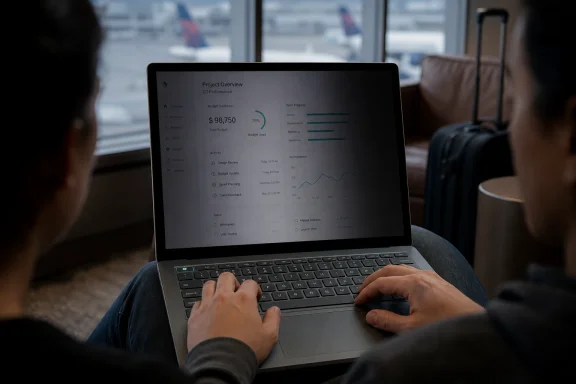 Microsoft Turns Shoulder-Surfing Into a Surface Feature
The modern laptop has spent years becoming brighter, sharper, thinner, and more color-accurate, all while remaining fundamentally terrible at one mundane problem: other people can see it. That problem is not theoretical for lawyers, executives, journalists, doctors, finance workers, government staff, and anyone who has ever opened email on an airplane tray table.Microsoft’s answer in the Surface Laptop 8 for Business is refreshingly physical. Instead of asking users to buy a stick-on privacy filter or remember to angle the lid defensively, the company has put a privacy toggle directly into the keyboard row, beside Escape. Press it, and the display changes its viewing behavior.
That sounds like a small trick, but it is a telling one. Surface has often been at its best when Microsoft uses hardware to express a belief about how Windows PCs should work: the kickstand, the detachable keyboard, the 3:2 display, the pen-first tablet. This privacy key belongs to that lineage, even if it is far less glamorous than a new form factor.
The catch is that this is not invisibility. It is controlled degradation. The display becomes harder to read from the side, but the user also gets a screen that is dimmer, less clean, and apparently prone to visible speckling under some conditions.
That is the trade Microsoft is asking business buyers to make: a little less display purity in exchange for a little more situational discretion.
The Button Is the Innovation, Not the Filter
Privacy screens are not new. Anyone who has spent time in a corporate IT department has seen the removable films that turn a laptop into a dim, narrow-viewing tunnel. They work well enough to remain common, but they are inelegant in the way all aftermarket necessities are inelegant.They can reduce brightness, interfere with touch, attract dust, shift color, peel at the edges, and turn an expensive display into something that looks like it is being viewed through smoked plastic. Users remove them, lose them, scratch them, or never install them in the first place. In enterprise terms, that means policy turns into wishful thinking the moment the device leaves the imaging bench.
Microsoft’s approach is better because it is always there. The user does not need a sleeve, a sheet, a cleaning cloth, or a separate procurement line item. More importantly, the privacy state is reversible with a single keypress, which matters because people are far more likely to use security features that do not punish them every minute of the day.
That is why the keyboard placement matters. A privacy toggle buried in Settings would be a demo. A privacy toggle on the keyboard is a habit.
The design also avoids one of the biggest compromises of traditional filters: broken or degraded touch input. PCWorld’s hands-on report says the Surface Laptop 8’s touchscreen remains functional when the privacy mode is active, which is exactly the kind of boring detail that determines whether a feature survives real-world use.
Microsoft has not eliminated the laws of optics. It has reduced the friction around obeying them.
The Screen Protects Less Than the Word “Privacy” Implies
The problem begins with the name. “Privacy screen” sounds binary, as if information is either exposed or protected. In practice, this is more like a visibility tax imposed on anyone outside the central viewing angle.PCWorld’s test found that side viewers could still make out broad context. A spreadsheet may still look like a spreadsheet. A familiar website may still be recognizable by layout. High-contrast content can remain legible enough to betray what kind of work is happening, even if the specific numbers or text become difficult to read.
That distinction matters. For many users, obscuring detail is enough. A seatmate who can tell that you are in Excel but cannot read the figures is a different risk from a seatmate who can read a revenue forecast, legal memo, patient name, or internal chat.
For other users, the distinction is fatal. If merely revealing the application, document type, customer logo, or visual dashboard is sensitive, then this integrated screen is not sufficient protection. A privacy feature that hides text but reveals context is still a leak in environments where context is the secret.
This is where Microsoft’s business framing deserves scrutiny. The Surface Laptop 8’s privacy display is useful for casual shoulder-surfing, shared workspaces, travel, conferences, and coffee shops. It is not a substitute for operational discipline, clean-desk policies, physical awareness, or document-handling rules.
The feature reduces exposure. It does not create a secure perimeter.
Microsoft’s Surface Problem Is Now About Differentiation, Not Just Design
The timing is not accidental. The Surface Laptop 8 for Business arrives in a Windows PC market where premium laptops are increasingly difficult to distinguish on fundamentals. Everyone has good enough performance, good enough webcams, good enough screens, fast-enough SSDs, thin aluminum chassis, and some version of AI branding.Microsoft has Panther Lake processors to talk about, and that matters for performance, battery life, and Copilot+ PC positioning. But chips are not a Surface story in the same way a hinge, display ratio, keyboard, or docking behavior can be. Intel silicon can help Surface compete; it cannot make Surface feel uniquely Microsoft.
The privacy key gives Microsoft a hardware story that is not just “new CPU, same laptop.” That is especially important for business buyers, who are often asked to justify paying Surface prices against Dell, HP, Lenovo, and Apple alternatives. An integrated privacy display is the kind of feature a procurement deck can understand.
But the select-model availability also narrows the story. If the feature is limited to specific 13.8-inch configurations, it becomes less of a Surface philosophy and more of an upsell. Microsoft is not yet saying that every premium business laptop should treat visual privacy as standard equipment. It is saying certain customers can pay for it.
That weakens the broader argument. If privacy is important enough to merit a keyboard key, it is important enough to ask why the rest of the lineup does not get one.
The Display Compromise Is the Real Review
The most important part of PCWorld’s hands-on report is not that the privacy mode works from the side. It is that the display appears to pay a price even when viewed from the front.The tester noticed darkening along the sides of the panel with privacy mode enabled. More importantly, he saw a speckling effect, especially on white backgrounds and at lower brightness levels. The description evokes a display that looks slightly dusty or textured, even though the artifact is part of the visual system rather than surface grime.
That is not a small complaint for Surface. Microsoft’s devices have long leaned on display quality as part of their premium identity. A Surface screen is expected to be crisp, carefully calibrated, touch-friendly, and pleasant for long work sessions. If privacy hardware makes a white page look subtly dirty, some users will notice immediately.
The severity is still uncertain. PCWorld could not confirm whether the issue was limited to its review unit, and Microsoft reportedly asked for photographic proof that was difficult to capture. That is plausible; many display artifacts are obvious to the eye and maddeningly elusive to a camera.
But uncertainty cuts both ways. If the speckling is rare, Microsoft needs to explain it. If it is inherent to the design, Microsoft needs to own the trade-off. Business customers can accept compromises when they are explicit. They are less forgiving when a premium display surprise arrives after deployment.
There is also a psychological problem. Once a user sees speckling on a white background, it can become impossible to unsee. The same people who ignore fan noise until someone mentions it may suddenly find themselves staring at the texture of Outlook, Word, Teams, and browser tabs all day.
The Open Office Makes a Mockery of Laptop-Only Privacy
There is an almost comic contradiction in testing a privacy laptop while sitting beside large external monitors. PCWorld noted exactly that scenario, and it exposes the limits of device-level thinking.A built-in privacy display protects the laptop panel. It does nothing for the 27-inch monitor on the desk, the conference room screen, the Teams room display, the shared projector, the phone propped beside the keyboard, or the printed page sitting under a coffee mug. In modern work, sensitive information sprawls across surfaces.
This does not make Microsoft’s feature useless. It simply means the feature is best understood as travel armor, not office armor. The places where it shines are constrained spaces where the laptop is the only display and the threat model is a stranger at an angle: airplanes, trains, coworking tables, airport lounges, hotel lobbies, client waiting rooms.
Inside the office, visual privacy is messier. Open-plan layouts, hot desks, glass conference rooms, and multi-monitor setups all undermine the idea that one laptop panel can solve the problem. The more enterprise work becomes collaborative and screen-rich, the more visual privacy becomes environmental rather than personal.
That creates a practical challenge for IT. If a company buys Surface Laptop 8 privacy configurations, it should not pretend the purchase closes a risk category. It should treat the feature as one control among many, useful in specific contexts and nearly irrelevant in others.
The best security features are honest about their boundaries. This one will need administrators to provide that honesty if marketing does not.
Why Business Buyers May Still Like the Compromise
For all the caveats, the Surface Laptop 8 privacy display is easy to defend. The world is full of imperfect security measures that are worthwhile because they reduce risk without demanding heroics from users. Seatbelts do not prevent every injury. Laptop privacy screens do not prevent every disclosure.The key point is usability. A removable privacy film that stays in a drawer protects nothing. A built-in filter that a user can toggle before opening a sensitive email on a flight has a real chance of being used. That alone makes Microsoft’s implementation more credible than many corporate privacy accessories.
There is also a social benefit. A visible privacy mode communicates intent. Pressing the key before reviewing confidential material is a small ritual that reminds the user to be aware of surroundings. In security culture, rituals matter because they turn abstract policy into muscle memory.
The feature may be especially appealing in regulated or confidentiality-heavy roles where travel remains common. Consultants, auditors, attorneys, sales executives, medical administrators, and public-sector workers often face precisely the awkward middle ground this display targets: information that is not national-security classified but should not be casually visible to the person in seat 14B.
The convenience also matters for touchscreen users. If Microsoft’s integrated approach avoids the touch degradation associated with some third-party filters, it preserves the Surface identity instead of forcing buyers to choose between privacy and one of the device’s core interaction models.
That is the strongest version of Microsoft’s argument: not perfect secrecy, but privacy that people will actually turn on.
The Pricing Signal Could Decide Whether This Becomes Normal
The Surface Laptop 8 for Business is not positioned as a cheap mainstream notebook. Early reporting places it firmly in premium business territory, with higher-end configurations carrying the features Microsoft wants reviewers to discuss. That means the privacy display may initially function less as a universal safety feature and more as a differentiator for buyers already shopping at the top of the stack.That is how many laptop features begin. High-refresh displays, better webcams, haptic touchpads, 5G modems, OLED panels, and AI accelerators all entered the market unevenly before filtering down or fading away. The question is whether integrated privacy becomes a standard expectation or remains a niche procurement checkbox.
The answer will depend less on Microsoft’s launch messaging than on user tolerance. If the display artifacts are mild, the feature could become one of those things users miss when they switch machines. If the speckling is widespread and annoying, IT departments may decide that old-fashioned removable filters are ugly but predictable.
Microsoft also has to decide whether it wants to lead or merely decorate. Surface can still influence Windows hardware design, but only when its ideas are clear enough for OEMs to copy. A privacy key that works well, appears across more models, and integrates with Windows policy could become a platform idea. A pricey option on select business SKUs will remain a Surface curiosity.
There is an obvious next step: administrative control. Enterprises will ask whether privacy mode can be required in certain locations, triggered by policy, exposed through management tools, or audited. A hardware key is good. A hardware key that participates in endpoint management would be much more interesting.
That is where Microsoft could turn a clever display into a business platform feature.
The Surface Privacy Key Reveals the Shape of the Trade
The Surface Laptop 8’s privacy screen is not a gimmick, but neither is it a miracle. It is a practical compromise in a category full of bad compromises, and its value depends on whether the user’s threat model matches the feature’s narrow strengths.The most concrete lessons are straightforward:
- The integrated privacy display appears useful for reducing side-angle readability in travel and shared-space scenarios.
- The feature does not fully hide high-contrast content or prevent observers from recognizing broad on-screen context.
- The built-in approach is more convenient than removable filters and appears to preserve touchscreen functionality.
- The reported dimming and speckling mean buyers should evaluate the display in normal work apps, not just in a privacy demo.
- The feature protects only the laptop panel, so external monitors and office layouts remain separate privacy problems.
- Microsoft’s bigger opportunity is to make visual privacy manageable across Windows fleets, not merely toggleable on one premium Surface configuration.
Microsoft deserves credit for attacking a real workplace problem with hardware instead of another layer of software theater. But the Surface Laptop 8 for Business also shows why privacy is never free: the user pays in brightness, clarity, configuration choice, and sometimes annoyance. If Microsoft can refine the optics, broaden availability, and tie the feature into enterprise management, the privacy key could become one of those quiet Surface ideas that the rest of the PC industry eventually absorbs. If not, it will remain a useful warning label in button form: your screen can be more private, but it will not be perfect.
References
- Primary source: PCWorld
Published: Tue, 26 May 2026 13:00:00 GMT
I tried Microsoft’s new Surface privacy screen. The trade-off is obvious | PCWorld
Microsoft's privacy screen technology inside the Surface Laptop 8 for Business is its key new feature, and largely works -- but not perfectly, and leaves visual artifacts in its wake.www.pcworld.com - Related coverage: windowscentral.com
Microsoft’s Surface launch was so quiet I regret paying attention | Windows Central
This year’s Spring Surface drop arrived with no event, no excitement, and no clear strategy; just another quiet refresh at a time when the brand needs direction.www.windowscentral.com - Official source: support.microsoft.com
Surface Laptop (8th Edition) features | Microsoft Support
Learn what features are included with Surface Laptop(8th Edition)support.microsoft.com - Related coverage: notebookcheck.net
Microsoft releases new Surface Laptop 8 with up to 64 GB RAM and Arc B390 graphics - Notebookcheck News
Microsoft has updated its laptop range with new 13.8-inch and 15-inch models. Available with up to 64 GB of RAM and optional 5G connectivity, the Surface Laptop 8 can be configured with new privacy screen technology too, as well as Intel's Panther Lake platform. www.notebookcheck.net
- Related coverage: notebookcheck.com
Microsoft Surface Laptop 8 startet mit Privacy Display und haptischem Touchpad - Notebookcheck News
Der brandneue Surface Laptop 8 ist da, und bringt eine Reihe bedeutender Upgrades mit. Von einem Privacy Display im Stil des Samsung Galaxy S26 Ultra über ein haptisches Multitouch-Trackpad bis hin zu schnellen Intel Panther Lake Prozessoren. www.notebookcheck.com
- Official source: microsoft.com
Surface Laptop for Business, 13.8 or 15-inch (8th Edition) Intel – Microsoft Store
Buy the 2026 Surface Laptop for Business, 13.8 or 15-inch (8th Edition) — an Intel Core Ultra 5 or X7 (Series 3) business laptop with Windows 11 Pro, Intel AI Boost (50 TOPS), Wi-Fi 7, LPDDR5x memory, and removable Gen 4 SSD. View price and specifications in the Microsoft Store. For software...www.microsoft.com
- Official source: learn.microsoft.com
Surface for Business Laptops and Computers | Microsoft Surface
Choose from business laptops, tablets, and computers from Microsoft Surface. Empower your employees with AI-powered Surface work laptops built for performance, collaboration, and productivity.learn.microsoft.com
- Related coverage: winbuzzer.com

Microsoft Unveils Surface Pro 12, Laptop 8 for Business
Microsoft has launched Surface Pro 12 and Laptop 8 for business buyers, adding privacy-screen, display, and haptic-trackpad upgrades as pricing pressure rises.
winbuzzer.com
- Related coverage: tomsguide.com
Microsoft Surface Laptop 8 review: Fast Panther Lake power, shocking price | Tom's Guide
The Microsoft Surface Laptop 8 offers strong performance and long battery life. However, its high $1,949 asking price is a lot to ask for the average consumer.www.tomsguide.com - Related coverage: tomshardware.com
New Microsoft Surface for Business PCs pair Panther Lake chips with as little as 8GB of RAM — 13-inch Surface Laptop goes light on memory but still starts at $1,299 | Tom's Hardware
The AI gold rush crimps the local AI ambitions of the cheapest business-focused Surfacewww.tomshardware.com - Related coverage: techradar.com
Microsoft unveils new Surface for Business laptops and Surface Pro for Business 2 in 1s — showing your next work device will have AI at the core | TechRadar
Microsoft unveils new Surface designed with AI in mindwww.techradar.com
