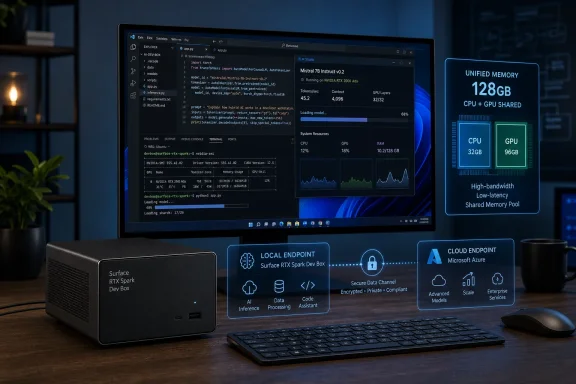
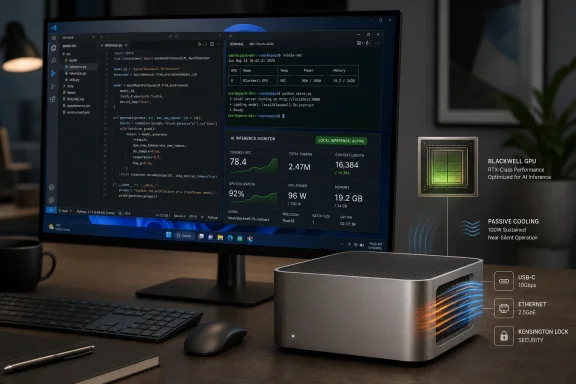
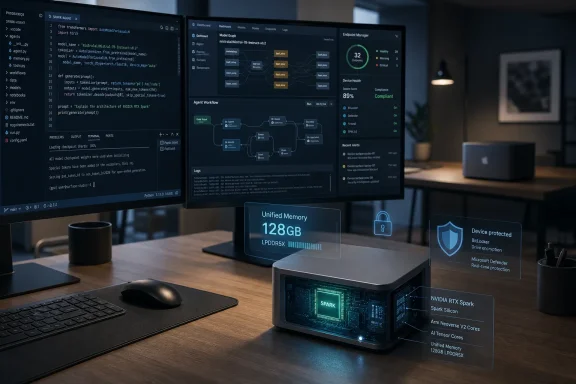
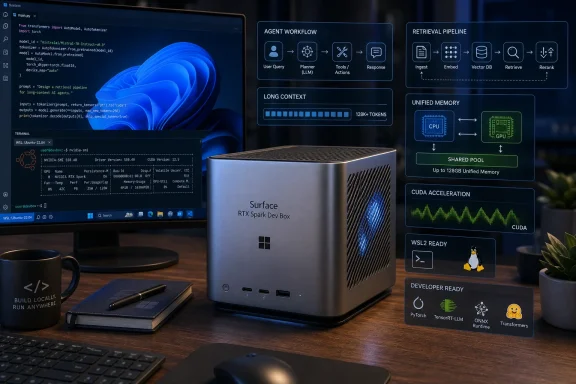
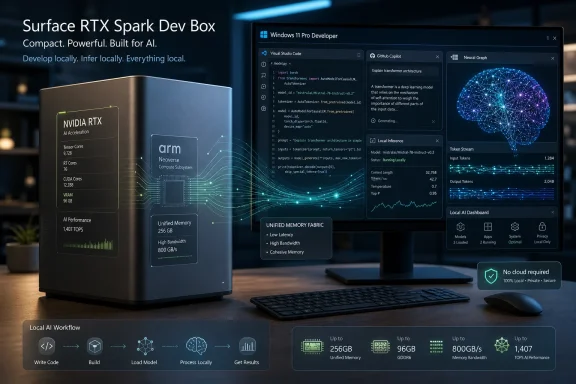
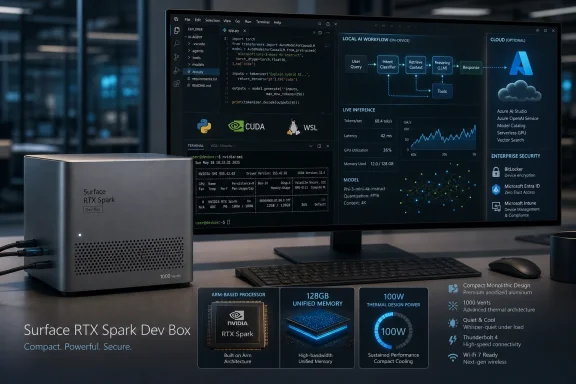
Microsoft announced the Surface RTX Spark Dev Box on June 2, 2026, as a Windows 11 developer workstation for local AI work, pairing NVIDIA’s RTX Spark architecture with up to one petaflop of AI compute, 128 GB of unified memory, and tooling for agents, containers, WSL, CUDA, and Copilot. The headline is not simply that Microsoft has another Surface box for developers. It is that Windows is being repositioned as a place where serious AI workloads can be built, tested, governed, and contained before they ever touch the cloud. That is a much bigger bet than a spec sheet.
For the last two years, the default answer to advanced AI development has been: rent the GPU, call the API, keep the local machine thin. Microsoft has profited handsomely from that model through Azure, GitHub, and Copilot. Yet the Surface RTX Spark Dev Box points in a different direction: a high-end local machine that treats the developer’s desk as part of the AI infrastructure stack.
That does not mean Microsoft is abandoning the cloud. It means the company sees a gap between lightweight AI PCs and datacenter-scale GPU clusters. Developers building agents, testing model behavior, fine-tuning domain-specific systems, or experimenting with long-context workflows often need something more capable than a laptop NPU but less bureaucratic than cloud GPU procurement.
The Dev Box is Microsoft’s answer to that middle layer. It is a machine for people who want to run larger models locally, iterate quickly, avoid uploading sensitive data during early development, and still stay inside the Windows, GitHub, Entra, Intune, and Azure orbit.
The interesting part is that Microsoft is not presenting this as a hobbyist local-LLM toy. It is selling the device as part of a managed, identity-aware, enterprise-governed developer platform. That framing matters because local AI has always had two personalities: freedom for developers, anxiety for administrators.
Traditional GPU workstations are often constrained less by total system RAM than by VRAM. A workstation can have plenty of CPU memory and still choke when the model, context window, weights, cache, and runtime all need to live close to the GPU. Unified memory does not magically erase every bottleneck, but it gives the CPU and GPU a shared pool large enough to make local work with far larger models less ridiculous.
Microsoft says the Surface RTX Spark Dev Box can run 120-billion-plus-parameter models locally, with million-token context support described as part of the platform’s ambition. That is the kind of claim that should be read carefully. The real-world experience will depend on quantization, model architecture, runtime, memory bandwidth, thermals, and whether the workload is inference, fine-tuning, retrieval-augmented generation, or some messy agent loop with tool calls.
Still, the direction is clear. Microsoft and NVIDIA are trying to normalize the idea that a Windows developer machine can be a credible local AI node. Not a replacement for a rack of accelerators, not a magic box for training frontier models, but a serious prototyping and execution environment.
The inclusion of WSL 2 with native GPU passthrough and CUDA support is equally important. AI developers have tolerated Windows when they had to, but many serious ML workflows have lived more naturally in Linux. A Windows box that arrives preconfigured for CUDA-backed Linux development under WSL is Microsoft acknowledging that Windows wins here only if it stops forcing developers to choose between the Windows desktop and the Linux AI toolchain.
This is closer to a personal AI workstation than a conventional AI PC. The target user is not someone asking Copilot to summarize a meeting. It is the developer trying to build the thing that summarizes, acts, tests, retrieves, executes, and reports without leaking data or burning through cloud credits during every experiment.
That distinction matters because Microsoft has struggled to make the AI PC pitch feel essential to many professionals. NPUs are useful, but they rarely change a developer’s daily workflow in a dramatic way. A local box with enough memory and CUDA compatibility to run large models, test agents, and support long-running experiments is easier to understand.
Surface also plays a symbolic role. Microsoft often uses Surface to demonstrate what it wants the Windows ecosystem to become. The Surface Pro pushed detachable tablets. Surface Laptop pushed premium Windows notebooks. The Surface RTX Spark Dev Box is Microsoft’s attempt to show OEMs, developers, and enterprise buyers what a Windows-native AI development appliance should look like.
The device is not just competing with other Windows PCs. It is competing with Linux workstations, Mac Studio-style local AI setups, rented cloud GPUs, and NVIDIA’s own DGX Spark category. Microsoft’s advantage is integration. Its disadvantage is that serious AI developers are allergic to anything that feels like a locked-down corporate appliance.
The company is trying to make Windows into an agent-native operating environment. That phrase can sound like conference fog, but there is a concrete idea underneath it: agents are not just apps with chat boxes. They execute code, read and write files, call tools, invoke APIs, use credentials, and sometimes operate semi-autonomously across long sessions.
That makes them powerful and dangerous. A poorly bounded agent is not merely a buggy application. It is a process that may misunderstand intent, overreach its permissions, expose data, or make changes faster than a human can review them.
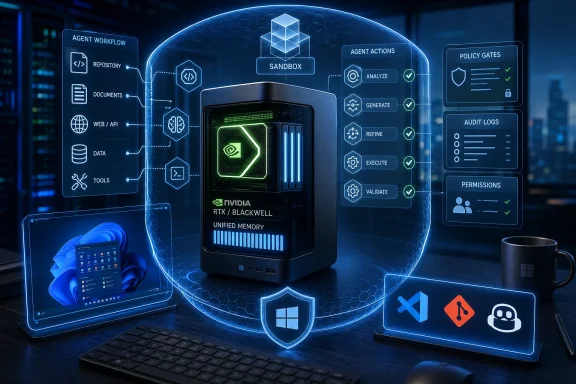
Microsoft Execution Containers are meant to address that problem by giving agents and AI applications isolated, policy-driven environments. Developers define requirements and constraints, and Windows enforces those boundaries at runtime. In theory, this reduces the amount of one-off security plumbing that every agent developer must build for themselves.
That is the right problem to attack. The industry has spent too much time marveling at agents that can do things and not enough time asking where, as whom, under which identity, against which files, with what audit trail, and with what blast radius.
The first wave of AI assistants mostly lived in text boxes. The next wave lives in terminals, editors, browsers, file systems, and ticket queues. Once an agent can modify a repository, run a build, test a patch, open a shell, query a database, or interact with enterprise systems, it becomes part of the security model.
Microsoft has spent decades learning how painful unmanaged code execution can be. Macros, scripts, unsigned binaries, lateral movement, credential abuse, and shadow IT are all old stories with new costumes. AI agents do not eliminate those risks. They can amplify them.
Execution containers are therefore not a nice-to-have feature. They are a prerequisite for enterprises that want agentic workflows without turning every developer workstation into an unmonitored automation island. If Microsoft can make MXC practical, observable, and manageable through familiar enterprise controls, Windows could have a real advantage over more ad hoc local agent setups.
But the word “preview” should do a lot of work here. Security architecture is not proven by announcement. It is proven by abuse, patching, telemetry, documentation, developer adoption, and the dull experience of admins discovering whether a feature behaves under pressure. MXC sounds strategically important, but it will need time outside the keynote.
That matters because the hardest part of the agent conversation is no longer imagination. Everyone can imagine an agent that checks an issue, edits a project, runs tests, and files a pull request. The hard part is making that workflow repeatable, governable, and safe enough to use on machines that contain real credentials and real source code.
OpenClaw also helps Microsoft avoid the trap of presenting Windows agent support as a purely proprietary Copilot story. Developers are already experimenting with many agent frameworks, CLIs, and model providers. If Windows wants to be the agent runtime, it cannot only be the runtime for Microsoft-branded agents.
The deeper play is interoperability under governance. Microsoft would like developers to bring the agents they want while enterprises retain the policy layer they need. That is a difficult balance, but it is exactly the kind of balance Windows has historically tried to strike: broad software compatibility wrapped in increasingly formal management controls.
The danger is complexity. If developers have to understand too many layers — Windows policies, MXC definitions, WSL boundaries, identity configuration, agent permissions, local model runtimes, cloud handoffs — the system may feel less like empowerment and more like compliance with a GPU attached.
That matters because agentic development is messy. A developer may want to start with an issue, ask an agent to explore the codebase, run a test suite, propose changes, start another session for documentation, and monitor both without losing context. The IDE alone is not always the best surface for that.
A desktop Copilot app gives Microsoft a command center for coding agents. It can coordinate sessions, track execution, surface diffs, handle updates, and connect into Windows in ways that a browser tab or editor extension cannot. Pair that with a local AI workstation, and Microsoft can argue that Windows is not merely hosting development; it is orchestrating it.
There is also a competitive reason for urgency. Developer workflows are fragmenting across Cursor, Claude Code, GitHub Copilot, terminal agents, browser-based tools, and bespoke internal systems. Microsoft owns GitHub and Visual Studio Code, but it cannot assume developers will stay inside its interfaces by inertia. It has to make the native experience meaningfully better.
The challenge is trust. Developers like automation until it becomes opaque. If Copilot sessions become too magical, too noisy, or too difficult to inspect, professionals will retreat to tools that make the agent’s actions more legible. Microsoft’s advantage is integration; its risk is over-automation.
AI coding tools can already generate UI scaffolds, functions, tests, and documentation. But turning a prototype into a production application still requires identity, data storage, hosting, deployment, monitoring, compliance, and lifecycle management. The gap between “the agent made a demo” and “the business can run this” remains wide.
Rayfin appears aimed at shrinking that gap. If Microsoft can offer a managed backend that agents and developers can target consistently, then AI-assisted app creation becomes less of a parlor trick and more of a pipeline. That is a classic Microsoft move: abstract the messy infrastructure layer, then make the developer experience feel inevitable.
The risk is that this becomes another platform abstraction competing for attention in an already crowded Microsoft developer universe. Azure has many ways to host apps. GitHub has workflows. Visual Studio has project systems. Power Platform already targets rapid app development. Rayfin will need a clear identity or it will become one more preview name that developers vaguely remember from a Build keynote.
Its success will depend on whether it makes the agent-generated app lifecycle more coherent. If a developer can move from prompt to prototype to governed backend to production deployment with fewer handoffs, Rayfin could matter. If it is merely another managed service with AI branding, it will be ignored.
Microsoft is emphasizing chip-to-cloud security, Zero Trust alignment, Intune integration, and Entra ID governance because it knows exactly where enterprise objections will come from. Local AI boxes are attractive because they can keep sensitive data near the user. They are alarming because powerful local automation can also become harder to monitor than centralized cloud services.
That tension is not theoretical. Developers already download models, run local inference servers, install experimental CLIs, connect agents to repositories, and paste logs into AI tools. Many organizations are behind the reality of how quickly local AI workflows have spread. Microsoft is trying to make Windows the sanctioned path before the unsanctioned paths become entrenched.
Intune and Entra integration may sound dull compared with CUDA and 120B models, but dull is what enterprises buy. They need device inventory, conditional access, policy enforcement, identity attribution, auditability, and the ability to say which agent or user did what. Without that, local AI becomes another shadow IT headache.
The Dev Box therefore serves two purposes. It gives developers a powerful machine, and it gives IT a managed object. That second role may be the one that determines whether the device gets purchased in volume.
The cloud remains essential for training large models, serving production workloads, handling enterprise-scale inference, and integrating with corporate data systems. But not every experiment needs a cloud GPU. Not every sensitive dataset should be uploaded during early development. Not every agent loop should depend on remote latency or metered API calls.
Local compute changes the economics of experimentation. A developer with a capable local box can try more ideas, run more tests, and fail more cheaply before escalating to cloud resources. That can make Azure more valuable later, not less, because the cloud becomes the place where refined workloads scale rather than the place where every half-formed idea burns budget.
This is also consistent with Microsoft’s broader hybrid instincts. The company has long sold a world where local PCs, on-prem systems, cloud services, and identity layers all participate in one managed estate. The Dev Box brings that old hybrid logic into the AI era.
The open question is price. Microsoft has not made the economic case until buyers know what the hardware costs, how it compares with cloud GPU spending, and how much administrative overhead comes with the platform. A workstation can be a bargain or a trophy depending on utilization.
Microsoft has made real progress with WSL, Windows Terminal, Dev Drive, winget, Visual Studio Code, and GitHub integration. But AI development is unforgiving. If drivers break, CUDA support lags, WSL file I/O disappoints, container networking gets weird, or model runtimes behave differently than on Linux, developers will notice immediately.
That is why the preconfigured experience matters. Microsoft says the Dev Box will ship with a developer-optimized Windows 11 setup, WSL, PowerShell 7, Visual Studio Code, GitHub Copilot, and other tools ready to go. The pitch is less “you can make this work” and more “you can sign in and start building.”
The difference is enormous. AI developers already spend too much time wrestling with dependencies, GPU libraries, Python environments, model formats, and runtime compatibility. If Microsoft can remove even a meaningful fraction of that setup pain, the Dev Box becomes more than hardware.
But the standard will be high. A machine sold for advanced AI development cannot behave like a general-purpose PC with a few extras installed. It has to feel like a deliberately engineered environment where Windows, WSL, NVIDIA drivers, CUDA libraries, containers, and developer tools have been tested together.
That is strategically useful. Apple’s unified memory story has been compelling for local AI experimentation, even when NVIDIA’s CUDA ecosystem remains dominant in broader machine learning. RTX Spark is a response to that tension: keep the CUDA software advantage while making larger unified memory configurations available in Windows machines.
For Microsoft, NVIDIA supplies credibility with AI developers. For NVIDIA, Microsoft supplies the operating system, enterprise management channel, and Surface halo. The partnership is not surprising, but it is becoming more consequential as AI development moves from cloud-only workflows toward hybrid local-cloud systems.
The technical details will matter. Memory bandwidth, thermals, sustained performance, driver maturity, and software compatibility will determine whether RTX Spark machines feel like miniature AI workstations or overmarketed premium PCs. Developers will benchmark them mercilessly.
Still, the alignment is obvious. Microsoft wants Windows to be the trusted platform for AI development. NVIDIA wants its AI stack to define the next premium PC category. Surface RTX Spark Dev Box is where those ambitions meet.
Traditional application security assumes a relatively stable set of behaviors. Agents are more fluid. They interpret instructions, generate code, call tools, chain actions, and sometimes behave unpredictably when context changes. The system has to protect not only against malicious actors but also against confused automation.
That makes auditability essential. Administrators will need to know whether an action was performed by a human, by a local agent, by a cloud agent, or by a tool invoked inside a container. Developers will need logs that explain what happened without drowning them in noise. Security teams will need controls that are granular enough to be useful and simple enough to be adopted.
Microsoft’s identity-centered approach is promising because Windows enterprises already understand Entra and Intune as control planes. If agent activity can be tied to identities and policies in a way that feels natural to existing admins, Microsoft may have a durable advantage.
But the edge cases will be brutal. What happens when an agent inside WSL invokes a Windows tool? How are secrets handled across container boundaries? Can local models access protected data through plugins? How does policy travel with an agent workflow that moves from local machine to cloud runner? These are the questions that will decide whether the platform is trusted.
For years, many users saw Windows 11 as a redesign with stricter hardware requirements and uneven practical benefit. AI development is one of the areas where Microsoft can argue that the newer OS is not merely cosmetic. The kernel, security model, WSL improvements, UI modernization, and management hooks all become part of a larger pitch.
The Dev Box will not matter to ordinary Windows users directly. Most people will never buy one. But reference devices often influence the platform around them. Features built for high-end developer machines can trickle into mainstream Windows management, security, and developer tooling.
That is especially true for agents. If MXC, identity attribution, and secure agent execution mature on machines like the Dev Box, those concepts could eventually shape how Windows handles consumer and enterprise AI assistants more broadly. The workstation is the proving ground.
Microsoft’s problem is that Windows 11 still has to carry the weight of everyday trust. Users and admins who are irritated by ads, defaults, telemetry concerns, account pressure, or update disruptions may not be inclined to grant Microsoft a blank check for agentic computing. The company’s AI ambitions will inherit the goodwill and resentment attached to Windows itself.
Availability is one. Microsoft says the device is coming to US-based customers later this year. That leaves open questions about international rollout, supply, channel strategy, enterprise procurement, and whether the device will be sold like a Surface product, a developer kit, or a specialized workstation.
Pricing is another. A system with RTX Spark-class hardware, 128 GB unified memory, and Surface branding will not be cheap. The value proposition depends on how buyers compare it: against cloud GPU spend, against multi-GPU workstations, against Mac Studio setups, against NVIDIA DGX Spark-style systems, or against doing nothing and staying with remote APIs.
Performance transparency will be crucial. “Up to one petaflop” is a peak AI compute figure under particular assumptions. Developers will want real benchmarks: tokens per second on specific models, fine-tuning throughput, sustained thermals, memory bandwidth behavior, WSL overhead, container impact, and multi-agent workload performance.
Software maturity may be the biggest variable. Preview tools are not production guarantees. MXC, OpenClaw integration, Copilot app workflows, and Rayfin all need documentation, ecosystem support, and predictable behavior. Microsoft has announced many developer technologies over the years that sounded strategic and then faded when adoption lagged.
That thesis is plausible. It is also not inevitable. Developers will choose the platforms that give them the least friction and the most control. Enterprises will choose the platforms they can govern without suffocating productivity. Microsoft has to satisfy both groups at once.
The Surface RTX Spark Dev Box has a better chance than a typical AI-branded PC because it is aimed at a real pain point. Developers do need better local AI machines. They do need CUDA-compatible environments. They do need secure agent sandboxes. IT departments do need ways to manage the resulting chaos.
The question is execution. If Microsoft ships a polished, fast, well-documented, manageable system, it could make Windows newly relevant to AI builders who had drifted elsewhere. If it ships a costly box wrapped in preview software and vague platform promises, it will become another impressive demo that serious developers admire from a distance.
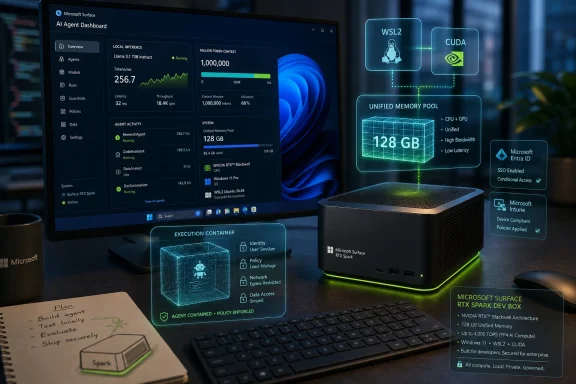 Microsoft Wants the AI Workstation Back on the Desk
For the last two years, the default answer to advanced AI development has been: rent the GPU, call the API, keep the local machine thin. Microsoft has profited handsomely from that model through Azure, GitHub, and Copilot. Yet the Surface RTX Spark Dev Box points in a different direction: a high-end local machine that treats the developer’s desk as part of the AI infrastructure stack.That does not mean Microsoft is abandoning the cloud. It means the company sees a gap between lightweight AI PCs and datacenter-scale GPU clusters. Developers building agents, testing model behavior, fine-tuning domain-specific systems, or experimenting with long-context workflows often need something more capable than a laptop NPU but less bureaucratic than cloud GPU procurement.
The Dev Box is Microsoft’s answer to that middle layer. It is a machine for people who want to run larger models locally, iterate quickly, avoid uploading sensitive data during early development, and still stay inside the Windows, GitHub, Entra, Intune, and Azure orbit.
The interesting part is that Microsoft is not presenting this as a hobbyist local-LLM toy. It is selling the device as part of a managed, identity-aware, enterprise-governed developer platform. That framing matters because local AI has always had two personalities: freedom for developers, anxiety for administrators.
The Petaflop Number Is Flashy, but the Memory Pool Is the Real Story
The one-petaflop claim will dominate the marketing because it is large, round, and easy to print on a slide. But for local AI development, the more consequential number is 128 GB of unified memory. That is what changes the class of models and workloads a developer can plausibly run on a desk-side system.Traditional GPU workstations are often constrained less by total system RAM than by VRAM. A workstation can have plenty of CPU memory and still choke when the model, context window, weights, cache, and runtime all need to live close to the GPU. Unified memory does not magically erase every bottleneck, but it gives the CPU and GPU a shared pool large enough to make local work with far larger models less ridiculous.
Microsoft says the Surface RTX Spark Dev Box can run 120-billion-plus-parameter models locally, with million-token context support described as part of the platform’s ambition. That is the kind of claim that should be read carefully. The real-world experience will depend on quantization, model architecture, runtime, memory bandwidth, thermals, and whether the workload is inference, fine-tuning, retrieval-augmented generation, or some messy agent loop with tool calls.
Still, the direction is clear. Microsoft and NVIDIA are trying to normalize the idea that a Windows developer machine can be a credible local AI node. Not a replacement for a rack of accelerators, not a magic box for training frontier models, but a serious prototyping and execution environment.
The inclusion of WSL 2 with native GPU passthrough and CUDA support is equally important. AI developers have tolerated Windows when they had to, but many serious ML workflows have lived more naturally in Linux. A Windows box that arrives preconfigured for CUDA-backed Linux development under WSL is Microsoft acknowledging that Windows wins here only if it stops forcing developers to choose between the Windows desktop and the Linux AI toolchain.
Surface Becomes the Reference Design for a Different Kind of AI PC
The phrase “AI PC” has been stretched almost beyond usefulness. In consumer marketing, it often means a laptop with an NPU and a few local effects: background blur, recall-like indexing, image generation at modest scale, or operating system features that may or may not justify the silicon. The Surface RTX Spark Dev Box belongs to a different lineage.This is closer to a personal AI workstation than a conventional AI PC. The target user is not someone asking Copilot to summarize a meeting. It is the developer trying to build the thing that summarizes, acts, tests, retrieves, executes, and reports without leaking data or burning through cloud credits during every experiment.
That distinction matters because Microsoft has struggled to make the AI PC pitch feel essential to many professionals. NPUs are useful, but they rarely change a developer’s daily workflow in a dramatic way. A local box with enough memory and CUDA compatibility to run large models, test agents, and support long-running experiments is easier to understand.
Surface also plays a symbolic role. Microsoft often uses Surface to demonstrate what it wants the Windows ecosystem to become. The Surface Pro pushed detachable tablets. Surface Laptop pushed premium Windows notebooks. The Surface RTX Spark Dev Box is Microsoft’s attempt to show OEMs, developers, and enterprise buyers what a Windows-native AI development appliance should look like.
The device is not just competing with other Windows PCs. It is competing with Linux workstations, Mac Studio-style local AI setups, rented cloud GPUs, and NVIDIA’s own DGX Spark category. Microsoft’s advantage is integration. Its disadvantage is that serious AI developers are allergic to anything that feels like a locked-down corporate appliance.
The Developer Pitch Is Really a Platform Pitch
Microsoft’s announcement wraps the Dev Box together with a broader set of Windows AI development updates: Microsoft Execution Containers, OpenClaw on Windows, a native GitHub Copilot app in preview, and Project Rayfin. That grouping is not accidental. The hardware gives Microsoft a performance story, but the surrounding software gives it a platform story.The company is trying to make Windows into an agent-native operating environment. That phrase can sound like conference fog, but there is a concrete idea underneath it: agents are not just apps with chat boxes. They execute code, read and write files, call tools, invoke APIs, use credentials, and sometimes operate semi-autonomously across long sessions.
That makes them powerful and dangerous. A poorly bounded agent is not merely a buggy application. It is a process that may misunderstand intent, overreach its permissions, expose data, or make changes faster than a human can review them.
Microsoft Execution Containers are meant to address that problem by giving agents and AI applications isolated, policy-driven environments. Developers define requirements and constraints, and Windows enforces those boundaries at runtime. In theory, this reduces the amount of one-off security plumbing that every agent developer must build for themselves.
That is the right problem to attack. The industry has spent too much time marveling at agents that can do things and not enough time asking where, as whom, under which identity, against which files, with what audit trail, and with what blast radius.
Containers Are Microsoft’s Admission That Agents Need Seatbelts
The most important sentence in Microsoft’s AI developer pitch is not about petaflops. It is the claim that Windows can assign identities, policies, and containment to agents. That is where the future of desktop AI will be won or lost.The first wave of AI assistants mostly lived in text boxes. The next wave lives in terminals, editors, browsers, file systems, and ticket queues. Once an agent can modify a repository, run a build, test a patch, open a shell, query a database, or interact with enterprise systems, it becomes part of the security model.
Microsoft has spent decades learning how painful unmanaged code execution can be. Macros, scripts, unsigned binaries, lateral movement, credential abuse, and shadow IT are all old stories with new costumes. AI agents do not eliminate those risks. They can amplify them.
Execution containers are therefore not a nice-to-have feature. They are a prerequisite for enterprises that want agentic workflows without turning every developer workstation into an unmonitored automation island. If Microsoft can make MXC practical, observable, and manageable through familiar enterprise controls, Windows could have a real advantage over more ad hoc local agent setups.
But the word “preview” should do a lot of work here. Security architecture is not proven by announcement. It is proven by abuse, patching, telemetry, documentation, developer adoption, and the dull experience of admins discovering whether a feature behaves under pressure. MXC sounds strategically important, but it will need time outside the keynote.
OpenClaw Gives the Agent Story a Working Shape
OpenClaw on Windows helps Microsoft make the agent runtime pitch less abstract. Instead of saying only that Windows can host secure AI agents, Microsoft can point to multi-step agent workflows running inside controlled environments.That matters because the hardest part of the agent conversation is no longer imagination. Everyone can imagine an agent that checks an issue, edits a project, runs tests, and files a pull request. The hard part is making that workflow repeatable, governable, and safe enough to use on machines that contain real credentials and real source code.
OpenClaw also helps Microsoft avoid the trap of presenting Windows agent support as a purely proprietary Copilot story. Developers are already experimenting with many agent frameworks, CLIs, and model providers. If Windows wants to be the agent runtime, it cannot only be the runtime for Microsoft-branded agents.
The deeper play is interoperability under governance. Microsoft would like developers to bring the agents they want while enterprises retain the policy layer they need. That is a difficult balance, but it is exactly the kind of balance Windows has historically tried to strike: broad software compatibility wrapped in increasingly formal management controls.
The danger is complexity. If developers have to understand too many layers — Windows policies, MXC definitions, WSL boundaries, identity configuration, agent permissions, local model runtimes, cloud handoffs — the system may feel less like empowerment and more like compliance with a GPU attached.
Copilot Moves From Pair Programmer to Desktop Operator
The new GitHub Copilot app in preview fits neatly into this strategy. GitHub Copilot began as an inline coding assistant. It then expanded into chat, pull request assistance, CLI workflows, and more agentic coding experiences. A native desktop app signals another shift: Copilot is becoming a place where developers manage work, not just receive suggestions.That matters because agentic development is messy. A developer may want to start with an issue, ask an agent to explore the codebase, run a test suite, propose changes, start another session for documentation, and monitor both without losing context. The IDE alone is not always the best surface for that.
A desktop Copilot app gives Microsoft a command center for coding agents. It can coordinate sessions, track execution, surface diffs, handle updates, and connect into Windows in ways that a browser tab or editor extension cannot. Pair that with a local AI workstation, and Microsoft can argue that Windows is not merely hosting development; it is orchestrating it.
There is also a competitive reason for urgency. Developer workflows are fragmenting across Cursor, Claude Code, GitHub Copilot, terminal agents, browser-based tools, and bespoke internal systems. Microsoft owns GitHub and Visual Studio Code, but it cannot assume developers will stay inside its interfaces by inertia. It has to make the native experience meaningfully better.
The challenge is trust. Developers like automation until it becomes opaque. If Copilot sessions become too magical, too noisy, or too difficult to inspect, professionals will retreat to tools that make the agent’s actions more legible. Microsoft’s advantage is integration; its risk is over-automation.
Project Rayfin Is the Quietest Announcement With the Broadest Ambition
Project Rayfin, now in preview, is described as a way to help developers turn ideas into apps by providing a managed backend that integrates with workflows. On paper, that sounds less dramatic than a petaflop Surface machine. In practice, it may be the piece that tells us where Microsoft thinks AI-assisted development is heading.AI coding tools can already generate UI scaffolds, functions, tests, and documentation. But turning a prototype into a production application still requires identity, data storage, hosting, deployment, monitoring, compliance, and lifecycle management. The gap between “the agent made a demo” and “the business can run this” remains wide.
Rayfin appears aimed at shrinking that gap. If Microsoft can offer a managed backend that agents and developers can target consistently, then AI-assisted app creation becomes less of a parlor trick and more of a pipeline. That is a classic Microsoft move: abstract the messy infrastructure layer, then make the developer experience feel inevitable.
The risk is that this becomes another platform abstraction competing for attention in an already crowded Microsoft developer universe. Azure has many ways to host apps. GitHub has workflows. Visual Studio has project systems. Power Platform already targets rapid app development. Rayfin will need a clear identity or it will become one more preview name that developers vaguely remember from a Build keynote.
Its success will depend on whether it makes the agent-generated app lifecycle more coherent. If a developer can move from prompt to prototype to governed backend to production deployment with fewer handoffs, Rayfin could matter. If it is merely another managed service with AI branding, it will be ignored.
The Enterprise Angle Is Governance, Not Glamour
For WindowsForum readers, the most consequential audience may not be the individual developer excited about local models. It may be the IT organization wondering how to let developers use AI without losing control of data, endpoints, and identities.Microsoft is emphasizing chip-to-cloud security, Zero Trust alignment, Intune integration, and Entra ID governance because it knows exactly where enterprise objections will come from. Local AI boxes are attractive because they can keep sensitive data near the user. They are alarming because powerful local automation can also become harder to monitor than centralized cloud services.
That tension is not theoretical. Developers already download models, run local inference servers, install experimental CLIs, connect agents to repositories, and paste logs into AI tools. Many organizations are behind the reality of how quickly local AI workflows have spread. Microsoft is trying to make Windows the sanctioned path before the unsanctioned paths become entrenched.
Intune and Entra integration may sound dull compared with CUDA and 120B models, but dull is what enterprises buy. They need device inventory, conditional access, policy enforcement, identity attribution, auditability, and the ability to say which agent or user did what. Without that, local AI becomes another shadow IT headache.
The Dev Box therefore serves two purposes. It gives developers a powerful machine, and it gives IT a managed object. That second role may be the one that determines whether the device gets purchased in volume.
Local AI Does Not Kill the Cloud; It Changes the Boundary
It would be easy to frame the Surface RTX Spark Dev Box as Microsoft moving AI away from Azure. That would be wrong. Microsoft’s strategy is more subtle: move enough work local to improve iteration, privacy, latency, and developer experience, while keeping cloud services central for scale, deployment, collaboration, and management.The cloud remains essential for training large models, serving production workloads, handling enterprise-scale inference, and integrating with corporate data systems. But not every experiment needs a cloud GPU. Not every sensitive dataset should be uploaded during early development. Not every agent loop should depend on remote latency or metered API calls.
Local compute changes the economics of experimentation. A developer with a capable local box can try more ideas, run more tests, and fail more cheaply before escalating to cloud resources. That can make Azure more valuable later, not less, because the cloud becomes the place where refined workloads scale rather than the place where every half-formed idea burns budget.
This is also consistent with Microsoft’s broader hybrid instincts. The company has long sold a world where local PCs, on-prem systems, cloud services, and identity layers all participate in one managed estate. The Dev Box brings that old hybrid logic into the AI era.
The open question is price. Microsoft has not made the economic case until buyers know what the hardware costs, how it compares with cloud GPU spending, and how much administrative overhead comes with the platform. A workstation can be a bargain or a trophy depending on utilization.
Windows Has to Earn Back AI Developer Credibility
The Surface RTX Spark Dev Box also reveals an uncomfortable truth: Windows is not the default emotional home for many AI developers. The tooling gravity has been Linux, CUDA, Python, containers, Jupyter, cloud notebooks, and increasingly Mac-based local experimentation for developers who value unified memory and quiet desktop hardware.Microsoft has made real progress with WSL, Windows Terminal, Dev Drive, winget, Visual Studio Code, and GitHub integration. But AI development is unforgiving. If drivers break, CUDA support lags, WSL file I/O disappoints, container networking gets weird, or model runtimes behave differently than on Linux, developers will notice immediately.
That is why the preconfigured experience matters. Microsoft says the Dev Box will ship with a developer-optimized Windows 11 setup, WSL, PowerShell 7, Visual Studio Code, GitHub Copilot, and other tools ready to go. The pitch is less “you can make this work” and more “you can sign in and start building.”
The difference is enormous. AI developers already spend too much time wrestling with dependencies, GPU libraries, Python environments, model formats, and runtime compatibility. If Microsoft can remove even a meaningful fraction of that setup pain, the Dev Box becomes more than hardware.
But the standard will be high. A machine sold for advanced AI development cannot behave like a general-purpose PC with a few extras installed. It has to feel like a deliberately engineered environment where Windows, WSL, NVIDIA drivers, CUDA libraries, containers, and developer tools have been tested together.
NVIDIA Gets a New Route Into the Windows Developer Desk
NVIDIA’s role in this story is just as important as Microsoft’s. RTX Spark extends NVIDIA’s AI stack into a class of Windows systems that sit below datacenter hardware but above conventional consumer GPUs. It gives NVIDIA a way to make CUDA, TensorRT, PyTorch acceleration, and local agent workloads part of the premium PC conversation.That is strategically useful. Apple’s unified memory story has been compelling for local AI experimentation, even when NVIDIA’s CUDA ecosystem remains dominant in broader machine learning. RTX Spark is a response to that tension: keep the CUDA software advantage while making larger unified memory configurations available in Windows machines.
For Microsoft, NVIDIA supplies credibility with AI developers. For NVIDIA, Microsoft supplies the operating system, enterprise management channel, and Surface halo. The partnership is not surprising, but it is becoming more consequential as AI development moves from cloud-only workflows toward hybrid local-cloud systems.
The technical details will matter. Memory bandwidth, thermals, sustained performance, driver maturity, and software compatibility will determine whether RTX Spark machines feel like miniature AI workstations or overmarketed premium PCs. Developers will benchmark them mercilessly.
Still, the alignment is obvious. Microsoft wants Windows to be the trusted platform for AI development. NVIDIA wants its AI stack to define the next premium PC category. Surface RTX Spark Dev Box is where those ambitions meet.
The Security Promise Will Be Tested by the First Real Agents
Microsoft’s security language is carefully chosen: chip-to-cloud, Zero Trust, identity, policy, isolation, governance. Those are the right words. But AI agents will test them in uncomfortable ways.Traditional application security assumes a relatively stable set of behaviors. Agents are more fluid. They interpret instructions, generate code, call tools, chain actions, and sometimes behave unpredictably when context changes. The system has to protect not only against malicious actors but also against confused automation.
That makes auditability essential. Administrators will need to know whether an action was performed by a human, by a local agent, by a cloud agent, or by a tool invoked inside a container. Developers will need logs that explain what happened without drowning them in noise. Security teams will need controls that are granular enough to be useful and simple enough to be adopted.
Microsoft’s identity-centered approach is promising because Windows enterprises already understand Entra and Intune as control planes. If agent activity can be tied to identities and policies in a way that feels natural to existing admins, Microsoft may have a durable advantage.
But the edge cases will be brutal. What happens when an agent inside WSL invokes a Windows tool? How are secrets handled across container boundaries? Can local models access protected data through plugins? How does policy travel with an agent workflow that moves from local machine to cloud runner? These are the questions that will decide whether the platform is trusted.
The Windows 11 Timing Is No Accident
Microsoft’s decision to frame this around Windows 11 is also telling. Windows 10 support has ended for most mainstream users, and Windows 11 is now the company’s mandatory foundation for its forward-looking client strategy. AI gives Microsoft a reason to make Windows 11 feel less like a requirement and more like a platform transition.For years, many users saw Windows 11 as a redesign with stricter hardware requirements and uneven practical benefit. AI development is one of the areas where Microsoft can argue that the newer OS is not merely cosmetic. The kernel, security model, WSL improvements, UI modernization, and management hooks all become part of a larger pitch.
The Dev Box will not matter to ordinary Windows users directly. Most people will never buy one. But reference devices often influence the platform around them. Features built for high-end developer machines can trickle into mainstream Windows management, security, and developer tooling.
That is especially true for agents. If MXC, identity attribution, and secure agent execution mature on machines like the Dev Box, those concepts could eventually shape how Windows handles consumer and enterprise AI assistants more broadly. The workstation is the proving ground.
Microsoft’s problem is that Windows 11 still has to carry the weight of everyday trust. Users and admins who are irritated by ads, defaults, telemetry concerns, account pressure, or update disruptions may not be inclined to grant Microsoft a blank check for agentic computing. The company’s AI ambitions will inherit the goodwill and resentment attached to Windows itself.
The Announcement Is Big, but the Missing Details Still Matter
The Surface RTX Spark Dev Box is compelling because it connects hardware, local AI, developer tools, agent containment, and enterprise governance into one story. But it remains an announcement, not a field report. Several details will determine whether it becomes a serious developer platform or a niche prestige machine.Availability is one. Microsoft says the device is coming to US-based customers later this year. That leaves open questions about international rollout, supply, channel strategy, enterprise procurement, and whether the device will be sold like a Surface product, a developer kit, or a specialized workstation.
Pricing is another. A system with RTX Spark-class hardware, 128 GB unified memory, and Surface branding will not be cheap. The value proposition depends on how buyers compare it: against cloud GPU spend, against multi-GPU workstations, against Mac Studio setups, against NVIDIA DGX Spark-style systems, or against doing nothing and staying with remote APIs.
Performance transparency will be crucial. “Up to one petaflop” is a peak AI compute figure under particular assumptions. Developers will want real benchmarks: tokens per second on specific models, fine-tuning throughput, sustained thermals, memory bandwidth behavior, WSL overhead, container impact, and multi-agent workload performance.
Software maturity may be the biggest variable. Preview tools are not production guarantees. MXC, OpenClaw integration, Copilot app workflows, and Rayfin all need documentation, ecosystem support, and predictable behavior. Microsoft has announced many developer technologies over the years that sounded strategic and then faded when adoption lagged.
The Real Test Comes After the Keynote
The Surface RTX Spark Dev Box should be read as a thesis about where Microsoft thinks development is going. The company believes developers will need local AI horsepower, agentic coding environments, secure execution boundaries, and enterprise-grade governance. It also believes Windows can be the operating system where those pieces come together.That thesis is plausible. It is also not inevitable. Developers will choose the platforms that give them the least friction and the most control. Enterprises will choose the platforms they can govern without suffocating productivity. Microsoft has to satisfy both groups at once.
The Surface RTX Spark Dev Box has a better chance than a typical AI-branded PC because it is aimed at a real pain point. Developers do need better local AI machines. They do need CUDA-compatible environments. They do need secure agent sandboxes. IT departments do need ways to manage the resulting chaos.
The question is execution. If Microsoft ships a polished, fast, well-documented, manageable system, it could make Windows newly relevant to AI builders who had drifted elsewhere. If it ships a costly box wrapped in preview software and vague platform promises, it will become another impressive demo that serious developers admire from a distance.
The Surface AI Box Forces a Practical Checklist
For all the strategic language, buyers should judge the Surface RTX Spark Dev Box by what it changes in daily work. The strongest case for the machine is not that it makes Windows sound futuristic. It is that it may reduce the distance between experiment, secure execution, and production workflow.- The Surface RTX Spark Dev Box is best understood as a local AI development workstation, not a mainstream AI PC.
- The 128 GB unified memory configuration may matter more than the one-petaflop headline for practical local model work.
- Microsoft Execution Containers are central to the announcement because agentic AI needs isolation, identity, and policy enforcement.
- WSL 2 with GPU passthrough and CUDA support is essential if Microsoft wants serious AI developers to treat Windows as a first-class environment.
- The GitHub Copilot app and Project Rayfin show Microsoft trying to control more of the path from coding session to deployable application.
- Enterprise adoption will depend on price, performance transparency, Intune and Entra integration, and whether preview security features mature quickly.
References
- Primary source: Petri IT Knowledgebase
Published: Tue, 02 Jun 2026 17:20:18 GMT
Surface RTX Spark Dev Box Targets AI Development on Windows 11
The Surface RTX Spark Dev Box enables developers to run advanced AI workloads locally on Windows with high-performance hardware. petri.com
- Related coverage: windowscentral.com
Surface Laptop Ultra: Microsoft and NVIDIA reveal the 128GB RAM, mini‑LED, RTX Spark powerhouse redefining Windows on Arm | Windows Central
Uncompromising raw NVIDIA N1x power meets legendary Surface craft, but can people afford it?www.windowscentral.com - Related coverage: tomshardware.com
- Official source: blogs.windows.com
Building the next generation of devices for developers: Surface RTX Spark Dev Box
Software developers are some of the most ambitious makers we serve. They push devices harder, ask more of their tools and expect their environment to help define the pace of modern software creation. Development today means longer runninblogs.windows.com - Related coverage: aiweekly.co
- Official source: learn.microsoft.com
Agentic AI tools for Windows development - Windows apps | Microsoft Learn
Learn how to enhance AI coding agents with Windows-specific context using MCP servers, custom instructions, and community plugins.learn.microsoft.com
- Related coverage: completeaitraining.com
Nvidia unveils RTX Spark superchip for Windows PCs with on-device AI agents and 1 petaflop of performance
NVIDIA's RTX Spark chip runs AI agents locally on Windows PCs, hitting 1 petaflop of performance with support for 120-billion-parameter models and up to 128GB of unified memory. Laptops from ASUS, Dell, HP, and others ship this fall.completeaitraining.com
- Related coverage: kucoin.com
NVIDIA RTX Spark redefines the AI PC with 1 petaflop of AI performance. | KuCoin
Over the past two years, PC manufacturers have repeatedly highlighted one metric when promoting "AI PCs": NPU performance. Yet, whether it's Intel's Lunar Lakewww.kucoin.com - Related coverage: letsdatascience.com
Nvidia RTX Spark: A Laptop That Runs a 120B Model Locally | Let's Data Science
Nvidia's RTX Spark Superchip packs 20 Arm cores, a Blackwell GPU, and 128GB unified memory into a laptop that runs 120B-parameter models on-device. Ships fall 2026. letsdatascience.com
- Related coverage: anintent.com
NVIDIA DGX Spark Setup: Run Your First AI Model | AnIntent
NVIDIA DGX Spark setup walkthrough: launch your first LLM on the 128GB Grace Blackwell box in under an hour, plus the unified memory trap to avoid.anintent.com - Related coverage: laxima.tech
NVIDIA RTX Spark Explained | LAXIMA - AI Agency
NVIDIA RTX Spark promises local AI agents, big unified memory, and all-day battery life. Here’s what it means, who should care, and how to evaluate it.laxima.tech - Related coverage: hub.tdsynnex.com
- Official source: microsoft.com