Sway Win32 Desktop Retirement: Switch to the Web Client by June 1 2026

  • Thread Author
Microsoft has quietly set a firm deadline for one of its long‑running, quietly useful apps: the Sway Windows desktop app (Win32) will be retired on June 1, 2026, and users will be funneled to the web client at sway.cloud.microsoft for all future use.

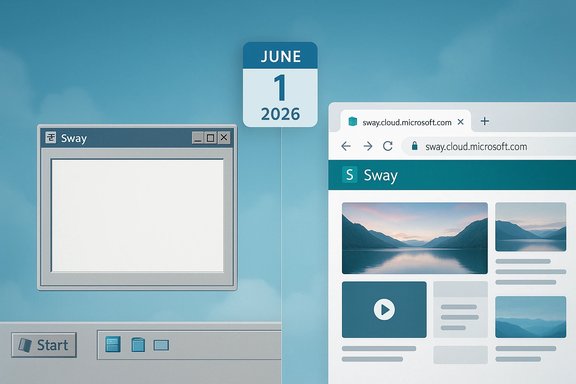
Split-screen: retro Windows UI on the left and modern Microsoft Sway on the right.Background​

Sway arrived as Microsoft’s cloud‑first storytelling canvas — a hybrid between a lightweight presentation tool and an embeddable, scrollable web document designed for newsletters, reports, and interactive “mini‑sites.” It never gained the same mindshare as PowerPoint or the enterprise traction of SharePoint, but it found a niche for quick visual narratives and web‑first sharing. Over the past two years Microsoft has taken multiple steps that signaled reduced investment in Sway’s native integrations and desktop touchpoints, and the message issued to Microsoft 365 admins in early January 2026 formalizes that shift. The retirement announcement is a concrete example of a broader pattern: Microsoft is consolidating smaller, lower‑usage desktop wrappers and on‑prem browser hosting into web‑first, cloud‑hosted experiences. That shift includes other timelineed retirements and product updates across the Microsoft 365 family, and it’s driven by a desire to simplify app management, accelerate feature delivery, and centralize support.

What Microsoft announced — the facts​

  • The Sway Windows desktop application (Win32 client) will be retired on June 1, 2026.
  • After that date, the desktop client will no longer be available; all Sway functionality and content remain available through the web interface at sway.cloud.microsoft.
  • Microsoft says no Sway content will be deleted or altered by the change and that the web version offers the same capabilities with “improved accessibility and support.”
  • The Message Center item for admins was published as MC1213784 on January 6, 2026. Admins are advised to update documentation and inform helpdesk staff; Microsoft states no admin configuration changes are required.
These are the load‑bearing claims of the change and they come directly from Microsoft’s service message; independent tech outlets and community summaries have corroborated the message and dissected what it implies.

Why Sway — a quick primer​

What Sway does today​

Sway is a web‑first authoring tool used to create interactive, responsive presentations and story‑style documents that adapt to screens and allow embedding of images, documents, maps, and video. It is:
  • Cloud‑hosted and co‑authorable.
  • Designed for rapid, polished layouts with minimal design overhead.
  • Able to embed external content and pull files from OneDrive and other web sources.

Licensing and limits​

Sway is available to anyone with a Microsoft Account for free, but Microsoft 365 subscribers receive expanded content limits per Sway — for example, Microsoft 365 subscribers can add up to 300 images (vs. 150 free) and up to 40 videos (vs. 10 free), and overall item limits jump from 200 to 1,500 items per Sway. Those numeric limits are published on Microsoft’s support pages and are important for creators who rely on denser, media‑rich Sways.
Note: Microsoft has previously changed Sway’s media handling policy (new video and audio uploads were discontinued in 2024, with guidance to embed content instead). There is inconsistent wording across Microsoft help pages about the exact effective date for that change; this discrepancy should be treated as an administrative inconsistency rather than a functional mystery — the practical outcome is that Sway has shifted toward embed‑first media rather than allowing new native uploads. Treat that detail with caution when planning media workflows.

Why Microsoft is pulling the desktop app​

The official rationale from Microsoft is straightforward: streamline and modernize the Sway experience by encouraging use of one web client that’s easier to maintain, update, and make accessible across platforms. The Message Center language cites simplification of app management and improved accessibility and support as the primary motivations. Beyond the official line, this move fits several business and technical trends:
  • Web‑first efficiency: Maintaining a single web surface reduces engineering overhead versus multiple platform wrappers (Win32, UWP, macOS, mobile). Updates ship faster to the web than distributed desktop clients.
  • Usage and prioritization: Microsoft has already removed Sway from quick‑create menus in the Copilot/Microsoft 365 home experience due to low usage, a signal that the product never reached scale relative to other investments.
  • Cloud revenue alignment: Consolidating functionality into cloud‑hosted Microsoft 365 surfaces aligns feature visibility and premium gating with subscription services and Copilot/AI integrations.
  • Security and supportability: A single, authenticated web endpoint is easier to patch, secure, and audit than disparate desktop binaries or on‑prem hosting scenarios.
These forces converge in Microsoft’s stated preference for cloud‑hosted experiences for smaller, lower‑usage apps — and Sway fits that bill.

What it means for end users​

Immediate user impact​

  • If you use the Sway desktop app on Windows, you will need to migrate your workflow to the web client before June 1, 2026. Your existing Sways (content) are not being removed.
  • The feature set Microsoft points to remains available in the browser. For most creators, the transition will be largely about retraining workflows and bookmarks rather than losing capabilities.

Practical changes to expect​

  • Bookmarks and shortcuts that launched the desktop client will need to be updated.
  • Helpdesk scripts and internal documentation that reference the desktop binary should be revised.
  • Users who valued offline or native integration may feel constrained; Sway’s design is web‑first, so deep offline authoring was never a primary use case.

What will not change (per Microsoft)​

  • Existing Sway content will remain accessible.
  • There is no announced deletion of user data or content tied to the retirement of the Win32 client.

What it means for IT admins and organizations​

Low admin lift — but don’t be complacent​

Microsoft’s message emphasizes that no tenant‑level configuration changes are required, and the stated admin task list is limited: update internal documentation, brief helpdesk staff, and communicate timelines. That minimal‑action stance is intended — Sway’s desktop client was a lightweight wrapper rather than a managed enterprise dependency. However, there are practical admin steps you should still take:
  • Inventory: Identify users and teams who actively use the Sway desktop client or rely on Sway links embedded in intranet resources.
  • Test: Validate that critical Sways open and render as expected in supported browsers (Edge, Chrome, Firefox).
  • Communicate: Send targeted notices to affected users well ahead of June 1 and include how‑to guidance for the web client.
  • Update documentation: Replace desktop screenshots and step instructions with web UI equivalents.
  • Support readiness: Prepare quick‑reference helpdesk scripts for common user questions (login, sharing links, embed handling).

Compliance and data residency​

Microsoft’s announcement specifically says no compliance issues identified from this retirement, but organizations with tight data residency or offline‑only policies should verify that using the Sway web client meets their compliance posture. For heavily regulated environments that prohibit cloud editing, alternatives will be necessary — Sway’s web focus does not directly replace on‑premises editing stacks.

Risks and hidden costs​

Although Microsoft frames the change as low impact, there are notable risks and trade‑offs that organizations should evaluate.
  • Workflow friction: Users who used the desktop app for convenience may resist the browser transition, generating support tickets and temporary productivity drag. Plan training windows accordingly.
  • Offline limitations: The desktop wrapper provided the illusion of a local app; the web client requires connectivity. Teams that operate in constrained or offline environments will be affected.
  • Feature divergence risk: Microsoft promises the same capabilities in the web client, but product roadmaps can change. Historical signals (media upload deprecations; removal from Create menus) show Sway receiving fewer active investments. That raises the chance of future degradations or further consolidations. Treat Sway as a lower‑priority product.
  • Vendor lock‑in considerations: Moving more workflows to cloud‑only surfaces deepens a tenant’s dependency on Microsoft 365. That’s a strategic tradeoff for security, collaboration, and AI enhancements — but also increases future migration costs if the product’s direction changes.
  • Administrative noise: While Microsoft says no tenant changes are required, the operational cost of communications, support scripting, and end‑user retraining is real and should be budgeted.

Alternatives and migration strategies​

If your team relies on Sway today, consider these paths:
  • Use the Sway web client (sway.cloud.microsoft) and update workflows around browser‑based authoring. Microsoft recommends this and confirms that content and features are preserved there.
  • For more tightly controlled, enterprise authoring — or for advanced slide‑based presentations — consider PowerPoint (desktop or web), which remains Microsoft’s primary presentation product and receives continuous investment. PowerPoint is a good substitute when slide‑based linear presentations are the requirement.
  • For embeddable, web‑native storytelling with richer development control, SharePoint pages or lightweight static site generators can be alternatives — though they require more setup and editorial investment.
  • If media‑heavy content is core to your Sways, verify embed workflows (OneDrive, YouTube, Stream/Media) and rework any reliance on native uploads (which Microsoft curtailed in 2024).
Recommended migration checklist (practical):
  • Export or snapshot critical Sways (save copies of content, export assets where needed).
  • Test each Sway in Edge and Chrome and note rendering differences.
  • Update internal links to point to the web URL form of each Sway.
  • Train power users on web client collaboration and sharing settings.
  • Remove desktop client references from onboarding and documentation.

Reading the tea leaves — is Sway’s long‑term future at risk?​

The retirement of the Win32 client is not an outright signal that Microsoft will sunset Sway as a service, but it is a practical downgrading marker. Microsoft has removed Sway from high‑visibility UI locations previously, deprecated media uploads, and now removed the native desktop binary — all signs that the product is not a priority for new investment. Several independent community writeups have reached the same conclusion: Sway is being kept alive but not actively developed. For organizations and creators who rely on Sway for core workflows, that pattern should prompt contingency planning. Consider treating Sway as a stable but low‑growth tool: safe for continuing use now, but with heightened risk of future feature attrition.

Bottom line and recommended calendar​

Microsoft’s Sway desktop app will be retired on June 1, 2026; the web client at sway.cloud.microsoft is the supported path forward and will host all current content and features. Admins and users should act now to update documentation, test content in browsers, and prepare helpdesk messaging. Practical 90‑day plan for organizations:
  • Within 30 days — Inventory Sway usage and identify power users.
  • Within 60 days — Validate critical Sways in the browser and update links/documentation.
  • Within 90 days — Communicate change to all affected users and schedule brief training sessions.
  • Ongoing — Monitor Microsoft Message Center for any follow‑ups or clarifications and re‑assess long‑term reliance on Sway.

Final analysis — opportunity or erosion?​

The retirement of Sway’s Windows desktop app is a modest operational change with some symbolic weight. On the one hand, moving users to a single web surface can improve accessibility, simplify update cadence, and reduce platform fragmentation. On the other hand, this is part of a pattern where Microsoft trims lower‑usage desktop wrappers and nudges customers toward cloud‑centric experiences — a trajectory that can create friction for offline workflows, raise vendor lock‑in concerns, and increase the support burden during migration windows.
For most readers, the practical effect is manageable: update bookmarks, test Sways in the browser, and brief your helpdesk. For organizations that relied on the desktop wrapper as part of an offline or curated workflow, this change is an early warning: revalidate content strategies and consider more stable, investment‑backed alternatives for mission‑critical storytelling and presentation needs.
Microsoft’s retirements are rarely headline disasters; they are incremental nudges that change how we work. The Sway desktop app’s end is one more nudge toward the browser‑first world Microsoft is building — convenient when it fits, inconvenient when it doesn’t. The calendar date is clear: June 1, 2026. Plan accordingly.
Source: Windows Central Microsoft 365's best-kept secret is leaving the Windows desktop
 

Microsoft has set a firm cutoff for the Sway Windows desktop app: the Win32 client will be retired on June 1, 2026, and users will be routed to the web-based Sway at sway.cloud.microsoft for all future access and feature parity.

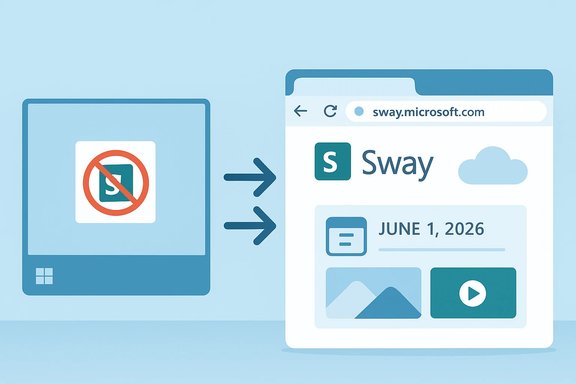
From a no-Sway app on a device to the Sway web interface.Background / Overview​

Launched in 2014 as a lightweight, web-first storytelling canvas, Sway sits between slide-based PowerPoint and full-fledged web pages — designed for quick, visual newsletters, interactive reports, and embedded micro-sites. Over the years Microsoft has offered Sway as both a web service and as thin native wrappers (including a Windows desktop client and earlier mobile builds). The Windows Win32 client persisted as a convenience for some users, but Microsoft has signalled reduced investment in native touchpoints and media uploads in recent years, culminating in the recent retirement notice.
This move is part of a broader, deliberate pivot toward cloud-first, web-delivered productivity experiences: Microsoft has been consolidating features into Microsoft 365’s web surfaces while retiring smaller desktop wrappers and some on-premises components. The retirement of the Sway desktop client is one concrete, near-term example of that strategy.

What Microsoft announced (the facts)​

  • The retirement notice appears in the Microsoft 365 Message Center as MC1213784, published January 6, 2026.
  • Retirement effective date: June 1, 2026. After that date, the Sway Windows desktop app (Win32) will no longer be available.
  • Recommended path forward: Use the web client at sway.cloud.microsoft, where Microsoft says all existing content and features remain accessible and supported.
  • Admin guidance: Microsoft’s notice explicitly advises admins to update documentation and inform helpdesk staff; it states no tenant-level configuration changes are required.
  • No data deletion promised: Microsoft states that existing Sway content will not be deleted and will remain accessible via the browser. Multiple independent outlets have corroborated those claims.
These are the load-bearing claims; the primary official rationale given is to streamline app management and focus development on a single, maintainable web surface.

Why this makes product-sense for Microsoft​

Microsoft’s public explanation is pragmatic and engineering-driven:
  • Single-surface maintenance: Web-first surfaces allow immediate updates, centralized telemetry, and faster rollout of accessibility and security improvements without shipping platform-specific binaries.
  • Feature parity and accessibility: Microsoft argues the web client already provides the capabilities users need and offers improved accessibility and support.
  • Operational efficiency: Removing low-usage native wrappers reduces the engineering and support overhead for a product that appears to have relatively small active user counts compared with PowerPoint, Word and other flagship apps.
  • Cloud alignment for AI and services: Consolidating into Microsoft 365 simplifies integration of cloud AI features and subscription-tiered capabilities where applicable.
Taken together, these reasons track with Microsoft’s larger product and business priorities: fewer platform-specific forks, faster innovations in the cloud, and closer alignment of features with Microsoft 365 experiences.

What this means for users and creators​

For most end users, the practical impact will be modest: bookmarks, shortcuts, and workflows that launch the desktop app will need to be updated, and users should test any frequently used Sways in supported browsers (Edge, Chrome, Firefox) to confirm layout and embedded content behave as expected. The web client is the supported path forward and, per Microsoft’s notice, will host the same content and features available today. Key user-facing items to consider:
  • If you use the desktop app now, start migrating to the web UI before June 1, 2026.
  • Update desktop shortcuts and intranet links that point to the native binary.
  • Verify that embedded media (OneDrive, YouTube, Stream, embedded documents) loads correctly in the browser; Microsoft has previously moved Sway toward an embed-first media model.
  • If you relied on any perceived offline convenience of the desktop wrapper, be aware that Sway is designed as a web-first tool and the web client requires connectivity for most authoring actions.

Administrative and enterprise impact​

Microsoft frames this as a low-admin-impact change — no tenant configuration changes are required — but responsible IT operations should treat it as a manageable operational task rather than a non-event. The real lift is communication, documentation updates, and targeted testing.
Recommended admin actions:
  • Inventory: Identify who in the tenant uses Sway (desktop or otherwise) and where Sway links are embedded in intranet pages or training materials.
  • Test: Validate critical Sways in Edge and Chrome; check embedded media and sharing settings.
  • Communicate: Notify helpdesk staff and affected users well in advance; provide simple one-page guidance for using the web client.
  • Update documentation: Replace desktop screenshots and procedural steps with web UI equivalents.
  • Monitor: Subscribe to the Microsoft 365 Message Center and track MC1213784 for any follow-ups.
For large regulated organizations that previously relied on local wrappers or on-prem hosting to satisfy compliance or data residency requirements, the bigger concern is Office Online Server (OOS) retirement — a separate but related Microsoft change with a December 31, 2026 end-of-support date that affects on-prem browser editing. That retirement has more substantial operational consequences.

Technical verification — cross-checking the key claims​

To ensure accuracy, the principal claims were cross-verified:
  • Microsoft’s Message Center entry MC1213784 explicitly states the Sway Win32 client retirement and provides the June 1, 2026 date and the web replacement at sway.cloud.microsoft. That notice was published January 6, 2026.
  • Independent reporting from reputable tech outlets (Windows Central and Yahoo/Tech reporting) confirmed Microsoft’s message and repeated the effective date and migration path.
  • Microsoft’s community and product blogs document the broader timeline of on-prem web-hosting retirements — Office Online Server is being retired with end-of-support December 31, 2026 — which reinforces the broader web-first motif.
Where possible, claims were checked against at least two independent sources. If any specific numeric limits, legacy timelines, or product behavior vary between pages (for example, Sway media upload limits or the exact wording on deprecated features), treat those as administrative inconsistencies and verify the exact behavior in your tenant before changing production workflows.
Caveat: while Microsoft’s notice promises feature parity and data preservation, product roadmaps and UI details are subject to change. Anything that looks like a guarantee of future investment should be treated as a vendor statement of intent rather than an irrevocable commitment.

Risks, trade-offs and what Microsoft didn’t say​

This retirement is low-friction for many users, but there are non-obvious risks and trade-offs:
  • Offline and connectivity constraints: The desktop wrapper provided a local entry point; the web client demands connectivity. Teams in low-bandwidth or air-gapped environments will feel this change more sharply.
  • Feature divergence risk: Microsoft promises no feature loss today, but roadmaps can reprioritize web-only features or gate advanced capabilities behind Microsoft 365 subscription tiers. Treat that as a future risk to plan for.
  • Vendor lock-in intensification: Moving more workflows fully to Microsoft 365 cloud surfaces increases tenant dependence on Microsoft’s cloud model, which has organizational and long-term cost implications.
  • Support and compliance considerations: While Microsoft flagged no immediate compliance issues, regulated entities that require on-premises-only workflows should validate whether the Sway web client fits their compliance posture or identify alternatives.
  • Operational noise and friction: Even small UI changes produce helpdesk tickets; organizations should budget time for communication, training, and support scripting.
Finally, there’s a product-signal dimension: removing the desktop binary is a downgrading marker for Sway’s priority within Microsoft’s portfolio. Microsoft has already removed Sway from prominent create menus and de-emphasized native media uploads in earlier updates, which together suggest Sway will be maintained but is unlikely to be a focus for new, high-investment features. Organizations that rely heavily on Sway for core customer- or public-facing workflows should evaluate contingency plans.

Alternatives and migration strategies​

If Sway is critical to your communications or instructional workflows, consider these paths:
  • Use the Sway web client (sway.cloud.microsoft) and update bookmarks, intranet links, and documentation.
  • For slide-based or more traditional presentation needs, PowerPoint (desktop or web) remains the primary Microsoft presentation product and continues to receive active development.
  • For embeddable storytelling that requires more control, consider SharePoint pages, lightweight CMS, or static site generators — these require more development but eliminate single-vendor dependency.
  • For media-heavy Sways, verify embedding flows (OneDrive, YouTube, Stream/Media) and refactor content where native media upload previously existed. Microsoft curtailed new native media uploads in prior updates, making embed-first workflows the recommended approach.
Practical checklist for creators and administrators:
  • Export or snapshot critical Sways and assets to preserve local copies.
  • Test key Sways in multiple browsers and record any rendering differences.
  • Replace desktop-invocation shortcuts with web URLs.
  • Train power users on sharing links, permissions, and co-authoring in the web client.
  • Communicate a cutover plan to users with concrete dates and a helpdesk FAQ.

Timeline and recommended 90-day action plan​

Important dates (verified):
  • January 6, 2026 — Microsoft published Message Center item MC1213784 announcing Sway desktop retirement.
  • June 1, 2026 — Sway Windows desktop (Win32) retirement effective date.
  • December 31, 2026 — Office Online Server (OOS) retirement / end of support (separate product with larger implications).
Recommended near-term cadence:
  • Within 30 days
  • Inventory usage and identify power users and embedded links.
  • Subscribe to Message Center updates for MC1213784 and related notices.
  • Within 60 days
  • Validate critical Sways in modern browsers (Edge, Chrome, Firefox).
  • Create a helpdesk FAQ and update internal documentation.
  • Within 90 days
  • Communicate the forthcoming change to affected teams and schedule brief training sessions.
  • Remove references to the desktop binary from onboarding materials and automation scripts.
  • Ongoing
  • Re-assess reliance on Sway as a strategic tool and explore alternative authoring platforms if Sway’s low-priority status poses long-term risk.

Final analysis — opportunity or erosion?​

Retiring the Sway desktop client is both an operational simplification and a signal. On the positive side, consolidating Sway on the web removes platform fragmentation, simplifies updates, and makes accessibility and security improvements easier to deliver in a central location. For many users, the transition will be straightforward and friction minimal. On the other side, the decision underscores Sway’s lower priority inside Microsoft’s portfolio. The removal of the native client, prior media deprecations, and lower visibility in Microsoft’s UI all suggest Sway will be maintained but not aggressively developed. Organizations that treat Sway as a core, long-term customer-facing channel should evaluate alternatives and create contingency plans.

Conclusion​

Microsoft’s retirement of the Sway Windows desktop app on June 1, 2026 is a narrow but meaningful example of a broader web-first strategy: a push to consolidate smaller desktop wrappers into centrally managed, cloud-hosted experiences. The core takeaway for practitioners is simple and actionable: inventory, test, communicate, and update workflows to use the Sway web client at sway.cloud.microsoft before the June 1 deadline. For organizations with stricter compliance requirements, or those who rely heavily on on-prem browser-editing, the related Office Online Server retirement (December 31, 2026) requires separate and more substantial planning. Treat Microsoft’s commitment to preserve content and feature parity as the operating assumption for the migration, but plan for contingencies: verify critical Sways in-browser today, snapshot essential content, and update internal training and documentation to reflect the web-first reality. The change is manageable — and it’s a clear signal of where development energy will flow in the Microsoft productivity ecosystem going forward.

Source: TechloMedia Microsoft to Retire Sway Desktop App, Shifts Focus to Web Version
 

Microsoft is retiring the Windows desktop version of Sway — the lightweight, free presentation/storytelling app that has lived mostly in browsers for years — and will move the experience entirely to the web on June 1, 2026, a change Microsoft says will simplify development and keep all existing content accessible through the browser interface.

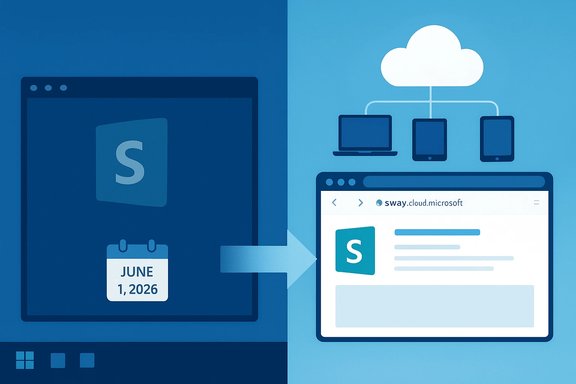
Split-screen illustration of Microsoft Sway: a local app with a calendar on the left and a cloud-connected browser on the right.Background​

Sway launched as a modern, cloud-first addition to Microsoft's Office family designed for fast, visually appealing presentations, newsletters, and reports. It arrived as a web-first service in 2014 and later gained Windows desktop and other thin-client wrappers as convenience entry points for users on Windows 10 and Windows 11. Over time Microsoft reduced investment in native touchpoints, previously retiring the Sway iOS client and encouraging users toward the web experience. Microsoft published the retirement as a Message Center notification (Message ID MC1213784) on January 6, 2026, stating that the Sway Windows desktop app (Win32 client) will be retired effective June 1, 2026, and advising administrators to update documentation and helpdesk staff. Microsoft’s notice explicitly says existing Sway content will remain accessible and that the web client at sway.cloud.microsoft will continue to be updated. This is not a removal of Office core applications (Word, Excel, PowerPoint) from Windows desktops. Rather, it is a targeted retirement of one specific desktop app — Sway — and a formal acknowledgment of a longer-running trend toward web-first delivery for smaller, lower-usage Office adjuncts.

What Microsoft announced (the essentials)​

  • Retirement action: The Sway Windows desktop (Win32) application will no longer be available for download or supported after June 1, 2026.
  • User data and content: Microsoft states all existing Sway content will remain accessible via the web client at sway.cloud.microsoft; no deletion of content has been promised.
  • Admin guidance: Administrators are asked to update helpdesk documentation and migrate internal references to the web experience; Microsoft says no tenant configuration changes are required.
  • Scope: This affects the Sway Win32 desktop client only — it does not affect the web service itself nor core desktop Office apps. Numerous independent tech outlets and community aggregators republished and analyzed Microsoft’s message.
These points come directly from the official Message Center entry and multiple independent reports that examined the notice and its operational details.

Why Microsoft is making this change​

Microsoft frames the retirement as a modernization and simplification effort: consolidating investment on a single, web-delivered surface allows faster feature delivery, easier accessibility updates, and reduced overhead for maintaining multiple native binaries across platforms.
That strategic choice fits a wider corporate push toward cloud-first product development. In recent months and years Microsoft has moved several smaller or on-prem touchpoints to cloud/web delivery, and it has also signalled major support changes for other Office delivery channels — for example, retirements and end-of-support timelines for Office-related on-prem components and Microsoft Store installation types. Operational incentives behind the move include:
  • Fewer codebases to maintain (one web client vs. multiple native apps).
  • Easier, continuous updates for security and features via the web.
  • Improved cross-device accessibility without separate platform builds.
  • Encouraging users to rely on cloud identities and Microsoft 365 feature parity for power-user limits and capabilities.
These are the vendor-stated rationales and are consistent with Microsoft’s public roadmap direction for Microsoft 365 and Office for the web.

How this fits into a broader Office and Windows picture​

The Sway desktop retirement is one tile in a broader mosaic of Microsoft changes to Office delivery:
  • Microsoft ended feature updates for the Microsoft Store installation type of Microsoft 365 Apps in October 2025, and security updates for that Store installation type will stop in December 2026 — a move that pushes organizations toward Click‑to‑Run installers instead of Store-based installs.
  • Microsoft announced the retirement of Office Online Server (OOS) — the on‑prem web-hosted Office engine used by Exchange, SharePoint and some other server scenarios — with end of support on December 31, 2026. That retirement forces many on‑prem environments to plan migration paths for browser-based editing and preview scenarios.
  • Microsoft previously removed or discontinued several mobile and UWP Office apps (for example, Word Mobile, Excel Mobile, and PowerPoint Mobile in a past support lifecycle) as it consolidated experiences around the web and full desktop clients.
Taken together, these moves show Microsoft’s push to rationalize where investment occurs: cloud-first, web-delivered experiences get priority; smaller desktop or on‑prem variants get consolidated or retired when they no longer align with scale or strategic direction.

What the desktop retirement means for end users​

For most casual users of Sway the experience will change in a straightforward way: instead of launching a small native app on Windows, they will open a browser and work at sway.cloud.microsoft. Microsoft has repeatedly said that content will be preserved and that the web client provides the same capabilities with improved accessibility support. Practical user impacts include:
  • Shortcuts and desktop launchers that opened Sway will need to be updated to point at the web URL.
  • Offline editing via the desktop binary will no longer be available; Sway’s native experience has always been thin and web‑centric, so fully offline workflows were limited even before this retirement.
  • Some convenience integrations or local context-menu actions that relied on the Win32 client may stop functioning and must be reworked.
Microsoft’s messaging tries to minimize disruption. Nevertheless, users who relied on the desktop wrapper for specific shortcuts or enterprise portal integrations should inventory those dependencies and update internal documentation.

What the retirement means for IT administrators and organizations​

The retirement is small in scope but operationally meaningful for IT teams that maintain enterprise images, automation, or training materials:
  • Inventory and documentation: Admins should inventory which users or teams still rely on the Sway desktop binary and update onboarding or documentation to reflect the web client. Microsoft’s admin guidance explicitly recommends these updates.
  • Helpdesk preparation: Helpdesk scripts, FAQs, and internal KB articles that reference launching Sway from the desktop must be revised.
  • Automation and deployment: Image builds and provisioning scripts that install the Sway executable will need to be cleaned up; group policy or deployment tooling should transition to web-based shortcuts or intranet guidance.
  • Compliance and data sovereignty: Although Microsoft promises content won’t be deleted, organizations in regulated industries should validate access methods and logging for the web client and confirm that data residency and audit requirements remain satisfied under the web delivery model. For some heavily regulated on‑prem environments, the retirement of Office Online Server (OOS) later in 2026 will create separate, larger planning needs for browser-based editing scenarios.
Administrators should treat this as a short planning window: Microsoft published the message in early January 2026 and set a June 1, 2026 effective date, leaving about five months to inventory, communicate changes, and make minor technical updates to support materials.

Migration and preparedness checklist​

  • Inventory current usage across the organization: identify users, automated workflows, and documentation that reference the Sway desktop app.
  • Validate all critical Sway presentations and embeds in modern browsers (Microsoft Edge, Chrome, Firefox) to ensure rendering fidelity and media playback.
  • Update desktop shortcuts and start‑menu entries to open sway.cloud.microsoft or internal guidance pages.
  • Update training materials and helpdesk scripts; prepare brief user communication that explains the change and points to the web URL and sign-in guidance.
  • Check feature parity for power-user scenarios: subscribers to Microsoft 365 have higher limits in Sway (images, videos, embeds); verify that any Sways relying on subscriber-only capacities remain usable.
  • For integrations: review LOB tools or portals that launched the desktop client and update integration patterns to open the web client instead.
  • For regulated environments: confirm audit, logging and data residency settings for the web client and, where applicable, plan mitigations for workflows that previously leveraged on‑prem options like Office Online Server (which itself is retiring at the end of 2026).

Alternatives and workarounds​

Sway remains available on the web, but for organizations or users seeking alternatives there are several viable replacements, depending on needs:
  • PowerPoint (desktop and web) — full-featured slides with strong offline and enterprise tooling.
  • OneNote — better for note-rich, multimedia notebooks that need offline access.
  • Canva and Google Slides — third-party web-first authoring tools with collaborative features.
  • Export workflows — for archiving, exporting Sways to PDF or other formats before the desktop retirement can create stable snapshots for offline reference.
Selecting an alternative depends on the required feature set (responsive web layout vs. slide-based linear decks), offline needs, and enterprise integration requirements. The easy, immediate step for most users is to shift to the web client and test critical Sways in supported browsers.

Benefits and the upside of web-only delivery​

There are practical advantages to consolidating the Sway experience on the web:
  • Faster updates: feature and security updates roll out continuously to the web client without requiring users to install binaries.
  • Accessibility: web-based experiences allow platform-level accessibility improvements that benefit a broader set of users.
  • Lower maintenance overhead: Microsoft can focus engineering resources on one client rather than spreading effort across thin native wrappers.
For many lightweight Sway users, the change will be transparent: create, edit, and share from a browser as before, without the overhead of a separate installation to manage.

Risks, trade-offs, and things to watch​

While Microsoft’s notice tries to minimize disruption, the switch to web-only delivery introduces trade-offs and risks that organizations must evaluate:
  • Offline limitations: users who relied on local, offline editing via the desktop wrapper will lose that capability. Web-first tools are often dependent on network connectivity and have limited or no offline authorship modes. This is important for users who create content in travel scenarios or on air-gapped machines.
  • Feature parity caveats: although Microsoft says the web client retains the same capabilities, there are often subtle differences in performance, media handling, or local-device integrations between native and web clients; power users should test critical workflows.
  • Enterprise integration impacts: custom file‑association handlers, local automation that invoked the Win32 client, or portal links may break and require remediation.
  • Browser compatibility and security posture: organizations must confirm that supported browsers meet accessibility and security requirements; centralizing on the web surface places more operational importance on enterprise browser management.
  • Dependency on cloud identity and Microsoft services: moving to the web client reinforces reliance on Microsoft account sign-in and cloud services, raising authentication, conditional access, and identity governance questions for administrators.
Finally, although the Message Center entry sets a firm date, enterprises should be mindful that Microsoft sometimes adjusts timelines for product retirements; however, Message Center announcements are the authoritative channel for tenant-impacting changes. Treat the June 1, 2026 date as an operational milestone and act accordingly.

How to verify claims and what is still uncertain​

Microsoft’s Message Center entry (MC1213784) and independent reporting align on the core facts: Sway’s Win32 desktop client will be retired June 1, 2026 and the web client will continue to host content. These are verifiable claims surfaced through Microsoft’s admin channels and multiple reporting outlets. Unverifiable or rumor‑driven claims should be treated cautiously. For example, headlines that describe the change as “Microsoft removes the free Office app” conflate Sway with core Office desktop apps and overstate the scope; those broader claims do not match Microsoft’s official notice and independent reporting. Any claim that Sway content will be deleted is inconsistent with Microsoft’s message and currently unsupported by credible sources; Microsoft explicitly says content will remain available through the web client. If that position changes, Microsoft would typically update the Message Center or publish specific migration guidance.

Practical recommendations (for IT teams and power users)​

  • Communicate early: send a short, factual advisory to users who might be affected, including the June 1, 2026 date and the sway.cloud.microsoft URL.
  • Test critical content: ensure important Sways render and behave correctly in supported browsers. Report any regressions to Microsoft support if needed.
  • Update images and embeds: verify that embedded media still loads properly from the web client and that any third‑party embeds comply with corporate policies.
  • Create fallback exports: export mission-critical Sways to PDF or other archival formats for offline reference or compliance retention.
  • Review identity settings: confirm conditional access and sign‑in policies work as expected for web access to Sway.

The bottom line​

The operational takeaway is simple and narrow in scope: Microsoft is retiring the Sway Windows desktop app on June 1, 2026 and consolidating the experience on the web. The change reflects Microsoft’s longer-term shift to cloud-first delivery for lower-usage adjunct Office experiences and aligns with other retirements and support changes across the Office ecosystem. Microsoft assures users that content will remain accessible and that the web client will be updated; administrators should still treat this as a short-term planning task to inventory usage, update documentation, and test critical content in browsers. This retirement does not remove core Office applications from Windows desktops, but it is a reminder that Microsoft is rationalizing how Office and productivity tools are delivered — and that organizations need to be proactive in tracking Message Center announcements and planning migrations when small, but cumulatively important, platform changes occur.

Source: Telegrafi https://telegrafi.com/en/amp/Microsoft-removes-free-Office-app-for-Windows-2674864961/
 

Back
Top