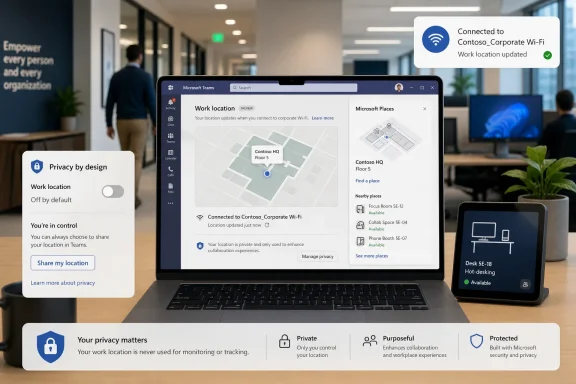
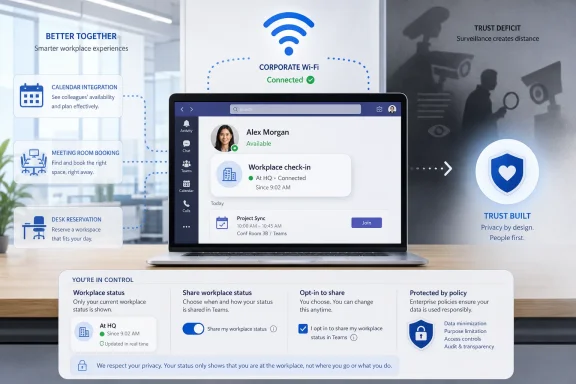
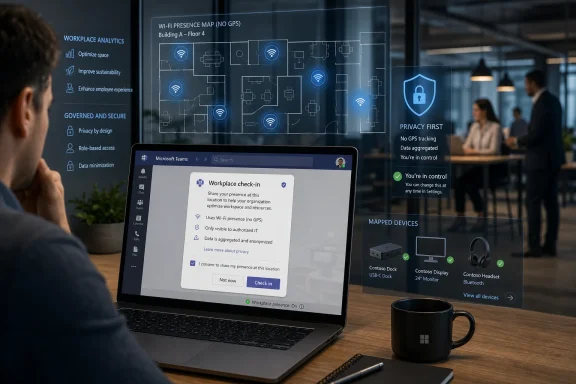
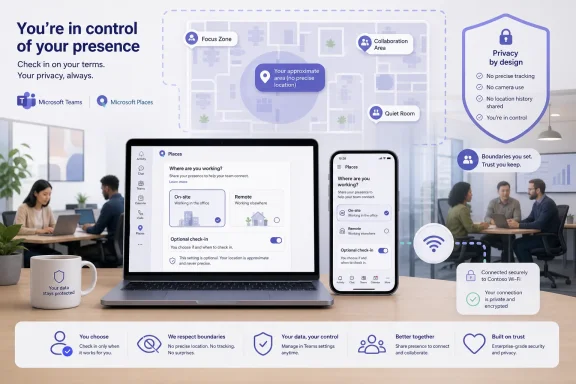
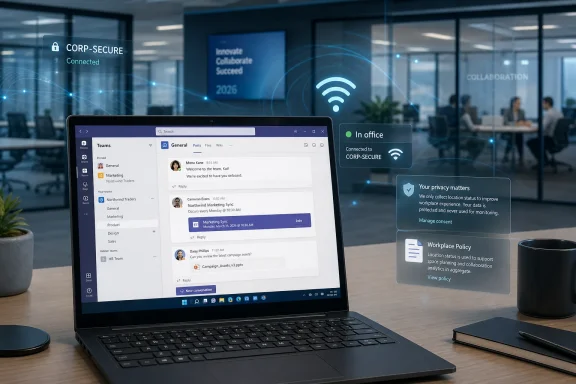
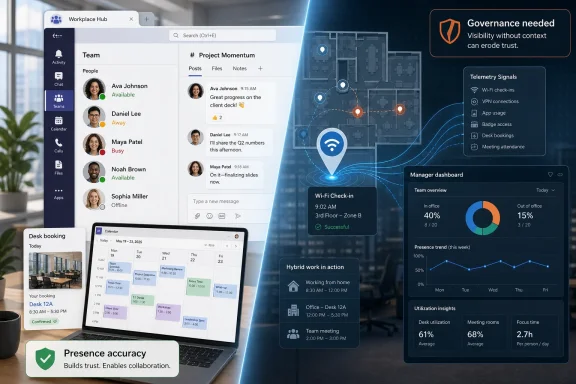
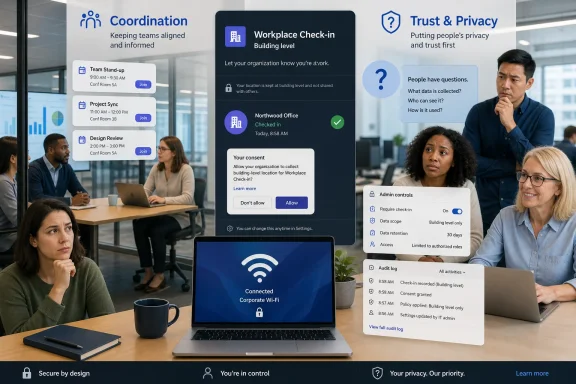
Microsoft is reviving Teams’ Wi-Fi-based workplace check-in in 2026, letting organizations configure corporate wireless networks so the Teams desktop app can automatically update a user’s current work location when their device connects at the office. The company’s pitch is collaboration; the obvious fear is surveillance. The revised version adds meaningful brakes, including tenant configuration, user opt-in or opt-out controls, no historical location reporting, and a narrower “current location” signal. But the controversy survives because the feature lands in the middle of a larger return-to-office argument that Microsoft cannot solve with a settings banner.
The Teams feature now described as workplace check-in is not quite the crude “your boss can see where you are all day” mechanism that early reactions imagined. Microsoft’s documentation frames it as an extension of Teams presence and calendar work location: not just whether someone is available, but whether they are working remotely, in the office, or in a configured building.
That distinction matters technically. Teams is not supposed to keep a movement log, expose historical attendance reports, or follow a user beyond corporate networks and configured workplace devices. The feature is designed around a current-day, current-location signal that clears after working hours.
But workplace software is judged by more than its architecture diagram. A feature can avoid being a formal attendance system and still feel like one when employees are already fighting over badge swipes, desk mandates, and hybrid-work trust. Microsoft’s problem is not only what Teams does. It is what managers might be tempted to infer from it.
The company has clearly heard the backlash. The latest version emphasizes that workplace check-in is off by default at the tenant level, that admins must configure it, and that users can change their setting in Teams. That is a real privacy improvement over the worst reading of the original roadmap language.
It is also not a magic shield. In workplaces where “optional” tools become socially mandatory, the difference between consent and career-risk avoidance can be thin.
Second, Microsoft says the feature does not retain movement history. That is the most important technical boundary. If the system only reflects the present state and clears actual location after working hours, it is less like a time-and-attendance database and more like a presence enhancement.
Third, users retain some control. Admins can choose a mode where users must opt in, or a mode where the feature is enabled by default but users can opt out. Users can also manually set, override, or clear their work location.
Those are not cosmetic changes. For IT departments, they mean the feature is not simply another telemetry feed waiting to be switched on. It requires Microsoft Places configuration, Teams policy work, SSID and BSSID mapping for Wi-Fi-based building detection, and operating-system-level location permission for Teams.
That complexity cuts both ways. It reduces the odds of accidental mass deployment, but it also means the feature will be administered by the same organizations that may have a business incentive to normalize workplace visibility.
Workplace check-in fits that strategy neatly. If Teams knows your working hours, your meeting schedule, your presence state, and your current office building, it can make more useful suggestions. It can help colleagues find each other. It can reduce the friction of “Are you in today?” messages. It can make hybrid offices feel less random.
For employees who actually want in-person collaboration, this is not inherently sinister. A distributed team spread across floors, buildings, and hot desks needs better coordination than a stale Outlook status. The old office had visual context; the hybrid office often does not. Microsoft is trying to recreate some of that context inside the app where work already happens.
The problem is that context and surveillance are cousins. The same signal that helps a teammate find you for lunch can help a manager notice that you are never shown in the office on Fridays. The same building-level presence that helps a project team coordinate can become another soft metric in a performance conversation.
That is why Microsoft’s “not a tracking tool” language is both true and insufficient. Tools do not need to be designed for monitoring to be used as part of a monitoring culture.
But once an organization chooses to enable it, the key decision is whether to run the Wi-Fi experience in an ask-first or inform-first model. Ask mode means users choose to opt in before Wi-Fi-based updates start sharing location. Inform mode means users are told the feature is active and can opt out.
That distinction will matter enormously in practice. Ask mode treats location sharing as a personal collaboration choice. Inform mode treats it as an organizational default with a personal escape hatch. Both may be defensible in different legal and cultural environments, but they communicate very different expectations.
A mature rollout should not begin in PowerShell. It should begin with a written policy that says exactly what the organization will and will not use the signal for. If workplace check-in is for collaboration, say that it is not for attendance enforcement, performance scoring, disciplinary monitoring, or return-to-office compliance. Then make sure managers are trained accordingly.
The uncomfortable truth is that Microsoft can ship privacy controls, but it cannot ship trust. That has to be configured locally, and many organizations are worse at that than they are at mapping BSSIDs.
Microsoft says users can disable workplace check-in. Technically, that preserves individual control. Socially, it may create a new category of workplace ambiguity: the employee who does not share location.
In a healthy organization, that should not matter. People have different privacy preferences, travel patterns, accessibility needs, and job roles. A disabled location signal should not be interpreted as dishonesty.
In a less healthy organization, absence of a signal becomes a signal. A manager who expects Teams to show office presence may start asking why a user appears “remote,” why their location is blank, or why others are visible and they are not. The product may not store attendance history, but human memory and screenshots exist.
That is where the “users remain in control” argument meets its limit. Control is meaningful only if exercising it carries no penalty. Microsoft’s design can support that principle, but employers have to honor it.
That is a familiar permission model, but the context is unusual. Many users think of OS location permission as GPS-style physical location, even when an enterprise feature is really using configured Wi-Fi identifiers to map a device to a workplace building. The consent prompt may therefore carry more anxiety than the underlying signal warrants.
Still, the permission matters. If Teams needs OS-level location access, users and admins should treat that as a deliberate privacy boundary, not a setup nuisance to be clicked away during onboarding. Endpoint teams should document what the permission enables, how it interacts with Teams settings, and how users can revoke it.
There may also be operational quirks. Microsoft’s documentation indicates that Wi-Fi check-in responds to network-change events such as connecting to a wireless network, switching networks, or waking from sleep. Desktop machines on Ethernet are a different case, and peripheral-based check-in has its own configuration path.
That means help desks should expect confusion. A user may be in the office but appear remote because they are on Ethernet, outside working hours, missing location permission, connected to an unmapped access point, or opted out in Teams. The irony of workplace check-in is that a feature intended to reduce “where are you?” messages may create a new class of support tickets asking exactly that.
That matters. Lumping every workplace visibility feature into the same surveillance bucket makes it harder to discuss real differences in design. There is a meaningful gap between “Teams can show I am in Building 2 right now” and “my employer has a dashboard of my movements for the past month.”
But Microsoft’s weakest defense is the assumption that feature intent governs feature use. Enterprise software lives inside power structures. A signal that begins as convenience can become evidence. A default setting can become policy. A presence indicator can become a proxy for commitment.
The better framing is not “tracking or not tracking.” It is whether the organization has enough transparency, restraint, and accountability to keep a collaboration signal from becoming a compliance instrument.
That is why the feature’s privacy tweaks are necessary but not sufficient. They reduce the blast radius. They do not erase the institutional temptation.
That timing matters. Workers have learned that neutral-sounding tools can become part of a broader enforcement stack. Badge data, VPN logs, device telemetry, calendar patterns, and collaboration-app presence all tell fragments of the same story. Teams’ Wi-Fi check-in adds another fragment.
Microsoft is trying to keep that fragment narrow. But employees are not evaluating it in isolation. They are evaluating it against a workplace climate in which being seen at the office can affect opportunity, trust, and promotion even when official policies say performance matters more than presence.
For IT leaders, this is the practical warning. Deploying workplace check-in into a tense RTO environment is not a purely technical change. It is a labor-relations event wearing a Microsoft 365 admin hat.
If a company has already told employees it will use office attendance data for compliance, Teams location will be interpreted through that lens no matter how Microsoft describes it. If a company has built a high-trust hybrid culture, the same feature may be received as useful and boring. The software is the same; the organization is not.
Ask mode should be the default for most organizations, even if inform mode is administratively tempting. It creates a cleaner trust boundary: the user chooses to participate because the feature is useful. If adoption is low, that is feedback, not a defect.
Admins should also avoid overprecision where it is not needed. Building-level location may be helpful on a large campus; desk-level or peripheral-based updates may be excessive for many teams. The guiding principle should be minimum useful visibility, not maximum available signal.
Legal, HR, security, and works-council stakeholders should be involved before rollout in regulated or multinational environments. Location data, even when current and limited, is sensitive enough to deserve more than a release-note skim. The absence of historical reporting does not eliminate privacy obligations.
Most importantly, organizations should publish a plain-language policy before the feature appears in Teams. Employees should know who can see the location signal, when it updates, when it clears, how to disable it, and whether managers are prohibited from using it for attendance or discipline.
The concrete points are clearer than the argument around them:
Microsoft has made Teams’ Wi-Fi workplace check-in more defensible than its early reputation suggested, but defensible is not the same as frictionless. The revised feature gives admins and users enough controls to deploy it responsibly, and enough ambiguity to deploy it badly. In the next phase of hybrid work, the winners will not be the companies that collect the most presence signals; they will be the ones that know when not to turn them into evidence.
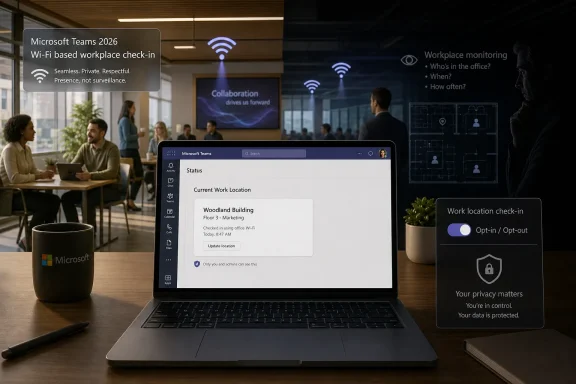 Microsoft Rewrites the Feature, Not the Workplace Politics
The Teams feature now described as workplace check-in is not quite the crude “your boss can see where you are all day” mechanism that early reactions imagined. Microsoft’s documentation frames it as an extension of Teams presence and calendar work location: not just whether someone is available, but whether they are working remotely, in the office, or in a configured building.That distinction matters technically. Teams is not supposed to keep a movement log, expose historical attendance reports, or follow a user beyond corporate networks and configured workplace devices. The feature is designed around a current-day, current-location signal that clears after working hours.
But workplace software is judged by more than its architecture diagram. A feature can avoid being a formal attendance system and still feel like one when employees are already fighting over badge swipes, desk mandates, and hybrid-work trust. Microsoft’s problem is not only what Teams does. It is what managers might be tempted to infer from it.
The company has clearly heard the backlash. The latest version emphasizes that workplace check-in is off by default at the tenant level, that admins must configure it, and that users can change their setting in Teams. That is a real privacy improvement over the worst reading of the original roadmap language.
It is also not a magic shield. In workplaces where “optional” tools become socially mandatory, the difference between consent and career-risk avoidance can be thin.
The New Privacy Pitch Is Narrower and Smarter
The updated design has three privacy arguments in its favor. First, it is limited to workplace contexts. Teams is not supposed to update your work location because you joined a coffee shop network or connected from home; the signal depends on administrator-configured corporate Wi-Fi or workplace peripherals.Second, Microsoft says the feature does not retain movement history. That is the most important technical boundary. If the system only reflects the present state and clears actual location after working hours, it is less like a time-and-attendance database and more like a presence enhancement.
Third, users retain some control. Admins can choose a mode where users must opt in, or a mode where the feature is enabled by default but users can opt out. Users can also manually set, override, or clear their work location.
Those are not cosmetic changes. For IT departments, they mean the feature is not simply another telemetry feed waiting to be switched on. It requires Microsoft Places configuration, Teams policy work, SSID and BSSID mapping for Wi-Fi-based building detection, and operating-system-level location permission for Teams.
That complexity cuts both ways. It reduces the odds of accidental mass deployment, but it also means the feature will be administered by the same organizations that may have a business incentive to normalize workplace visibility.
Teams Becomes the Office Map Microsoft Always Wanted
Microsoft’s broader strategy is easy to see. Teams is no longer just a chat and meeting app; it is the front door to Microsoft 365’s model of work. Calendar, presence, meeting rooms, desks, Copilot summaries, Viva analytics, and Microsoft Places all point toward the same idea: the office is becoming a software-defined environment.Workplace check-in fits that strategy neatly. If Teams knows your working hours, your meeting schedule, your presence state, and your current office building, it can make more useful suggestions. It can help colleagues find each other. It can reduce the friction of “Are you in today?” messages. It can make hybrid offices feel less random.
For employees who actually want in-person collaboration, this is not inherently sinister. A distributed team spread across floors, buildings, and hot desks needs better coordination than a stale Outlook status. The old office had visual context; the hybrid office often does not. Microsoft is trying to recreate some of that context inside the app where work already happens.
The problem is that context and surveillance are cousins. The same signal that helps a teammate find you for lunch can help a manager notice that you are never shown in the office on Fridays. The same building-level presence that helps a project team coordinate can become another soft metric in a performance conversation.
That is why Microsoft’s “not a tracking tool” language is both true and insufficient. Tools do not need to be designed for monitoring to be used as part of a monitoring culture.
The Admin Toggle Is Where the Real Argument Starts
For sysadmins, the immediate story is not panic; it is governance. Workplace check-in is not supposed to appear fully formed on every desktop. It depends on tenant enablement, policy assignment, Microsoft Places setup, and network mapping. Organizations that do nothing should not suddenly find Teams broadcasting building presence.But once an organization chooses to enable it, the key decision is whether to run the Wi-Fi experience in an ask-first or inform-first model. Ask mode means users choose to opt in before Wi-Fi-based updates start sharing location. Inform mode means users are told the feature is active and can opt out.
That distinction will matter enormously in practice. Ask mode treats location sharing as a personal collaboration choice. Inform mode treats it as an organizational default with a personal escape hatch. Both may be defensible in different legal and cultural environments, but they communicate very different expectations.
A mature rollout should not begin in PowerShell. It should begin with a written policy that says exactly what the organization will and will not use the signal for. If workplace check-in is for collaboration, say that it is not for attendance enforcement, performance scoring, disciplinary monitoring, or return-to-office compliance. Then make sure managers are trained accordingly.
The uncomfortable truth is that Microsoft can ship privacy controls, but it cannot ship trust. That has to be configured locally, and many organizations are worse at that than they are at mapping BSSIDs.
The Absence Signal May Be Louder Than the Location Signal
The most interesting privacy issue is not what Teams shows when the feature is on. It is what people infer when it is off.Microsoft says users can disable workplace check-in. Technically, that preserves individual control. Socially, it may create a new category of workplace ambiguity: the employee who does not share location.
In a healthy organization, that should not matter. People have different privacy preferences, travel patterns, accessibility needs, and job roles. A disabled location signal should not be interpreted as dishonesty.
In a less healthy organization, absence of a signal becomes a signal. A manager who expects Teams to show office presence may start asking why a user appears “remote,” why their location is blank, or why others are visible and they are not. The product may not store attendance history, but human memory and screenshots exist.
That is where the “users remain in control” argument meets its limit. Control is meaningful only if exercising it carries no penalty. Microsoft’s design can support that principle, but employers have to honor it.
Windows Users Get Another Permission Prompt With Bigger Implications
For Windows and macOS users, the client-side mechanics are also worth watching. Microsoft says workplace check-in requires the Teams desktop app and does not work in the web or mobile versions. Users must also grant Teams access to the operating system’s location API.That is a familiar permission model, but the context is unusual. Many users think of OS location permission as GPS-style physical location, even when an enterprise feature is really using configured Wi-Fi identifiers to map a device to a workplace building. The consent prompt may therefore carry more anxiety than the underlying signal warrants.
Still, the permission matters. If Teams needs OS-level location access, users and admins should treat that as a deliberate privacy boundary, not a setup nuisance to be clicked away during onboarding. Endpoint teams should document what the permission enables, how it interacts with Teams settings, and how users can revoke it.
There may also be operational quirks. Microsoft’s documentation indicates that Wi-Fi check-in responds to network-change events such as connecting to a wireless network, switching networks, or waking from sleep. Desktop machines on Ethernet are a different case, and peripheral-based check-in has its own configuration path.
That means help desks should expect confusion. A user may be in the office but appear remote because they are on Ethernet, outside working hours, missing location permission, connected to an unmapped access point, or opted out in Teams. The irony of workplace check-in is that a feature intended to reduce “where are you?” messages may create a new class of support tickets asking exactly that.
Microsoft’s Best Defense Is Also Its Weakest One
Microsoft’s strongest defense is that workplace check-in is not built like classic bossware. It does not promise keystroke tracking, screenshots, productivity scoring, or a historical movement trail. It is a current work-location signal embedded in a collaboration product.That matters. Lumping every workplace visibility feature into the same surveillance bucket makes it harder to discuss real differences in design. There is a meaningful gap between “Teams can show I am in Building 2 right now” and “my employer has a dashboard of my movements for the past month.”
But Microsoft’s weakest defense is the assumption that feature intent governs feature use. Enterprise software lives inside power structures. A signal that begins as convenience can become evidence. A default setting can become policy. A presence indicator can become a proxy for commitment.
The better framing is not “tracking or not tracking.” It is whether the organization has enough transparency, restraint, and accountability to keep a collaboration signal from becoming a compliance instrument.
That is why the feature’s privacy tweaks are necessary but not sufficient. They reduce the blast radius. They do not erase the institutional temptation.
The RTO Era Makes Every Presence Signal Suspicious
This controversy would have landed differently in 2019. Back then, an automatic office-location update might have looked like another convenience feature for sprawling campuses. In 2026, it arrives after years of return-to-office mandates, employee resistance, and management attempts to quantify presence.That timing matters. Workers have learned that neutral-sounding tools can become part of a broader enforcement stack. Badge data, VPN logs, device telemetry, calendar patterns, and collaboration-app presence all tell fragments of the same story. Teams’ Wi-Fi check-in adds another fragment.
Microsoft is trying to keep that fragment narrow. But employees are not evaluating it in isolation. They are evaluating it against a workplace climate in which being seen at the office can affect opportunity, trust, and promotion even when official policies say performance matters more than presence.
For IT leaders, this is the practical warning. Deploying workplace check-in into a tense RTO environment is not a purely technical change. It is a labor-relations event wearing a Microsoft 365 admin hat.
If a company has already told employees it will use office attendance data for compliance, Teams location will be interpreted through that lens no matter how Microsoft describes it. If a company has built a high-trust hybrid culture, the same feature may be received as useful and boring. The software is the same; the organization is not.
The Safer Rollout Is Smaller, Slower, and More Honest
The best deployment pattern is selective. Start with teams that actively ask for the feature: facilities staff, campus-based groups, executive assistants, event teams, or departments that coordinate in-person collaboration across multiple buildings. Do not begin with a company-wide inform-mode rollout and a vague “productivity” memo.Ask mode should be the default for most organizations, even if inform mode is administratively tempting. It creates a cleaner trust boundary: the user chooses to participate because the feature is useful. If adoption is low, that is feedback, not a defect.
Admins should also avoid overprecision where it is not needed. Building-level location may be helpful on a large campus; desk-level or peripheral-based updates may be excessive for many teams. The guiding principle should be minimum useful visibility, not maximum available signal.
Legal, HR, security, and works-council stakeholders should be involved before rollout in regulated or multinational environments. Location data, even when current and limited, is sensitive enough to deserve more than a release-note skim. The absence of historical reporting does not eliminate privacy obligations.
Most importantly, organizations should publish a plain-language policy before the feature appears in Teams. Employees should know who can see the location signal, when it updates, when it clears, how to disable it, and whether managers are prohibited from using it for attendance or discipline.
The Fine Print That Decides Whether This Becomes Useful or Creepy
The Teams Wi-Fi check-in story is not a simple case of Microsoft sneaking spyware into a chat app. It is also not a harmless convenience feature that only privacy absolutists could dislike. It sits in the uneasy middle, where enterprise collaboration software keeps gaining situational awareness and workers keep wondering who benefits.The concrete points are clearer than the argument around them:
- Microsoft’s workplace check-in is designed to update a user’s current Teams work location when the desktop app detects configured workplace Wi-Fi or connected workplace peripherals.
- The Wi-Fi feature is controlled by tenant policy, requires administrator setup, and depends on configured corporate network identifiers rather than arbitrary public networks.
- Users can be placed in an opt-in or opt-out experience depending on administrator policy, and Microsoft says users can change their workplace check-in setting in Teams.
- Microsoft says the feature does not provide historical movement data or attendance-monitoring dashboards, and actual location is cleared after working hours.
- The feature’s privacy impact depends heavily on organizational policy, because a current presence signal can still be misused socially or managerially even without a formal tracking report.
- IT departments should treat deployment as a governance project, not just a Teams configuration task.
Microsoft has made Teams’ Wi-Fi workplace check-in more defensible than its early reputation suggested, but defensible is not the same as frictionless. The revised feature gives admins and users enough controls to deploy it responsibly, and enough ambiguity to deploy it badly. In the next phase of hybrid work, the winners will not be the companies that collect the most presence signals; they will be the ones that know when not to turn them into evidence.
References
- Primary source: XDA
Published: Sat, 13 Jun 2026 05:32:02 GMT
Microsoft's controversial Teams Wi-Fi tracking is back after multiple delays with a few privacy tweaks
The new version gives more power to the people. www.xda-developers.com
- Related coverage: windowsforum.com
Microsoft Teams Wi‑Fi Work Location Updates (June 2026): Privacy vs Hybrid Tracking | Windows Forum
Microsoft Teams is scheduled to roll out Wi-Fi-based automatic work-location updates worldwide in June 2026, letting organizations configure Teams and...windowsforum.com - Related coverage: cybernews.com
Teams to track workers via office WiFi | Cybernews
Microsoft Teams will track employees’ office location and tell their boss cybernews.com
- Official source: microsoft.com
Microsoft 365 Roadmap | Microsoft 365
The Microsoft 365 Roadmap lists updates that are currently planned for applicable subscribers. Check here for more information on the status of new features and updates.www.microsoft.com
- Related coverage: pcworld.com
Microsoft says new Teams location feature isn't for 'employee tracking' | PCWorld
When this new feature rolls out, your bosses and colleagues will always know where you are.www.pcworld.com - Related coverage: windowscentral.com
Microsoft RTO plan sparks privacy concerns | Windows Central
Microsoft’s RTO mandate and Teams’ new location tracking feature are arriving at the same time — and employees are questioning whether it’s coincidence or corporate micromanagement.www.windowscentral.com
- Related coverage: fortune.com
Microsoft Teams can now track what room you're in | Fortune
Microsoft says it's about collaboration. Privacy researchers say it's about control.fortune.com
- Related coverage: moneycontrol.com
'Where are you?' to Wi‑Fi tracking: Teams update sparks privacy concerns. Microsoft responds
The Microsoft Teams' 'Automatic update of work location' feature arrives as many companies intensify return‑to‑office mandates, leading employees to question whether location tracking could be used to monitor their compliance rather than collaboration.www.moneycontrol.com - Official source: learn.microsoft.com
Automatic update of work location on MS Teams using BSSID - Microsoft Q&A
Hi Teams, I have completed the below steps as per provided on Microsoft documentation to setup automatic update of work location on MS Teams. Places hierarchy (buildings/floors) is configured and visible in Teams BSSID mapping has been uploaded…learn.microsoft.com - Related coverage: gadgetreview.com
Microsoft Teams Location Tracking – A New Phase Of Workplace Surveillance
Microsoft Teams will automatically track your office location starting March 2026, letting employers monitor return-to-office compliance through Wi-Fi detection.www.gadgetreview.com - Official source: techcommunity.microsoft.com
Microsoft Teams Licensing Updates April 2026 Customer FAQ 1
PDF documenttechcommunity.microsoft.com