

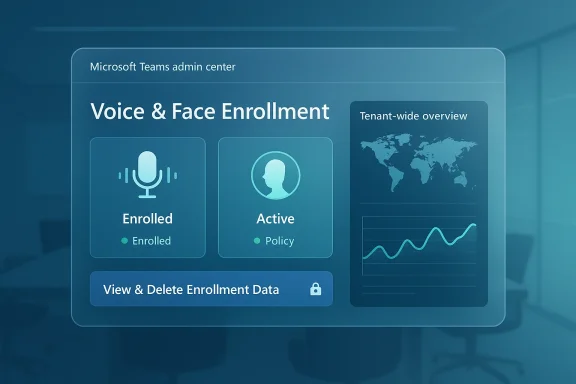
Microsoft’s latest Teams admin center update is less about flashy end-user features and more about control, visibility, and governance. The company is rolling out a new voice and face enrollment dashboard for administrators, giving IT teams a clearer view of who has enrolled biometric profiles and how those enrollments are being used across the tenant. That matters because the feature is tied directly to AI-assisted experiences such as speaker attribution, voice isolation, and face-based room experiences. Just as importantly, Microsoft says admins will also be able to view and delete end-user voice and face enrollment data from the same dashboard, which raises the stakes for privacy, compliance, and rollout planning.
Microsoft Teams has spent the past several years evolving from a collaboration app into a broader communications and device platform. The Teams admin center has followed that same trajectory, growing from a basic management console into a central operational hub for device health, app governance, policy enforcement, and meeting-room administration. That shift is visible in the company’s own release cadence, which increasingly treats the admin center as the place where teams, devices, apps, and AI features are managed together.
The new dashboard arrives in that context. Microsoft already introduced the Teams client health dashboard in the Teams admin center, which provides metrics such as crashes and launch failures over the last 28 days, along with issue summaries, suggested actions, and exportable reporting. Microsoft describes that page as a tool to help admins move from reactive troubleshooting to proactive remediation, and it explicitly focuses on end-user-impacting client issues. The new voice and face enrollment view extends that philosophy from device reliability to feature adoption and biometric governance. (learn.microsoft.com)
The significance is not just operational; it is also architectural. Voice and face enrollment is part of Microsoft’s broader effort to support AI-enhanced meeting experiences. According to Microsoft Learn, enrollment supports audio quality, reduces background noise and secondary speakers, improves Copilot accuracy in Teams Rooms scenarios, and helps identify participants in meeting-room environments. The system is underpinned by a dedicated Teams AI policy, which is managed in PowerShell and includes separate settings for voice and face enrollment. That means the new dashboard is not simply a reporting layer; it is an oversight layer for a feature set that touches identity, privacy, and analytics all at once. (learn.microsoft.com)
There is also a historical privacy angle here. Microsoft’s documentation says users control their own voice and face data, can unenroll at any time, and that the company does not use those profiles to train models or for other purposes beyond the feature itself. At the same time, Microsoft stores and processes the data in the same region as a tenant’s Teams data, encrypts it at rest and in transit, and removes the profile immediately when a user unenrolls. The new dashboard gives admins better visibility into those profiles, but it also gives them a new lever over data deletion, which will inevitably draw attention from compliance teams. (learn.microsoft.com)
Finally, the rollout needs to be read alongside Microsoft’s broader March 2026 Teams update cycle. Microsoft’s release notes for Teams show a steady stream of admin-focused improvements, including external collaboration controls, migration tooling, meeting troubleshooting, and VDI optimization monitoring. The new enrollment dashboard fits neatly into that pattern: more observability, more policy control, and more administrative accountability around a feature that affects both productivity and data handling. (learn.microsoft.com)
What makes the update more consequential is the inclusion of data deletion controls. Microsoft says admins will be able to view and delete end-user voice and face enrollment data directly in the admin center. That is a meaningful addition because it changes the admin center from a passive visibility tool into an active privacy management surface. In practice, that means IT and compliance teams may need to define new internal workflows for handling user requests, offboarding, or policy-driven cleanup.
The deletion capability is just as important, albeit for a different reason. It acknowledges that biometric enrollment is not a set-and-forget feature. Organizations may need to remove profiles when users leave, when device enrollment changes, when privacy requests arrive, or when a deployment pilot ends. In that sense, the dashboard is as much about data lifecycle management as it is about feature reporting.
The company associated the change with Message Center post MC1191921 and Microsoft 365 Roadmap ID 506750, which is consistent with how Microsoft typically communicates admin-facing updates. The fact that both the message center and the roadmap tie back to the same capability suggests this is a formal, production-facing rollout rather than a preview experiment. That matters because admins can treat it as something to monitor for policy and compliance impact, not merely a feature to trial.
A sensible response is to verify whether the Teams admin center navigation has changed, whether the dashboard is visible to the appropriate roles, and whether internal documentation needs updating. In many cases, the operational challenge is not the feature itself but the mismatch between Microsoft’s rollout schedule and an organization’s change-management expectations.
The dashboard is therefore an adoption lens for features that many organizations will approach cautiously. AI-assisted meeting tools are only as effective as the underlying enrollment and configuration data, and admins need to know whether users are opting in, whether the feature is being used in the right locations, and whether any privacy controls need to be tightened. The new view gives organizations a direct line of sight into those questions.
There is also a subtle governance benefit here. If an organization wants to pilot speaker attribution in a subset of rooms, or enable face-based experiences only for certain teams, the dashboard can help reveal whether usage matches policy. In other words, it helps answer a simple but important question: did the rollout happen the way we thought it did?
Microsoft also says the data is stored in the same region as the tenant’s Teams data, which helps with data sovereignty concerns. The retention rules matter too: profiles are removed immediately when users unenroll, removed within 90 days when an account is deleted, and automatically removed if unused for one year. In practical terms, that means the feature has a defined retention model, but it still requires administrative oversight if organizations want to align it with internal retention policies. (learn.microsoft.com)
For privacy officers, that layered model may be reassuring because it introduces an administrative backstop. For end users, however, it may feel like another reminder that meeting intelligence comes with visibility. The challenge for IT teams is to communicate that the dashboard is meant to enforce policy and hygiene, not to turn biometric enrollment into a surveillance exercise.
This also fits into broader enterprise pressure around auditability. Many companies want the productivity upside of AI features but need to prove that usage is controlled, disclosed, and reversible. The new admin view gives them evidence that the organization can track enrollment and remove data if needed, which makes it easier to justify controlled deployments to security and legal teams.
There is another hidden benefit: reducing support ambiguity. When users complain that an AI feature is not working, admins often have to determine whether the cause is policy, enrollment, device capability, or user behavior. A dashboard that centralizes enrollment data shortens that diagnostic loop, which is exactly the kind of small operational gain that can save time at scale.
The average user is likely to experience the change indirectly through meeting quality and personalization. If enrollment is enabled, users may get better speaker attribution or more reliable recognition in Teams Rooms. If it is disabled or cleaned up, they may lose some of those enhancements, but gain a clearer privacy posture. That trade-off will look different depending on the culture of the organization.
At the same time, it may also prompt more questions. Users may reasonably ask who can see their enrollment status, who can delete it, and what happens when they leave the organization. Those are not abstract questions anymore; they are the direct result of Microsoft putting these controls inside the admin center.
The competitive angle is subtle but important. It is easy to advertise AI transcription, speaker identification, or background noise suppression. It is harder to offer the administrative controls that enterprises demand once those features touch identity-linked data. Microsoft’s advantage is that Teams already sits inside a broader Microsoft 365 governance ecosystem, so adding a new dashboard feels like a natural extension of the platform rather than a bolt-on afterthought. (learn.microsoft.com)
That is a strategic advantage because it changes the sales conversation. Instead of asking whether a feature is “cool,” customers ask whether it is operable and defensible. Microsoft’s answer, at least in this case, is to build the answer into the admin center.
That matters because it reinforces Microsoft’s current product strategy: make Teams more powerful, but also make it more governable. Every time Microsoft adds a richer meeting or AI feature, it appears to pair that capability with a management surface, policy object, or reporting experience. The enrollment dashboard is just the latest example of that pattern.
It is also arriving at a time when admins are already being asked to absorb multiple changes in Teams and the broader Microsoft 365 ecosystem. That means change fatigue is a real risk. Even useful features can be underutilized if administrators do not have time to review the implications, update documentation, and brief stakeholders.
There is also a technical risk: if the dashboard is incomplete, delayed, or inconsistent during rollout, admins may draw the wrong conclusions about adoption. That could lead to confusion in support tickets, inaccurate compliance reporting, or misplaced trust in a half-populated dataset.
That approach should continue as Teams absorbs more AI functions. If Microsoft keeps pairing capability with governance, the company can make a stronger case that Teams is not just an intelligent collaboration app, but a managed enterprise platform with the controls that IT departments require. The real test will be whether those controls stay simple enough for admins to use without needing constant PowerShell or documentation archaeology.
Microsoft’s new voice and face enrollment dashboard is therefore more than a minor admin-center enhancement. It is a marker of where Teams is headed: toward a future where AI-powered collaboration is only acceptable when it is visible, controllable, and reversible.
Source: neowin.net Microsoft confirms a new Teams feature upgrade for admins is rolling out now
 Background
Microsoft Teams has spent the past several years evolving from a collaboration app into a broader communications and device platform. The Teams admin center has followed that same trajectory, growing from a basic management console into a central operational hub for device health, app governance, policy enforcement, and meeting-room administration. That shift is visible in the company’s own release cadence, which increasingly treats the admin center as the place where teams, devices, apps, and AI features are managed together.The new dashboard arrives in that context. Microsoft already introduced the Teams client health dashboard in the Teams admin center, which provides metrics such as crashes and launch failures over the last 28 days, along with issue summaries, suggested actions, and exportable reporting. Microsoft describes that page as a tool to help admins move from reactive troubleshooting to proactive remediation, and it explicitly focuses on end-user-impacting client issues. The new voice and face enrollment view extends that philosophy from device reliability to feature adoption and biometric governance. (learn.microsoft.com)
The significance is not just operational; it is also architectural. Voice and face enrollment is part of Microsoft’s broader effort to support AI-enhanced meeting experiences. According to Microsoft Learn, enrollment supports audio quality, reduces background noise and secondary speakers, improves Copilot accuracy in Teams Rooms scenarios, and helps identify participants in meeting-room environments. The system is underpinned by a dedicated Teams AI policy, which is managed in PowerShell and includes separate settings for voice and face enrollment. That means the new dashboard is not simply a reporting layer; it is an oversight layer for a feature set that touches identity, privacy, and analytics all at once. (learn.microsoft.com)
There is also a historical privacy angle here. Microsoft’s documentation says users control their own voice and face data, can unenroll at any time, and that the company does not use those profiles to train models or for other purposes beyond the feature itself. At the same time, Microsoft stores and processes the data in the same region as a tenant’s Teams data, encrypts it at rest and in transit, and removes the profile immediately when a user unenrolls. The new dashboard gives admins better visibility into those profiles, but it also gives them a new lever over data deletion, which will inevitably draw attention from compliance teams. (learn.microsoft.com)
Finally, the rollout needs to be read alongside Microsoft’s broader March 2026 Teams update cycle. Microsoft’s release notes for Teams show a steady stream of admin-focused improvements, including external collaboration controls, migration tooling, meeting troubleshooting, and VDI optimization monitoring. The new enrollment dashboard fits neatly into that pattern: more observability, more policy control, and more administrative accountability around a feature that affects both productivity and data handling. (learn.microsoft.com)
What Microsoft Is Rolling Out
The headline change is straightforward: Microsoft is adding a voice and face enrollment dashboard to the Teams admin center. Its purpose is to show administrators enrollment data for users’ voice and face profiles, making it easier to understand adoption of AI-dependent Teams features. The company says the dashboard helps organizations monitor usage of capabilities such as speaker attribution, voice isolation, and face-based room experiences across their environments.What makes the update more consequential is the inclusion of data deletion controls. Microsoft says admins will be able to view and delete end-user voice and face enrollment data directly in the admin center. That is a meaningful addition because it changes the admin center from a passive visibility tool into an active privacy management surface. In practice, that means IT and compliance teams may need to define new internal workflows for handling user requests, offboarding, or policy-driven cleanup.
Why this matters for admins
For admins, visibility is often the missing piece when a feature is technically enabled but operationally opaque. If a tenant is rolling out voice isolation, for example, the admin can now better see whether users are actually enrolling and whether the organization is getting the expected uptake. That makes the dashboard useful not only for troubleshooting, but also for adoption management and policy enforcement.The deletion capability is just as important, albeit for a different reason. It acknowledges that biometric enrollment is not a set-and-forget feature. Organizations may need to remove profiles when users leave, when device enrollment changes, when privacy requests arrive, or when a deployment pilot ends. In that sense, the dashboard is as much about data lifecycle management as it is about feature reporting.
Rollout Timeline and Availability
Microsoft says the feature began rolling out in mid-March 2026 and is expected to complete by mid-April 2026, after being moved back from the earlier February and March targets. That means the change is not a future promise; it is an active rollout now for tenants that have not yet seen it. The timing also matches the kind of staggered delivery Microsoft routinely uses for Teams admin center updates.The company associated the change with Message Center post MC1191921 and Microsoft 365 Roadmap ID 506750, which is consistent with how Microsoft typically communicates admin-facing updates. The fact that both the message center and the roadmap tie back to the same capability suggests this is a formal, production-facing rollout rather than a preview experiment. That matters because admins can treat it as something to monitor for policy and compliance impact, not merely a feature to trial.
What admins should expect during deployment
Rollouts of this type often show up unevenly across tenants, and that can create confusion if help desk staff assume the feature is missing. The important point is that Microsoft’s published window spans several weeks, so availability may not be simultaneous across all environments. Administrators should therefore plan for a gradual appearance rather than a tenant-wide flip.A sensible response is to verify whether the Teams admin center navigation has changed, whether the dashboard is visible to the appropriate roles, and whether internal documentation needs updating. In many cases, the operational challenge is not the feature itself but the mismatch between Microsoft’s rollout schedule and an organization’s change-management expectations.
How It Connects to Teams AI Features
The reason this dashboard exists is because Microsoft is leaning harder into biometric and AI-driven experiences inside Teams. According to Microsoft Learn, voice and face enrollment is used to improve audio quality, reduce background noise and secondary speakers, and support speaker attribution and Copilot accuracy in meeting-room scenarios. That makes enrollment more than a convenience feature; it is part of the machinery that powers more intelligent meeting interactions. (learn.microsoft.com)The dashboard is therefore an adoption lens for features that many organizations will approach cautiously. AI-assisted meeting tools are only as effective as the underlying enrollment and configuration data, and admins need to know whether users are opting in, whether the feature is being used in the right locations, and whether any privacy controls need to be tightened. The new view gives organizations a direct line of sight into those questions.
What is being monitored
Microsoft says admins will be able to understand enrollment data across their environments, which strongly suggests reporting around both voice profiles and face profiles. Those profiles are linked to user identity and can be used in meetings and in Teams Rooms devices for recognition and attribution. That means the dashboard should be read as an operational tool for measuring how deeply the tenant has embraced these AI-enabled capabilities.There is also a subtle governance benefit here. If an organization wants to pilot speaker attribution in a subset of rooms, or enable face-based experiences only for certain teams, the dashboard can help reveal whether usage matches policy. In other words, it helps answer a simple but important question: did the rollout happen the way we thought it did?
Privacy, Data Handling, and Consent
This is where the story gets more serious. Voice and face enrollment is biometric-adjacent data, even if Microsoft describes it as profile-based and purpose-limited. Microsoft says users have full control over their voice and face data, can unenroll at any time, and that the company does not use the data to train models or for unrelated purposes. Those assurances are important, but they do not eliminate the compliance burden that comes with administering the feature at scale. (learn.microsoft.com)Microsoft also says the data is stored in the same region as the tenant’s Teams data, which helps with data sovereignty concerns. The retention rules matter too: profiles are removed immediately when users unenroll, removed within 90 days when an account is deleted, and automatically removed if unused for one year. In practical terms, that means the feature has a defined retention model, but it still requires administrative oversight if organizations want to align it with internal retention policies. (learn.microsoft.com)
Administrative control vs user autonomy
The tension here is obvious. Microsoft emphasizes that users control their own profiles, yet the new dashboard gives admins the ability to view and delete enrollment data. That is not necessarily contradictory, but it does create a layered control model where both the user and the organization can act on the same data.For privacy officers, that layered model may be reassuring because it introduces an administrative backstop. For end users, however, it may feel like another reminder that meeting intelligence comes with visibility. The challenge for IT teams is to communicate that the dashboard is meant to enforce policy and hygiene, not to turn biometric enrollment into a surveillance exercise.
What This Means for Enterprise Customers
Enterprise customers are the most likely beneficiaries of the new dashboard because they have the largest need for structured governance. Large organizations rarely deploy Teams features uniformly, and they often need to segment by department, geography, business unit, or device class. A dashboard that surfaces voice and face enrollment can help them correlate feature adoption with business outcomes and compliance expectations. (learn.microsoft.com)This also fits into broader enterprise pressure around auditability. Many companies want the productivity upside of AI features but need to prove that usage is controlled, disclosed, and reversible. The new admin view gives them evidence that the organization can track enrollment and remove data if needed, which makes it easier to justify controlled deployments to security and legal teams.
Enterprise use cases
In a large enterprise, the dashboard can support several practical workflows. It can validate rollout progress in a pilot group, flag inactive enrollment in rooms that should be enabled, and help support staff troubleshoot why a speaker attribution feature is not behaving as expected. It can also be used during employee offboarding or tenant cleanups to confirm that biometric profiles are removed appropriately.There is another hidden benefit: reducing support ambiguity. When users complain that an AI feature is not working, admins often have to determine whether the cause is policy, enrollment, device capability, or user behavior. A dashboard that centralizes enrollment data shortens that diagnostic loop, which is exactly the kind of small operational gain that can save time at scale.
What It Means for Consumers and End Users
For consumers or smaller business users, this update will be less visible day to day, but it still matters. Most users will never open the Teams admin center, yet they will feel the effects of how their organization decides to manage enrollment. If an admin disables a profile, removes a dataset, or alters policy settings, that can change the behavior of Teams features without much fanfare. (learn.microsoft.com)The average user is likely to experience the change indirectly through meeting quality and personalization. If enrollment is enabled, users may get better speaker attribution or more reliable recognition in Teams Rooms. If it is disabled or cleaned up, they may lose some of those enhancements, but gain a clearer privacy posture. That trade-off will look different depending on the culture of the organization.
User-facing implications
The consumer-side story is really about trust. People are far more likely to try AI-powered meeting features if they believe the organization has clear controls and transparent policies. The new dashboard could help admins communicate that enrollment is monitored and removable, which should make the feature feel less opaque.At the same time, it may also prompt more questions. Users may reasonably ask who can see their enrollment status, who can delete it, and what happens when they leave the organization. Those are not abstract questions anymore; they are the direct result of Microsoft putting these controls inside the admin center.
Competitive and Market Implications
Microsoft is not just shipping a feature; it is shaping the market expectation for how collaboration software should handle AI governance. By adding an enrollment dashboard with data deletion controls, Microsoft is signaling that biometric-adjacent AI features must be paired with enterprise-grade management tooling. That raises the bar for competitors like Zoom, Google Workspace, and other meeting platforms that are also expanding into smarter meeting experiences.The competitive angle is subtle but important. It is easy to advertise AI transcription, speaker identification, or background noise suppression. It is harder to offer the administrative controls that enterprises demand once those features touch identity-linked data. Microsoft’s advantage is that Teams already sits inside a broader Microsoft 365 governance ecosystem, so adding a new dashboard feels like a natural extension of the platform rather than a bolt-on afterthought. (learn.microsoft.com)
Why governance is becoming a selling point
Enterprise software buyers are increasingly evaluating AI features through a governance lens. They want to know whether a tool can be deployed in phases, whether it respects data residency, whether users have opt-out rights, and whether admins can audit or delete the data afterward. Microsoft’s update addresses all four of those questions in one move.That is a strategic advantage because it changes the sales conversation. Instead of asking whether a feature is “cool,” customers ask whether it is operable and defensible. Microsoft’s answer, at least in this case, is to build the answer into the admin center.
The Broader March 2026 Teams Wave
The enrollment dashboard is part of a larger March 2026 Teams update pattern. Microsoft’s release notes show a steady stream of changes for admins and end users, including a migration tool for third-party content, a new requirement for explicit consent in some recording and transcription scenarios, improved troubleshooting for meetings and calls, and new immersive event capabilities. In other words, Teams is evolving on several fronts at once, with administration remaining a central theme. (learn.microsoft.com)That matters because it reinforces Microsoft’s current product strategy: make Teams more powerful, but also make it more governable. Every time Microsoft adds a richer meeting or AI feature, it appears to pair that capability with a management surface, policy object, or reporting experience. The enrollment dashboard is just the latest example of that pattern.
Why this rollout feels different
This change feels different from a typical cosmetic dashboard refresh because it sits at the intersection of AI, privacy, and admin control. It is not just showing operational data; it is exposing a data type that many organizations treat as sensitive by default. That alone makes it more consequential than a routine metric widget.It is also arriving at a time when admins are already being asked to absorb multiple changes in Teams and the broader Microsoft 365 ecosystem. That means change fatigue is a real risk. Even useful features can be underutilized if administrators do not have time to review the implications, update documentation, and brief stakeholders.
Strengths and Opportunities
Microsoft’s move has several clear strengths. It improves visibility, strengthens governance, and makes an AI-enabled Teams feature easier to operationalize at scale. It also gives IT teams a better argument that biometric-like features can be handled responsibly inside Microsoft 365.- Better adoption visibility for voice and face enrollment across the tenant.
- Direct deletion controls that support privacy, offboarding, and cleanup workflows.
- Stronger compliance posture through clearer data lifecycle management.
- Improved troubleshooting when AI-driven meeting features do not behave as expected.
- More credible AI governance for security, legal, and privacy teams.
- Tighter alignment with Microsoft’s broader Teams admin center strategy.
- Better rollout measurement for pilots, phased deployments, and adoption campaigns.
Risks and Concerns
The biggest risk is not the feature itself but the perception that Microsoft is normalizing sensitive biometric-style data without enough user education. Even when the data is restricted and purpose-limited, admins will need to handle employee concerns carefully. A poorly communicated rollout could create unnecessary friction.There is also a technical risk: if the dashboard is incomplete, delayed, or inconsistent during rollout, admins may draw the wrong conclusions about adoption. That could lead to confusion in support tickets, inaccurate compliance reporting, or misplaced trust in a half-populated dataset.
- Privacy sensitivity around voice and face profiles.
- Misinterpretation risk if admins assume visibility equals completeness.
- Rollout inconsistency during the mid-March to mid-April deployment window.
- Change-management overhead for IT, compliance, and help desk teams.
- User trust issues if enrollment controls are not explained clearly.
- Potential overreach concerns if deletion controls are used too aggressively.
- Policy confusion when AI settings, PowerShell policies, and the admin dashboard overlap.
Looking Ahead
The new dashboard is probably a sign of what Teams admin tooling will look like over the next several release cycles: more granular, more metric-driven, and more closely tied to AI and compliance. Microsoft appears to be moving away from the idea that admin visibility is optional. Instead, it is treating visibility as the prerequisite for safe feature adoption.That approach should continue as Teams absorbs more AI functions. If Microsoft keeps pairing capability with governance, the company can make a stronger case that Teams is not just an intelligent collaboration app, but a managed enterprise platform with the controls that IT departments require. The real test will be whether those controls stay simple enough for admins to use without needing constant PowerShell or documentation archaeology.
- Watch whether the dashboard becomes available to more role types or remains limited to specific admin roles.
- Watch for any follow-on reporting changes that expose usage trends, not just enrollment status.
- Watch whether Microsoft expands similar dashboards for other AI-related Teams features.
- Watch for documentation updates that clarify retention, deletion, and audit behavior.
- Watch how enterprises respond in regulated environments, especially around privacy and consent.
Microsoft’s new voice and face enrollment dashboard is therefore more than a minor admin-center enhancement. It is a marker of where Teams is headed: toward a future where AI-powered collaboration is only acceptable when it is visible, controllable, and reversible.
Source: neowin.net Microsoft confirms a new Teams feature upgrade for admins is rolling out now
