

Predictive maintenance has moved beyond proofs-of-concept: the problem today is less about building models and more about turning those models into coordinated human action — and Microsoft Teams is increasingly the place where those decisions happen in real time.
Across manufacturing and utilities, unplanned downtime bleeds revenue, erodes customer trust, and punishes hard-won productivity gains. Industry reporting and vendor-backed case studies cite tens of billions lost annually to unexpected outages, and many organizations now accept that AI‑driven predictive maintenance can dramatically reduce those incidents — but only when the alerts produced by analytics reach the right person with the right context at the right time.
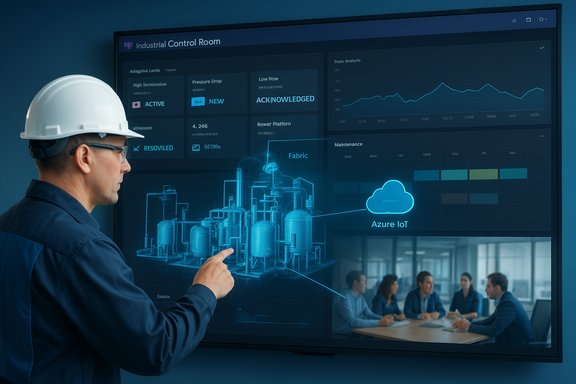
What’s changed in the last five years is not only the accuracy of anomaly detection but the breadth of integration: sensors and edge analytics feed pipelines such as Microsoft Fabric and Azure IoT, Power Platform automations create and route tasks, and Microsoft Teams provides the human-facing control surface where alerts, dialogs, photos, and repair decisions converge. That stack — Fabric, Azure IoT, Power BI, Power Automate, Power Apps and Teams — is being positioned as a single, auditable thread from sensor to service action.
This article explains how organizations are using Microsoft Teams as the coordination layer for predictive maintenance, verifies the key claims and figures reported in industry coverage, highlights where the approach succeeds, and calls out the technical and governance risks maintenance leaders must manage during scale-up.
When organizations treat predictive maintenance not as a product to buy but as a socio‑technical program to build — aligning people, processes, and platforms — Teams can stop being “just chat” and start being the operational command post that turns signals into coordinated action, reduces downtime, and makes operations measurably more sustainable.
Source: UC Today Microsoft Teams for Predictive Maintenance: Turning Signals into Coordinated Action
 Background / Overview
Across manufacturing and utilities, unplanned downtime bleeds revenue, erodes customer trust, and punishes hard-won productivity gains. Industry reporting and vendor-backed case studies cite tens of billions lost annually to unexpected outages, and many organizations now accept that AI‑driven predictive maintenance can dramatically reduce those incidents — but only when the alerts produced by analytics reach the right person with the right context at the right time.What’s changed in the last five years is not only the accuracy of anomaly detection but the breadth of integration: sensors and edge analytics feed pipelines such as Microsoft Fabric and Azure IoT, Power Platform automations create and route tasks, and Microsoft Teams provides the human-facing control surface where alerts, dialogs, photos, and repair decisions converge. That stack — Fabric, Azure IoT, Power BI, Power Automate, Power Apps and Teams — is being positioned as a single, auditable thread from sensor to service action.
This article explains how organizations are using Microsoft Teams as the coordination layer for predictive maintenance, verifies the key claims and figures reported in industry coverage, highlights where the approach succeeds, and calls out the technical and governance risks maintenance leaders must manage during scale-up.
From data deluge to coordinated action: the core problem
Modern plants and grids generate massive volumes of IoT telemetry — vibration, temperature, current, oil particulate counts, and more — streaming at high frequency. That raw telemetry alone does not stop failures. The value lies in closing the loop: detecting a signal, enriching it with context (asset history, criticality, spare inventory), and converting it to an auditable task that a technician can act on. Where most programs fail is in the middle — the handoff from insight to execution.- Data is often siloed across historians, ERPs, and scattered dashboards.
- Alerts arrive in email, disparate ticket systems, or not at all, creating lag and confusion.
- When human action is finally triggered, critical context (recent repairs, parts on-hand, previous causes) is frequently missing.
What the Microsoft stack brings to predictive maintenance
Microsoft Fabric and Azure IoT: the data spine
Microsoft Fabric (including OneLake semantics and Fabric Real‑Time) and Azure IoT are used in reference architectures to centralize high‑volume telemetry, perform model scoring, and enrich events with asset metadata. Fabric’s ability to combine streaming and historical datasets into a single analytic plane is a practical advantage for maintenance models that require both short‑term patterns and long‑tail failure histories.Power Platform: human-centric automation and low-code apps
Power BI, Power Automate, and Power Apps convert analytic outputs into human workflows:- Power BI delivers the live dashboards inside Teams so everyone sees the same asset health view.
- Power Automate routes alerts, creates or updates maintenance tickets, and notifies the right teams or on-call engineers.
- Power Apps enable frontline technicians to submit field observations — photos, videos, notes — directly into the same context.
Microsoft Teams: the human control room
Teams functions as the human interface and coordination fabric. Adaptive cards surface alarm details, dashboards are embedded as tabs, and Copilot / agent features summarize logs or draft inspection notes. The benefits are less about replacing existing OT consoles and more about providing a shared place where cross-functional stakeholders — operators, reliability engineers, planners, and managers — collaborate without losing state.Verified claims and independent cross-checks
Industry coverage often quotes large impact figures; it’s essential to separate verified outcomes from aspirational numbers.- Unplanned downtime figures: vendor and analyst summaries frequently cite multi‑billion‑dollar impacts for manufacturing and utilities. Those large aggregated loss figures appear in multiple industry write-ups and customer narratives and are consistent with published industry surveys. Treat aggregate dollar figures as directional benchmarks rather than guaranteed outcomes for any single site.
- Predictive maintenance efficacy: case studies and pilot reports routinely show meaningful reductions in unexpected outages and smaller MTTR (Mean Time To Repair) — examples include reductions of interventions or hours saved in documented deployments. These results are usually tied to scoped pilots and require clean input data and cross‑functional coordination to replicate.
- Specific customer numbers: multiple customer stories referenced in industry reporting are corroborated across vendor and analyst material. For example, Fincantieri reported a ~25% reduction in interventions after adopting Azure Data Explorer‑backed analytics, and other documented customers reported thousands of hours saved monthly after deploying Copilot-assisted reporting. Those are real pilot results but remain environment-specific; organizations should model expected gains conservatively.
Real-world examples: how coordination changes outcomes
Several companies are cited as examples of the Teams‑centric approach delivering concrete operational outcomes.- E.ON: technicians monitor grid telemetry for millions of customers using Power BI inside Teams, catching voltage irregularities before they escalate into outages. That integration proves the model of dashboards-in-Teams plus alerting and cross-functional response works at grid scale.
- Fincantieri: moved from reactive to predictive maintenance using Azure Data Explorer and reported 25% fewer interventions, enabling smarter inventory planning. This demonstrates how analytics + integrated workflows reduce repetitive maintenance and spare-part churn.
- Rolls‑Royce and Equinor: both use Azure data and AI services for engine or field monitoring, enabling earlier detection of degrading patterns and enabling maintenance windows to be scheduled before performance degrades. These are examples of combining edge‑level signals with enterprise historical data to get earlier, more actionable alarms.
- ACWA Power and MAIRE: applied Azure AI and Power Platform to cut downtime and reduce repetitive admin work, respectively — showing cross-sector applicability from utilities to heavy engineering.
Turning a predictive alert into a coordinated repair: an operational blueprint
A practical end‑to‑end workflow implemented by several pilots follows these steps:- Sensors stream telemetry to an edge gateway and Azure IoT Hub.
- Fabric (or edge analytics) runs models and flags anomalies (e.g., bearing vibration exceeding a trend threshold).
- The event is enriched with asset metadata (maintenance history, criticality score, spare parts list) and pushed into Fabric/OneLake.
- Power Automate triggers a work order in Dynamics 365 Field Service (or the operator’s ticketing system) and posts an adaptive card into a Teams maintenance channel, tagging the on‑call engineer.
- The engineer opens a Teams tab with a Power BI dashboard showing the recent trend, previous repairs, and spare‑parts availability, then accepts or routes the job.
- Field technicians use a Power App to upload photos, short videos, and a stamped checklist into Teams; Copilot drafts the inspection report for quick verification.
- Post‑repair, the event and artifacts are stored in governed storage (SharePoint/OneLake) for audit and model retraining.
Strengths: why this approach works
- Single pane of action: consolidating dashboards, chats, tickets, and multimedia in Teams preserves context and accelerates decisions.
- Low-code adaptability: Power Platform lets operations teams build role‑specific tools quickly, reducing backlog for IT and enabling faster iteration.
- Familiarity and adoption: many enterprises already use Microsoft 365, lowering friction for frontline adoption compared to bespoke OT systems.
- Ecosystem depth: integrations with Dynamics 365, Azure AI, and partner OT ingestion stacks make it possible to connect legacy PLCs and historians to cloud analytics.
Risks, limitations, and necessary guardrails
The technology is compelling, but several concrete risks recur across deployments and community analyses:- Over‑reliance on generative AI: Copilot and agents can accelerate reporting but may hallucinate or omit critical safety constraints. Enforce human verification for safety‑critical instructions and audit agent outputs.
- IT/OT integration complexity: connecting legacy PLCs, disparate historians, and proprietary protocols to cloud workflows is nontrivial. Poor integrations produce noise and alarm fatigue. Budget engineering effort for robust edge gateways and protocol translation.
- Cybersecurity and expanded attack surface: routing operational telemetry into corporate clouds increases risk if not properly zoned and segmented. Pair Teams cloud controls with OT network segmentation, hardened identity, and careful third‑party model governance.
- Governance, compliance and data sovereignty: shop‑floor data often contains IP and regulated information; define retention, access, and export rules before scaling agent access or cross‑tenant sharing.
- Vendor-sourced ROI bias: many headline numbers come from vendor and partner case studies; replicate claims with instrumented pilots and CFO‑grade KPIs before wide rollout.
A practical deployment checklist (90–180 day blueprint)
- Discover & baseline (0–45 days)
- Inventory assets, telemetry feeds, ticketing systems and Teams workspaces.
- Define CFO‑grade KPIs (MTTR, MTBF, hours reclaimed).
- Data readiness & model gating (0–60 days)
- Clean and link asset registries (ensure serial numbers and failure history are matched).
- Gate model outputs based on false‑positive tolerances and human sign‑off rules.
- Pilot high‑value micro‑use cases (30–120 days)
- Start with one asset class or one plant line and instrument outcomes with manager‑verified samples.
- Route alerts into a governed Teams channel and measure detect‑to‑repair time.
- Build collaboration patterns & CoE (60–180 days)
- Create workspace templates, naming conventions and a small Centre of Excellence to manage Copilot governance and licensing.
- Secure, audit, and scale (90+ days)
- Implement DLP, Purview retention labels, conditional access, and OT network controls before broad Copilot enablement.
- Measure and communicate ROI (ongoing)
- Track MTBF, MTTR, work orders completed, repeat failures, and spare parts consumption. Report conservative, instrumented results to finance to support scale decisions.
The sustainability case: why uptime matters beyond profit
Every hour of extended uptime also reduces energy waste, prevents unnecessary part replacements, and reduces the carbon intensity of operations. Predictive maintenance that reduces downtime and optimizes load can therefore be framed as both an operational and a sustainability imperative. When telemetry, decisioning, and action live in one place, teams have a clearer line of sight to energy anomalies and can prioritize fixes that improve both reliability and greenhouse gas metrics. Several utilities and heavy‑industry pilots report sustainability co‑benefits alongside uptime improvements.The future: from assisted to autonomous orchestration
The next wave of capability is agentic orchestration: alerts not only notify humans but trigger bounded, auditable workflows that can reserve parts, schedule crews, and dynamically rebalance production — all while keeping a human‑in‑the‑loop for safety sign‑offs. Microsoft’s Maintenance Prediction Agent and partner demonstrations at Hannover Messe show how event→diagnosis→work order flows can be automated end‑to‑end while preserving governance artifacts for audit and training. As agents learn over time, expect to see more automatic scheduling, ROI forecasting, and workload balancing — but only with robust human oversight to curb emergent misbehavior.Conclusion — pragmatic ambition wins
Predictive maintenance works when three things line up: reliable data, joined IT/OT processes, and a human‑centric coordination layer. Microsoft Teams — paired with Fabric, Azure IoT and Power Platform — provides a practical, enterprise‑grade path to create that coordination fabric: it routes alerts, presents shared dashboards, and preserves the narrative of action in a single workspace. Case studies show real reductions in interventions and measurable hours reclaimed, but those gains are not automatic. They require disciplined data hygiene, careful IT/OT integration, robust security, and conservative, instrumented pilots tied to CFO‑grade KPIs.When organizations treat predictive maintenance not as a product to buy but as a socio‑technical program to build — aligning people, processes, and platforms — Teams can stop being “just chat” and start being the operational command post that turns signals into coordinated action, reduces downtime, and makes operations measurably more sustainable.
Source: UC Today Microsoft Teams for Predictive Maintenance: Turning Signals into Coordinated Action
