

Microsoft has begun rolling out the Queues app for Microsoft Teams in its GCC High and Department of Defense cloud environments, according to Microsoft 365 Roadmap item 565218. The update is listed for general availability in July 2026, with rollout still in progress for Teams desktop and Mac clients.
Queues is a Teams-native front end for organizations using Teams Phone call queues and auto attendants. It gives authorized staff such as supervisors and queue leads operational controls that would otherwise require more direct administrative involvement, including managing queue membership, call handling flows, routing, greetings, and operating hours.
The addition matters most to federal agencies, defense organizations, and contractors that use the more restricted GCC High and DoD tenants. It extends a feature already positioned as an advanced Teams Phone capability into those sovereign cloud environments, allowing service desks, contact centers, and internal support operations to work from the Teams client rather than treating call routing as a separate administrative task.
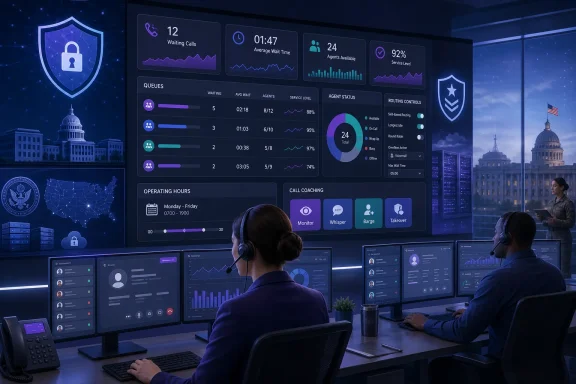
Microsoft’s Teams documentation describes the Queues app as providing both day-to-day queue controls and reporting. Depending on assigned permissions, authorized users can see real-time queue data such as waiting calls and wait times, review historical activity, and manage agent participation.
The application also supports call-monitoring and coaching controls including Monitor, Whisper, Barge, and Takeover, where those capabilities have been configured through Teams voice application policies. Those functions are not automatically open to every queue member; administrators must explicitly delegate the relevant permissions.
Microsoft lists the feature as a Teams Premium capability. Its current administration guidance says users need both Teams Premium and Teams Phone licenses, must be voice-enabled, and must belong to at least one call queue. The company notes that it can take up to 48 hours after a Teams Premium license is assigned for the app to appear in the Teams client.
Because the roadmap status remains “rolling out,” GCC High and DoD administrators should expect availability to arrive progressively through July rather than assume every eligible tenant has it immediately.
Queues is a Teams-native front end for organizations using Teams Phone call queues and auto attendants. It gives authorized staff such as supervisors and queue leads operational controls that would otherwise require more direct administrative involvement, including managing queue membership, call handling flows, routing, greetings, and operating hours.
The addition matters most to federal agencies, defense organizations, and contractors that use the more restricted GCC High and DoD tenants. It extends a feature already positioned as an advanced Teams Phone capability into those sovereign cloud environments, allowing service desks, contact centers, and internal support operations to work from the Teams client rather than treating call routing as a separate administrative task.
 What the app adds
Microsoft’s Teams documentation describes the Queues app as providing both day-to-day queue controls and reporting. Depending on assigned permissions, authorized users can see real-time queue data such as waiting calls and wait times, review historical activity, and manage agent participation.The application also supports call-monitoring and coaching controls including Monitor, Whisper, Barge, and Takeover, where those capabilities have been configured through Teams voice application policies. Those functions are not automatically open to every queue member; administrators must explicitly delegate the relevant permissions.
Microsoft lists the feature as a Teams Premium capability. Its current administration guidance says users need both Teams Premium and Teams Phone licenses, must be voice-enabled, and must belong to at least one call queue. The company notes that it can take up to 48 hours after a Teams Premium license is assigned for the app to appear in the Teams client.
Admin checklist
For organizations planning to use the newly available app, the immediate work is configuration rather than a client update:- Confirm that intended users have Teams Phone and Teams Premium licenses and are voice-enabled.
- Create or review call queues and auto attendants, then assign agents and authorized users.
- Use Teams voice application policies to limit which leads can alter routing, greetings, membership, hours, reporting, or monitoring features.
- Consider pinning Queues through a Teams app setup policy so queue staff can find it consistently.
Because the roadmap status remains “rolling out,” GCC High and DoD administrators should expect availability to arrive progressively through July rather than assume every eligible tenant has it immediately.
