

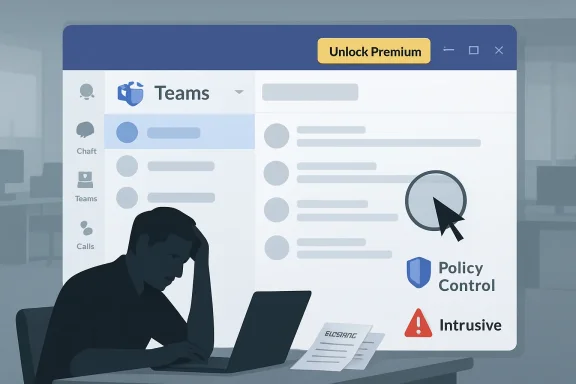
Microsoft has found itself in another Teams controversy, this time over a conspicuous “Unlock Premium” button appearing in the app’s title bar near the three-dot settings menu. What might have been intended as a low-friction entry point into Teams Premium has instead triggered complaints from users and IT admins who see it as intrusive, confusing, and out of place in a business productivity tool. The backlash lands at an awkward moment: Salesforce-owned Slack has reportedly renewed legal pressure over Microsoft’s Teams bundling strategy, while Microsoft is still navigating a broader trust problem around upsells, defaults, AI prompts, and enterprise control.
Microsoft Teams began as a strategic answer to Slack, but it quickly became much more than a workplace chat app. By bundling Teams into Microsoft 365 and Office 365, Microsoft turned it into the default collaboration layer for millions of organizations already standardized on Word, Excel, PowerPoint, Outlook, SharePoint, and OneDrive. That distribution advantage helped Teams become a fixture of hybrid work, especially during the pandemic-era shift to video meetings and remote collaboration.
That same distribution strategy also made Teams a regulatory target. Slack argued for years that Microsoft’s bundling harmed fair competition, saying Teams was effectively attached to the dominant Office productivity suite in ways that made it hard for rivals to compete on product merit alone. Microsoft has consistently pushed back against that framing, arguing that Teams succeeded because it met customer needs and that Slack’s comparative weaknesses, including video conferencing, contributed to its trajectory.
The dispute did not end with Microsoft’s decision to offer Teams separately from certain Microsoft 365 and Office 365 plans. European scrutiny led to further licensing and interoperability commitments, including clearer price differences between suites with and without Teams, standalone Teams options, and additional migration and data portability promises. Those changes were designed to address competition concerns, but they also made Teams licensing more complex for customers.
Now Microsoft is facing a different, more personal kind of backlash. The new Unlock Premium prompt is not a legal filing, a licensing grid, or a policy document; it is a visible button in the daily workspace of end users. That matters because Teams is not a casual consumer app for many people — it is the front door to meetings, messages, files, calls, approvals, and sometimes an entire workday.
The frustration is sharper because many employees cannot buy or activate Teams Premium on behalf of their company. In a managed Microsoft 365 tenant, licensing is typically controlled by IT, procurement, finance, or senior management. To those users, the button can feel like a sales message aimed at the wrong person inside the wrong workflow.
Key complaints fall into several categories:
That nuance is difficult to communicate through a small title-bar button. A button says click here, but enterprise adoption depends on governance, security review, licensing eligibility, user training, and budget approval. Microsoft’s strongest argument for Teams Premium is strategic, yet the interface gesture feels tactical.
The mismatch creates a credibility problem:
An enterprise-grade approach would make the promotional surface policy-driven. Admins should be able to hide it, limit it to licensed users, show it only to designated pilot groups, or route interest to an internal request process. Without those controls, the UI becomes a source of shadow demand that IT has to manage after the fact.
A better enterprise workflow would look like this:
That does not mean the criticism is legally decisive. Many software companies promote upgrades inside their own applications, and Teams Premium is an add-on to Teams rather than a competing third-party service. Still, Microsoft operates under a different standard of scrutiny because its productivity stack is deeply embedded in enterprise IT.
The competitive implications are significant:
This is why critics reach for terms such as dark patterns, even when the legal or design classification is debatable. A dark pattern is not merely an unpopular button; it is a design choice that steers users toward an outcome they might not choose freely. Microsoft’s challenge is that trust erodes when users suspect the interface has been optimized for revenue before usability.
The company’s recent history gives critics plenty of examples to cite:
The prompt also arrives in a world where users are tired of pop-ups. Many people open Teams under time pressure: joining a meeting, replying to a manager, sharing a file, or checking a call. A persistent premium prompt at the top of the app can become a visual irritant precisely because it is always there.
For everyday users, the main effects are straightforward:
Enterprises also care about consistency. If a tenant has policies restricting self-service purchases, trials, third-party apps, or AI features, a highly visible trial prompt can appear to contradict internal rules. Even when activation is blocked, the message can make employees wonder whether IT is withholding useful tools or whether Microsoft has bypassed company policy.
The enterprise risks include:
Microsoft should also separate settings access from promotional affordances. If users are complaining that the premium prompt makes the three-dot menu harder to find, that is a design failure regardless of the revenue goal. Settings should remain visually stable, predictable, and free from ambiguity.
A strong remediation plan would include:
For Slack, the Teams Premium button supports a familiar argument: Microsoft can distribute and monetize collaboration features from a privileged position inside the productivity suite. For Zoom, it reinforces the case for a meeting-first experience that does not feel like part of a sprawling office bundle. For Google, it opens the door to talking about administrative simplicity and web-native collaboration.
The competitive opening is real but limited:
Teams Premium must be positioned as an enterprise capability layer, not as a nag screen. Microsoft should make the value proposition concrete: fewer missed action items, better protected meetings, stronger customer appointment workflows, and richer Teams Phone operations. If the benefit is real, Microsoft does not need to wedge the pitch into a sensitive UI location.
The broader lesson is simple. Premium features should feel like an upgrade, not a ransom note. When the base experience is polished and predictable, users are more receptive to paid enhancements. When the base experience feels noisy, every upsell becomes evidence in the case against the product.
The larger issue is Microsoft’s balance between monetization and trust. Teams is no longer a challenger product fighting for attention; it is infrastructure. Infrastructure can have premium tiers, but it must also have predictable controls, stable navigation, and a strong bias toward customer governance.
What to watch next:
Source: Windows Central "This seems really unprofessional": Microsoft Teams users are outraged at a new 'Unlock Premium' button
 Background
Microsoft Teams began as a strategic answer to Slack, but it quickly became much more than a workplace chat app. By bundling Teams into Microsoft 365 and Office 365, Microsoft turned it into the default collaboration layer for millions of organizations already standardized on Word, Excel, PowerPoint, Outlook, SharePoint, and OneDrive. That distribution advantage helped Teams become a fixture of hybrid work, especially during the pandemic-era shift to video meetings and remote collaboration.That same distribution strategy also made Teams a regulatory target. Slack argued for years that Microsoft’s bundling harmed fair competition, saying Teams was effectively attached to the dominant Office productivity suite in ways that made it hard for rivals to compete on product merit alone. Microsoft has consistently pushed back against that framing, arguing that Teams succeeded because it met customer needs and that Slack’s comparative weaknesses, including video conferencing, contributed to its trajectory.
The dispute did not end with Microsoft’s decision to offer Teams separately from certain Microsoft 365 and Office 365 plans. European scrutiny led to further licensing and interoperability commitments, including clearer price differences between suites with and without Teams, standalone Teams options, and additional migration and data portability promises. Those changes were designed to address competition concerns, but they also made Teams licensing more complex for customers.
Now Microsoft is facing a different, more personal kind of backlash. The new Unlock Premium prompt is not a legal filing, a licensing grid, or a policy document; it is a visible button in the daily workspace of end users. That matters because Teams is not a casual consumer app for many people — it is the front door to meetings, messages, files, calls, approvals, and sometimes an entire workday.
Why the Button Hit a Nerve
The anger over the Teams Premium upsell is not simply about a button existing. It is about where Microsoft placed it, who sees it, and what it appears to imply. A promotional control embedded near a settings entry point can blur the line between navigation and advertising, especially when users already struggle to find the right Teams preference or administrative option.The Title Bar Is Not Neutral Space
The Teams title bar is valuable interface territory because it sits above almost every task. Users may not consciously study it, but they depend on its stability when accessing window controls, settings, zoom options, feedback tools, and account-related actions. Placing a promotional call-to-action there gives the upsell a persistence that feels different from a dismissible banner or a one-time notification.The frustration is sharper because many employees cannot buy or activate Teams Premium on behalf of their company. In a managed Microsoft 365 tenant, licensing is typically controlled by IT, procurement, finance, or senior management. To those users, the button can feel like a sales message aimed at the wrong person inside the wrong workflow.
Key complaints fall into several categories:
- The button occupies prime interface space in an app used constantly during the workday.
- The settings menu becomes harder to discover because the upsell sits beside or near the familiar three-dot control.
- End users often lack purchasing authority, making the prompt irrelevant or frustrating.
- Admins may be forced to answer support tickets about a feature they did not request.
- The 60-day trial framing can conflict with internal software governance and AI usage policies.
Teams Premium Is Real Value, But the Placement Is the Problem
Teams Premium is not vaporware, and Microsoft has a legitimate product story to tell. The add-on includes advanced meeting protection, AI-powered recap features, personalization, branded meetings, enhanced webinars, virtual appointment capabilities, and calling features such as advanced queue tools for some Teams Phone scenarios. For regulated industries, customer-facing teams, contact centers, and executives, those capabilities can be meaningful.A Product Worth Explaining Carefully
The difficulty is that premium collaboration features often require context. An intelligent recap may be valuable if a team records meetings, uses transcription responsibly, and has policies for storing AI-generated notes. Advanced protection is useful when meetings involve confidential financial, legal, healthcare, or intellectual property discussions. Branded experiences and large-event tools matter most to organizations that treat Teams as a customer engagement platform, not just an internal chat client.That nuance is difficult to communicate through a small title-bar button. A button says click here, but enterprise adoption depends on governance, security review, licensing eligibility, user training, and budget approval. Microsoft’s strongest argument for Teams Premium is strategic, yet the interface gesture feels tactical.
The mismatch creates a credibility problem:
- Teams Premium may be valuable for organizations with advanced meeting and compliance needs.
- The button may be ineffective because most exposed users cannot approve the purchase.
- The trial offer may be risky in environments with strict procurement workflows.
- The message may cheapen the product by making it feel like an in-app ad rather than an enterprise add-on.
- The placement may distract from core Teams usability work that customers have requested for years.
Enterprise Control Is the Central Issue
For consumers, a premium button in an app can be annoying. For enterprises, it can become a governance issue. Large organizations do not treat collaboration tools as individual choices because those tools touch records retention, compliance, security, legal discovery, identity management, and budget forecasting.Admins Need Policy, Not Surprises
The core complaint from IT administrators is that Microsoft introduced a visible prompt into the client without giving them sufficient control over its appearance. Even if self-service trials can be restricted in some tenant settings, admins have complained that the interface itself may remain visible or confusing. That distinction matters because disabling purchase activation is not the same as preventing user confusion.An enterprise-grade approach would make the promotional surface policy-driven. Admins should be able to hide it, limit it to licensed users, show it only to designated pilot groups, or route interest to an internal request process. Without those controls, the UI becomes a source of shadow demand that IT has to manage after the fact.
A better enterprise workflow would look like this:
- Microsoft announces the new Teams Premium discovery surface in the Microsoft 365 admin center and message center.
- Admins receive a default policy option before the button appears broadly to users.
- Organizations choose visibility rules based on licensing, department, geography, or pilot status.
- End-user clicks route to an internal approval flow rather than a generic trial prompt.
- Telemetry and reporting help admins measure interest without creating unmanaged adoption pressure.
The Antitrust Context Makes Everything Louder
The timing could hardly be worse for Microsoft. Salesforce and Slack have reportedly filed a fresh lawsuit in the United Kingdom over Microsoft’s Teams-related business practices, reviving arguments about bundling, market power, and customer choice. Microsoft has dismissed the claims, reportedly framing Slack’s growth issues as a product competition problem rather than a bundling problem.A UI Choice Becomes Part of a Bigger Narrative
On its own, an Unlock Premium button is not an antitrust case. But public perception rarely separates product design from market conduct when a dominant vendor is involved. If Microsoft uses its control over the Teams interface to promote paid add-ons inside an already widely deployed collaboration hub, critics will naturally connect that to broader complaints about leverage.That does not mean the criticism is legally decisive. Many software companies promote upgrades inside their own applications, and Teams Premium is an add-on to Teams rather than a competing third-party service. Still, Microsoft operates under a different standard of scrutiny because its productivity stack is deeply embedded in enterprise IT.
The competitive implications are significant:
- Slack can argue the Teams surface remains privileged, even after licensing changes.
- Zoom can position itself as cleaner and more focused for meetings and webinars.
- Google Workspace can emphasize simpler admin-controlled experiences for organizations wary of Microsoft complexity.
- Specialized collaboration vendors can use the backlash to sell against Microsoft’s bundling and upsell culture.
- Regulators may view interface nudges as part of the broader competition environment, especially if they affect customer choice.
Microsoft’s Pattern Problem
Microsoft has a recurring issue that goes beyond Teams: users increasingly perceive the company as pushing services through interface pressure. Edge prompts, Bing defaults, Copilot buttons, Microsoft 365 upgrade flows, OneDrive nudges, and now Teams Premium all contribute to a sense that Microsoft is using its product surfaces as distribution machinery. Some of those prompts are defensible individually, but together they create fatigue.When Promotion Feels Like Product Design
The concern is not that Microsoft wants to sell software. Every major platform vendor does. The concern is that Microsoft sometimes appears to blend essential controls, default experiences, and promotional prompts in ways that make opting out harder than opting in.This is why critics reach for terms such as dark patterns, even when the legal or design classification is debatable. A dark pattern is not merely an unpopular button; it is a design choice that steers users toward an outcome they might not choose freely. Microsoft’s challenge is that trust erodes when users suspect the interface has been optimized for revenue before usability.
The company’s recent history gives critics plenty of examples to cite:
- Edge and Bing prompts have repeatedly appeared in Windows workflows.
- Copilot placement has expanded across Windows and Microsoft 365 experiences.
- OneDrive setup flows have confused some users about local versus cloud storage.
- Microsoft account requirements remain a flashpoint for Windows 11 setup.
- Subscription upgrade prompts can feel persistent across consumer and business products.
Consumer Impact: Annoyance, Confusion, and Trust
For individual users and small teams, the new prompt may simply look unprofessional. The phrase Unlock Premium carries a consumer-app tone that clashes with the seriousness of workplace communication. In a personal productivity app, that tone might be tolerable; in a corporate collaboration client, it can feel cheap.The Everyday User Experience
The biggest consumer-level problem is discoverability. If the button sits close to the three-dot menu, users may misread the combined area or hesitate when looking for settings. Teams already has a reputation for dense navigation, multiple meeting experiences, and overlapping admin versus user controls, so even a small change can feel disproportionately irritating.The prompt also arrives in a world where users are tired of pop-ups. Many people open Teams under time pressure: joining a meeting, replying to a manager, sharing a file, or checking a call. A persistent premium prompt at the top of the app can become a visual irritant precisely because it is always there.
For everyday users, the main effects are straightforward:
- Reduced confidence in where settings and menus live.
- More accidental clicks into promotional dialogs.
- Greater suspicion that future Teams features will be paywalled.
- More visual noise in an already busy collaboration app.
- A sense that Microsoft is prioritizing monetization over polish.
Enterprise Impact: Support Load and Policy Friction
In larger organizations, the backlash becomes operational. Employees who see a premium trial offer may ask whether they should activate it, whether it has been approved, whether it includes AI processing, whether meeting data changes hands, or whether they will lose access after the trial. Those questions land on help desks, Teams admins, security teams, and procurement groups.The Hidden Cost of a Small UI Change
A button is cheap for Microsoft to deploy but potentially expensive for customers to explain. If thousands of users see it at once, even a tiny percentage of confused employees can generate ticket volume. Worse, the questions may not have clean answers if the organization has not yet evaluated Teams Premium.Enterprises also care about consistency. If a tenant has policies restricting self-service purchases, trials, third-party apps, or AI features, a highly visible trial prompt can appear to contradict internal rules. Even when activation is blocked, the message can make employees wonder whether IT is withholding useful tools or whether Microsoft has bypassed company policy.
The enterprise risks include:
- Help desk tickets asking what the button does.
- Procurement confusion over trial eligibility and paid conversion.
- Security review concerns involving AI meeting summaries and retention.
- Executive complaints when leadership sees promotional UI in a managed tool.
- Change management gaps when Microsoft updates the client faster than organizations can brief users.
What Microsoft Should Do Now
Microsoft can still defuse this controversy without abandoning Teams Premium promotion entirely. The company has a good product to sell, but it needs a better route into enterprise environments. The answer is not silence; it is control, transparency, and respect for tenant governance.A Practical Fix Path
The simplest near-term move would be a tenant-level admin switch to hide the Unlock Premium button. Microsoft could then refine the experience so the prompt appears only in appropriate contexts, such as when an admin has enabled trials, when a user has purchasing authority, or when an organization is actively piloting the add-on. That would transform the button from an intrusive ad into a configurable discovery tool.Microsoft should also separate settings access from promotional affordances. If users are complaining that the premium prompt makes the three-dot menu harder to find, that is a design failure regardless of the revenue goal. Settings should remain visually stable, predictable, and free from ambiguity.
A strong remediation plan would include:
- A tenant-wide hide option in Teams admin controls.
- A per-user or group-based targeting policy for Premium discovery.
- Clear message center communication before rollout to production tenants.
- A dismissible end-user experience when admins allow the prompt.
- A route-to-admin workflow for users who express interest.
- A visible explanation of what data and licensing changes a trial involves.
Competitive Implications for Slack, Zoom, and Google
Microsoft’s rivals will see this episode as an opportunity. Slack can argue that Microsoft’s dominance is not only about bundling licenses but also about owning the collaboration interface where upgrade prompts, defaults, and workflows live. Zoom can emphasize focus and simplicity. Google can position Workspace as a less cluttered alternative for organizations frustrated by Microsoft’s licensing maze.Rivals Still Have Their Own Challenges
That said, competitors should be careful not to overplay the moment. Slack, Zoom, and Google all have premium tiers, upgrade prompts, AI add-ons, and enterprise licensing complexity of their own. The difference is that Microsoft’s reach through Windows, Office, Entra ID, Outlook, SharePoint, and Teams makes each prompt feel more consequential.For Slack, the Teams Premium button supports a familiar argument: Microsoft can distribute and monetize collaboration features from a privileged position inside the productivity suite. For Zoom, it reinforces the case for a meeting-first experience that does not feel like part of a sprawling office bundle. For Google, it opens the door to talking about administrative simplicity and web-native collaboration.
The competitive opening is real but limited:
- Slack gains a narrative advantage around choice and fair competition.
- Zoom can market against Teams complexity in meeting-heavy organizations.
- Google Workspace can highlight simpler packaging for some customer segments.
- Microsoft still benefits from deep integration with identity, files, email, and compliance.
- Customers may complain about Teams while still renewing Microsoft 365 because migration costs remain high.
The AI and Premium Feature Paywall Question
The Teams Premium debate also intersects with a bigger Microsoft 365 trend: advanced AI and productivity features are increasingly becoming add-ons, premium tiers, or Copilot-linked capabilities. Microsoft is investing heavily in AI infrastructure, and it needs revenue streams to justify that investment. Customers, however, are becoming more sensitive to which features are included, which are paywalled, and which are promoted inside everyday tools.Premium Must Feel Earned
There is nothing inherently wrong with charging for advanced AI meeting intelligence, enhanced security, or large-scale event tooling. These features cost money to operate and may deliver measurable value. The problem arises when users feel that core workflow quality is being held back or that the app is being redesigned around upsell pathways.Teams Premium must be positioned as an enterprise capability layer, not as a nag screen. Microsoft should make the value proposition concrete: fewer missed action items, better protected meetings, stronger customer appointment workflows, and richer Teams Phone operations. If the benefit is real, Microsoft does not need to wedge the pitch into a sensitive UI location.
The broader lesson is simple. Premium features should feel like an upgrade, not a ransom note. When the base experience is polished and predictable, users are more receptive to paid enhancements. When the base experience feels noisy, every upsell becomes evidence in the case against the product.
Strengths and Opportunities
Despite the backlash, Microsoft has several advantages if it responds constructively. Teams remains deeply embedded in enterprise work, and Teams Premium includes capabilities that many organizations genuinely need when meetings become records, webinars become sales channels, and calls become operational workflows.- Teams Premium has legitimate enterprise value in security, AI recap, branding, calling, and event scenarios.
- Microsoft can use admin controls to rebuild trust without removing upgrade discovery entirely.
- A route-to-admin flow could turn user interest into governed demand rather than unmanaged confusion.
- Better licensing transparency would help customers understand Teams Enterprise, Teams Premium, and Copilot overlap.
- Microsoft’s ecosystem integration remains a major advantage for organizations already using Entra ID, SharePoint, Outlook, and Purview.
- The controversy gives Microsoft a chance to show it has learned from previous UI backlash.
- A cleaner Teams interface could become a competitive strength if Microsoft prioritizes usability over constant prompting.
Risks and Concerns
The risks are not limited to a few angry comments. If Microsoft treats the reaction as noise, the Unlock Premium button could become another symbol of a broader trust problem around Microsoft 365 design, licensing, and user choice. That would be damaging at a moment when regulators, rivals, and customers are all watching Teams closely.- Admins may lose confidence in Microsoft’s ability to respect tenant governance.
- Users may associate Teams Premium with annoyance before they understand its benefits.
- Regulators and competitors may fold UI upsells into broader arguments about Microsoft’s market power.
- Support teams may absorb avoidable ticket volume from confused employees.
- Security and compliance teams may object to trial prompts involving AI-powered meeting analysis.
- The Teams client may feel increasingly cluttered if every monetization initiative receives persistent UI space.
- Microsoft may undercut its own premium strategy by making a serious enterprise add-on look like consumer nagware.
Looking Ahead
Microsoft’s next move will determine whether this becomes a short-lived design mistake or a lasting example in the debate over enterprise dark patterns. The company should not need months of outrage to add administrative controls for a promotional surface in one of the world’s most widely used work apps. A quick policy update, clear communication, and a redesigned placement would go a long way.The larger issue is Microsoft’s balance between monetization and trust. Teams is no longer a challenger product fighting for attention; it is infrastructure. Infrastructure can have premium tiers, but it must also have predictable controls, stable navigation, and a strong bias toward customer governance.
What to watch next:
- Whether Microsoft adds a tenant-level control to hide or manage the Unlock Premium prompt.
- Whether the button remains tied to the three-dot menu area or moves to a less disruptive location.
- Whether admins receive clearer documentation on trial eligibility, self-service controls, and licensing impact.
- Whether Slack’s legal challenge gains momentum and uses examples like this to support broader arguments.
- Whether Microsoft applies the same promotional pattern to other Microsoft 365 and Copilot features.
Source: Windows Central "This seems really unprofessional": Microsoft Teams users are outraged at a new 'Unlock Premium' button
