

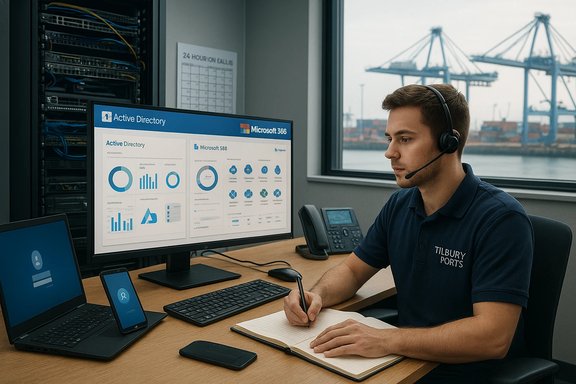
A new trainee-level IT role at Tilbury Ports — advertised through Thurrock Nub News and staffed by Forth Ports — offers a hands-on entry into enterprise IT support with a clear Microsoft-centric focus and real-world exposure to hybrid infrastructure, endpoint management, and port‑scale operational demands. The advertised Trainee IT Support Engineer position combines first‑line helpdesk duties, Active Directory and Microsoft 365 tasks, hands‑on device deployment, and an on‑call rota, giving early‑career engineers a fast track to practical experience — but it also brings operational pressure, on‑call risk, and important questions applicants should insist on clarifying before accepting an offer.
Ports and logistics operations depend on reliable IT services for everything from operational communications to safety, stock control and vendor interfaces. Hiring a Trainee IT Support Engineer to be the first point of contact for end users and to participate in infrastructure and security projects is typical for small-to-mid IT teams embedded in operational organisations. The position explicitly lists routine support responsibilities (password resets, account setup, ticket handling), platform exposure (Active Directory, Microsoft 365, Windows), and a path to cloud and collaboration administration (Azure, SharePoint, Teams), which aligns with modern Microsoft‑centric helpdesk expectations.
This role is located within the Tilbury Ports environment and reports to the Group IT Help Desk & Tech Support Manager. It combines reactive helpdesk tasks with project work and cyber hygiene responsibilities, a pattern commonly seen where a small team must balance day‑to‑day support with proactive infrastructure maintenance. The job ad highlights both training and a requirement to join a 24‑hour call‑out rota once trained — a common pattern for IT teams supporting operations that run 24/7.
However, this opportunity also comes with operational realities common to small, mission‑critical IT teams: on‑call duty, potential workload variability, and a need to clarify training, salary and governance upfront. Candidates who ask targeted questions about on‑call policy, admin-role scope, training budgets and OT/IT boundaries will enter the role with better expectations and a clearer career trajectory.
Prepare for the role by emphasizing helpdesk accomplishments, getting basic Microsoft and CompTIA certs, and asking for a written onboarding and on‑call policy. With the right questions and early wins, a trainee can convert this position into a durable platform for a career in systems administration, cloud support, or cybersecurity.
Key verification and supporting references used in this feature: job‑level analysis and onboarding guidance from internal industry threads and job resources; Microsoft and independent documentation for Active Directory and Microsoft 365 admin responsibilities; and first‑line helpdesk job descriptions used as baseline comparators.
Source: Thurrock Nub News Trainee IT Support Engineer
 Background
Ports and logistics operations depend on reliable IT services for everything from operational communications to safety, stock control and vendor interfaces. Hiring a Trainee IT Support Engineer to be the first point of contact for end users and to participate in infrastructure and security projects is typical for small-to-mid IT teams embedded in operational organisations. The position explicitly lists routine support responsibilities (password resets, account setup, ticket handling), platform exposure (Active Directory, Microsoft 365, Windows), and a path to cloud and collaboration administration (Azure, SharePoint, Teams), which aligns with modern Microsoft‑centric helpdesk expectations.This role is located within the Tilbury Ports environment and reports to the Group IT Help Desk & Tech Support Manager. It combines reactive helpdesk tasks with project work and cyber hygiene responsibilities, a pattern commonly seen where a small team must balance day‑to‑day support with proactive infrastructure maintenance. The job ad highlights both training and a requirement to join a 24‑hour call‑out rota once trained — a common pattern for IT teams supporting operations that run 24/7.
Overview of the role and responsibilities
First‑Line IT Support (core duties)
- Act as the first point of contact for IT queries via phone, email and ticketing system.
- Diagnose and resolve common hardware, software and network issues.
- Provide basic support for Active Directory, Microsoft 365 apps, Windows operating systems and company software.
- Assist with account setup, password resets, and access requests.
- Log and track tickets; escalate when necessary and maintain knowledgebase articles.
IT projects and platform exposure
- Deploy laptops, desktops and mobile devices; image and configure endpoints.
- Support network maintenance (patching, connectivity troubleshooting, Wi‑Fi).
- Participate in cybersecurity initiatives such as system updates and vulnerability checks.
- Gain exposure to Microsoft Azure, SharePoint and Teams administration.
- Work alongside senior engineers on infrastructure and security projects.
Additional duties and conditions
- After training, participate in a 24‑hour call‑out rota for emergency support.
- Ensure compliance with IT policies, data protection and cybersecurity standards.
- Employer requests a full UK driving licence for site travel when needed.
What the employer is offering (benefits & culture)
According to the ad, Forth Ports advertises a supportive working culture with a range of standard benefits:- Competitive salary (advertised as competitive; no band specified in the ad).
- Generous annual leave entitlement.
- Defined pension scheme and life assurance.
- Health promotion and wellbeing initiatives; Employee Assistance Programme (EAP).
- Cycle to work scheme and on‑site free parking.
- Employee discount platform and gym membership options.
- Family friendly policies and a stated commitment to diversity and inclusion.
Why this role is a useful career step (strengths)
- Practical Microsoft ecosystem exposure
- The role explicitly involves Active Directory and Microsoft 365, core technologies for corporate IT. Hands‑on experience with account administration, group policies, license management, and Exchange/Teams support is highly transferable to many employers. Microsoft’s admin centers and role models are the de‑facto standard for such work.
- Broad, on‑the‑job learning
- The combination of helpdesk duties and project work accelerates learning: trainees will see common incidents repeatedly (fast learning curve) while also touching deployment, patching and cloud admin tasks. Small teams often give more breadth than siloed enterprise roles.
- Explicit cybersecurity and cloud exposure
- Participation in vulnerability checks, patching, and Azure/SharePoint/Teams administration positions the trainee to pivot into security and cloud support tracks — high‑value skills in the job market. Industry guidance increasingly expects entry‑level staff to demonstrate basic cloud and security literacy.
- Benefits and workplace support
- The listed benefits — pension, EAP, wellbeing events and family policies — suggest a stable employer that invests in employee welfare, which reduces burn‑out risk and supports retention for early careers.
Risks and potential drawbacks (what to watch for)
1. On‑call and 24‑hour rota expectations
Joining a 24‑hour call‑out rota after training is valuable experience, but it can significantly affect work‑life balance. Applicants should ask:- How frequently is an individual expected to be on‑call?
- Is there on‑call pay, time‑in‑lieu, or enhanced overtime?
- What is the typical after‑hours incident profile (number and severity)?
2. Career progression and training transparency
The ad promises training and exposure to cloud services, but it does not define a training budget, certification support or a clear career path. Ask about:- Formal training allowance (certifications, labs, vendor training).
- A 90‑day or 12‑month onboarding roadmap.
- Mentorship and progression criteria from Trainee → Engineer → Senior roles.
3. Operational and security pressure at ports
Ports bring additional operational risk — systems link to logistics, safety, and potentially OT/SCADA systems. Even if the Trainee role stays within IT, the proximity to operational networks raises the stakes for patching, segmentation and secure remote access. Ensure the employer has clear policies for OT/IT separation and vendor escalation paths. Lack of such governance can increase security exposure for less experienced staff.4. Salary transparency and relocation/travel costs
The ad lists a “competitive salary” but no band. For roles requiring a driving licence and potential site travel, lack of clarity on pay and travel expense reimbursement is a negotiation risk. Candidates should request the salary range and any travel allowances prior to interviews.Verifying technical claims and expectations
To ensure the role’s technical claims are realistic and aligned with industry standards, the following checks were performed:- Active Directory and account administration are core expectations for first‑line support and are widely documented as typical L1/L2 responsibilities. Microsoft and reference materials describe domain controllers, user/group administration, GPOs and credential management as central AD tasks.
- Microsoft 365 administration responsibilities (user & license management, Exchange/SharePoint/Teams support, role‑based admin scopes) map directly to the role’s “Office 365 / Microsoft 365” mention. Official admin resources and independent job guides confirm the typical scope for junior admins.
- First‑line support duties (ticket handling, password resets, remote troubleshooting, endpoint imaging) match standard job descriptions used by managed service providers and in‑house helpdesks. Employers expect fast triage, documentation and escalation for recurring issues.
Practical advice for applicants (how to apply and stand out)
CV and cover letter emphasis
- Lead with helpdesk experience, even if informal (university labs, internships, school IT support).
- Call out specific Microsoft technologies: Active Directory, Microsoft 365 (Exchange/Teams/SharePoint), Windows 10/11, Intune if you have it.
- Show concrete outcomes: “Reduced average password reset time by X” or “Imaged and deployed N laptops using Windows Autopilot / MDT”.
- Include soft skills: stakeholder communication, escalation discipline, and time management.
Interview prep — questions to ask employers
- What is the on‑call rota frequency, compensation and typical after‑hours incident rate?
- What training budget or certification support is available (e.g., AZ‑900, Microsoft 365 Fundamentals)?
- Can you share a 90‑day onboarding plan or initial project list for this role?
- Which endpoint management and ticketing tools are used (e.g., Intune, SCCM, ServiceNow)?
- How is IT/OT network segmentation handled for port systems, and who owns OT escalation?
Certifications and learning roadmap (fast wins)
For a Trainee IT Support Engineer, the following certs and learning steps are high ROI and commonly accepted by hiring managers:- Microsoft Certified: Azure Fundamentals (AZ‑900) — basic cloud literacy.
- Microsoft 365 Fundamentals (MS‑900) — overview of M365 services and administration.
- CompTIA A+ — core desktop/hardware troubleshooting credibility for helpdesk roles.
- Microsoft Certified: Security, Compliance, and Identity Fundamentals (SC‑900) — useful for early security exposure.
A sample 6‑month development path (what success looks like)
- Month 0–1: Onboard, shadow helpdesk shifts, learn ticketing system, complete basic account tasks and password resets; review runbooks.
- Month 2–3: Independently handle common incident types, image and deploy devices; contribute to knowledgebase articles and start a small endpoint automation script (PowerShell).
- Month 4: Participate in a patching window and assist in vulnerability scans; complete AZ‑900 or MS‑900 training.
- Month 5: Take ownership of a small project (e.g., standardized laptop image, Teams channel governance) and present outcomes to the IT manager.
- Month 6: Move to the on‑call rota with supervision, demonstrate incident handling for an after‑hours event, and set a plan for next certification and role objectives.
Red flags to negotiate before accepting
- No published salary range or unclear travel reimbursement policy.
- Vague on‑call compensation or undefined on‑call expectations.
- No written training budget or mentoring program.
- Lack of clear IT/OT network segmentation or vendor escalation procedures (critical in port environments).
- No sample runbook or onboarding plan; that often indicates informal knowledge management and increased single‑point‑of‑failure risk.
Conclusion
The Trainee IT Support Engineer role for Tilbury Ports is a solid, practical entry path for early‑career IT professionals who want rapid hands‑on experience across helpdesk, endpoint management, and Microsoft‑centric cloud collaboration tools. It rewards versatility — the job blends day‑to‑day support with meaningful project exposure and cyber hygiene responsibilities that accelerate skill acquisition.However, this opportunity also comes with operational realities common to small, mission‑critical IT teams: on‑call duty, potential workload variability, and a need to clarify training, salary and governance upfront. Candidates who ask targeted questions about on‑call policy, admin-role scope, training budgets and OT/IT boundaries will enter the role with better expectations and a clearer career trajectory.
Prepare for the role by emphasizing helpdesk accomplishments, getting basic Microsoft and CompTIA certs, and asking for a written onboarding and on‑call policy. With the right questions and early wins, a trainee can convert this position into a durable platform for a career in systems administration, cloud support, or cybersecurity.
Key verification and supporting references used in this feature: job‑level analysis and onboarding guidance from internal industry threads and job resources; Microsoft and independent documentation for Active Directory and Microsoft 365 admin responsibilities; and first‑line helpdesk job descriptions used as baseline comparators.
Source: Thurrock Nub News Trainee IT Support Engineer
