

Ubuntu is worth trialing on a secondary or retired Windows 10 PC, but this case is not evidence that it is ready to replace a primary Windows machine—especially when the installer boots only after temporary GRUB changes.
ZDNET’s Windows-first experimenter installed Ubuntu on an aging Dell Latitude 5400, encountered a blank screen, and eventually reached the installer with a workaround found in a December 2024 forum thread. Once Ubuntu was running, the writer found it polished, responsive, and calm enough for daily computing. Even so, Windows 11 remained the safer choice for the writer’s primary work PC.
That split verdict is the useful one. Ubuntu may feel simpler after installation, but hardware recovery can still demand research, experimentation, and risk assessment before the desktop ever appears.
The ZDNET page, whose header names Jack Wallen and Elyse Betters Picaro, presents a personal experiment rather than a benchmark, compatibility study, or formal operating-system review. Its conclusions therefore apply most directly to one user, one Dell laptop, and one set of workloads. The experience is still relevant to Windows 10 users considering what to do with computers that remain functional but are approaching a transition point.
Microsoft announced in 2023 that formal support for Windows 10 would end. Purchasable Windows 10 updates are offered through October 12, 2027, giving users and organizations additional time to decide what comes next.
For many people, Windows 11 will remain the least disruptive destination because it preserves their Windows applications, workflows, peripherals, and established support arrangements. Ubuntu becomes more interesting when the computer is secondary, the workload is flexible, and the owner is willing to validate hardware and software compatibility instead of assuming it.
The important distinction is between extending the life of one machine and proving a migration strategy. A successful Ubuntu installation can make an older laptop useful again. It does not automatically demonstrate that every device of the same model will behave identically, that Windows-dependent applications can be replaced, or that an organization should adopt Linux across a fleet.
The major paths solve different problems:
December 2024 — A forum thread later supplied the GRUB workaround that allowed the Latitude 5400 to start the Ubuntu installer.
2025 — Linux exceeded the stated 5% desktop-market threshold.
October 12, 2027 — Purchasable Windows 10 updates are offered through this date.
Selecting “Try or Install Ubuntu” then produced a blank screen. The writer waited through several intervals, eventually leaving the machine for an hour without receiving a useful status message or error.
That silence was the central installation failure. The screen did not explain whether the problem involved the installation media, graphics initialization, firmware, the bootloader, the kernel, or another part of the startup process. A user who has not previously debugged Linux startup behavior has little basis for choosing among those possibilities.
The writer first tried another USB drive. The same blank screen returned. Disabling Secure Boot did not solve the problem. Editing the GRUB entry to add
Each unsuccessful attempt increased the real cost of the installation. The writer eventually put the laptop aside for nearly three weeks before returning to the problem. That delay is more informative than the time required to create the USB drive: when installation fails without a diagnosis, the process lasts until the user finds a working answer—or gives up.
Community troubleshooting ultimately rescued this installation, but needing that rescue remains an adoption barrier. A polished desktop has no opportunity to persuade a user who cannot get beyond a blank screen.
After that change, the installer started.
The result shows that the altered startup configuration allowed this particular machine to proceed. It does not, by itself, establish a root cause or prove that both parameters were necessary. Because the two parameters were introduced together, the successful boot also does not reveal which change made the difference.
That uncertainty is operationally important. A parameter that helps the installer start should be treated as a temporary diagnostic measure until normal startup and essential laptop functions have been tested. The goal is not merely to reach the installer once; it is to determine whether the computer can run reliably without an unexplained fallback configuration.
The appropriate follow-up is controlled testing: remove one temporary parameter at a time, attempt a normal boot, and record what works. If the machine fails again, the user can restore the last known working entry while continuing to investigate. Any firmware-setting changes should also be documented so they can be reversed if necessary.
Do not make
The writer adapted quickly to Ubuntu’s application drawer and left-side dock, located settings without much difficulty, installed applications, and handled routine work largely through graphical interfaces. The account therefore challenges the idea that everyday Ubuntu use necessarily revolves around a terminal.
At the same time, it explains why that perception persists. A successful user sees applications, files, settings, notifications, and a desktop. A user caught at startup sees GRUB editing, firmware options, boot parameters, and forum troubleshooting. Both encounters can occur on the same machine within the same installation attempt.
The writer also installed Ubuntu in a virtual machine without encountering the Latitude’s blank-screen failure. That comparison suggests the physical Dell’s startup path was the central complication, but it should not be treated as a technical diagnosis. It does reinforce a practical lesson: testing Ubuntu in a virtual machine can demonstrate the interface and application environment, but it cannot certify compatibility with a particular laptop’s physical hardware.
For a Windows reader, this is the key distinction. Learning Ubuntu’s desktop may be the easy part. Determining whether Ubuntu works reliably with a specific computer may require much more effort.
That judgment is subjective, and it should remain framed as the writer’s perception rather than as a universal comparison with Windows 11. Different users will value different integrations, prompts, accounts, synchronization features, and application ecosystems. What one person sees as unnecessary attention, another may see as useful continuity between devices and services.
On this Dell, however, Ubuntu’s relative quiet made the computer feel focused. The operating system receded, and the writer could begin using applications without feeling pulled into additional setup decisions. That sense of restraint contributed substantially to the favorable verdict.
This is a more credible argument for desktop Linux than claiming it reproduces every Windows capability. Ubuntu’s appeal in this case came from offering a different balance: fewer familiar Windows dependencies, but also a desktop that the writer considered cleaner once the installation obstacle was overcome.
The trade remains real. A calmer interface cannot compensate for a missing application, unsupported peripheral, unreliable startup process, or required corporate tool. The desktop experience should be evaluated only after those dependencies have been listed and tested.
That observation is meaningful but narrow. It does not prove that Ubuntu will outperform Windows on every older PC, nor does it separate the effect of the operating system from the effect of starting with a clean installation. Storage health, memory, drivers, applications, background processes, and workload can all influence how responsive a computer feels.
For an individual deciding whether to keep an old laptop, laboratory comparisons may matter less than whether the machine handles the intended tasks comfortably. If the required browser, communication tools, documents, media, and peripherals work, the trial may justify retaining the hardware.
Broader conclusions require more caution. It is reasonable to analyze this result as evidence that some older PCs may remain useful under Linux. It is not evidence that large-scale repurposing will save money, fit existing endpoint-management systems, or support every organizational use case. Those questions require a defined pilot, labor estimates, application testing, security review, and support planning.
The writer’s final boundary is therefore the right one: Ubuntu earned a place on an older laptop but did not replace Windows on the primary PC. That conclusion acknowledges both sides of the experiment. Ubuntu was convincing after installation; the installation itself exposed why a primary-machine migration demands more confidence.
Linux does not need to displace Windows to become relevant to a Windows 10 owner deciding what to do with one aging computer. It only needs to provide a workable alternative for that person’s hardware and applications.
The Windows 10 transition creates an opportunity for trials because affected users are already considering change. Some will choose Windows 11, some will purchase additional Windows 10 updates while preparing, and some may test another operating system on hardware that would otherwise be retired.
Ubuntu’s opportunity depends on what happens before the desktop appears. An installer that starts normally allows users to judge the operating system on applications, responsiveness, and usability. A blank screen shifts the evaluation toward firmware changes, forum searches, and unfamiliar boot options. That gap—not the visible desktop—is the barrier highlighted most clearly by this experiment.
Device labels alone are not enough. Machines carrying the same model name may differ in configuration, firmware state, replacement components, attached peripherals, and maintenance history. Any organizational conclusion should therefore come from a representative sample rather than one successful laptop.
Application compatibility must also be assessed against actual work. A browser-centered role may present fewer obstacles than a role dependent on Windows software, document macros, peripheral utilities, VPN software, security agents, or specialized accessibility tools. The relevant question is not whether Linux has alternatives in general; it is whether the approved workflow works completely on the proposed device.
Finally, IT should distinguish “the installer started” from “the endpoint is supportable.” Temporary boot parameters, altered firmware settings, incomplete sleep behavior, unstable displays, or uncertain battery reporting may be tolerable during diagnosis but not during routine use.
That is the balanced takeaway for Windows 10 users. Back up the machine, start with noncritical hardware, test the real workload, and keep a recovery path. If Ubuntu boots normally and everything important works, an older PC may have a useful next chapter. If startup still depends on unexplained GRUB parameters, treat the result as an unfinished experiment—not a migration victory.
ZDNET’s Windows-first experimenter installed Ubuntu on an aging Dell Latitude 5400, encountered a blank screen, and eventually reached the installer with a workaround found in a December 2024 forum thread. Once Ubuntu was running, the writer found it polished, responsive, and calm enough for daily computing. Even so, Windows 11 remained the safer choice for the writer’s primary work PC.
That split verdict is the useful one. Ubuntu may feel simpler after installation, but hardware recovery can still demand research, experimentation, and risk assessment before the desktop ever appears.
The ZDNET page, whose header names Jack Wallen and Elyse Betters Picaro, presents a personal experiment rather than a benchmark, compatibility study, or formal operating-system review. Its conclusions therefore apply most directly to one user, one Dell laptop, and one set of workloads. The experience is still relevant to Windows 10 users considering what to do with computers that remain functional but are approaching a transition point.
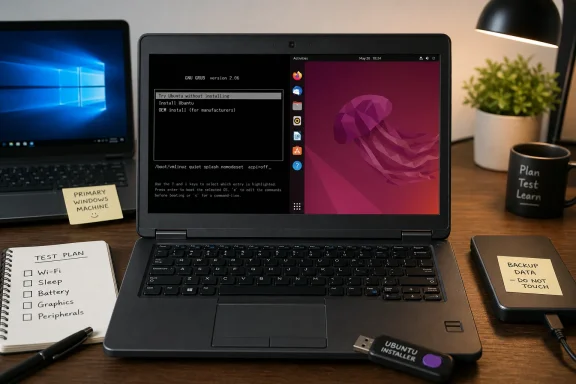 Windows 10 Turned Linux Curiosity Into a Migration Question
Microsoft announced in 2023 that formal support for Windows 10 would end. Purchasable Windows 10 updates are offered through October 12, 2027, giving users and organizations additional time to decide what comes next.For many people, Windows 11 will remain the least disruptive destination because it preserves their Windows applications, workflows, peripherals, and established support arrangements. Ubuntu becomes more interesting when the computer is secondary, the workload is flexible, and the owner is willing to validate hardware and software compatibility instead of assuming it.
The important distinction is between extending the life of one machine and proving a migration strategy. A successful Ubuntu installation can make an older laptop useful again. It does not automatically demonstrate that every device of the same model will behave identically, that Windows-dependent applications can be replaced, or that an organization should adopt Linux across a fleet.
The major paths solve different problems:
| Migration path | What it preserves | Main advantage | Main cost or risk | Best fit |
|---|---|---|---|---|
| Windows 11 | Windows applications and familiar workflows | Lowest compatibility disruption for Windows-dependent users | May still require application, device, or workflow validation | Primary work PCs that already have a clear Windows 11 path |
| Purchasable Windows 10 updates | The existing Windows 10 environment | Adds transition time through October 12, 2027 | Postpones the final platform decision | Systems needing a controlled migration window |
| Ubuntu | Continued use of suitable hardware without Windows | No operating-system purchase and a potentially responsive desktop | Hardware, application, and peripheral compatibility can vary | Secondary PCs, retired laptops, and carefully scoped trials |
Timeline
2023 — Microsoft announced that formal support for Windows 10 would end.December 2024 — A forum thread later supplied the GRUB workaround that allowed the Latitude 5400 to start the Ubuntu installer.
2025 — Linux exceeded the stated 5% desktop-market threshold.
October 12, 2027 — Purchasable Windows 10 updates are offered through this date.
Ubuntu’s First Test Was the Boot Chain
The writer downloaded Ubuntu, used Rufus to write the image to a USB drive, inserted it into the Latitude 5400, and used the Dell boot menu to reach GNU GRUB.Selecting “Try or Install Ubuntu” then produced a blank screen. The writer waited through several intervals, eventually leaving the machine for an hour without receiving a useful status message or error.
That silence was the central installation failure. The screen did not explain whether the problem involved the installation media, graphics initialization, firmware, the bootloader, the kernel, or another part of the startup process. A user who has not previously debugged Linux startup behavior has little basis for choosing among those possibilities.
The writer first tried another USB drive. The same blank screen returned. Disabling Secure Boot did not solve the problem. Editing the GRUB entry to add
nomodeset also failed to produce the expected result.Each unsuccessful attempt increased the real cost of the installation. The writer eventually put the laptop aside for nearly three weeks before returning to the problem. That delay is more informative than the time required to create the USB drive: when installation fails without a diagnosis, the process lasts until the user finds a working answer—or gives up.
Community troubleshooting ultimately rescued this installation, but needing that rescue remains an adoption barrier. A polished desktop has no opportunity to persuade a user who cannot get beyond a blank screen.
A Two-Parameter Workaround Opened the Door
The successful answer came from a December 2024 forum thread describing the same symptom after “Try or Install Ubuntu” was selected. The recommendation was to edit the GRUB entry and add:nomodeset acpi=offAfter that change, the installer started.
The result shows that the altered startup configuration allowed this particular machine to proceed. It does not, by itself, establish a root cause or prove that both parameters were necessary. Because the two parameters were introduced together, the successful boot also does not reveal which change made the difference.
That uncertainty is operationally important. A parameter that helps the installer start should be treated as a temporary diagnostic measure until normal startup and essential laptop functions have been tested. The goal is not merely to reach the installer once; it is to determine whether the computer can run reliably without an unexplained fallback configuration.
The appropriate follow-up is controlled testing: remove one temporary parameter at a time, attempt a normal boot, and record what works. If the machine fails again, the user can restore the last known working entry while continuing to investigate. Any firmware-setting changes should also be documented so they can be reversed if necessary.
Do not make
nomodeset or acpi=off permanent merely because the installer launched. First validate normal boot, Wi-Fi, sleep and resume, battery reporting, external displays, and graphics behavior. If those checks cannot be completed confidently, the laptop should remain a test system rather than become a primary endpoint.Should You Try Ubuntu?
Ubuntu is a reasonable trial if:
Ubuntu is a poor fit for this experiment if:
- The PC is secondary, retired, or otherwise noncritical.
- Your main activities are available through a browser or confirmed Linux applications.
- You can test printers, docks, cameras, displays, and other required peripherals before committing.
- You are comfortable searching for help if the installer or hardware behaves unexpectedly.
- You can keep the current Windows installation or recovery media available while evaluating Ubuntu.
Back up first. Copy important files to a separate device or service and confirm that the backup can be opened before repartitioning, erasing, or reinstalling anything.
- The computer is your only dependable work machine.
- You rely on Windows-only software, device utilities, security products, or specialized peripherals.
- Downtime would interrupt paid work, school, accessibility needs, or essential communication.
- The machine starts only through unexplained GRUB parameters and you cannot validate normal operation.
Boot-parameter rule: Do not makenomodesetoracpi=offpermanent until normal boot, Wi-Fi, sleep, battery, external displays, and graphics have been tested individually and found acceptable.
The Desktop Was Easier Than the Installation
Once the installer appeared, the character of the experiment changed. Ubuntu presented a graphical setup process with familiar choices, and the writer reached a usable desktop without the installation problem continuing into every ordinary task.The writer adapted quickly to Ubuntu’s application drawer and left-side dock, located settings without much difficulty, installed applications, and handled routine work largely through graphical interfaces. The account therefore challenges the idea that everyday Ubuntu use necessarily revolves around a terminal.
At the same time, it explains why that perception persists. A successful user sees applications, files, settings, notifications, and a desktop. A user caught at startup sees GRUB editing, firmware options, boot parameters, and forum troubleshooting. Both encounters can occur on the same machine within the same installation attempt.
The writer also installed Ubuntu in a virtual machine without encountering the Latitude’s blank-screen failure. That comparison suggests the physical Dell’s startup path was the central complication, but it should not be treated as a technical diagnosis. It does reinforce a practical lesson: testing Ubuntu in a virtual machine can demonstrate the interface and application environment, but it cannot certify compatibility with a particular laptop’s physical hardware.
For a Windows reader, this is the key distinction. Learning Ubuntu’s desktop may be the easy part. Determining whether Ubuntu works reliably with a specific computer may require much more effort.
Ubuntu Won by Feeling Calmer
The writer’s strongest positive reaction was not tied to one exclusive feature. Ubuntu simply felt less demanding once it reached the desktop.That judgment is subjective, and it should remain framed as the writer’s perception rather than as a universal comparison with Windows 11. Different users will value different integrations, prompts, accounts, synchronization features, and application ecosystems. What one person sees as unnecessary attention, another may see as useful continuity between devices and services.
On this Dell, however, Ubuntu’s relative quiet made the computer feel focused. The operating system receded, and the writer could begin using applications without feeling pulled into additional setup decisions. That sense of restraint contributed substantially to the favorable verdict.
This is a more credible argument for desktop Linux than claiming it reproduces every Windows capability. Ubuntu’s appeal in this case came from offering a different balance: fewer familiar Windows dependencies, but also a desktop that the writer considered cleaner once the installation obstacle was overcome.
The trade remains real. A calmer interface cannot compensate for a missing application, unsupported peripheral, unreliable startup process, or required corporate tool. The desktop experience should be evaluated only after those dependencies have been listed and tested.
The Old Dell Became the Strongest Argument for a Trial
The Latitude 5400 reportedly felt responsive after Ubuntu was installed. Applications opened quickly enough for the writer to view the computer as useful again.That observation is meaningful but narrow. It does not prove that Ubuntu will outperform Windows on every older PC, nor does it separate the effect of the operating system from the effect of starting with a clean installation. Storage health, memory, drivers, applications, background processes, and workload can all influence how responsive a computer feels.
For an individual deciding whether to keep an old laptop, laboratory comparisons may matter less than whether the machine handles the intended tasks comfortably. If the required browser, communication tools, documents, media, and peripherals work, the trial may justify retaining the hardware.
Broader conclusions require more caution. It is reasonable to analyze this result as evidence that some older PCs may remain useful under Linux. It is not evidence that large-scale repurposing will save money, fit existing endpoint-management systems, or support every organizational use case. Those questions require a defined pilot, labor estimates, application testing, security review, and support planning.
The writer’s final boundary is therefore the right one: Ubuntu earned a place on an older laptop but did not replace Windows on the primary PC. That conclusion acknowledges both sides of the experiment. Ubuntu was convincing after installation; the installation itself exposed why a primary-machine migration demands more confidence.
Five Percent Is a Signal, Not a Tipping Point
Linux exceeded the stated 5% desktop-market threshold in 2025. The supplied facts do not establish the measurement’s geography, methodology, or broader market implications, so the figure should be read as a visibility marker rather than proof of a tipping point.Linux does not need to displace Windows to become relevant to a Windows 10 owner deciding what to do with one aging computer. It only needs to provide a workable alternative for that person’s hardware and applications.
The Windows 10 transition creates an opportunity for trials because affected users are already considering change. Some will choose Windows 11, some will purchase additional Windows 10 updates while preparing, and some may test another operating system on hardware that would otherwise be retired.
Ubuntu’s opportunity depends on what happens before the desktop appears. An installer that starts normally allows users to judge the operating system on applications, responsiveness, and usability. A blank screen shifts the evaluation toward firmware changes, forum searches, and unfamiliar boot options. That gap—not the visible desktop—is the barrier highlighted most clearly by this experiment.
Where IT Should Separate a Pilot From a Migration
For administrators, the ZDNET account is best treated as a single-device pilot report, not a deployment procedure. It proves that the writer eventually installed and used Ubuntu on one Latitude 5400. It does not certify an entire model line, define a support process, or establish compatibility with an organization’s applications and controls.Device labels alone are not enough. Machines carrying the same model name may differ in configuration, firmware state, replacement components, attached peripherals, and maintenance history. Any organizational conclusion should therefore come from a representative sample rather than one successful laptop.
Application compatibility must also be assessed against actual work. A browser-centered role may present fewer obstacles than a role dependent on Windows software, document macros, peripheral utilities, VPN software, security agents, or specialized accessibility tools. The relevant question is not whether Linux has alternatives in general; it is whether the approved workflow works completely on the proposed device.
Finally, IT should distinguish “the installer started” from “the endpoint is supportable.” Temporary boot parameters, altered firmware settings, incomplete sleep behavior, unstable displays, or uncertain battery reporting may be tolerable during diagnosis but not during routine use.
Ubuntu pilot-evaluation checklist
This is a checklist for deciding whether a device should advance beyond a pilot. It is not a complete deployment procedure.- Protect recovery options: Back up user files, test that the backup opens, and preserve Windows recovery media or another documented restoration method.
- Record the starting state: Note the device model, firmware version, storage layout, relevant firmware settings, network hardware, display hardware, and attached peripherals.
- Define the workload: List every required application, browser extension, website, file format, VPN, security control, accessibility function, and peripheral.
- Test installation media: Confirm that the intended Ubuntu image was written to the intended USB device before booting the candidate computer.
- Try before erasing: Where the available boot environment permits it, test the required hardware and workflow before overwriting the existing installation.
- Document every workaround: Record GRUB parameters and firmware changes, including the exact symptom that led to each change.
- Retest normal boot: After installation, remove temporary parameters one at a time and confirm whether the machine starts normally.
- Validate networking: Connect to each required Wi-Fi network, test reconnection after restart and resume, and verify any required wired or VPN connection.
- Validate power behavior: Test battery reporting, charging, sleep, resume, shutdown, restart, lid-close behavior, and operation on both battery and external power.
- Validate displays and graphics: Test the internal display, brightness controls, required resolutions, external monitors, docks, projectors, video playback, and normal graphical applications.
- Validate communications hardware: Test speakers, microphones, headsets, Bluetooth devices, and cameras used for meetings or calls.
- Validate peripherals: Test printers, scanners, storage devices, card readers, input devices, and any role-specific hardware.
- Observe stability: Run the intended workload long enough to detect recurring boot failures, freezes, unexpected restarts, excessive heat, abnormal fan behavior, or unreliable suspend and resume.
- Confirm updates and recovery: Apply available updates, restart, verify that the system still works, and document how the pilot device can be repaired or restored.
- Measure support effort: Record installation time, troubleshooting time, unresolved defects, and the skill level required to keep the endpoint operating.
- Set an exit criterion: Do not approve broader use until required applications and hardware pass, temporary boot workarounds are resolved or explicitly accepted, and a named owner is prepared to support the configuration.
That is the balanced takeaway for Windows 10 users. Back up the machine, start with noncritical hardware, test the real workload, and keep a recovery path. If Ubuntu boots normally and everything important works, an older PC may have a useful next chapter. If startup still depends on unexplained GRUB parameters, treat the result as an unfinished experiment—not a migration victory.
References
- Primary source: ZDNET
Published: 2026-07-10T01:20:11.460833
Loading…
www.zdnet.com - Related coverage: ubuntu.com
Loading…
ubuntu.com - Official source: support.microsoft.com
Loading…
support.microsoft.com - Official source: microsoft.com
- Related coverage: support.0patch.com
Loading…
support.0patch.com - Related coverage: blog.0patch.com
Loading…
blog.0patch.com
- Related coverage: techspot.com
Loading…
www.techspot.com - Related coverage: pcworld.com
Loading…
www.pcworld.com - Related coverage: 0patch.com
Loading…
0patch.com - Related coverage: tomshardware.com
Loading…
www.tomshardware.com - Related coverage: windowscentral.com
Loading…
www.windowscentral.com - Related coverage: techradar.com
Loading…
www.techradar.com - Related coverage: pcgamer.com
Loading…
www.pcgamer.com