Windows 10 Unable to Remove User Account from Logon Screen in Windows Vista

GetGankNow

New Member
Joined
Jun 15, 2017
Messages
14
Hello guys,i have do this guide>howtogeek(dot)ci oo em/howto/windows-vista/remove-user-accounts-from-the-logon-screen-in-windows-vista/ to my administrator user,i have to 2 user to my pc,1st is mine(admin),and 2nd its my brother(user,guest-user).I cant delete the key because im a user.

How to solve it?
Thanks!
 

Last edited:

Neemobeer

Windows Forum Team
Staff member
Joined
Jul 4, 2015
Messages
8,998
You want to delete the user or just remove one from the login screen?
 

Neemobeer

Windows Forum Team
Staff member
Joined
Jul 4, 2015
Messages
8,998
Should be able to, just select other user and type the username in.
 

GetGankNow

New Member
Joined
Jun 15, 2017
Messages
14
i cant select other user,all user's in the pc are 2,the admin(un-visible),and the guest user(visible)
 

Neemobeer

Windows Forum Team
Staff member
Joined
Jul 4, 2015
Messages
8,998
Then I'd boot into safe mode, select command prompt and delete that key
 

Neemobeer

Windows Forum Team
Staff member
Joined
Jul 4, 2015
Messages
8,998
None, choose command prompt

An image from 'ERROR user/admin'. Windows Advanced Options screen highlighting the Command Prompt for troubleshooting.
 

Last edited by a moderator:

Neemobeer

Windows Forum Team
Staff member
Joined
Jul 4, 2015
Messages
8,998
reg delete "HKLM\SOFTWARE\Microsoft\Windows NT\CurrentVersion\Winlogon\SpecialAccounts"
 

Solution

GetGankNow

New Member
Joined
Jun 15, 2017
Messages
14
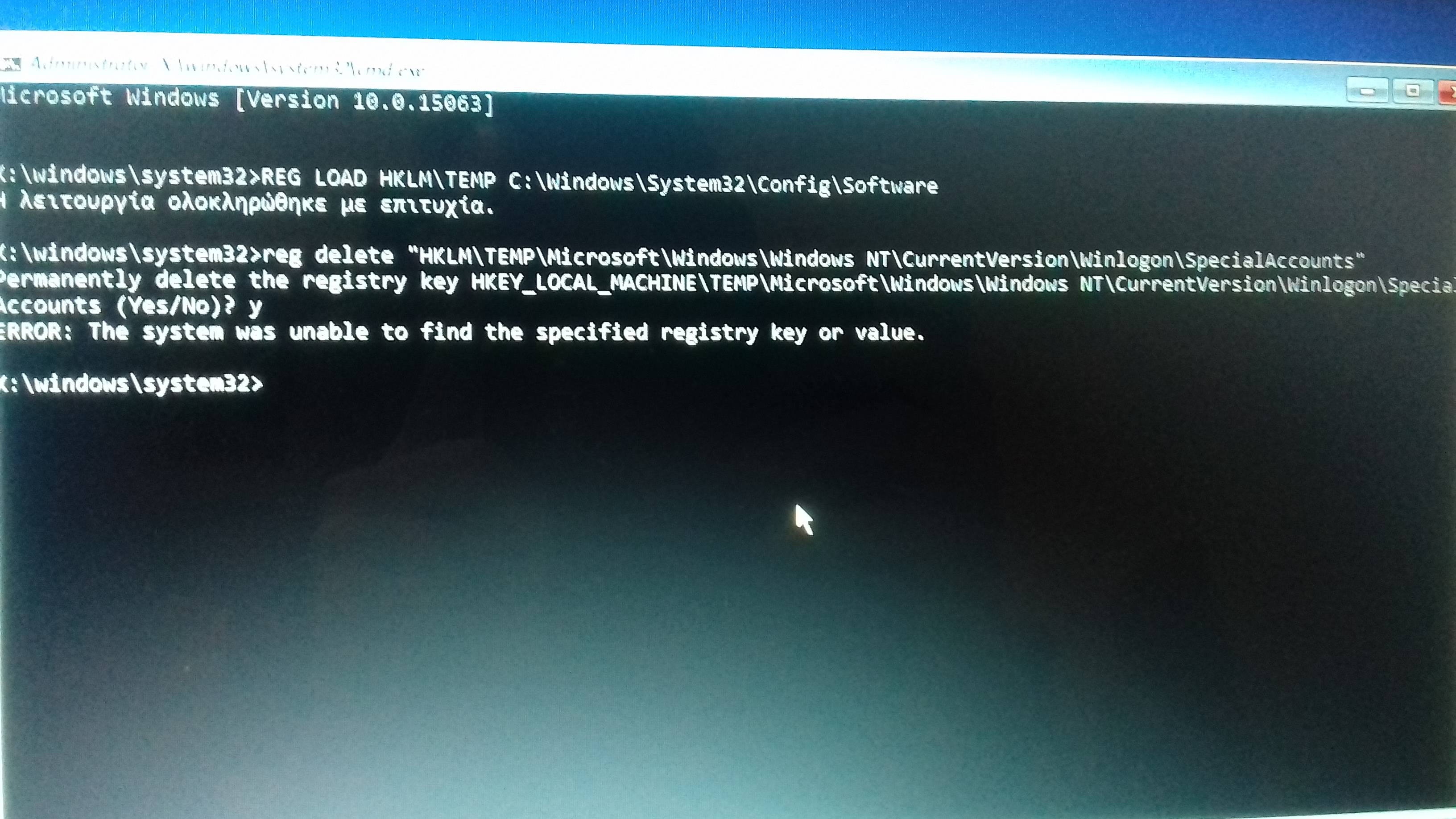
but the cmd open in X: , no in the C:
i tried and says "the key not found"
i have tried and in the C:

(sorry about my english)
 

GetGankNow

New Member
Joined
Jun 15, 2017
Messages
14
insomnia(dot)gr/topic/647187-πρόβλημα-με-useradmin , see this topic,im from Greece,so i have post to a greek tech forum,see the screenshots
 

Neemobeer

Windows Forum Team
Staff member
Joined
Jul 4, 2015
Messages
8,998
Load the real system hive then delete the key

REG LOAD HKLM\TEMP C:\Windows\System32\Config\Software

then reg delete "HKLM\TEMP\Microsoft\Windows NT\CurrentVersion\Winlogon\SpecialAccounts"
 

Back
Top