Windows 10 Unable to Remove User Account from Logon Screen in Windows Vista

GetGankNow

New Member
Joined
Jun 15, 2017
Messages
14
Hello guys,i have do this guide>howtogeek(dot)ci oo em/howto/windows-vista/remove-user-accounts-from-the-logon-screen-in-windows-vista/ to my administrator user,i have to 2 user to my pc,1st is mine(admin),and 2nd its my brother(user,guest-user).I cant delete the key because im a user.

How to solve it?
Thanks!
 

Last edited:
You want to delete the user or just remove one from the login screen?
 

i have remove the admin(me)of the login screen and now i cant to reverse it
 

Should be able to, just select other user and type the username in.
 

i cant select other user,all user's in the pc are 2,the admin(un-visible),and the guest user(visible)
 

Then I'd boot into safe mode, select command prompt and delete that key
 

None, choose command prompt

An image from 'ERROR user/admin'. Windows Advanced Options screen highlighting the Command Prompt for troubleshooting.
 

Last edited by a moderator:
reg delete "HKLM\SOFTWARE\Microsoft\Windows NT\CurrentVersion\Winlogon\SpecialAccounts"
 

Solution
but the cmd open in X: , no in the C:
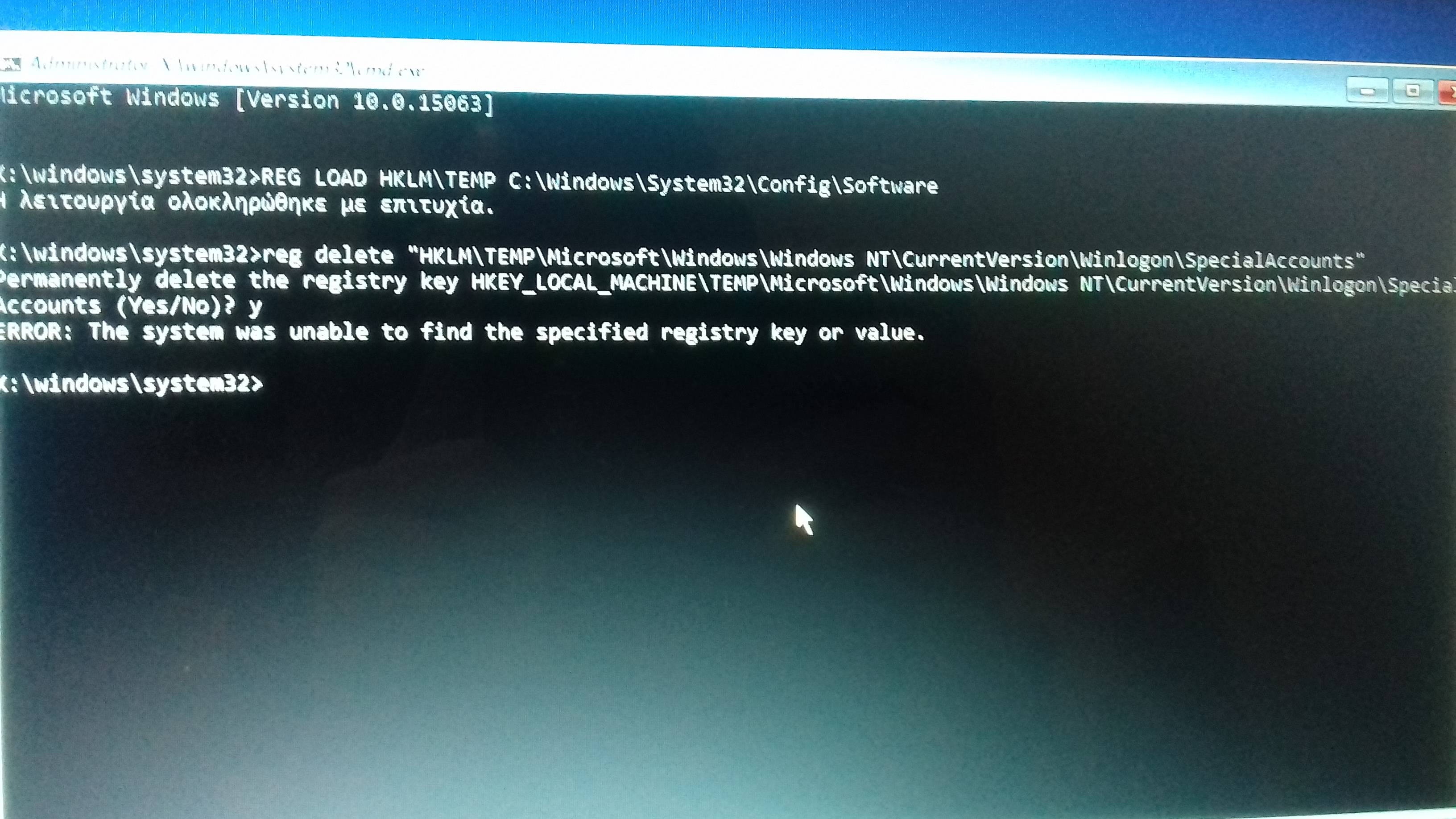
i tried and says "the key not found"
i have tried and in the C:

(sorry about my english)
 

insomnia(dot)gr/topic/647187-πρόβλημα-με-useradmin , see this topic,im from Greece,so i have post to a greek tech forum,see the screenshots
 

Load the real system hive then delete the key

REG LOAD HKLM\TEMP C:\Windows\System32\Config\Software

then reg delete "HKLM\TEMP\Microsoft\Windows NT\CurrentVersion\Winlogon\SpecialAccounts"
 

Back
Top