

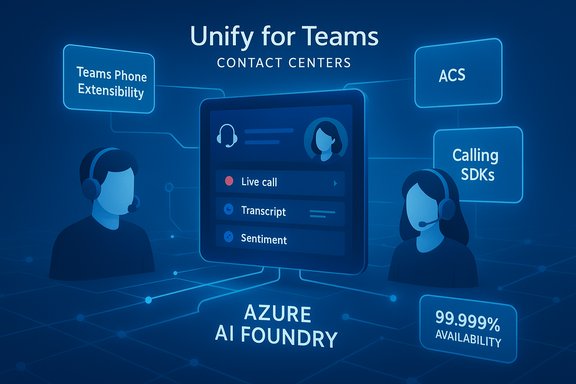
Microsoft’s Unify model is already changing how enterprises think about Teams-based contact centers — not just as an add-on to telephony, but as a native platform capable of delivering carrier-grade voice, integrated AI, and a single agent experience tied directly to Teams Phone and Azure services. This shift, explored in a recent conversation between UC Today’s Kieran Devlin and Gidi Adlersberg of AudioCodes, crystallizes a clear vendor and customer roadmap: build on Microsoft’s Teams Phone extensibility and Azure Communication Services (ACS), adopt SDK-driven integrations rather than brittle SIP or ad-hoc Graph API workarounds, and treat AI as a platform capability rather than an afterthought.
Background
Microsoft has moved the Teams contact‑center conversation from “Can we make Teams work?” to “How do we do it right?” The company formalised a three‑model taxonomy — Connect, Extend, and Unify — to describe levels of integration between Teams and CCaaS platforms, with Unify positioned as the native, SDK-first model built on Teams Phone extensibility and Azure Communication Services (ACS). Microsoft’s own documentation and guidance now recommend certification for vendors implementing Teams Phone extensibility and the Unify model. Vendors including AudioCodes have embraced Unify as a foundation for purpose-built contact centers (Voca CIC), claiming advantages in provisioning, reliability, and direct access to Azure AI capabilities. Microsoft and partners are marketing Unify as the “future-proof” integration model that eliminates many of the operational compromises of older SIP/SBC-based approaches.What Unify actually is — and why it matters
Unify in plain terms
- Unify = Teams Phone extensibility + ACS + SDKs. It’s an architectural pattern that runs contact‑center logic on the same trusted communication fabric Microsoft uses for Teams Phone, rather than bolting contact‑center functions onto Teams via third‑party trunks or surface-level APIs.
- Certification matters. Microsoft encourages (and in practice rewards) certified partners: certification signals that a CCaaS provider adheres to Microsoft’s integration patterns and production hardening for provisioning, identity, telemetry, and tenant governance.
- SDK-first design. The Unify approach uses vendor and Microsoft SDKs (Call Automation, Calling SDKs, etc. to handle call events, agent presence, and media flows—avoiding brittle SIP trunk hacks or Graph-only control planes that can break under scale. Vendors argue SDKs provide lower latency, more deterministic eventing, and more robust dual‑persona support for agents.
Why Unify matters to CX and IT leaders
- Single pane agent experience: Agents operate in a native Teams environment or a Teams-like agent UI that behaves like Teams Phone, reducing training and context switching. This can materially reduce Average Handle Time (AHT) and increase agent productivity.
- Native access to Microsoft AI and telemetry: Building on ACS and Teams Phone makes it simpler to integrate Copilot for Service, Azure AI Foundry capabilities (transcription, summarization, sentiment), and Fabric analytics directly into customer interactions. Vendors like AudioCodes highlight this as a key differentiator.
- Operational simplification: Provisioning, identity (Entra ID), tenant governance, and telemetry unify under Microsoft’s management surfaces, reducing middleware and the need for complex SBC/Direct‑Routing orchestration in many scenarios.
Technical deep dive: SDKs vs SIP vs Graph API
Why vendors say SDKs win
SDK-based integrations provide event-driven call control, lower-latency media handling, and richer state awareness than solutions built only on SIP or Graph API layers. In practice:- SDKs surface reliable incoming call events and media controls through dedicated call automation channels.
- SDKs support dual persona (agent has both a Teams UC persona and a CCaaS agent persona) with deterministic session handoffs and consistent ringing/provisioning behavior.
- SDKs can integrate more cleanly with Azure services for real-time transcription and model invocation without brittle middleware.
Where SIP and Graph API still show up
- SIP/Direct Routing remains relevant for organizations with existing carrier relationships, regulatory requirements, or hybrid architectures that cannot immediately migrate numbering or regulatory routing.
- Microsoft’s Graph APIs still play a role for presence, user metadata, and broader tenant management, but relying on Graph alone for real‑time call control has proven fragile at scale versus call automation SDKs. Industry commentary and vendor playbooks recommend a mixed approach where Graph handles identity/CRM linkage and SDKs handle call lifecycle.
Reliability and the “five‑nines” claim — what IT teams must unpack
Microsoft’s formal update to the Teams Phone service-level agreement (SLA) — committing to 99.999% availability for Teams Phone — has catalysed Unify adoption because it promises a rock‑solid communications fabric for CCaaS vendors to build on. Microsoft engineering commentary framed this as an infrastructure commitment to self‑healing, high‑availability patterns across Teams Phone. Important caveats that matter for procurement:- The Microsoft Teams Phone SLA applies to the Teams Phone service; voice call quality and PSTN connectivity can be bound by different SLAs or constraints (for example, Azure Communication Gateway / Operator Connect may have separate availability characteristics). Vendors and analysts have repeatedly advised reading the SLA fine print for scope, subscription dates, and which calling paths are covered.
- Vendors still carry operational responsibility for their own platform reliability. Unify removes many middleware points of failure, but CCaaS vendors must still run hardened services, telemetry, and failover for their application layers. Real‑world SLAs are a composition of Microsoft’s platform SLAs plus vendor SLAs.
AI standardisation: Azure AI Foundry, Copilot, and operational realities
Unify vendors point to two practical AI benefits:- Standardized model access: Native integration allows vendor apps to call Azure AI services (transcription, summarization, NLU) using predictable, tenant‑aligned credentials and governance patterns — this simplifies data residency, prompting architecture, and audit trails. AudioCodes highlights Azure AI Foundry access as a key value in their Unify certification messaging.
- Copilot for Service integration: Embedding Copilot for Service or vendor AI assistants into the agent flow reduces wrap time and surfaces next‑best actions directly in the agent UI. But this requires explicit AI governance: prompt logging, version control, human-in-the-loop gates for high‑risk decisions, and explicit retention/redaction policies for PII and regulatory contexts. Industry playbooks emphasise that organisations must treat Copilot as a governed feature with measurable KPIs.
AudioCodes’ Voca CIC: an instructive case study
Gidi Adlersberg’s perspective in the UC Today interview provides an early vendor lens on Unify adoption:- AudioCodes built Voca CIC on ACS and moved quickly to adopt Teams Phone extensibility to deliver a Teams‑native agent experience and standardized AI access. That allowed the vendor to claim faster onboarding, tighter Teams Phone integration, and parity with Teams Phone reliability ambitions.
- Practical lessons from deployments: SDK-first architectures reduce session handoff issues and improve event consistency; design the agent UI to feel native and avoid forcing agents into two separate consoles. AudioCodes’ Voca Worker App is an example of building the agent workspace to closely mirror Teams behavior.
- The vendor’s marketing cites a 99.999% availability target as part of the value proposition when running on Teams Phone extensibility; procurement teams should validate this through pilot telemetry and SLA mapping rather than accepting it as a single-source claim.
Operational checklist for IT and CX leaders
A practical buyer checklist distilled from vendor guidance, Microsoft documentation, and independent playbooks:- Verify the vendor’s Unify certification and the exact model (Unify / Extend / Connect) the vendor claims to support. Certification reduces compatibility risk.
- Map your calling path(s): Teams Calling Plan vs Operator Connect vs Direct Routing. Each path carries different SLAs and failure modes; ensure the desired path aligns with your resilience and compliance needs.
- Pilot with measurable KPIs (6–12 weeks): AHT, FCR, CSAT, and Telephony OPEX. Capture telemetry (CDRs, transcripts, Copilot logs) and compare with baseline.
- Require documented AI governance: prompt/version logs, model invocation records, redaction for PII, human‑in‑the‑loop policies for high‑risk actions. Ask vendors for concrete runbooks and anonymized audit logs.
- Validate compliance controls: recording redaction (PCI/HIPAA), retention rules, exportable audit logs, and E911/resiliency tests. Run failover scenarios that include Direct Routing/Operator Connect fallbacks where applicable.
- FinOps: map Teams Phone, Copilot, and vendor seat SKUs. Demand transparency around metered AI charges, per‑agent features, and premium telemetry fees. Tie expansions to validated pilot outcomes.
- Require exportable APIs and documented data flows to avoid vendor lock‑in; insist on at least two reference customers in your vertical and region.
Risks and mitigations
- Vendor lock‑in: deep Teams embedding reduces vendor choice later. Mitigation: insist on exportable data, open APIs, and documented migration/rollback plans.
- Compliance and data residency: audio transcripts and model inputs can create regulatory exposure. Mitigation: tenant-level retention, redaction workflows, and legal sign‑offs before broad Copilot enablement.
- SLA composition complexity: Microsoft SLA + vendor SLA = production SLA. Mitigation: require joint runbooks, incident response plans, and defined MTTR commitments before go‑live. Perform layered SLA tabletop exercises.
- AI risk (hallucinations/unauthorised actions): Mitigation: human‑in‑the‑loop gating, logging, restricted access for high‑risk features, and progressive enablement tied to pilot metrics.
Migration strategy — phased, measurable, reversible
- Discovery (0–30 days): inventory telephony, CCaaS features, compliance needs, and Teams usage patterns.
- Pilot (30–90 days): run a scoped pilot for a single queue or department; instrument CDRs, transcripts, and Copilot logs.
- Validate & Govern (60–180 days): confirm redaction, retention, SLA behavior, and FinOps assumptions; lock down governance playbook.
- Scale (6–12 months): phased expansion by team/region, driven by measured KPIs and an established COE.
The upside: why Unify is worth serious consideration
- Cleaner architecture: fewer middleware components, simpler tenant management, and a single identity plane.
- Faster access to Microsoft AI: native paths to Azure AI and Copilot mean faster innovation cycles for agent assist and analytics.
- Lower training overhead: agents can stay inside Teams or a Teams-like agent UI, reducing context switching and improving adoption.
- A credible reliability story: Microsoft’s Teams Phone SLA and cloud investments are meaningful, provided organisations validate the exact coverage for their PSTN/calling path and vendor composition.
What to ask vendors now (quick checklist)
- Are you Unify certified? Provide certification artifacts.
- Which SDKs and ACS flows do you use (Call Automation, Calling SDK)? Provide architectural diagrams.
- How do you handle dual persona and agent session handoffs?
- What is your production SLA, and how does it compose with Microsoft’s SLA?
- Provide sample runbooks for incident escalation, AI governance logs, and redaction workflows.
- Can we export recordings, transcripts, and configuration for migration? Provide API docs and export samples.
Conclusion
Microsoft’s Unify model is more than marketing nuance — it’s an architectural pivot that makes Teams a credible, scalable home for contact centers when implemented with discipline. Vendors like AudioCodes have already shown how ACS and Teams Phone extensibility can be used to build scalable, SDK‑driven CCaaS applications that promise native AI access, tighter provisioning, and a closer operational alignment with Teams Phone reliability ambitions. But promise is not a substitute for verification: IT and CX leaders must insist on certification proof, pilot telemetry, joint SLAs, and iron‑clad AI governance before consolidating mission‑critical customer engagement onto a Teams‑native stack. Start with real user problems, measure with finance‑grade KPIs, and expand only once compliance, resiliency, and AI governance are demonstrably in place — a practical path that turns Unify from a vendor badge into a dependable operational platform.Source: UC Today Certified for Success: What Microsoft’s Unify Program Means for Teams Contact Center Integration
