

Microsoft has pushed a high-priority November cumulative update for Windows that closes dozens of security holes — including a Windows kernel flaw Microsoft says was being actively exploited in the wild — and users and administrators are being urged to install the patch without delay.
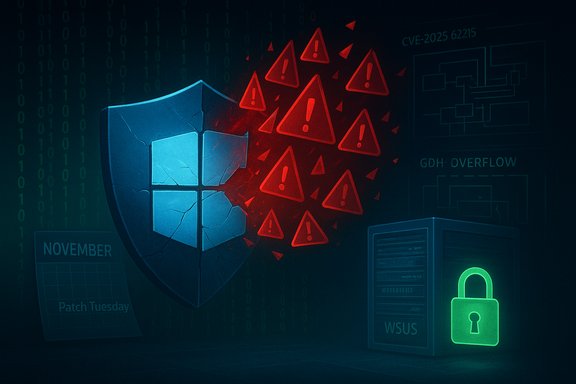
Microsoft’s November Patch Tuesday bundle (released as cumulative updates such as KB5068861 for recent Windows 11 builds) addresses a broad set of issues across Windows, Office, developer tools and server products. The roll-up lists 63 security vulnerabilities in total for the month, including several critical remote code execution (RCE) flaws and a confirmed exploited elevation-of-privilege zero-day in the Windows kernel (tracked as CVE‑2025‑62215). Those numbers — and the presence of an exploited zero-day — are what make this month’s release a red-alarm event for defenders: the patch package is not a routine maintenance update, it’s a risk‑reduction imperative for systems that interact with untrusted files or host many users. Independent security trackers and national cyber teams echo Microsoft’s assessment and rate the November set as a high-priority deployment for most Windows environments.
Source: Irish Star https://www.irishstar.com/news/us-news/microsoft-windows-11-update-security-36293206/
 Background
Microsoft’s November Patch Tuesday bundle (released as cumulative updates such as KB5068861 for recent Windows 11 builds) addresses a broad set of issues across Windows, Office, developer tools and server products. The roll-up lists 63 security vulnerabilities in total for the month, including several critical remote code execution (RCE) flaws and a confirmed exploited elevation-of-privilege zero-day in the Windows kernel (tracked as CVE‑2025‑62215). Those numbers — and the presence of an exploited zero-day — are what make this month’s release a red-alarm event for defenders: the patch package is not a routine maintenance update, it’s a risk‑reduction imperative for systems that interact with untrusted files or host many users. Independent security trackers and national cyber teams echo Microsoft’s assessment and rate the November set as a high-priority deployment for most Windows environments. What’s in the update: the high-impact items
The zero-day: CVE‑2025‑62215 (Windows kernel, elevation of privilege)
- Nature: A race‑condition / synchronization bug in the Windows kernel that can lead to heap corruption and escalation to SYSTEM privileges under local access conditions.
- Status: Microsoft confirmed exploitation detected in the wild and issued the fix as part of the November cumulative update. Security vendors and vulnerability trackers also list this CVE as actively exploited.
GDI+ remote code execution: CVE‑2025‑60724 (graphics component)
- Nature: Heap‑based buffer overflow in the Microsoft Graphics Component (GDI+) that can be triggered by specially crafted images or metafiles.
- Risk: Can result in remote code execution if a user opens or previews a malicious file (or if a web service parses an uploaded file). Several tracking sites call this an especially dangerous RCE because GDI+ is widely used across apps and services.
WSUS remote code execution: CVE‑2025‑59287 (Windows Server Update Services)
- Nature: A deserialization/authorization cookie issue that can allow unauthenticated remote code execution on WSUS servers.
- Deployment note: Microsoft released an out‑of‑band fix for this in October and followed up with additional adjustments; administrators of WSUS should verify they applied the latest mitigations and review WSUS behavior changes noted in Microsoft’s guidance.
Additional noteworthy fixes
- Multiple Elevation‑of‑Privilege bugs across networking and audio/graphics drivers.
- RCE and information disclosure fixes across Microsoft Office, Visual Studio, Azure Monitor Agent and Dynamics components.
- A mix of critical and important severity ratings; security teams should prioritize based on exploitability and exposure.
Which systems are affected
- Windows desktop: Windows 11 (24H2/25H2 builds noted in KB listings) and supported Windows 10 branches where applicable.
- Windows Server: supported Server versions that match the affected components (WSUS, kernel, networking stacks).
- Other Microsoft products: Office, Visual Studio, Azure components, Dynamics 365 modules — administrators should consult product‑specific KBs and patch lists.
How to verify and install the update (practical steps)
- Check the Microsoft Update history or Microsoft Support KB article for KB5068861 (or the cumulative update that applies to your Windows build) to confirm you have the correct build and patch number.
- Use Windows Update (Settings → Windows Update) or your enterprise update management (WSUS / SCCM / Microsoft Endpoint Manager) to deploy the latest LCU + SSU package. Microsoft now combines the latest servicing stack update (SSU) with the LCU in many channels; confirm both are applied.
- For servers and critical assets, test the update in a representative staging environment before broad rollout. Validate application compatibility and verify that anti‑malware/endpoint detection behavior remains unchanged.
- For WSUS admins: apply the October/November WSUS fixes, and be aware Microsoft noted a temporary removal of WSUS synchronization error details as part of the mitigation for CVE‑2025‑59287 — confirm your monitoring and logging still capture relevant events.
- Take and verify backups before mass deployments.
- Use staged rollouts (pilot → phased → global).
- Monitor telemetry and EDR alerts closely for anomalous activity post‑patch.
- Apply network-level controls (segmentation, Egress filtering) to limit lateral movement if a system is compromised.
Enterprise guidance: prioritization matrix
- Priority 1: Endpoints and servers where users can open untrusted documents or images (GDI+ RCE vector). Patch these first.
- Priority 2: Systems that host or accept file uploads (web servers, collaboration platforms) and WSUS servers. WSUS fixes have been issued out‑of‑band; verify the most recent updates are applied.
- Priority 3: Internal-only servers and workstations with low user interaction. Patch after testing.
- Priority 4: Air‑gapped/isolated systems — treat differently but include in inventory and apply patches on a controlled schedule.
Common questions and verification of claims
- “Is this a massive new vulnerability?” — The kernel CVE (CVE‑2025‑62215) is serious because Microsoft reports it was exploited in the wild; it is not a single‑click remote worm, but it does enable local escalation to SYSTEM and thus becomes catastrophic when paired with other foothold vectors. This assessment is corroborated across Microsoft’s advisory and independent trackers.
- “How many vulnerabilities did Microsoft fix?” — Microsoft’s November release addresses 63 CVEs across its products. Different trackers may categorize severity differently, but the total CVE count is consistent among Microsoft’s advisory and multiple security outlets.
- “Are exploit details public?” — Microsoft and several security teams confirm exploitation, but detailed public proof‑of‑concept code is not broadly published; that said, confirmed in‑the‑wild use raises the exploitation likelihood and necessitates immediate patching. Where exploit code does surface for other CVEs (or earlier updates), vendors sometimes reissue or expand mitigations, which is why administrators should not assume a single patch is exhaustive.
Practical mitigation options (if immediate patching is delayed)
- Increase monitoring: deploy EDR rules to alert on unusual process elevation, suspicious use of kernel‑level calls, or exploitation patterns that map to known CVE behaviors.
- Limit local admin usage: enforce least privilege so that successful low‑privilege footholds are less likely to be exploited into SYSTEM.
- Block risky file types at ingestion points, or run file‑type sanitization where practical (image sanitizers for GDI+ attack vectors).
- For WSUS exposure, block inbound access to WSUS management ports from untrusted networks and restrict access to management interfaces. Microsoft’s advisory includes workarounds and guidance for administrators who cannot immediately apply the patch. Note that some workarounds reduce functionality; understand operational impact before using them.
Why mainstream outlets and community forums are amplifying the message
News sites and security blogs highlight this update because of the unique combination: a high CVE count, multiple RCEs, and at least one kernel zero‑day confirmed in the wild. That mix raises the odds of attack chains that pair initial access bugs with privilege escalation and lateral movement — the pattern common in ransomware and advanced persistent threat campaigns. Industry advisories and government CERTs typically recommend prioritized deployment for such months. Community channels and forum archives also show strong chatter and step‑by‑step guidance as sysadmins coordinate testing and phased rollouts; that community validation reinforces the seriousness of the release while also helping smaller admins avoid known pitfalls during deployment.Risks and potential pitfalls during patching
- Compatibility: Major cumulative updates sometimes interact with third‑party drivers or security tools and can expose regressions. Test on a sample before wide deployment.
- Management server impacts: WSUS and other update distribution points may behave differently post‑patch (Microsoft noted WSUS synchronization error reporting was temporarily altered while addressing a WSUS RCE). Adjust monitoring and logging accordingly.
- False sense of safety: applying patches is critical but not sufficient; paired measures (hardening, backups, network segmentation, endpoint detection) are required to lower residual risk.
Quick checklist for home users and small businesses
- Check Windows Update and install all available updates now. Reboot if prompted.
- Ensure Windows Defender (or your AV) is up to date and real‑time protection is enabled.
- Avoid opening unexpected attachments or downloading files from suspicious sites.
- Backup important data before significant system changes.
- If using a Windows Server role such as WSUS, prioritize server hardening and ensure MS‑KB updates for WSUS are applied.
Final analysis: strengths and risks of Microsoft’s response
Strengths- Microsoft released cumulative fixes quickly and included the servicing stack update in the distribution, reducing fragmentation and simplifying deployment paths for many organizations. This reduces the chance that systems remain partially patched because a required SSU was missing.
- The vendor acknowledged active exploitation and coordinated out‑of‑band fixes for critical server components (WSUS) — an appropriate and measured response when weaponized code is observed.
- Broad communication from national CERTs, security vendors, and community forums helps sysadmins prioritize and share mitigation experience.
- The high CVE count and presence of RCEs plus a kernel zero‑day raise the operational urgency; rushed deployments without testing can cause downtime or compatibility regressions for critical services.
- WSUS-specific fixes and temporary behavior changes may surprise administrators who rely on WSUS reporting; those teams should read Microsoft’s WSUS notes carefully and validate usability.
- Public reporting sometimes simplifies exploit mechanics; defenders must rely on vendor advisories and in‑house testing rather than headlines for operational decisions. Where public detail is limited or inconsistent, assume worst‑case exposure until proven otherwise.
Conclusion
This November update is a clear, actionable warning: apply the cumulative Windows patches now, test them where appropriate, and combine patching with least‑privilege, monitoring, and network controls. The combination of dozens of fixes, several RCEs, and a confirmed exploited kernel zero‑day means the window of exposure is real. Administrators and home users should prioritize systems that accept untrusted input (documents, images, file uploads) and servers that manage updates (WSUS) to reduce the risk of compromise and lateral escalation. If the user‑provided news link returns an error or a removed page, base operational decisions on the primary vendor advisory and authoritative security trackers rather than a single secondary article. Community threads and forums can help with deployment experiences, but core patch and CVE details should be verified against Microsoft’s KBs and established vulnerability databases before taking action.Source: Irish Star https://www.irishstar.com/news/us-news/microsoft-windows-11-update-security-36293206/
