

- Thread Author
- #1
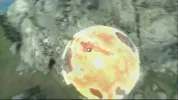
Ok so I'm on a Toshiba Satellite Pro L650 with an ATI Radeon HD 5650. I'm running Windows 7 Home Premium. Every time I watch an online video, or run one through Windows Media Player, I get these weird glitches on my screen. Sometimes it's just a bunch of little red and green dots flashing around in random places on the video and sometimes half the video screen goes all pixelated with huge pixels in strange colours. I just put up with it because I fiddled around for a bit and couldn't find an easy fix for it. A few weeks ago my hard drive crashed and I had to send my laptop in to get a new hard drive fitted. When it came back I had to reinstall Windows and reinstall all programs and so on. I watched a few videos in the first day or two of having it back and guess what? Everything ran fine! No glitches, no random pixel attacks, nothing. But the next day, in the middle of a video, it froze up for a second and when the video played again, all the errors were back. 
The only possible thing I can think of is that some Windows update must have screwed with it or something? Because at that time I was frequently installing updates to catch back up (once or twice a day) and I had recently installed updates since my last video watch. My graphics card driver is up to date according to Device Manager and no resolution changes or anything will fix it.
Anyone got any ideas?
Much appreciated
PS: I included a picture that shows (though not very well) an example.
The only possible thing I can think of is that some Windows update must have screwed with it or something? Because at that time I was frequently installing updates to catch back up (once or twice a day) and I had recently installed updates since my last video watch. My graphics card driver is up to date according to Device Manager and no resolution changes or anything will fix it.
Anyone got any ideas?
Much appreciated
PS: I included a picture that shows (though not very well) an example.


 so I guess I want to uninstall/reinstall something?
