

In early July 2026, Werne, a small city in North Rhine-Westphalia, unanimously approved a pilot that will use transcription software to turn public portions of council sessions into draft minutes while administrators determine whether the workflow can satisfy Germany’s demanding data-protection rules. The vote looks local, but the problem is global: AI meeting assistants are converting speech from a fleeting human interaction into a searchable, shareable, and potentially permanent corporate record. Microsoft has given Teams administrators increasingly granular controls over that conversion, yet the central governance question cannot be solved by a toggle. Automated transcription is now a data-management system disguised as a productivity feature.
Werne’s main and finance committee did not merely authorize a faster way to type minutes. It approved an experiment in which software listens to a public institution, interprets what elected officials say, and creates a draft that may influence the official account of government business.
As reported by Ad-hoc News, the committee voted unanimously in early July to pilot transcription software for council sessions. The city administration is now examining whether audio from the public portions of those meetings can be converted into draft transcripts without violating Germany’s strict data-protection requirements.
That limited scope matters. Restricting the pilot to public portions reduces some obvious privacy concerns, but it does not make the underlying information anonymous. A council member, employee, resident, contractor, or invited expert can remain identifiable through a name, title, speaking style, political position, subject matter, or contextual details even if obvious labels are stripped from the output.
The European Data Protection Board’s anonymization guidelines, published in July 2026, raise the threshold further by stipulating that re-identification must be permanently ruled out for anonymization to be legally safe. That is a demanding standard for meeting data because speech is inherently contextual: who attended, what was discussed, and who was responsible for a decision may be the entire point of keeping the record.
Werne therefore cannot treat anonymization as a cleanup task performed after transcription. If the original audio, speaker labels, meeting invitation, access logs, or unredacted transcript still exist somewhere in the workflow, the supposedly anonymous version may remain linked to identifiable people.
This is the broader significance of the pilot. A city council adopting AI minutes must govern not only the final document but also the recording, temporary processing data, draft transcript, corrections, prompts, exports, backups, permissions, and any downstream copy created by staff.
The practical appeal remains substantial. Council minutes are slow to prepare, expensive to review, and often produced under deadline pressure. A reliable first draft can move public employees away from mechanical transcription and toward verification, legal review, and publication.
But the efficiency gain does not remove responsibility. It changes where responsibility sits—from the typist’s hands to the architecture surrounding the software.
Audio is difficult to scan quickly. A transcript can be searched in seconds, copied into another system, summarized by an AI model, attached to a personnel file, introduced into a dispute, or used to reconstruct who supported a proposal. The conversion from voice to text therefore changes both the usefulness and the exposure of the information.
A written transcript can also create a misleading sense of precision. Human conversation contains interruptions, corrections, sarcasm, unfinished thoughts, overlapping speech, ambiguous pronouns, and remarks that make sense only in the room. Transcription software may produce a clean-looking sentence where the underlying audio was uncertain.
That becomes especially consequential in government, finance, healthcare, aviation, legal work, employee relations, and internal investigations. An incorrect word in casual minutes is an inconvenience; an incorrect attribution in a formal record can alter the apparent basis of a decision.
The draft status of AI-generated minutes must consequently be more than a disclaimer. Organizations need a defined review process that determines who compares the output with the source, who resolves disputed passages, whether changes are logged, and when the draft becomes an authoritative record.
There is also a difference between recording a meeting for human playback and creating text for machine use. A transcript is easier for Copilot and other office-AI systems to ingest, summarize, cross-reference, and retrieve. That makes the transcript more valuable, but it also increases the number of features, users, and automated processes that may touch it.
Microsoft’s architecture reflects this shift. Teams recordings are not isolated inside a meeting application; recordings of audio, video, and shared-screen content land on OneDrive or SharePoint by default. The meeting artifact becomes part of the same cloud estate that holds documents, spreadsheets, presentations, departmental sites, and shared project files.
That integration is convenient precisely because it eliminates boundaries. It is also risky for the same reason.
According to Microsoft’s Teams documentation, Copilot can operate using temporary speech-to-text processing that is not saved after the meeting ends. Participants can obtain live assistance during the session, but the Copilot history is not available afterward because there is no persistent transcript to support it.
The alternative is to retain transcription, allowing Copilot to operate during and after the meeting. That enables durable recaps, searches, summaries, and follow-up work, but it also creates a new information asset that has to be classified, secured, retained, and eventually deleted.
The distinction is more important than the familiar recording button suggests:
Copilot requires transcription to be active by default for persistent use, but companies can limit voice recognition to the meeting’s duration without generating a permanent log. This is the closest Microsoft comes to offering a privacy-minimizing mode: the AI can help while the conversation is happening without automatically converting every meeting into a lasting archive.
That is not the same as saying no personal data is processed. Speech still has to be captured and interpreted during the meeting. The difference is that temporary processing reduces the residual artifact left behind after the session.
For administrators, this turns retention into a design decision that should be made before deployment. If temporary processing is sufficient for a routine status meeting, there is little reason to create a permanent transcript merely because the technology can do so.
Conversely, some meetings need durable records. Formal decisions, regulated processes, project approvals, public proceedings, and incident reviews may require documented outcomes. In those cases, the organization should consciously choose persistence and apply controls appropriate to the value and sensitivity of the resulting file.
The wrong pattern is to enable permanent transcription tenant-wide and allow retention to emerge accidentally from user behavior. Once transcripts proliferate through OneDrive and SharePoint, fixing the problem becomes a content-governance project rather than a meeting-policy adjustment.
These controls are necessary, but they answer a narrow technical question: Can this user perform this action? They do not answer whether the action is appropriate for the meeting’s subject matter, jurisdiction, participants, or retention obligations.
A global permission can therefore be technically correct and organizationally reckless. An employee may be authorized to record meetings generally while attending a particular discussion involving health information, disciplinary action, commercially sensitive negotiations, or legal advice that should not be permanently transcribed.
Microsoft’s policy granularity helps organizations move away from an all-or-nothing posture. Different users and event types can receive different controls, while meeting organizers can be given constrained choices. Additional settings can prevent channel members from independently downloading recordings, reducing the ease with which a centrally governed artifact becomes an uncontrolled local copy.
Yet download blocking should not be confused with access control. A user who can view sensitive information may still be able to reproduce it through screenshots, manual copying, summaries, or another authorized tool. Blocking downloads is useful friction, not an information-protection strategy by itself.
The more durable approach is to define which categories of meeting may be transcribed, which may be processed only temporarily, and which must not use Copilot or recording at all. That classification should then drive Teams policies, organizer defaults, permissions, retention, and user training.
The policy target should be the meeting’s risk, not merely the employee’s license.
That limitation is not a footnote. It exposes a fundamental tension between strong confidentiality and cloud-based intelligence.
An end-to-end encrypted meeting is designed to restrict who or what can inspect the conversation. A cloud assistant that listens, transcribes, identifies discussion points, and generates summaries requires access to the content. Those two objectives cannot simply be maximized at the same time.
The absence of these tools from GCC High and DoD similarly signals that the most tightly controlled environments do not automatically inherit every productivity feature offered to the broader commercial cloud. Organizations outside government should not interpret availability in their tenant as proof that a feature is suitable for every workload.
Instead, the exceptions provide a useful classification boundary. If a meeting is sensitive enough that end-to-end encryption is required, it is probably also sensitive enough that AI transcription should not be treated as an ordinary convenience.
This creates a practical hierarchy. Routine meetings may support temporary Copilot processing. Meetings with a legitimate records purpose may support saved transcripts under controlled permissions. Highly sensitive sessions may require encryption and the deliberate absence of AI assistance.
That hierarchy is more defensible than trying to bolt identical controls onto every conversation. It acknowledges that no single balance between convenience, retention, and confidentiality is appropriate across an entire organization.
Technically, those are useful changes. Better transcription reduces the time humans spend correcting drafts, while improved participant detection helps distinguish actual speakers from automated attendees or meeting tools.
But improved accuracy does not eliminate governance risk. It can increase reliance on the system and encourage organizations to deploy transcription in more meetings. A mediocre transcript is treated cautiously; a consistently good transcript is more likely to be accepted, searched, distributed, and incorporated into formal work.
Accuracy also does not resolve the distinction between what was said and what was meant. Even a word-perfect transcript cannot supply missing context, identify irony reliably in every case, or determine whether an offhand statement represents an approved organizational position.
Voice search expands the same dynamic. Once employees can ask an AI assistant to find where a person discussed a project, customer, incident, or policy, transcripts stop behaving like static meeting notes and start behaving like a conversational database.
That database may become one of the richest sources of institutional knowledge available to an organization. It may also contain unguarded speculation, personal opinions, negotiations, interpersonal conflict, security details, and statements never intended for broad circulation.
The more capable the model becomes, the more important authorization becomes. Better retrieval is beneficial only if the person asking the question should be able to retrieve the answer.
OpenAI has also expanded ChatGPT Team and Enterprise with a recording mode and integrations involving Google Drive and Dropbox. OpenAI’s documentation warns that record mode can make mistakes and places responsibility on users to obtain the required consent and comply with local law.
TechCrunch’s coverage of OpenAI’s business features described meeting recording and transcription as effectively becoming standard productivity-suite functionality. That characterization captures the competitive pressure facing IT departments: if administrators do not provide a sanctioned tool, users may bring their own.
This is the shadow-AI version of a familiar enterprise problem. Employees want summaries and action lists immediately, so they install a meeting bot, record audio on a personal device, upload a file to an external service, or paste a transcript into whichever chatbot is available.
A blanket ban may therefore push the most sensitive processing outside the organization’s governed environment. But indiscriminate approval is no better, particularly when a tool connects not only to meetings but also to cloud drives containing broader corporate data.
The choice is not between transcription and no transcription. It is increasingly between governed transcription and unmanaged transcription.
That makes vendor assessment essential. An organization must know where audio is processed, where transcripts are stored, which administrators can access them, what connectors are enabled, how deletion works, whether access follows existing permissions, and what happens when an employee leaves.
It must also account for overlapping systems. A Teams meeting might be recorded into Microsoft 365 while a separate participant runs another transcription service and a third employee uses ChatGPT record mode. The result is not one governed record but several copies under different policies.
Organizations should state clearly which recorder is authoritative and whether secondary recording agents are prohibited. Better detection of automated participants may help expose meeting bots, but detection is only useful when there is a policy governing what happens next.
It also means that transcription security depends heavily on the quality of the organization’s existing Microsoft 365 permissions. If SharePoint sites are overexposed, OneDrive links are shared too broadly, or former project members retain access, meeting artifacts inherit those weaknesses.
A recording can be securely created and insecurely stored. The meeting organizer may follow every consent rule, only for the resulting file to land in a location whose membership has not been reviewed for months.
The same issue applies to transcripts. A sensitive meeting can produce an apparently harmless text file, but the transcript may reveal more than a slide deck because it captures disagreement, uncertainty, names, assignments, and unfiltered commentary.
Permissions also become difficult to reason about when meetings mix internal and external participants. The fact that someone attended a conversation does not necessarily mean the organization wants that person to retain indefinite access to its record. Conversely, an external participant may require access to verify what was attributed to them.
Administrators need to treat meeting artifacts as part of the OneDrive and SharePoint threat model. Policies governing external sharing, link creation, group membership, retention, and account compromise now directly determine the safety of AI meeting features.
The convenience of automatic storage should not obscure ownership. Every retained artifact should have an accountable business owner, not merely a technical file owner determined by the meeting workflow.
If nobody can answer who owns a transcript, who may share it, and when it should be deleted, the organization has not completed the deployment. It has only enabled the feature.
The outage does not prove that AI transcription is uniquely unreliable. It demonstrates something more mundane and more important: organizations are placing communications, meeting access, transcription, retrieval, and follow-up assistance inside the same service dependency.
When that dependency fails, the damage extends beyond an inability to join a call. Employees may lose access to calendars, previous transcripts, AI summaries, action items, and the collaboration tools needed to reconstruct what happened.
For public institutions, an unavailable transcription service could delay minutes or force staff back to manual notes. For companies, the impact may include missed decisions, postponed meetings, and uncertainty over whether a recording or transcript completed successfully.
The appropriate response is not to reject cloud services. It is to avoid designing a business process in which the AI-generated record is the only record.
Important meetings still need a fallback. That may be a designated human note-taker, a written decision log, an approved local procedure, or a requirement that critical actions be confirmed in a separate document after the meeting.
Resilience also includes post-incident verification. After an outage, administrators and organizers should confirm whether recordings were created, whether transcripts are complete, and whether any retry or duplicate process generated unexpected files.
An AI assistant can make institutional memory easier to produce. It should not become the single point through which institutional memory is allowed to exist.
This attack pattern matters because it bypasses the most visible parts of the transcription debate. The employee may have obtained consent, followed meeting policy, and stored the recording exactly where Microsoft intended. A caller then persuades that employee to authorize access to the repository.
A compromised OneDrive or SharePoint account can expose far more than one transcript. It may reveal a collection of recordings, files, summaries, project folders, and documents accumulated over time.
AI meeting adoption increases the value of that repository. The attacker no longer obtains only polished corporate documents; they may gain conversations containing names, planned actions, internal disagreements, customer details, technical problems, and security decisions.
A transcript can also accelerate an intrusion. Instead of listening to hours of audio, an attacker can search text for credentials discussed aloud, references to privileged systems, names of administrators, upcoming financial actions, or details useful for impersonation.
The telephone component is equally instructive. Organizations often train users to recognize suspicious email links while treating a plausible caller as a human exception to the rule. Attackers exploit that trust to obtain permission through legitimate cloud interfaces.
This makes staff awareness inseparable from transcription governance. Technical controls reduce exposure, but a user who can authorize sharing remains part of the security boundary.
June 2026 — Microsoft 365 Copilot improvements add enhanced file filters and better detection of automated participants.
Early July 2026 — Werne’s main and finance committee votes unanimously to pilot transcription software for council sessions.
July 2026 — The EDPB publishes anonymization guidelines requiring re-identification to be permanently ruled out for legally safe anonymization.
July 10, 2026 — OpenAI GPT-5.6 arrives for Microsoft 365 Copilot, improving transcription accuracy and voice-search capabilities.
July 11, 2026 — A routing-configuration error disrupts Outlook, Teams, and Copilot for several hours.
Consent alone may therefore be an incomplete basis for governance. A council cannot necessarily allow each participant to decide independently whether the official record exists, nor can it retain everything indefinitely merely because attendees were notified.
Public sessions also create a misleading intuition that everything said in them is harmless to process. Openness of proceedings does not automatically settle questions about automated analysis, retention, repurposing, speaker identification, or the publication of imperfect transcripts.
The EDPB’s re-identification standard makes simplistic redaction particularly difficult. Removing names from a transcript of a council debate may accomplish little when the subject, roles, quotations, and voting positions make each speaker obvious.
For Werne, the strongest design is likely one that treats AI output as an internal draft rather than an automatically authoritative publication. Human reviewers can compare the draft with the audio, correct attribution errors, remove irrelevant personal information, and approve the final minutes under an established administrative process.
The city must also decide what happens to the source materials after approval. Keeping audio and raw transcripts may support verification, but it increases long-term exposure. Deleting them quickly may reduce risk, but it can make later disputes harder to resolve.
There is no universally correct retention period implicit in the technology. The answer has to come from the legal purpose of the record, the city’s administrative obligations, and the risks attached to the content.
Corporate IT faces the same problem in less visible form. A company may not publish meeting minutes, but it still needs to distinguish official records from disposable working material. If every brainstorming call becomes permanent, the organization will eventually discover that unlimited organizational memory can be a liability.
A routine operational call may need live Copilot assistance but no saved transcript. A project approval meeting may justify a retained transcript and written action list. A highly sensitive legal, personnel, security, or executive discussion may require transcription to be unavailable.
This classification should be understandable to ordinary employees. A policy that requires workers to interpret dense legal categories during every call will fail under real-world time pressure.
Simple meeting labels can carry the operational rule: temporary processing permitted, recording permitted with approval, transcript required, or no recording and no Copilot. Administrators can then map those categories to Teams policies, templates, permissions, and training.
The human workflow must match the technical one. If a retained transcript is supposed to become an official record, somebody must review and approve it. If a transcript is temporary working material, the system should not keep it indefinitely by default.
Organizations should also separate transcription quality from record quality. A highly accurate draft may still need editing because the official minutes should capture decisions and actions rather than every conversational detour.
For city councils, boards, and regulated teams, verbatim capture may sometimes create more risk than value. A concise, reviewed account can be more useful and more defensible than an exhaustive transcript of every utterance.
This is why the rise of Fireflies.ai, Amberscript, ChatGPT record mode, and more than 120 office-AI tools matters to Microsoft administrators. Teams is no longer the whole meeting environment even when Teams hosts the call.
Data-loss prevention strategies built only around Microsoft’s recording button will miss copies created elsewhere. Procurement, security, privacy, and legal teams need a common approval process for AI meeting tools, including those purchased by individual departments.
Connectors make the problem broader. A transcription tool integrated with Google Drive or Dropbox can move meeting-derived information into a separate storage and permission model. Employees may assume that a business subscription makes the workflow automatically compliant, but enterprise controls still have to be configured and monitored.
The same applies in reverse when external tools connect to Microsoft repositories. Granting an application access to OneDrive or SharePoint may expose not only the file a user intends to summarize but a wider collection of content available under that user’s permissions.
Least privilege must therefore apply to applications as well as people. Organizations should know which AI services can read cloud drives, which users authorized them, and whether those grants remain necessary.
This is the practical consequence left implicit by much product coverage: transcription governance is becoming application-governance, identity-governance, and storage-governance at the same time.
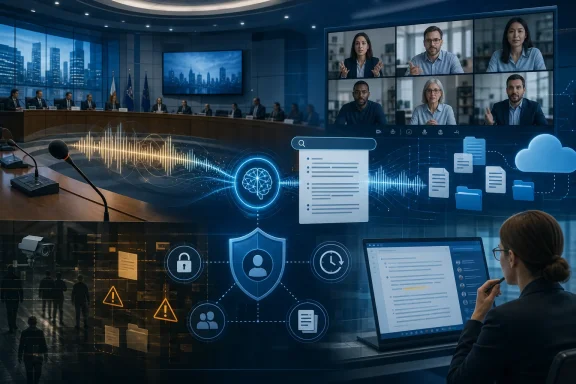 Werne Turns a Productivity Pilot Into a Governance Test
Werne’s main and finance committee did not merely authorize a faster way to type minutes. It approved an experiment in which software listens to a public institution, interprets what elected officials say, and creates a draft that may influence the official account of government business.As reported by Ad-hoc News, the committee voted unanimously in early July to pilot transcription software for council sessions. The city administration is now examining whether audio from the public portions of those meetings can be converted into draft transcripts without violating Germany’s strict data-protection requirements.
That limited scope matters. Restricting the pilot to public portions reduces some obvious privacy concerns, but it does not make the underlying information anonymous. A council member, employee, resident, contractor, or invited expert can remain identifiable through a name, title, speaking style, political position, subject matter, or contextual details even if obvious labels are stripped from the output.
The European Data Protection Board’s anonymization guidelines, published in July 2026, raise the threshold further by stipulating that re-identification must be permanently ruled out for anonymization to be legally safe. That is a demanding standard for meeting data because speech is inherently contextual: who attended, what was discussed, and who was responsible for a decision may be the entire point of keeping the record.
Werne therefore cannot treat anonymization as a cleanup task performed after transcription. If the original audio, speaker labels, meeting invitation, access logs, or unredacted transcript still exist somewhere in the workflow, the supposedly anonymous version may remain linked to identifiable people.
This is the broader significance of the pilot. A city council adopting AI minutes must govern not only the final document but also the recording, temporary processing data, draft transcript, corrections, prompts, exports, backups, permissions, and any downstream copy created by staff.
The practical appeal remains substantial. Council minutes are slow to prepare, expensive to review, and often produced under deadline pressure. A reliable first draft can move public employees away from mechanical transcription and toward verification, legal review, and publication.
But the efficiency gain does not remove responsibility. It changes where responsibility sits—from the typist’s hands to the architecture surrounding the software.
The Transcript Is Not Just Another Meeting Artifact
Organizations often discuss meeting transcription as though it were a better notepad. That framing understates what changes when every spoken sentence becomes structured text.Audio is difficult to scan quickly. A transcript can be searched in seconds, copied into another system, summarized by an AI model, attached to a personnel file, introduced into a dispute, or used to reconstruct who supported a proposal. The conversion from voice to text therefore changes both the usefulness and the exposure of the information.
A written transcript can also create a misleading sense of precision. Human conversation contains interruptions, corrections, sarcasm, unfinished thoughts, overlapping speech, ambiguous pronouns, and remarks that make sense only in the room. Transcription software may produce a clean-looking sentence where the underlying audio was uncertain.
That becomes especially consequential in government, finance, healthcare, aviation, legal work, employee relations, and internal investigations. An incorrect word in casual minutes is an inconvenience; an incorrect attribution in a formal record can alter the apparent basis of a decision.
The draft status of AI-generated minutes must consequently be more than a disclaimer. Organizations need a defined review process that determines who compares the output with the source, who resolves disputed passages, whether changes are logged, and when the draft becomes an authoritative record.
There is also a difference between recording a meeting for human playback and creating text for machine use. A transcript is easier for Copilot and other office-AI systems to ingest, summarize, cross-reference, and retrieve. That makes the transcript more valuable, but it also increases the number of features, users, and automated processes that may touch it.
Microsoft’s architecture reflects this shift. Teams recordings are not isolated inside a meeting application; recordings of audio, video, and shared-screen content land on OneDrive or SharePoint by default. The meeting artifact becomes part of the same cloud estate that holds documents, spreadsheets, presentations, departmental sites, and shared project files.
That integration is convenient precisely because it eliminates boundaries. It is also risky for the same reason.
Microsoft Makes Retention a Meeting-Time Policy Choice
Microsoft’s Teams controls give administrators and meeting organizers several ways to determine how Copilot handles speech. The most important distinction is between processing speech temporarily during the meeting and retaining a transcript that remains available afterward.According to Microsoft’s Teams documentation, Copilot can operate using temporary speech-to-text processing that is not saved after the meeting ends. Participants can obtain live assistance during the session, but the Copilot history is not available afterward because there is no persistent transcript to support it.
The alternative is to retain transcription, allowing Copilot to operate during and after the meeting. That enables durable recaps, searches, summaries, and follow-up work, but it also creates a new information asset that has to be classified, secured, retained, and eventually deleted.
The distinction is more important than the familiar recording button suggests:
| Meeting-data mode | What is processed | What remains afterward | Primary governance consequence |
|---|---|---|---|
| Copilot during the meeting only | Temporary speech-to-text data | No permanent log | Reduces retention exposure but still requires lawful live processing |
| Saved transcription | Persistent meeting text | Transcript available after the session | Creates a searchable record requiring access and retention controls |
| Cloud recording | Audio, video, and screen content | Recording stored on OneDrive or SharePoint by default | Creates the broadest and most sensitive meeting artifact |
That is not the same as saying no personal data is processed. Speech still has to be captured and interpreted during the meeting. The difference is that temporary processing reduces the residual artifact left behind after the session.
For administrators, this turns retention into a design decision that should be made before deployment. If temporary processing is sufficient for a routine status meeting, there is little reason to create a permanent transcript merely because the technology can do so.
Conversely, some meetings need durable records. Formal decisions, regulated processes, project approvals, public proceedings, and incident reviews may require documented outcomes. In those cases, the organization should consciously choose persistence and apply controls appropriate to the value and sensitivity of the resulting file.
The wrong pattern is to enable permanent transcription tenant-wide and allow retention to emerge accidentally from user behavior. Once transcripts proliferate through OneDrive and SharePoint, fixing the problem becomes a content-governance project rather than a meeting-policy adjustment.
PowerShell Controls the Feature, Not the Purpose
For Microsoft 365 administrators, the visible policy layer sits in the Teams Admin Center and PowerShell. Parameters including-AllowCloudRecording and -RecordingForWebinar determine whether users can record particular types of meetings and events.These controls are necessary, but they answer a narrow technical question: Can this user perform this action? They do not answer whether the action is appropriate for the meeting’s subject matter, jurisdiction, participants, or retention obligations.
A global permission can therefore be technically correct and organizationally reckless. An employee may be authorized to record meetings generally while attending a particular discussion involving health information, disciplinary action, commercially sensitive negotiations, or legal advice that should not be permanently transcribed.
Microsoft’s policy granularity helps organizations move away from an all-or-nothing posture. Different users and event types can receive different controls, while meeting organizers can be given constrained choices. Additional settings can prevent channel members from independently downloading recordings, reducing the ease with which a centrally governed artifact becomes an uncontrolled local copy.
Yet download blocking should not be confused with access control. A user who can view sensitive information may still be able to reproduce it through screenshots, manual copying, summaries, or another authorized tool. Blocking downloads is useful friction, not an information-protection strategy by itself.
The more durable approach is to define which categories of meeting may be transcribed, which may be processed only temporarily, and which must not use Copilot or recording at all. That classification should then drive Teams policies, organizer defaults, permissions, retention, and user training.
The policy target should be the meeting’s risk, not merely the employee’s license.
Microsoft’s Security Exceptions Reveal the Real Trade-Off
Microsoft does not make the described Copilot transcription capabilities available everywhere. They are unavailable in end-to-end encrypted environments and in the high-security GCC High and DoD clouds.That limitation is not a footnote. It exposes a fundamental tension between strong confidentiality and cloud-based intelligence.
An end-to-end encrypted meeting is designed to restrict who or what can inspect the conversation. A cloud assistant that listens, transcribes, identifies discussion points, and generates summaries requires access to the content. Those two objectives cannot simply be maximized at the same time.
The absence of these tools from GCC High and DoD similarly signals that the most tightly controlled environments do not automatically inherit every productivity feature offered to the broader commercial cloud. Organizations outside government should not interpret availability in their tenant as proof that a feature is suitable for every workload.
Instead, the exceptions provide a useful classification boundary. If a meeting is sensitive enough that end-to-end encryption is required, it is probably also sensitive enough that AI transcription should not be treated as an ordinary convenience.
This creates a practical hierarchy. Routine meetings may support temporary Copilot processing. Meetings with a legitimate records purpose may support saved transcripts under controlled permissions. Highly sensitive sessions may require encryption and the deliberate absence of AI assistance.
That hierarchy is more defensible than trying to bolt identical controls onto every conversation. It acknowledges that no single balance between convenience, retention, and confidentiality is appropriate across an entire organization.
Better AI Makes the Governance Problem Larger
OpenAI’s GPT-5.6 arrived for Microsoft 365 Copilot on July 10, 2026, improving transcription accuracy and voice-search capabilities, according to the Ad-hoc News account. The release followed June improvements that added enhanced file filters and better detection of automated participants.Technically, those are useful changes. Better transcription reduces the time humans spend correcting drafts, while improved participant detection helps distinguish actual speakers from automated attendees or meeting tools.
But improved accuracy does not eliminate governance risk. It can increase reliance on the system and encourage organizations to deploy transcription in more meetings. A mediocre transcript is treated cautiously; a consistently good transcript is more likely to be accepted, searched, distributed, and incorporated into formal work.
Accuracy also does not resolve the distinction between what was said and what was meant. Even a word-perfect transcript cannot supply missing context, identify irony reliably in every case, or determine whether an offhand statement represents an approved organizational position.
Voice search expands the same dynamic. Once employees can ask an AI assistant to find where a person discussed a project, customer, incident, or policy, transcripts stop behaving like static meeting notes and start behaving like a conversational database.
That database may become one of the richest sources of institutional knowledge available to an organization. It may also contain unguarded speculation, personal opinions, negotiations, interpersonal conflict, security details, and statements never intended for broad circulation.
The more capable the model becomes, the more important authorization becomes. Better retrieval is beneficial only if the person asking the question should be able to retrieve the answer.
The Office-AI Market Is Normalizing Constant Capture
Microsoft is not alone. Researchers cited in the source material count more than 120 office-AI tools, with dedicated transcription platforms such as Fireflies.ai and Amberscript competing alongside suite-level assistants.OpenAI has also expanded ChatGPT Team and Enterprise with a recording mode and integrations involving Google Drive and Dropbox. OpenAI’s documentation warns that record mode can make mistakes and places responsibility on users to obtain the required consent and comply with local law.
TechCrunch’s coverage of OpenAI’s business features described meeting recording and transcription as effectively becoming standard productivity-suite functionality. That characterization captures the competitive pressure facing IT departments: if administrators do not provide a sanctioned tool, users may bring their own.
This is the shadow-AI version of a familiar enterprise problem. Employees want summaries and action lists immediately, so they install a meeting bot, record audio on a personal device, upload a file to an external service, or paste a transcript into whichever chatbot is available.
A blanket ban may therefore push the most sensitive processing outside the organization’s governed environment. But indiscriminate approval is no better, particularly when a tool connects not only to meetings but also to cloud drives containing broader corporate data.
The choice is not between transcription and no transcription. It is increasingly between governed transcription and unmanaged transcription.
That makes vendor assessment essential. An organization must know where audio is processed, where transcripts are stored, which administrators can access them, what connectors are enabled, how deletion works, whether access follows existing permissions, and what happens when an employee leaves.
It must also account for overlapping systems. A Teams meeting might be recorded into Microsoft 365 while a separate participant runs another transcription service and a third employee uses ChatGPT record mode. The result is not one governed record but several copies under different policies.
Organizations should state clearly which recorder is authoritative and whether secondary recording agents are prohibited. Better detection of automated participants may help expose meeting bots, but detection is only useful when there is a policy governing what happens next.
Cloud Integration Moves the Risk Into OneDrive and SharePoint
Microsoft’s default use of OneDrive and SharePoint for recordings makes operational sense. Those services already provide identity integration, sharing, collaboration, and administrative controls.It also means that transcription security depends heavily on the quality of the organization’s existing Microsoft 365 permissions. If SharePoint sites are overexposed, OneDrive links are shared too broadly, or former project members retain access, meeting artifacts inherit those weaknesses.
A recording can be securely created and insecurely stored. The meeting organizer may follow every consent rule, only for the resulting file to land in a location whose membership has not been reviewed for months.
The same issue applies to transcripts. A sensitive meeting can produce an apparently harmless text file, but the transcript may reveal more than a slide deck because it captures disagreement, uncertainty, names, assignments, and unfiltered commentary.
Permissions also become difficult to reason about when meetings mix internal and external participants. The fact that someone attended a conversation does not necessarily mean the organization wants that person to retain indefinite access to its record. Conversely, an external participant may require access to verify what was attributed to them.
Administrators need to treat meeting artifacts as part of the OneDrive and SharePoint threat model. Policies governing external sharing, link creation, group membership, retention, and account compromise now directly determine the safety of AI meeting features.
The convenience of automatic storage should not obscure ownership. Every retained artifact should have an accountable business owner, not merely a technical file owner determined by the meeting workflow.
If nobody can answer who owns a transcript, who may share it, and when it should be deleted, the organization has not completed the deployment. It has only enabled the feature.
The July Outage Shows the Cost of Making Memory a Service
On July 11, 2026, a routing-configuration error knocked out Outlook, Teams, and Copilot for several hours. The incident came one day after GPT-5.6 arrived for Microsoft 365 Copilot, providing a sharp reminder that new intelligence still depends on ordinary cloud infrastructure.The outage does not prove that AI transcription is uniquely unreliable. It demonstrates something more mundane and more important: organizations are placing communications, meeting access, transcription, retrieval, and follow-up assistance inside the same service dependency.
When that dependency fails, the damage extends beyond an inability to join a call. Employees may lose access to calendars, previous transcripts, AI summaries, action items, and the collaboration tools needed to reconstruct what happened.
For public institutions, an unavailable transcription service could delay minutes or force staff back to manual notes. For companies, the impact may include missed decisions, postponed meetings, and uncertainty over whether a recording or transcript completed successfully.
The appropriate response is not to reject cloud services. It is to avoid designing a business process in which the AI-generated record is the only record.
Important meetings still need a fallback. That may be a designated human note-taker, a written decision log, an approved local procedure, or a requirement that critical actions be confirmed in a separate document after the meeting.
Resilience also includes post-incident verification. After an outage, administrators and organizers should confirm whether recordings were created, whether transcripts are complete, and whether any retry or duplicate process generated unexpected files.
An AI assistant can make institutional memory easier to produce. It should not become the single point through which institutional memory is allowed to exist.
Attackers Are Targeting the Repository, Not the Microphone
The security threat is not limited to an attacker secretly joining a meeting. Since spring, attackers have reportedly telephoned employees in aviation and healthcare and tricked them into granting access to SharePoint and OneDrive data.This attack pattern matters because it bypasses the most visible parts of the transcription debate. The employee may have obtained consent, followed meeting policy, and stored the recording exactly where Microsoft intended. A caller then persuades that employee to authorize access to the repository.
A compromised OneDrive or SharePoint account can expose far more than one transcript. It may reveal a collection of recordings, files, summaries, project folders, and documents accumulated over time.
AI meeting adoption increases the value of that repository. The attacker no longer obtains only polished corporate documents; they may gain conversations containing names, planned actions, internal disagreements, customer details, technical problems, and security decisions.
A transcript can also accelerate an intrusion. Instead of listening to hours of audio, an attacker can search text for credentials discussed aloud, references to privileged systems, names of administrators, upcoming financial actions, or details useful for impersonation.
The telephone component is equally instructive. Organizations often train users to recognize suspicious email links while treating a plausible caller as a human exception to the rule. Attackers exploit that trust to obtain permission through legitimate cloud interfaces.
This makes staff awareness inseparable from transcription governance. Technical controls reduce exposure, but a user who can authorize sharing remains part of the security boundary.
Timeline
Spring 2026 — Attackers begin reportedly telephoning employees in aviation and healthcare to obtain access to SharePoint and OneDrive data.June 2026 — Microsoft 365 Copilot improvements add enhanced file filters and better detection of automated participants.
Early July 2026 — Werne’s main and finance committee votes unanimously to pilot transcription software for council sessions.
July 2026 — The EDPB publishes anonymization guidelines requiring re-identification to be permanently ruled out for legally safe anonymization.
July 10, 2026 — OpenAI GPT-5.6 arrives for Microsoft 365 Copilot, improving transcription accuracy and voice-search capabilities.
July 11, 2026 — A routing-configuration error disrupts Outlook, Teams, and Copilot for several hours.
Public Institutions Cannot Treat Consent as a Complete Answer
Werne’s pilot highlights an issue that is easier to overlook in a private company: public-sector records serve more than the people who attended the meeting. They may be subject to publication requirements, transparency obligations, archival rules, legal review, and requests from citizens.Consent alone may therefore be an incomplete basis for governance. A council cannot necessarily allow each participant to decide independently whether the official record exists, nor can it retain everything indefinitely merely because attendees were notified.
Public sessions also create a misleading intuition that everything said in them is harmless to process. Openness of proceedings does not automatically settle questions about automated analysis, retention, repurposing, speaker identification, or the publication of imperfect transcripts.
The EDPB’s re-identification standard makes simplistic redaction particularly difficult. Removing names from a transcript of a council debate may accomplish little when the subject, roles, quotations, and voting positions make each speaker obvious.
For Werne, the strongest design is likely one that treats AI output as an internal draft rather than an automatically authoritative publication. Human reviewers can compare the draft with the audio, correct attribution errors, remove irrelevant personal information, and approve the final minutes under an established administrative process.
The city must also decide what happens to the source materials after approval. Keeping audio and raw transcripts may support verification, but it increases long-term exposure. Deleting them quickly may reduce risk, but it can make later disputes harder to resolve.
There is no universally correct retention period implicit in the technology. The answer has to come from the legal purpose of the record, the city’s administrative obligations, and the risks attached to the content.
Corporate IT faces the same problem in less visible form. A company may not publish meeting minutes, but it still needs to distinguish official records from disposable working material. If every brainstorming call becomes permanent, the organization will eventually discover that unlimited organizational memory can be a liability.
The Right Deployment Begins With Meeting Classification
The safest transcription program is not built around a single tenant-wide default. It begins by classifying meetings according to purpose and sensitivity.A routine operational call may need live Copilot assistance but no saved transcript. A project approval meeting may justify a retained transcript and written action list. A highly sensitive legal, personnel, security, or executive discussion may require transcription to be unavailable.
This classification should be understandable to ordinary employees. A policy that requires workers to interpret dense legal categories during every call will fail under real-world time pressure.
Simple meeting labels can carry the operational rule: temporary processing permitted, recording permitted with approval, transcript required, or no recording and no Copilot. Administrators can then map those categories to Teams policies, templates, permissions, and training.
The human workflow must match the technical one. If a retained transcript is supposed to become an official record, somebody must review and approve it. If a transcript is temporary working material, the system should not keep it indefinitely by default.
Organizations should also separate transcription quality from record quality. A highly accurate draft may still need editing because the official minutes should capture decisions and actions rather than every conversational detour.
For city councils, boards, and regulated teams, verbatim capture may sometimes create more risk than value. A concise, reviewed account can be more useful and more defensible than an exhaustive transcript of every utterance.
Action checklist for admins
- Inventory Teams meeting, webinar, Copilot, recording, and transcription policies before enabling broader use.
- Review
-AllowCloudRecordingand-RecordingForWebinarassignments and confirm they match business roles rather than licensing alone. - Define which meeting categories may use temporary Copilot processing, saved transcription, or full cloud recording.
- Verify where recordings land in OneDrive and SharePoint and review the resulting permissions, owners, external sharing, and download controls.
- Establish retention and deletion rules for audio, video, screen recordings, raw transcripts, corrected drafts, and final minutes.
- Require human review before AI-generated minutes or transcripts become official records.
- Train employees to reject unsolicited telephone requests involving OneDrive, SharePoint, account access, or sharing permissions.
- Document a fallback process for important meetings when Teams, Copilot, or cloud storage is unavailable.
- Prohibit unapproved secondary meeting bots and recording tools, particularly when Teams transcription is already active.
- Confirm that highly sensitive meetings use the appropriate non-transcription or encrypted workflow.
Governance Must Follow the Data Beyond Teams
A Microsoft 365 policy can prevent or permit recording inside Teams, but it cannot govern every way speech leaves the meeting. Participants may use phones, browser extensions, external bots, local recording applications, or competing AI services.This is why the rise of Fireflies.ai, Amberscript, ChatGPT record mode, and more than 120 office-AI tools matters to Microsoft administrators. Teams is no longer the whole meeting environment even when Teams hosts the call.
Data-loss prevention strategies built only around Microsoft’s recording button will miss copies created elsewhere. Procurement, security, privacy, and legal teams need a common approval process for AI meeting tools, including those purchased by individual departments.
Connectors make the problem broader. A transcription tool integrated with Google Drive or Dropbox can move meeting-derived information into a separate storage and permission model. Employees may assume that a business subscription makes the workflow automatically compliant, but enterprise controls still have to be configured and monitored.
The same applies in reverse when external tools connect to Microsoft repositories. Granting an application access to OneDrive or SharePoint may expose not only the file a user intends to summarize but a wider collection of content available under that user’s permissions.
Least privilege must therefore apply to applications as well as people. Organizations should know which AI services can read cloud drives, which users authorized them, and whether those grants remain necessary.
This is the practical consequence left implicit by much product coverage: transcription governance is becoming application-governance, identity-governance, and storage-governance at the same time.
The Decisions to Make Before the Next Recording Starts
The central lesson from Werne, Microsoft’s controls, the EDPB guidelines, the office-AI market, the July outage, and the SharePoint phishing campaign is that meeting transcription cannot be deployed as an isolated feature. The most concrete decisions are operational rather than futuristic:- Temporary Copilot processing and a saved transcript are materially different risk choices.
- OneDrive and SharePoint permissions become meeting-security controls as soon as recordings land there.
- Better transcription accuracy increases usefulness, reliance, and the potential value of stolen meeting data.
- End-to-end encryption, GCC High, and DoD exclusions show that maximum AI convenience is not compatible with every security posture.
- Human review remains necessary before an AI draft becomes an official government or corporate record.
- Telephone-based social engineering can defeat a technically compliant recording workflow by targeting cloud access afterward.
References
- Primary source: ad-hoc-news.de
Published: 2026-07-12T05:55:07.097732
Loading…
www.ad-hoc-news.de - Official source: learn.microsoft.com
Loading…
learn.microsoft.com - Official source: support.microsoft.com
Loading…
support.microsoft.com - Related coverage: techradar.com
Microsoft 365 and Outlook were down for many – here's what went wrong | TechRadar
Microsoft says the issue is now 'resolved'www.techradar.com - Related coverage: tomsguide.com
Microsoft outage now 'resolved' — latest updates as 365, Outlook and Teams return | Tom's Guide
Everything you need to know about the major Microsoft outagewww.tomsguide.com - Related coverage: windowscentral.com
Microsoft Copilot Wave 3 adds AI agents and E7 Frontier Suite | Windows Central
Microsoft Copilot is rolling out more agentic AI control and model support in a new subscription tier for Microsoft 365.www.windowscentral.com
- Related coverage: neowin.net
Loading…
www.neowin.net - Related coverage: computerbase.de
Loading…
www.computerbase.de - Related coverage: chatopenai.de
Loading…
chatopenai.de - Related coverage: cryptobriefing.com
Microsoft 365 Copilot adopts GPT-5.6 as preferred model, and the AI infrastructure race just got more expensive
Microsoft 365 Copilot now runs GPT-5.6 as its default model across Word, Excel, and PowerPoint, deepening the OpenAI partnership with day-zero enterprisecryptobriefing.com - Related coverage: relvehq.com
Loading…
relvehq.com