

WhatsApp’s long-running push to make messaging as seamless on the desktop as it is on the phone may be about to get a fresh boost: evidence in recent Windows Insider builds suggests WhatsApp could be the next third‑party app to adopt Windows 11’s Cross‑Device Resume functionality, a platform feature that surfaces your active Android app sessions on the PC and — with a single click — lets you pick up where you left off. The toggle has appeared briefly in some preview builds and on a handful of machines, but it currently does nothing when enabled; that combination — a UI toggle present before backend integration — is a familiar preview‑channel pattern for Microsoft. If and when WhatsApp ships proper Resume support, the result could be a noticeably smoother handoff of chats, media, and (potentially) voice/video calls between Android phones and Windows 11 PCs. What follows is a detailed look at how Resume works, why WhatsApp is a natural candidate, the technical and privacy complexities involved, and what users and IT teams should expect next.
Cross‑Device Resume is Microsoft’s attempt to deliver an Apple‑style continuity experience for Android and Windows users: the operating system can detect recent activity on a linked phone and offer a taskbar or Settings nudge on the PC that reopens the same content or app context on the desktop. The feature debuted in a narrow form — first limited to OneDrive‑hosted documents — and has since been expanded in preview releases to support additional handlers such as Spotify, Microsoft Office (Word, Excel, PowerPoint), and browser sessions that can be resumed in Edge or a mapped handler application.
Microsoft’s approach is pragmatic: instead of streaming a phone UI to the PC, Resume sends a compact “app context” payload that maps the phone activity to the best available handler on the PC (native app when present, otherwise a web fallback). That design reduces network and UI complexity while allowing a broader set of apps to adopt the pattern by integrating Microsoft’s Continuity SDK or using push notification pathways. To use Resume you today need a PC running Windows 11, an Android phone (Android 10 or later), and Microsoft’s Link to Windows / Phone Link setup between devices.
Microsoft has been rolling these capabilities through its Insider channels, and the Release Preview stage the feature recently entered signals that broader availability is likely imminent; developers are being encouraged to integrate the Continuity SDK so their Android apps can participate in Resume scenarios.
That said, the current evidence — a settings toggle appearing in preview builds — is not definitive proof of immediate functionality. Microsoft and Meta will need to coordinate on cryptography, session management, and user experience. In the short term, users should treat these sightings as a “coming soon” signal rather than a deployed feature.
If you want to track progress:
Source: 9to5Google WhatsApp might be the next Android app to support Resume on Windows 11 PCs
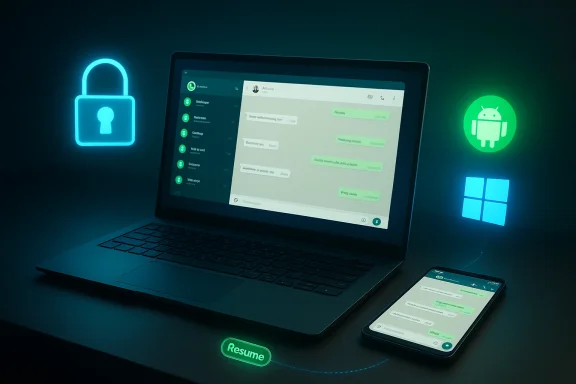 Background / Overview
Cross‑Device Resume is Microsoft’s attempt to deliver an Apple‑style continuity experience for Android and Windows users: the operating system can detect recent activity on a linked phone and offer a taskbar or Settings nudge on the PC that reopens the same content or app context on the desktop. The feature debuted in a narrow form — first limited to OneDrive‑hosted documents — and has since been expanded in preview releases to support additional handlers such as Spotify, Microsoft Office (Word, Excel, PowerPoint), and browser sessions that can be resumed in Edge or a mapped handler application.Microsoft’s approach is pragmatic: instead of streaming a phone UI to the PC, Resume sends a compact “app context” payload that maps the phone activity to the best available handler on the PC (native app when present, otherwise a web fallback). That design reduces network and UI complexity while allowing a broader set of apps to adopt the pattern by integrating Microsoft’s Continuity SDK or using push notification pathways. To use Resume you today need a PC running Windows 11, an Android phone (Android 10 or later), and Microsoft’s Link to Windows / Phone Link setup between devices.
Microsoft has been rolling these capabilities through its Insider channels, and the Release Preview stage the feature recently entered signals that broader availability is likely imminent; developers are being encouraged to integrate the Continuity SDK so their Android apps can participate in Resume scenarios.
How Cross‑Device Resume works — a technical primer
Understanding what Resume can and cannot do starts with how Microsoft maps activity between devices:- The phone runs the app and, when certain actions occur (playing a song, opening a document, viewing a chat), the app or the platform packages a small metadata payload — sometimes called an app context — that describes the activity.
- That payload travels to the PC using Microsoft’s push infrastructure (Windows Push Notification Service) and the Link to Windows connection, waking Windows and prompting a taskbar notification or Settings entry.
- Windows matches the payload to the best local handler:
- If the corresponding native app (e.g., Spotify client, Office desktop app) is installed and logged in, Windows opens it and positions the content where possible.
- If no local app exists, Windows will open the activity in the default browser or offer to install the store app with a one‑click flow.
- On the developer side, Microsoft provides the Continuity SDK and guidance for mapping Android app states to PC handlers, plus documentation for using WNS raw notifications if a developer prefers that route.
What’s already supported (and where Microsoft started)
Cross‑Device Resume didn’t arrive as a broad “all apps” capability. Microsoft started cautiously:- Initial implementation: Resume for OneDrive cloud‑backed files, allowing short‑window resumption of recently‑opened documents from phone to PC.
- Expansion: Insider builds began adding support for Spotify playback continuity, along with resume handlers for Office files and browser sessions (Edge and some OEM browsers).
- Release Preview roll‑out: Microsoft moved these changes through the Release Preview Channel as part of late‑January 2026 builds, signaling final testing before mainstream distribution.
Why WhatsApp makes sense as the next candidate
WhatsApp checks several boxes that make it a logical next step for Resume:- Ubiquity and mobile primacy: WhatsApp is still primarily a mobile messaging platform, with a huge volume of active mobile sessions that could benefit from a quick desktop continuation.
- Existing multi‑device architecture: WhatsApp already supports multi‑device logins and desktop clients, which lowers the barrier to mapping chat state to a desktop handler.
- New web capabilities: WhatsApp’s web client has been gaining voice and video calling, screen sharing, and other features in beta — capabilities that would play well with Resume’s handoff model, especially for Linux users who lack a dedicated native client.
- Product strategy: Meta has recently shifted its desktop Windows presence toward web‑based clients and WebView2 wrappers in some builds, a move that both simplifies cross‑platform development and concentrates the integration point Microsoft would use to resume sessions on the PC.
What a WhatsApp Resume experience might look like
Speculation about UX is informed by how Resume works for other apps, WhatsApp’s current capabilities, and practical user expectations. Possible flows include:- Resume to a chat thread
- You’re composing or reading a message on your phone; Resume surfaces a taskbar alert on the PC that, when clicked, opens the WhatsApp desktop client (or web handler) directly into the same chat and scroll position.
- Resume an in‑progress voice/video call
- If the underlying signaling supports it, an active call could be handed off to the PC so you switch from phone mic/camera to the PC’s devices without dropping the call.
- Resume file previews and media playback
- Recent photos, voice notes, or documents opened in WhatsApp could be opened directly on the PC for editing or playback.
- Quick install and sign‑in
- If the user doesn’t have a WhatsApp desktop client installed, Resume could offer a one‑click download/install or fall back to the web client and prompt multi‑device connection.
Encryption, privacy, and security — the hard tradeoffs
Any continuity feature that moves active sessions between devices must confront encryption and authentication design. Key considerations for WhatsApp + Resume include:- End‑to‑end encryption (E2EE): WhatsApp’s messaging and call streams are E2EE. A proper Resume integration must preserve E2EE during handoff, which implies:
- The receiving PC must be a previously authorized device for that WhatsApp account.
- Handoff likely requires re‑establishing cryptographic sessions or securely transferring session keys between the phone and PC over an authenticated channel.
- Session recovery and device trust: Multi‑device WhatsApp already manages device linking and key distribution; Resume would need to piggyback on or extend this mechanism so that only trusted devices can resume chats or calls.
- Metadata exposure: Even when message content remains E2EE, the Resume process may expose metadata (timestamps, which device performed an action, and app context identifiers) to Microsoft’s device‑link plumbing. Clear documentation and opt‑out controls matter.
- Background availability and battery tradeoffs: To surface recent phone activity on a PC, Link to Windows requires background permissions on the phone. Users who restrict background activity, or phones that aggressively suspend background tasks, may see inconsistent Resume behavior.
- Enterprise compliance: Organizations that control Windows machines and mobile devices via MDM will want granular control over Resume toggles — especially where sensitive communications or regulated data may move between personal phones and corporate PCs.
Platform and engineering complications
Beyond encryption, several engineering realities may slow or complicate a WhatsApp Resume rollout:- Native app vs web wrapper: WhatsApp’s Windows strategy has trended toward a web‑first approach (using WebView2 wrappers for the desktop client). While a web handler is easier to maintain across platforms, it limits deep native integration on Windows (notifications, background processes, fine‑grained audio/video device control).
- Fragmented Android ecosystems: Resume relies on Link to Windows and sometimes on OEM OEM‑specific integrations (some device brands get early features). That means behavior can vary across Android phones and could be uneven at launch.
- Login and account matching: For apps like Spotify, Resume required the same account on both devices. For WhatsApp, multi‑device link management is more complex (device linking, QR pairing, session keys). Ensuring reliable, low‑friction mapping will be essential.
- Calls and device switching: Handoffs of real‑time voice/video sessions involve reconfiguring media streams, renegotiating codecs, and preserving call continuity. If the phone must act as a temporary relay or re‑invite participants, the handoff will be more complex than resuming an open chat.
- Quality and latency: Resume must feel instant. Any multi‑second lag, repeated prompts, or failed attempts will rapidly sour user sentiment.
UX, discoverability, and the risk of duplication
A legitimate question: why add Resume to WhatsApp when WhatsApp already supports multi‑device syncing and a desktop client?- Resume is a discoverability and convenience layer. Instead of having to open a desktop client and browse for a chat, the feature surfaces the exact activity on the taskbar at discovery time.
- For one‑time or low‑attention tasks — joining a call from a phone to a PC for screen sharing, resuming a long typed message — Resume shortens the friction path.
- But there is a downside: multiple integration points can cause duplication and user confusion. If Resume opens the web client while the user already has an open desktop client, or triggers conflicting notifications, the experience will feel janky.
Enterprise, lawful access, and compliance implications
Enterprises should watch Resume closely:- Data leakage: Personal phones resuming chats on corporate PCs can unintentionally expose private content to corporate monitoring tools.
- MDM controls: IT administrators will want clear toggles and policies to disable Resume for managed workstations or to require device enrollment before handoff is allowed.
- Legal preservation: For organizations subject to eDiscovery and retention policies, Resume introduces a new surface where ephemeral mobile actions may be replicated or cached on endpoints; retention policies should be updated to reflect that.
What users can do now and how to experiment
If you’re curious and run Insider builds, here’s how to watch for and test Cross‑Device Resume:- Join the Windows Insider program and move to the Release Preview channel (if you’re comfortable with preview releases).
- Update to the builds that include expanded Resume functionality; Microsoft has been rolling these in late‑January and February 2026.
- Ensure Link to Windows / Phone Link is set up and both devices are online and logged in.
- Open Settings > Apps > Resume on your PC to view the Resume toggle and per‑app controls.
- On your Android phone, keep Link to Windows running in the background and grant the relevant permissions (notifications, background activity).
- Watch the taskbar for Resume nudges when you exercise supported apps on the phone.
Broader implications for Windows and third‑party developers
If WhatsApp adopts Resume, it would be a notable signal: major cross‑platform apps can and will embrace Microsoft’s continuity model. That could lead to:- Increased developer interest in the Continuity SDK, especially for media, messaging, and productivity apps.
- Greater discoverability and potential installs from Windows’ one‑click install flows when a handler isn’t present.
- Renewed competition with Apple’s Handoff and Google’s rumored continuity efforts across Android and ChromeOS.
Strengths, limitations, and potential pitfalls — a concise appraisal
Strengths- Lower friction: Resume can dramatically shorten the path from phone action to desktop continuation.
- Efficient design: Mapping app context to handlers avoids heavy UI streaming and keeps latency low.
- Platform leverage: Microsoft’s control of Windows and the Link to Windows infrastructure makes the experience potentially robust.
- Dependency on cooperation: Apps must integrate SDKs or service-side support; without it, Resume remains a static toggle.
- Device and OEM fragmentation: Behavior will vary by Android version, OEM customization, and background process rules.
- Not a replacement for native integration: Web wrappers or limited desktop clients will constrain what Resume can do.
- Privacy and metadata leakage unless Microsoft and partners make clear, auditable guarantees.
- User confusion if Resume produces duplicated or conflicting sessions across clients.
- Enterprise friction if admins have insufficient controls over what personal content hits corporate endpoints.
Final verdict — why this matters (and what to watch for)
The prospect of WhatsApp supporting Windows 11’s Resume feature is more than a newsy integration item; it’s a practical test of Microsoft’s strategy to bind Android phones and Windows PCs together through continuity rather than through running Android apps natively. WhatsApp, because of its scale and multi‑device ambitions, is a meaningful early adopter: it will stress test cryptographic handoffs, real‑time call switching, and web/native handler mapping in ways that smaller apps do not.That said, the current evidence — a settings toggle appearing in preview builds — is not definitive proof of immediate functionality. Microsoft and Meta will need to coordinate on cryptography, session management, and user experience. In the short term, users should treat these sightings as a “coming soon” signal rather than a deployed feature.
If you want to track progress:
- Watch Insider builds and Release Preview notes for additional handler entries and explicit WhatsApp references.
- Look for WhatsApp Web beta announcements that expand calling and screen sharing — those features materially improve the value of a Resume handoff.
- Expect Microsoft to follow the same incremental pattern: first a visible toggle, then server‑side or app updates that enable the tangible handoff experience.
Source: 9to5Google WhatsApp might be the next Android app to support Resume on Windows 11 PCs
