WhatsApp Resume on Windows 11: Cross Device Handoff in Insider Preview

  • Thread Author
WhatsApp’s presence in the Windows 11 “Resume” settings is the latest sign that Microsoft’s push to blur the lines between Android phones and Windows PCs is moving from concept demos to real, if not-yet-complete, user-facing features. (windowslatest.com)

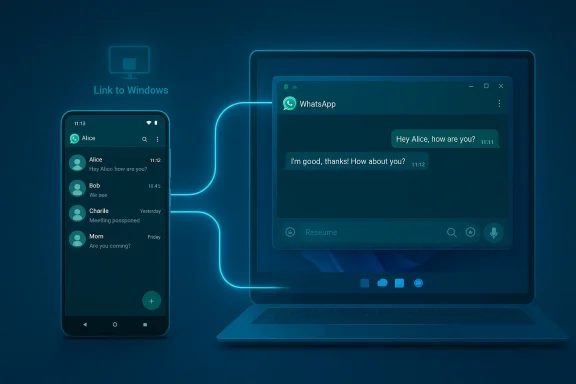
Android WhatsApp messages linked to a Windows PC via a glowing connection.Background: what Microsoft calls “Resume” and why it matters​

Microsoft has been quietly rebuilding cross-device continuity into Windows 11 under the banner of “Resume” (aka Cross‑Device Resume), a feature whose stated goal is simple: start something on one device and continue on this PC. The mechanism is taskbar‑driven — when a supported app is active on a linked Android phone, Windows 11 may surface a small “Resume” alert or badge on the corresponding taskbar icon so you can continue the same activity on your PC with one click. Microsoft’s own documentation lists the baseline requirements (Windows 11 PC, Android 10+, Link to Windows, device linked in Settings) and enumerates the apps and actions that can currently participate.
The feature is not brand new: Microsoft first demonstrated this handoff‑style idea publicly at developer events and in preview builds, using OneDrive and Spotify as canonical examples. The demo and early Insider flows showed how a listening session, a document, or an open page could be picked up on the PC — much like Apple’s Handoff but framed for Android and Windows. Early coverage and demo footage sparked interest and skepticism in equal measure.

Where we are now: the rollout and what’s actually available​

Microsoft has been rolling Resume out gradually through Insider channels and server‑gated updates. Initial public support focused tightly on a few partners: Spotify was the first broadly visible third‑party implementation, while Microsoft highlighted OneDrive and some OEM browser integrations (vivo) and Microsoft 365 Copilot file handoffs in updated documentation. Release notes for Insider builds and Microsoft support pages confirm the list of supported apps and the feature’s prerequisites.
That staged approach makes sense: Resume is fundamentally a multi‑component system. It needs:
  • a phone‑side signal (Link to Windows or vendor integration) to indicate context,
  • a server/gating layer to manage rollouts, and
  • PC‑side handlers to either open a native desktop app, prompt a Microsoft Store install, or fall back to the web.
    These dependencies explain why the feature can appear in Settings yet not work reliably for many users.

WhatsApp and Resume: what Windows Latest reported​

On February 22, 2026, Windows Latest published a short hands‑on style report noting that a Resume toggle for WhatsApp had briefly appeared on the author’s Windows 11 preview builds, then disappeared. The article emphasized that the toggle exists in some Insider machines but that the functionality did not appear to be active — clicking the toggle or waiting for a taskbar nudge produced no usable handoff experience at the time. The writeup also asked a reasonable question: why add Resume for WhatsApp when WhatsApp chats already sync across devices? (windowslatest.com)
Windows Latest’s claim is consistent with earlier leak and reporting patterns: Microsoft often surfaces toggles or flags in Insider builds that anticipate partner integration before server‑side support and app changes are ready. That means seeing a setting in your build is necessary but not sufficient evidence that a full experience will be available immediately to end users. (windowslatest.com)

How Resume for WhatsApp might work — plausible scenarios​

Because Microsoft and WhatsApp (Meta) haven’t published a joint spec, the following behaviors are reasoned possibilities based on how Spotify and OneDrive Resume currently operate:
  • Context deep‑linking: clicking the taskbar badge could open the Windows WhatsApp client and jump the view to the same chat and message position you were reading on your phone — saving a manual search and scroll. This would be especially useful in long group chats or multi‑day threads.
  • Draft handoff: if you were composing a reply on your phone, Resume could restore that draft in the Windows app so you continue editing there.
  • Call handoff (speculative): Resume might offer to continue an active or ringing call in the Windows client, though this would require additional signaling and tighter integration between mobile and desktop call stacks.
  • Installation and account handoff: if Windows doesn’t have WhatsApp installed, Resume could prompt a one‑click Microsoft Store install and then restore context once you sign in — a pattern already used for Spotify.
Important caveat: the call handoff scenario is currently speculative. Windows Latest and other outlets that have seen the toggle explicitly state the call‑handoff possibility as not yet confirmed. Until WhatsApp’s desktop client or Meta publish implementation details, any assertion about voice/video call handoff should be treated as unverified. (windowslatest.com)

Why Resume for WhatsApp is both redundant and potentially useful​

At first glance, Resume for WhatsApp sounds redundant: WhatsApp already employs near‑real‑time multi‑device sync, so your messages, read status, and attachments appear across phones and paired PCs quickly. That’s the Windows Latest point: for many chat scenarios, there’s nothing to “resume.” (windowslatest.com)
However, there are narrower use cases where a Resume flow could add observable value:
  • Long chat threads where finding the exact message or position matters (e.g., long support threads, multi‑topic groups).
  • Picking up a draft or unsent reply where you want richer input tools (keyboard, clipboard, file attachments) on PC.
  • A quicker, one‑click transition to a specific chat rather than opening WhatsApp and manually navigating to the place you were reading.
  • Reducing friction for users who habitually switch devices and want minimal context switching.
Resume’s value will depend on execution: whether the resume target is a deep, accurate state (message timestamp, scroll position, draft) and whether the surface appears reliably enough to be worth the expectation. Early reports — and Microsoft’s own documentation — make clear that the feature’s reliability is a major gating factor.

Technical and account requirements: what you’ll need to try it​

Microsoft’s public guidance for Resume demands a modest but specific set of conditions:
  • Windows 11 PC (builds with Resume support; Insiders may see it earlier).
  • Android 10+ phone with Link to Windows or OEM‑level integration enabled.
  • Both devices signed into the same Microsoft account (and online).
  • The target app (e.g., WhatsApp) installed and signed in on both sides, or the ability to install from the Microsoft Store when prompted.
Practically, this means many typical consumers will only see Resume once their phone and PC are linked properly and Microsoft’s server gating opens Resume for their device/app pair. Seeing the toggle in Settings alone is not proof that the end‑to‑end experience is live. Windows Latest observed precisely that pattern with WhatsApp: the toggle was visible but nonfunctional on the author’s machine. (windowslatest.com)

Real‑world testing and user reaction so far​

The rollout of Resume (especially Spotify’s early implementation) produced a mixed reception. In Insiders and public reporting, the feature sometimes behaved as promised — opening the desktop app and continuing playback — but other times it proved flaky or intrusive. Some users have reported Resume’s background process showing up in Task Manager even when they’d disabled it, causing annoyance and prompting calls for clearer controls.
Critically, community feedback highlights two themes:
  • Expectations versus reality: users often expect seamless, immediate continuity, but the reality hinges on multiple moving pieces: app‑side support, account linkage, and Microsoft’s rollout. That can lead to toggles that look ready but don’t do anything yet.
  • Control and privacy: people want fine‑grained control over when cross‑device continuity is active, especially when a feature can surface activity from a phone on a shared or work PC. Threads on community forums reveal anxiety about background processes and unwanted prompts.

Privacy and security implications​

Resume raises legitimate privacy considerations that deserve a careful read:
  • Surface of personal activity: the taskbar nudge can reveal which app you were using on your phone. In a multi‑user or shared environment, that could surface private context unexpectedly.
  • Authentication and access: to continue sensitive activities (chat drafts, calls), Microsoft and app developers need secure, tokenized handoff paths that respect session boundaries and multi‑device authorization policies.
  • Server gating and metadata: the feature likely requires server coordination to determine which device has active context. That coordination can introduce additional metadata flows about what you opened and when.
Microsoft provides an on/off control at Settings > Apps > Resume and app‑level toggles, but early user reports indicate that the presence of background processes and the feature’s occasional persistence even after disabling can erode trust. Any implementation of Resume for chat apps must be conservative by default (explicit opt‑in, clear app‑level permissions, and audit logs where enterprises are involved).

UX pitfalls and potential abuse cases​

A few UX pitfalls deserve explicit callouts so readers understand where the feature could disappoint or be misused:
  • False positives: Resume prompts for apps that don’t actually have relevant context on the phone (e.g., system-level background play or transient views) can train users to ignore the nudge.
  • Notification overload: if multiple apps trigger resume badges on every boot, the taskbar could become a cluttered, noisy place.
  • Accidental context switches: clicking a Resume nudge while screen‑sharing or presenting could inadvertently reveal phone activity to meeting participants.
  • App limit mismatches: apps with device pairing limits (WhatsApp historically limits paired computers) might create friction if Resume implies an instant handoff but still requires additional pairing or device management steps. (windowslatest.com)
Designers and developers need to consider these scenarios. Microsoft’s current controls are a good start, but the company — and partner apps like WhatsApp — should provide clear affordances (confirmations, preview tooltips, privacy toggles) if Resume will be enabled broadly.

For enterprises and power users: what to watch​

Organizations should treat Resume like any cross‑device integration: evaluate compatibility with device management policies, data loss prevention (DLP) tooling, and endpoint privacy requirements. Key questions for IT:
  • Can Resume be centrally disabled or scoped by policy in your environment? (Yes — Windows settings and app toggles exist; Group Policy/MDM controls are likely to follow or already exist for insiders.)
  • Does Resume surface content that DLP tools need to block or sanitize? (Potentially — chat snippets, document previews, and call metadata are all in scope.)
  • Are there audit trails for cross‑device handoffs? (Not currently public; enterprises should demand logs and administrative controls before broad deployment.)
Power users who value productivity should experiment carefully: Resume can be a powerful shortcut for moving work from phone to PC, but keep an eye on where context is being stored and ensure you’re comfortable with the privacy tradeoffs.

What Microsoft and Meta (WhatsApp) should do next​

To make Resume useful and trustworthy for chat apps, Microsoft and Meta should prioritize:
  • Explicit, documented handoff semantics for chat apps: what exactly is resumed — scroll position, draft, call, or all of the above?
  • App‑level permissions and previews: let users preview the exact chat and content that will be opened before the PC takes over.
  • Consistent, discoverable controls: settings that are easy to find and that persist (don’t reappear unexpectedly) across updates and restarts.
  • Enterprise controls and logging: MDM/Group Policy knobs and audit logs for organizations.
  • Robust fallback behaviors: if a Resume handoff can’t complete (e.g., device limit reached), surface clear instructions instead of failing silently.
If Meta opts into Resume for WhatsApp, these items will directly affect adoption and user satisfaction.

How to test it yourself (practical checklist)​

If you run Windows 11 Insider builds and want to try Resume once it’s available to you, here’s a concise checklist based on Microsoft’s guidance:
  • Ensure your PC is running a Windows 11 build that includes the Resume settings.
  • On your phone, install and sign into Link to Windows (or use OEM integration if supported) and keep the app running in the background.
  • Link the devices under Settings > Bluetooth & devices > Mobile devices on Windows and verify the phone appears under “Mobile devices.”
  • Open the app/activity on your phone (e.g., Spotify, or WhatsApp if you see a toggle appear) and then start/restart your PC or wait for the taskbar Resume alert to appear.
  • If prompted, follow the on‑screen flow (install store app, sign in, or allow the handoff). If the feature appears but is nonfunctional, that likely means server gating is not yet enabled for your account.

Verdict: incremental step, not a revolution — yet​

Resume is a thoughtful addition to Windows 11’s cross‑device story, and the inclusion of apps like Spotify demonstrates tangible, immediate value. The visible but inactive appearance of a WhatsApp toggle — as reported by Windows Latest — is the kind of intermediate state we expect from features that require both OS and app‑side changes plus server rollouts. Until Meta confirms support and Microsoft opens the server gates broadly, Resume for WhatsApp remains a promising but tentative improvement rather than a shipping reality. (windowslatest.com)
The most important takeaways for readers:
  • Seeing a Resume toggle in Settings does not guarantee a working experience immediately. (windowslatest.com)
  • Resume’s real value depends on precise, reliable context handoff (drafts, scroll position, call state), not just a generic “open the app” flow.
  • Privacy, enterprise controls, and predictable behavior will determine whether users embrace or disable Resume.

Looking forward: timeline and likely outcomes​

Microsoft’s staged rollout strategy and its partner‑first approach suggest the following realistic timeline options:
  • Short term (weeks–months): Microsoft widens server access and more Insider users see working Resume prompts for the apps already integrated (Spotify, OneDrive, Copilot).
  • Medium term (months): Third‑party apps such as WhatsApp and additional OEM browsers add app‑side handlers to deliver richer context (drafts, scroll positions). This will coincide with Store install fallback refinements.
  • Long term (unknown): Resume becomes a common OS capability with enterprise policy controls, telemetry for admins, and a clear privacy model — if Microsoft and partners prioritize those aspects.
If Meta leans into Resume, WhatsApp’s Resume support will likely land as an optional, opt‑in behavior that augments — not replaces — existing multi‑device sync.

Conclusion​

Resume is a pragmatic, Apple‑inspired move by Microsoft to give Windows 11 a modern continuity story for Android phones. The arrival of a WhatsApp toggle in Settings — even if nonfunctional today — is meaningful: it signals that partner apps are at least preparing for deeper continuity. But toggles without end‑to‑end functionality are a familiar stage in Microsoft’s Insider‑first rollout model. For users, the bottom line is simple: Resume could make context switching between phone and PC far faster for targeted scenarios like long chats, drafts, and media playback — but only if Microsoft and app developers follow through with robust, privacy‑minded handoff semantics and reliable server gating. Until then, expect glimpses, toggles, and a few false starts — and treat any “Resume” appearance as a preview of a capability that’s almost ready, not a finished convenience. (windowslatest.com)

Source: Windows Latest WhatsApp is testing Windows 11 “Resume” to pick up chats from Android
 

Microsoft’s Cross‑Device Resume appears to be gearing up for a new partner: WhatsApp on Android, with multiple Insider and tech outlets reporting that a Resume toggle for WhatsApp has surfaced in Windows 11 Settings — albeit in a nonfunctional form for many users — suggesting the company is preparing the groundwork for a deeper continuity experience between Android phones and Windows PCs.

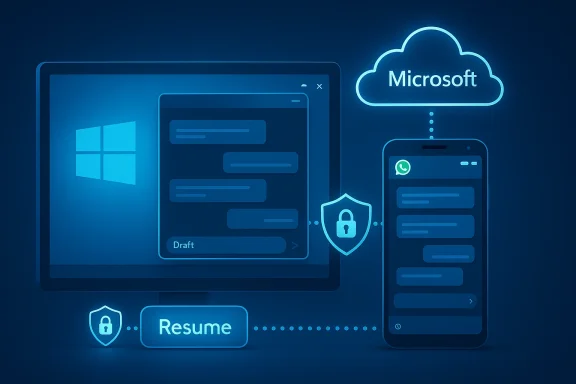
Microsoft cloud connects Windows PC and mobile with secure data transfer.Background / Overview​

Cross‑Device Resume (often shortened to “Resume” or called “XDR” in developer docs) is Microsoft’s continuity initiative for Windows 11 that aims to let users pick up activities from their linked Android phones and continue them on their PCs with a single click. The feature surfaced publicly in 2024–2025 previews and has been progressively expanded beyond Microsoft’s own apps to select third‑party partners. Microsoft’s official guidance lists the baseline requirements: a Windows 11 PC, an Android device (Android 10 or later), a linkage via Link to Windows or OEM integrations, and internet connectivity. The company also provides per‑app controls in Settings > Apps > Resume so users can turn the capability on or off.
Early, visible support concentrated on OneDrive and Microsoft 365-related flows, followed by browser handoffs from certain OEMs and, more recently, Spotify. Those initial rollouts acted as the functional proof‑of‑concept: open something on your phone (a document, a song, a web page), and Windows surfaces a small taskbar badge or “Resume” notification that, when clicked, restores that context in the appropriate desktop handler. What we’re seeing now — a Resume entry for WhatsApp — is the logical next step in expanding Resume to messaging and communications services, but it also raises a distinct set of technical, privacy, and UX questions that deserve careful scrutiny.

How Cross‑Device Resume Works: the technical bones​

The architecture in plain terms​

The Resume experience is not a single app trick; it’s a coordination between multiple moving parts:
  • The phone must run a cooperatively instrumented app or the Link to Windows background service to detect an active context.
  • The phone signals the Microsoft cloud or a vendor‑gated service when a resumeable activity is present.
  • Windows receives that metadata and surfaces a taskbar badge or notification tied to the relevant app on the PC.
  • The PC then either launches a native desktop app, prompts a Microsoft Store install, or falls back to a web handler, attempting to restore the precise context (a file, a playback position, a chat location, etc.).
That design prioritizes speed and low latency: it doesn’t stream the phone screen; it sends a small resume token that tells the PC what to open and where. Microsoft’s developer documentation and support pages explain two primary implementation routes: the Continuity SDK for deeper integrations and WNS (Windows Push Notification Service) for notification‑based handoffs.

Prerequisites and limitations (verified)​

Microsoft’s documentation lists explicit conditions required for Resume to operate reliably:
  • Windows 11 on the receiving PC (builds with Resume support).
  • Android 10 or newer on the phone.
  • Link to Windows (or vendor OEM integration such as Samsung or vivo) enabled and allowed to run in the background.
  • Both devices signed into the same Microsoft account where applicable, and accessible online.
  • The target app installed on both sides or the ability for the PC to install it from the Microsoft Store when prompted.
These constraints explain why toggles can appear in Settings before functionality is available to a user: server‑side gating and app side support are equally required.

What changed this week: WhatsApp showing up in Resume settings​

Multiple outlets and Insider reports documented that a Resume toggle for WhatsApp (the Android client) has begun appearing in Settings > Apps > Resume on some Windows 11 preview installations. For many users who saw the toggle, flipping it on produced no immediate or visible handoff behavior — the toggle was present, but the functional taskbar badge and the actual resume flow did not trigger. That pattern is common for feature rollouts that require both OS flags and partner application updates, or server‑side enablement, before they can operate end‑to‑end.
Why this matters: WhatsApp already supports near‑real‑time multi‑device syncing for messages and attachments across phones, tablets, and paired PCs. On paper, that makes a handoff feature feel redundant; in practice, Resume could reduce friction for particular micro‑tasks (jumping to an exact chat, restoring a draft, transferring an active voice or video call). The current state — a visible but inactive toggle — is best read as Microsoft and Meta preparing for a coordinated activation when all backend pieces and app updates are ready.

Plausible Resume behaviors for WhatsApp (what to expect)​

Because neither Microsoft nor Meta has published a joint spec for WhatsApp Resume yet, the community and technical commentators have outlined a set of plausible behaviors based on how Resume already works with apps like Spotify and OneDrive. These are the realistic scenarios and one speculative edge case:
  • Deep‑linked chat resume: clicking the Resume badge could open the Windows WhatsApp client and jump directly to the same chat and scroll position you were viewing on your phone. This is the clearest incremental benefit and the easiest to implement technically.
  • Draft restoration: Resume might restore an unsent message you were composing on your phone to the Windows app’s compose field, enabling a quick transfer from thumb typing to keyboard editing.
  • One‑click app install + sign in: if the PC lacks the WhatsApp client, Resume could prompt a Microsoft Store install and then guide users through signing in before restoring context — a flow Microsoft already uses for Spotify.
  • Call handoff (speculative): transferring an ongoing voice/video call from phone to PC would require deeper signaling and potentially different permission scopes. It’s technically more complex because of call media streams, device capabilities (microphone/camera), and session continuity. Treat this as a possible future enhancement, not an assumed capability at rollout.
We should emphasize: chat positioning and draft restoration are conservative, high‑value features likely to appear first. Full call transfer is more involved and must align with Meta’s architecture and WhatsApp’s device limit and encryption model.

Why Resume for WhatsApp is not simply redundant​

At a glance, Resume may seem unnecessary for WhatsApp because the app already syncs messages across devices. But subtle user scenarios expose where a one‑click Resume could add meaningful productivity:
  • Long, active group chats: when you’re reading a long group thread on your phone, Resume could jump you to the exact message instead of making you search or scroll on the desktop.
  • In‑progress drafts: Resume that preserves an unfinished message reduces repeated typing and makes switching contexts smoother.
  • Rich attachments: moving from a phone to a PC when you need to attach files stored on the PC is a natural continuity move.
  • Rapid context switching: for power users who move between devices frequently, even a few saved seconds per switch add up to measurable productivity gains over time.
Resume isn’t meant to replace WhatsApp’s existing sync; it’s meant to optimize cross‑device friction in specific, repeatable scenarios.

Privacy and security implications — what to watch for​

Cross‑device handoff for a messaging service raises distinct privacy considerations and potential attack surfaces. A responsible release should address these explicitly:
  • Surface of activity: Resume nudges show that an app was used on a phone. In shared or monitored environments, that can reveal private usage. Users should have clear, immediate controls to prevent undesired visibility.
  • Authentication and device limits: WhatsApp uses device pairing and may limit active sessions. Resume flows must enforce the app’s existing security model and never bypass multi‑device authorization steps.
  • Metadata coordination: Resume requires some server coordination to know which device has the active context. That coordination produces metadata (app used, time, possibly the chat identifier) that must be protected and minimized.
  • End‑to‑end encryption: WhatsApp’s encryption model will shape which content can be handed off automatically. Any flow that restores message content or drafts should do so only after user authentication and consent.
  • Enterprise policy: organizations using managed devices need MDM/Group Policy controls to disable Resume or restrict it in corporate environments. Without those knobs, personal phone activity could potentially surface on work machines.
Microsoft already exposes per‑app toggles and a global Resume on/off switch in Settings. For messaging apps, though, these controls should be supplemented with explicit preview confirmations, session audit logs for admins, and an opt‑in default.

UX pitfalls and edge cases​

Resume’s success depends heavily on predictable behavior. Here are likely UX pitfalls Microsoft and Meta must address before enabling WhatsApp resume widely:
  • False positives and noise: If Resume appears for transient or background activity (a temporary notification or a background media player), users will quickly ignore the taskbar cues.
  • Multiple Resume cards: If many apps produce badges simultaneously, the taskbar could become cluttered and the feature feel noisy rather than helpful.
  • Device limit confusion: WhatsApp historically enforces device pairing limits. If Resume implies instantaneous handoff but the user hits a device limit or needs to reauthorize, the experience must present clear, actionable guidance instead of failing silently.
  • Screen‑sharing and accidental reveals: Clicking Resume during a presentation or while screen sharing could reveal private conversations. A good Preview UI — showing a sanitized summary and a confirm button — would reduce this risk.
  • Disabled but active processes: Insider reports for earlier Resume rollouts indicated some background behavior persisted even after toggles were switched off. Microsoft should ensure toggles reliably control all Resume background components.

Enterprise and power‑user considerations​

IT leaders should treat Resume as a potentially useful but controllable continuity feature:
  • Policy control: confirm that MDM/Group Policy can disable Resume centrally before allowing broad deployment in managed fleets.
  • DLP integration: determine whether Resume handoffs surface content that DLP tools need to intercept or block (attachments, message previews).
  • Audit trails: ask vendors for logging or telemetry that records cross‑device handoffs for forensic purposes.
  • User education: train employees on how Resume behaves and how to disable per‑app Resume if they handle sensitive communications.
For power users, Resume promises real productivity gains. But those users should test the feature in controlled environments first, verify privacy settings, and ensure the behavior matches expectations before relying on it in critical workflows.

What Microsoft and Meta (WhatsApp) must get right​

If WhatsApp is to be a credible Resume partner, both companies need to coordinate on several fronts:
  • Clear handoff semantics: document exactly what constitutes a “resumeable” state for WhatsApp — scroll position, draft, call, or simply launching the app.
  • Explicit consent and preview: show a preview of the chat or action before completing the handoff, and make per‑app and per‑session opt‑in trivial.
  • Maintain encryption guarantees: any restored content should adhere to WhatsApp’s end‑to‑end encryption model and require appropriate authentication.
  • Reliable toggles and background controls: toggles in Settings should completely control Resume behavior, without hidden background processes.
  • Enterprise support: provide MDM controls, audit logs, and clear guidance for admins.
If Microsoft supplies the platform mechanics and Meta supplies the app hooks, users will gain a smoother experience with clearer privacy guarantees. If either side shortcuts the spec or hides control details, user trust will erode quickly.

How to test Resume for WhatsApp yourself (practical checklist)​

If you run Windows Insider builds and want to watch or experiment with Resume, here’s a step‑by‑step checklist based on Microsoft’s documented requirements and Insider guidance:
  • Join the Windows Insider program and choose Dev, Beta, or Release Preview channels, depending on your risk tolerance.
  • Update Windows 11 fully until you see the Resume page under Settings > Apps > Resume.
  • On your phone, install and sign in to Link to Windows (or enable OEM integration like Samsung’s Link services) and ensure background permissions and notification access are granted.
  • Link the phone under Settings > Bluetooth & devices > Mobile devices and confirm the phone appears as a linked device.
  • Look for a per‑app Resume toggle; if WhatsApp appears, enable it but don’t expect immediate behavior — server gating or app updates may be required.
  • Open the relevant app activity on your phone (open a chat, start composing a draft, start a playback or call) and watch the Windows taskbar for a Resume badge.
  • If the Resume badge appears, click it and observe whether the desktop app opens to the same context, or whether Windows prompts for additional steps such as installing the app or signing in.
Note: seeing the toggle alone is not proof that the end‑to‑end experience is active for your account; Microsoft often uses server‑side gating.

Timeline and rollout expectations​

Microsoft has used the Insider channels to surface Resume functionality gradually: the feature first supported OneDrive and Microsoft file handoff scenarios, later grew to browsers and Microsoft 365 Copilot previews, and then added Spotify as a high‑visibility third‑party example. That precedent suggests a phased approach for WhatsApp as well:
  • Short term (weeks to a few months): toggles and UI plumbing appear in Insider settings; backend coordination and a WhatsApp app update are prepared.
  • Medium term (months): limited pilot activation for select Insider devices or server‑gated rollouts to wider audiences; basic chat/draft resume becomes available.
  • Long term (unknown): richer scenarios like in‑call handoffs, enterprise controls, and broad global enablement.
Exact dates are impossible to confirm until Microsoft or Meta announce a coordinated rollout. Early sightings indicate the feature is actively being tested, not yet broadly enabled.

Risks and tradeoffs​

No platform integration is risk‑free. Resume for WhatsApp carries particular tradeoffs:
  • Privacy versus convenience: a one‑click resume is powerful, but it increases the surface for accidental disclosure. Defaults should lean conservative.
  • Fragmentation: Android OEM differences, Link to Windows behavior, and WhatsApp’s device pairing policies could produce inconsistent experiences across devices.
  • False expectations: toggles appearing before functionality is ready create user confusion and churn. Microsoft must synchronize OS flags with server and app readiness to avoid frustration.
  • Enterprise exposure: personal phone activity appearing on work PCs is rightly a concern for admins. Management controls must be complete and transparent.
All of these are solvable with careful engineering, policy controls, and a strong focus on predictable UX.

Verdict and recommendations for users​

The appearance of WhatsApp in Windows 11’s Resume settings is a strong signal that Microsoft is broadening Resume to communications apps beyond media and documents. For power users and those who frequently switch devices, the feature promises real productivity advantages — particularly if it reliably restores chat position and drafts. However, the current state (visible toggles without working handoffs) shows this is a staged, server‑gated roll‑out that will need app updates and clear privacy controls to be fully useful.
Recommendations:
  • If you’re an Insider: experiment cautiously. Test the toggle, but expect missing server support and behavior variance. Report issues and give feedback through Insider channels.
  • If you’re an enterprise admin: track Resume policy availability and test in a lab. Ensure MDM/Group Policy can disable or limit Resume before broad user exposure.
  • If you’re a privacy‑conscious user: wait for Microsoft and Meta to publish clear handoff semantics and confirm per‑app preview and opt‑in defaults before enabling Resume for chat apps.
  • For everyone: treat the toggle’s presence as an early signal, not a finished feature. Expect incremental improvements over the coming months.

Closing assessment​

Cross‑Device Resume is a mature, logical extension of Microsoft’s long‑running effort to blur friction between phones and PCs. Adding WhatsApp would represent a notable milestone because messaging is both widely used and particularly sensitive. The current evidence — OS toggles appearing in Insider settings while end‑to‑end behavior remains gated — matches Microsoft’s established pattern of phased rollouts that require both platform flags and partner integrations. That process is deliberate and, in many ways, the correct approach: it allows the companies to align privacy, authentication, and UX requirements before enabling functionality globally.
If Microsoft and Meta coordinate effectively, Resume for WhatsApp could deliver genuinely useful cross‑device continuity (deep chat resume, draft restoration, and a more seamless switch from phone to keyboard). If they fail to synchronize gating, privacy defaults, and enterprise controls, the feature risks user confusion and backlash. For now, users should watch the Resume toggle as a signal of intent and prepare to test the capability when Microsoft opens it more broadly.

Source: Android Headlines https://www.androidheadlines.com/20...resume-feature-support-on-windows-11-pcs.html
 

Microsoft’s Cross‑Device Resume appears to be inching toward support for WhatsApp on Android, with multiple Windows 11 preview installations showing a new Resume toggle for WhatsApp in Settings—even though turning the switch on currently produces no active handoff behavior for most users.

A computer monitor shows Settings and Resume, wirelessly sending data to a smartphone.Background / Overview​

Microsoft first signaled a renewed push for seamless phone-to-PC continuity with the Cross‑Device Resume feature that surfaced in previews last year. The company demonstrated Resume as a way to continue an activity that started on an Android phone directly on a Windows 11 PC, using a taskbar badge and one-click action to “pick up where you left off.” Early preview support focused on cloud and media scenarios—OneDrive syncs, Office files, Edge browsing sessions, and most notably Spotify playback—before Microsoft expanded the preview to more apps and OEM integrations.
In the last week, several Windows 11 preview users and independent reporters noticed that WhatsApp is now listed in Settings > Apps > Resume on some Insider machines. The toggle’s presence is significant because it signals that Microsoft and third‑party partners (in this case Meta/WhatsApp) are preparing for deeper integration. At the same time, practical functionality is not yet visible to most testers: flipping the switch commonly does nothing meaningful yet, indicating the change is still in development, gated server‑side, or awaiting app updates.
This article explains how Resume works, what WhatsApp support might mean, the technical and privacy tradeoffs, practical ways users can prepare or test the feature, and why this small toggle could matter in the larger platform battle for seamless cross‑device experiences.

How Cross‑Device Resume works (technical overview)​

The system-level mechanics​

At its core, Resume is a Windows 11 system capability that surfaces context about a recent activity on a linked Android phone and offers a quick pathway to continue that activity on a PC. The flow relies on several pieces working together:
  • An Android device with Link to Windows (or OEM equivalents) installed and allowed to run in the background.
  • Windows 11 builds that include the Resume components and the Settings UI to manage which apps can Resume.
  • A mechanism to show a taskbar badge or “resume alert” that invites the user to continue the phone activity on the PC.
  • Either a desktop app (installed or installable from the Microsoft Store) or a browser fallback that can accept a resume request and display the same content or activity state.
Microsoft’s public documentation and the Build preview demos show the user-experience piece (taskbar badge → click → app opens on PC). Behind that UX, the platform uses UserActivity and related cross‑device APIs—evolutionary descendants of prior projects like Project Rome—to exchange activity metadata and deep link information between phone and PC.

App-level responsibilities​

For a full, reliable handoff experience, the app vendor must do two things:
  • Surface actionable activity metadata from the Android client (for example, current chat ID, media playback timestamp, or document state).
  • Implement the ability to accept a resume invocation on the PC—either inside a Windows desktop app, a Microsoft Store wrapper, or a web fallback.
This explains why Microsoft’s settings can show a toggle before functionality works: the OS flag is one side of the equation; apps and server‑side enablement are the other.

What WhatsApp support could look like​

WhatsApp already offers multi‑device syncing that lets users sign in to multiple companion devices, including the native Windows desktop app and web sessions. Resume support would not replace that capability but augment it by reducing friction and offering precise continuity: moving you to the exact chat, restoring an unsent draft, or even continuing a voice/video call context.
Possible Resume behaviors for WhatsApp include:
  • Automatically opening the last active chat on the PC when the taskbar badge is clicked, instead of requiring users to manually launch the desktop app and find the conversation.
  • Restoring unsent drafts or the exact scroll position in a long conversation, so editing or continuing takes place without searching.
  • Handing off active or recent voice/video calls from phone to PC with as little disruption as possible (though this is technically the most complex scenario).
  • Surfacing new or pinned chats as resumeable destinations, depending on what metadata WhatsApp chooses to expose.
Each of these deliver real convenience, but they differ widely in technical complexity and privacy implications. Simple resume actions like opening a specific chat are relatively straightforward; live call transfer requires low-latency signaling and secure re-negotiation of media streams.

Why the toggle appears before the feature works​

Users seeing a "Resume for WhatsApp" switch in Settings reflects how modern feature rollouts happen:
  • Microsoft often ships UI elements and feature flags to Insider channels early so partner apps and backend services can be validated before a public rollout.
  • Some features require coordinated server‑side activation and app updates (on Android and Windows). If either side isn’t ready, the UI will show the control while the experience remains inert.
  • OEMs may need to push or configure Link to Windows integrations for specific devices; Microsoft’s Resume framework also relies on those vendor integrations for certain behaviors.
Put simply: the toggle’s presence is a reliable indicator that work is in progress, but not proof of immediate availability.

Possible user benefits​

  • Faster workflows: Resume can dramatically reduce the friction of switching devices—opening the exact chat instead of relaunching the desktop app and scrolling.
  • Micro-task continuity: Small tasks like sending a short message, approving a file, or resuming a video call become one click instead of multiple navigation steps.
  • Better discoverability for apps: App developers get another avenue to surface their Windows app to users who already use the Android client.
  • Platform parity: Windows benefits in the ecosystem battle by offering an experience more like Apple’s Handoff—important for users who work across Android and Windows.
These benefits align well with current user behavior: people frequently begin tasks on a phone and want to finish them on a PC without hunting for context.

Security, privacy, and encryption: the hard questions​

WhatsApp’s hallmark is end‑to‑end encryption (E2EE). Any cross‑device handoff that exposes conversation state or transfers live calls must honor encryption and key management constraints. This raises multiple, non‑trivial questions:
  • How will Resume interact with WhatsApp’s E2EE? Will the resume invocation reveal chat metadata that’s not end‑to‑end? Or will it rely only on keys already synced by WhatsApp’s multi‑device system?
  • If an incoming resume request asks the PC app to open an active chat, does the PC need to obtain encryption keys from the phone or from WhatsApp’s multi‑device key sync store? That mechanism must be secure and resistant to interception.
  • For handoff of live audio/video, how will media re‑negotiation happen without exposing keys or opening a window where a man‑in‑the‑middle could intercept streams?
  • What privacy controls will users have? Microsoft’s Resume settings already let you toggle the feature per app, but transparency about what activity metadata is exchanged will be essential.
Any implementation must preserve the user’s privacy and cryptographic guarantees. If the Resume flow uses only metadata and coordinated re-authentication, that’s different from a model that attempts to proxy encrypted message content through a third party.
Bottom line: users and enterprises should treat initial previews as functional demonstrations, not proof that all cryptographic and privacy scenarios are solved.

Technical constraints and likely limitations​

Expect the initial Resume+WhatsApp experience to have constraints:
  • Device and account prerequisites: Android 10+ on the phone, Windows 11 with the right build, Link to Windows enabled, and both devices online and reachable. These are documented prerequisites for Resume.
  • App support: WhatsApp must roll out an Android update (and possibly a Windows client update) that cooperates with Microsoft’s Resume APIs.
  • Store vs system integration: It’s unclear whether Resume will target the Microsoft Store version of WhatsApp, the built‑in Windows bridging mechanisms, or both. The Store app may be easier to control for Microsoft—if the desktop app isn’t present, Windows can prompt installation. If the flow relies on in‑OS handlers, it could be broader but more dependent on OEM and OS updates.
  • OEM fragmentation: Some features are closer to the phone OEMs (Samsung, vivo, Xiaomi) who might have tighter Link to Windows hooks. Behavior could vary across devices.
  • Enterprise management: Corporate devices managed by IT may have Resume disabled or restricted by policy. Administrators will need controls to turn off per‑app resume for privacy or compliance reasons.
These constraints mean you should treat availability as incremental and regional.

UX considerations: when handoff helps—and when it doesn’t​

Not every cross‑device transfer is a win. Resume will be useful when it restores precise context (a draft message, playback timestamp) without forcing the user to re-authenticate. Yet there are real UX pitfalls:
  • False positives: Resuming to the wrong chat or screen because the metadata lacked granularity could be annoying or dangerous (e.g., sending sensitive text to the wrong thread).
  • Interrupting live sessions: Handoffs that transfer live audio/video must avoid tearing the call or dropping participants. A failed handoff during a critical call would be worse than doing nothing.
  • Redundancy: WhatsApp’s existing multi‑device sync already syncs messages and attachments; Resume must provide faster or more precise continuity to justify added complexity.
  • Discoverability and consent: Users must clearly understand what “Resume” will do. A simple toggle is necessary but not sufficient; contextual prompts and privacy disclosures will help reduce surprises.
Design decisions around confirmation dialogs, default toggles, and transparency will determine whether Resume becomes a beloved convenience or a confusing gimmick.

Developer and platform implications​

Microsoft’s Resume is a platform play: it creates a new surface for app developers to get users from phone to PC. For developers, the opportunity is straightforward:
  • Increase retention: Apps that support Resume could see improved retention on Windows by lowering the activation cost for desktop usage.
  • Surface discovery: Apps may appear on users’ taskbars as contextually relevant, increasing installs.
  • Integrate secure metadata: Developers must design what activity metadata to expose while preserving user privacy and encryption.
For Microsoft, success depends on broad developer adoption and predictable behavior across many apps and OEM integrations. The company’s past attempts at cross‑device continuity (e.g., Project Rome) show the technical feasibility; the hard part is the ecosystem coordination.

How to test or prepare (for power users and IT)​

If you want to experiment with Resume and watch for WhatsApp support, here are practical steps you can take:
  • Join the Windows Insider Program (Dev or Beta channel) to receive preview builds that include the Resume framework.
  • Ensure your Android phone has Link to Windows properly set up, or use your OEM’s phone‑to‑PC integration if available.
  • Keep the WhatsApp Android client updated and sign into the same accounts across devices for multi‑device sync.
  • Check Settings > Apps > Resume in Windows 11. If you see a WhatsApp toggle, note that functionality may be gated and not yet live.
  • Test with simple scenarios first: open a WhatsApp chat on your phone and see if the taskbar offers a resume badge on your PC. If not, be patient—app and server changes may still be pending.
Enterprise admins should validate the Resume behavior in a test environment and consider group policy or MDM rules to control which apps can use cross‑device resume.

Privacy and enterprise policy recommendations​

For users and IT teams worried about data exposure, consider these steps:
  • Disable Resume per‑app if you want to restrict cross‑device handoff. Windows 11 has per‑app toggles in Settings > Apps > Resume.
  • For managed endpoints, enforce MDM policies that prevent resume features or limit Link to Windows usage.
  • Audit the installed apps and their permissions to ensure background access or account linking is limited to necessary services.
  • Monitor WhatsApp updates and changelogs for privacy and encryption details that relate to cross‑device metadata exchange.
Treat Resume like any feature that broadens the surface area for data movement—protect it with clear policy and user education.

Competitive context: why Microsoft wants this​

The modern platform war is less about isolated app counts and more about frictionless cross‑device continuity. Apple’s Handoff remains a high bar for seamless device switching; Microsoft’s Resume targets parity for Android + Windows users. For Microsoft, delivering polished phone→PC handoff solves strategic goals:
  • Boost the value of Windows 11 by making it the easiest place to continue Android‑originated tasks.
  • Drive discovery and installs of Microsoft Store apps by surfacing resume opportunities.
  • Strengthen OEM partnerships (Samsung, vivo, Xiaomi, etc.) that provide Link to Windows-like experiences to users.
If WhatsApp becomes an early high‑profile partner, it gives Microsoft a strong consumer story—but it also raises the complexity and scrutiny around encryption and privacy.

Risks, unknowns, and what to watch next​

There are several unknowns to keep an eye on and potential risks to call out:
  • Availability: Microsoft has not announced a public release schedule for WhatsApp Resume. A toggle in Settings is a sign of work in progress, not a confirmation of imminent rollout.
  • Encryption handling: How Resume will respect WhatsApp’s E2EE remains unproven. Watch for developer or security blog posts explaining key management.
  • App dependency: Even if Windows enables Resume universally, WhatsApp and Meta must implement the necessary Android and Windows changes for a seamless experience.
  • Fragmentation: Behavior could vary by OEM, phone model, Windows build, or region—expect phased rollouts and uneven availability initially.
  • UX regressions: Poorly implemented handoff flows can end up being a source of frustration rather than convenience.
Flag these as active risk points. Until Microsoft or WhatsApp publish technical details, claim certainty should be restrained.

Practical advice for readers​

  • If you value privacy above convenience, monitor the rollout and only enable Resume when cryptographic and privacy details are clear.
  • If you like early features and can tolerate preview instability, join Windows Insider channels and test in a controlled setup.
  • For enterprises, block or audit Resume via MDM until the security model is verified and acceptable for your compliance posture.
  • Keep expectations realistic: Resume will likely improve small workflows (open chat, restore draft) before it tackles fragile scenarios like live call transfer.

Conclusion​

The appearance of a Resume toggle for WhatsApp in Windows 11 previews is an important, if incremental, signal: Microsoft and Meta appear to be preparing a deeper phone‑to‑PC continuity story that could make switching between Android and Windows feel almost like switching browser tabs. The potential benefits—quicker access to exact chats, smoother drafting, and less friction for common cross‑device tasks—are compelling.
But the road from a settings switch to a reliable, secure handoff experience is long. Technical constraints, the need to preserve end‑to‑end encryption guarantees, OEM fragmentation, and the necessity of coordinated app updates mean users should expect a staged rollout. For privacy‑conscious users and enterprise administrators, cautious validation and policy controls will be essential.
Resume is an evolution in the battle for cross‑device user attention: if executed well, it will be quietly transformative. If mismanaged, it could produce confusing states and new attack surfaces. For now, the toggle’s appearance is a teaser—proof that the ecosystem players are moving toward a more seamless future; but the full story will be written in code, cryptographic proofs, and real‑world user testing over the coming months.

Source: VOI.id WhatsApp on Android Will "Connect" to Windows 11 Without Disconnecting
 

Back
Top