

Windows 11’s security, reliability and full feature set depend on one deceptively small thing: a genuine Windows 11 product key or a properly registered digital license. Without it you can still use the OS, but you’ll lose personalization, official support, and — more importantly — timely security and feature updates. The widely distributed press piece that prompted this review captures that basic truth: using a legitimate key matters for stability, updates and safety.
Windows activation has evolved from a printed sticker and a 25‑character code into a hybrid model that mixes firmware‑embedded keys, cloud‑bound digital licenses and retail keys tied to an account. Modern devices frequently carry an OEM product key embedded in UEFI/BIOS, while upgrades from genuine Windows 10 installations normally create a digital license (digital entitlement) that Microsoft’s activation servers store and can link to a Microsoft account. That pairing — hardware identity + license channel — is the mechanism that lets Microsoft decide what systems get updates, support and edition‑specific features. This matters because activation is not merely a checkbox: it’s the gatekeeper to Windows Update, to edition‑locked capabilities (BitLocker, Hyper‑V, Remote Desktop host on Pro/Enterprise SKUs), and to Microsoft’s supported recovery flows when hardware changes. The short, practical takeaway: a genuine Windows 11 product key or a correctly linked digital license is the single most dependable way to keep a PC secure and fully functional.
A genuine Windows 11 product key or properly linked digital license is a modest cost for a much larger return: reliable updates, official support, predictable features and — most importantly — reduced exposure to malware and legal risk. Buying through trusted channels, linking licenses to a Microsoft account, and using the official activation recovery workflows are straightforward steps that keep systems safer and administrators sane. The press release that outlined the basic reasons to prefer genuine keys correctly frames the choice as more than compliance — it’s a practical security and reliability decision for anyone running Windows 11.
Source: StreetInsider Genuine Windows 11 Product Key: Why It Matters and How to Get One
 Background / Overview
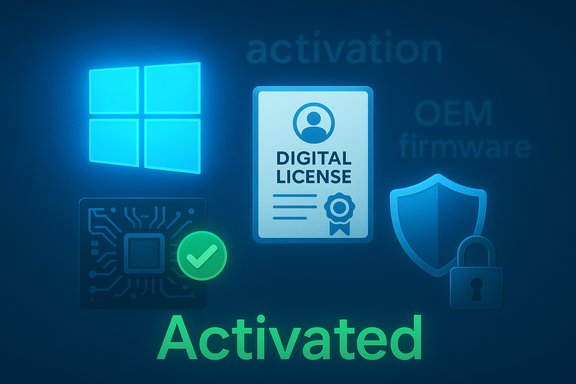
Windows activation has evolved from a printed sticker and a 25‑character code into a hybrid model that mixes firmware‑embedded keys, cloud‑bound digital licenses and retail keys tied to an account. Modern devices frequently carry an OEM product key embedded in UEFI/BIOS, while upgrades from genuine Windows 10 installations normally create a digital license (digital entitlement) that Microsoft’s activation servers store and can link to a Microsoft account. That pairing — hardware identity + license channel — is the mechanism that lets Microsoft decide what systems get updates, support and edition‑specific features. This matters because activation is not merely a checkbox: it’s the gatekeeper to Windows Update, to edition‑locked capabilities (BitLocker, Hyper‑V, Remote Desktop host on Pro/Enterprise SKUs), and to Microsoft’s supported recovery flows when hardware changes. The short, practical takeaway: a genuine Windows 11 product key or a correctly linked digital license is the single most dependable way to keep a PC secure and fully functional.How Windows 11 activation works — the practical primer
The three common license paths
- OEM key embedded in firmware (UEFI/BIOS) — Many manufacturers embed a product key into device firmware so Windows detects and activates automatically during setup. This is the most common path for mass‑shipped consumer laptops and desktops.
- Digital license (digital entitlement) tied to hardware and/or Microsoft account — When you upgrade a genuine Windows 10 to Windows 11, or purchase Windows from the Microsoft Store, Microsoft stores a record called a digital license on its activation servers and can optionally link it to your Microsoft account for easier reactivation after hardware changes. This is Microsoft’s recommended modern workflow.
- Retail product key (25‑character key) — Bought from Microsoft or an authorised reseller; retail keys are generally transferable subject to license terms, and are the safe choice for users who change hardware or move software between machines.
What activation actually secures
- Access to the full slate of Windows Update content: security patches, cumulative fixes and feature updates.
- Eligibility for Microsoft support and the Activation Troubleshooter workflow for hardware changes.
- Correct edition gating — ensures you get Pro/Enterprise features only when you’re licensed for them.
Why a genuine Windows 11 product key matters — the benefits
- Security parity: Genuine systems reliably receive cumulative updates and security patches. An activated Windows device is far less likely to miss critical fixes that protect against zero‑day exploits.
- Stability and driver support: Windows Update also delivers drivers and firmware updates that keep hardware stable and performant.
- Official supportability: Microsoft’s support channels and built‑in tools (Activation Troubleshooter) assume a genuine license and tie recovery workflows to that state.
- Feature access: Edition‑locked features (BitLocker encryption, Hyper‑V, Windows Sandbox, Group Policy and Advanced Management for Pro/Enterprise) require correct licensing to function predictably.
- Lower supply‑chain risk: Unofficial or modified builds can include hidden modifications that break updates or disable security features; genuine licenses reduce the need to rely on unknown distributors.
How to get a genuine Windows 11 product key (safe channels)
- If you bought a new PC with Windows 11 preinstalled: check Settings → System → Activation. Most modern machines will activate automatically because the OEM key is embedded in firmware; you don’t need to enter a key manually.
- If you upgraded from a genuine Windows 10: your digital entitlement commonly transfers to Windows 11 and should activate automatically when online. Confirm via Settings → System → Activation.
- Buy direct from the Microsoft Store: guarantees a retail digital license and avoids provenance questions. If you buy a retail product key, keep the order receipt and tie the license to your Microsoft account where possible.
- Purchase from authorised retailers or your OEM’s store. Confirm the reseller’s authorised status and refund policy; avoid obscure sellers offering “too good to be true” pricing.
- Businesses should procure licenses through Microsoft Volume Licensing, Cloud Solution Providers (CSPs) or authorized partners to remain audit‑compliant.
How to check if your Windows 11 key is genuine (step by step)
- Open Start → Settings → System → Activation.
- Look for messages:
- “Windows is activated with a digital license linked to your Microsoft account” — ideal state.
- “Windows is activated” (with digital license) — active and valid.
- Any error messages or codes — note them for support.
- If activation is missing or broken, run Settings → System → Activation → Troubleshoot and use “I changed hardware on this device recently” if applicable; sign in with the Microsoft account linked to your license. Microsoft documents this as the supported reactivation flow after major hardware changes.
The real risks of fake, cracked or “gray market” keys
1. Revocation and sudden deactivation
Keys that were reused, harvested, or otherwise obtained illegitimately are routinely detected and blocked by Microsoft’s activation systems. When that happens, users can be left with deactivated systems, feature loss and urgent remediation; there’s no guaranteed remedy except to buy a valid license. Community reports document exactly these revocation scenarios and corresponding error codes.2. Malware and supply‑chain compromise
Websites advertising “free” keys or activators (KMS tools, key generators) are a major vector for malware. Well‑documented tools like KMSPico and similarly packaged “activators” often come bundled with trojans, keyloggers and other malware components that compromise data and persist after activation. Security researchers and removal guides repeatedly show KMS activators are distributed with malicious payloads and are flagged by antivirus engines. Use of such tools is explicitly discouraged and is a significant security risk.3. Legal and compliance exposure
Using pirated software is a breach of Microsoft’s EULA and can expose individuals and businesses to penalties and audits. For organizations this can escalate to fines, remediation costs, and reputational damage. Procurement policies and software asset management exist precisely to avoid these outcomes.4. Loss of support & restricted updates
Non‑genuine systems may be excluded from certain updates, or users may find that critical post‑installation fixes don’t apply; Microsoft support will not assist in resolving issues for piracy‑affected systems. That increases the cost of ownership in the long run.Practical step‑by‑step: reactivation after hardware changes
If you replaced a motherboard, or changed major components and Windows reports an activation error, follow the supported path:- Confirm device edition (Home vs Pro) at Settings → System → Activation.
- Ensure the device is online and you are signed in as an administrator.
- Add/link your Microsoft account to the device if not already linked (Settings → Accounts → Your info).
- Open Settings → System → Activation → Troubleshoot.
- Choose “I changed hardware on this device recently”, sign in with the linked Microsoft account, select the device listing that matches and choose Activate. Microsoft’s official guidance documents these steps as the first‑line supported workflow.
Tips to keep your Windows license safe and manageable
- Link your digital license to a Microsoft account so it can be recovered with the Activation Troubleshooter.
- Enable two‑factor authentication on that Microsoft account to prevent account takeover.
- Store retail keys and purchase receipts in a secure password manager or encrypted vault.
- Buy only from Microsoft or authorised resellers; prefer retail/digital licenses when you anticipate hardware changes.
- For businesses, centralise licensing with Volume Licensing or CSPs and track entitlements in software asset management tooling.
Advanced considerations and enterprise impact
Enterprises and IT teams face additional complexity: volume licensing channels (KMS, MAK) behave differently, and misuse of those keys on consumer devices is a common source of activation failure. Large organizations should use Microsoft’s Volume Licensing channels, enforce compliance with Software Asset Management tools, and keep clear procurement and deployment records. If a business is found running unlicensed systems during an audit, the consequences can be substantial — both financially and operationally.Critical analysis — strengths, trade‑offs and measurable risks
Strengths of Microsoft’s current activation model
- Linking licenses to hardware + Microsoft account simplifies reactivation after upgrades — it’s a powerful and user‑friendly design when implemented correctly. The Activation Troubleshooter workflow is a clear example of a modern recovery path.
- Firmware‑embedded OEM tokens reduce setup friction for consumers; out of the box, activation is automatic on most prebuilt PCs.
Trade‑offs and friction points
- Edition/channel confusion (OEM vs Retail vs Volume) is the most frequent cause of activation failure; users often install the wrong SKU or purchase keys from the wrong channel, producing hard‑to‑diagnose errors. Community guidance repeatedly emphasises edition mismatches as a top failure mode.
- Transfer limitations: OEM licenses are often non‑transferable, which catches users unaware when moving an installation to a new machine.
- Marketplace opacity: gray‑market sellers and price fluctuation create a risky environment — deals that look attractive may be invalidated later. This is time‑sensitive and cannot be reliably captured as a single statistic. Any precise prevalence claims (for example, “X% of devices are pirated”) are unverifiable without independent telemetry and should be treated with caution.
Security and ecosystem risk
- The prevalence of activator tools and cracked ISOs remains a real and growing supply‑chain risk. The documented campaigns delivering infostealers and other malware via fake activator sites underscore that saving money up front can cost far more in data loss and remediation later. Multiple security vendors have published analyses of KMS activator distribution and associated malware.
What claims are time‑sensitive or unverifiable
- Marketplace pricing examples like “Windows 11 Pro for $20” are time‑sensitive and often reflect gray‑market behavior; such offers should be verified directly with the seller and measured against the reseller’s authorized status. Community warnings label extremely low prices as high risk; treat one‑time bargains skeptically.
- Estimates of how many devices run pirated Windows cannot be reliably proven in this context without telemetry from multiple vendors; any precise prevalence figure should be flagged and verified separately.
Final practical checklist (quick reference)
- Verify activation: Settings → System → Activation. Look for “activated with a digital license linked to your Microsoft account.”
- If you changed hardware: run Activation Troubleshooter → “I changed hardware on this device recently” and sign in with your Microsoft account.
- If you need a key: buy from the Microsoft Store or an authorized retailer; for businesses, use Volume Licensing or CSP.
- Never use untrusted activators or cracked ISOs — they frequently carry malware and can cause long‑term damage. Security guides and removal pages document multiple cases of malicious activators.
- Protect your Microsoft account with strong, unique credentials and two‑factor authentication; store keys and receipts in an encrypted password manager.
A genuine Windows 11 product key or properly linked digital license is a modest cost for a much larger return: reliable updates, official support, predictable features and — most importantly — reduced exposure to malware and legal risk. Buying through trusted channels, linking licenses to a Microsoft account, and using the official activation recovery workflows are straightforward steps that keep systems safer and administrators sane. The press release that outlined the basic reasons to prefer genuine keys correctly frames the choice as more than compliance — it’s a practical security and reliability decision for anyone running Windows 11.
Source: StreetInsider Genuine Windows 11 Product Key: Why It Matters and How to Get One
