

Chrome’s CVE for a “policy bypass in Extensions” appears in Microsoft’s Security Update Guide because Edge (Chromium‑based) consumes Chromium’s open‑source engine, and Microsoft uses the guide to declare when its downstream Edge builds have ingested the upstream Chromium fix — the SUG entry is the operational signal that Edge is no longer vulnerable.
Chromium is the open‑source browser engine that powers Google Chrome and underpins Microsoft Edge and many other browsers and embedded runtimes. When a security issue is discovered and assigned a CVE in Chromium, the fix is normally published upstream by the Chromium/Chrome teams. Downstream vendors — including Microsoft for Edge — then ingest the upstream change, test it in their own build pipelines, and ship a vendor‑specific update. Microsoft records those upstream CVEs in the Security Update Guide (SUG) to let Edge customers know whether their installed Edge build contains the Chromium fix.
That pipeline — upstream fix → downstream ingestion → Edge release → SUG entry — is why a Chrome/Chromium CVE shows up in Microsoft’s catalog even though the original defect originated in Chromium upstream. The SUG entry functions as the authoritative downstream confirmation for enterprise administrators and security teams.
A: Because Edge consumes Chromium OSS; Microsoft documents Chromium CVEs in SUG to indicate the Edge build that ingests the upstream fix so admins can verify remediation.
Q: How do I know if Edge on my device is protected?
A: Open edge://settings/help (or edge://version) and compare the reported build string to the Edge build listed as remediated in the SUG entry for CVE‑2025‑12436. If the About page shows the remediated build or a later one, Edge is no longer vulnerable per Microsoft’s downstream statement.
Q: Chrome is patched upstream but Edge isn’t listed yet in SUG — am I vulnerable?
A: Potentially yes. Edge remains vulnerable until Microsoft ingests and ships the fix. Use SUG and Edge release notes for the definitive downstream statement and apply compensating controls until Edge is updated.
Q: How do I check embedded Chromium (Electron apps)?
A: Inventory installed applications, check vendor documentation for bundled Chromium versions, and contact vendors for patched releases or updated runtime bundles. If you cannot patch quickly, apply network controls and restrict untrusted browsing on hosts that run these apps.
Source: MSRC Security Update Guide - Microsoft Security Response Center
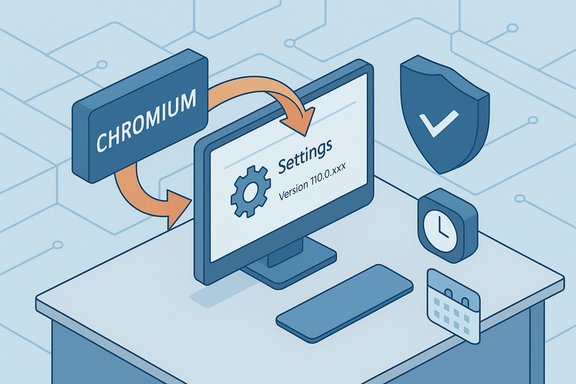 Background / Overview
Chromium is the open‑source browser engine that powers Google Chrome and underpins Microsoft Edge and many other browsers and embedded runtimes. When a security issue is discovered and assigned a CVE in Chromium, the fix is normally published upstream by the Chromium/Chrome teams. Downstream vendors — including Microsoft for Edge — then ingest the upstream change, test it in their own build pipelines, and ship a vendor‑specific update. Microsoft records those upstream CVEs in the Security Update Guide (SUG) to let Edge customers know whether their installed Edge build contains the Chromium fix.That pipeline — upstream fix → downstream ingestion → Edge release → SUG entry — is why a Chrome/Chromium CVE shows up in Microsoft’s catalog even though the original defect originated in Chromium upstream. The SUG entry functions as the authoritative downstream confirmation for enterprise administrators and security teams.
What “policy bypass in Extensions” means (technical context)
The vulnerability class in plain language
A “policy bypass in Extensions” generally refers to a logic or validation flaw in the browser’s Extensions subsystem that allows a web page or a crafted payload to evade the browser’s intended policy controls — for example, Content Security Policy (CSP) or other enforcement mechanisms applied to extension content or content scripts. When those policies are bypassed, a malicious page may be able to run scripts or perform actions that should have been blocked, potentially enabling data exfiltration, privileged DOM access, or other cross‑origin escalations.Why extensions make this dangerous
Extensions often hold elevated privileges (host permissions, access to cookies or storage, ability to inject scripts). If a policy intended to limit what a page or extension may do is bypassed, those privileges can be abused by a remote attacker who gets the victim to load a crafted page. The result can be far more impactful than a simple page‑level XSS because extensions bridge the web page context and privileged browser APIs.Exploitability and public disclosure posture
Vendor disclosures for browser engine issues often withhold low‑level exploit details while patches roll out, to reduce the window of weaponization. That means public trackers may not immediately show a proof‑of‑concept even when the bug is serious. Absence of a public PoC does not equal absence of real‑world risk. Treat policy‑bypass bugs in Extensions as high priority for patching when they’re disclosed.Why the CVE is listed in Microsoft’s Security Update Guide
- Microsoft Edge is built on the Chromium engine; Edge inherits upstream bugs until Microsoft ingests the upstream patch into an Edge build.
- The Security Update Guide is Microsoft’s canonical record for the status of vulnerabilities as they affect Microsoft products; when a Chromium CVE affects Edge, Microsoft documents it so customers can see whether Edge builds are remediated.
- The SUG entry serves two operational purposes: (1) it tells admins which Edge build includes the upstream chromium patch (the downstream ingestion), and (2) it provides a single place to confirm whether Edge endpoints are safe to leave on the normal update cadence or must be remediated immediately.
How to see the version of your browser (step‑by‑step)
Knowing your browser version is the immediate way to determine whether your installation matches the fixed baseline reported by Chromium or the Edge ingestion listed in the SUG.For Microsoft Edge (desktop)
- Open Microsoft Edge.
- In the address bar, navigate to edge://settings/help (or click the menu → Help and feedback → About Microsoft Edge).
- The About page will perform an update check and show the current product version and build string. If an update is found, allow the download and restart the browser to finish applying the patch.
For Google Chrome (desktop)
- Open Google Chrome.
- Go to chrome://settings/help (or Menu → Help → About Google Chrome).
- Chrome will check for updates and display the full version string. Restart the browser if an update was applied.
Interpreting the version string
- The version string typically looks like MAJOR.MINOR.BUILD.PATCH (for example, 140.0.7339.80). Chromium release notes and SUG references will report the minimum fixed build in that same format; you should compare your browser’s About page value to the fixed threshold reported by Chromium or Microsoft.
- For Edge, confirming that the About page shows a build equal to or newer than the SUG’s listed Edge build is the definitive indicator that Microsoft has shipped the ingestion for that CVE. If the SUG lists the ingestion for Edge build X and your Edge About page shows a newer build, the browser is no longer vulnerable per Microsoft’s downstream statement.
Mapping Chromium versions to Edge builds — why it’s not always 1:1
Chromium upstream publishes fixed micro‑builds; downstream vendors must test and ingest those changes into their own Edge builds. That ingestion takes time and may change the visible build numbering on the Edge About page. Because of this ingestion lag:- Chrome users can be patched before Edge users receive the equivalent fix. Do not assume Edge is safe just because Chrome was updated upstream.
- Microsoft’s SUG entry and Edge release notes are the authoritative downstream sources to confirm ingestion. Use the SUG entry for the CVE to find the Edge build that Microsoft says contains the fix.
Enterprise guidance: inventory, verify, and remediate
Inventory: find all Chromium instances
- Inventory desktop browsers (Chrome, Edge, Brave, Opera, Vivaldi) and any embedded Chromium runtimes used by enterprise apps (Electron apps, kiosks, embedded CEF/Chromium builds). Embedded binaries are commonly overlooked and often do not auto‑update.
Verify: map installed versions to known fixed baselines
- Use your endpoint management tools (SCCM/MECM, Intune, Jamf, third‑party patch management) to gather About page version strings or to query application manifests.
- Compare gathered version strings to the minimum patched versions reported by Chromium release notes and to the Edge build listed in Microsoft’s Security Update Guide for the specific CVE.
Remediate: accelerate updates and apply compensations
- Patch: Push the updated Edge or Chrome builds, and require a restart to ensure new processes load the patched binary.
- Restrict extensions: Temporarily restrict extension installation or enforce an allowlist to reduce blast radius until endpoints are remediated.
- Network compensations: Use web filtering, proxy rules, and URL allowlists to block access to high‑risk sites that could host exploit pages while you patch.
Detection and incident‑response considerations
- Monitor browser crash telemetry for unusual renderer crashes or child process creation patterns, which can be early signs of an attempted exploit or instability after an attack attempt.
- Watch for anomalous outbound connections initiated from browser processes immediately after page loads — unexpected remote script loads are a red flag for a policy bypass.
- If you discover suspicious extension activity (unexpected updates, network traffic originating from an extension process), isolate the endpoint, collect browser process memory and extension manifests, and correlate with proxy logs.
Practical, copy‑ready steps for Windows users and admins
- Check the browser version: edge://settings/help or chrome://settings/help. If an update is available, install and restart.
- Compare your version to the minimum patched build listed in Chromium release notes or the Edge build listed in Microsoft’s SUG for the CVE. If your version is equal or newer, you’re remediated per the vendor’s statement.
- Remove or disable untrusted extensions, especially those with broad host access.
- For managed fleets, push the vendor‑recommended Edge update (don’t attempt to patch Chromium in isolation on Edge-managed images) and verify by scanning inventory for version strings that match SUG mappings.
Risks, strengths, and caveats — a critical analysis
Strengths of Microsoft’s SUG approach
- Operational clarity: SUG gives admins a single place to confirm whether Edge builds include the upstream patch. This removes ambiguity and improves compliance reporting.
- Promotes inventory discipline: Because the SUG entry highlights downstream ingestion, organizations are reminded to inventory embedded Chromium instances — often the greatest blind spot.
Remaining risks and limitations
- Ingestion lag: Chrome can be patched upstream before Edge has ingested the fix; that gap creates a window of potential exposure for Edge users. Administrators must not assume instant parity.
- Embedded/pinned Chromium binaries: Many Electron apps and kiosks bundle pinned Chromium versions and may never auto‑update. These require vendor coordination or manual repackaging and are a common post‑patch exposure source.
- Disclosure opacity: Because vendors may withhold exploit specifics during early disclosure, defenders may lack reliable technical indicators to tune detections while patches roll out. Treat “no public exploit details” as provisional and prioritize patching nonetheless.
What is unverified and should be treated cautiously
- Any publicly posted exploit chain or proof‑of‑concept that appears before vendor or reputable researcher confirmation should be treated as unverified. Vendors intentionally limit detail early in a disclosure to reduce the chance of mass exploitation; therefore, don’t rely on third‑party blog reproductions until they are corroborated by official advisories.
Longer‑term takeaways for administrators and developers
- Treat IPC and extension boundaries as high‑value attack surfaces. Invest in fuzzing and defensive validation at Mojo/IPC edges and in extension APIs.
- Maintain an inventory of embedded Chromium runtimes and require vendors to disclose update policies for bundled engines. These runtimes are often the sticking point that keeps fleets vulnerable after desktop browsers are patched.
- Use the SUG entry as the canonical trigger for Edge remediation — it is the downstream statement that tells you whether Microsoft has shipped the ingestion into Edge builds. Relying on Chrome’s upstream release alone is insufficient for Edge fleet planning.
Quick FAQ (copy‑into‑ticket answers)
Q: Why is a Chrome/Chromium CVE in Microsoft’s Security Update Guide?A: Because Edge consumes Chromium OSS; Microsoft documents Chromium CVEs in SUG to indicate the Edge build that ingests the upstream fix so admins can verify remediation.
Q: How do I know if Edge on my device is protected?
A: Open edge://settings/help (or edge://version) and compare the reported build string to the Edge build listed as remediated in the SUG entry for CVE‑2025‑12436. If the About page shows the remediated build or a later one, Edge is no longer vulnerable per Microsoft’s downstream statement.
Q: Chrome is patched upstream but Edge isn’t listed yet in SUG — am I vulnerable?
A: Potentially yes. Edge remains vulnerable until Microsoft ingests and ships the fix. Use SUG and Edge release notes for the definitive downstream statement and apply compensating controls until Edge is updated.
Q: How do I check embedded Chromium (Electron apps)?
A: Inventory installed applications, check vendor documentation for bundled Chromium versions, and contact vendors for patched releases or updated runtime bundles. If you cannot patch quickly, apply network controls and restrict untrusted browsing on hosts that run these apps.
Conclusion
Microsoft lists Chromium CVE‑2025‑12436 in the Security Update Guide because Edge depends on Chromium OSS, and the SUG is Microsoft’s operational announcement that a downstream Edge build has ingested the upstream Chromium fix. To know whether your system is protected, check the browser’s About page (edge://settings/help or chrome://settings/help), compare the version string against the fixed build or the SUG’s listed Edge build, apply updates and restarts, and inventory any embedded Chromium runtimes that might remain vulnerable. Prioritize patching, reduce extension risk, and use SUG as the authoritative downstream source when planning remediation for Edge fleets.Source: MSRC Security Update Guide - Microsoft Security Response Center
