

DirectX 12 didn’t die — it simply kept getting features, platform glue, and new distribution channels instead of a clean “DirectX 13” relaunch, and that long, quiet evolution explains why Microsoft (hardware partners and game engines) chose incremental extension over a disruptive renumbering.
DirectX began as Microsoft’s attempt to standardize multimedia on Windows, and early Windows-era ports like Doom95 helped prove the platform’s viability as a games-first environment. Over the 1990s and 2000s DirectX evolved through many numbered releases as hardware and graphics techniques advanced, but DirectX 12 — announced mid‑2014 and shipped with Windows 10 in 2015 — was intentionally different: a low‑level, “closer to the metal” API designed to unlock multicore CPU scaling, explicit memory control, and console‑level efficiency on PC hardware.
That design decision had two major consequences. First, DirectX 12 provided a foundation that could be extended with feature additions and capability tiers rather than requiring a brand‑new, incompatible API. Second, the timing aligned with Microsoft’s broader platform strategy: when Windows 10 launched Microsoft spoke of Windows-as-a-service and a single evolving Windows platform instead of frequent dramatic OS renumbers. In practice that meant DirectX 12 would be treated as a living platform rather than a static release that had to be abandoned for the next major version.
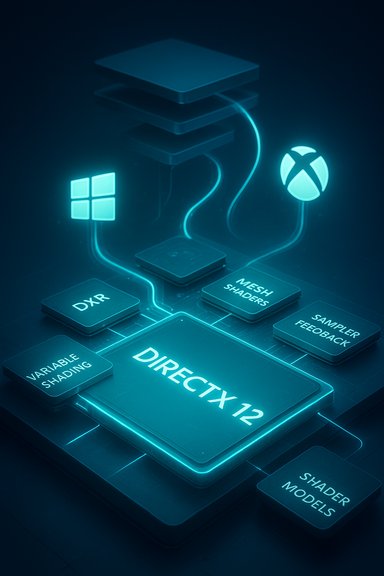
The result: over the past decade Microsoft layered major capabilities into the DX12 family — DXR (DirectX Raytracing), Mesh Shaders, Variable Rate Shading (VRS), Sampler Feedback, new Shader Model updates and new Direct3D feature levels — and then created marketing/compatibility labels (for example, DirectX 12 Ultimate) and distribution mechanisms (the DirectX Agility SDK) to manage adoption. From the outside it looks like Microsoft simply kept patching DX12; from the inside it was a deliberate long‑term strategy to preserve compatibility while letting the platform evolve.
The logic is straightforward: a new DirectX major version would require a major compatibility story (documentation, driver rollouts, engine ports) and create fragmentation. Extending DX12 keeps the developer base on a single, incrementally improving platform.
Because engines provide this abstraction, a new DirectX major number would be largely invisible to many developers — but it would still create work for engine teams and driver vendors. Evolving DX12 keeps the engine architecture stable while enabling engines to adopt new features on their own schedule.
Look for these ongoing trends:
That path buys continuity and compatibility, but it also introduces a more complex compatibility matrix for hardware, drivers, and games. For developers and hardware partners it’s a manageable trade: add features where they matter and use runtime checks and packaging tools to keep things working for everyone. For gamers, the change is mostly invisible — the effects are concrete (raytracing, mesh shading, smarter texture streaming) — but the question of “do I need DirectX 13?” is largely moot right now because the benefits Microsoft once would have bundled into a major new number are being deployed as incremental capabilities inside DX12’s family.
A DirectX 13 remains possible in theory, but only if an architectural shift forces Microsoft to break compatibility. Until then the DX12 era will continue to be one of feature layering: ambitious, slow‑burn evolution rather than headline‑grabbing replacement.
Source: How-To Geek Why Microsoft keeps updating DirectX 12 instead of making DirectX 13
 Background
DirectX began as Microsoft’s attempt to standardize multimedia on Windows, and early Windows-era ports like Doom95 helped prove the platform’s viability as a games-first environment. Over the 1990s and 2000s DirectX evolved through many numbered releases as hardware and graphics techniques advanced, but DirectX 12 — announced mid‑2014 and shipped with Windows 10 in 2015 — was intentionally different: a low‑level, “closer to the metal” API designed to unlock multicore CPU scaling, explicit memory control, and console‑level efficiency on PC hardware.That design decision had two major consequences. First, DirectX 12 provided a foundation that could be extended with feature additions and capability tiers rather than requiring a brand‑new, incompatible API. Second, the timing aligned with Microsoft’s broader platform strategy: when Windows 10 launched Microsoft spoke of Windows-as-a-service and a single evolving Windows platform instead of frequent dramatic OS renumbers. In practice that meant DirectX 12 would be treated as a living platform rather than a static release that had to be abandoned for the next major version.
The result: over the past decade Microsoft layered major capabilities into the DX12 family — DXR (DirectX Raytracing), Mesh Shaders, Variable Rate Shading (VRS), Sampler Feedback, new Shader Model updates and new Direct3D feature levels — and then created marketing/compatibility labels (for example, DirectX 12 Ultimate) and distribution mechanisms (the DirectX Agility SDK) to manage adoption. From the outside it looks like Microsoft simply kept patching DX12; from the inside it was a deliberate long‑term strategy to preserve compatibility while letting the platform evolve.
Why Microsoft could (and did) keep DX12 instead of making DX13
A design philosophy: one flexible foundation, many capability layers
DirectX 12 was designed as a low‑level runtime that separates API semantics (the programmer interface) from hardware capability. That means Microsoft can expose new capabilities as optional features, feature levels, or runtime extensions without breaking older applications that target the original DX12 baseline.- Feature levels define what hardware must support to claim a capability tier — developers check the feature level and enable advanced code paths only where supported.
- New runtime features (DXR updates, mesh shading, sampler feedback) are added as API extensions, shader model updates, or driver functionality.
- The DirectX ecosystem adopted the idea that multiple hardware generations can be supported by the same API version, reducing the compatibility shock that a “DirectX 13” could introduce.
Windows-as-a-service and the business case for “DX12 forever”
When Windows 10 launched Microsoft publicly framed it as a continuously updated platform. That narrative encouraged an ecosystem view where a single API family (DX12) could receive continuous investment and feature delivery as Windows and driver components matured. Instead of a single disruptive break (a new DirectX major number), Microsoft could push incremental gains in tandem with OS updates, driver updates and new SDK tooling.The logic is straightforward: a new DirectX major version would require a major compatibility story (documentation, driver rollouts, engine ports) and create fragmentation. Extending DX12 keeps the developer base on a single, incrementally improving platform.
Consoles and feature alignment
Modern consoles (the most recent Xbox family) are built around a low‑level graphics stack that maps very well to DX12’s model. Microsoft’s strategy to unify PC and Xbox graphics capabilities — making it easier for developers to ship the same feature sets across both — benefits more from incremental extensions to DX12 than from a renumbering. Adopting new features as DX12 extensions keeps console/PC parity without forcing an API rename.Game engines make API renumbering less useful
Unreal, Unity and other large engines present developers with an abstraction layer over platform graphics APIs. Most teams write engine code once and rely on the engine to map shaders and rendering features to DirectX, Vulkan, Metal or console APIs under the hood. That means studios talk about Unreal, Unity or the engine’s RHI (rendering hardware interface) rather than “DirectX 12 vs 13.”Because engines provide this abstraction, a new DirectX major number would be largely invisible to many developers — but it would still create work for engine teams and driver vendors. Evolving DX12 keeps the engine architecture stable while enabling engines to adopt new features on their own schedule.
What’s changed in the DX12 era (the technical mechanics)
The big feature families added to DX12
Over the last decade, Microsoft and hardware vendors added multiple advanced features to the DirectX 12 family. The headline capabilities include:- DXR (DirectX Raytracing) — introduces raytracing pipelines and primitives to enable reflections, global illumination, and other effects.
- Mesh Shaders — rework the geometry pipeline, giving GPUs a modern, flexible way to generate and cull geometry on‑GPU.
- Variable Rate Shading (VRS) — allows selective shading density to improve performance with minimal visual cost.
- Sampler Feedback — improves texture streaming and enables texture space shading workflows for larger open worlds.
- New Shader Models (6.x series) — incremental HLSL capabilities that expose more expressive shader programming features and performance primitives.
- Feature levels (12_0, 12_1, 12_2, etc. — packages of hardware requirements that make it easier for developers to target specific GPU generations.
Distribution and the Agility SDK
A key practical pain point for developers has been that Windows OS updates historically governed when certain graphics features became available. To decouple innovation from OS release cadence, Microsoft introduced the DirectX Agility SDK. The Agility SDK lets developers ship certain DirectX components with their games so applications can opt into newer runtime features without waiting on the OS shipping schedule. That makes feature rollout faster and less tied to users’ Windows update tempo.Runtime and driver complexity: DX12 remains thin on semantic breaking changes
Because most changes are additive and optional, drivers handle the heavy lifting of supporting new features on hardware. Microsoft continues to introduce HLSL and runtime enhancements while allowing driver and hardware vendors to implement them when feasible. This incremental approach reduces the risk of breaking older apps but increases the complexity of driver certification and compatibility testing.Strengths of the “no DirectX 13” strategy
- Backward compatibility: Games written years ago can still run on modern systems with DX12 at the base level. That preserves long‑tail compatibility for older titles and reduces fragmentation.
- Incremental rollouts: New features can be tested, refined, and rolled out across hardware vendors without a huge one‑time porting event.
- Console/PC alignment: Adding features to DX12 allowed Microsoft to better synchronize Xbox and Windows feature sets, simplifying cross‑platform development.
- Developer predictability: Engine teams and middleware vendors can adopt features on their own timelines without reacting to a major API rename.
- Faster access via Agility SDK: Developers can ship new DirectX components with their games, leading to broader and quicker adoption of innovations.
Risks, trade‑offs and friction points
- Fragmentation by capability, not version: Instead of a single version number, the DirectX landscape is now a matrix of which features your CPU/GPU/driver/Windows build supports. That can be harder for consumers and smaller studios to reason about.
- Hardware minimums creep: As the platform gains features that require specific hardware (e.g., raytracing tiers or mesh shader support), newer games and engines may set higher minimum GPU requirements — effectively leaving trailing edge hardware behind.
- Driver and OS complexity: Shipping more optional features increases the burden on driver vendors to support many permutations and on Microsoft to coordinate WDDM/driver updates and certification.
- Performance regressions and porting costs: Low‑level APIs give developers power, but that comes with the risk of mis‑using the API and creating performance regressions. Some titles have historically performed better under older APIs for specific hardware/driver combinations.
- Discovery friction for consumers: It’s less obvious to a gamer whether their system supports a specific DX12 feature; they must check GPU model, driver version, Windows build and sometimes vendor driver notes.
- Marketing confusion: Without a new major number, messaging must rely on terms like “DirectX 12 Ultimate,” “feature level 12_2,” or “DXR 1.x,” which can be confusing for non‑technical users.
How this matters to developers and players — practical implications
For developers and engine teams
- Target feature levels, not version numbers. Use runtime checks to select advanced code paths only on devices that advertise the required feature level.
- Leverage engine RHIs (Unreal, Unity) and middleware that abstract feature differences — it reduces per‑platform maintenance.
- Consider shipping the Agility SDK or precompiled shader bundles so your game doesn’t depend on a specific OS patch window to access newer DX12 features.
- Test widely across driver builds; optional features may be implemented differently by each vendor and driver version.
For PC gamers and system builders
- Expect modern titles to advertise DX12 capabilities (for example, “supports DX12 Ultimate features”) rather than “requires DirectX 13.”
- To enable or use advanced DX12 features you usually need:
- A compatible GPU (feature‑level support).
- Updated GPU drivers from the vendor.
- A compatible Windows build (some features require modern Windows 10/11 updates or Agility SDK support).
- When troubleshooting, check GPU model, driver version, and Windows build number; developers often list minimum supported feature levels.
Conditions that could force a DirectX 13
Microsoft’s decision to avoid renumbering is pragmatic, not dogmatic. A true DX13 would likely be considered if there were a major, incompatible hardware or platform shift — for example:- A wholesale hardware architecture change that makes DX12 abstractions inefficient or obsolete (e.g., a move to an entirely new GPU programming model where backwards behaviors are impossible to map).
- A desire to drop long‑standing legacy semantics and create a smaller, modern API that removes decades of legacy constraints (but this risks breaking existing content).
- Market or competitive drivers: if cross‑vendor, cross‑platform demand crystallizes around a new API paradigm that Microsoft cannot match with DX12 extensions alone.
The quiet fragmentation of the future and what to watch
Microsoft’s approach has created a quieter but broader fragmentation: you don’t look at “DirectX version” so much as “which DirectX features and shader models does my system support?” That means the ecosystem will increasingly be defined by feature matrices, capability tiers and distribution mechanisms (Agility SDK, driver updates, precompiled shader packages).Look for these ongoing trends:
- Continued feature additions to DX12 (DXR improvements, micro‑optimizations like opacity micromaps, shader model refinements).
- Shifts in distribution — more games will ship precompiled shader bundles and use Agility SDK components to avoid first‑run hitches.
- OS-level features (DirectStorage, Auto Super Resolution, NPU offload for upscaling) that interact with the graphics stack and blur the line between OS, drivers and apps.
- Longer tail of legacy APIs and engines: many titles and engines will continue running older feature paths for stability and performance reasons.
How to check and act today (practical how‑to)
- Check your system’s DirectX and feature support:
- Use your GPU vendor’s control panel or the “System Information” tools to see supported feature levels, driver version and Windows build.
- Game launchers and in‑game settings often report available APIs (DX11, DX12, Vulkan) and whether specific features (raytracing, mesh shaders) are enabled.
- Update drivers and Windows:
- Many newer DX12 features are enabled via vendor drivers. Keep GPU drivers current, and ensure Windows is at a supported build if required by a feature.
- If you’re a developer, adopt the Agility SDK:
- Use it to deliver runtime components with your app and reduce dependence on OS feature windows.
- Test both modern and legacy code paths:
- Validate performance across DX11, DX12 baseline and DX12 advanced feature combinations; some hardware/driver combinations may favor older paths for particular workloads.
Conclusion
Microsoft’s choice to keep extending DirectX 12 rather than ship a DirectX 13 is a pragmatic architecture and platform decision: DX12 was designed as a long‑lived, extensible foundation and Microsoft paired that design with distribution tools and feature‑level packaging that let the platform grow without breaking the ecosystem.That path buys continuity and compatibility, but it also introduces a more complex compatibility matrix for hardware, drivers, and games. For developers and hardware partners it’s a manageable trade: add features where they matter and use runtime checks and packaging tools to keep things working for everyone. For gamers, the change is mostly invisible — the effects are concrete (raytracing, mesh shading, smarter texture streaming) — but the question of “do I need DirectX 13?” is largely moot right now because the benefits Microsoft once would have bundled into a major new number are being deployed as incremental capabilities inside DX12’s family.
A DirectX 13 remains possible in theory, but only if an architectural shift forces Microsoft to break compatibility. Until then the DX12 era will continue to be one of feature layering: ambitious, slow‑burn evolution rather than headline‑grabbing replacement.
Source: How-To Geek Why Microsoft keeps updating DirectX 12 instead of making DirectX 13
