

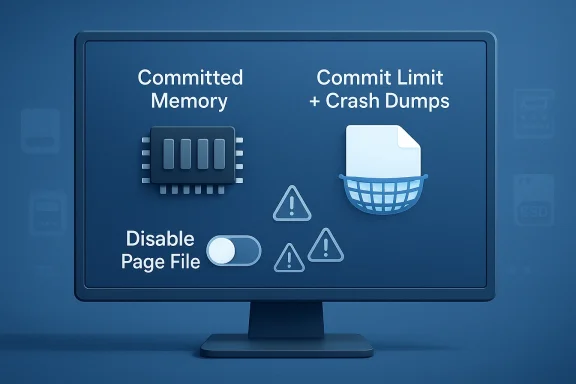
The long-running Windows tweak of disabling the page file sounds tidy, modern, and even a little clever. In practice, it is one of those optimization tips that has survived far beyond the era that made it attractive, and it can leave Windows 11 with less memory headroom, weaker crash-dump support, and a higher chance of instability under pressure. Microsoft’s own documentation makes the underlying logic plain: page files extend committed memory, help support crash dumps, and allow Windows to grow virtual memory when the system is nearing its limit. (learn.microsoft.com)
For years, Windows users have been told that if they have “enough” RAM, they can safely turn off the page file. That advice took root when memory was tighter, SSD endurance anxiety was common, and many guides were written for systems that behaved very differently from today’s Windows 11 PCs. The problem is that memory management has never been just about “how much RAM do I have?” It is also about how Windows handles spikes, commitments, and recovery when something goes wrong. Microsoft’s page-file guidance is explicit that the file is not simply a relic of older PCs; it is part of the operating system’s broader commit-limit and crash-dump strategy. (learn.microsoft.com)
A page file, or paging file, is a hidden system file used by Windows to back committed memory and to move less-used modified pages out of RAM when needed. Microsoft describes it as a physical extension of RAM and notes that it lets the system use memory more efficiently for active workloads. That distinction matters because Windows does not manage memory as a static bucket; it manages demand, pressure, and priorities dynamically. (learn.microsoft.com)
The modern misconception comes from focusing on the wrong metric. Users often look at installed RAM and assume that if they have 16GB, 32GB, or more, paging no longer matters. But Windows tracks committed memory, not just free RAM, and the system commit limit is the sum of physical memory plus page files. When that limit is too low, the system can run into freezes, failed allocations, app crashes, and other malfunctions even if Task Manager appears to show plenty of total RAM on paper. (learn.microsoft.com)
There is also a crash-recovery angle that many guides omit. Microsoft notes that a page file can support system crash dumps, and that even if physical memory is sufficient for everyday use, a page file or dedicated dump file may still be required when Windows needs to capture diagnostic data after a failure. In other words, disabling the page file can make a problem harder to diagnose precisely when diagnosis matters most. (learn.microsoft.com)
The stronger conclusion is not that the page file always gets heavily used, or that every PC needs a huge one. It is that removing it entirely is a blunt move in a system designed around flexible memory management. That is why the “disable the page file” recommendation still appears in optimization checklists but increasingly reads like legacy advice rather than modern best practice. (learn.microsoft.com)
This is especially relevant on consumer systems, where the actual memory spike is often unpredictable. A user may never hit the ceiling during ordinary work, then suddenly do so when starting a game, launching an editor, syncing cloud data, and opening several heavy browser pages all at once. The page file gives Windows a buffer to absorb that burst without immediately forcing apps to close or the system to choke. (learn.microsoft.com)
In practical terms, a system with plenty of open memory can still be under memory pressure in a committed-memory sense. That is why a page file is not wasted space in the abstract; it is reserve capacity for the memory manager. It is also why disabling it can create a false sense of safety on machines with lots of RAM, especially when workloads are bursty rather than steady. (learn.microsoft.com)
Enterprise environments make this even clearer. Microsoft explicitly ties page-file behavior to server workloads and crash-dump scenarios, and it recommends leaving the management OS page file at the default system-managed setting in Hyper-V contexts. The lesson carries back to Windows 11: what seems optional in a hobbyist forum tip often turns out to be foundational once you look at the platform’s actual design goals. (learn.microsoft.com)
Modern SSDs are built with wear leveling, overprovisioning, and endurance characteristics that are orders of magnitude better than the worst-case imagination behind many old tweak guides. The page file may generate writes, but under ordinary conditions those writes are not the kind of sustained abuse that meaningfully threatens a consumer SSD. The practical risk is usually not SSD wear; it is destabilizing memory management to solve a problem that the drive was already designed to tolerate.
That matters because the trade-off is asymmetric. Saving a small amount of write activity buys you less than what you lose in resilience. Windows becomes less able to absorb memory spikes, and in some cases diagnostic crash data becomes harder or impossible to capture. It is a poor exchange for most users. (learn.microsoft.com)
This is also a classic example of advice that mixes a real fact with a bad conclusion. Yes, page files can write to SSDs. No, that does not mean disabling them is a meaningful upgrade for stability or device life. The real-world outcome is usually the opposite. (learn.microsoft.com)
The important implication is that paging is not always a sign that the machine is “running out” in a catastrophic sense. Some paging is simply the operating system doing its job. What users should care about is whether the machine has enough commit headroom and whether workloads remain stable under pressure, not whether the page file exists on a philosophical level. (learn.microsoft.com)
That flexibility becomes most valuable during edge cases, not the easy ones. A spike from a browser tab explosion, an editing session, a virtualization workload, or a badly behaved utility may not be typical, but these are exactly the scenarios where the page file helps prevent a messy failure. In that sense, the page file is insurance against the unusual, and insurance always looks unnecessary until the day it is not. (learn.microsoft.com)
This is one of those invisible benefits that most users never think about until disaster strikes. If your PC bluescreens, reboots, and leaves behind no useful dump because you eliminated the page file, you have traded away observability. That is a bad bargain for both consumers and IT administrators. (learn.microsoft.com)
There are also Microsoft articles that recommend allowing the system to manage the page file or setting a paging file size at least equal to RAM in server-oriented scenarios. While that guidance is not a blanket consumer rule, it reinforces the same principle: too small is bad, and completely absent is worse.
There are exceptions, but they are usually specialized and measurable rather than generic. Some highly tuned servers, lab systems, or edge-case workloads may justify fixed sizing or careful planning. The average Windows desktop is not one of those systems. (learn.microsoft.com)
Still, fixed sizing comes with its own drawbacks if misjudged. Set it too small, and you recreate the exact instability you were trying to avoid. Set it too large, and you may waste drive space without meaningful gain. The system-managed default is usually the more intelligent answer because it avoids making a guess that can age poorly. (learn.microsoft.com)
Consumers are also the group most likely to follow “one-size-fits-all” optimization tips from old tutorials. Those guides often leave out the scenario where a PC with plenty of RAM still suffers a transient memory spike. That is exactly when Windows benefits from paging most. (learn.microsoft.com)
Users often equate “I have not seen a page-file warning” with “I do not need one.” That is a mistake. The file’s value is in preventing bad outcomes invisibly, not in announcing itself every time it helps. This is one of the more important but unglamorous parts of Windows maintenance. (learn.microsoft.com)
If the goal is a quieter, more reliable PC, the tweak works against itself. The more ambitious the workload, the more likely it is to reveal the flaw. In that sense, the advice is self-defeating: it promises stability while quietly removing one of the mechanisms that provides it. (learn.microsoft.com)
For enterprise systems, the page file can also be tied to operational evidence. Crash dumps, memory analysis, and post-failure troubleshooting all depend on having the right memory backing in place. Turning off paging in a fleet environment may save a little disk space while undermining supportability at scale, which is rarely a good business trade. (learn.microsoft.com)
Power users running heavy local workloads should also think in terms of failure cost. A developer who loses a build session, a VM host that destabilizes, or a workstation that cannot produce a dump after a crash pays a much bigger price than the modest storage space consumed by a page file. On modern systems, the operational downside usually outweighs the disk-space savings. (learn.microsoft.com)
That distinction is what separates tuning from myth. Tuning means knowing why you are changing a setting and what failure mode you are trying to avoid. Myth means disabling a feature because it sounds cleaner on a forum checklist. The page file is firmly in the first category. (learn.microsoft.com)
Another problem is that many guides collapse three separate goals into one: speed, stability, and hardware longevity. Those goals do not always align. A change that appears to save writes may reduce stability, while a change that helps stability may not noticeably improve speed. The page-file issue is a textbook example of why optimization advice must be judged against the actual workload and not the headline promise. (learn.microsoft.com)
That does not mean users should never learn or experiment. It means the burden of proof is higher when a tweak changes foundational behavior. If the tweak removes a safety mechanism, the question should not be “does it sound efficient?” but “what failure mode am I inviting?” For the page file, the answer is uncomfortably clear. (learn.microsoft.com)
That framing also explains why modern Windows advice should be more cautious than the old “registry tweak” culture. The platform has changed, hardware has changed, and the safety margins in Windows memory management have become more sophisticated. Old advice that ignores those changes is not optimization; it is historical residue. (learn.microsoft.com)
The larger lesson is cultural as much as technical. Windows users should be skeptical of optimization tips that promise a cleaner system by disabling something foundational. The operating system has evolved, SSDs have evolved, and the best advice now is usually to preserve the safety net rather than remove it. (learn.microsoft.com)
Source: MakeUseOf The Windows 11 tweak that thousands of guides recommend actually makes Windows less stable
 Background
For years, Windows users have been told that if they have “enough” RAM, they can safely turn off the page file. That advice took root when memory was tighter, SSD endurance anxiety was common, and many guides were written for systems that behaved very differently from today’s Windows 11 PCs. The problem is that memory management has never been just about “how much RAM do I have?” It is also about how Windows handles spikes, commitments, and recovery when something goes wrong. Microsoft’s page-file guidance is explicit that the file is not simply a relic of older PCs; it is part of the operating system’s broader commit-limit and crash-dump strategy. (learn.microsoft.com)A page file, or paging file, is a hidden system file used by Windows to back committed memory and to move less-used modified pages out of RAM when needed. Microsoft describes it as a physical extension of RAM and notes that it lets the system use memory more efficiently for active workloads. That distinction matters because Windows does not manage memory as a static bucket; it manages demand, pressure, and priorities dynamically. (learn.microsoft.com)
The modern misconception comes from focusing on the wrong metric. Users often look at installed RAM and assume that if they have 16GB, 32GB, or more, paging no longer matters. But Windows tracks committed memory, not just free RAM, and the system commit limit is the sum of physical memory plus page files. When that limit is too low, the system can run into freezes, failed allocations, app crashes, and other malfunctions even if Task Manager appears to show plenty of total RAM on paper. (learn.microsoft.com)
There is also a crash-recovery angle that many guides omit. Microsoft notes that a page file can support system crash dumps, and that even if physical memory is sufficient for everyday use, a page file or dedicated dump file may still be required when Windows needs to capture diagnostic data after a failure. In other words, disabling the page file can make a problem harder to diagnose precisely when diagnosis matters most. (learn.microsoft.com)
The stronger conclusion is not that the page file always gets heavily used, or that every PC needs a huge one. It is that removing it entirely is a blunt move in a system designed around flexible memory management. That is why the “disable the page file” recommendation still appears in optimization checklists but increasingly reads like legacy advice rather than modern best practice. (learn.microsoft.com)
Why the Page File Still Matters
The page file remains one of Windows’ most important safety nets because it widens the amount of committed memory the system can support. Microsoft explains that page files extend committed memory and that the commit limit is physical RAM plus page files combined. That means Windows can continue admitting memory allocations even when active RAM is tight, which helps prevent a hard stop when a demanding app or a pile of browser tabs suddenly pushes usage higher. (learn.microsoft.com)This is especially relevant on consumer systems, where the actual memory spike is often unpredictable. A user may never hit the ceiling during ordinary work, then suddenly do so when starting a game, launching an editor, syncing cloud data, and opening several heavy browser pages all at once. The page file gives Windows a buffer to absorb that burst without immediately forcing apps to close or the system to choke. (learn.microsoft.com)
Commit limit versus free RAM
A common misunderstanding is treating “available RAM” as if it were the sole determinant of stability. Windows, however, also cares about committed bytes and the overall commit limit. Microsoft says that if the commit charge reaches the commit limit, the system and processes might not get committed memory, which can lead to freezing, crashing, and other malfunctions. That is a very different failure mode than merely “using a lot of RAM.” (learn.microsoft.com)In practical terms, a system with plenty of open memory can still be under memory pressure in a committed-memory sense. That is why a page file is not wasted space in the abstract; it is reserve capacity for the memory manager. It is also why disabling it can create a false sense of safety on machines with lots of RAM, especially when workloads are bursty rather than steady. (learn.microsoft.com)
- Installed RAM is not the same as commit headroom.
- Windows uses paging to keep memory allocation flexible.
- Low commit limit can trigger freezes before RAM is truly “full.”
- A large page file is not about speed, but about resilience.
App compatibility and memory assumptions
Some applications and system components assume paging is available, and Microsoft notes that certain products or services require a page file for specific reasons. Even on systems where a page file is not heavily consulted in daily use, the assumption that it exists can influence whether memory is released cleanly when other software needs it. That is one reason why turning it off can create weird behavior rather than obvious immediate failure. (learn.microsoft.com)Enterprise environments make this even clearer. Microsoft explicitly ties page-file behavior to server workloads and crash-dump scenarios, and it recommends leaving the management OS page file at the default system-managed setting in Hyper-V contexts. The lesson carries back to Windows 11: what seems optional in a hobbyist forum tip often turns out to be foundational once you look at the platform’s actual design goals. (learn.microsoft.com)
Why Old SSD Advice Misses the Mark
The most common argument for disabling the page file is SSD longevity. The theory is that SSDs have limited write endurance, and the page file writes to disk, so fewer writes must be better. That logic sounds plausible, but it collapses under the realities of modern flash storage and modern Windows usage patterns. Microsoft’s page-file documentation and related guidance do not frame the feature as a write burden to be eliminated; they frame it as a memory-management mechanism to be preserved unless there is a specific, measured reason not to. (learn.microsoft.com)Modern SSDs are built with wear leveling, overprovisioning, and endurance characteristics that are orders of magnitude better than the worst-case imagination behind many old tweak guides. The page file may generate writes, but under ordinary conditions those writes are not the kind of sustained abuse that meaningfully threatens a consumer SSD. The practical risk is usually not SSD wear; it is destabilizing memory management to solve a problem that the drive was already designed to tolerate.
The endurance myth in context
SSD wear concerns made more sense when flash storage was less mature and when users had smaller, more fragile drives. Today, a page file is rarely the dominant source of write load on a typical desktop. Browser caches, app logs, sync tools, downloads, telemetry, updates, and temporary files often contribute more background activity than paging does. So the idea that disabling the page file meaningfully “saves” an SSD is often technically true in a trivial sense but practically irrelevant.That matters because the trade-off is asymmetric. Saving a small amount of write activity buys you less than what you lose in resilience. Windows becomes less able to absorb memory spikes, and in some cases diagnostic crash data becomes harder or impossible to capture. It is a poor exchange for most users. (learn.microsoft.com)
- Modern SSD endurance is not the bottleneck most people think it is.
- Page-file writes are usually modest relative to total system writes.
- The stability cost of disabling paging is much larger than the wear benefit.
- What was once “smart optimization” can now be self-sabotage.
When the old advice still sounds convincing
The old advice survives because it offers a clean story: fewer disk writes, less wear, better performance. That simplicity is attractive, especially in Windows communities where many users have learned to distrust defaults and seek control. But memory management is not a place where simple slogans translate well. If anything, Windows 11’s architecture makes the case for system-managed paging stronger, not weaker. (learn.microsoft.com)This is also a classic example of advice that mixes a real fact with a bad conclusion. Yes, page files can write to SSDs. No, that does not mean disabling them is a meaningful upgrade for stability or device life. The real-world outcome is usually the opposite. (learn.microsoft.com)
What Windows Does With Memory Under Pressure
Windows memory management is designed to prioritize active, useful data and push out less critical modified pages when needed. Microsoft says page files let the system remove infrequently accessed modified pages from physical memory so RAM can be used more efficiently for hotter data. That means paging is not a failure state; it is part of normal balancing. (learn.microsoft.com)The important implication is that paging is not always a sign that the machine is “running out” in a catastrophic sense. Some paging is simply the operating system doing its job. What users should care about is whether the machine has enough commit headroom and whether workloads remain stable under pressure, not whether the page file exists on a philosophical level. (learn.microsoft.com)
Why Windows prefers flexibility
Windows is not just trying to keep one app alive. It is trying to keep the whole system responsive while multiple processes compete for memory, cache space, and kernel resources. A page file gives the kernel more options when it needs to reclaim memory or satisfy allocations. Remove that option, and the system has fewer escape hatches when pressure builds. (learn.microsoft.com)That flexibility becomes most valuable during edge cases, not the easy ones. A spike from a browser tab explosion, an editing session, a virtualization workload, or a badly behaved utility may not be typical, but these are exactly the scenarios where the page file helps prevent a messy failure. In that sense, the page file is insurance against the unusual, and insurance always looks unnecessary until the day it is not. (learn.microsoft.com)
- Paging is part of normal memory balancing.
- The page file helps preserve responsiveness under pressure.
- The real question is system commit headroom, not just idle RAM.
- Edge cases are where the page file earns its keep.
Crash dumps and postmortem debugging
Microsoft’s documentation also links page files to system crash dumps. That is critical because troubleshooting a Windows failure often depends on having a usable dump file. When the system cannot generate that data, an otherwise solvable problem becomes much harder to diagnose. (learn.microsoft.com)This is one of those invisible benefits that most users never think about until disaster strikes. If your PC bluescreens, reboots, and leaves behind no useful dump because you eliminated the page file, you have traded away observability. That is a bad bargain for both consumers and IT administrators. (learn.microsoft.com)
How Microsoft Actually Recommends Handling It
Microsoft’s current guidance points users toward system-managed page files in most cases. The documentation says system-managed page files automatically grow up to three times physical memory or 4GB, whichever is larger, subject to volume-space limits, when commit charge approaches the limit. That behavior is intentional: Windows is supposed to scale the page file to demand, not be handcuffed by a fixed assumption from a tweak guide. (learn.microsoft.com)There are also Microsoft articles that recommend allowing the system to manage the page file or setting a paging file size at least equal to RAM in server-oriented scenarios. While that guidance is not a blanket consumer rule, it reinforces the same principle: too small is bad, and completely absent is worse.
System-managed is usually the safest default
For most Windows 11 users, leaving the page file to Windows is the lowest-risk choice. That default exists precisely because memory needs vary, and the OS is in the best position to balance those needs over time. Manually removing the file because a guide suggested it is like removing a spare tire because you have not had a flat lately. (learn.microsoft.com)There are exceptions, but they are usually specialized and measurable rather than generic. Some highly tuned servers, lab systems, or edge-case workloads may justify fixed sizing or careful planning. The average Windows desktop is not one of those systems. (learn.microsoft.com)
- Default system-managed paging is designed for changing workloads.
- Windows grows the file as commit pressure rises.
- Fixed-size tuning can be reasonable; disabling is usually not.
- Specialized systems are not the same as general-purpose PCs.
Fixed sizing versus full removal
If users are worried about the page file expanding unexpectedly, a fixed size can be a compromise. That preserves the safety net while limiting variation in disk usage. It is a middle ground between “let Windows manage everything” and “turn it off completely,” and it is far less risky than eliminating paging entirely. (learn.microsoft.com)Still, fixed sizing comes with its own drawbacks if misjudged. Set it too small, and you recreate the exact instability you were trying to avoid. Set it too large, and you may waste drive space without meaningful gain. The system-managed default is usually the more intelligent answer because it avoids making a guess that can age poorly. (learn.microsoft.com)
Consumer Impact: What This Means for Windows 11 Users
For ordinary Windows 11 users, the page file is mostly about resilience, not visible performance boosts. Disabling it rarely makes a machine feel faster in any meaningful daily sense, but it can make memory pressure much more unforgiving. That trade-off is especially bad on PCs used for multitasking, gaming, content creation, or heavy browser workloads. (learn.microsoft.com)Consumers are also the group most likely to follow “one-size-fits-all” optimization tips from old tutorials. Those guides often leave out the scenario where a PC with plenty of RAM still suffers a transient memory spike. That is exactly when Windows benefits from paging most. (learn.microsoft.com)
Every-day systems need breathing room
A laptop with 16GB or 32GB of RAM may seem roomy, but modern software can chew through memory quickly. Browser tabs, Electron apps, game launchers, overlay tools, and sync clients all compete for resources. The page file gives Windows breathing room so those brief spikes do not become crashes. (learn.microsoft.com)Users often equate “I have not seen a page-file warning” with “I do not need one.” That is a mistake. The file’s value is in preventing bad outcomes invisibly, not in announcing itself every time it helps. This is one of the more important but unglamorous parts of Windows maintenance. (learn.microsoft.com)
- Gaming PCs still benefit from commit headroom.
- Multitasking makes short-lived memory spikes more likely.
- Disabling the page file can create hard-to-explain crashes.
- The benefit is preventative, not flashy.
Why the tweak can backfire
The downside of disabling paging is not always a clean blue screen. Sometimes Windows will simply start killing apps earlier or behave unpredictably under load. That kind of failure is worse for users because it looks like random instability rather than a single obvious cause. (learn.microsoft.com)If the goal is a quieter, more reliable PC, the tweak works against itself. The more ambitious the workload, the more likely it is to reveal the flaw. In that sense, the advice is self-defeating: it promises stability while quietly removing one of the mechanisms that provides it. (learn.microsoft.com)
Enterprise and Power-User Considerations
Power users and administrators deserve a more nuanced view because they often operate near memory limits on purpose. Virtual machines, developer toolchains, databases, and creative suites can all create dense memory pressure, and here the page file matters even more. Microsoft’s documentation and server guidance repeatedly emphasize that paging is not merely a consumer convenience; it is part of how Windows sustains committed memory and supports diagnostics. (learn.microsoft.com)For enterprise systems, the page file can also be tied to operational evidence. Crash dumps, memory analysis, and post-failure troubleshooting all depend on having the right memory backing in place. Turning off paging in a fleet environment may save a little disk space while undermining supportability at scale, which is rarely a good business trade. (learn.microsoft.com)
Workloads that can punish bad assumptions
Some server and infrastructure workloads are explicitly documented as needing page files. Microsoft lists examples such as domain controllers, DFS Replication servers, certificate servers, and ADAM/LDS servers in its page-file overview, and it explains that the underlying database cache behavior depends on the ability to release memory when other services need it. That is a clear sign that the page file is more than an optional tuning lever in serious environments. (learn.microsoft.com)Power users running heavy local workloads should also think in terms of failure cost. A developer who loses a build session, a VM host that destabilizes, or a workstation that cannot produce a dump after a crash pays a much bigger price than the modest storage space consumed by a page file. On modern systems, the operational downside usually outweighs the disk-space savings. (learn.microsoft.com)
- Server and workstation workloads can need paging for correctness.
- Crash-dump support is part of enterprise supportability.
- Memory-heavy tools benefit from commit headroom.
- A small disk-space gain is a poor trade for troubleshooting loss.
When manual tuning makes sense
The reasonable enterprise posture is not “never touch page-file settings,” but rather “touch them with a goal.” If a specific workload, disk layout, or dump policy requires a fixed file size, administrators can size it deliberately. The key is that the decision should be based on evidence and operational need, not folklore. (learn.microsoft.com)That distinction is what separates tuning from myth. Tuning means knowing why you are changing a setting and what failure mode you are trying to avoid. Myth means disabling a feature because it sounds cleaner on a forum checklist. The page file is firmly in the first category. (learn.microsoft.com)
The Real Problem With Internet Optimization Guides
Old Windows tips survive because they are easy to copy and hard to disprove at a glance. Disabling the page file looks like a neat trick, and if a machine seems fine afterward, users may credit the tweak for “speed” rather than noticing the risks that never got triggered. That is how bad advice persists: it is rewarded for not failing loudly every time. (learn.microsoft.com)Another problem is that many guides collapse three separate goals into one: speed, stability, and hardware longevity. Those goals do not always align. A change that appears to save writes may reduce stability, while a change that helps stability may not noticeably improve speed. The page-file issue is a textbook example of why optimization advice must be judged against the actual workload and not the headline promise. (learn.microsoft.com)
Why bad tweaks feel productive
People like tweaks because they are actionable. They promise control over a system that can otherwise feel opaque. But the fact that a setting is adjustable does not mean it is meant to be disabled. In Windows, memory management is one of the areas where the defaults are often smarter than the instincts of even experienced enthusiasts. (learn.microsoft.com)That does not mean users should never learn or experiment. It means the burden of proof is higher when a tweak changes foundational behavior. If the tweak removes a safety mechanism, the question should not be “does it sound efficient?” but “what failure mode am I inviting?” For the page file, the answer is uncomfortably clear. (learn.microsoft.com)
- Visibility does not equal usefulness.
- A tweak can appear successful while quietly raising risk.
- Defaults are often tuned for the broadest safe outcome.
- Memory management is not the place to chase slogans.
A smarter way to evaluate tweaks
A better rule is to ask whether a tweak is reversible, measurable, and workload-specific. If it is none of those, it probably belongs in the “leave it alone” category. Disabling the page file fails that test for most Windows 11 users because its harm is broad, its benefit is marginal, and its upside depends on a problem most users do not actually have. (learn.microsoft.com)That framing also explains why modern Windows advice should be more cautious than the old “registry tweak” culture. The platform has changed, hardware has changed, and the safety margins in Windows memory management have become more sophisticated. Old advice that ignores those changes is not optimization; it is historical residue. (learn.microsoft.com)
Strengths and Opportunities
The best argument for keeping the page file is that it gives Windows flexibility without asking much from the user. It is a low-effort setting with high upside for stability, diagnostics, and compatibility, especially on systems that see unpredictable workloads. The opportunity here is not to micromanage the feature, but to understand it and use it as intended. (learn.microsoft.com)- Improves commit headroom under load.
- Supports crash dumps and postmortem troubleshooting.
- Helps absorb sudden memory spikes.
- Preserves compatibility with software that expects paging.
- Keeps the OS in control of memory balancing.
- Avoids unnecessary manual tuning on general-purpose PCs.
- Provides a safer default for mixed consumer workloads.
Risks and Concerns
The main risk is not that the page file exists, but that users disable it for the wrong reasons. Once removed, Windows has fewer options when memory pressure rises, and the result can be freezing, app termination, or failures to generate useful crash data. Microsoft is clear that when system commit charge reaches the commit limit, processes may not get the memory they need, which can lead to instability. (learn.microsoft.com)- Reduced system commit limit.
- Higher chance of app crashes under spikes.
- Potential loss of crash-dump data.
- Greater instability on memory-heavy workloads.
- False confidence from outdated tweak advice.
- Misdiagnosis of memory problems as “random” faults.
- Wasted effort chasing SSD wear myths instead of real bottlenecks.
Looking Ahead
Windows 11 is likely to keep moving toward smarter, more adaptive memory management, which makes the case for leaving core memory features alone even stronger. As software becomes heavier and more parallel, the line between “enough RAM” and “enough commit headroom” matters more, not less. The page file will remain one of the quiet mechanisms that keeps those differences from turning into user-facing failures. (learn.microsoft.com)The larger lesson is cultural as much as technical. Windows users should be skeptical of optimization tips that promise a cleaner system by disabling something foundational. The operating system has evolved, SSDs have evolved, and the best advice now is usually to preserve the safety net rather than remove it. (learn.microsoft.com)
- Keep the page file enabled unless you have a specific, measured reason not to.
- Prefer system-managed paging for typical Windows 11 PCs.
- Use fixed sizing only when you understand the workload and the failure trade-offs.
- Treat SSD-wear arguments as secondary to stability and supportability.
- Check current Microsoft guidance before applying old internet tweaks.
Source: MakeUseOf The Windows 11 tweak that thousands of guides recommend actually makes Windows less stable
Last edited:
