

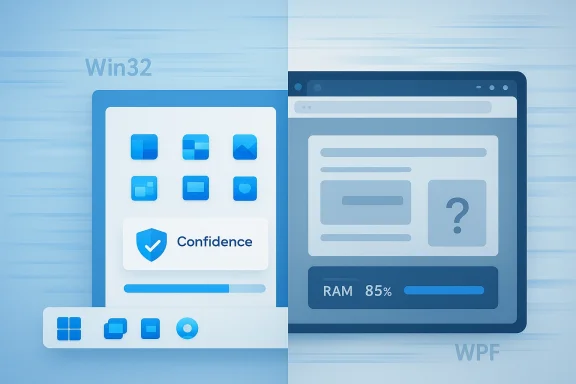
Microsoft’s latest Windows 11 app debate is really about trust, not just code. Developers are not choosing web wrappers because they love bloated memory usage or bland interfaces; they are choosing them because the Windows platform has spent years sending mixed signals about which native framework will still matter in the future. That uncertainty has helped make web apps the safer business bet, even when they feel worse on the desktop. The result is a growing gap between what Windows users want and what many vendors are willing to build.
Windows development used to have a much clearer center of gravity. For years, Win32 was the default answer, and that consistency gave developers a stable target to learn, master, and trust. Microsoft’s own modern documentation still treats WinUI 3 as the current native UI framework for Windows desktop apps, but the existence of that guidance only highlights how fragmented the story has become over time
The first major break in that clarity came when Microsoft started layering new frameworks on top of the old ones instead of evolving a single obvious path. MFC, WinForms, WPF, Silverlight, WinRT, UWP, WinUI 3, and MAUI all arrived with some version of the same pitch: this is the future. Some of those technologies were genuinely impressive. The problem was not quality. The problem was that the future kept moving before developers could settle in.
That matters because software ecosystems are built on confidence as much as capability. If a company believes the platform vendor will stick with a framework long enough for the investment to pay off, it will commit engineering hours, retrain teams, and optimize for the platform. If not, it will hedge. On Windows, that hedge increasingly became the browser.
Microsoft did not create this mistrust in a vacuum. Windows 8’s app strategy, the UWP era, and the long tail of platform shifts all taught developers that betting heavily on Microsoft’s preferred stack could become risky. The company’s modern guidance says WinUI 3 is the “modern native UI platform” for Windows desktop apps, and the Windows App SDK is positioned as the way to build modern, high-performance Windows software. But that official clarity arrives after years of churn, which is why many developers still hesitate.
The practical consequence is easy to see in the app catalog. Windows users now live in a world where Discord, Slack, Notion, parts of Microsoft Teams, and many other applications are built on web technologies or runtime containers. Microsoft’s own WebView2 exists to host web content inside apps using Chromium-based Edge as the rendering engine, which is useful for shipping fast, but also makes it easier for teams to rationalize a browser-first product strategy
There is also a business incentive that is easy to underestimate. A company shipping a cross-platform web stack can move faster with fewer specialized engineers. If the product team already lives in JavaScript, TypeScript, HTML, and CSS, the path to a Windows wrapper is short. Native Windows work, by contrast, demands discipline, platform knowledge, and a longer commitment to one ecosystem.
The problem is that “good enough” often becomes the default standard. Once teams see that a browser-backed experience can technically ship on Windows, it becomes much harder to justify the extra time required to make something truly native. That is why many web wrappers are not the result of laziness so much as an optimization that keeps winning internal debates.
The history is familiar enough to repeat without much exaggeration. WPF promised modernity. Silverlight promised reach. UWP promised a unified future. WinUI 3 now carries the modern native banner, but it still has to overcome the memory of everything that came before it. Even when Microsoft keeps old technologies alive, it often does so in a way that looks more like suspension than strategic commitment.
This is why a lot of Windows developers now ask the same blunt question: why should we believe this framework will still be the one in five years? That is not cynicism for its own sake. It is an inference based on long experience.
That does not mean Microsoft has lacked technical ambition. It means the company has often treated technical ambition as a substitute for predictability. Developers notice the difference.
The Mac developer path has never felt perfectly static, but it has felt coherent. That coherence matters because developers can believe their investment will continue to matter. Even when Apple pushes a new approach, it rarely leaves the old one looking abandoned overnight. The result is a healthier instinct to go native.
That same instinct is much weaker on Windows. Developers know Windows can support excellent native experiences. They also know Microsoft has a history of redirecting the conversation before one framework fully proves itself. So when a company needs to ship software at scale, the browser begins to look like the safer operating assumption.
That does not make the result ideal for users. It makes it rational for the people paying the engineering bill.
Microsoft’s own platform guidance frames WinUI and the Windows App SDK as the way to build modern desktop experiences, while WebView2 is the bridge for hosted web content when that is useful. That distinction matters. Web content as a component is not the same thing as a web wrapper as the product identity.
The issue is that users rarely care how a product is assembled until the assembly starts to show. Once an app feels heavy, sluggish, or oddly disconnected from the rest of Windows, the architecture stops being invisible. At that point, the difference between a native shell and a browser container becomes obvious in all the ways that matter.
A few common symptoms keep showing up:
Microsoft appears to be trying to balance speed, consistency, and platform identity. That is understandable. But every time the company changes the architectural wrapper, it sends a mixed message about what “native” actually means. If the title bar is WinUI but the body is web content, many users will understandably feel that the word has been stretched.
That is where the trust issue returns. A Windows assistant should feel like it belongs to Windows. If the implementation relies too heavily on browser machinery, then the app may still be functional, but it stops carrying the emotional weight of a truly first-class desktop experience.
This is where Microsoft’s AI push and its app-platform choices intersect. If the company wants users to trust AI features more deeply, it cannot keep making those features look like repackaged browser sessions. The appearance of shortcut engineering matters because AI products need more trust, not less.
There is also a management advantage. Shared web technology creates shared behavior. Microsoft can roll out features across surfaces with fewer incompatible branches. That consistency is appealing in a large organization where product teams are often moving at different speeds. A browser-heavy stack reduces duplication and can help maintain a single brand language.
But this optimization comes with a price. If everything starts to look like a browser package, then Windows risks becoming a platform of wrappers rather than a platform of crafted desktop experiences. That may be efficient from Redmond’s perspective, but it weakens the distinctiveness of the operating system.
That is why Microsoft’s current push toward better native apps matters so much. It is not just a design choice. It is an attempt to rewrite the incentive structure by making native quality visible again.
That matters because native apps do more than save RAM. They reinforce the idea that Windows is a premium desktop platform with its own design language and its own performance expectations. When Microsoft ships native inbox apps that feel fast and coherent, it raises the baseline for everyone else.
The platform also benefits from better hardware alignment. On Copilot+ PCs and ARM devices, native software helps Microsoft sell the promise of responsive, efficient computing. The company has been trying to position Windows as the best place for on-device AI and energy-conscious performance. Native apps are part of that story, whether the marketing says so explicitly or not.
That psychological effect is important because Windows has long been accused of inconsistency. If Microsoft can demonstrate a credible shift toward native craftsmanship, it may help reverse some of that reputational drag.
This is also a chance to align product, platform, and hardware messaging. If Microsoft wants Windows to be taken seriously as a premium desktop environment, its own apps have to look and feel premium too.
There is also a fragmentation risk. Windows already has too many development paths for many teams to evaluate comfortably. If Microsoft cannot clearly explain what should be used for what, developers will keep choosing the least risky route. That route is still often the web.
The more important question is whether developers believe Microsoft will stay the course. If the company can demonstrate consistency over several release cycles, the trust gap may begin to close. If not, the browser will remain the default fallback for far too many Windows applications.
Windows does not have a technology problem so much as a credibility problem. Microsoft already has the pieces it needs to build excellent native apps, and it has the documentation to support that direction. What it still has to prove is that this time the commitment will last long enough for developers and users to believe it. Until then, web apps will keep winning not because they are better, but because they are safer.
Source: Windows Latest Developer explains why Windows 11 keeps getting web apps instead of native apps
 Background
Windows development used to have a much clearer center of gravity. For years, Win32 was the default answer, and that consistency gave developers a stable target to learn, master, and trust. Microsoft’s own modern documentation still treats WinUI 3 as the current native UI framework for Windows desktop apps, but the existence of that guidance only highlights how fragmented the story has become over timeThe first major break in that clarity came when Microsoft started layering new frameworks on top of the old ones instead of evolving a single obvious path. MFC, WinForms, WPF, Silverlight, WinRT, UWP, WinUI 3, and MAUI all arrived with some version of the same pitch: this is the future. Some of those technologies were genuinely impressive. The problem was not quality. The problem was that the future kept moving before developers could settle in.
That matters because software ecosystems are built on confidence as much as capability. If a company believes the platform vendor will stick with a framework long enough for the investment to pay off, it will commit engineering hours, retrain teams, and optimize for the platform. If not, it will hedge. On Windows, that hedge increasingly became the browser.
Microsoft did not create this mistrust in a vacuum. Windows 8’s app strategy, the UWP era, and the long tail of platform shifts all taught developers that betting heavily on Microsoft’s preferred stack could become risky. The company’s modern guidance says WinUI 3 is the “modern native UI platform” for Windows desktop apps, and the Windows App SDK is positioned as the way to build modern, high-performance Windows software. But that official clarity arrives after years of churn, which is why many developers still hesitate.
The practical consequence is easy to see in the app catalog. Windows users now live in a world where Discord, Slack, Notion, parts of Microsoft Teams, and many other applications are built on web technologies or runtime containers. Microsoft’s own WebView2 exists to host web content inside apps using Chromium-based Edge as the rendering engine, which is useful for shipping fast, but also makes it easier for teams to rationalize a browser-first product strategy
Why Web Apps Became the Safer Bet
For many developers, web apps are less a preference than a risk-management strategy. One codebase can reach Windows, macOS, Linux, and the browser. That reduces support burden, simplifies feature rollouts, and avoids the cost of maintaining a truly separate Windows implementation. In an age of cloud services and constant iteration, that efficiency has become very persuasive.There is also a business incentive that is easy to underestimate. A company shipping a cross-platform web stack can move faster with fewer specialized engineers. If the product team already lives in JavaScript, TypeScript, HTML, and CSS, the path to a Windows wrapper is short. Native Windows work, by contrast, demands discipline, platform knowledge, and a longer commitment to one ecosystem.
The problem is that “good enough” often becomes the default standard. Once teams see that a browser-backed experience can technically ship on Windows, it becomes much harder to justify the extra time required to make something truly native. That is why many web wrappers are not the result of laziness so much as an optimization that keeps winning internal debates.
The economics of maintenance
Development costs are only part of the equation. Maintenance costs often decide the architecture long after launch. Native Windows software can offer better responsiveness, tighter OS integration, and lower memory use, but it also requires deeper platform-specific testing and a stronger commitment to the desktop UX model. Web stacks centralize more of that work.- One codebase can serve multiple operating systems.
- UI and feature changes can ship faster.
- Bugs can be fixed once instead of in several native branches.
- Teams can rely on familiar browser tooling and hiring pools.
- Product managers get fewer platform-specific constraints.
- The cost of “doing Windows right” becomes easier to avoid.
The Cost of Platform Whiplash
Microsoft’s central mistake was not launching new frameworks. It was repeatedly framing those frameworks as the long-term answer, then shifting direction before they had fully matured. That pattern teaches developers not to invest emotionally, and once that happens, the app ecosystem starts behaving defensively.The history is familiar enough to repeat without much exaggeration. WPF promised modernity. Silverlight promised reach. UWP promised a unified future. WinUI 3 now carries the modern native banner, but it still has to overcome the memory of everything that came before it. Even when Microsoft keeps old technologies alive, it often does so in a way that looks more like suspension than strategic commitment.
This is why a lot of Windows developers now ask the same blunt question: why should we believe this framework will still be the one in five years? That is not cynicism for its own sake. It is an inference based on long experience.
Trust is built by repetition, not announcements
A platform does not earn trust by issuing a roadmap once. It earns trust by following through across multiple product cycles. Apple has benefited from this in the Mac ecosystem, where developers still see clearer continuity between AppKit, Cocoa, and SwiftUI than Windows developers often feel with Microsoft’s shifting native story. Microsoft, by contrast, has often signaled change before stability.That does not mean Microsoft has lacked technical ambition. It means the company has often treated technical ambition as a substitute for predictability. Developers notice the difference.
- Announcements create curiosity.
- Shipping creates adoption.
- Longevity creates confidence.
- Consistency creates ecosystem habit.
- Habit creates native commitment.
Why Mac Developers Behave Differently
One of the most revealing parts of this debate is the contrast with macOS. Apple’s desktop market is smaller, yet developers are often more willing to build native apps there. That sounds counterintuitive until you factor in platform continuity. Apple changes frameworks, but it does so within a much more disciplined evolution story.The Mac developer path has never felt perfectly static, but it has felt coherent. That coherence matters because developers can believe their investment will continue to matter. Even when Apple pushes a new approach, it rarely leaves the old one looking abandoned overnight. The result is a healthier instinct to go native.
That same instinct is much weaker on Windows. Developers know Windows can support excellent native experiences. They also know Microsoft has a history of redirecting the conversation before one framework fully proves itself. So when a company needs to ship software at scale, the browser begins to look like the safer operating assumption.
What developers actually optimize for
The debate is often framed as native purity versus lazy web development, but the real calculation is more practical. Teams care about confidence, maintenance, and time-to-market. If a browser stack gets them to launch faster, keeps the codebase leaner, and avoids a long bet on Microsoft’s next move, it wins.That does not make the result ideal for users. It makes it rational for the people paying the engineering bill.
- Native apps usually feel better on the desktop.
- Web apps usually cost less to maintain.
- Windows has not made the native bet feel safe enough.
- macOS has offered a steadier native path.
- The market follows incentives, not sentiment.
- Users inherit the tradeoff.
Why WebView2 Became So Common
WebView2 is a perfect symbol of the modern Windows dilemma. It gives developers a convenient bridge between web content and desktop shells, and it uses Chromium-based Edge as the rendering engine. That makes it a legitimate tool for embedding web experiences inside Windows applications. But it also makes it much easier for teams to stop halfway and call the result an app.Microsoft’s own platform guidance frames WinUI and the Windows App SDK as the way to build modern desktop experiences, while WebView2 is the bridge for hosted web content when that is useful. That distinction matters. Web content as a component is not the same thing as a web wrapper as the product identity.
The issue is that users rarely care how a product is assembled until the assembly starts to show. Once an app feels heavy, sluggish, or oddly disconnected from the rest of Windows, the architecture stops being invisible. At that point, the difference between a native shell and a browser container becomes obvious in all the ways that matter.
The user-facing penalty
The user experience costs are real. Web-backed apps often use more RAM, feel less immediate, and have more layers between the user and the task. Those compromises might be tolerable for a cross-platform utility, but they feel much worse when the product is supposed to represent the operating system itself.A few common symptoms keep showing up:
- Slower startup and exit behavior.
- Higher memory footprint.
- Less responsive scrolling and transitions.
- More browser-like failure modes.
- Weaker integration with system-wide UI conventions.
- A vague feeling that the app is “not really Windows.”
The Copilot Problem Is Bigger Than Copilot
The Copilot conversation makes this issue unusually visible because it sits at the center of Microsoft’s Windows and AI narrative. When Copilot looks native, then becomes web-based, then becomes native again, and then starts looking web-heavy once more, users stop seeing a product and start seeing an experiment.Microsoft appears to be trying to balance speed, consistency, and platform identity. That is understandable. But every time the company changes the architectural wrapper, it sends a mixed message about what “native” actually means. If the title bar is WinUI but the body is web content, many users will understandably feel that the word has been stretched.
That is where the trust issue returns. A Windows assistant should feel like it belongs to Windows. If the implementation relies too heavily on browser machinery, then the app may still be functional, but it stops carrying the emotional weight of a truly first-class desktop experience.
The branding gap
A lot of the frustration comes from expectation mismatch. Microsoft markets Copilot as a core Windows experience, but the plumbing often looks much closer to the web than users expect. That gap between branding and implementation creates skepticism, especially among power users who can see the runtime model in Task Manager or feel it in memory use.This is where Microsoft’s AI push and its app-platform choices intersect. If the company wants users to trust AI features more deeply, it cannot keep making those features look like repackaged browser sessions. The appearance of shortcut engineering matters because AI products need more trust, not less.
- Copilot is a flagship interface.
- Flagship interfaces shape platform identity.
- Platform identity shapes user expectations.
- Expectations shape trust.
- Trust shapes adoption.
- Adoption shapes ecosystem behavior.
Why Microsoft Keeps Doing This Anyway
It would be too simple to call Microsoft’s strategy a mistake and leave it there. The company’s logic is obvious: browser infrastructure is faster to ship, easier to update, and simpler to keep aligned across Windows, Edge, Microsoft 365, and the web. For a company trying to move quickly in AI, that matters a lot.There is also a management advantage. Shared web technology creates shared behavior. Microsoft can roll out features across surfaces with fewer incompatible branches. That consistency is appealing in a large organization where product teams are often moving at different speeds. A browser-heavy stack reduces duplication and can help maintain a single brand language.
But this optimization comes with a price. If everything starts to look like a browser package, then Windows risks becoming a platform of wrappers rather than a platform of crafted desktop experiences. That may be efficient from Redmond’s perspective, but it weakens the distinctiveness of the operating system.
The internal incentives problem
One of the least discussed factors is how companies measure success internally. If teams are rewarded for shipping features quickly, meeting service targets, and minimizing platform-specific overhead, native Windows craft can look like a luxury. The easier path wins because it is easier to justify.That is why Microsoft’s current push toward better native apps matters so much. It is not just a design choice. It is an attempt to rewrite the incentive structure by making native quality visible again.
- Faster shipping favors browser stacks.
- Better desktop polish favors native code.
- Cross-platform alignment favors wrappers.
- Platform identity favors native investment.
- Short-term metrics often dominate long-term UX health.
- Users ultimately pay for the shortcut.
The Case for Returning to Native
The good news is that Microsoft appears to understand the problem. Its modern Windows documentation is clearly pointing developers toward WinUI 3 and the Windows App SDK as the native path for desktop software. Those tools are meant to support modern, polished, responsive Windows apps that align with Fluent Design and run across x86, x64, and ARM hardwareThat matters because native apps do more than save RAM. They reinforce the idea that Windows is a premium desktop platform with its own design language and its own performance expectations. When Microsoft ships native inbox apps that feel fast and coherent, it raises the baseline for everyone else.
The platform also benefits from better hardware alignment. On Copilot+ PCs and ARM devices, native software helps Microsoft sell the promise of responsive, efficient computing. The company has been trying to position Windows as the best place for on-device AI and energy-conscious performance. Native apps are part of that story, whether the marketing says so explicitly or not.
Why native changes perception
A native app changes how users read the whole system. Fast settings panes, instant launches, smooth animations, and consistent theming do more than look nice. They tell users that the operating system itself has not been neglected.That psychological effect is important because Windows has long been accused of inconsistency. If Microsoft can demonstrate a credible shift toward native craftsmanship, it may help reverse some of that reputational drag.
- Faster feel reinforces product quality.
- Better coherence reduces visual fatigue.
- Lower memory use improves system trust.
- Stronger OS integration improves usability.
- Native polish strengthens Windows identity.
- A better baseline pushes third parties upward.
Strengths and Opportunities
Microsoft’s renewed native-app direction has real upside if it is followed through consistently. It gives the company a chance to repair user frustration, improve the quality of first-party software, and make Windows 11 feel more deliberate. It also offers a stronger story for developers who want proof that native Windows work still matters.This is also a chance to align product, platform, and hardware messaging. If Microsoft wants Windows to be taken seriously as a premium desktop environment, its own apps have to look and feel premium too.
- Better performance perception for everyday users.
- More coherent UI design across inbox apps.
- Stronger platform identity against macOS and ChromeOS.
- Improved developer signaling around native Windows work.
- Lower resource usage in core first-party experiences.
- Better alignment with Copilot+ and ARM hardware goals.
- A cleaner narrative for Windows quality and craftsmanship.
Risks and Concerns
The biggest risk is that Microsoft will treat the native pivot as a branding exercise rather than a structural commitment. If only a few showcase apps are rebuilt while the rest of the ecosystem continues drifting toward web wrappers, users will notice the inconsistency and conclude that nothing really changed. That would be worse than doing nothing, because it would deepen skepticism.There is also a fragmentation risk. Windows already has too many development paths for many teams to evaluate comfortably. If Microsoft cannot clearly explain what should be used for what, developers will keep choosing the least risky route. That route is still often the web.
- The native push could stay isolated to a few first-party apps.
- Developers may continue favoring web frameworks for cost reasons.
- Too many overlapping frameworks can blur the platform message.
- Users may not notice technical improvements unless they are obvious.
- Microsoft could overpromise and underdeliver on consistency.
- Heavy AI features could keep increasing runtime costs.
- Trust may remain fragile even if app quality improves.
What to Watch Next
The next few Windows releases will reveal whether Microsoft is truly rebuilding its desktop strategy or just making a few architectural corrections around the edges. If the company continues shifting more inbox software toward WinUI 3 and the Windows App SDK, that will be a strong signal that native quality is becoming a platform priority rather than a temporary talking pointThe more important question is whether developers believe Microsoft will stay the course. If the company can demonstrate consistency over several release cycles, the trust gap may begin to close. If not, the browser will remain the default fallback for far too many Windows applications.
- Watch whether more Microsoft apps become visibly native.
- Watch whether Microsoft standardizes its app guidance.
- Watch whether RAM usage and startup times improve.
- Watch whether WinUI 3 gains more real-world credibility.
- Watch whether developers talk about Windows with more confidence.
- Watch whether Microsoft’s AI features feel less browser-shaped.
- Watch whether third-party app makers notice the new baseline.
Windows does not have a technology problem so much as a credibility problem. Microsoft already has the pieces it needs to build excellent native apps, and it has the documentation to support that direction. What it still has to prove is that this time the commitment will last long enough for developers and users to believe it. Until then, web apps will keep winning not because they are better, but because they are safer.
Source: Windows Latest Developer explains why Windows 11 keeps getting web apps instead of native apps
Last edited:
