
Windows didn’t win because it was the best idea in an ideal marketplace; it won because it arrived first, gathered partners, and built an engine of compatibility that still drives desktop computing today. The three reasons most writers point to—software and hardware compatibility, familiarity and skill investment, and ecosystem lock‑in by Microsoft—aren’t handwaving talking points; they describe a self‑reinforcing market reality that makes switching costly for most users and organizations. The How‑To Geek piece that prompted this conversation frames those three forces cleanly, and each is worth unpacking and testing against real data and recent developments. ort history and the cold facts
Microsoft’s Windows family started as a graphical layer on MS‑DOS in the mid‑1980s; Windows 1.0 shipped in November 1985 and set the stage for decades of Windows‑first software and hardware ecosystems. That early entry mattered: being the de‑facto desktop environment for businesses and consumers created a powerful advantage that persisted as Windows matured.
Today, Windows remains the dominant desktop platform by a wide margin. Independent usage‑share trackers and aggregated studies put Windows well above other desktop operating systems, with market share figures in the ballpark of roughly seven in ten desktop PCs (desktop/laptop segment), while traditional desktop Linux occupies only a low single‑digit percentage. Those percentages vary by methodology and month, but the broad picture is consistent: Windows leads; macOS is meaningful in some geographies; Linux desktop usage is niche.
With that context, the three practical reasons people stay on Windows are not mere nostalgia. They have economic, technical, and social weight. Below I summarize the position laid out by How‑To Geek, then analyze each claim, cross‑checking with independent sources and recent technical developments to separate durable truths from perceptions that are changing.
How‑To Geek condensed the argument into three core points:
How‑To Geek is blunt: the vendor ecosystem often prioritizes Windows, especially for proprietary devices and commercial hardware. That realiier choice for people who rely on one‑off hardware or vendor‑supplied software.
How‑To Geek calls this a “high wall” around Microsoft’s garden—and that is a fair characterization from a business perspective. Microsoft’s long history of enterprise sales, education programs, and Office dominance has created a broad set of interlocking incentives that favor staying within the Microsoft ecosystem.
Microsoft also ties client‑side features to Windows versions (for example, support announcements that affect the compatibility of Microsoft 365 Apps with older Windows versions), which increases the incentive for organizations to stay current with Windows. Announcements about ending support for Office on older Windows versions are concrete examples of how product lifecycle decisions influence upgrade cycles.
For the majority of everyday desktop users, especiallcation, and industries with specialized hardware, Windows remains the least risky and most cost‑effective option in the short to medium term. Advocates on both sides should respect that reality: choosing an OS is a pragmatic decision about trade‑offs, not a pure vote for freedom or convenience.
Source: How-To Geek 3 reasons most people stick with Windows, even though Linux is free
Microsoft’s Windows family started as a graphical layer on MS‑DOS in the mid‑1980s; Windows 1.0 shipped in November 1985 and set the stage for decades of Windows‑first software and hardware ecosystems. That early entry mattered: being the de‑facto desktop environment for businesses and consumers created a powerful advantage that persisted as Windows matured.
Today, Windows remains the dominant desktop platform by a wide margin. Independent usage‑share trackers and aggregated studies put Windows well above other desktop operating systems, with market share figures in the ballpark of roughly seven in ten desktop PCs (desktop/laptop segment), while traditional desktop Linux occupies only a low single‑digit percentage. Those percentages vary by methodology and month, but the broad picture is consistent: Windows leads; macOS is meaningful in some geographies; Linux desktop usage is niche.
With that context, the three practical reasons people stay on Windows are not mere nostalgia. They have economic, technical, and social weight. Below I summarize the position laid out by How‑To Geek, then analyze each claim, cross‑checking with independent sources and recent technical developments to separate durable truths from perceptions that are changing.
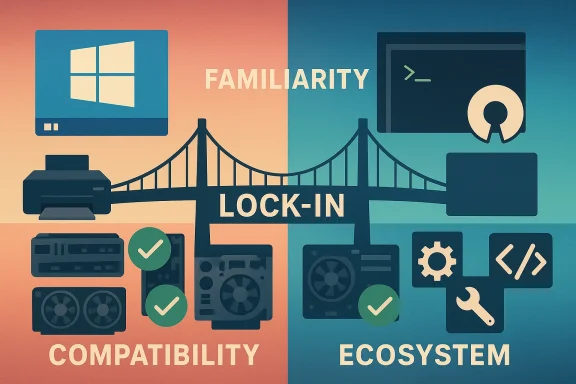 Overview: How‑To Geek’s three reasons, in plain language
How‑To Geek condensed the argument into three core points:- Adoption and software/hardware compatibility give Windows a firm upper hand.
- Most people already know Windows; familiarity reduces incentive to switeliberately “locked” organizations into its ecosystem via Office, education deals, and partnerships.
1) Compatibility: the practical blocker
Why compatibility matters
Compatibility isn’t just “can I run my word processor?” — it’s about the full matrix of devices, drivers, niche hardware, commercial software suites, and games that people and organizations rely on every day. For many users the question isn’t theoretical: it’s “Will this specialized USB audio interface, this medical instrument, or this accounting package run without months of troubleshooting?” Windows typically answers “yes” by default because vendors ship drivers and test against Windows first.How‑To Geek is blunt: the vendor ecosystem often prioritizes Windows, especially for proprietary devices and commercial hardware. That realiier choice for people who rely on one‑off hardware or vendor‑supplied software.
Evidence: drivers, GPUs, and the gaming angle
Graphics and multimedia vendors exemplify the compatibility gap—and also show how fast that gap can change.- NVIDIA historically supplied proprietary Linux drivers that lagged behind Windows in ease of installation and full feature parity, but in recent years NVIDIA has shifted its stance and released open‑source kernel modules for Linux, making the Linux driver situation materially better than it was a few years ago. NVIDIA’s technical blog explains the transition to open‑source kernel modules and how installation and packaging have evolved. This is a meaningful change that lowers one major barrier for Linux users.
- AMD has long supported the open Linux driver stack (Mesa + amdgpu) and has been converging its Linux offering toward open components, though proprietary pieces and specialized tooling still exist for certain use cases. AMD’s public release notes and Linux driver documentation show the company is actively supporting Linux, particularly for modern GPUs, while also evolving packaging and support policies.
Gaming: Proton helped, anti‑cheat still bites
For gamers, compatibility is the headline issue. Valve’s Proton/Wine work has dramatically increased the number of Windows games that run on Linux without native ports, and the Steam Deck era accelerated that progress. Still, the long tail of anti‑cheat systems and vendor decisions complicate the picture.- Proton and Valve’s compatibility efforts enabled broad improvements, but anti‑cheat systems created stumbling blocks. Starting in 2021, major anti‑cheat vendors (Epic’s Easy Anti‑Cheat and BattlEye) worked to provide Linux‑compatible options that function with Proton. That fixed many cases, but adoption has been uneven: game developers must opt in, and kernel‑level anti‑cheat features used on Windows can be harder to replicate on Linux in a way studios trust. Reporting shows progress (BattlEye, Epic added support for Linux/Proton), but the “it depends” reality remains—some multiplayer titles still do not work on Linux because of anti‑cheat or publisher choices.
2) Familiarity and the cost of learning
People don’t switch OSes the way they switch apps
An operating system is the platform for habits and muscle memory. Most users have years of Windows knowledge—menus, shortcuts, Windows‑centric tooling, print workflows, enterprise single‑sign‑on (SSO) setups, and support processes. Replacing that foundation requires time, training, oTo Geek frames this as a social and educational problem: to get people to switch, Linux advocates would need massive initiatives—changes in school curricula, enterprise procurement policy shifts, and a concerted marketing push. That’s unlikely because the Linux ecosystem is not organized around market capture in the same way Microsoft is.Measurable costs: training, support, integration
For organizations, the math is straightforward:- Training staff on a new OS costs money and lost productivity in the short term.
- IT support stacks and management tools are often tuned for Windows environments (Active Directory, Group Policy, Intune, endpoint protection suites that integrate tightly with Windows).
- Application compatibility testing consumes engineering time for internal apps and vendor stacks.
Where familiarity is shifting
Familiarity is a strong force, but it is malleable over very long timeframes. Two places where this is visible:- Education: children trained on devices in school carry familiarity into the home and workplace later. If schools standardize on a platform, that creates decades of habit. Microsoft’s deep relationships with education customers help here (see the ecosystem lock‑in section below).
- Mobile and cloud: many people already spend most of their digital lives in web apps, collaboration suites, and mobile devices—places where the OS matters less. For those users, the transition cost to Linux can be tiny because the software they care about runs in a browser. But for power users, creatives, and many enterprise employees, native desktop applications still matter.
3) Ecosystem lock‑in: Microsoft’s deliberate strategy
What “lock‑in” looks like
Microsoft built a multiplatform revenue engine: Windows + Microsoft 365 (Office), Azure cloud, enterprise identity and management tooling, and developer frameworks. Those integrations mean that moving off Windows often triggers a cascade of additional compatibility choices: email, file formats, collaboration tools, device man.How‑To Geek calls this a “high wall” around Microsoft’s garden—and that is a fair characterization from a business perspective. Microsoft’s long history of enterprise sales, education programs, and Office dominance has created a broad set of interlocking incentives that favor staying within the Microsoft ecosystem.
Data points on Office and Microsoft 365
Microsoft’s productivity suite remains a mainstay in business. Microsoft announced hundreds of millions of paid Microsoft 365 seats in recent reporting cycles, and analysts cite Microsoft 365 as a major enterprise product with wide adoption among corporate customers. Those numbers underline how many organizations depend on Microsoft 365 for productivity, collaboration, and identity integration. If your corporate standard is Office, switching an entire desktop fleet requires a carefully planned, costly migration.Microsoft also ties client‑side features to Windows versions (for example, support announcements that affect the compatibility of Microsoft 365 Apps with older Windows versions), which increases the incentive for organizations to stay current with Windows. Announcements about ending support for Office on older Windows versions are concrete examples of how product lifecycle decisions influence upgrade cycles.
The counter‑argument: where Linux is winning and where it’s competitive
Linux is not a fringe OS everywhere. The platform wins decisively in several domains:- Servers and cloud: Linux dominates server infrastructure and cloud workloads. Enterprises frequently run Linux where stability, transparency, and open standards matter.
- Embedded and IoT: Linux variants power countless devices, from routers to industrial equipment.
- Developer tooling and scientific computing: many developers prefer Linux for native tooling, package managers, and scripting environments.
- Enthusiast and privacy communities: power users choose Linux for freedom, customization, and long‑term control.
- Gaming niches: Steam Deck and Proton have proven Linux can be a viable gaming platform for many users; Valve’s efforts show that with the right commercial and technical investment, Linux can close large parts of the compatibility gap.
Recent trends that could shift the balance (and the limits of those trends)
1) Vendor openness is changing
The open‑source moves from NVIDIA and continued work from AMD reduce friction for GPU users on Linux. NVIDIA’s decision to ship open kernel modules and AMD’s steady open‑source investments are meaningful. They lower a real barrier for many prospective switchers—especially those with modern hardware—by simplifying driver installation and improving compatibility with Wayland and modern desktop stacks. But user‑space drivers, vendor‑supplied applications, and specialized manufacturer tooling still produce gaps in niche areas.2) Gaming catches up, but publishers matter
Valve’s Proton significantly expanded playable titles on Linux. The anti‑cheat vendors have made technical accommodations, yet the decision to enable Linux/Proton anti‑cheat integration rests with game publishers. Some studios will enable it; some will not. For players who rely on a handful of specific multiplayer titles, that publisher decision remains decisive.3) Enterprises slowly adopt heterogeneous strategies
Organizations increasingly run mixed environments: Windows for general productivity; Linux for servers, dev workstations, and cloud development; macOS in creative teams; ChromeOS in standardized education deployments. That heterogeneity reduces the all‑or‑nothing stakes of a single desktop OS. But heterogeneity also increases the support and integration overhead for centralized IT teams, which often re‑reinforces Windows as the default for wide employee bases.Practical guidance: what to do if you’re considering the switch
If you or your organization are weighing Linux as an option, evaluate these steps:- Inventory: list critical apps, proprietary devices, and vendor dependencies.
- Pilot: test a pilot group with representative workflows (including print, scanning, and any specialized hardware).
- Gaming test: for gamers, test specific titles under Proton and verify multiplayer/anti‑cheat behavior.
- Training: model training costs and a realistic ramp‑up period for support teams.
- Hybrid options: consider running Linux for specific workloads (development, servers, privacy‑conscious tasks) and keep Windows where compatibility or business policy requires it.
Strengths, risks, and the long game
Strengths of staying on Windows
- Predictable compatibility for broad hardware and commercial software.
- Centralized management and enterprise tooling that reduce IT complexity at scale.
- Low short‑term risk for critical business workflows.
Strengths of Linux (why people switch)
- Cost flexibility (no per‑seat Windows license required for most distros).
- Transparency and control: open code, configurable updates, and strong tooling for developers and sysadmins.
- Niche advantages: servers, embedded systems, developer environments, and certain privacy‑focused use cases.
Risks of staying on Windows
- Vendor lock‑in and dependence on Microsoft lifecycle decisions.
- Privacy concerns for users uncomfortable with telemetry and cloud integration defaults (contextual risk, varies by user).
- Potential single‑vendor exposure if Microsoft changes terms, pricing, or compatibility in ways that affect your workflows.
Risks of switching to Linux
- Hardware and software compatibility for specialized devices.
- Training and productivity costs during a transition period.
- Publisher or vendor decisions that may leave you without support for particular titles or apps.
The verdict: pragmatic realism, not ideology
The How‑To Geek article captures why most people and organizations stay on Windows: the platform’s ecosystem, familiarity, and vendor relationships produce a strong default. Those forces are real and measurable. But the landscape is not frozen. Vendor decisions (NVIDIA’s kernel modules, AMD’s open sourcing, Valve’s Proton, anti‑cheat vendors adding Linux support) are materially lowering barriers. For a growing set of users—developers, duals, some gamers, and those who can tolerate a bit more DIY—Linux is an increasingly viable choice.For the majority of everyday desktop users, especiallcation, and industries with specialized hardware, Windows remains the least risky and most cost‑effective option in the short to medium term. Advocates on both sides should respect that reality: choosing an OS is a pragmatic decision about trade‑offs, not a pure vote for freedom or convenience.
Final takeaways
- Compatibility still wins most desktop decisions. The hardware and commercial software ecosystems continue to favor Windows for mainstream devices and many commercial applications.
- Familiarity is a real cost. Training, support, and workflow retraining are non‑trivial barriers to switching millions of users.
- Microsoft’s ecosystem creates inertia. Large Microsoft‑centric deployments—Office, identity, and device management—make wholesale migration a heavy lift.
- But the gap is closing in important areas. GPU driver modernization, Proton’s improvements, and anti‑cheat vendor changes reduce friction for many prospective switchers—especially power users and gamers who pick their software carefully.
Source: How-To Geek 3 reasons most people stick with Windows, even though Linux is free
